ChatGPT Temporary Chat vs Deleting Chats vs Turning Memory Off: which protects client data?
Quick answer
Use Temporary Chat before you start a sensitive job, delete the chat and the saved memory to clean up after one that already happened, and turn memory off on any login that more than one person uses. They solve different problems: Temporary Chat prevents a record, deleting removes one, and memory off stops ChatGPT carrying details from chat to chat. None of them replaces taking names and numbers out before you paste.
Last updated
Take the free module →Module 4 of the free AI at Work: Start Here course, about 10 minutes. No account needed.
This page is for office managers, partners and policy owners at small firms. Screens and plans change, so confirm each setting in your own account. It is practical guidance, not legal advice.
How do they compare at a glance?
| Question | Temporary Chat | Delete a chat | Memory off |
|---|---|---|---|
| When you use it | Before the sensitive job | After details already went in | As a standing setting |
| Appears in your history | No | Removed from your history | Chats still appear |
| Saved memory | Ignored in that chat | A saved memory is not deleted with the chat | Stops new use of memory for answers |
| Used for training | No, per the notice in the chat | Depends on your Data controls setting | Separate setting, under Data controls |
| Copy kept by OpenAI | May be kept up to 30 days for safety | OpenAI says deleted chats are removed within 30 days | Not applicable |
| Where to find it | Dashed-circle icon at the top right | Three dots at the top right of the chat, then Delete | Settings, Personalization, Enable memory |
What is the difference between Temporary Chat, deleting a chat and turning memory off?
They act at different moments. Temporary Chat works before: the notice in ChatGPT says a temporary chat won't appear in your history and ignores memory, plugins and custom instructions. Deleting works after: it removes a chat that already holds client details. Memory off works all the time: it stops ChatGPT from using saved facts to personalize answers.
A short way to remember it: Temporary Chat is a clean desk, deleting is shredding a page, and memory off is telling the assistant to stop taking notes.
Does deleting a chat also delete ChatGPT's memory?
No, and this is the step most people miss. In the Clear Client Data Out of ChatGPT lesson, Morgan at the made-up Calloway & Reyes CPAs deletes a chat that held a client's name, an account ending 4417 and a balance. The saved memory about the client is still in the list. Morgan opens Settings, Personalization and the saved memories link, then deletes that one memory.
Do not use Delete all chats or Delete all memories for a cleanup like this. They wipe the useful items too. If the firm needs a record first, use Export data before deleting.
Is Temporary Chat private enough for client work?
It is safer, not secret. ChatGPT's notice adds that, for safety, OpenAI may keep a copy for up to 30 days. It lowers the risk and does not remove the need to take out names, account numbers and other details first. The Know What Never Goes into AI lesson uses Temporary Chat for redaction work and keeps Social Security numbers out of AI altogether, removing them by hand.
Temporary Chat also ignores memory, so it is a good default for a one-off sensitive task on an account where memory is on.
Should a firm turn memory off?
On a shared work login, usually yes. In the ChatGPT data controls lesson, Hartwell Bookkeeping, a made-up firm, switches Enable memory off for shared accounts because it can carry one client's details into another client's chat. On a personal login memory can be useful. Review the Memory summary and the saved memories list there.
Turning memory off does not delete what is already saved, so clear the old entries too.
What should the written firm rule say?
Keep it to a few lines everyone can follow: one approved account, training off under Data controls, memory off on shared logins, Temporary Chat for sensitive work, and nothing in the Restricted level ever goes into AI. Add a monthly check of Shared links, and export before you delete. The data controls lesson ends with a copyable one-page policy.
If someone has already pasted client data, follow the steps in Someone Pasted Client Data into AI: record what went in before you start deleting.
Who is each one for?
Temporary Chat
For any one-off task that involves sensitive details, on any account. Start with the Know What Never Goes into AI lesson.
Delete a chat
For cleaning up after a mistake, one chat at a time. Follow the Clear Client Data Out of ChatGPT lesson, and clear the saved memory too.
Memory off
For shared work logins and firms that serve many clients. Set it up in the ChatGPT data controls lesson.
Which of these tools have a free Stepthrough lesson?
- Temporary Chat: free lesson: Know What Never Goes into AI: a Four-Level Data Cheat Sheet using ChatGPT
- Delete a chat: free lesson: Clear Client Data Out of ChatGPT Before It Becomes a Problem: Delete Chats, Clear Memory and Use Temporary Chat
- Memory off: free lesson: ChatGPT: Keep Client Data Safe, Set Up Your Team's Data Controls in 10 Minutes
Practice it free, step by step
Clear Client Data Out of ChatGPT Before It Becomes a Problem: Delete Chats, Clear Memory and Use Temporary Chat. Someone pasted client details into ChatGPT. Delete that one chat, archive what you keep, clear the one memory it left, set safe defaults and start using Temporary Chat. You do every step yourself in a practice copy of ChatGPT, it checks your work as you go, and “Do it for me” finishes any step you get stuck on. Free, and nothing touches your real accounts.
Start the free lessonWatch it in a free lesson: ChatGPT: Keep Client Data Safe, Set Up Your Team's Data Controls in 10 Minutes
 3:05
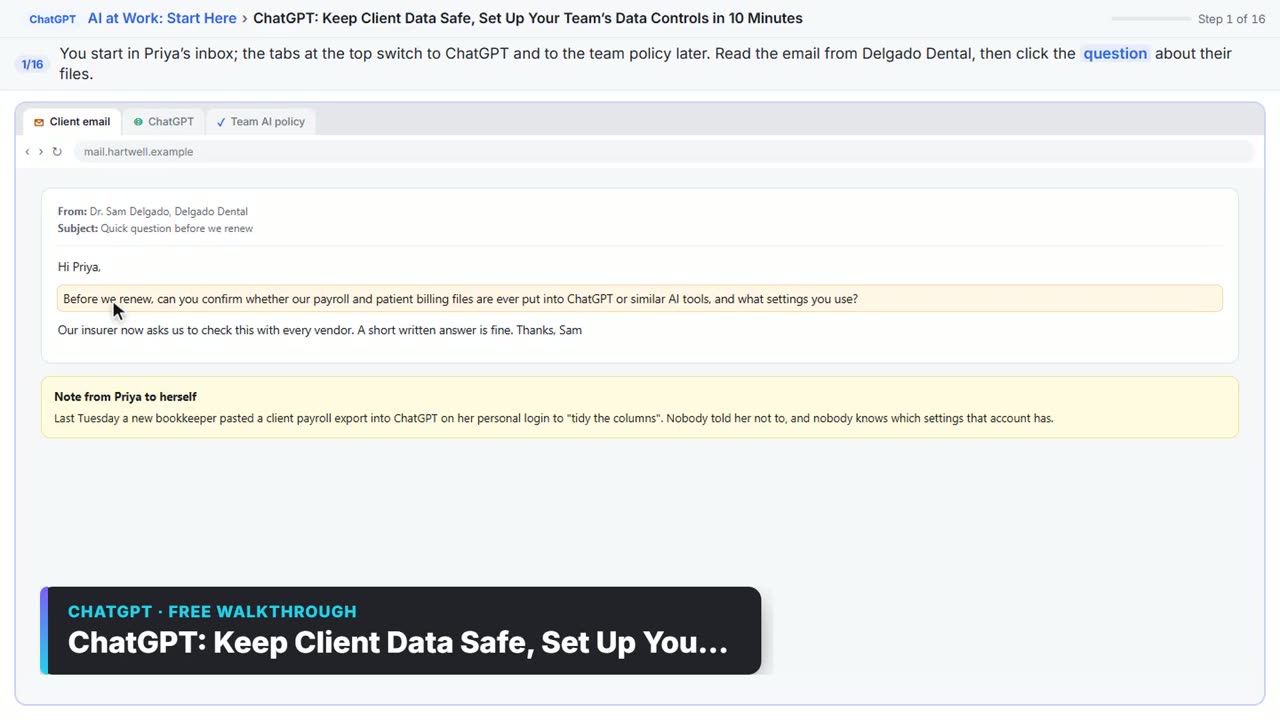
3:05ChatGPT: Keep Client Data Safe, Set Up Your Team’s Data Controls in 10 Minutes: video walkthrough
A client asks if their files go into ChatGPT. Answer with confidence: set the data controls, memory, Temporary Chat and shared links, then hand your team a one-page AI policy. The whole lesson narrated step by step, recorded in Stepthrough’s simulated practice environment.
Key takeaways
- Temporary Chat prevents a record, deleting removes one, and memory off stops carrying details between chats.
- Deleting a chat does not delete a saved memory. Clear the memory separately.
- Temporary Chat is safer, not secret: OpenAI may keep a copy for up to 30 days.
- Never use Delete all chats for a one-chat cleanup, and export first if you need a record.
- Sending less is still the strongest control, so take out names and numbers before you paste.
Frequently asked questions
Can I recover a chat after I delete it?
ChatGPT's dialog warns that deleting is permanent and can't be undone. Archive the chats you want to keep and delete only the ones that should not be held.
Does archiving a chat protect client data?
No. Archive moves a chat out of the sidebar but deletes nothing. It is for chats you keep, such as a month-end checklist.
Does Temporary Chat work on a free account?
The lessons were run on a Plus account. Features and plans change, so check your own account for the Temporary Chat icon.
Which option should I teach new staff first?
Temporary Chat for sensitive tasks, plus the rule to remove names and numbers before pasting. It is one habit they can use immediately.
Where do these prices and features come from?
Every price and feature on this page was checked against the vendor's own page, as of October 2026. No numbers here are estimates or third-party figures. The example businesses in the Stepthrough lessons are made up.