Tableau Public for beginners: connect a CSV, build a bar chart, add a filter and make a dashboard
A free one-page Tableau Public cheat sheet: connect a CSV, dimensions vs measures, a revenue bar chart, a viewer filter, a dashboard and publishing safely.
Tableau Public for beginners: connect a CSV, build a bar chart, add a filter and make a dashboard
The steps from the free Data and Dashboards for Beginners course, practised there on real Tableau Desktop Public Edition 2026.2 screens.
Before you start
- Install Tableau Desktop Public Edition (free). The Free Edition cannot publish to Tableau Public.
- Anything saved to Tableau Public is visible to anyone, and the Public Edition is not for commercial work: use sample data.
Build the chart
- Start page > Connect > Text file > pick the CSV. Check the type icons: calendar for dates, # for numbers.
- Click Sheet 1. Drag Region to Columns and Revenue to Rows.
- Drag Product to Filters. Nothing is ticked: click All, then OK.
- Right-click the Product pill > Show Filter so viewers can use it.
- Double-click the sheet tab to rename it.
Words on the screen
- Dimension (blue)
- Something you group by, like Region. Makes headers and one bar per value.
- Measure (green)
- A number Tableau adds up, like SUM(Revenue). Makes the axis.
- Sheet vs dashboard
- A sheet is one chart. A dashboard arranges sheets and their filters on one page.
Dashboard and publishing
- New Dashboard, then drag the sheet onto the canvas: the filter comes with it.
- File > Save to Tableau Public (older versions: Server). A connection error? Switch Live to Extract.
- Google Sheets sources refresh about every 24 hours on Tableau Public; CSV files do not.
Remember: Dimensions make the bars, measures make their height, and only sample data goes on Tableau Public.
Practice it free: Tableau Public: Your First Chart and Dashboard at learn.ynteractive.com/modules/tableau-public-first-chart. This sheet: learn.ynteractive.com/content/cheat-sheets/tableau-public-first-chart. the sample sales team is a made-up business from the lesson. By Robert Breen, October 23, 2026.
Practice it in the free lesson
Tableau Public: Your First Chart and Dashboard. A beginner Tableau Public walkthrough on real screens: connect a CSV, build revenue by region, give viewers a product filter, put it on a dashboard and find Save to Tableau Public. Free tool, sample… You do every step yourself in a practice copy of Tableau, it checks your work as you go, and “Do it for me” finishes any step you get stuck on. Free, and nothing touches your real accounts.
Start the free lessonLessons on this sheet
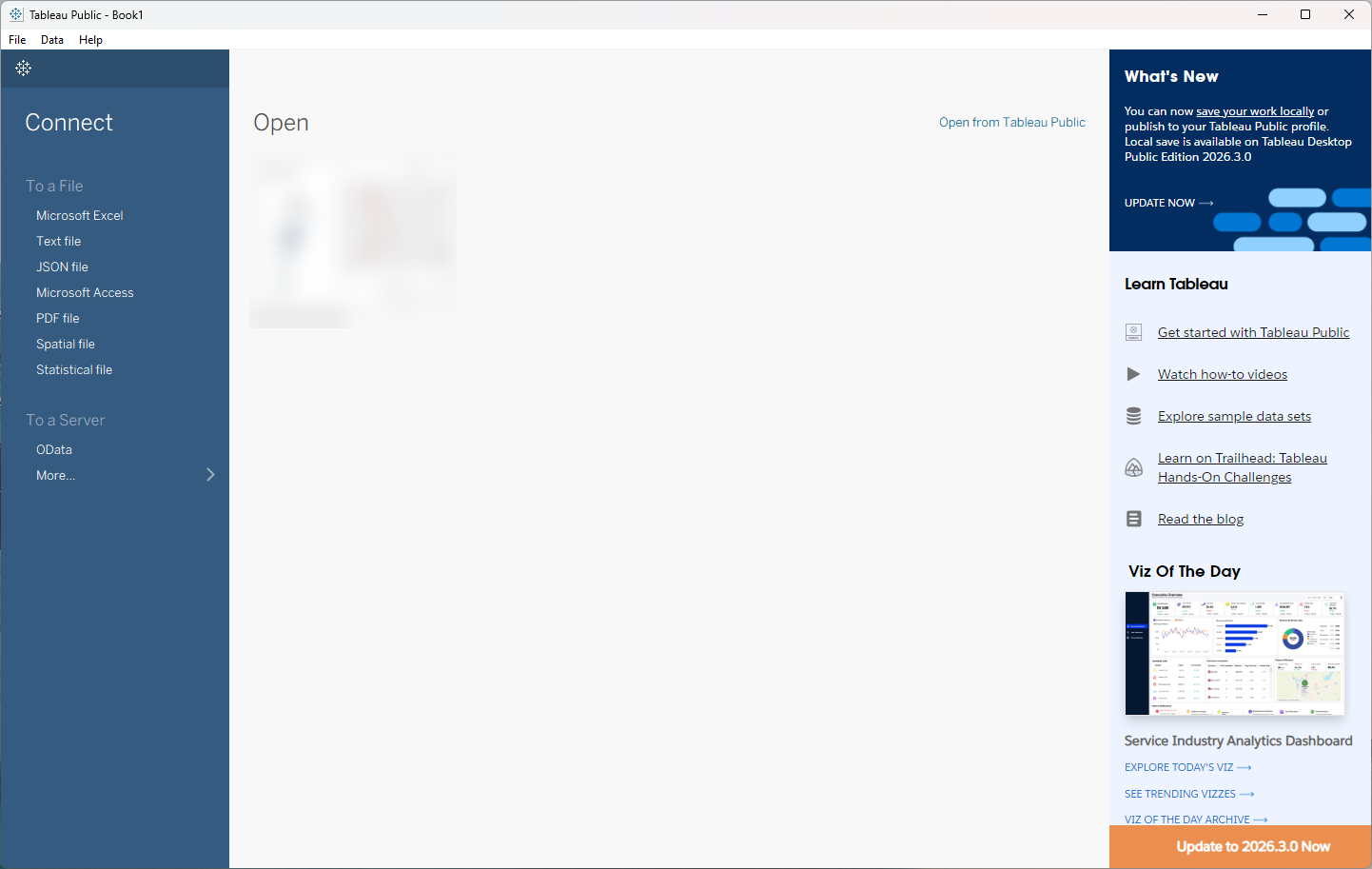 Tableau Public: Your First Chart and Dashboard
A beginner Tableau Public walkthrough on real screens: connect a CSV, build revenue by region, give viewers a product filter, put it on a dashboard and find Save to…
Free · Live ~15 min Beginner
 Analyze a Spreadsheet with ChatGPT: Upload a CSV, Get a Chart and Three Takeaways
Upload a CSV of sales to ChatGPT, have it check the data first, ask your questions, get a chart you can download, and finish with the three takeaways that matter.
Free · Live ~10 min Beginner
Related terms
Plain-English definitions, each with an example from a free lesson.
Related prompts
- Timesheet summary prompt: A ChatGPT prompt that turns a timesheet export into a summary: hours by person and project, missing days, unusual entries and…
- Customer complaint log summary prompt: A ChatGPT prompt that turns a customer complaint log into a summary: complaints by type with counts, repeat customers, open…
- Monthly operations report prompt: A ChatGPT prompt for a monthly operations report: this month against last month and target, what drove the big moves, open…
- Overtime and attendance report prompt: A ChatGPT prompt for an overtime and attendance report: overtime by person and week, the trend against last period, and items…
More cheat sheets
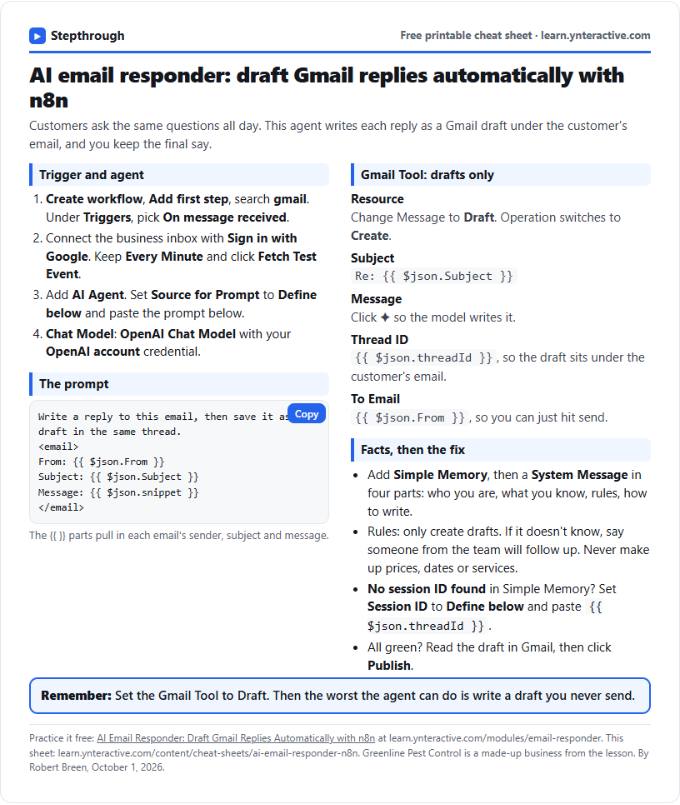 AI Email Responder in n8n Cheat Sheet
A free one-page cheat sheet: n8n watches Gmail, an AI agent reads each customer email and saves a reply as a draft in the same thread.
Lesson cheat sheet Free PDF
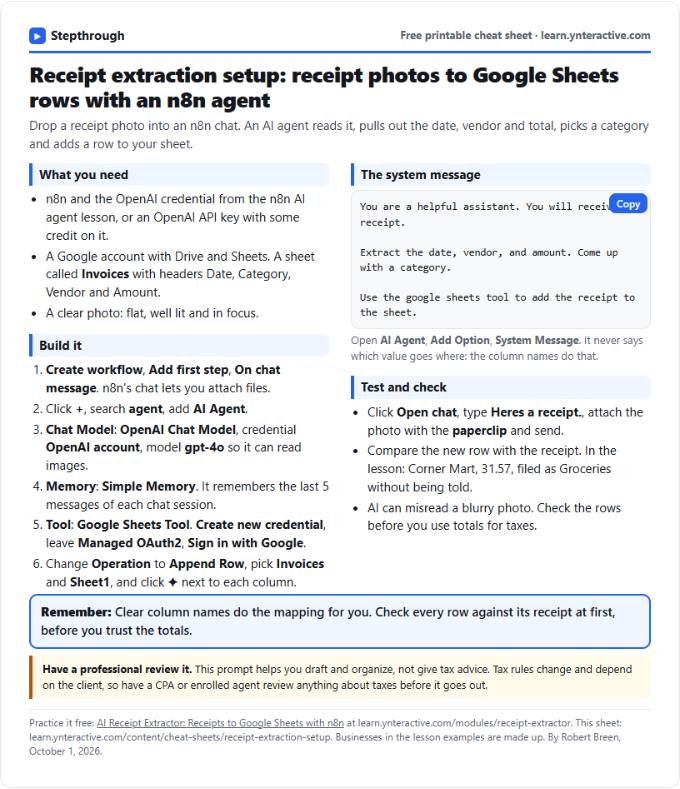 AI Receipt Extractor in n8n Cheat Sheet
A free one-page cheat sheet: attach a receipt photo in n8n chat, and an AI agent pulls the date, vendor and amount into a Google Sheets row.
Lesson cheat sheet Free PDF
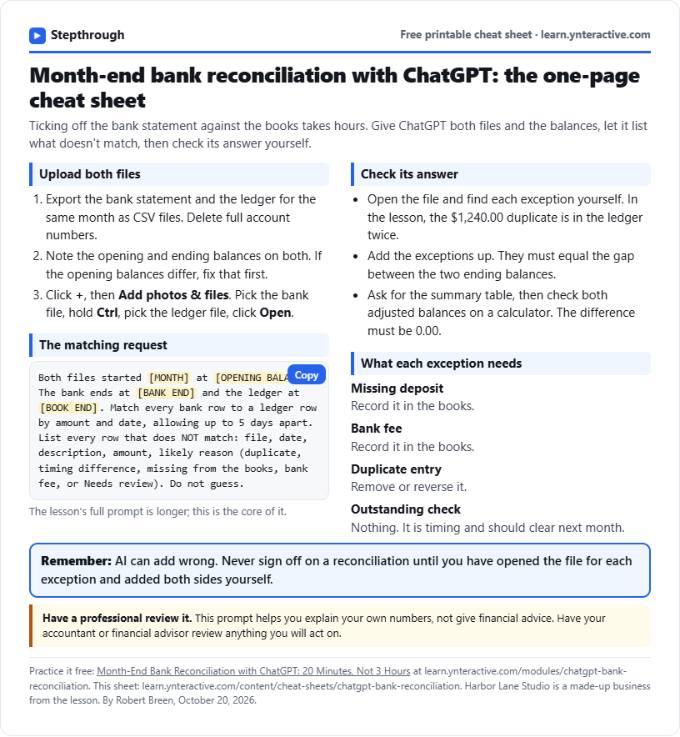 ChatGPT Bank Reconciliation Cheat Sheet
A free one-page cheat sheet: match a bank statement CSV to the ledger with ChatGPT, list the exceptions, build the summary and check the math yourself.
Lesson cheat sheet Free PDF