1. Weekly client status emails as drafts
Schedule (Weeks, Monday, 8am) > Get row(s) in sheet (Client, Contact, Email, Project, Status, Notes, Next Step) > OpenAI Message a model with "under 90 words, do not invent facts" > Gmail Create a draft. Five clients, five drafts, nothing sent until you read them. n8n Weekly Schedule and n8n Gmail Node Examples.
2. Kickoff meeting to recap, tracker and deck
ChatGPT recaps the notes and returns action items as JSON; n8n appends them to a tracker; Gamma turns an outline into a five-slide deck. The Meeting to Action lesson also shows the catch: the deck added "includes design, development and one round of revisions", which nobody said. Check every slide.
3. Content requests with AI first drafts
Requests in a sheet; an AI step writes a one-line description per row; Update row writes it back, matched on Email. n8n Google Sheets Node Cheat Sheet and the Google Sheets lesson.
4. New business inquiries answered in a minute
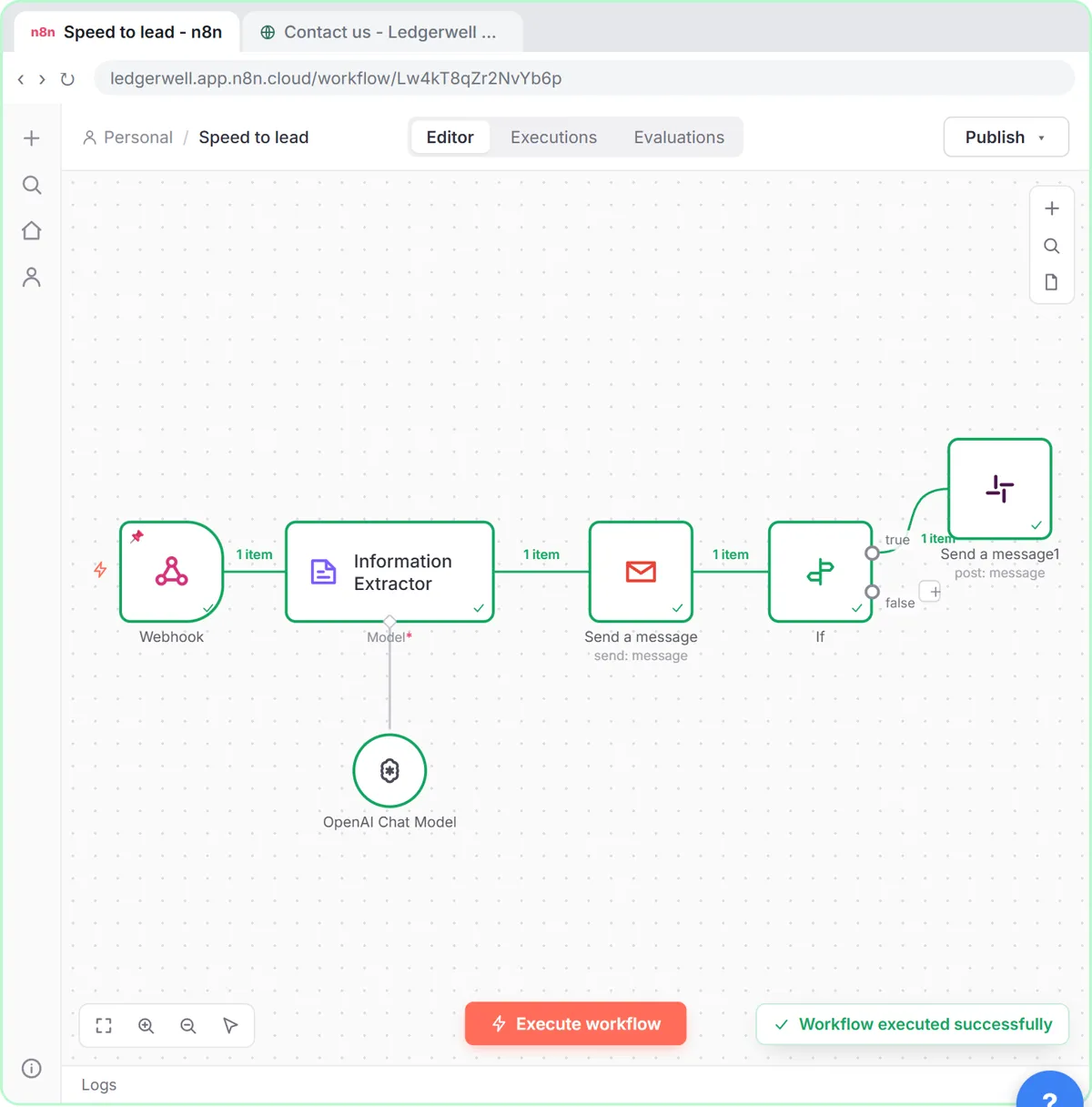
Score inquiries on budget, timing and fit and reply right away, with hot ones posted to Slack. The Speed-to-Lead lesson.
5. Client meeting action items per account
After each client call, turn notes into tasks with owner and due date and append them to that client's tracker. The meeting notes lesson.
6. Scope-change alerts
Flag client emails that ask for work outside the agreed scope and draft a polite reply for the account lead. What Is Scope Creep?
7. Competitor or market checks for clients
A weekly HTTP Request to a search API logs prices or rankings to a sheet you share in reports. The Litescrape lesson.
8. Client onboarding intake
A form collects logins needed, brand files and contacts; a sheet logs it; the team gets one Slack message. Make Custom Webhook for the form part.
9. Utilization or hours digest
Every Friday, read the hours sheet and email each lead a summary by client. The utilization rate entry explains the metric.
Try it free, step by step
n8n: Weekly Client Status Emails from a Google Sheet, Written by AI. Build an n8n workflow that wakes up every Monday, reads your client tracker in Google Sheets, has AI write a friendly update for each client and saves it as a Gmail draft. You do every step yourself in a practice copy of n8n, it checks your work as you go, and “Do it for me” finishes any step you get stuck on. Free, and nothing touches your real accounts.
Start the free lessonHow do agencies keep AI client emails safe?
- Drafts first. Publish the schedule only after a week of good drafts.
- Facts from your notes only. "Do not invent facts" in the prompt, and someone reads each one.
- The right address. Map To Email from the same sheet row:
{{ $('Get row(s) in sheet').item.json.Email }}. n8n Reference a Previous Node. - Check decks and recaps for added details. AI tools fill empty space with plausible claims.
Key takeaways
- Weekly client status drafts are the quickest visible win.
- Turn kickoff and client meetings into tracker rows automatically.
- Keep everything client-facing as a draft a person approves.
- Map recipients from the same row as the content, so no email goes to the wrong client.
Frequently asked questions
- How do agencies use n8n?
For client status updates, meeting follow-ups, content intake, lead replies, competitor tracking, onboarding intake and internal digests.
- Can n8n write client emails?
It can draft them with OpenAI from your project notes. Save them as Gmail drafts and have a person send them.
- Is n8n good for consultants who work alone?
Yes. The same workflows save a solo consultant hours every week; start with status drafts and meeting action items.
- Is there a free course?
Yes: AI for Consulting & Agencies and n8n Intermediate.