How do I extract text from a PDF in n8n?
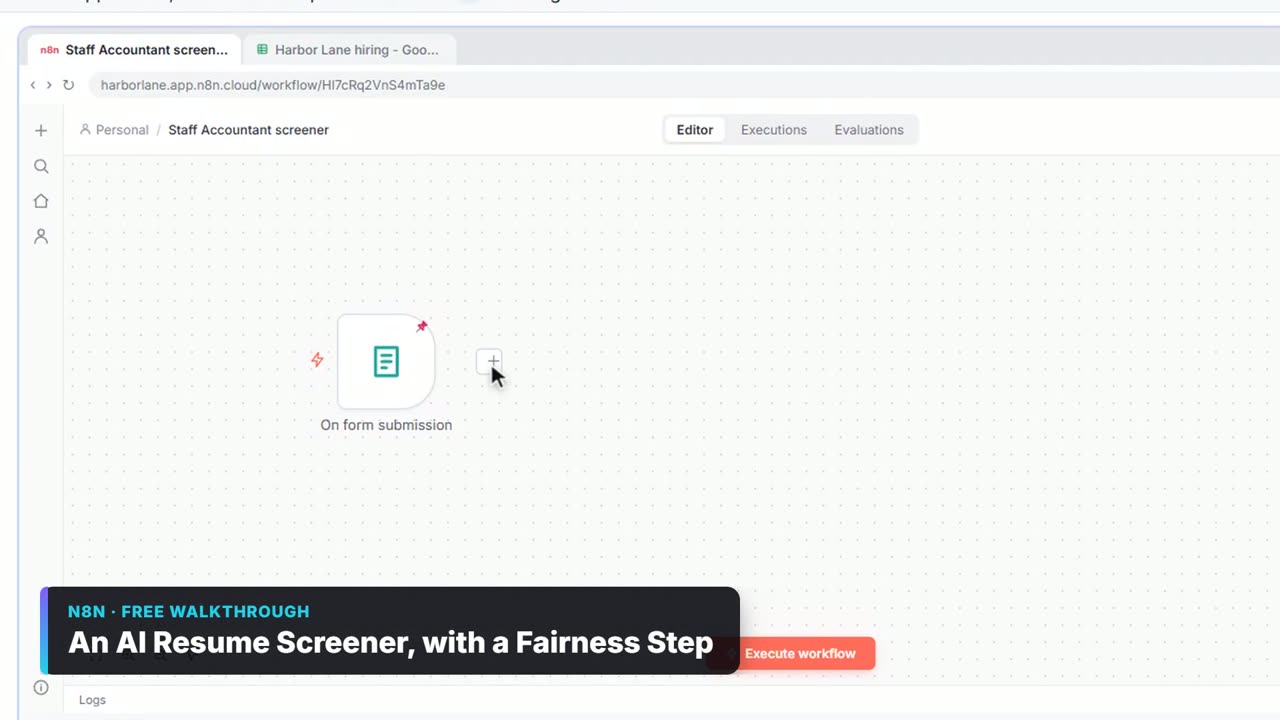
- Click the + after the node that brings the file (a form, a Gmail trigger, Google Drive).
- Search for extract and click Extract from File.
- Choose Extract from PDF.
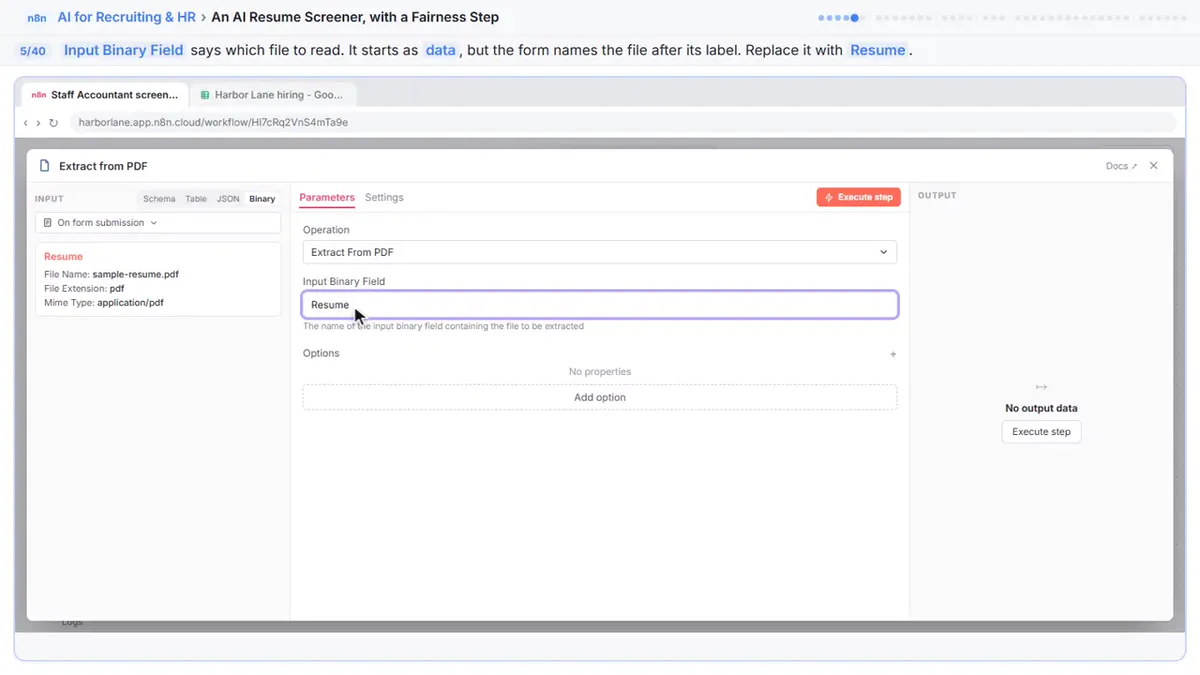
- Set Input Binary Field to the file's name.
- Close the node. It hands the PDF's text on as
text.
The next node uses {{ $json.text }}. Both the resume screener and the invoice approval lesson send that text to an Information Extractor.
What is the Input Binary Field?
Files in n8n travel as binary data with a name. Input Binary Field tells Extract from File which file on the item to read.
| Source | Typical binary field name |
|---|---|
| n8n Form with a field labelled Resume | Resume (the form names the file after its label) |
| Gmail Trigger with attachments downloaded | attachment_0 |
| Google Drive: Download file | data |
| HTTP Request with a file response | data |
To check, run the node before it and open its OUTPUT in Binary view; the name is shown above each file.
"This operation expects the node's input data to contain a binary file 'data', but none was found"
Extract from File is looking for a file called data, and the item's file has another name (or there's no file).
Fix:
- Replace
datain Input Binary Field with the real name, likeResumeorattachment_0. - For Gmail, turn on the trigger's option to download attachments, or there is no file at all.
- If only some emails have PDFs, put an If or Filter before the extract step.
The text comes out empty
The PDF is a scanned image, not real text. Extract from PDF reads text that's in the file; it doesn't read pixels. Use an OCR step or a document AI service for scans, or ask senders for a digital PDF. A searchable PDF is one that has a text layer.
The text is jumbled
Columns and tables in PDFs often come out in reading order that isn't the visual order. That's usually fine for an AI step: in the lessons, the Information Extractor finds vendor, invoice number and total even when the layout text is messy. Tell it to "copy what is printed, don't calculate or guess".
Try it free, step by step
An AI Resume Screener, with a Fairness Step (Recruiting & HR). Have n8n read each applicant’s PDF resume, score it against the job’s must-haves with the evidence quoted, and rank it in Google Sheets, while a person makes every hiring call. You do every step yourself in a practice copy of n8n, it checks your work as you go, and “Do it for me” finishes any step you get stuck on. Free, and nothing touches your real accounts.
Start the free lessonHow do I test without uploading every time?
Run the trigger once with a sample file and pin its output. In the resume screener, the form was tested once with a sample application and that test is pinned; Execute previous nodes then runs the sample through Extract from PDF and the extractor. See n8n Pinned and Mock Data.
Privacy reminder
Resumes and invoices hold personal and financial data. Only send what the next step needs, and in hiring, keep fairness rules in the AI step: the resume screener ignores names, addresses, graduation years and family details. Screen Resumes with AI Fairly has more.
Key takeaways
- Extract from File > Extract from PDF turns a PDF into a text field.
- Input Binary Field must match the file's real name, like Resume or attachment_0.
- "Expects a binary file 'data'" means the name is wrong or no file arrived.
- Scanned PDFs have no text layer; they need OCR.
Frequently asked questions
- How do I read a PDF in n8n?
Add Extract from File, choose Extract from PDF and set Input Binary Field to the file's binary name. The text comes out as text.
- Why does n8n say no binary file was found?
The node is looking for the wrong binary field name, or the item has no file. Check the previous node's Binary output for the real name.
- Can n8n read scanned PDFs?
Not with Extract from PDF alone, because scans have no text. Add an OCR step first.
- Which courses use this?