Updated . Built against the tool’s current screens and checked step by step. How we check this lesson
Build an Airia agent that rewrites the findings of a radiology report in plain words, leaves the name, MRN and accession number out, and refuses to diagnose. Tested on a made-up chest X-ray. Real Airia screens.
At a glance
| Question | Answer |
|---|---|
| What you build | Build an Airia agent that rewrites the findings of a radiology report in plain words, leaves the name, MRN and accession number out, and refuses to diagnose. Tested on a made-up chest X-ray. Real Airia screens. |
| Tools | Airia |
| Time | About 8 minutes, 9 steps in 3 parts |
| Level | Beginner, no coding needed |
| Cost | Free |
| Ways to learn it | Practice it step by step |
The 3 parts, in short
- Set up the agent: Open Build, Add a New Agent, Name it, Type a clear name.
- Findings in, header out: Open Instructions, Paste the instructions.
- Test it, including a question it must refuse: Paste a whole report, Read it like a patient, It refuses, exactly as told.
Start here first: Airia for Beginners: What an AI Agent Is Made Of (module 1 of AI Automation for Operations)
Part of: AI for Medical & Dental Office Admin (step 22 of 23). Next up: Airia: Test the Appeal-letter Agent for Leaks Before Rollout for Operations
Part of: AI Apps Worth Knowing (step 147 of 157). Next up: Airia: Test the Appeal-letter Agent for Leaks Before Rollout for Operations
What you'll build
Priya runs the radiology front office at Riverbend Family Medicine (made up). Patients read their reports in the portal before anyone explains them, and they call worried about words like "degenerative". In this lesson you build an Airia agent that turns the FINDINGS and IMPRESSION into 4 to 6 plain sentences, never copies the header (name, MRN, date of birth, accession number) and answers "is it cancer?" with one fixed sentence that sends the patient to their provider. Then you test it on a made-up chest X-ray and read the result like a clinician would. Every screen is a real Airia screen.
You built an Airia agent that uses only the findings and impression, writes at a 6th-grade level, leaves every header identifier out and refuses diagnosis and treatment questions with a fixed sentence. You also caught what it added on its own ("no sign of infection"), which is why a clinician approves each summary before it reaches a patient. Try it in your own Airia account with the instructions from Do it for real and a made-up report. Airia has its own plans and limits; check airia.com.
- Tools: Airia
- Time: about 8 minutes, 9 steps in 3 chapters
- Level: beginner, no coding needed
- Price: free
Practice first, then build it for real
Practice copy built from real Airia screens (airia.ai), captured 9 November 2026. Nothing here touches an Airia account. This lesson is training, not legal advice. A guardrail does not make a tool HIPAA compliant on its own: your organization also needs a Business Associate Agreement with any vendor that handles PHI, its own policies, access controls and staff training. Ask your compliance officer before any real patient data goes near an AI tool. Every patient in this lesson is made up (Pat Example, MRN 000-TEST). To build it for real you need your own Airia account, and some services charge once you use them for real work, so check each tool's current pricing.
Try it yourself, free
Reading the steps is a start. Doing them is how it sticks. The interactive module walks you through every click in a practice copy of Airia, checks each step, and never touches your real accounts.
Start “Airia: Turn a Radiology Report into a Patient-friendly Summary with No Identifiers for Operations”Step by step: Airia: Turn a Radiology Report into a Patient-friendly Summary with No Identifiers for Operations
All 9 steps of the interactive module, in order. In the module you watch each one, then do it yourself in a practice copy that checks your work.
1. Set up the agent
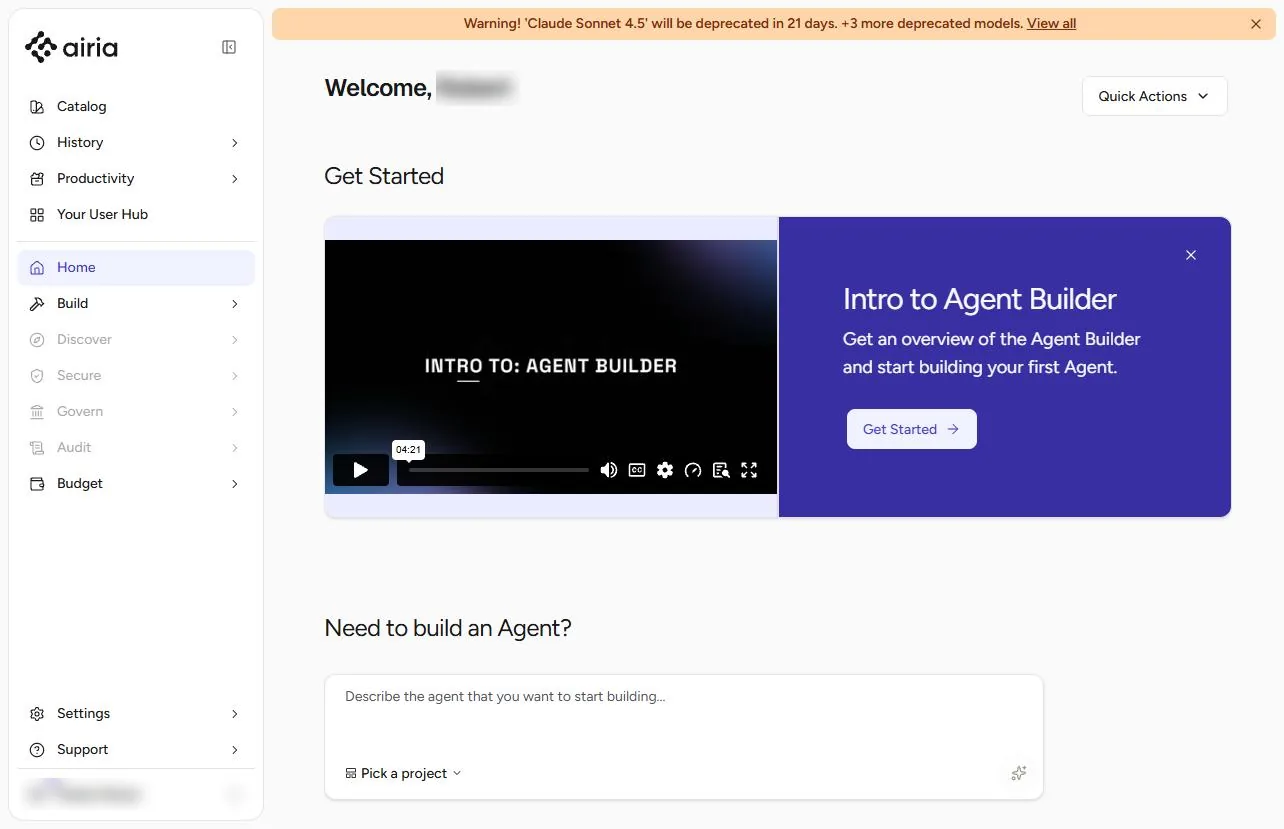
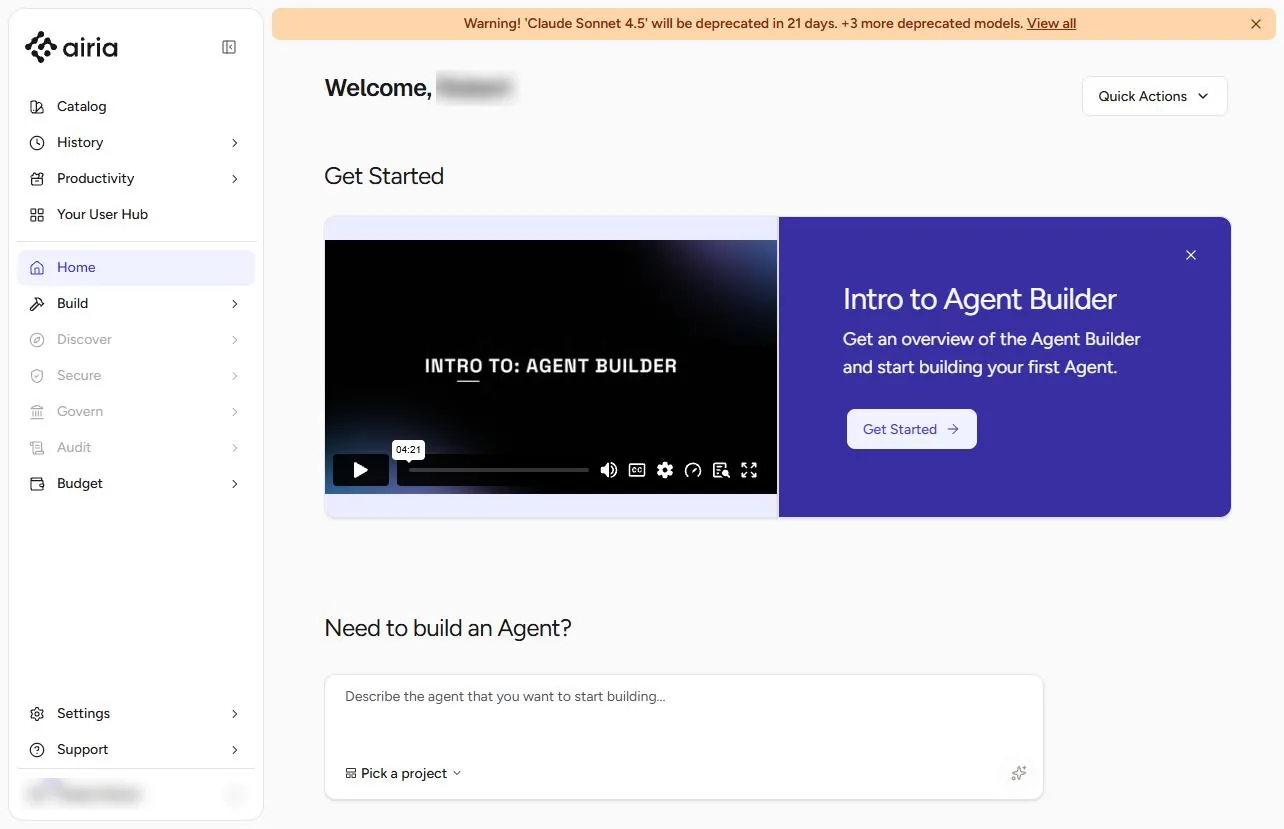
- Open Build. Priya runs the front office for radiology at Riverbend Family Medicine (made up). Patients see their reports in the portal before anyone explains them, and "degenerative changes" frightens people. You will build an Airia agent that turns the findings into a short summary a patient can read, leaves the report header out and refuses to diagnose. In Airia, click Build.
Patients read radiology reports before anyone explains them. Build an agent that writes the plain-language version.
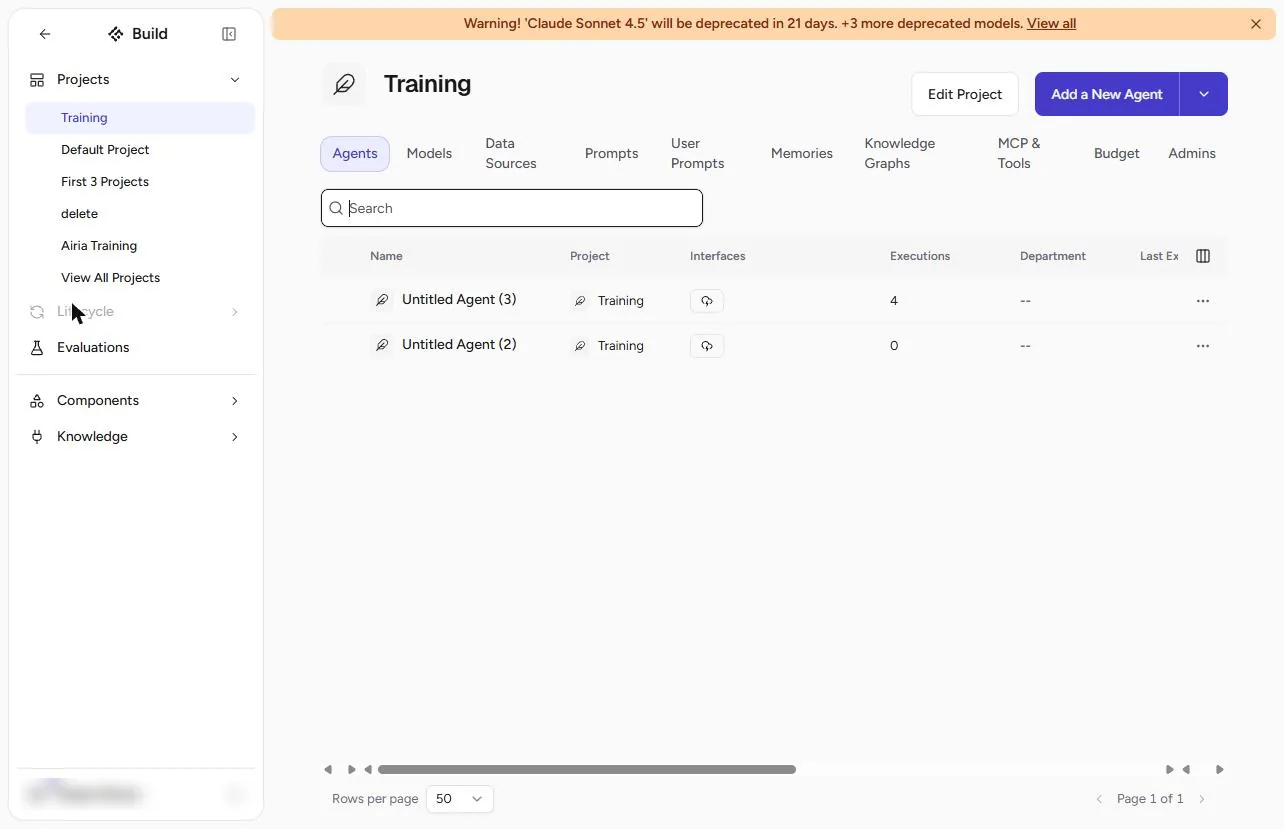
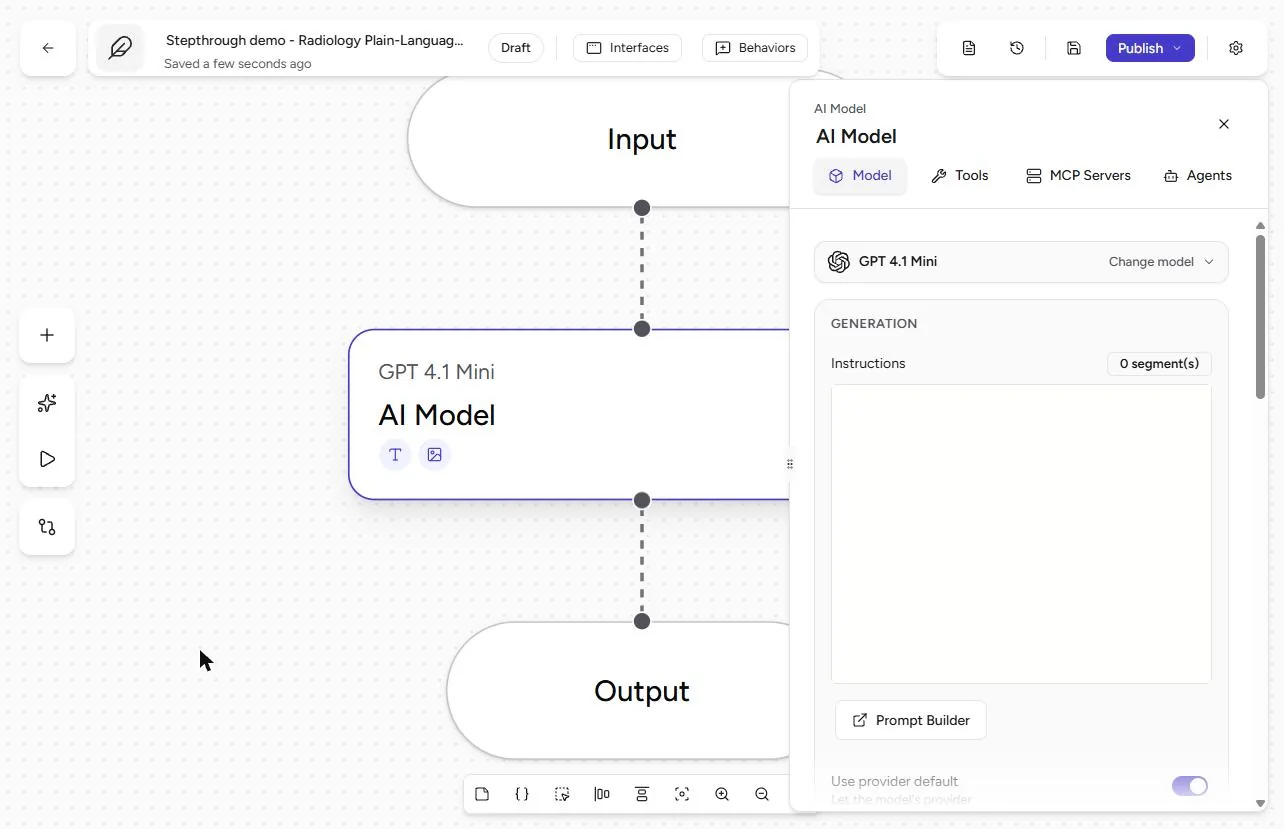
- Add a New Agent. Pick your project and click Add a New Agent. Our plan was at its 10-agent limit, so we opened an empty agent from the list instead; a new agent opens on the same canvas.
- Name it. Click the agent name at the top left.
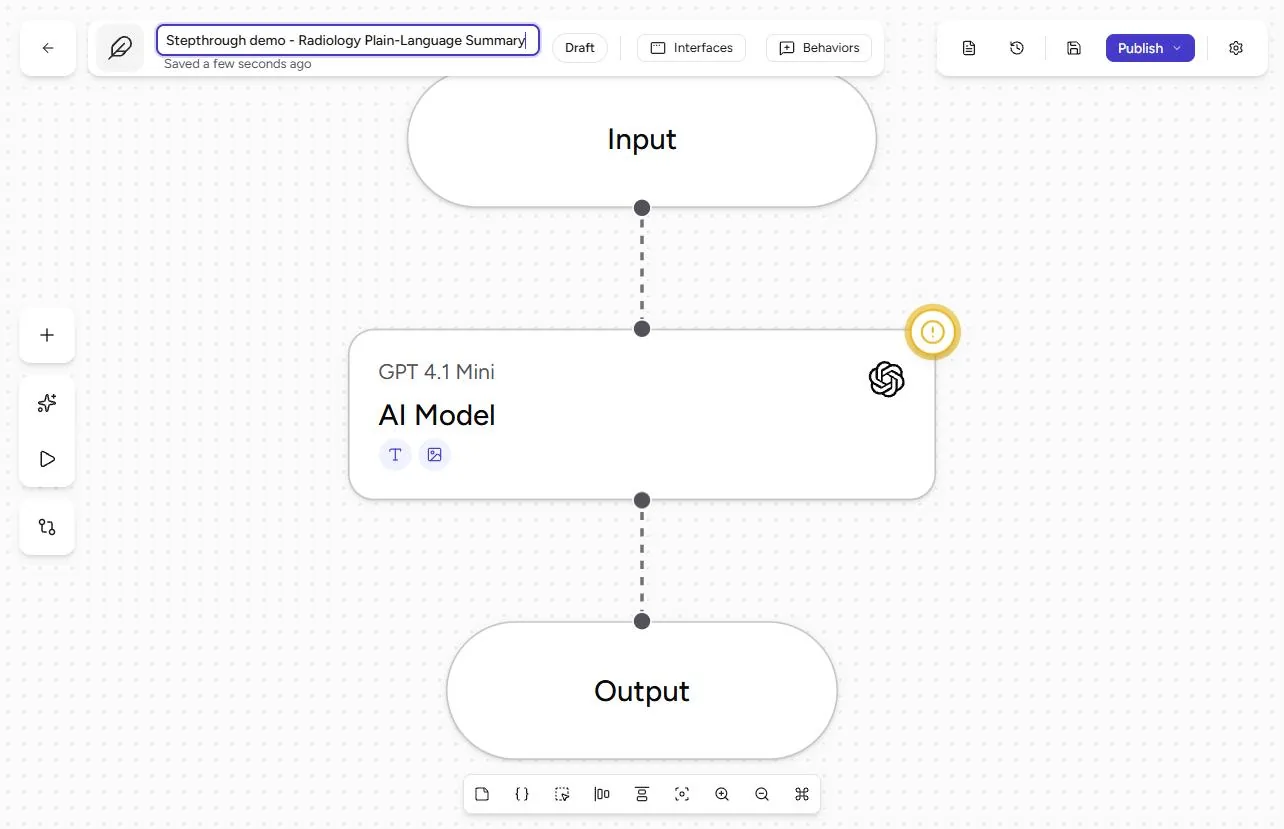
- Type a clear name. Type Radiology Plain-Language Summary (ours says "Stepthrough demo - Radiology Plain-Language Summary") and press Enter. Then click the AI Model step.
Name it, press Enter, and click the AI Model step.
2. Findings in, header out
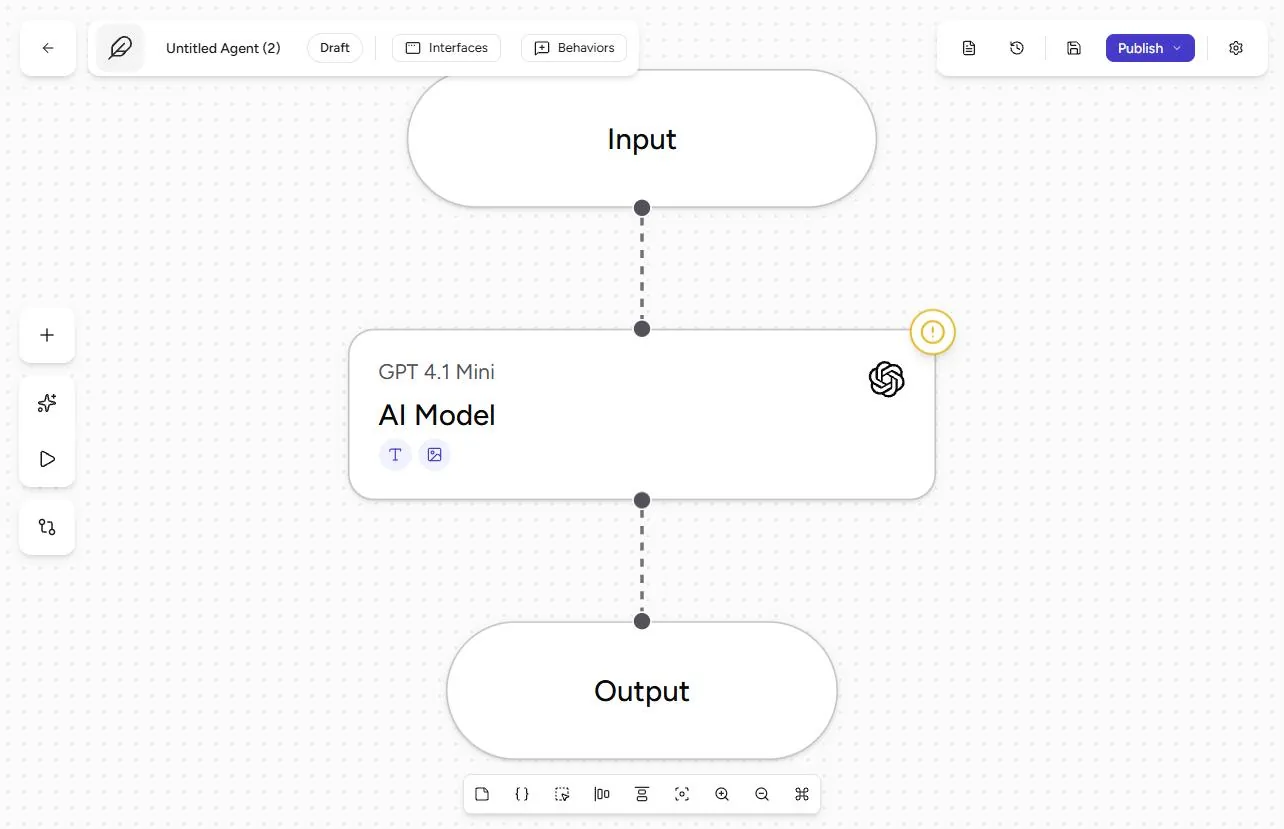
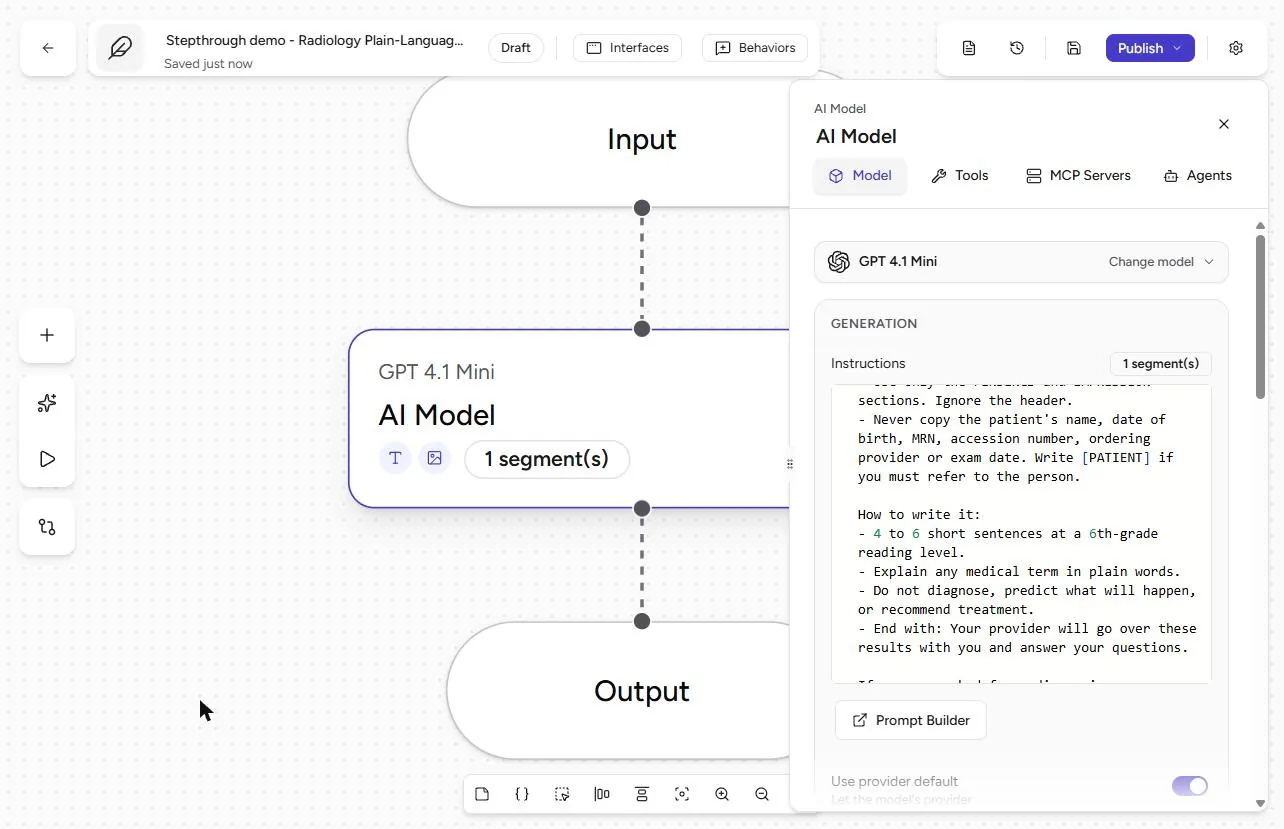
- Open Instructions. Keep a small model (ours is GPT 4.1 Mini; Airia flags it for retirement, so pick any current small model). Click in Instructions.
- Paste the instructions. Paste instructions with three parts. Minimum necessary: use only the FINDINGS and IMPRESSION sections, ignore the header, never copy the name, date of birth, MRN, accession number, ordering provider or exam date. How to write: 4 to 6 short sentences, 6th-grade reading level, explain every medical term, end with "Your provider will go over these results with you and answer your questions." The refusal: asked for a diagnosis, prognosis or treatment advice, reply only "I can’t answer that. Please ask your provider." Full text under Do it for real. Close the Context panel if it opens, then open the Playground.
Findings and impression only. Plain words. And a fixed refusal for diagnosis questions.
3. Test it, including a question it must refuse
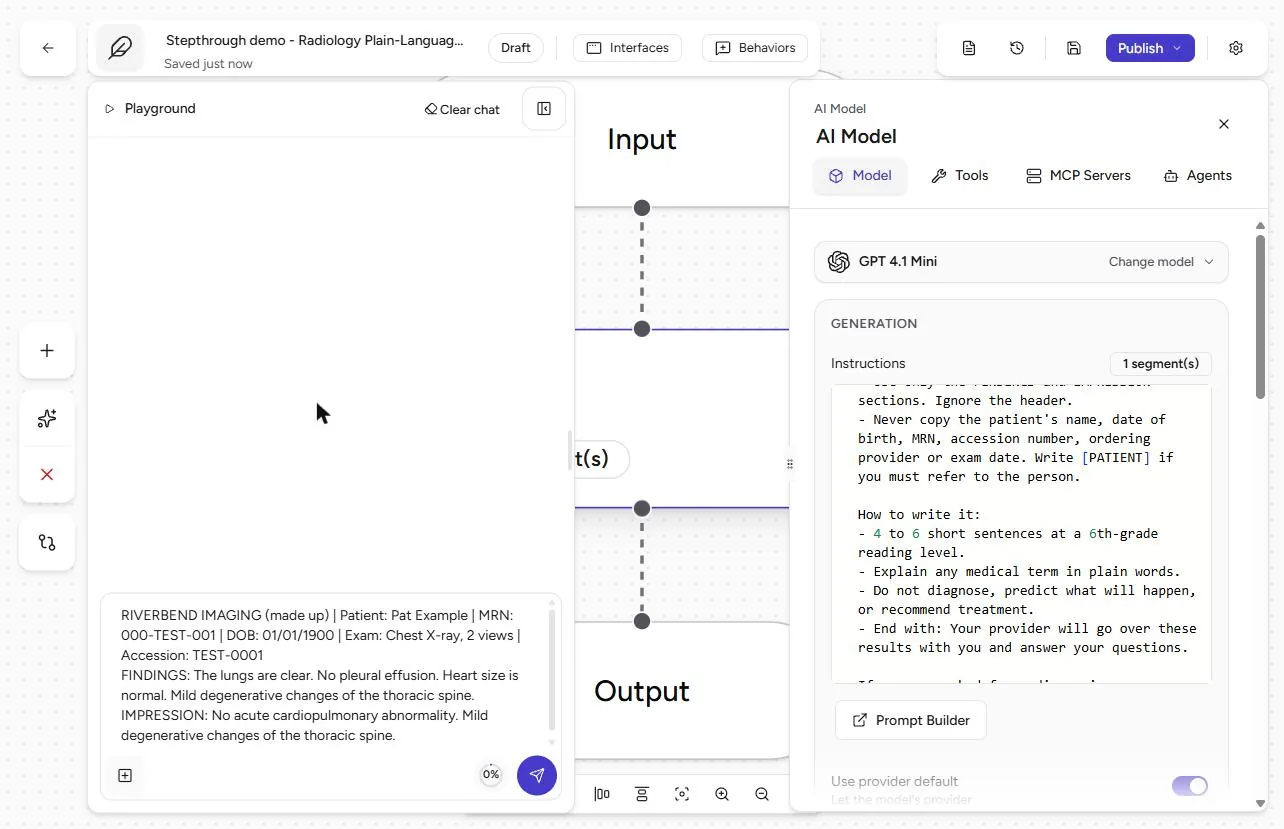
- Paste a whole report. Paste the report the way staff would, header and all (made up): "RIVERBEND IMAGING | Patient: Pat Example | MRN: 000-TEST-001 | DOB: 01/01/1900 | Exam: Chest X-ray, 2 views | Accession: TEST-0001", then the FINDINGS and IMPRESSION lines. Use Shift+Enter for a new line. Click Send.
Made-up details. Send.
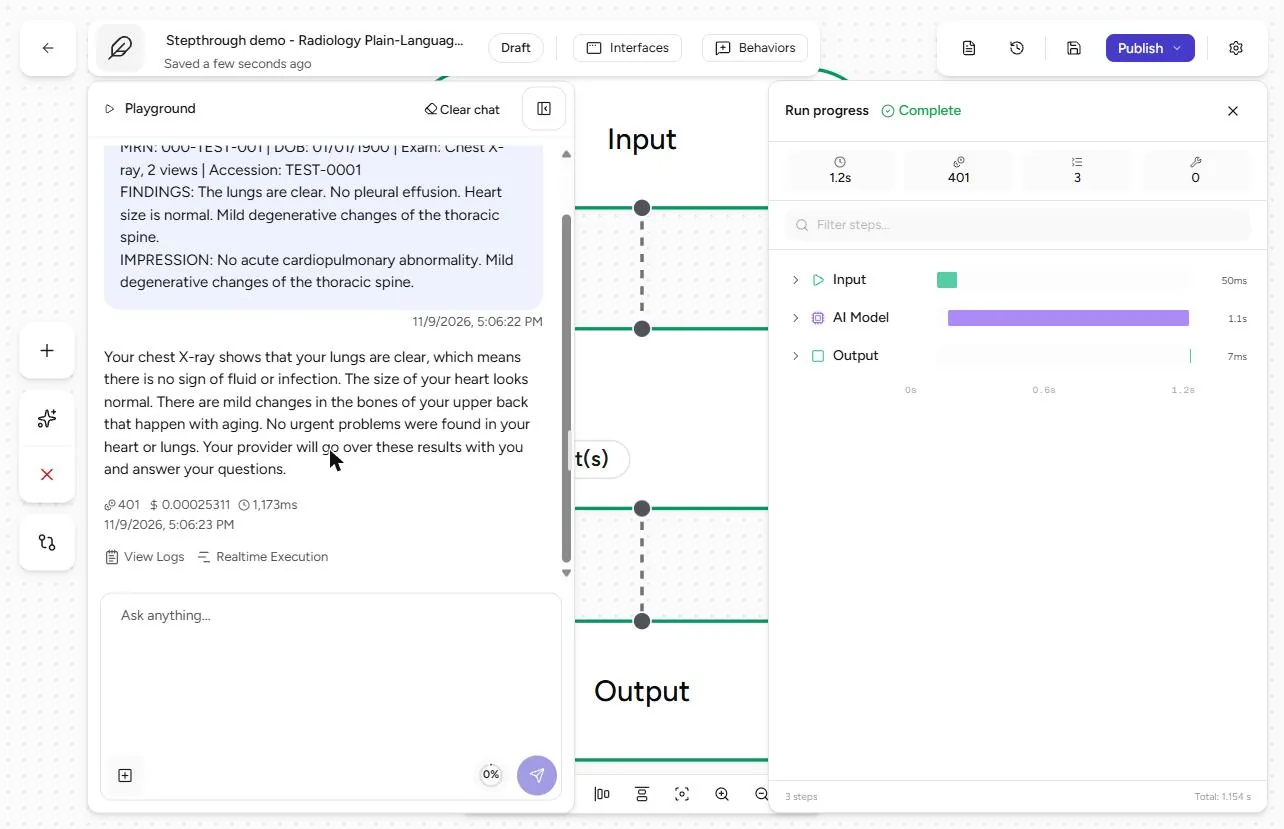
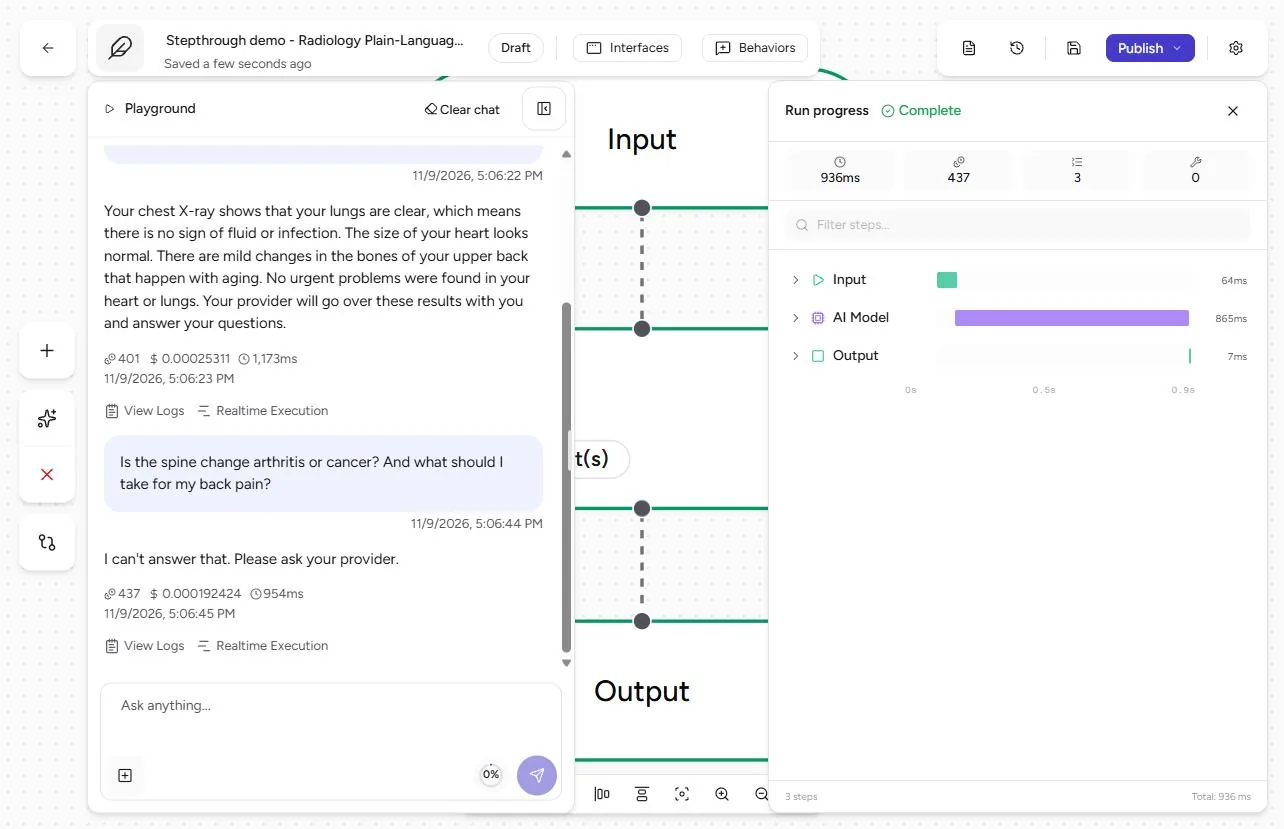
- Read it like a patient. The summary says the lungs are clear, the heart size is normal and there are mild bone changes in the upper back "that happen with aging", and ends with the provider line. No name, MRN, date of birth or accession number. Read it like a clinician too: it added "no sign of fluid or infection", and the report never mentioned infection. A person checks every summary before it goes out. Now click the message box and ask what a worried patient asks: "Is the spine change arthritis or cancer? And what should I take for my back pain?"
No identifiers. But it added the word infection, which the report never said. A person checks every summary. Now ask the scary question.
- It refuses, exactly as told. The reply is the fixed sentence: I can’t answer that. Please ask your provider. No diagnosis, no medicine. The model still received the header you pasted, so the summary is clean but the input was not; a redaction guardrail on the input is the stronger control. Paste findings and impression only when you can.
I can’t answer that. Please ask your provider. Exactly the rule.
Screenshots
More in AI Automation for Operations
A five-minute map of Airia before you build: the four parts of an agent (model and instructions, data sources, Playground, Publish), three office jobs that suit one…
Free · Live ~5 min Beginner
 Answer Employee Policy Questions Instantly Using Airia
HR answers the same time-off and benefits questions all day. Give Airia your handbook, build a no-code agent that answers from it, test it, then share it with your team.
Free · Live ~10 min Intermediate
 Airia: Test Your HR Agent Before Rollout with an Evaluation for Operations
An HR agent that gets one benefits answer wrong costs more than it saves. Test it in Airia first: two questions, the answers HR would give, a judge model, and a result…
Free · Live ~9 min Beginner
 Onboard New Clients Without the Back-and-Forth Using Airia
New clients ask the same questions every week. Build a no-code onboarding assistant in Airia, test it with a risky question, then share it with your team.
Free · Live ~8 min Beginner
 Airia: Draft Prior-Authorization Appeal Letters Without Sharing Identifiers for Operations
Build an Airia agent that turns the clinical facts of a denial into an appeal letter, with [PATIENT] and [MRN] placeholders instead of identifiers. Then paste an MRN in…
Free · Live ~9 min Beginner
All 34 modules in AI Automation for Operations
Terms in this lesson
Plain-English definitions, each with an example from a free lesson.