Updated . Built against the tool’s current screens and checked step by step. How we check this lesson
Turn the advice your team repeats every day into a six-slide Instagram carousel with SocialBu's carousel writer, check the safety line made it onto a slide, and pick a cover hook that fits a clinic.
At a glance
| Question | Answer |
|---|---|
| What you build | Turn the advice your team repeats every day into a six-slide Instagram carousel with SocialBu's carousel writer, check the safety line made it onto a slide, and pick a cover hook that fits a clinic. |
| Tools | SocialBu |
| Time | About 7 minutes, 14 steps in 4 parts |
| Level | Beginner, no coding needed |
| Cost | Free |
| Ways to learn it | Practice it step by step |
The 4 parts, in short
- Open the carousel writer: Start from the AI tools, Open Ideas & formats, Pick the carousel generator.
- Brief the six slides: Name the topic, Set six slides and give it the facts, Generate it.
- Check the slides: Read the cover and the first stretch, Check the safety line made it.
- Write the cover hook: Go back for a cover hook, Open the hook generator, Describe the audience and the payoff, Generate the hooks, and 2 more steps.
Start here first: How to Do OCR in n8n: Read Receipt Photos into Google Sheets with AI (module 1 of Business Automations)
In the course: Part 9 · n8n Automation Toolkit (Module 145 of the full course)
Part of: AI for Marketing Teams (step 41 of 55). Next up: BulkPublish: Plan a Month of LinkedIn and Google Business Posts in One Sitting
Part of: AI Apps Worth Knowing (step 130 of 175). Next up: Pangolinfo: Turn a Competitor's Amazon Reviews into a Product Brief in Minutes
What you'll build
You do marketing for Harborview Physiotherapy, a made-up clinic. Its physios explain the same four desk stretches to office workers several times a day, and the clinic's Instagram mostly posts opening hours. A carousel is the kind of post people save and share, but writing six slides takes an afternoon. In this lesson you give SocialBu's Carousel Post Content Generator the four stretches, the safety line and the call to action, and it writes six slides with a visual idea for each. Then you use the Viral Hook Generator for the cover slide and skip the hook a clinic should not use. Nothing is connected or posted.
You turned the advice your physios repeat every day into a six-slide Instagram carousel, with a visual idea for each slide, for 1 of the 60 generations on the page, and got three cover hooks for 1 more. You checked that the safety line made it onto a slide, and skipped the hook that would make patients feel old. Next: design the slides in your usual tool, have a physio read every line, and post it from SocialBu once your Instagram account is connected.
- Tools: SocialBu
- Time: about 7 minutes, 14 steps in 4 chapters
- Level: beginner, no coding needed
- Price: free
Practice first, then build it for real
Practice copy built from real SocialBu screens (socialbu.com), captured 17 November 2026 on a Free account with no social accounts connected. Nothing here touches a SocialBu account, and nothing was posted. Harborview Physiotherapy is made up; the six slides and three hooks are what SocialBu wrote, and yours will differ. The stretches are an example, not medical advice. To build it for real you need your own SocialBu account, and some services charge once you use them for real work, so check each tool's current pricing.
Try it yourself, free
Reading the steps is a start. Doing them is how it sticks. The interactive module walks you through every click in a practice copy of SocialBu, checks each step, and never touches your real accounts.
Start “SocialBu: Turn Your Clinic's Most-Asked Advice into an Instagram Carousel”Step by step: SocialBu: Turn Your Clinic's Most-Asked Advice into an Instagram Carousel
All 14 steps of the interactive module, in order. In the module you watch each one, then do it yourself in a practice copy that checks your work.
1. Open the carousel writer
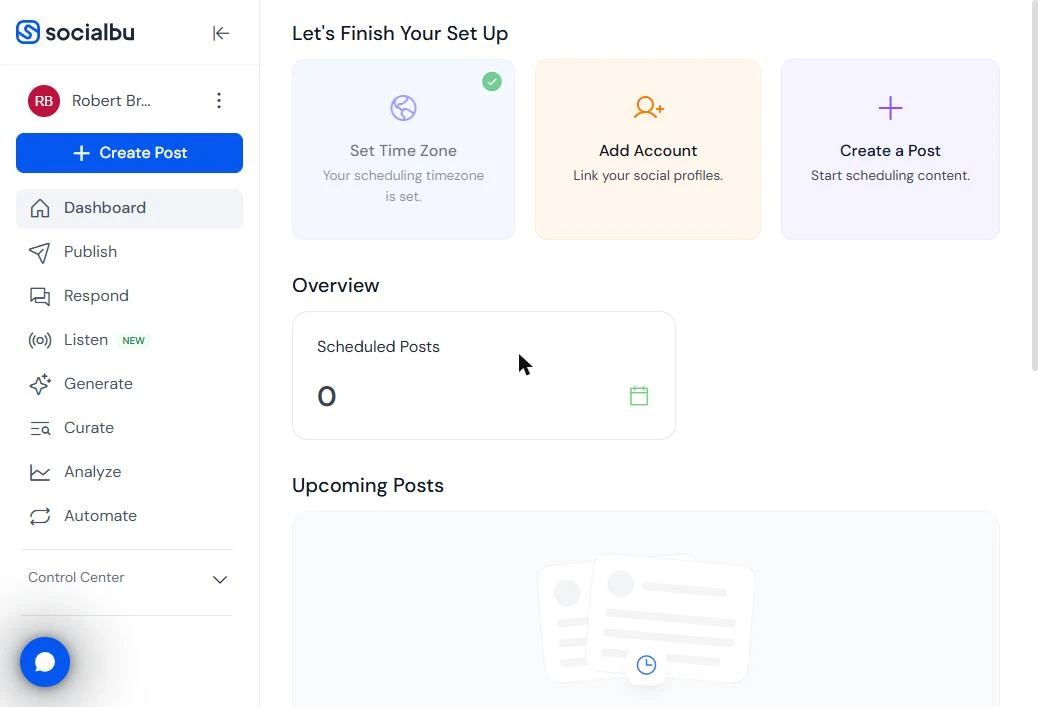
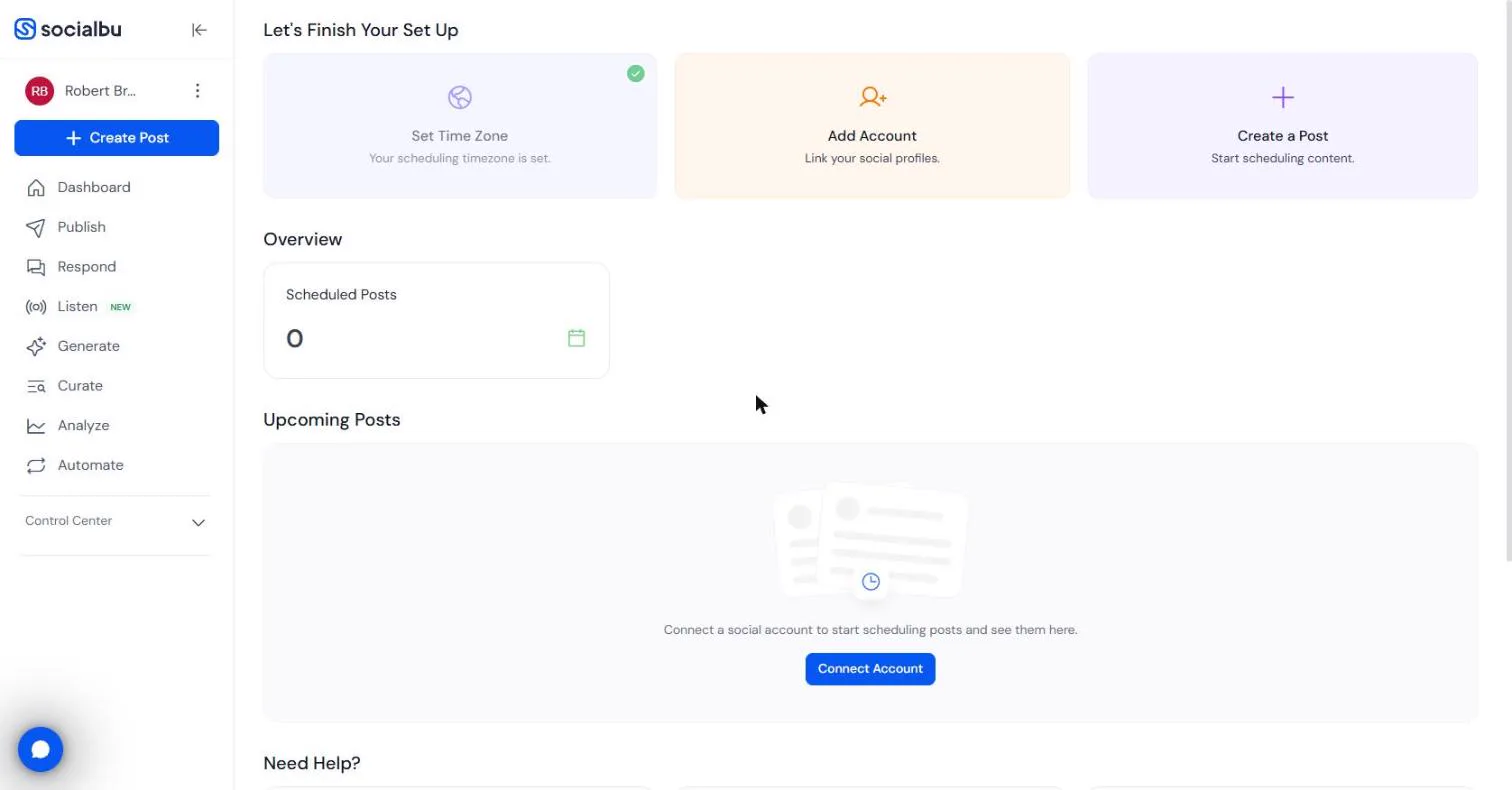
- Start from the AI tools. You do marketing for Harborview Physiotherapy, a made-up clinic. Its physios explain the same four desk stretches to office workers several times a day, and the clinic's Instagram mostly posts opening hours. The plan: turn that advice into one Instagram carousel, the kind of post people save and share. This is your SocialBu dashboard, with no social accounts connected. In the left menu, click Generate.
You do marketing for a small physiotherapy clinic. The physios repeat the same desk stretches every day. Turn that advice into an Instagram carousel. In SocialBu, click Generate.
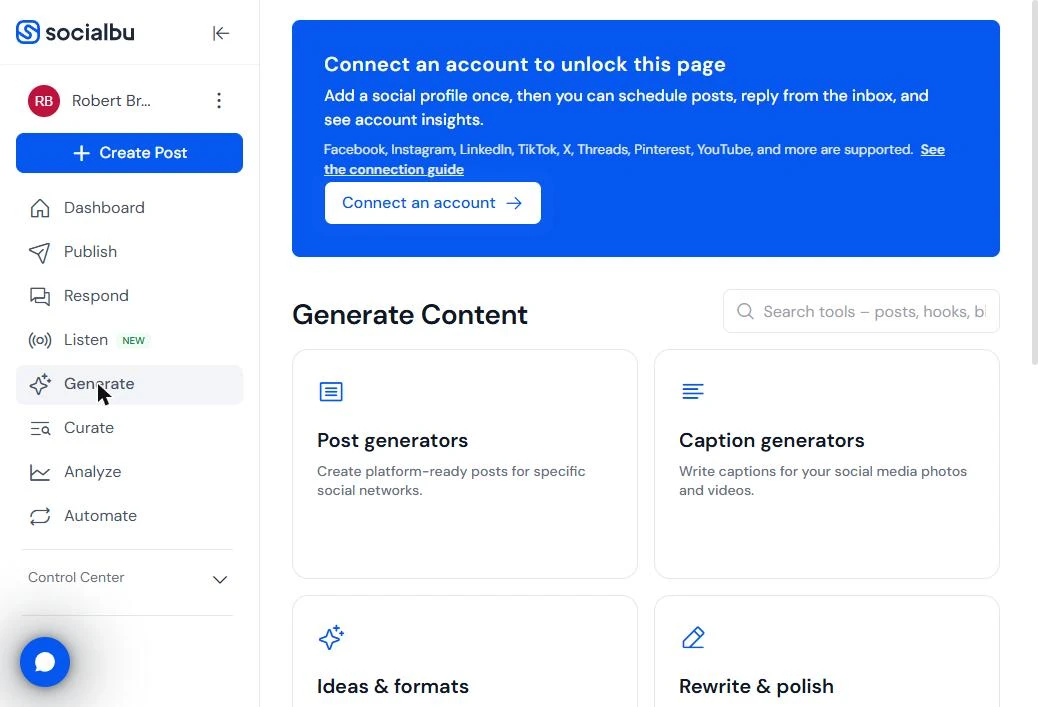
- Open Ideas & formats. SocialBu's AI tools are grouped by job. Carousels live under Ideas & formats, with hooks, threads and video scripts. Click Ideas & formats.
Carousels live under Ideas and formats.
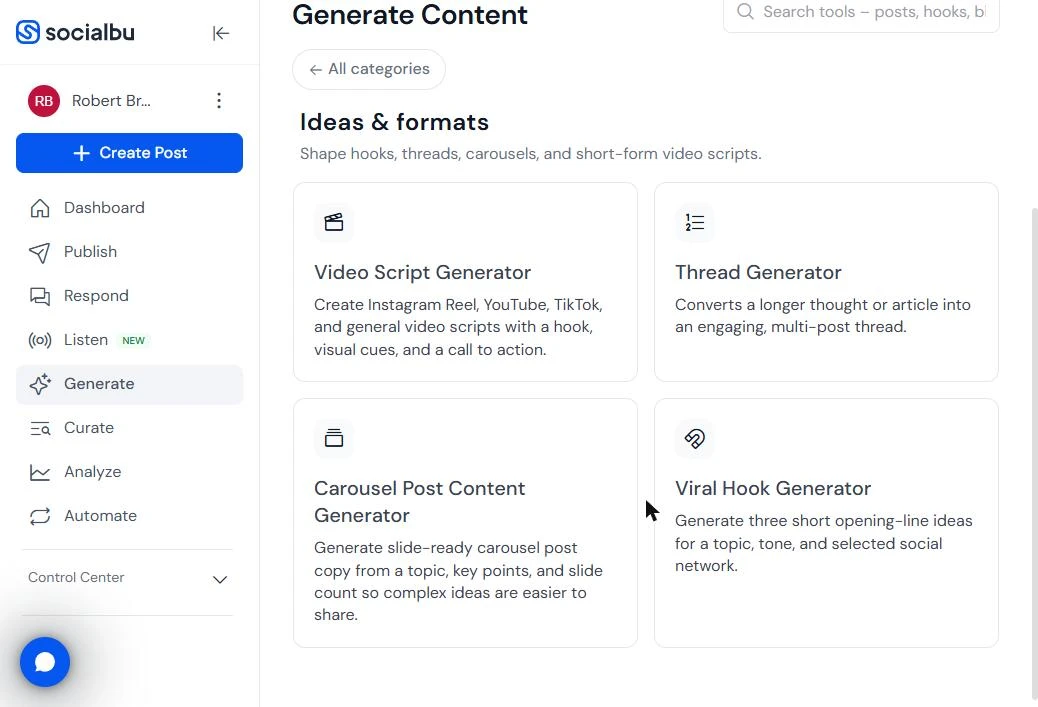
- Pick the carousel generator. Four tools: Video Script Generator, Thread Generator, Carousel Post Content Generator and Viral Hook Generator. Click Carousel Post Content Generator.
2. Brief the six slides
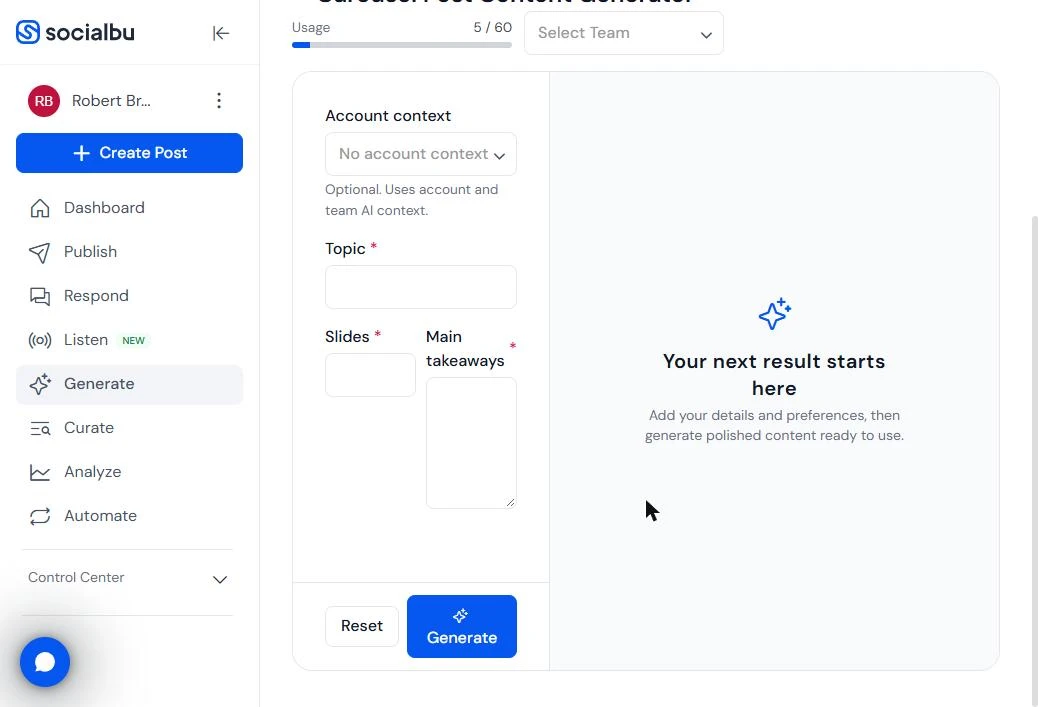
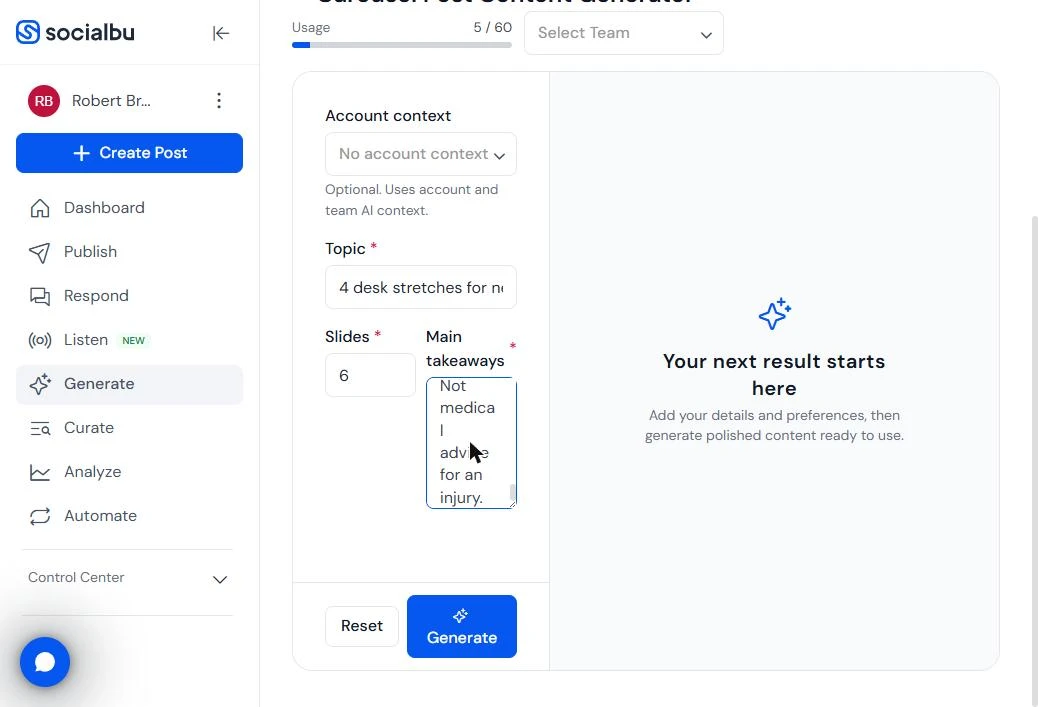
- Name the topic. Three fields: Topic, Slides and Main takeaways. Note Usage: 5 / 60 at the top; every generation counts. In Topic, name the post and the clinic. Type: 4 desk stretches for neck and lower-back stiffness, from Harborview Physiotherapy
Three fields. Topic, slides and main takeaways. In Topic, name the post and the clinic.
- Set six slides and give it the facts. Set Slides to 6: a cover, one slide per stretch and a last slide to book. In Main takeaways, give it the facts it must not invent: who it is for, each stretch with its reps, the safety line and the call to action. We pasted: For office workers who sit 8+ hours. 1) Chin tucks, 10 reps. 2) Seated thoracic extension over the chair back, 5 slow reps. 3) Seated figure-4 hip stretch, 30 seconds each side. 4) Standing back extension, 5 reps, every hour. Stop if a stretch causes sharp pain or numbness. Last slide: book a 30-minute desk-posture assessment at Harborview Physiotherapy. Not medical advice for an injury. The physio wrote the reps, not the AI. Click the Main takeaways box.
Set slides to six. In main takeaways, give it every fact it must not invent. Who it is for, each stretch with the reps, the safety line, and the call to action.
- Generate it. Click Generate.
3. Check the slides
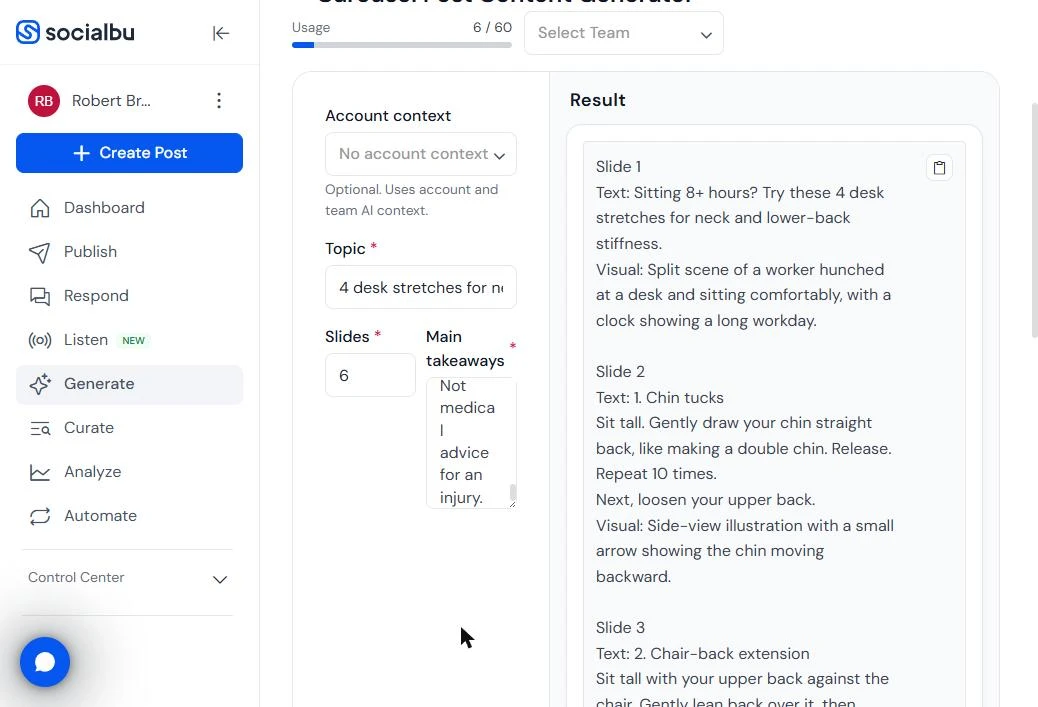
- Read the cover and the first stretch. Under Result, each slide has its Text and a Visual idea for the designer. Slide 1: "Sitting 8+ hours? Try these 4 desk stretches for neck and lower-back stiffness." Slide 2 explains chin tucks in plain words and ends with a line that leads to the next slide. Usage is now 6 / 60. Click slide 1.
Each slide has its text, and a visual idea for the designer. Slide two explains the first stretch in plain words. Usage went up by one.
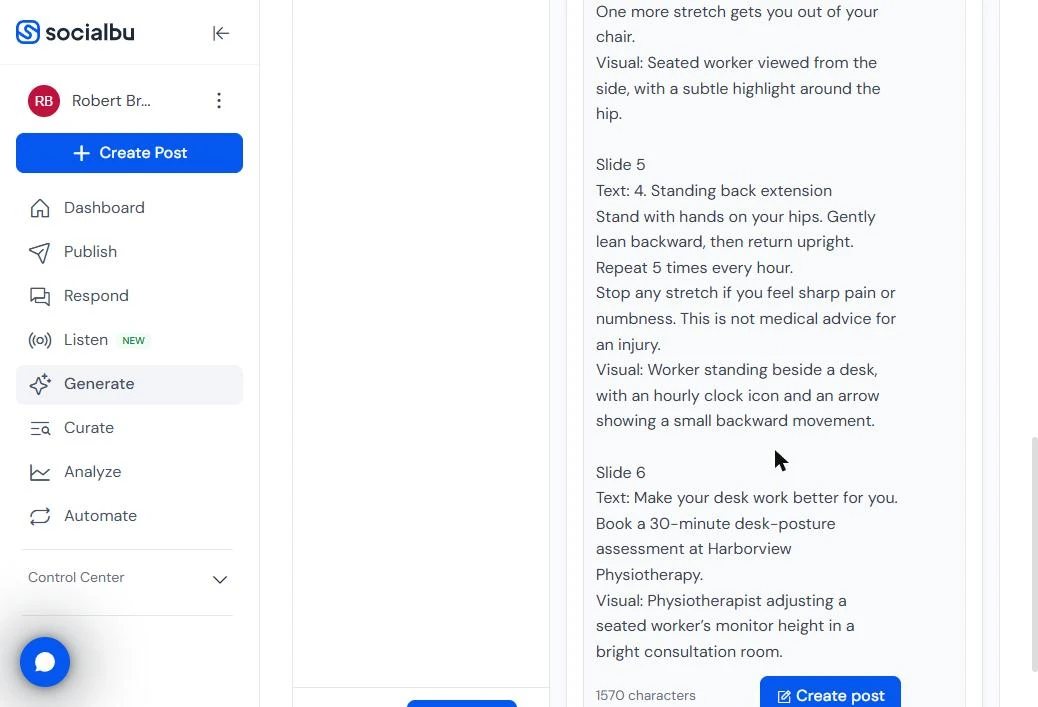
- Check the safety line made it. Scroll to the end. Slide 5 keeps your safety line: "Stop any stretch if you feel sharp pain or numbness. This is not medical advice for an injury." Slide 6 is the call to book a 30-minute desk-posture assessment. 1570 characters in all. For a clinic, the safety line is the line to check first. Have a physio read every slide before it goes out. Click the safety line.
Check the safety line made it. Slide five says to stop if you feel sharp pain or numbness. For a clinic, that is the line to check first.
4. Write the cover hook
- Go back for a cover hook. The cover slide decides whether anyone swipes. SocialBu has a tool just for opening lines. Click Generate in the left menu.
The cover slide decides whether anyone swipes.
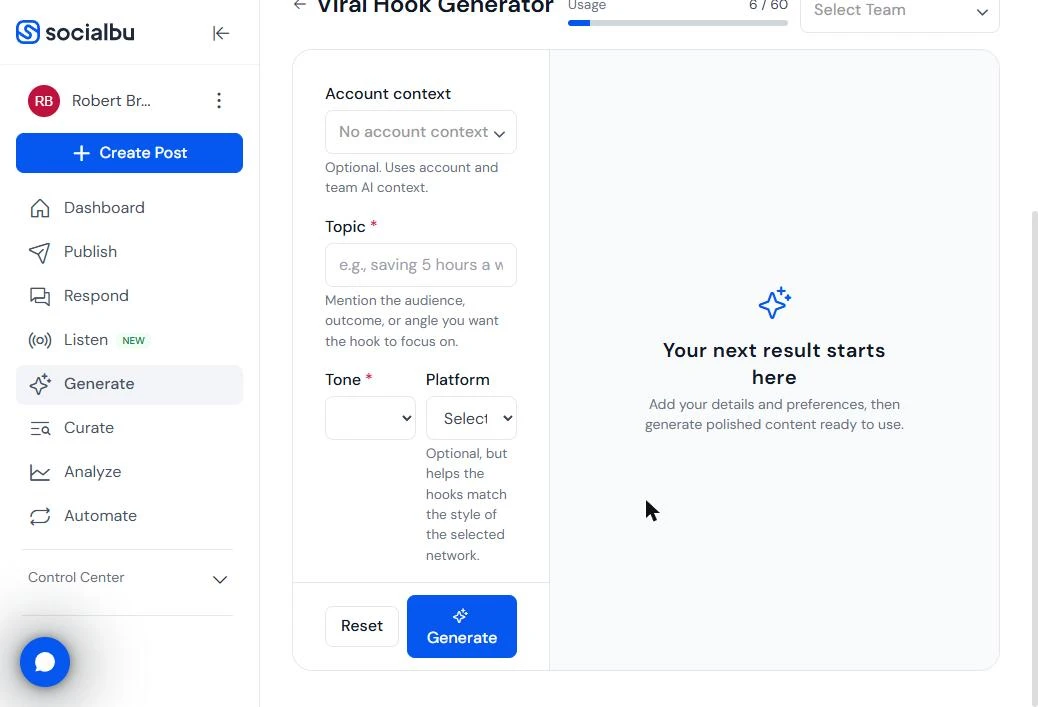
- Open the hook generator. You are back in Ideas & formats. Click Viral Hook Generator: three short opening lines for a topic, a tone and a network.
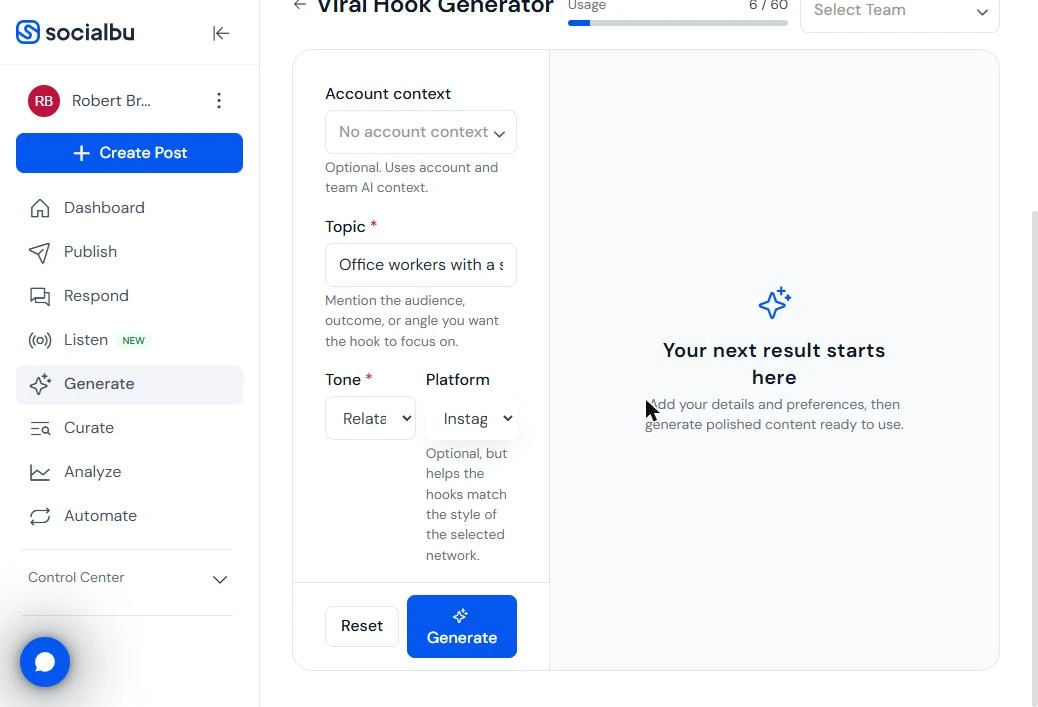
- Describe the audience and the payoff. The hint under Topic says to mention the audience, outcome or angle. Type: Office workers with a stiff neck and lower back after sitting all day, 4 desk stretches that take 2 minutes Then we set Tone to Relatable / Storytelling and Platform to Instagram.
Describe the audience and the payoff. Set tone to relatable, and platform to Instagram.
- Generate the hooks. Tone has six choices, from Funny / Humorous to Professional, and Platform lists 13 networks. Click Generate.
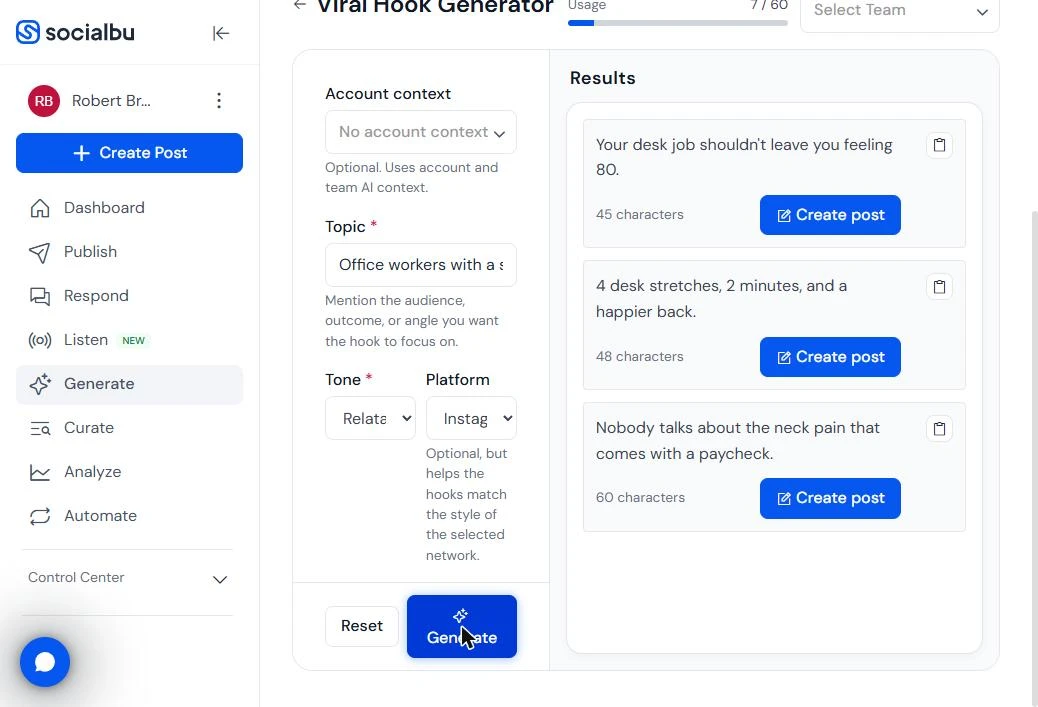
- Skip the hook that fits an ad, not a clinic. Three hooks, with a character count each. "Your desk job shouldn't leave you feeling 80." gets attention, but a clinic should not tell patients they seem old. "Nobody talks about the neck pain that comes with a paycheck." is fine for a cover, but vague. Click the first hook.
Three hooks. The first one gets attention, but a clinic should not tell patients they seem old. Skip it.
- Copy the one that says what you get. "4 desk stretches, 2 minutes, and a happier back." says exactly what the post gives, in 48 characters. Usage is 7 / 60: two generations for the whole carousel. Click the copy icon and use it on the cover slide. To post, connect your Instagram account in SocialBu first; we did not connect one.
The second hook says exactly what the post gives. Copy it, and use it on the cover slide. Two generations for the whole carousel.
Screenshots
More in Business Automations
 How to Do OCR in n8n: Read Receipt Photos into Google Sheets with AI
Drop a photo of a receipt into an n8n chat. An AI agent reads it, pulls out the date, vendor and amount, picks a category, and adds a row to Google Sheets.
Free · Live ~12 min Intermediate
 n8n AI Email Responder: Draft Gmail Replies Automatically
Build an n8n agent that watches your Gmail, reads each new customer email, and writes a reply as a draft in the same thread, ready for you to check and send.
Free · Live ~12 min Intermediate
 How to Make an n8n Workflow That Emails Each Tech Their Jobs from Sheets
Every morning at 7, n8n reads a plumbing company's jobs sheet, skips anything not assigned yet, and emails each job to the tech it's assigned to — customer, address…
Free · Live ~10 min Intermediate
 Gmail AI Triage: Auto-Label Every Email and Draft Replies
Build an n8n workflow that reads each new email, sorts it as a lead, a client or an invoice with a Text Classifier, adds the matching Gmail label, and drafts a reply to…
Free · Live ~18 min Advanced
 How to Use n8n to Build AI Agents: A Support Agent That Answers from Your Docs
Turn an n8n chat agent into a support agent that answers only from your policies in a Google Doc, refuses what it should, and hands off to a person by email.
Free · Live ~13 min Advanced
 Chatbase: Answer Customer FAQs with an AI Agent
A business case for a small firm that answers the same customer questions every week: build a Chatbase AI agent on your FAQ in the real app, make it say when it does…
Free · Live ~15 min Beginner
All 56 modules in Business Automations
More SocialBu tutorials
Terms in this lesson
Plain-English definitions, each with an example from a free lesson.