Updated . Built from real Higgsfield runs on 29 October 2026 and redone click by click in the Higgsfield web app the same day; every app screen in the practice is a real capture. The inputs, outputs, mistakes and credit costs in the lesson are what Higgsfield produced in those runs. Every business and person is made up, and every person shown is AI-generated. How we check this lesson
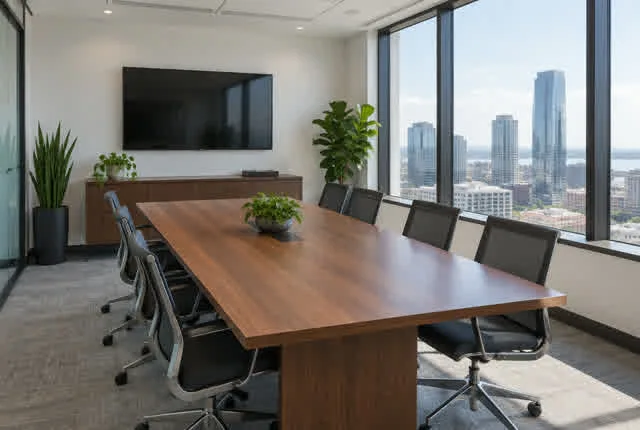
A printed proposal is due and the only photo of the firm's meeting room is 640 pixels wide; a reshoot costs $600. In this free lesson you follow Tom Becker (made up) as he upscales it to 4096 pixels in Higgsfield for a flat 2 credits, compares the same corner before and after, and learns the rule: an upscaler paints believable detail in. Fine for a room; wrong for faces, signs, documents or evidence.
At a glance
| Question | Answer |
|---|---|
| What you build | A business case for proposal and marketing teams: upscale a 640-pixel photo to 4K with Higgsfield for 2 credits, and learn what upscaling invents and when not to use it. Real before and after. |
| Tools | Higgsfield |
| Time | About 6 minutes, 11 steps in 5 parts |
| Level | Beginner, no coding needed |
| Cost | Free |
| Ways to learn it | Practice it step by step |
The 5 parts, in short
- A printed proposal, a tiny photo: Price the reshoot, Upscale instead.
- Know what upscaling does: Upscaling paints detail in.
- Upscale it in Higgsfield: Open Upscale and upload, Pick the upscale model, Pick 4K and run it.
- Check it at 100%: Zoom in on the chairs, Download the 4K version, Before and after.
- What it saved, and what is next: See what you have now, Up next.
Start here first: Turn One Product Photo into a 5-Second Video Ad using Higgsfield (module 1 of AI Video and Images with Higgsfield)
Part of: AI Apps Worth Knowing (step 95 of 102). Next up: One Webinar Image, Every Channel Size using Higgsfield (Expand, Don't Crop)
The business case: print needs pixels
A full printed page needs roughly 3,000 pixels across. Many firms only have small photos from an old website. These are example numbers.
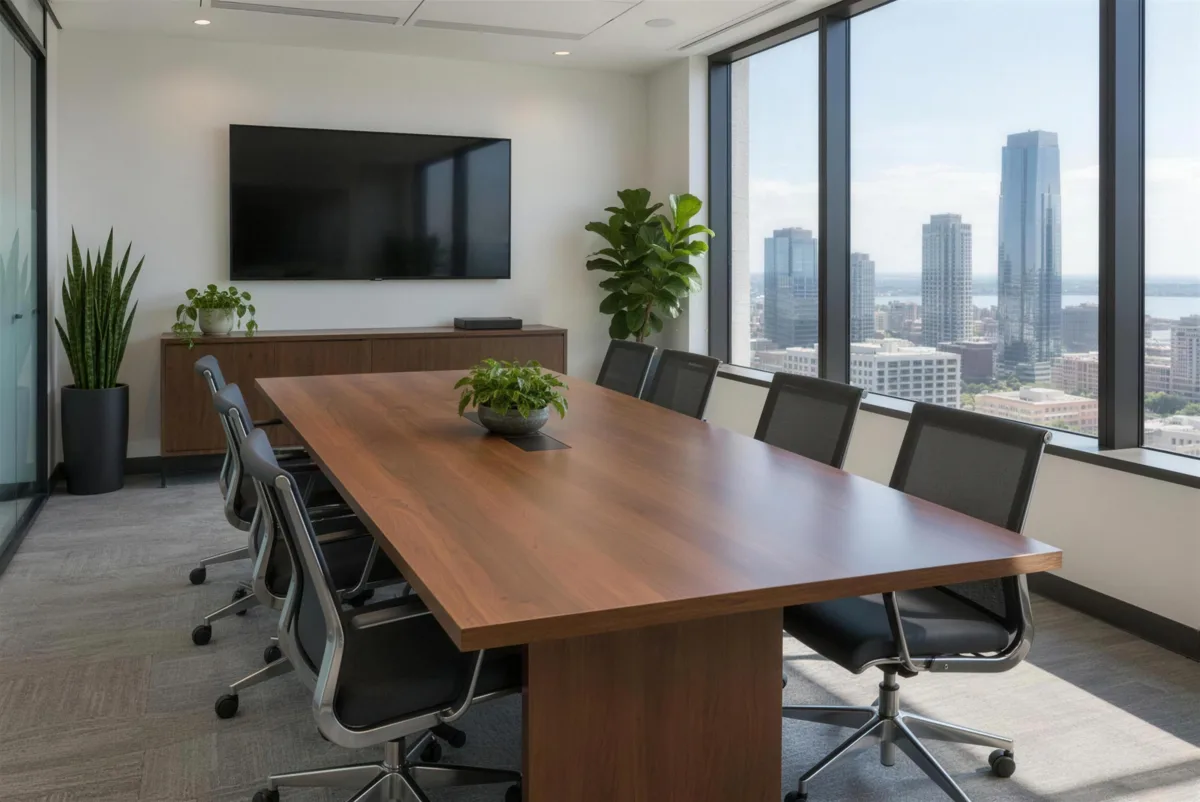
Higgsfield's Upscale returns a 2K or 4K version. Ours went from 640 x 430 to 4096 x 2739.
Sharp is not the same as true
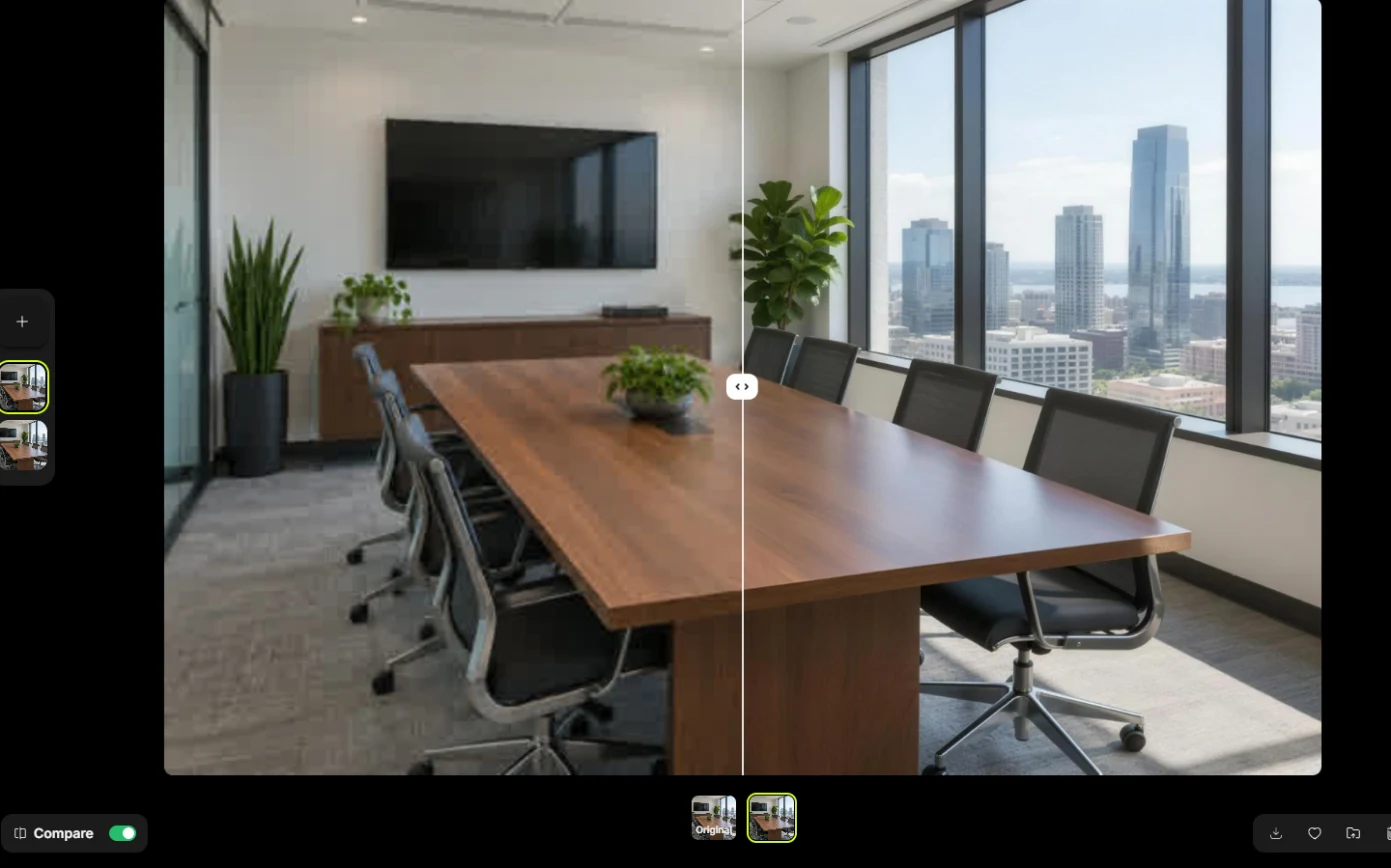
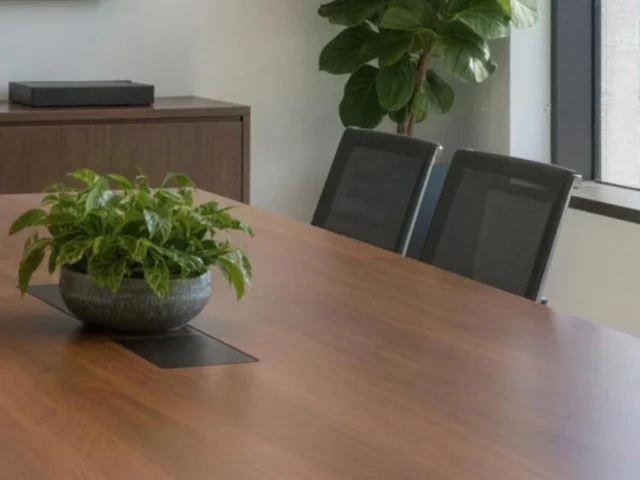
Zoomed in, the chair mesh and plant leaves are crisp, detail the blocky original never had. The model drew them. For a room in a proposal, that is fine.
Never use an upscale as proof of what something looked like: damage photos, documents, signs, receipts, or faces presented as real photos.
Links
- Higgsfield pricing: current plans and credits. Check them before you rely on a free tier: generation uses credits.
Try it yourself, free
Reading the steps is a start. Doing them is how it sticks. The interactive module walks you through every click in a practice copy of Higgsfield, checks each step, and never touches your real accounts.
Start “Rescue a Low-Res Photo for a Proposal or Print using Higgsfield Upscale”Step by step: Rescue a Low-Res Photo for a Proposal or Print using Higgsfield Upscale
All 11 steps of the interactive module, in order. In the module you watch each one, then do it yourself in a practice copy that checks your work.
1. A printed proposal, a tiny photo
- Price the reshoot. The proposal prints in 3 days. The only photo of the meeting room is 640 pixels wide; a full page needs about 3,000 px. A reshoot is $600. Click the reshoot row.
The only photo is six hundred and forty pixels. A reshoot is six hundred dollars.
- Upscale instead. Higgsfield's Upscale makes a 2K or 4K version for a flat 2 credits. Click the Higgsfield card.
Upscale makes a four K version, for two credits.
2. Know what upscaling does
- Upscaling paints detail in. An upscaler does not recover lost detail; it paints believable detail in. Great for a room or a product. Wrong for faces you present as real, signs, documents or evidence. Click the photo.
An upscaler doesn't recover detail. It paints it in. Fine for a room. Wrong for documents or evidence.
3. Upscale it in Higgsfield
- Open Upscale and upload. Go to higgsfield.ai/upscale (or, on any image you made, click ... then Additional then Upscale). Click Upload Media and choose the 640-pixel photo.
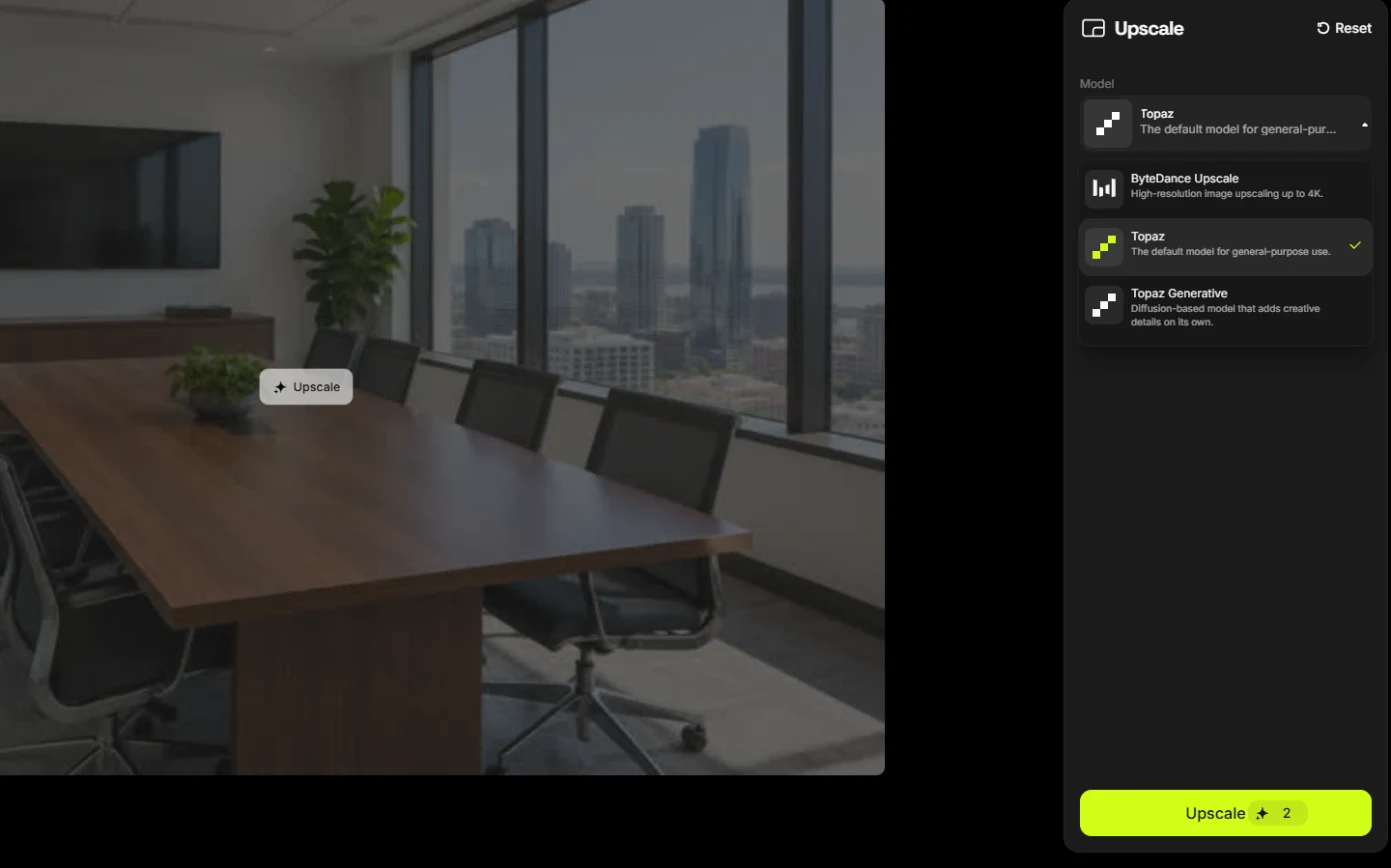
- Pick the upscale model. The default model is Topaz, with a scale factor. Topaz Generative adds creative detail on its own, which is the last thing you want in a proposal. Pick ByteDance Upscale (up to 4K).
The default is Topaz. Topaz Generative invents detail on purpose. Pick ByteDance Upscale.
- Pick 4K and run it. Choose 4K (the cost is the same 2 credits as 2K) and click Upscale.
Same two credits.
4. Check it at 100%
- Zoom in on the chairs. Turn on Compare at the bottom left and drag the slider across the chairs: blurry on the original side, crisp on the upscaled side, with mesh and leaves the 640-pixel original never had (ours came back 4096 x 2739). Click the slider.
Four thousand pixels wide. Zoom in on the chairs. Crisp detail the original never had.
- Download the 4K version. For a photo of a room, invented mesh is fine. Click the download icon at the bottom right.
For a room, that's fine.
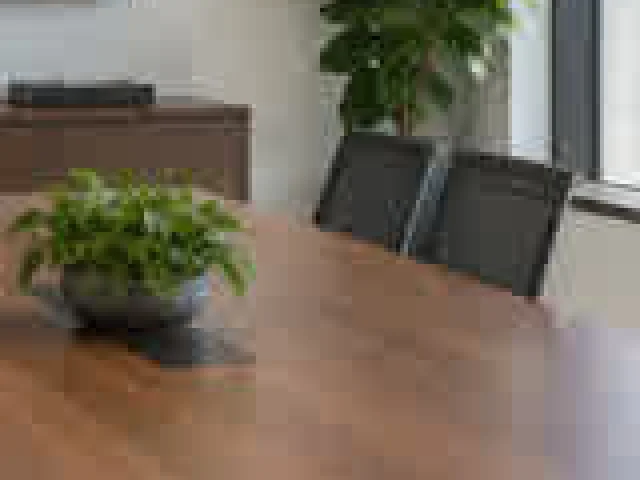
- Before and after. Same corner, before and after. The detail is believable, and it is the model's, not the camera's. Click the after image.
Believable detail, but it's the model's, not the camera's.
5. What it saved, and what is next
- See what you have now. A print-size photo for 2 credits, and a rule for when not to use one. Click What you have now.
A print size photo for two credits, and a rule for when not to.
- Up next. Next, a software company turns one image into every channel size. Click Up next.
Next, one image, every channel size.
Screenshots
Frequently asked questions
- How much does Higgsfield upscaling cost?
- Our 4K upscale cost a flat 2 credits in October 2026, the same as 2K.
- Does AI upscaling recover lost detail?
- No. It paints believable new detail based on what is there. Use it for places, products and backgrounds, not for anything someone may rely on as evidence.
- What resolution do I need for print?
- As a rule of thumb, about 300 pixels per inch at the printed size: roughly 2,500 to 3,300 pixels across for a full letter or A4 page.
More in AI Video and Images with Higgsfield
 Turn One Product Photo into a 5-Second Video Ad using Higgsfield
A business case for small brands: turn one product photo into a 5-second vertical video ad with Higgsfield, draft it cheap on Kling 3.0, catch a smeared label, and…
Free · Live ~9 min Beginner
 Professional Headshots for the Whole Team, No Photo Shoot, using Higgsfield
A business case for firms with new hires: turn one casual photo into a matching set of professional headshots (LinkedIn, website, square) with Higgsfield, keep the…
Free · Live ~8 min Beginner
 Turn a Text Idea into a 9:16 Hiring Ad using Higgsfield (and Keep the Words Right)
A business case for recruiters: turn a one-paragraph idea into a vertical hiring ad with Higgsfield, catch the misspelled line AI video added, and fix it the right way…
Free · Live ~10 min Beginner
 Pick the Right Model and Make Your Credits Last using Higgsfield
A business case for teams sharing one plan: read the cost before you generate, draft on cheap models, finish once on the right one, and compare four image models on the…
Free · Live ~8 min Beginner
 Use AI Images and Video Responsibly: Labels, Consent and Likeness using Higgsfield
A business case for any team publishing AI content: a one-page policy to disclose realistic AI images and video, get consent for faces and voices, and never make fake…
Free · Live ~7 min Beginner
All 8 modules in AI Video and Images with Higgsfield
Terms in this lesson
Plain-English definitions, each with an example from a free lesson.