What is a document management system?
Quick answer
A document management system (DMS) is software that keeps a company's files in one place and organised: consistent names, document types and tags, version history, access rules and search. AI document systems also read each file, so you can search by what it says and ask questions across all of them.
Last updated
Take the free module →Module 18 of the free AI for Accounting & Bookkeeping Firms course, about 5 minutes. No account needed.
Updated · By Robert Breen
Why it matters for a small business
Without one, contracts, invoices and signed forms live in inboxes, desktops and shared drives with names like scan_0042.pdf. Finding the right version takes longer than the work itself.
A DMS makes a file findable by its facts (who sent it, what type it is, what it is about), not by where someone happened to save it, and it records who opened or changed what.
AI adds reading. Instead of a person typing the details into a spreadsheet, the system pulls them out with data extraction and can answer a question like "which contracts renew this quarter?" across every file.
In a real lesson: PaperOffice AI: Read Every Supplier Invoice and Spot the Ones That Need Approval for Accounting & Bookkeeping Firms
In the PaperOffice invoice inbox lesson you open Documents, then a Workspace, click Add document and pick a supplier invoice PDF. PaperOffice asks how much its AI should do: Storage only, Basic (read, sort and make searchable) or Premium, which also pulls out business fields.
On Premium the file is renamed, sorted as Document type: Invoice, summarised in Overview and broken into Data Fields, each with a crop of the page it came from. Then the Ask Agent box answers which invoices are over the firm's $2,000 approval limit and when they are due.
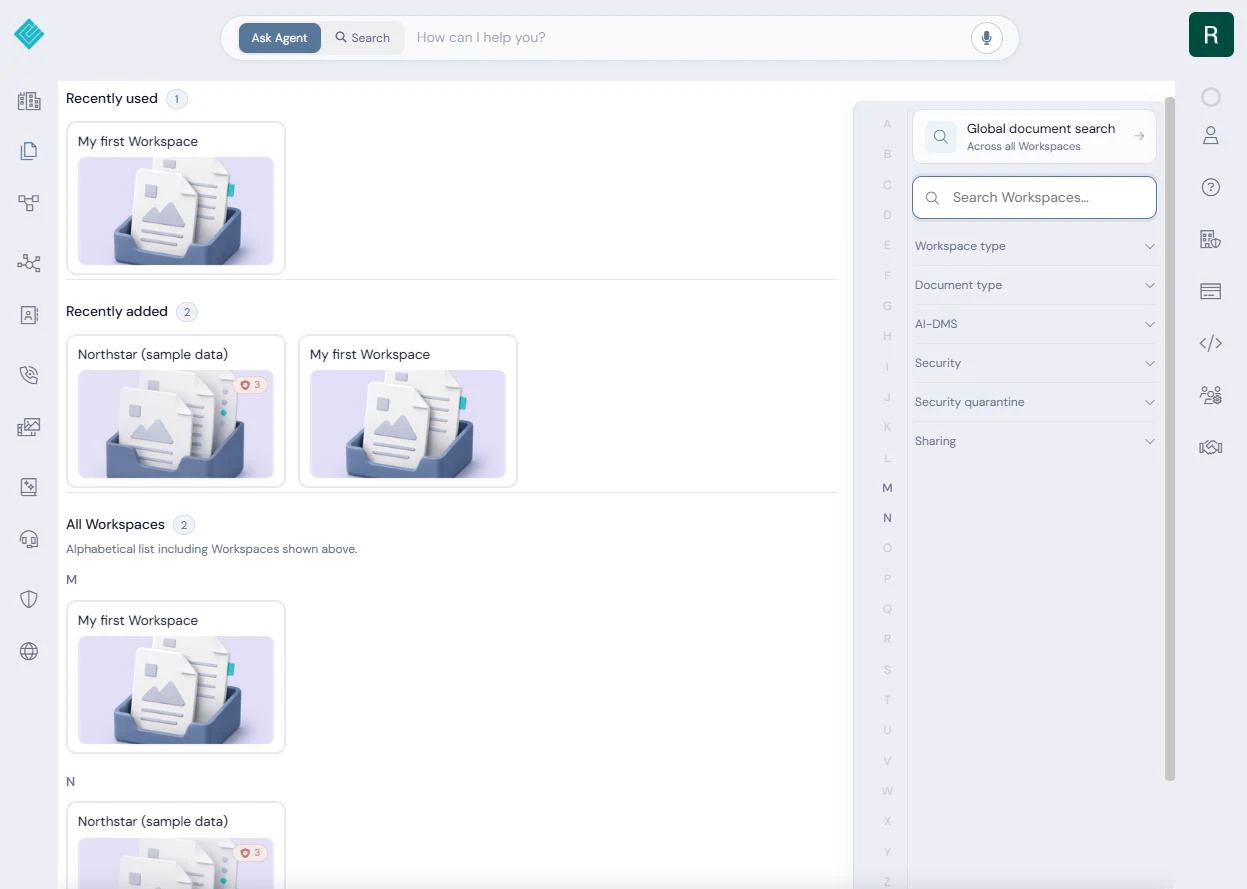
Try this lesson free or read the step-by-step guide.
Common confusions
DMS vs cloud storage
Cloud drives store files in folders. A DMS adds document types, required fields, versions and rules, so files are organised by what they are, not where they were dropped.
DMS vs intelligent document processing
Intelligent document processing is the reading and extracting step. Many DMS products now include it; the DMS is also where the documents live afterwards.
DMS vs records management
Records management decides how long documents must be kept and when they can be destroyed. A DMS is often the tool that enforces those rules.
Tips
- Agree on document types and naming before you move anything in.
- Check one extracted number against the page before you trust a batch.
- Set access by role, so HR files and contracts are not open to everyone.
- Keep one place as the source of truth; a DMS fails when copies live elsewhere too.
Related terms
More Business terms
Where you use it: free lessons
- PaperOffice AI: Read Every Supplier Invoice and Spot the Ones That Need Approval for Accounting & Bookkeeping Firms (PaperOffice AI, 5 min)
- Turn Instagram Comments into Booked Consultations using Manychat (Manychat, 18 min)
- Manychat: Turn TikTok DMs into Booked Calls (Manychat, 16 min)
- Turn Customer Questions into a Help Page and DM Replies using Runable (and Check What It Changed) (Runable, 10 min)
AI tools that use it
Frequently asked questions
- What is an example of a document management system?
- SharePoint, M-Files, DocuWare and PaperOffice are common examples. Many legal and HR tools also include a small DMS for their own files.
- Is Google Drive a document management system?
- It covers the basics (storage, sharing, version history and search) but not document types, required fields or retention rules, so most people call it cloud storage rather than a full DMS.
- What does AI add to a DMS?
- Reading. An AI DMS classifies each upload, names it, writes a summary, extracts fields such as dates and amounts, and lets you search or ask questions in plain language.