Updated . Built against the tool’s current screens and checked step by step. How we check this lesson
Paste an old practice-area page into Frase. It scores the page against the pages that rank, finds the claims in it and the questions clients ask. You fix the headings, add a client FAQ, and catch the lines a lawyer would never approve.
At a glance
| Question | Answer |
|---|---|
| What you build | Paste an old practice-area page into Frase. It scores the page against the pages that rank, finds the claims in it and the questions clients ask. You fix the headings, add a client FAQ, and catch the lines a lawyer would never approve. |
| Tools | Frase |
| Time | About 10 minutes, 45 steps in 4 parts |
| Level | Beginner, no coding needed |
| Cost | Free |
| Ways to learn it | Practice it step by step |
The 4 parts, in short
- Bring the old page in: Open New Content, Choose Optimize Existing, Choose Paste Content, Name it, and 3 more steps.
- Check what Frase found: Take the keyword suggestion, Confirm it, Let it research, Read the three scores, and 4 more steps.
- Fix the structure: Find the missing keyword, Notice what counted as a fact, Click into What We Do, Make it a heading, and 3 more steps.
- Fix what a lawyer would flag: Read before you accept, Accept it, Open Keyword Research, Skip the junk topics, and 19 more steps.
Start here first: AI Receipt Extractor: Receipts to Google Sheets with n8n (module 1 of Business Automations)
In the course: Part 9 · n8n Automation Toolkit (Module 120 of the full course)
Part of: AI for Marketing Teams (step 42 of 42)
Part of: AI Apps Worth Knowing (step 122 of 123). Next up: Clueso: Turn Release Notes into a Customer How-to Video
What you'll build
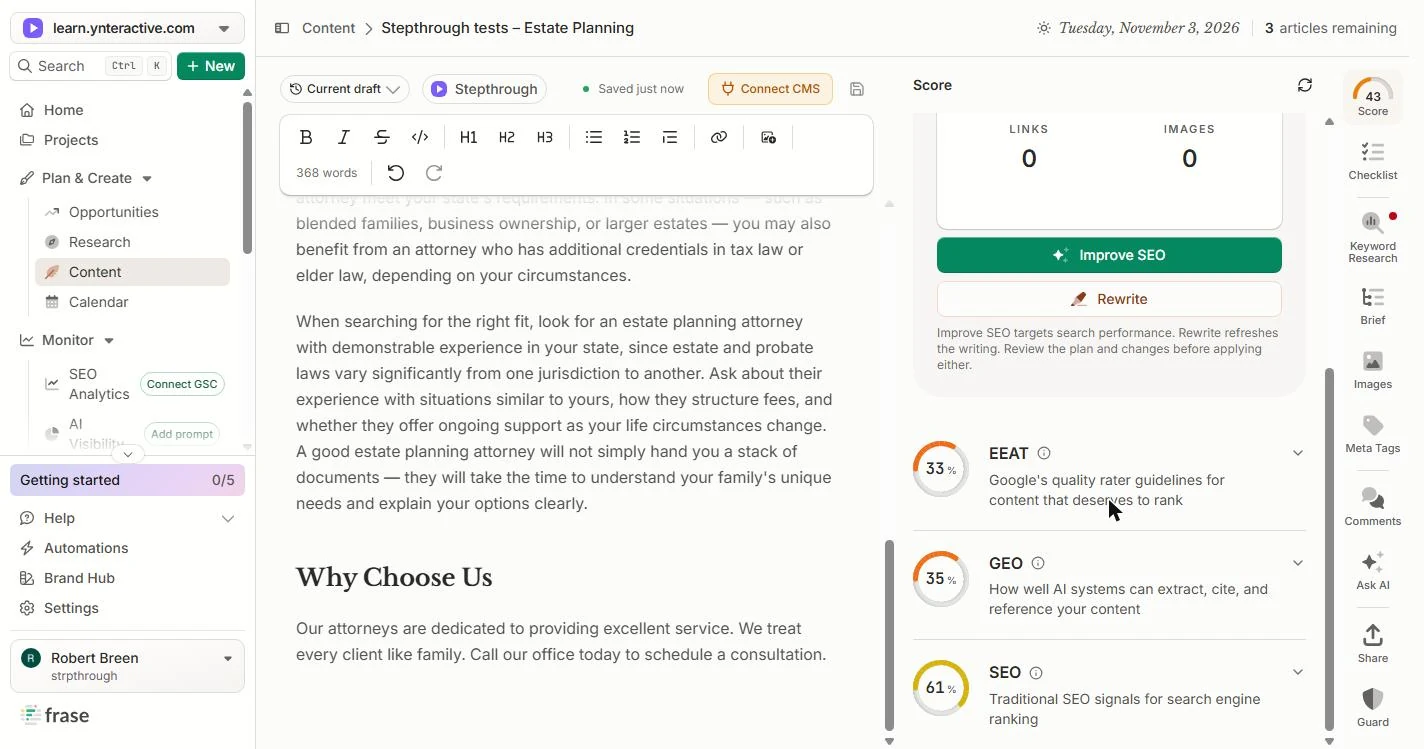
You run marketing at a regional law firm. The estate planning page has not changed since 2019 and no longer shows up when people search. In this lesson Frase scores it at 16, finds four claims and the questions clients ask. You reject a claim the firm cannot back, turn plain text into headings, add an FAQ answer, and fix an AI line that said only a lawyer can write a binding will. The score ends at 43. We made up the firm and its page.
Frase scored the page, suggested the keyword your clients search, found the claims in it and the questions clients ask, and drafted an answer. It also approved every claim without a source, counted "Updated 2019" as a fact, suggested other firms' city names as topics, and wrote that only a lawyer can draft a binding will. The score went from 16 to 43. Next: have a partner confirm the claims, add the reviewing attorney, and do the next practice page the same way.
- Tools: Frase
- Time: about 10 minutes, 45 steps in 4 chapters
- Level: beginner, no coding needed
- Price: free
Practice first, then build it for real
Practice copy built from real Frase screens (next.frase.io), captured 3 November 2026 on a trial account. Ridgeline Law Group and its page are made up. Nothing here touches a Frase account. The keyword, claims, research, rewrites and scores are what Frase produced in that run, and yours will differ. To build it for real you need your own Frase account, and some services charge once you use them for real work, so check each tool's current pricing.
Try it yourself, free
Reading the steps is a start. Doing them is how it sticks. The interactive module walks you through every click in a practice copy of Frase, checks each step, and never touches your real accounts.
Start “Frase: Refresh a Stale Law Firm Practice Page With the Optimizer”Step by step: Frase: Refresh a Stale Law Firm Practice Page With the Optimizer
All 45 steps of the interactive module, in order. In the module you watch each one, then do it yourself in a practice copy that checks your work.
1. Bring the old page in
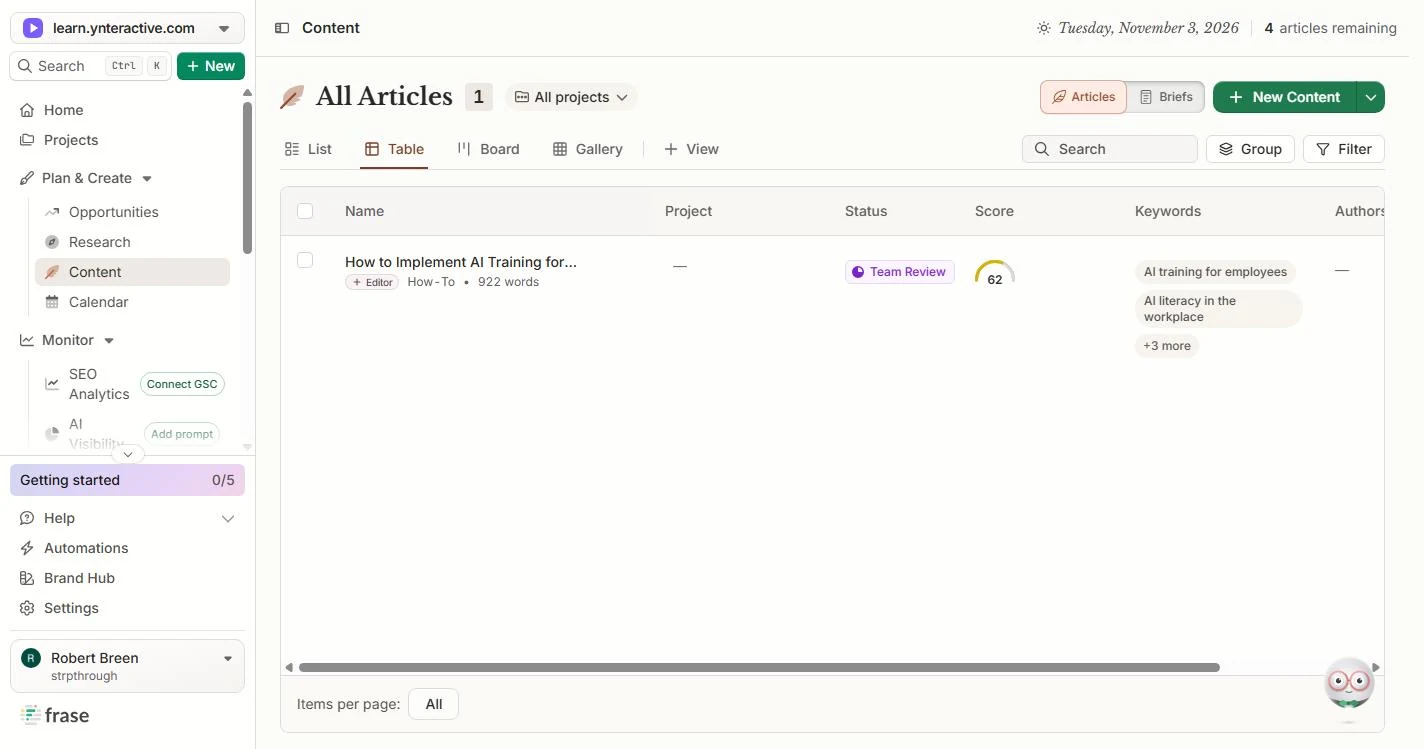
- Open New Content. You run marketing at a regional law firm. The estate planning page was last touched in 2019, and it no longer shows up when people search. We made up the firm, Ridgeline Law Group, and its page for this lesson. In Frase, go to Plan & Create › Content and click New Content.
You run marketing at a regional law firm. The estate planning page was last updated in 2019. In Frase, go to Content and click New Content.
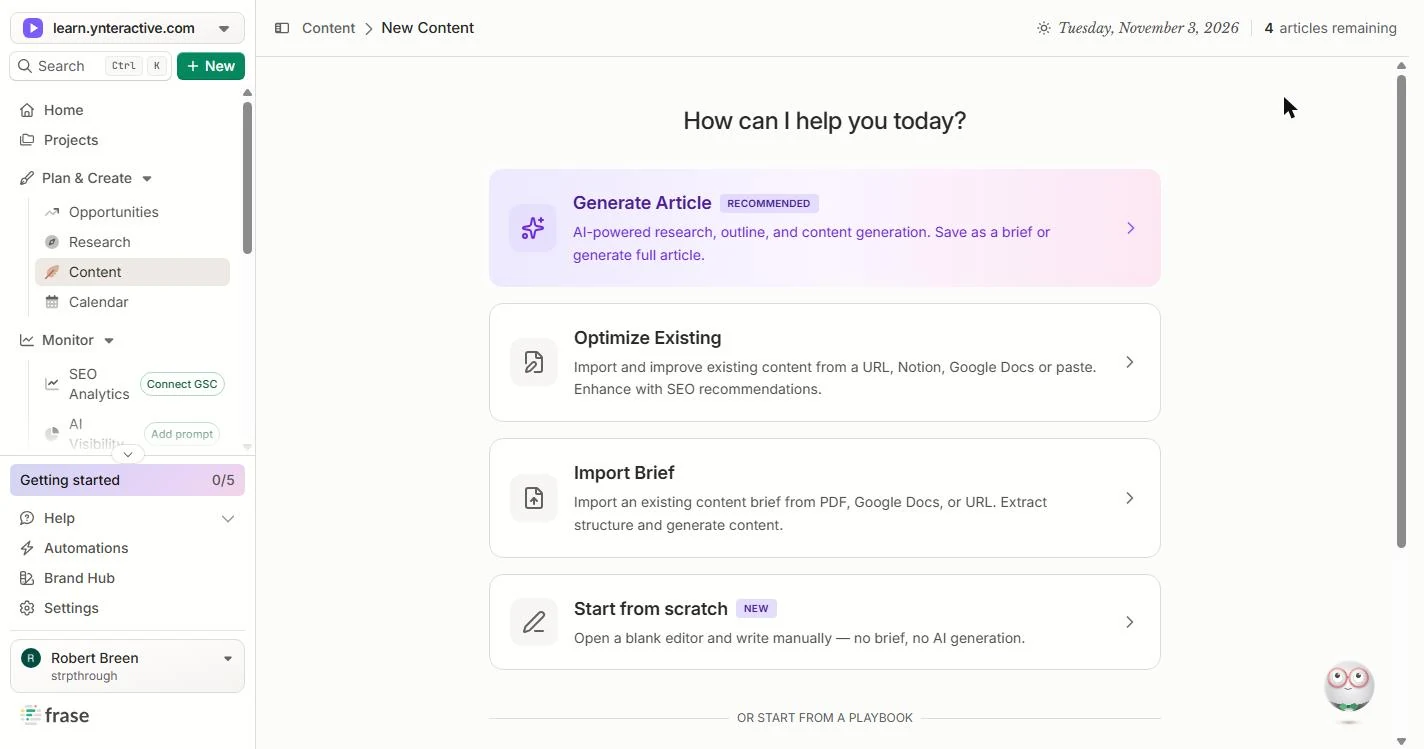
- Choose Optimize Existing. You are not writing a new page. You are fixing one you already have. Click Optimize Existing.
You are fixing a page you already have.
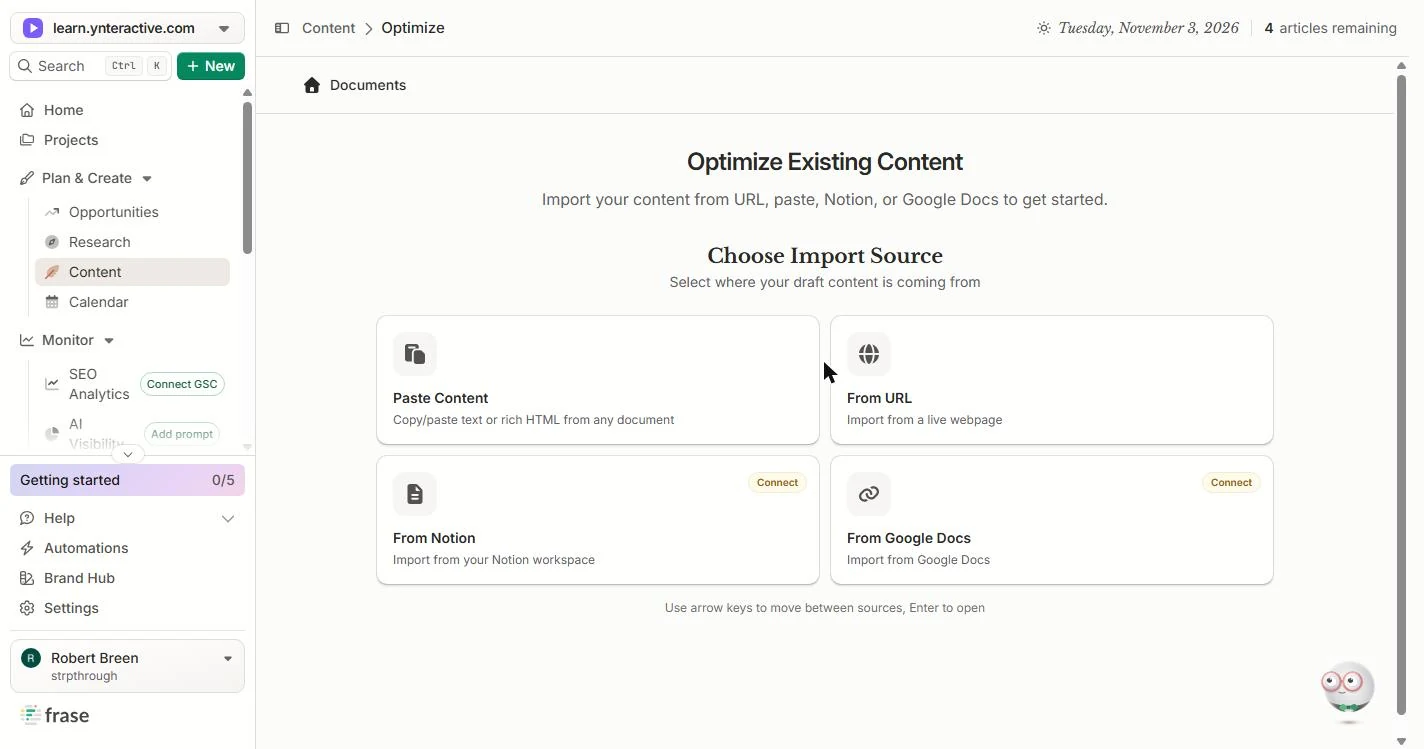
- Choose Paste Content. Frase can import from a live URL, Notion or Google Docs. We pasted the text so you can follow along with our made-up page. Paste in the Content.
You can import from a web address, Notion or Google Docs. We pasted the text.
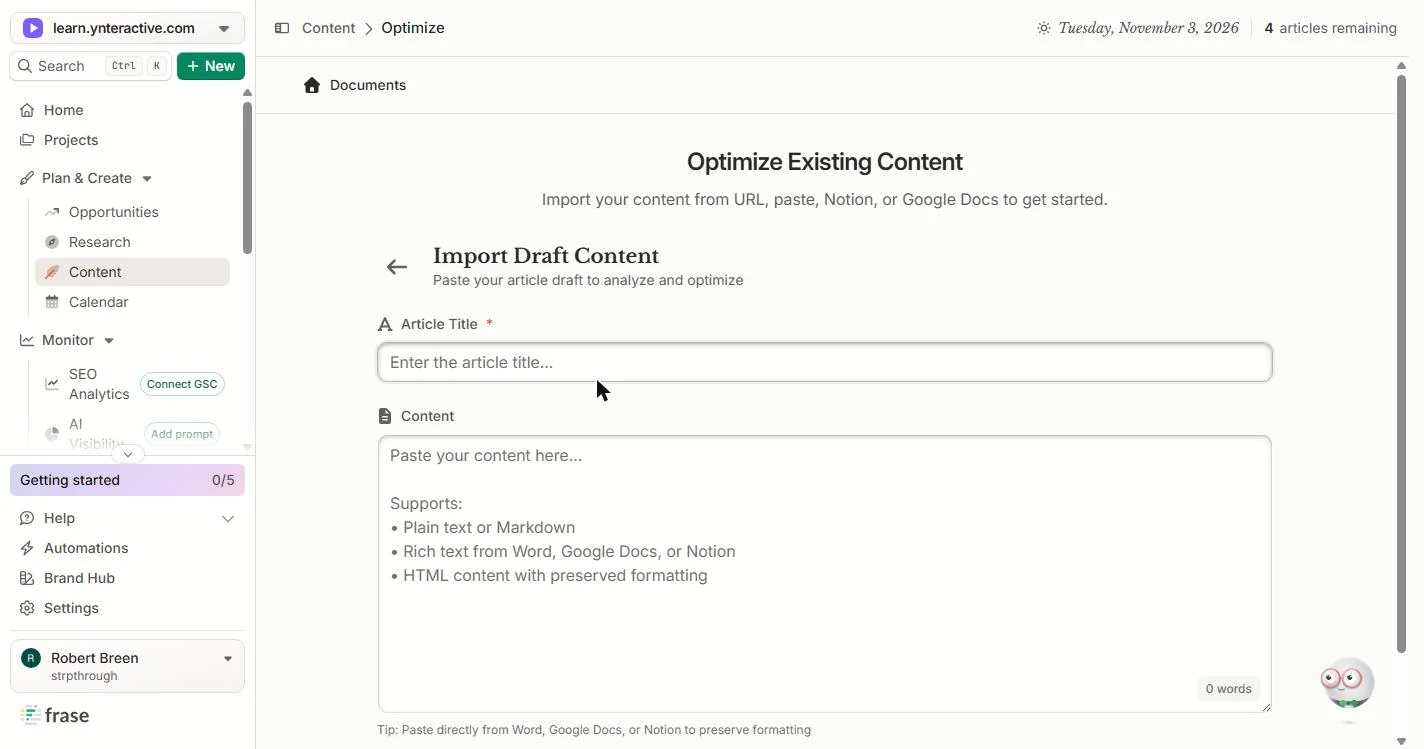
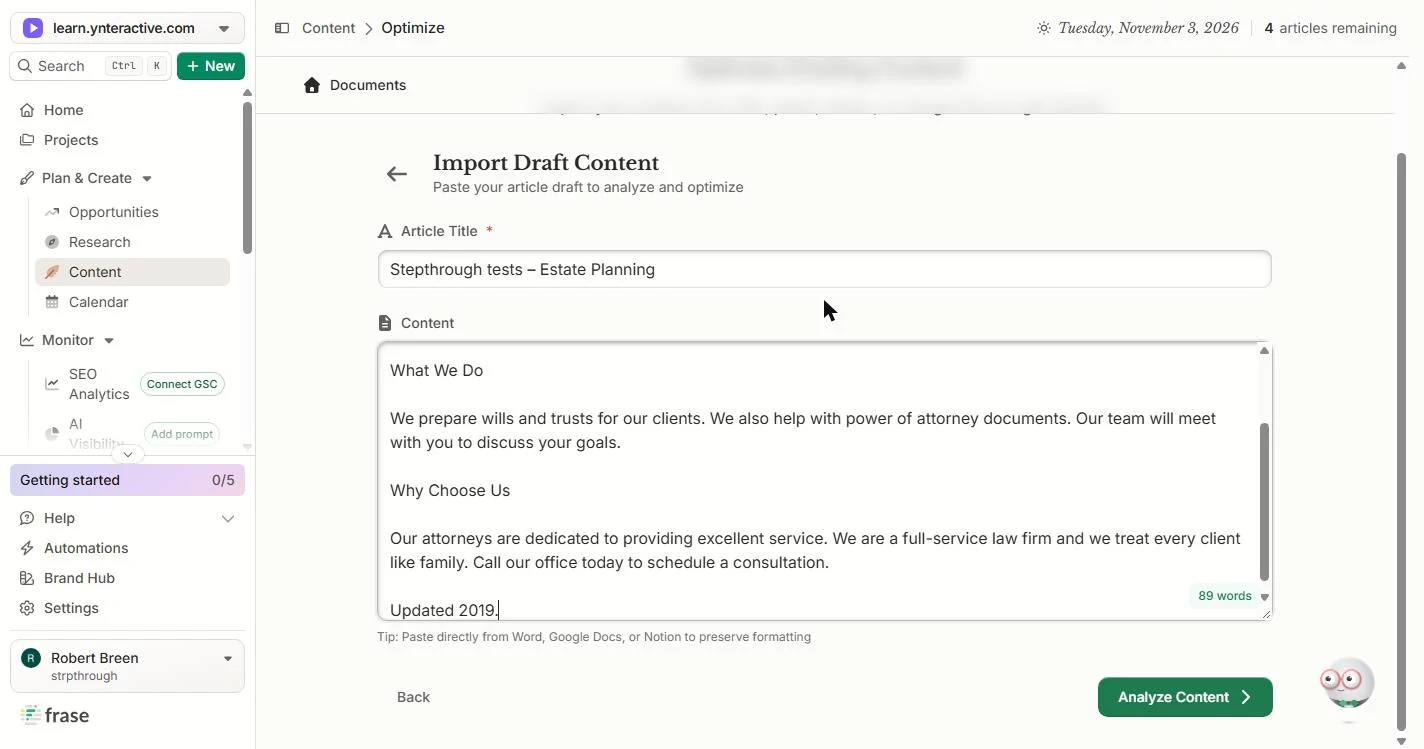
- Name it. Give it a name you will find later. We start test items with Stepthrough tests. Type it in Article Title.
Give it a name you will find later.
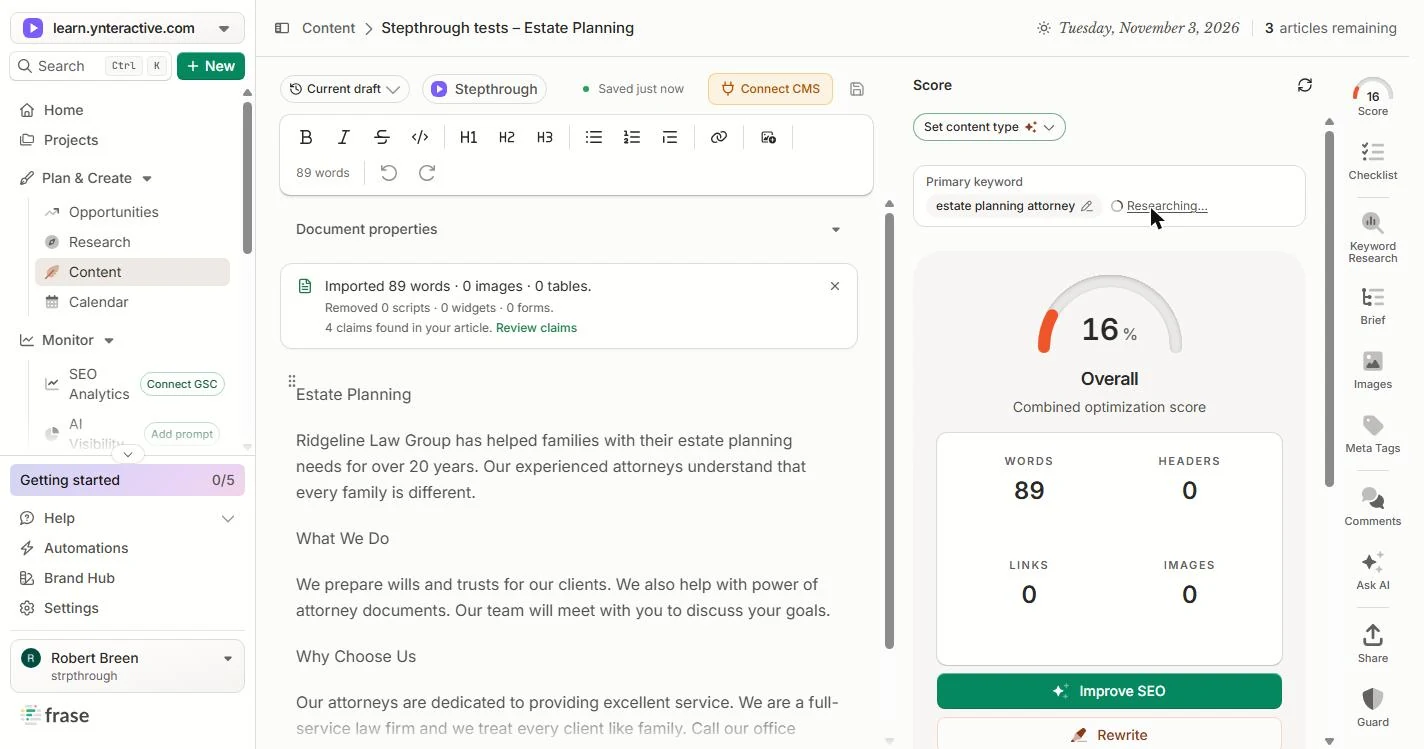
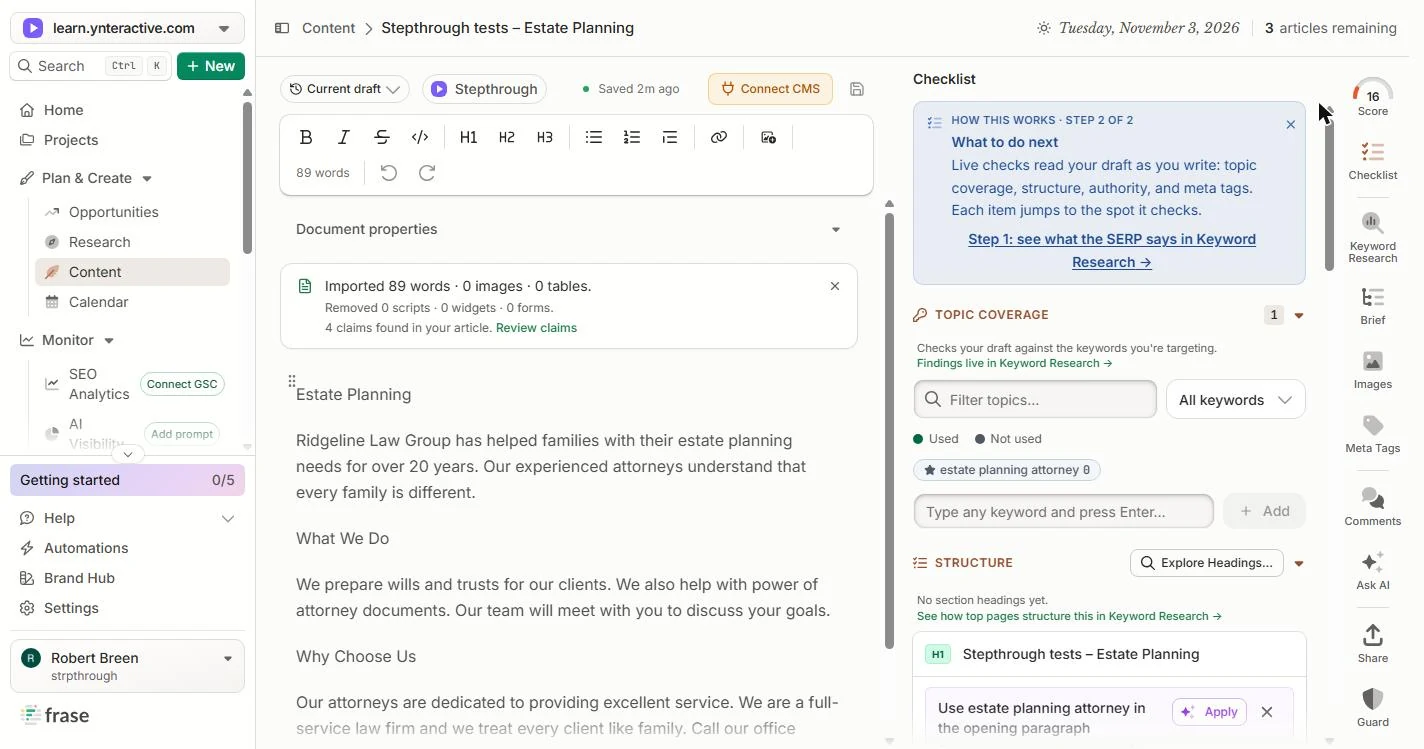
- Paste the old page. Paste the page as it is today. Ours is 89 words: a vague intro, What We Do, Why Choose Us and Updated 2019 at the bottom.
Ours is eighty nine words, and it says updated 2019 at the bottom.
Estate Planning

Ridgeline Law Group has helped families with their estate planning needs for over 20 years. Our experienced attorneys understand that every family is different.

What We Do

We prepare wills and trusts for our clients. We also help with power of attorney documents. Our team will meet with you to discuss your goals.

Why Choose Us

Our attorneys are dedicated to providing excellent service. We are a full-service law firm and we treat every client like family. Call our office today to schedule a consultation.

Updated 2019.
- Analyze it. Click Analyze Content. This used one article from our trial: the counter went from 4 articles remaining to 3. Fixing the page after that did not use any more.
This used one article from our trial. The fixes after it did not use any more.
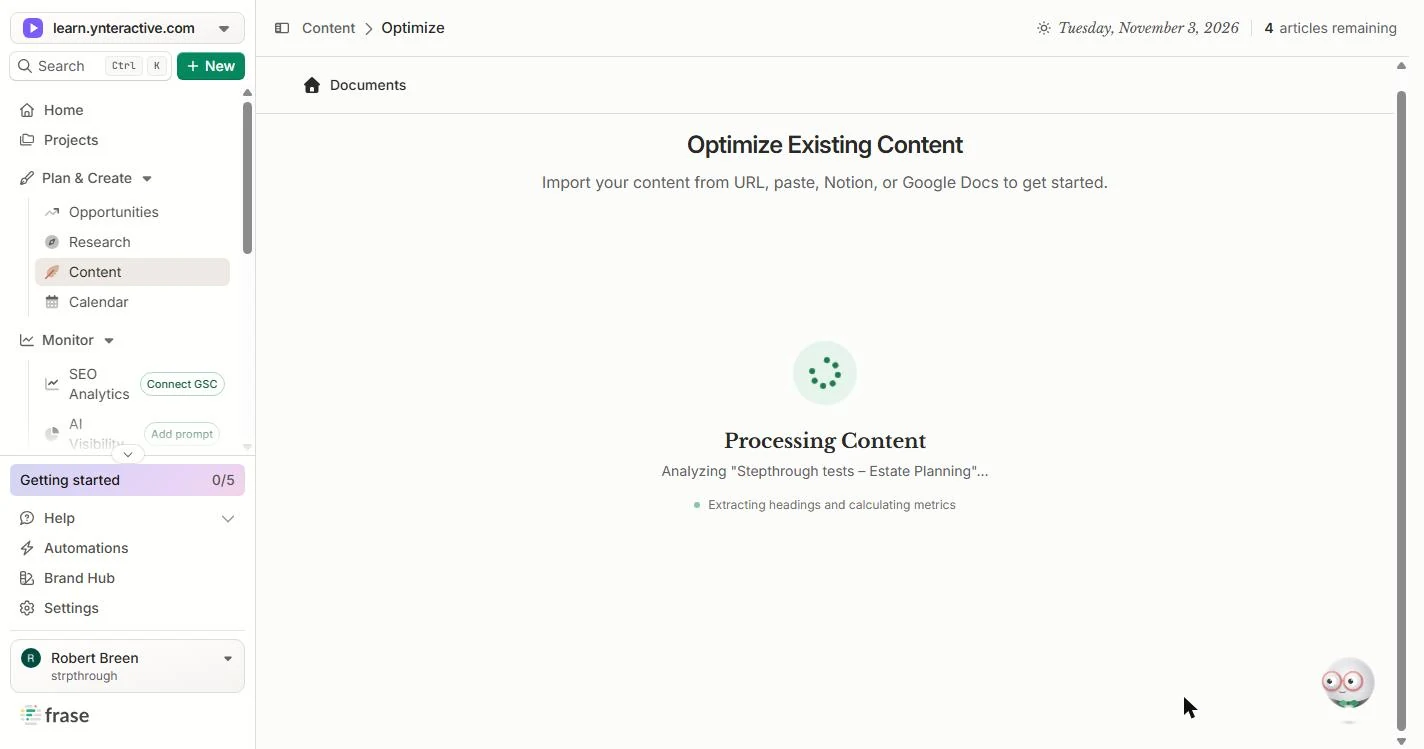
- Wait for the editor. Frase pulls out the headings and counts what is there. Ours opened in the editor in about 15 seconds. Click the progress box.
Frase reads the page. Ours opened in about fifteen seconds.
2. Check what Frase found
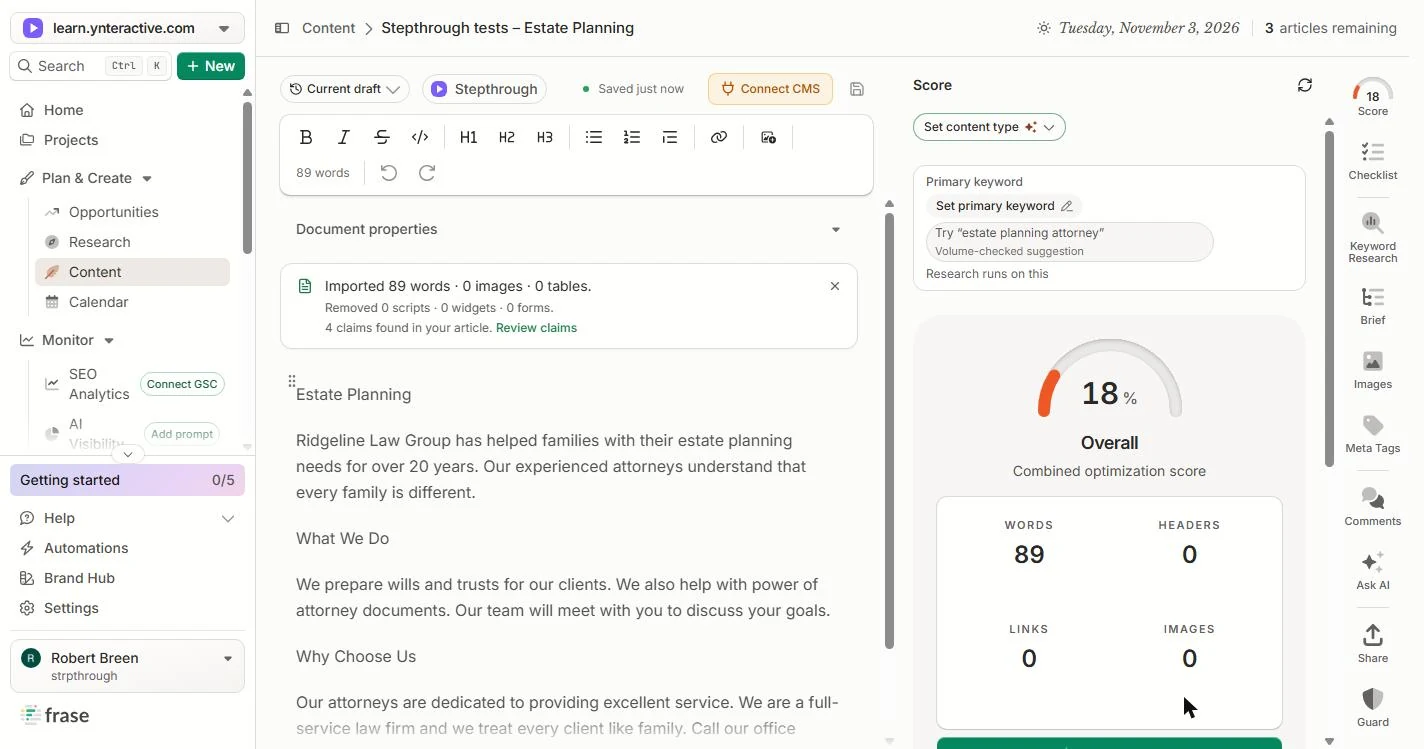
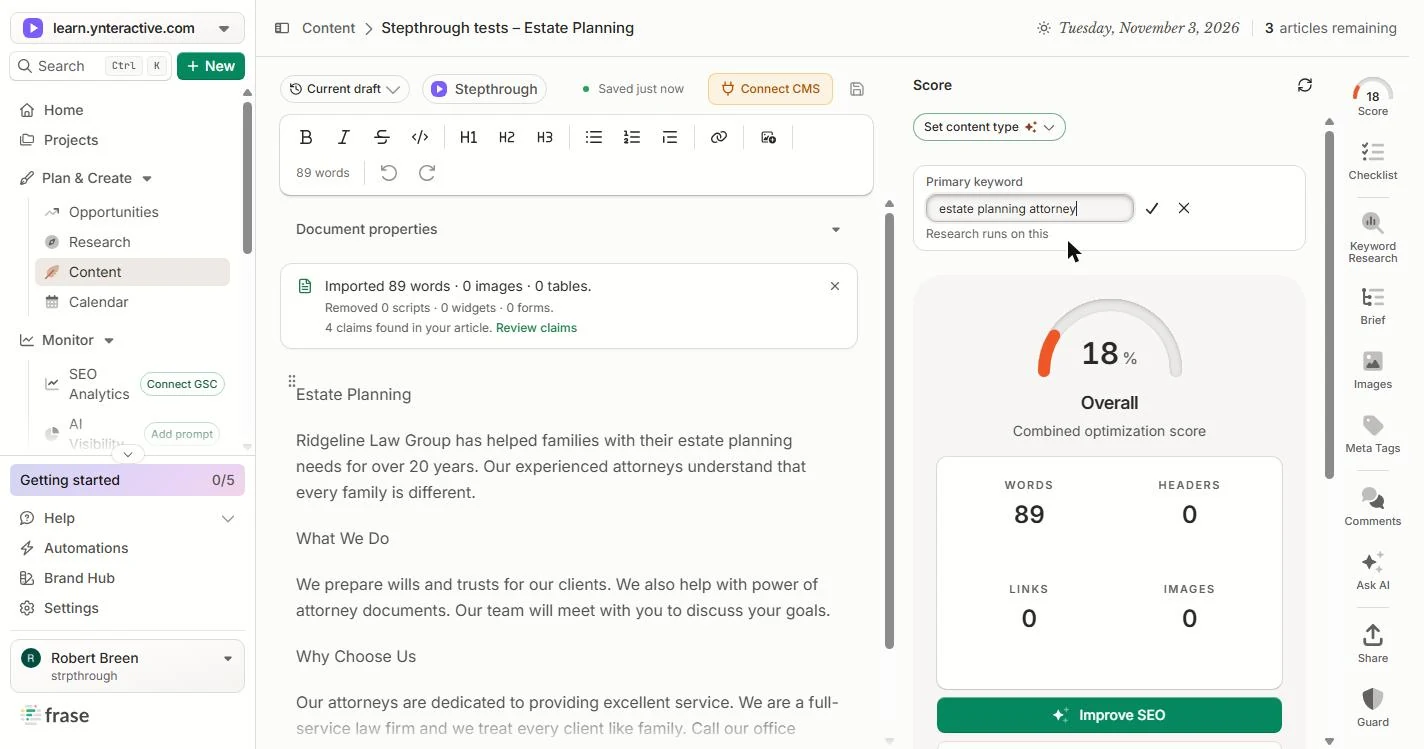
- Take the keyword suggestion. The Overall score is 18, with no primary keyword yet. Frase suggests estate planning attorney and marks it Volume-checked, so people really search it. That is what your clients type. Click the suggestion.
The score is 18, with no keyword yet. Frase suggests estate planning attorney, and says people really search it.
- Confirm it. Click the ✓ to set it.
- Let it research. Frase now reads the pages that rank for that search. The score dropped from 18 to 16, because now it is measured against a real target. Research took about a minute for us. Click the score.
Frase reads the pages that rank. The score dropped to 16, because now it has a real target.
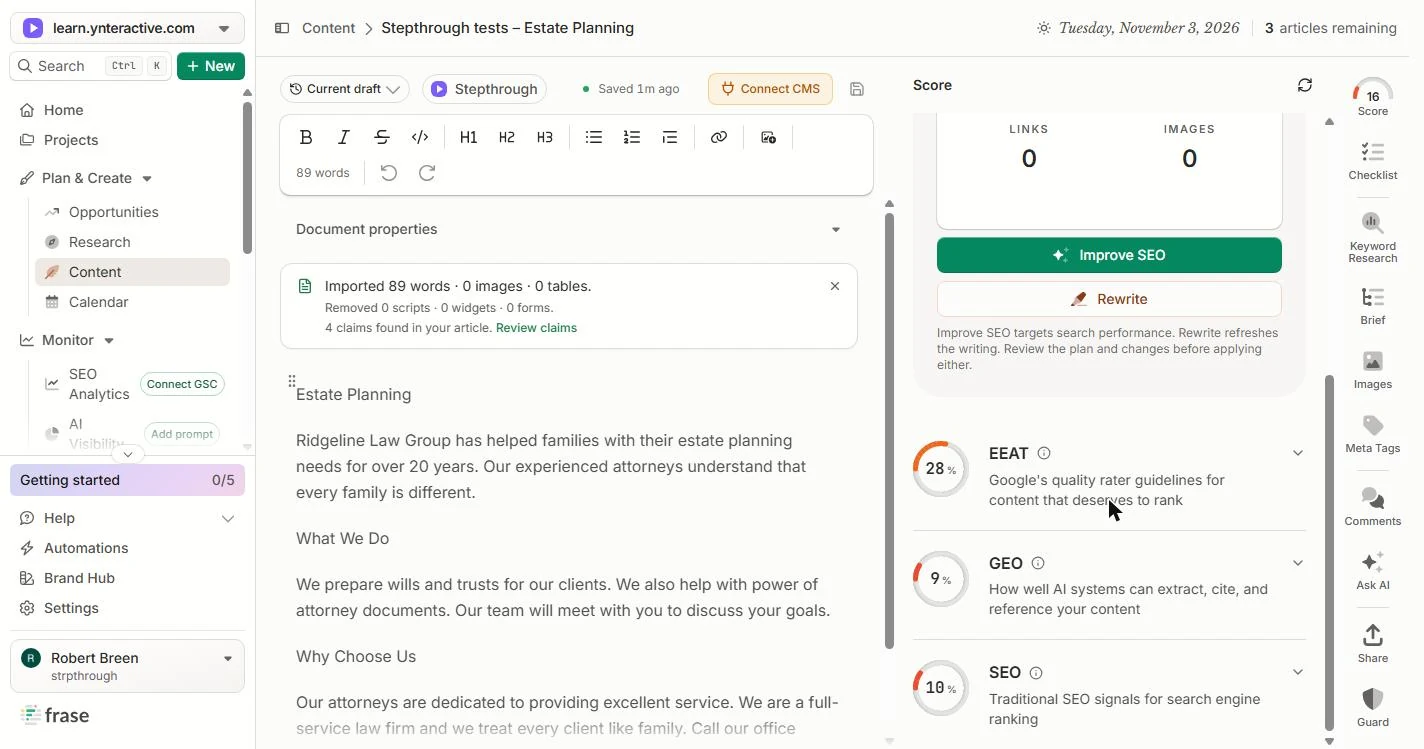
- Read the three scores. Scroll down. EEAT 28, GEO 9, SEO 10. GEO is how easily AI tools like ChatGPT can quote the page. At 9, they have almost nothing to quote. Click GEO.
E E A T 28, GEO 9, S E O 10. GEO is how easily A I tools can quote the page. At 9, they have almost nothing to quote.
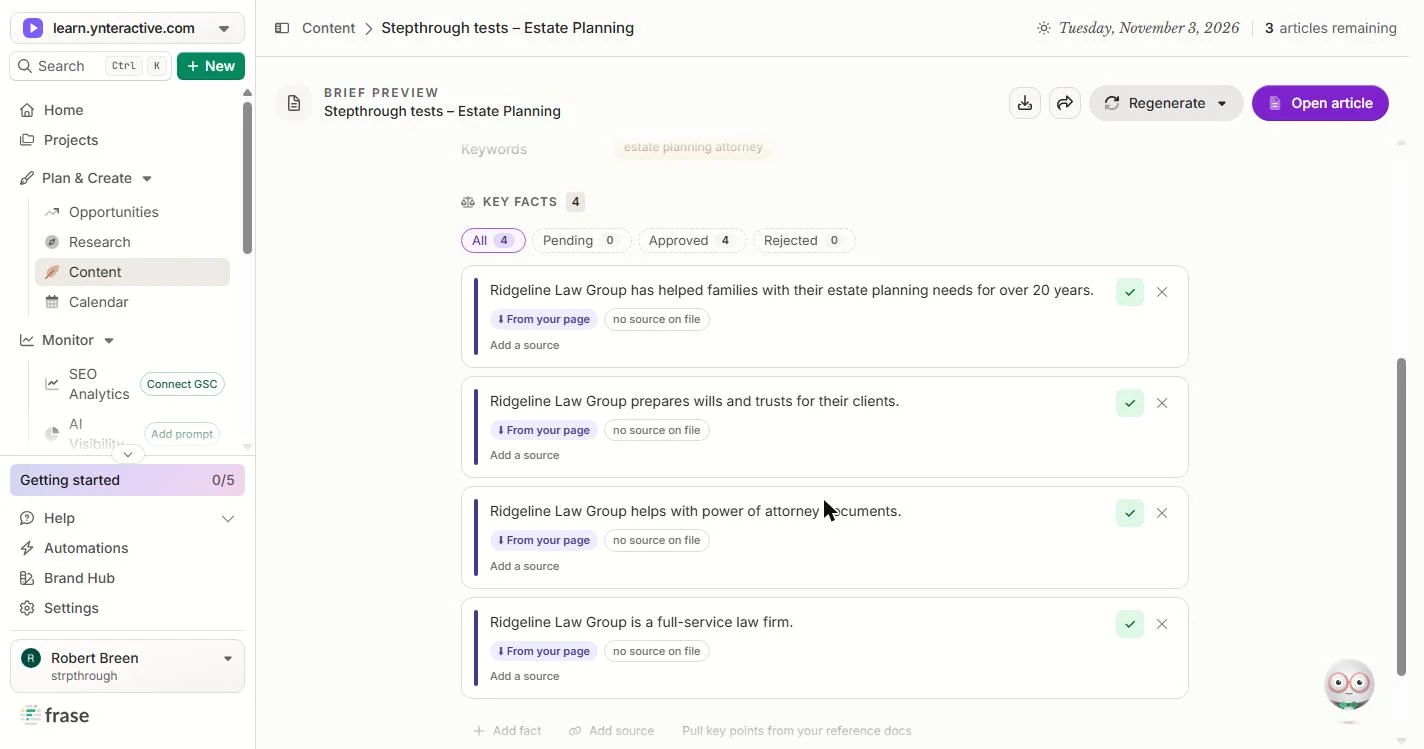
- Open the claims. At the top of the page, Frase says 4 claims found in your article. On a law firm page, every claim is a promise. Click Review claims.
Frase found four claims in the page. On a law firm page, every claim is a promise.
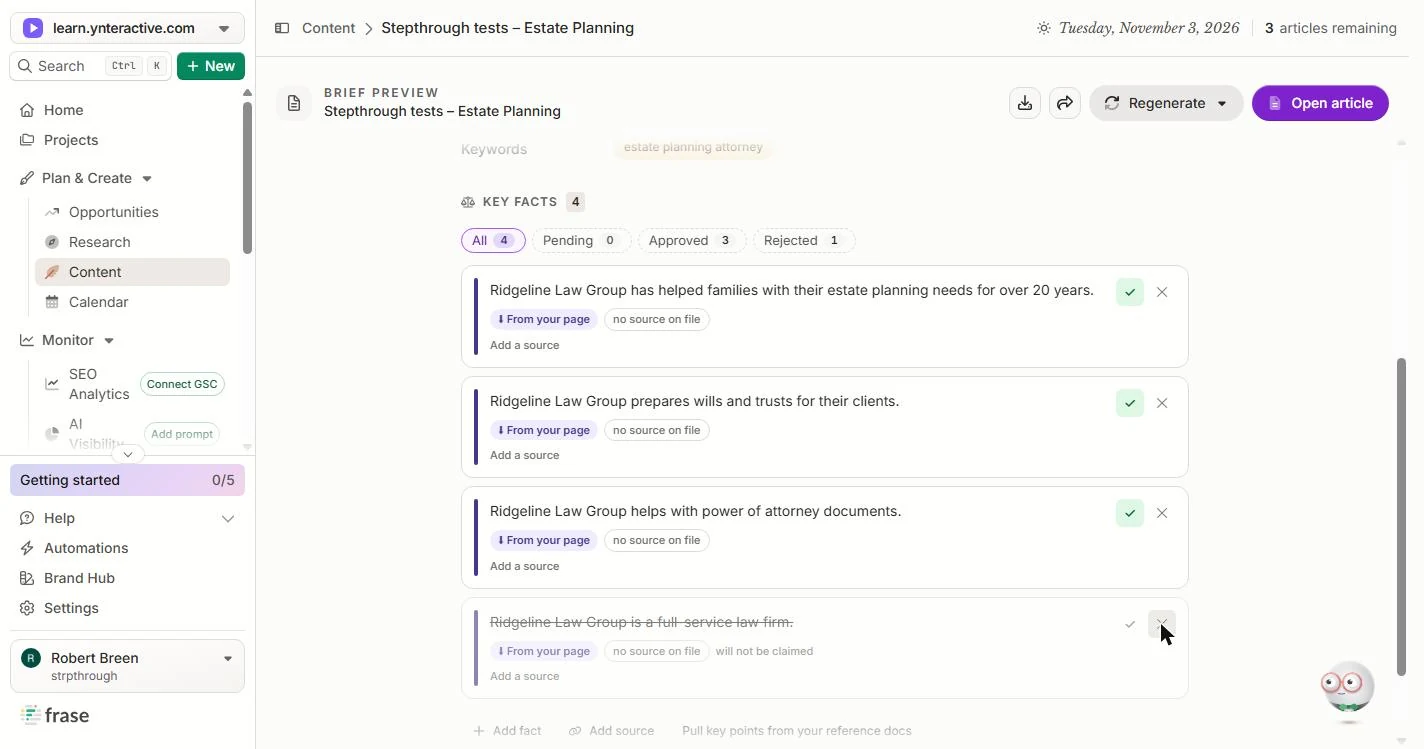
- Reject a claim you cannot back. All four came in Approved, each marked From your page and no source on file. Frase approved them because you wrote them, not because they are true. Ridgeline handles estate planning, not everything, so full-service law firm has to go. Click its ✕.
All four came in approved, because you wrote them, not because they are true. Ridgeline is not a full service firm, so that claim has to go.
- Check the years. It is struck out and marked will not be claimed. Now look at over 20 years. Ask a partner to confirm it before it goes live, and use Add a source if you have one. Click the claim.
It is struck out. Now look at over 20 years. Ask a partner to confirm it before it goes live.
- Back to the page. Click Open article.
3. Fix the structure
- Find the missing keyword. The Checklist opens. Under Topic coverage, estate planning attorney shows 0: the page never says it. Click the 0.
The checklist shows estate planning attorney zero times. The page never says it.
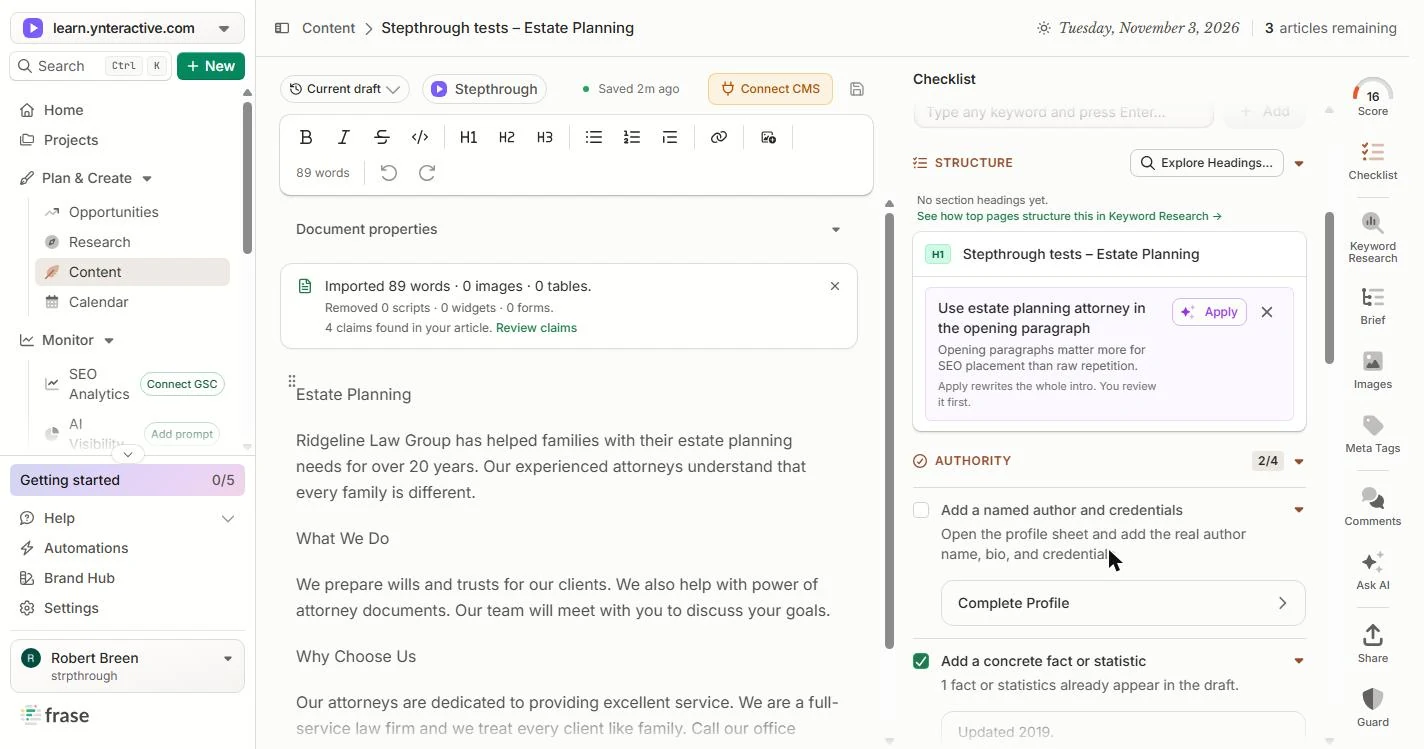
- Notice what counted as a fact. Scroll down. Structure says No section headings yet: our headings came in as plain text. And under Authority, Add a concrete fact or statistic is ticked. The fact it found is Updated 2019. A checkmark is not a check. Click the tick.
There are no section headings, because ours came in as plain text. And the fact Frase counted is, updated 2019. A checkmark is not a check.
- Click into What We Do. Make the old headings real headings. Click in the line What We Do.
Make the old headings real headings.
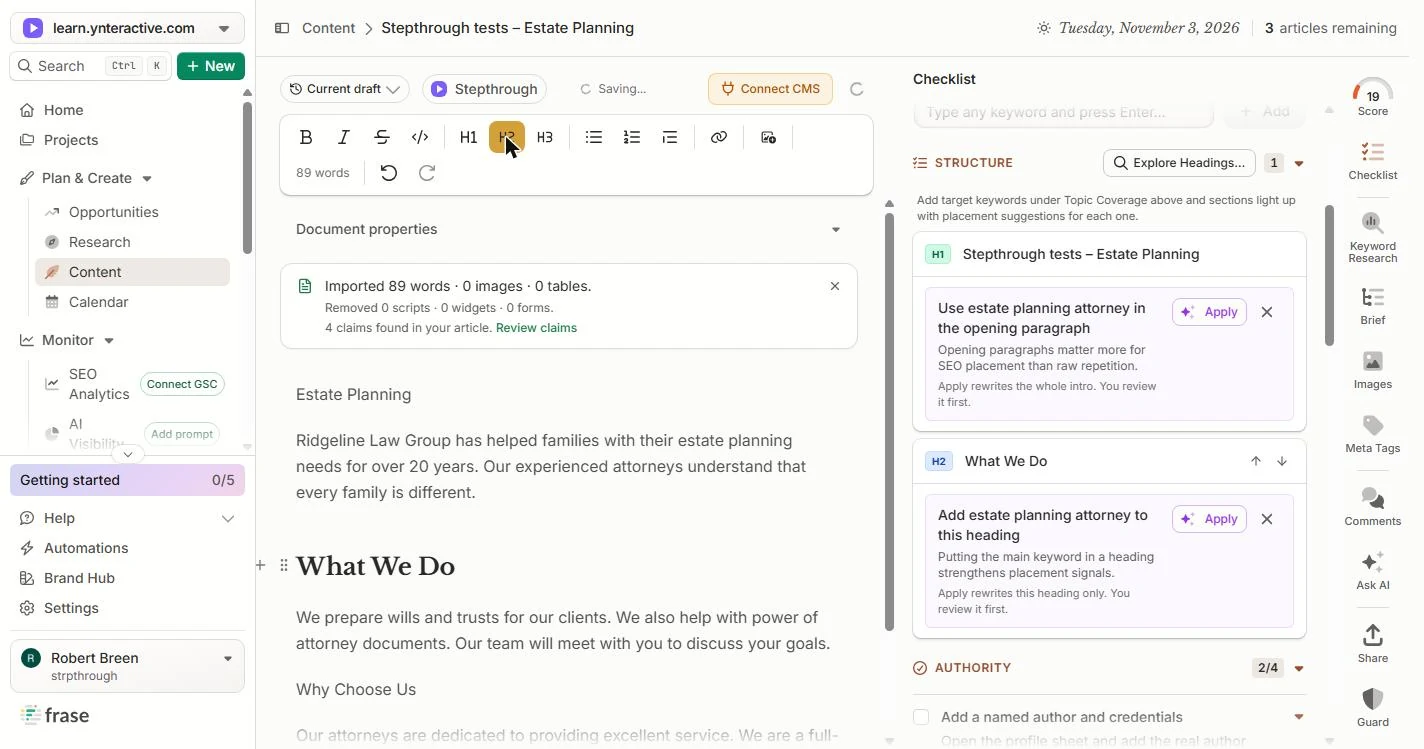
- Make it a heading. Click H2 in the toolbar.
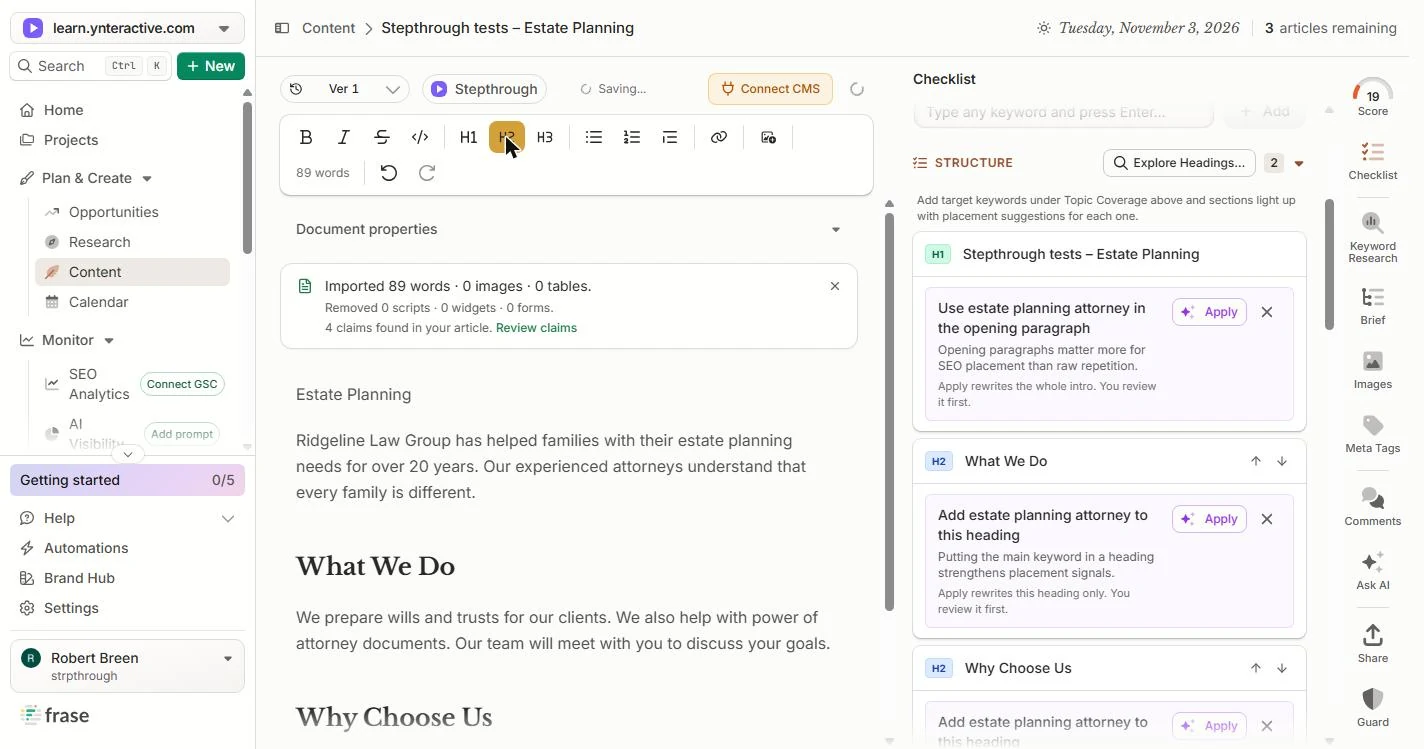
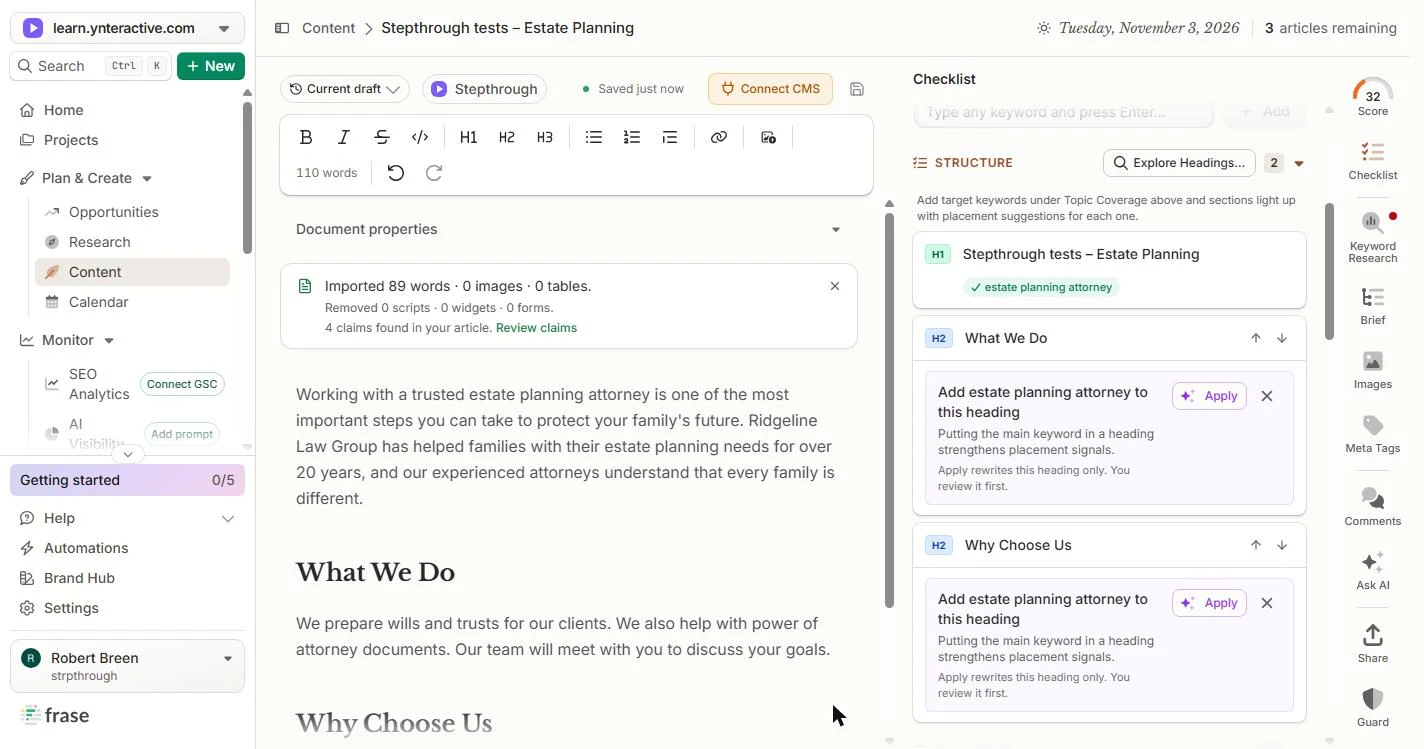
- Do the same for Why Choose Us. It is now a heading, the score went from 16 to 19, and the Checklist lists it under Structure. Click in Why Choose Us.
It is a heading now, and the score went up to 19.
- Make it a heading. Click H2 again.
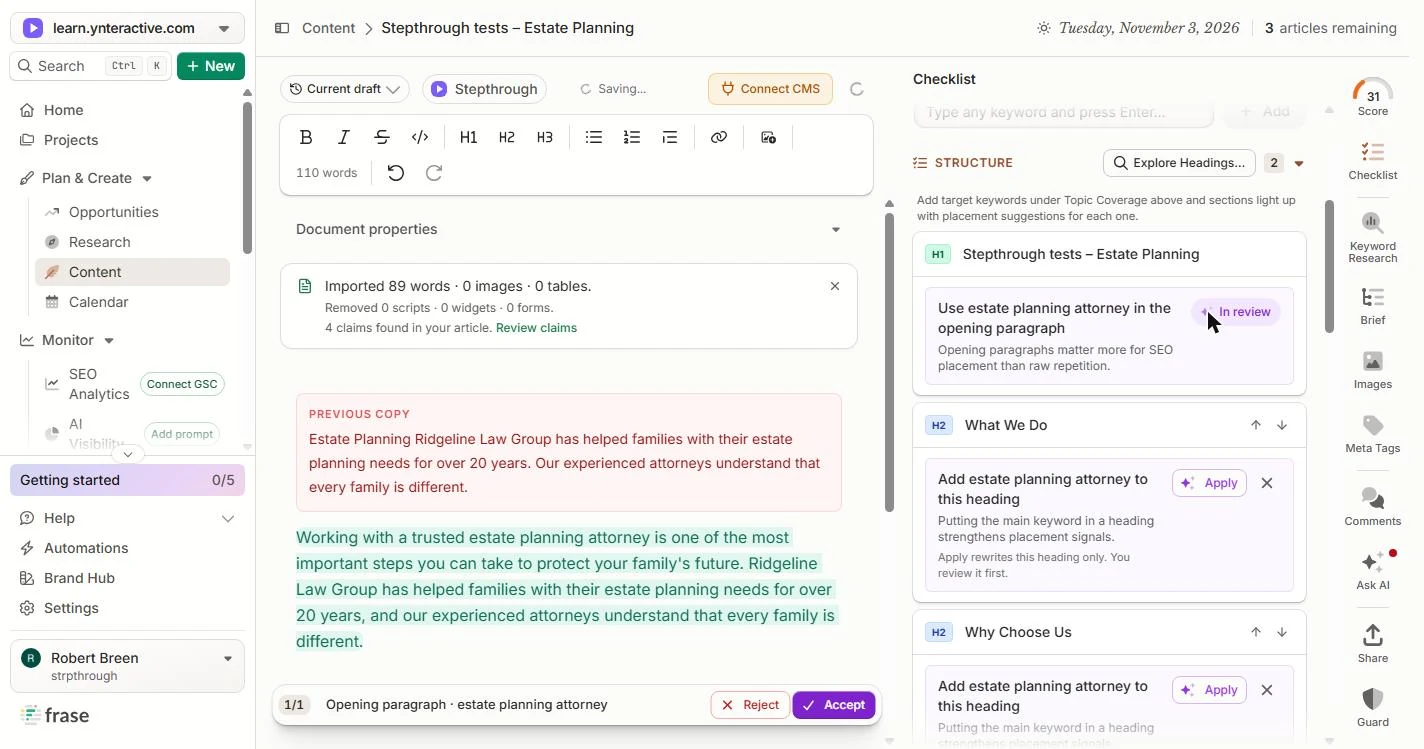
- Put the keyword in the opening. Each section now has a suggestion. The first: Use estate planning attorney in the opening paragraph. It says Apply rewrites the whole intro and you review it first. Click Apply.
Now use the suggestion to put the keyword in the opening paragraph. You review it first.
4. Fix what a lawyer would flag
- Read before you accept. Frase stages the change: PREVIOUS COPY in red, the new paragraph in green. It now opens with Working with a trusted estate planning attorney. It also dropped the old Estate Planning line, which only repeated the title. And it kept over 20 years, which you have not confirmed yet. Click the old copy.
Frase shows the old paragraph in red and the new one in green. It kept over 20 years, which you have not confirmed yet. Read it.
- Accept it. Click Accept.
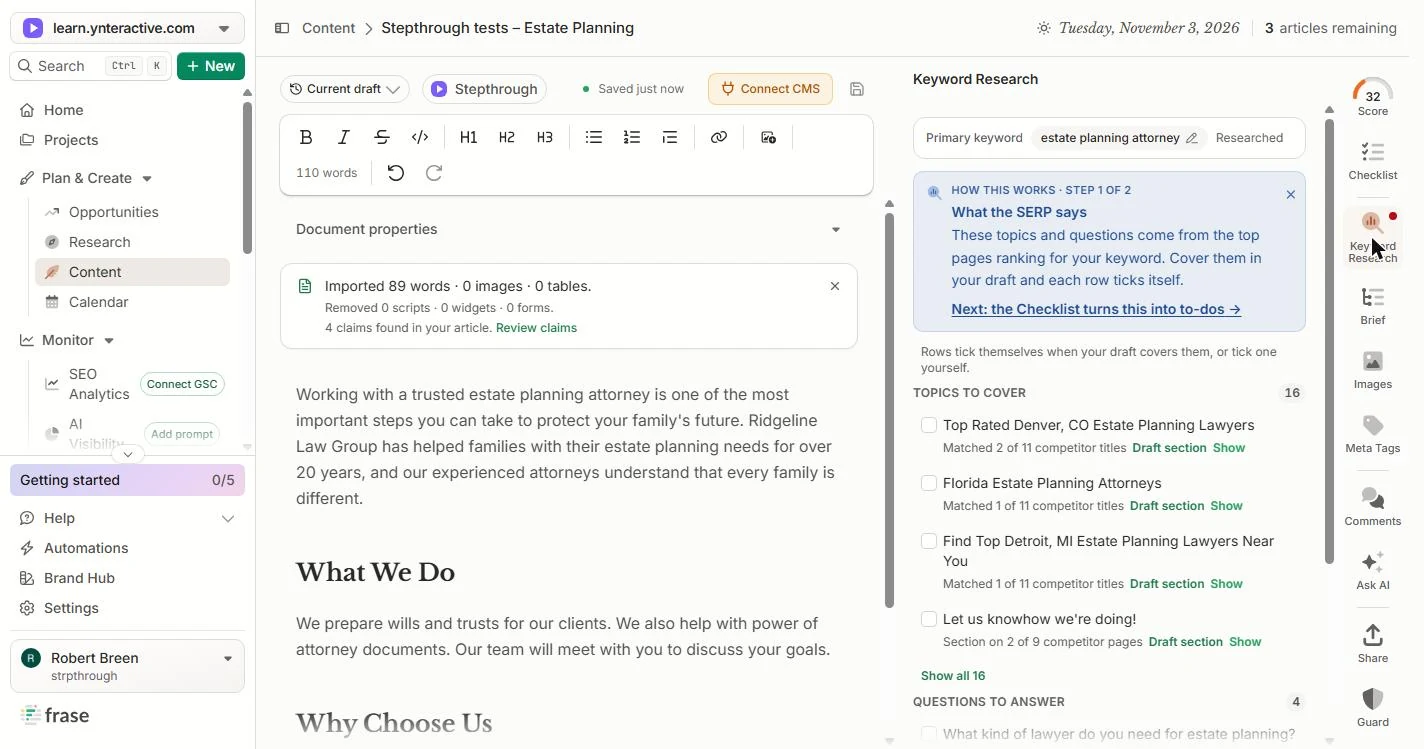
- Open Keyword Research. The score is 32. Now see what the pages that rank cover. Click Keyword Research in the right-hand bar.
The score is 32.
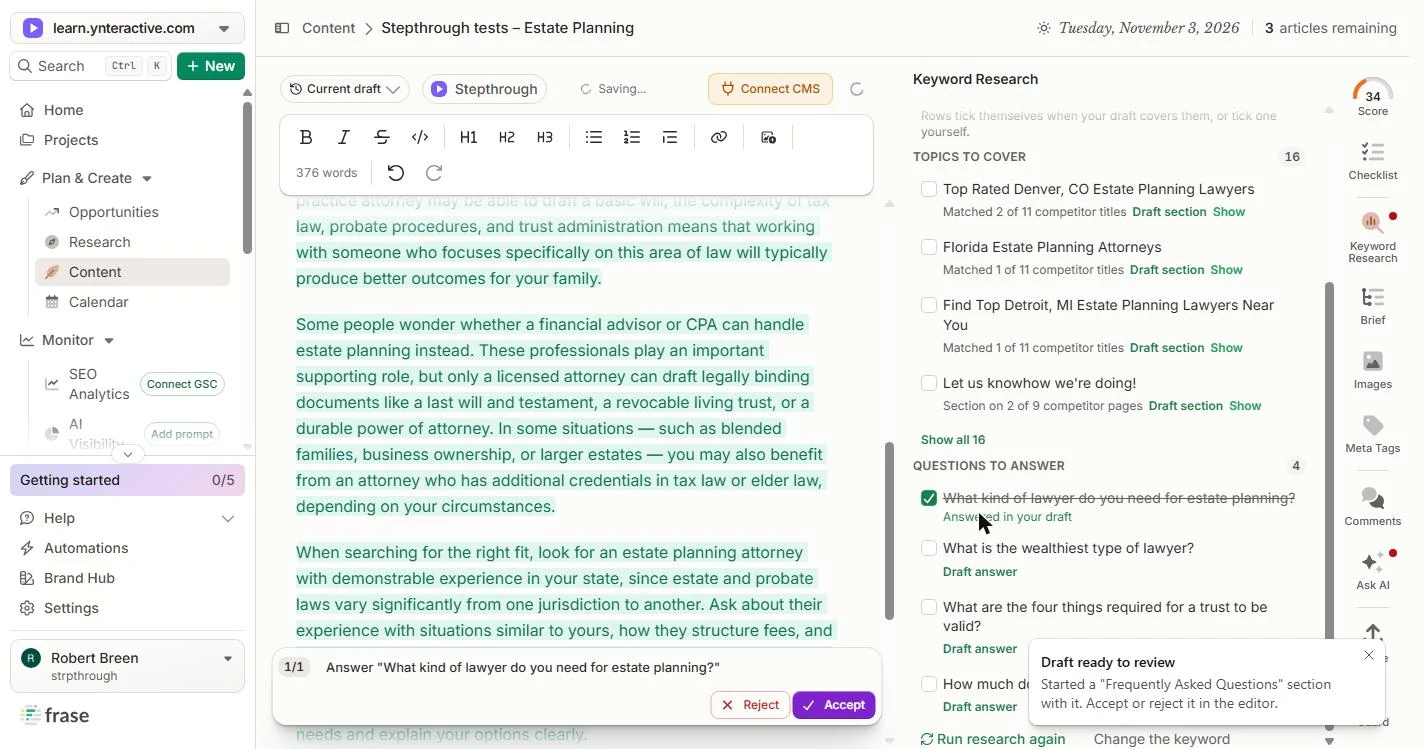
- Skip the junk topics. Topics to cover came from other firms’ page titles: Top Rated Denver, CO Estate Planning Lawyers, Florida Estate Planning Attorneys, even Let us knowhow we’re doing! None of them belong on your page. Click the list.
The topics came from other firms page titles, like Denver and Florida lawyers. None of them belong on your page.
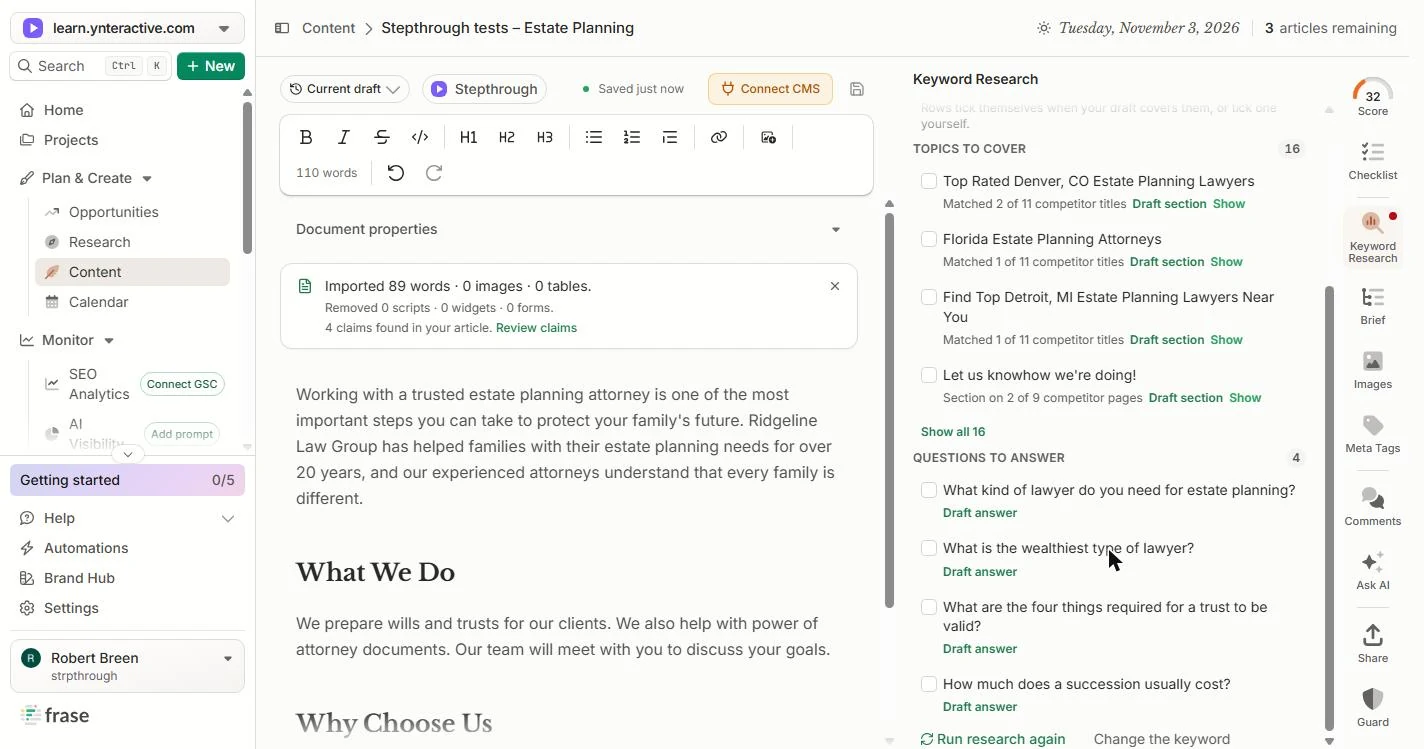
- Answer a real client question. Scroll to Questions to answer. What kind of lawyer do you need for estate planning? is a question your clients really ask. Skip What is the wealthiest type of lawyer? Click Draft answer under the first one.
Under Questions to answer, the first one is a question your clients really ask. Skip the one about the wealthiest lawyer.
- Spot the overstatement. Frase starts a Frequently Asked Questions section and stages a three-paragraph answer. The page grew from 110 to 376 words. Read it like a partner would: only a licensed attorney can draft legally binding documents is not true. People can write a valid will without a lawyer. Click that line.
Frase stages a three paragraph answer. Read it like a partner would. It says only a licensed attorney can draft legally binding documents. That is not true.
- Accept, then fix it. The rest of the answer is useful, so accept it and fix that one line. Click Accept.
The rest is useful, so accept it and fix that one line.
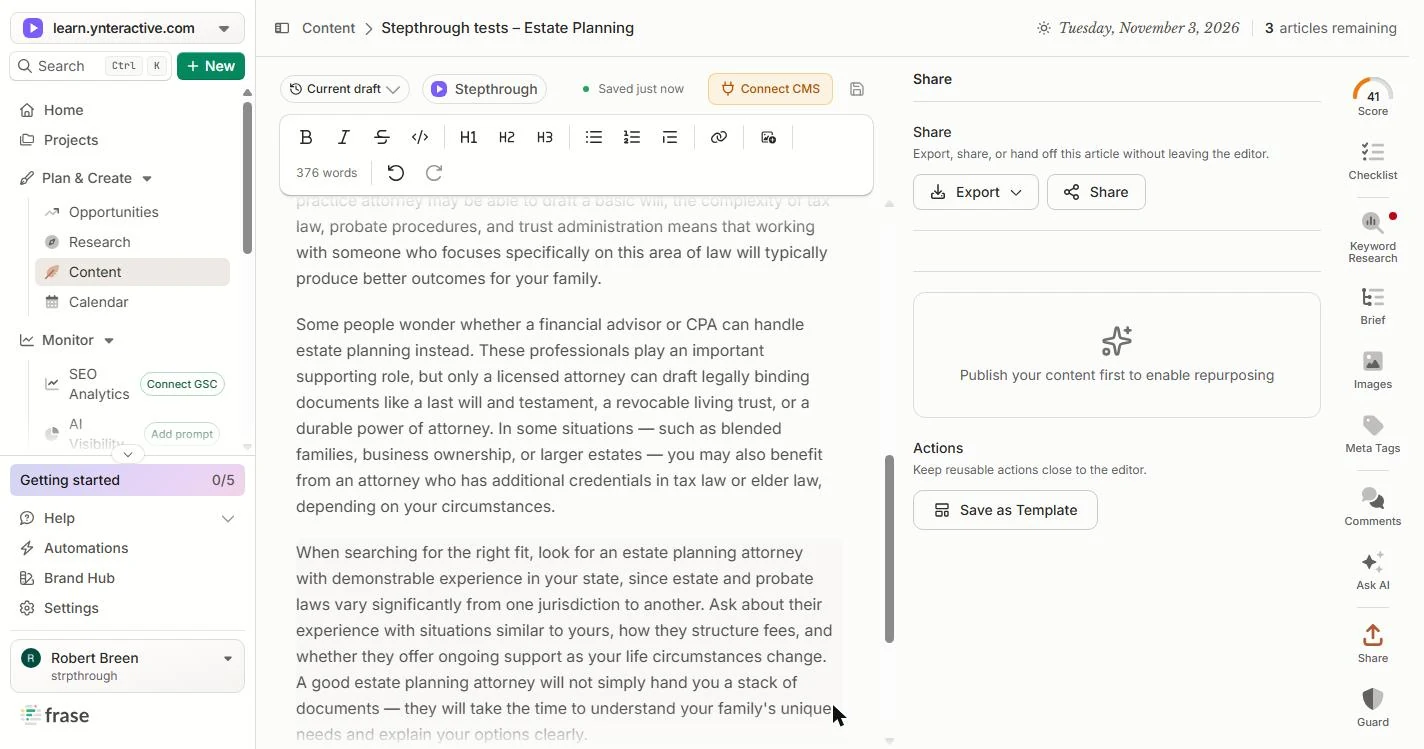
- Look at Guard. The score is 41. First, a look at Guard, at the bottom of the right-hand bar. Click it.
The score is 41.
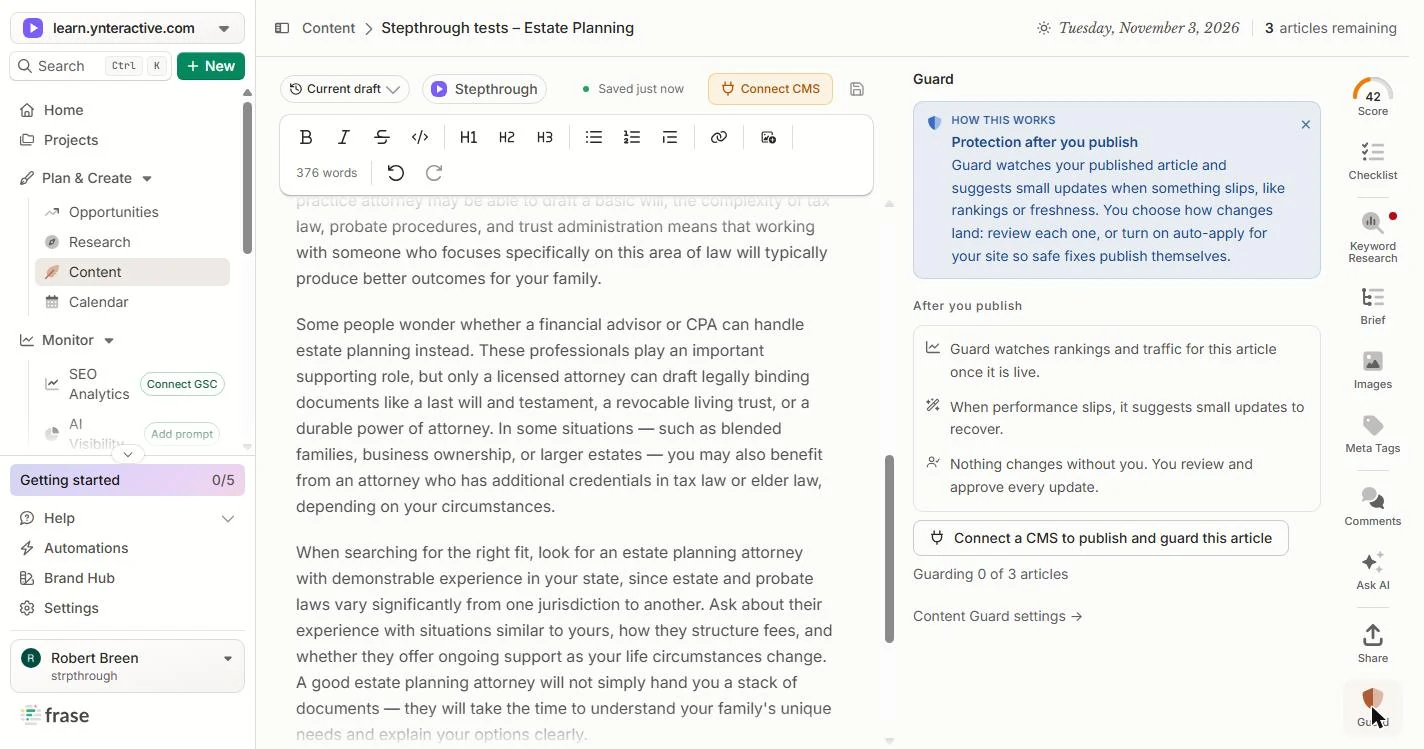
- Guard needs a published page. Guard watches the page after you publish and suggests small updates when rankings or freshness slip. It needs a CMS connection, so it showed Guarding 0 of 3 articles for us. Click the button to read it, then come back to fixing.
Guard watches the page after you publish, and suggests updates when it slips. It needs your website connected.
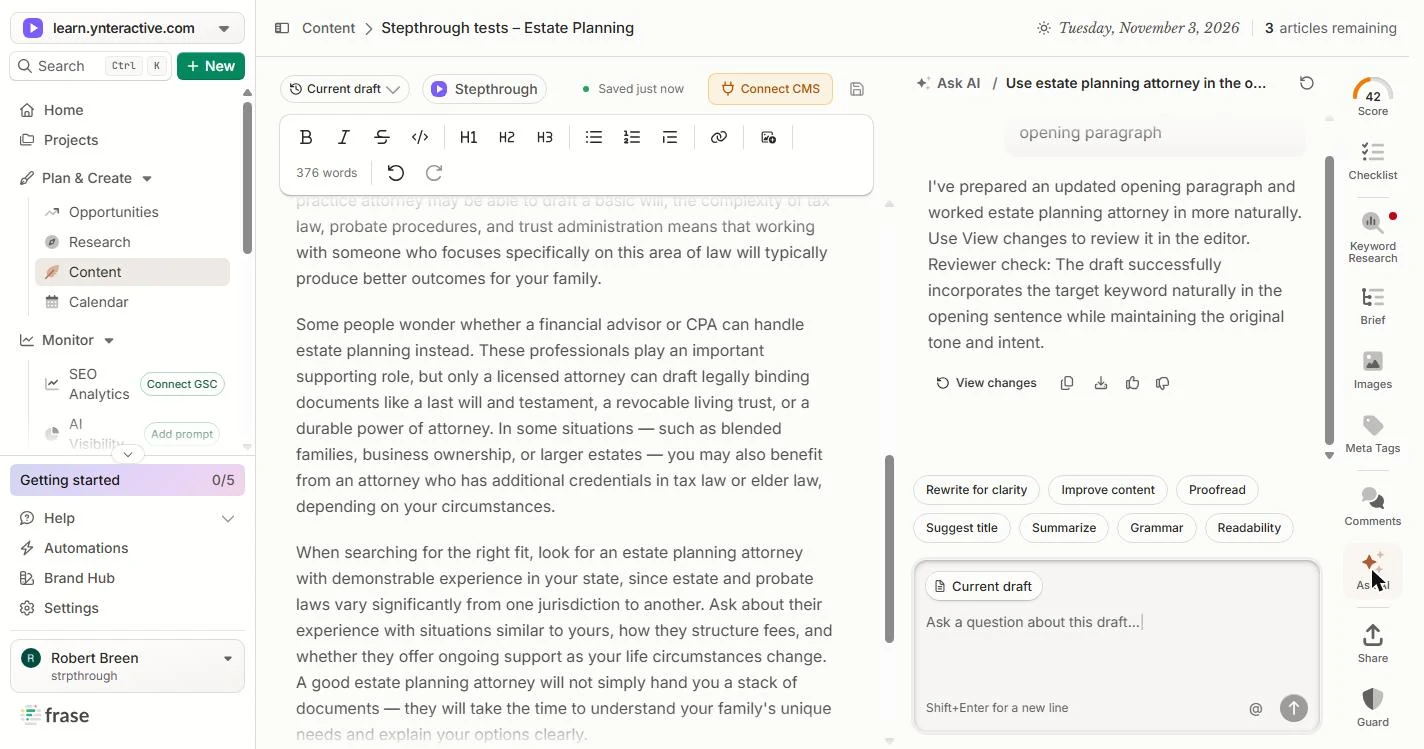
- Open Ask AI. Click Ask AI.
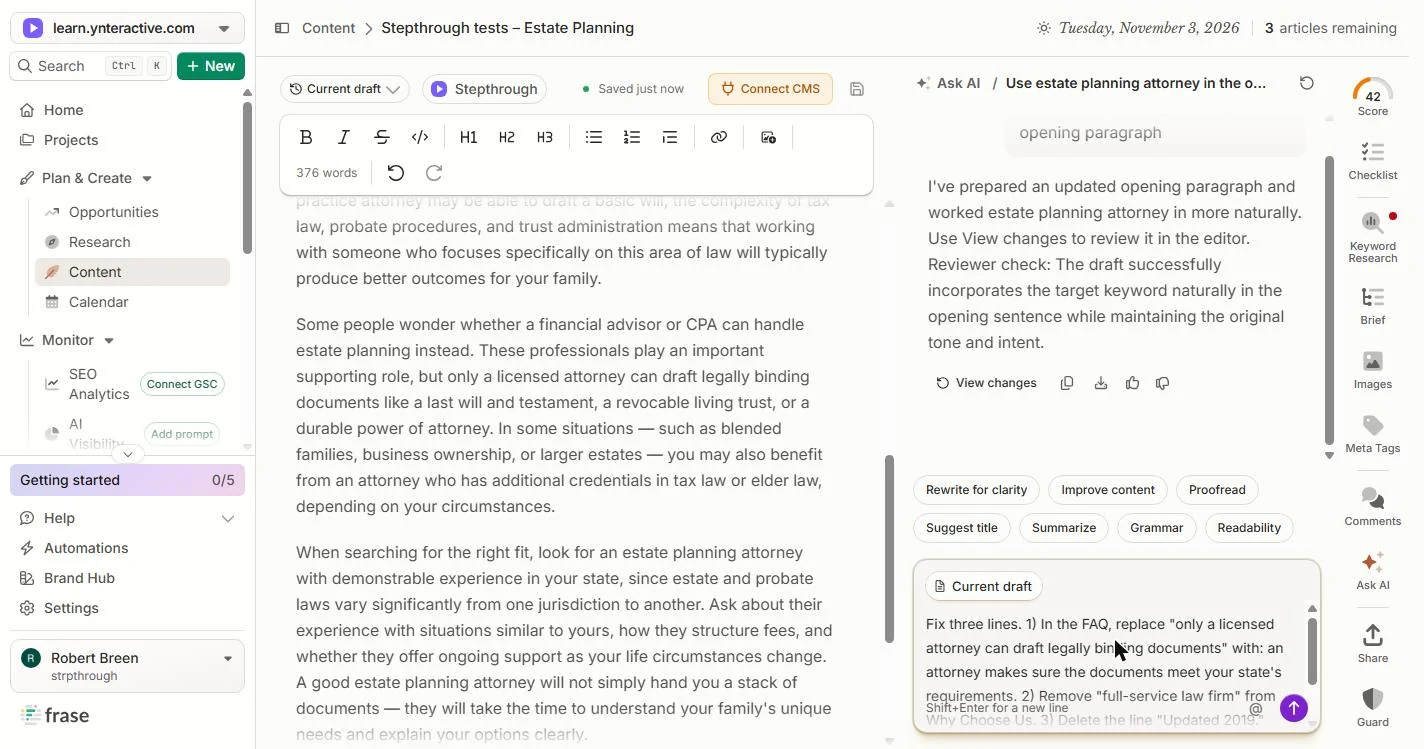
- Ask for the three fixes. Ask for all three fixes at once: the overstated line, full-service law firm, and Updated 2019.
Ask for all three fixes at once.
Fix three lines. 1) In the FAQ, replace "only a licensed attorney can draft legally binding documents" with: an attorney makes sure the documents meet your state's requirements. 2) Remove "full-service law firm" from Why Choose Us. 3) Delete the line "Updated 2019."
- Send it. Click the purple arrow.
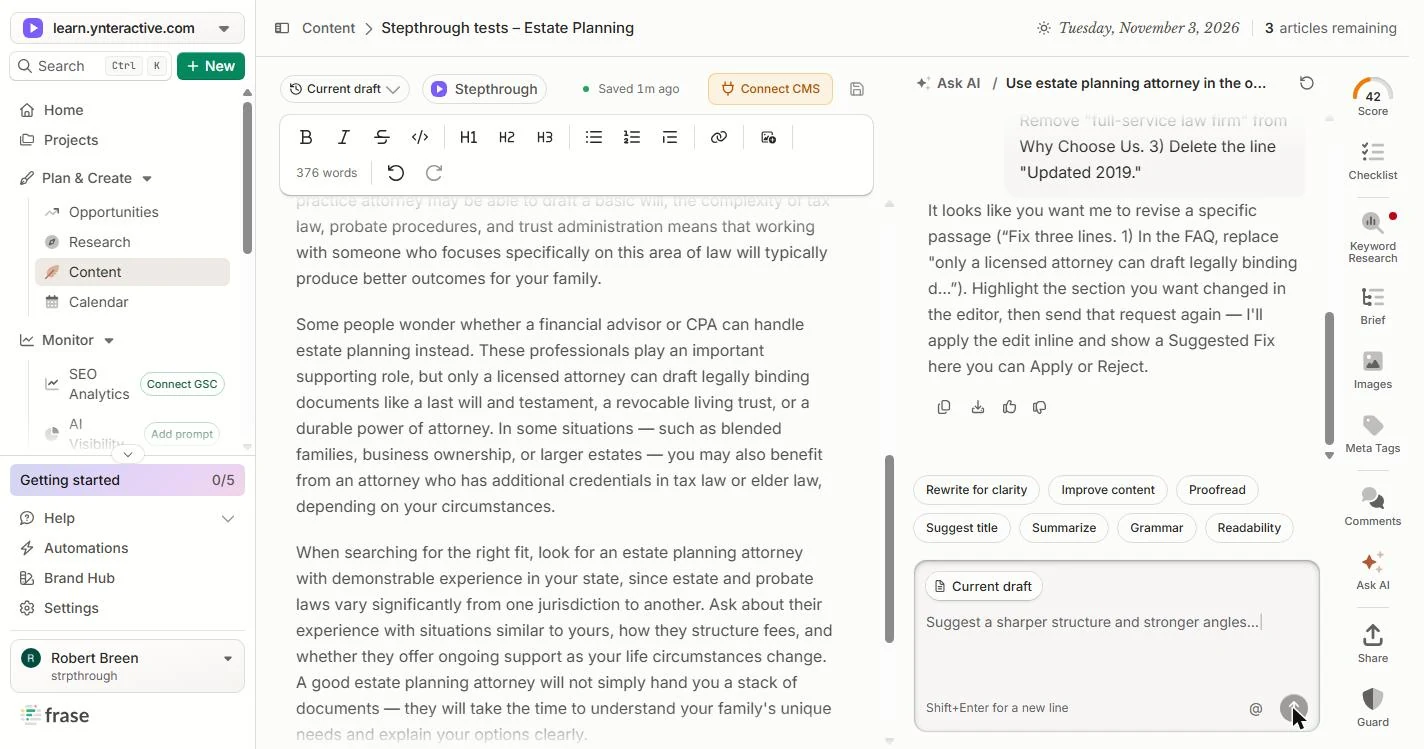
- Read the reply. In our run, Ask AI did not change anything. It said to highlight the section you want changed in the editor and send the request again. Click the reply.
In our run, it changed nothing. It said to highlight the section first, then ask again.
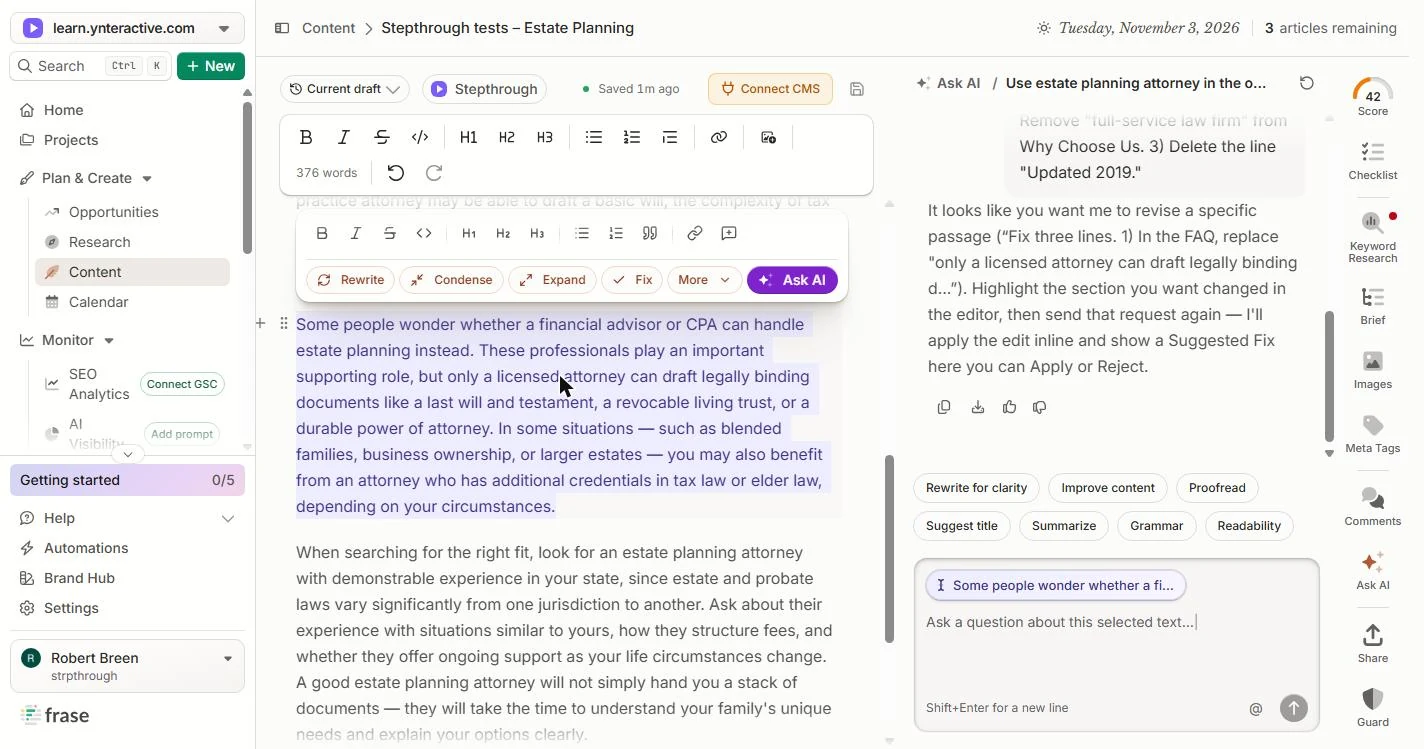
- Select the paragraph. Triple-click the paragraph that starts Some people wonder to select it. Ask AI shows it as a chip above the box.
Triple click the paragraph that starts, some people wonder, to select it.
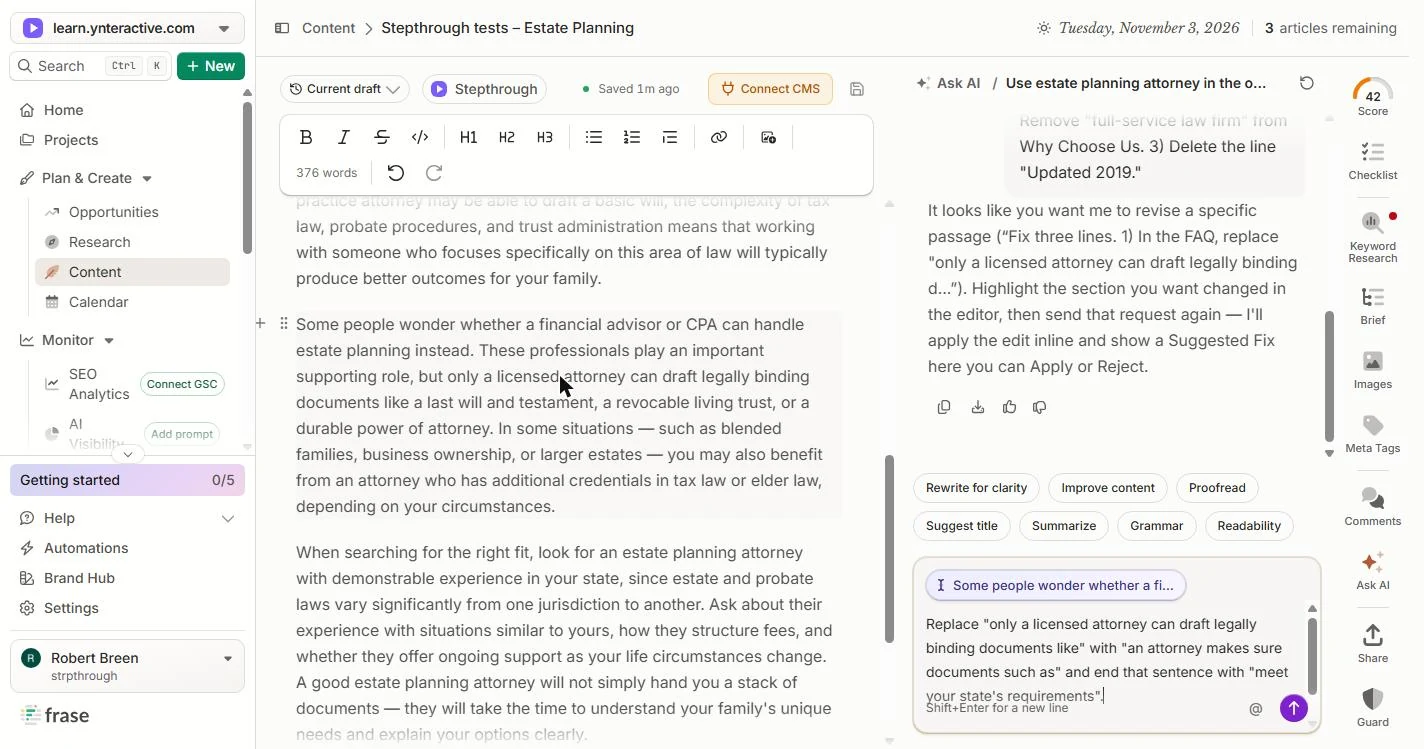
- Ask for the exact wording. Say exactly what to replace and with what. We asked for: an attorney makes sure the documents meet your state’s requirements.
Say exactly what to replace, and with what.
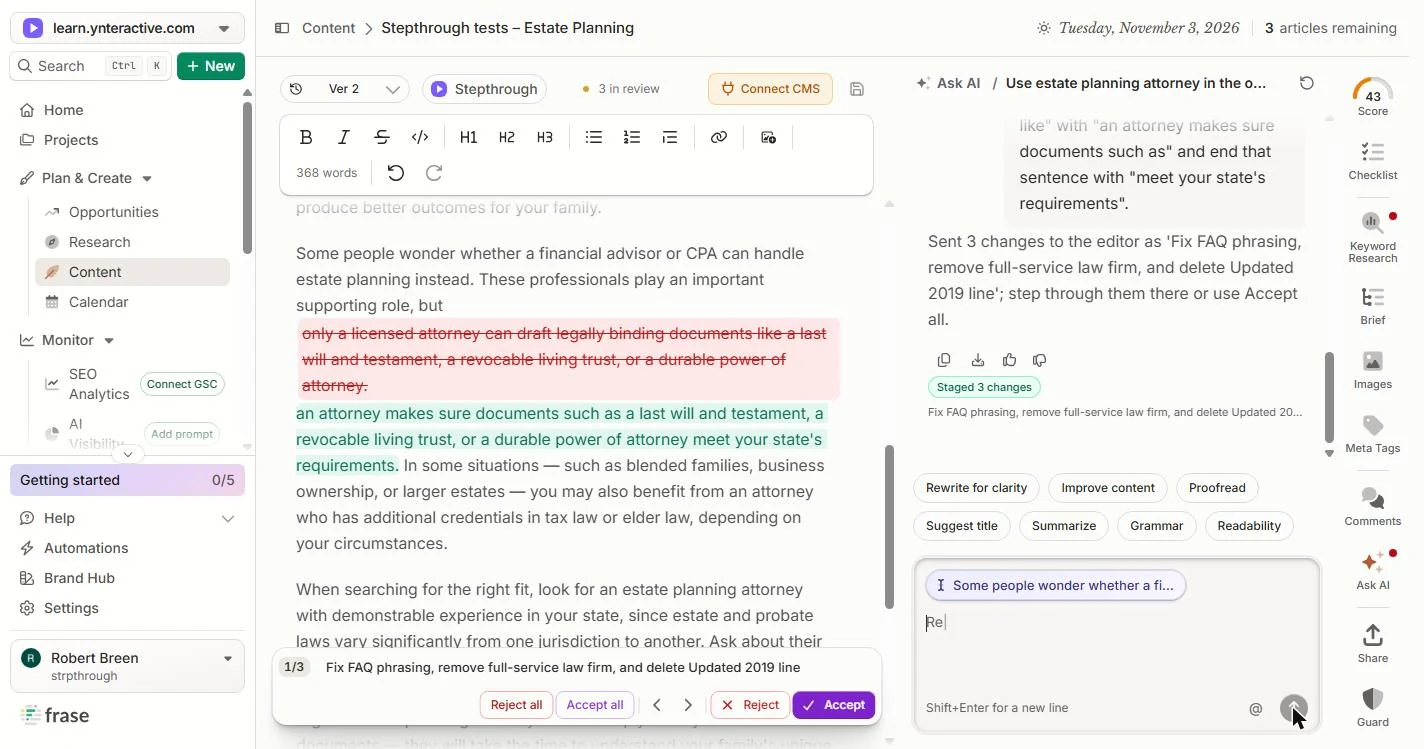
Replace "only a licensed attorney can draft legally binding documents like" with "an attorney makes sure documents such as" and end that sentence with "meet your state's requirements".
- Send it. Click the purple arrow.
- Read change 1 of 3. This time it staged 3 changes: it also picked up the two fixes from your first message. Change 1 replaces the overstated line. Click it.
This time it staged three changes, including the two from your first message. Change one replaces the overstated line.
- Go to the next change. Click the › arrow.
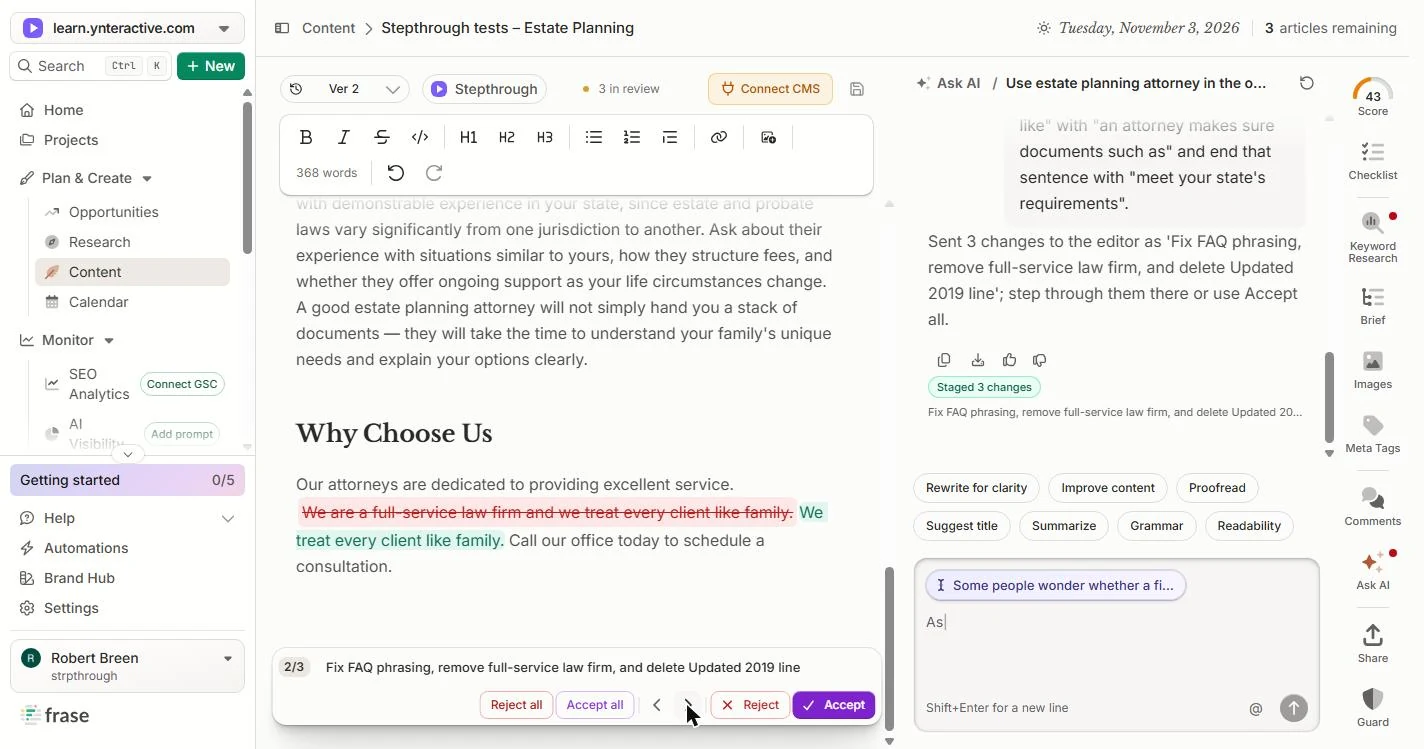
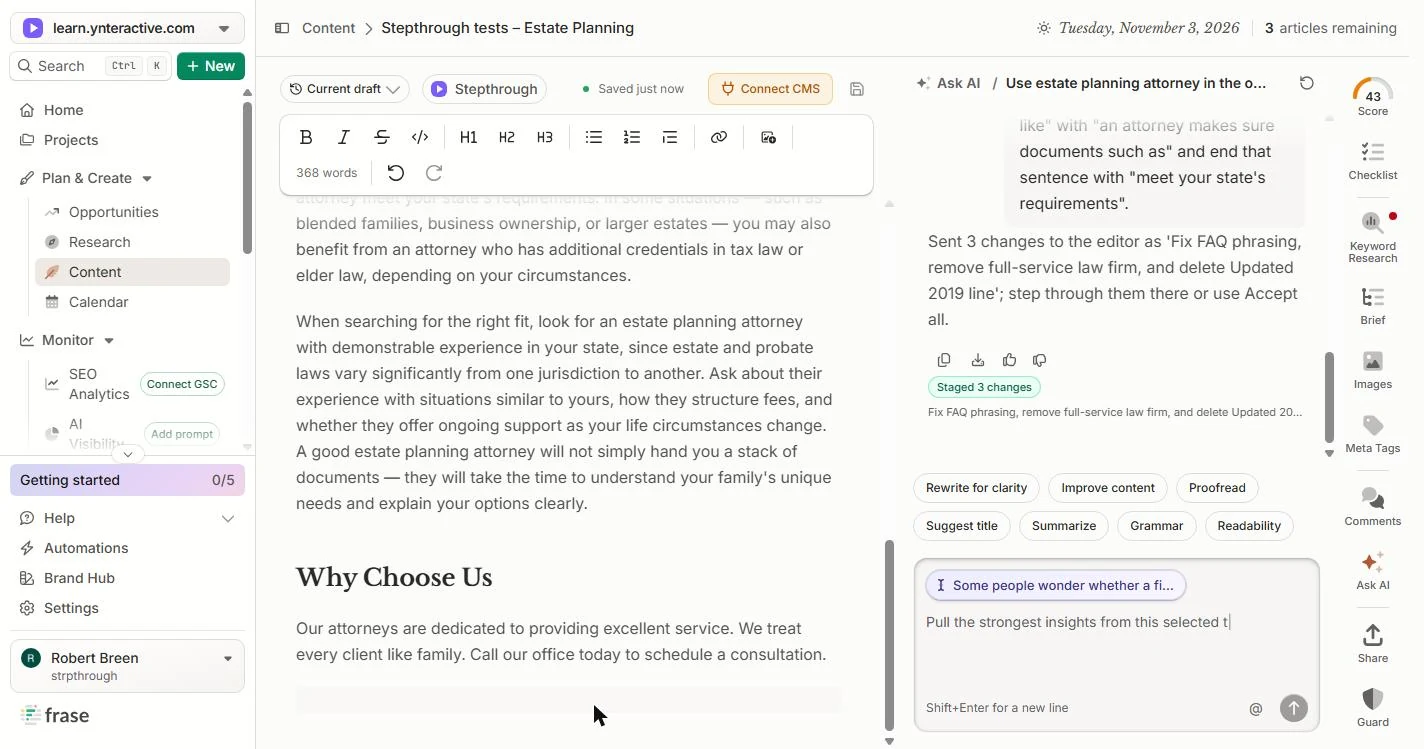
- Accept all. Change 2 removes full-service law firm and keeps We treat every client like family. Change 3 deletes Updated 2019. Click Accept all.
Change two removes full service law firm. Change three deletes updated 2019.
- Open Score. The Updated 2019 line is gone. Click Score at the top of the right-hand bar.
Updated 2019 is gone.
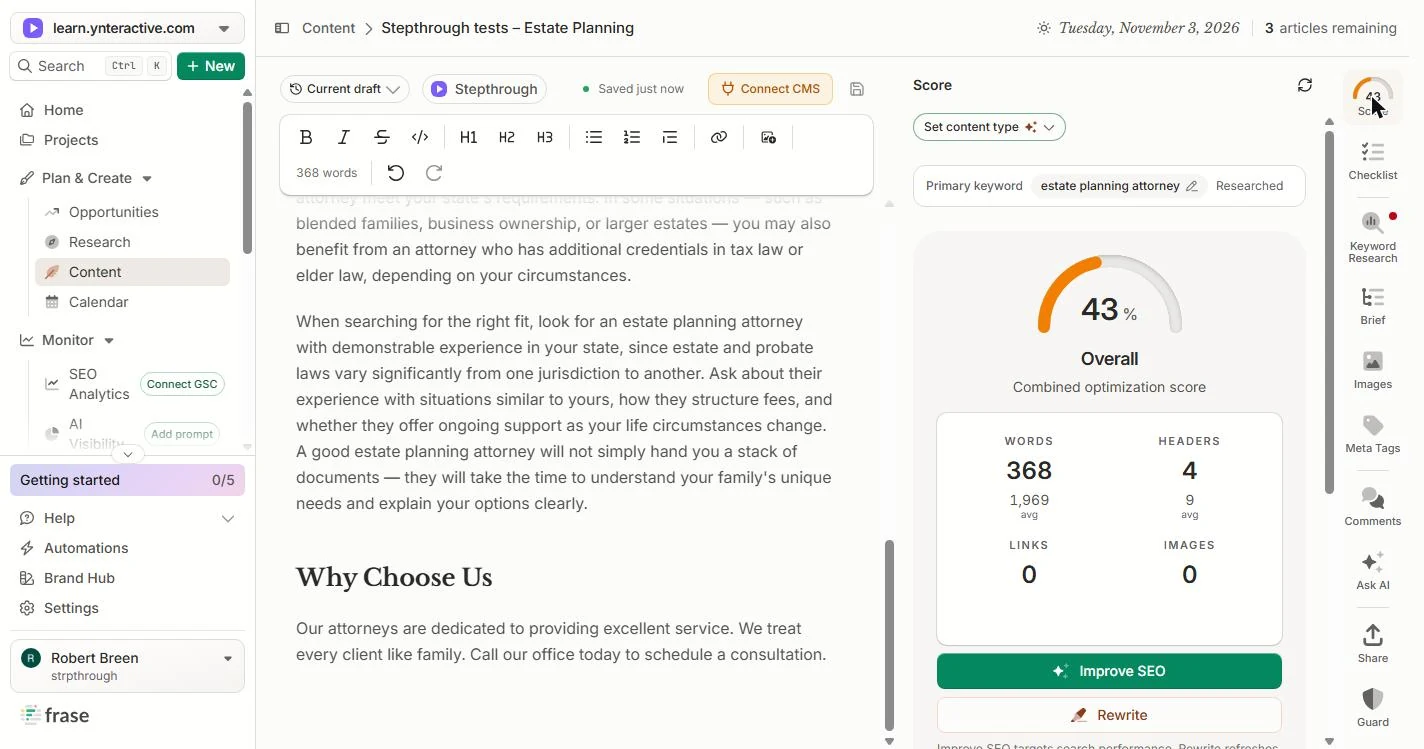
- Compare to the pages that rank. The score went from 16 to 43. The page has 368 words and 4 headers. Under them, Frase shows the average of the pages that rank: 1,969 words and 9 headers. Do not pad to 2,000 words. Answer the next real client question instead. Click the numbers.
The score went from 16 to 43. The pages that rank average about two thousand words. Do not pad. Answer the next real client question instead.
- Read the three scores again. EEAT 33, GEO 35, SEO 61. GEO went from 9 to 35, mostly from the question and answer. EEAT is still low: add the attorney who reviewed the page, with their bar admission, before you publish. Click the scores.
S E O is 61 and GEO went from 9 to 35, mostly from the question and answer. E E A T is still low. Add the attorney who reviewed the page.
- Stop before publishing. Connect CMS sends it to your website. We stopped here and published nothing. Before you do: have a partner confirm over 20 years, read the FAQ answer once more, and add the reviewing attorney. Click Connect CMS to finish.
Connect C M S sends it to your website. We published nothing. Before you do, have a partner confirm the years, and add the reviewing attorney.
Screenshots
More in Business Automations
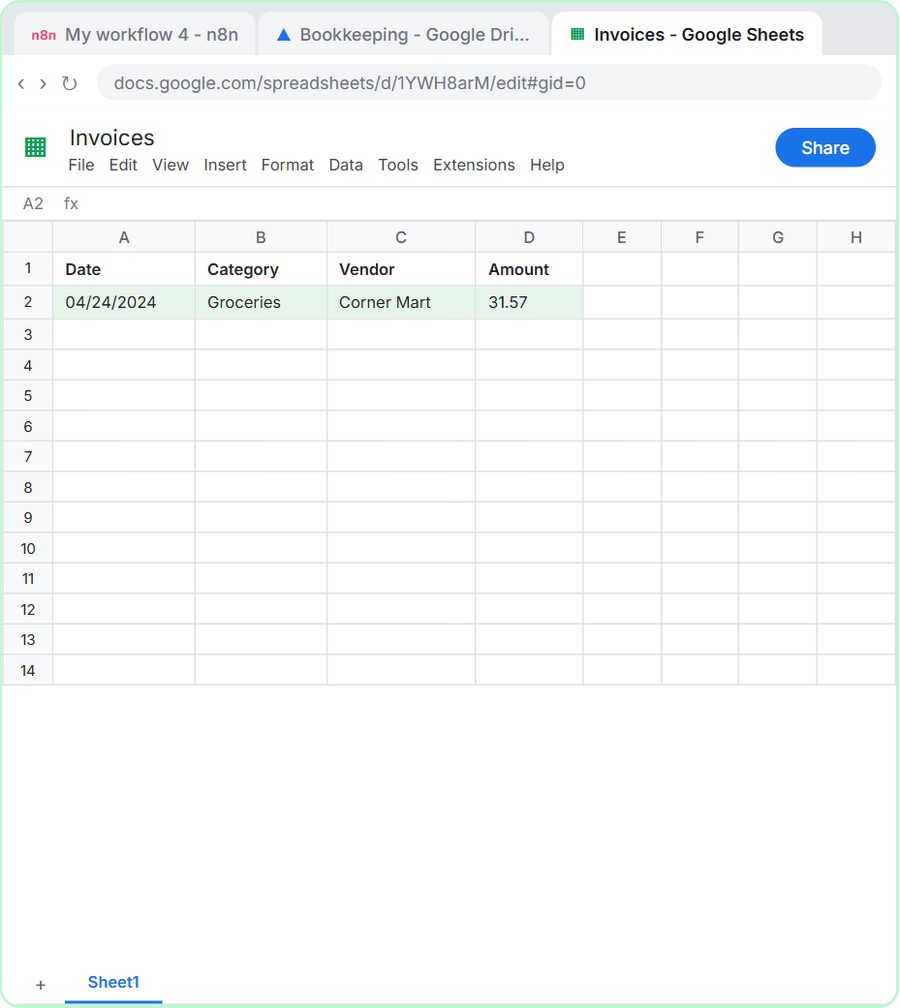 AI Receipt Extractor: Receipts to Google Sheets with n8n
Drop a photo of a receipt into an n8n chat. An AI agent reads it, pulls out the date, vendor and amount, picks a category, and adds a row to Google Sheets.
Free · Live ~12 min Intermediate
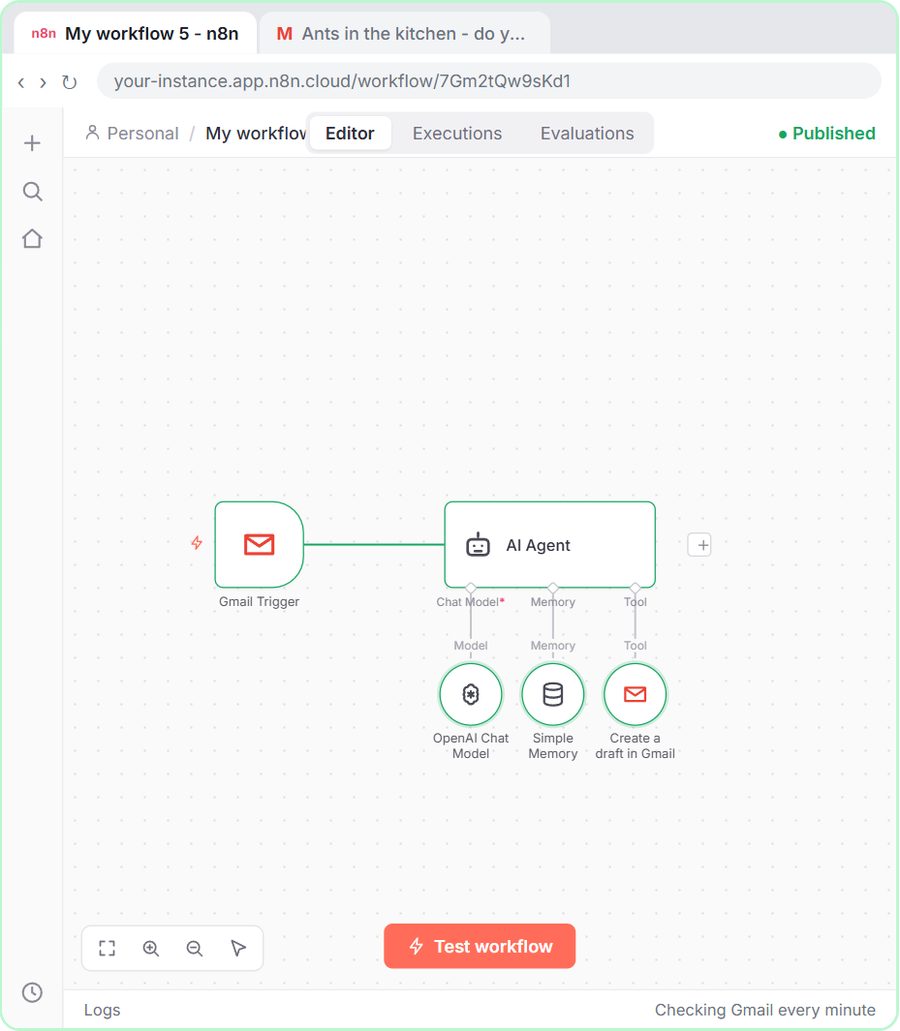 n8n AI Email Responder: Draft Gmail Replies Automatically
Build an n8n agent that watches your Gmail, reads each new customer email, and writes a reply as a draft in the same thread, ready for you to check and send.
Free · Live ~12 min Intermediate
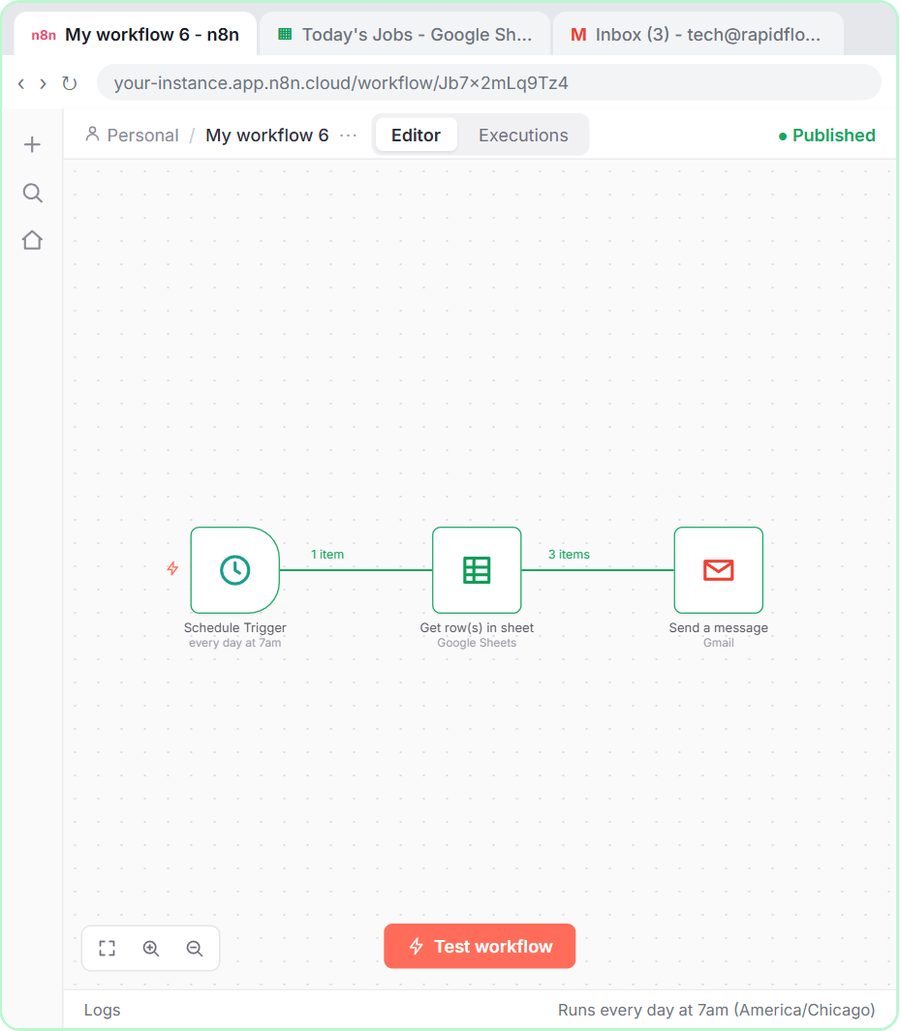 Daily Job Alerts: Email Each Tech Their Jobs from Google Sheets with n8n
Every morning at 7, n8n reads a plumbing company's jobs sheet, skips anything not assigned yet, and emails each job to the tech it's assigned to — customer, address…
Free · Live ~10 min Intermediate
 Gmail AI Triage: Auto-Label Every Email and Draft Replies
Build an n8n workflow that reads each new email, sorts it as a lead, a client or an invoice with a Text Classifier, adds the matching Gmail label, and drafts a reply to…
Free · Live ~18 min Advanced
 A Support Agent That Answers from Your Own Docs
Turn an n8n chat agent into a support agent that answers only from your policies in a Google Doc, refuses what it should, and hands off to a person by email.
Free · Live ~13 min Advanced
 Chatbase: Answer Customer FAQs with an AI Agent
A business case for a small firm that answers the same customer questions every week: build a Chatbase AI agent on your FAQ in the real app, make it say when it does…
Free · Live ~15 min Beginner
All 33 modules in Business Automations
More Frase tutorials
Terms in this lesson
Plain-English definitions, each with an example from a free lesson.