When should a workflow wait for a person?
When the next step spends money, sends something important or can't be undone. That's human-in-the-loop automation: the machine does the gathering and typing, a person makes the call.
In the lesson, Cobalt Street Architects (a made-up firm) logs every vendor invoice automatically, and only the big ones need Lena, the owner, to approve them. Small invoices never bother her.
How is the workflow built?
| Step | Node | Setting |
|---|---|---|
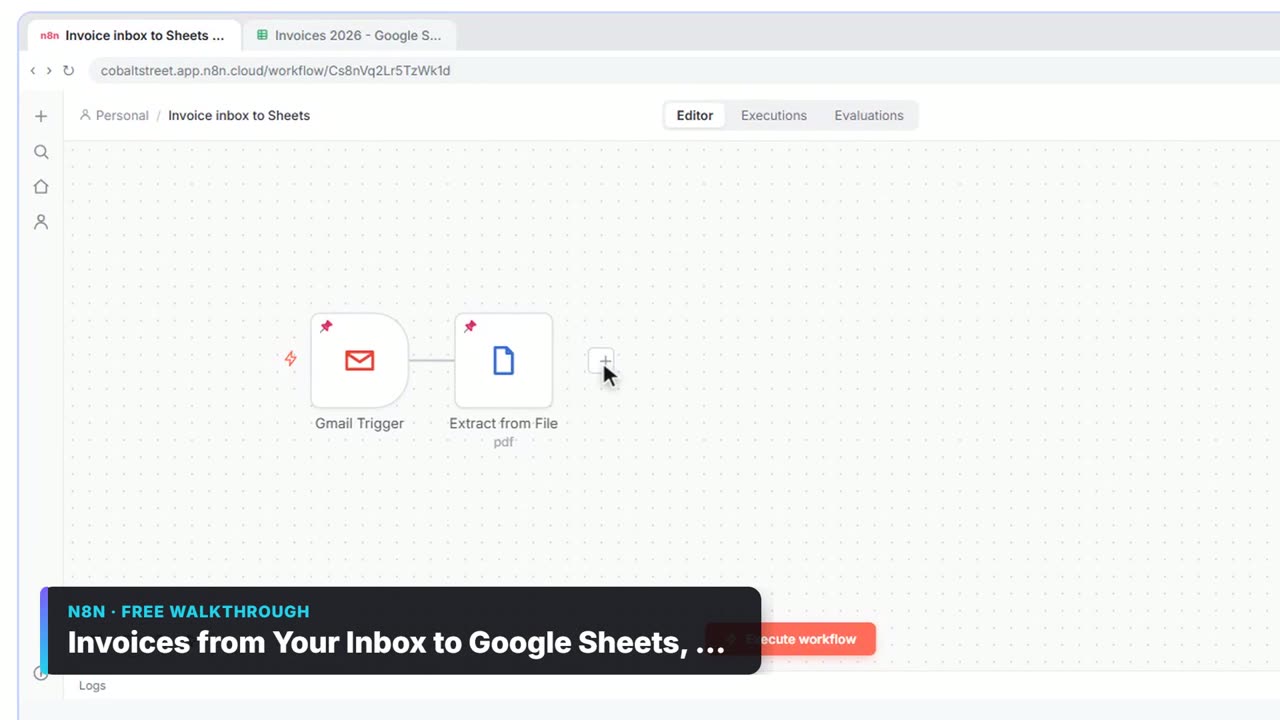
| 1 | Gmail Trigger | Catches invoice emails with a PDF |
| 2 | Extract from File | Turns the PDF into text |
| 3 | Information Extractor | vendor, invoice_number, invoice_date, due_date, total |
| 4 | Google Sheets: Append row in sheet | Logs Vendor, Invoice #, Total in Invoices 2026 |
| 5 | If | total is greater than 1000 (Number) |
| 6 | Gmail: Send message and wait for response | On the true branch only |
How do you set up the approval email?
- Click the + on the true output of the If node, click Gmail, then Send message and wait for response.
- In To, put the approver's email.
- Paste the Subject:
Approve invoice {{ $('Information Extractor').item.json.output.invoice_number }} from {{ $('Information Extractor').item.json.output.vendor }}? - Response Type is already Approval. Paste the Message, which lists vendor, invoice number, total and due date, and says it's already logged.
The message pulls every value from the Information Extractor by name, because the node just before it is the If. See n8n Reference a Previous Node.
What does the approver see?
An email with the details and a button to approve. You can set the approval type to approve only, or approve and disapprove, so a "no" can take its own path. Their click goes back to n8n, which resumes the workflow with the answer.
What happens while it waits?
The execution pauses at the Gmail node. Nothing after it runs until the person answers. You can add a limit on the wait time so a forgotten approval doesn't wait forever, then decide what a timeout means: remind someone, or treat it as not approved.
Try it free, step by step
Invoices from Your Inbox to Google Sheets, with Approval. Build an n8n workflow that reads each vendor invoice PDF from Gmail with AI, logs the vendor, invoice number and total in Google Sheets, and emails the owner an Approve button for anything over… You do every step yourself in a practice copy of n8n, it checks your work as you go, and “Do it for me” finishes any step you get stuck on. Free, and nothing touches your real accounts.
Start the free lessonHow do I test it?
Pin a test invoice to the trigger and Extract from File (the lesson does this) and click Execute workflow. Use an invoice over $1,000 so the true branch runs, and send the approval to your own address while testing. Approve it and watch the execution finish.
What could you add next?
- After approval, write "Approved" and the date into the sheet row.
- On a decline, email the bookkeeper with the reason.
- Route by amount with a Switch: under $1,000 log only, $1,000 to $5,000 to the manager, above that to the owner. That's an approval threshold.
Key takeaways
- Send message and wait for response pauses the workflow until a person answers.
- Response Type: Approval adds approve (and optionally decline) buttons.
- Put the approval on the If node's true branch so only big items wait.
- Set a wait-time limit and decide what a timeout means.
Frequently asked questions
- Can n8n wait for an email approval?
Yes. Gmail's Send message and wait for response action pauses the workflow and resumes when the recipient responds.
- Does the workflow keep running while it waits?
No. That execution pauses at the waiting node. New executions for other invoices still start as normal.
- What if nobody responds?
Add a wait-time limit in the node's options and handle the timeout, for example with a reminder email.
- Which course is this from?
AI for Finance Teams, AI Back Office for Small Business and AI Governance for Small Business. The glossary entry on approval workflows gives the background.