This is a guide, not a hands-on lesson. It explains the idea and lists the steps from Zapier's DottedSign listing and DottedSign's own blog and help center. There's no practice copy to click through here, and Stepthrough hasn't tested this Zap on every plan. Screens change, so check the links in Sources if a step looks different.
What business problem does this solve?
Getting a contract signed is only half the job. Afterwards, someone has to download the signed PDF, rename it, put it in the right folder and note it somewhere. That step is easy to skip on a busy day. Months later, nobody can find the signed copy, or nobody remembers that an agreement renews in 30 days.
Take Oakline Staffing, a made-up recruiting agency that sends about 40 documents a month for e-signature: client service agreements, contractor agreements and offer letters. Today, its operations coordinator downloads and files each one by hand, roughly 5 minutes per document.
With DottedSign on Zapier, filing happens as soon as the last person signs. Every signed PDF lands in Contracts > Signed in Google Drive, and a Contract log sheet records the document, the signers and the date. The coordinator's time goes to renewals and exceptions, not to filing.
What can DottedSign do in Zapier?
Zapier lists two triggers and two actions for DottedSign:
| Type | Name | What it does |
|---|---|---|
| Trigger | Task Completed | Fires when a signing task is finished |
| Trigger | Task My Turn | Fires when it's your turn to sign |
| Action | Create From Template | Sends a new task from a saved template, with full options |
| Action | Quick Create From Template | Sends a task from a template with fewer settings |
Zapier connects by signing in to DottedSign, so there's no API key to copy. DottedSign isn't available as a Make app, and KDAN's other apps, such as KDAN PDF Reader and Document 365, have no Zapier or Make apps either. DottedSign also has its own API for developers.
How do you build the Zap, step by step?
- In Zapier, click Create, then Zaps.
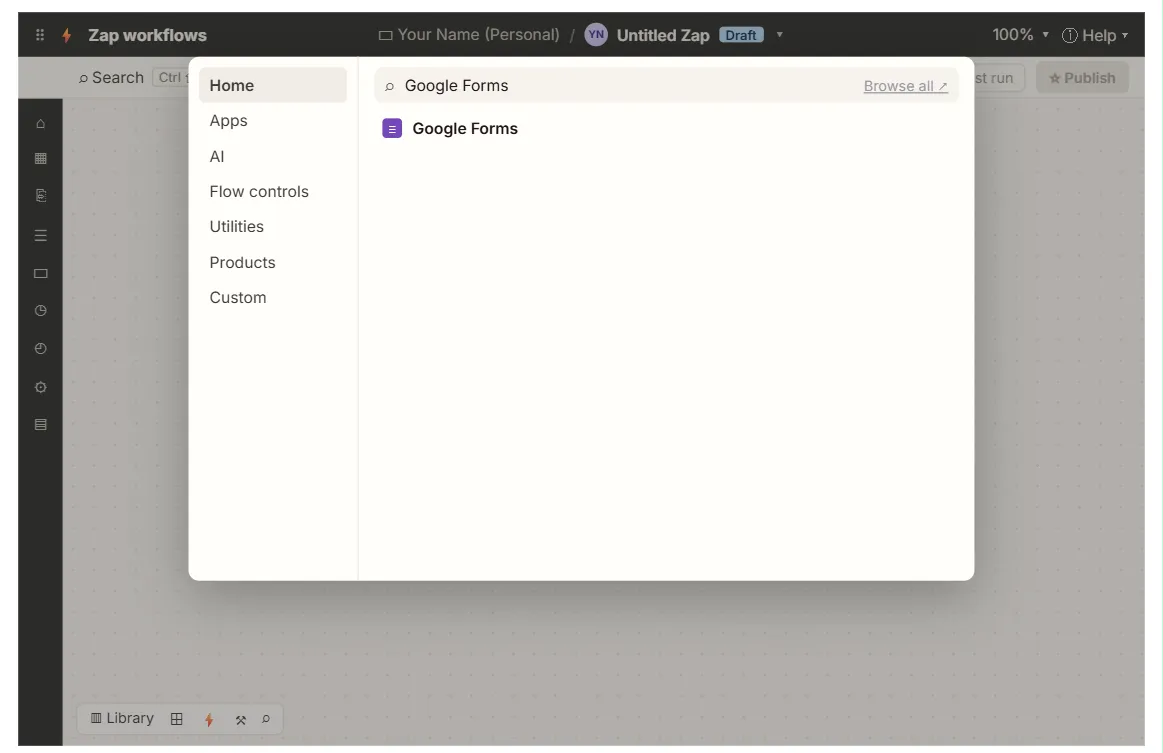
- For the trigger, search for DottedSign and choose Task Completed. Sign in to DottedSign when Zapier asks.
- Click Test trigger. If no sample appears, send yourself a test document in DottedSign, sign it, then test again.
- Look through the test data. Note the fields for the document name, the signers, the completion date and the signed file or its link. The exact fields depend on DottedSign's app, so use what the test shows.
- Add Google Drive: Upload File. Pick the Contracts > Signed folder and map the signed file from step 1. Name it something like "{document name} - signed {date}".
- Add Google Sheets: Create Spreadsheet Row with columns such as Document, Signers, Completed, Drive link. Map each from the earlier steps (field mapping).
- Test each step, check the folder and the sheet, then Publish.
A Zap with three steps needs a paid Zapier plan. On the free plan, build the Drive and Sheets steps as two separate two-step Zaps on the same trigger.
What else is it useful for?
DottedSign's blog suggests several other Zaps:
- Post to Slack when a document is completed, with a link, so sales knows the client has signed.
- Track your own queue. Task My Turn into Google Sheets or Asana lists the documents waiting for your signature, so none sit for a week.
- Send from your CRM. A deal reaching "Won" in Pipedrive or HubSpot can run Create From Template to send the contract from a saved template, filled in with the client's name and email.
What should you check before automating contracts?
- Use a locked-down folder. Signed contracts contain names, rates and sometimes personal data. Limit access to the Drive folder.
- Keep the original in DottedSign too. The signed PDF in Drive is a copy for easy finding. DottedSign keeps the audit trail that shows who signed when. Stepthrough's digital signature glossary entry explains the difference between an e-signature and a digital signature.
- Review templates before you automate sending. A mistake in a template goes to every client. Have a person approve the template wording first.
- Read before you sign. Automation files contracts. It doesn't check them. The KDAN AI Chatbot lesson shows how to pull a contract's key terms before you sign, and the Foxit fill-and-sign lesson covers filling in and signing a vendor form. You can practice both free.
Key takeaways
- DottedSign, KDAN's e-signature app, has a Zapier app with the triggers Task Completed and Task My Turn, and the actions Create From Template and Quick Create From Template.
- Task Completed into Google Drive: Upload File and Google Sheets: Create Spreadsheet Row files and logs every signed document.
- Zapier connects by signing in to DottedSign. There's no Make app.
- KDAN PDF Reader and Document 365 have no Zapier or Make apps.
- Automate the filing, but keep a person reading contracts and approving templates.
Frequently asked questions
- Is DottedSign part of KDAN?
Yes. DottedSign is the e-signature product from KDAN Mobile, the company behind KDAN PDF Reader and Document 365.
- Does DottedSign work with Make?
There's no DottedSign app in Make's directory. You could use DottedSign's developer API with Make's HTTP module, but Zapier is the simpler route.
- Can Zapier send a contract for signature?
Yes, from a template you've saved in DottedSign, with Create From Template or Quick Create From Template.
- Where can I learn Zapier from scratch?
Take the free AI Automation with Zapier course. It starts with a first Zap, in a practice copy.