The example is made up. Renee Alvarez does client intake at Harlow & Pierce Family Law, a made-up firm. A made-up prospective client, Tasha Greene, asks what an uncontested divorce costs, whether the flat fee covers a parenting plan, and whether she will keep the house. Every fee and policy in the lesson is made up.
What are the most common Claude intake project mistakes?
| # | Mistake | Fix |
|---|---|---|
| 1 | No rule against legal advice by email | Write it in the instructions and offer a consultation |
| 2 | Client files in the project | Upload firm documents only |
| 3 | Fees quoted from anywhere but the fee schedule | Say "quote fees only from the fee schedule" |
| 4 | No conflict-check rule | Ask for both spouses' full names, and nothing more |
| 5 | Leaving out "not your lawyers yet" | Add it to the instructions |
| 6 | Explaining the rules in every chat | Put them in the project once |
| 7 | Sending without reading | Check fees and flags, then copy |
| 8 | Fixing the chat instead of the instructions | Click Edit next to Instructions |
Which rules belong in the instructions?
1. No rule against legal advice by email. Tasha asks: "will I be able to keep the house?" That is legal advice about property. Answered by intake in a quick email, it can read as advice, before a conflict check and before anyone has signed. The lesson's instructions say: never give legal advice or predict an outcome about property, support or custody; offer a consultation with Nadia Pierce instead. The reply does exactly that: whether she can keep the house depends on details only a lawyer can look at with her.
3. Fees from anywhere but the fee schedule. The instructions say to quote fees only from the fee schedule in the project, and to say what a flat fee covers and what it doesn't, with court fees separate. So the reply quotes the $250 consultation, the $3,500 flat fee and that it includes one parenting plan, which answers Tasha's second question directly.
4. No conflict-check rule. The engagement and intake policy says the firm runs a conflict check before booking any consultation and needs the full names of both spouses. The instructions add "and nothing else about the other person", so intake never collects more than it needs. The reply asks for Tasha's full name and her husband's, and says that's all for now.
5. Leaving out "not your lawyers yet". The policy says the firm is not anyone's lawyer until they sign the engagement agreement and pay the fee or retainer. Put it in the instructions and every reply says so.
What should never go in the project?
2. Client files. In the file picker, the lesson shows Okafor matter notes.docx next to the fee schedule and the intake policy. You leave it alone. A project is for how the firm works: fee schedules, intake policies and templates. Matter notes, filings, financial records and anything a client told you in confidence stay out. Use a business plan that doesn't train on your data, and follow your firm's policy on AI tools and your bar's guidance.
Try it free, step by step
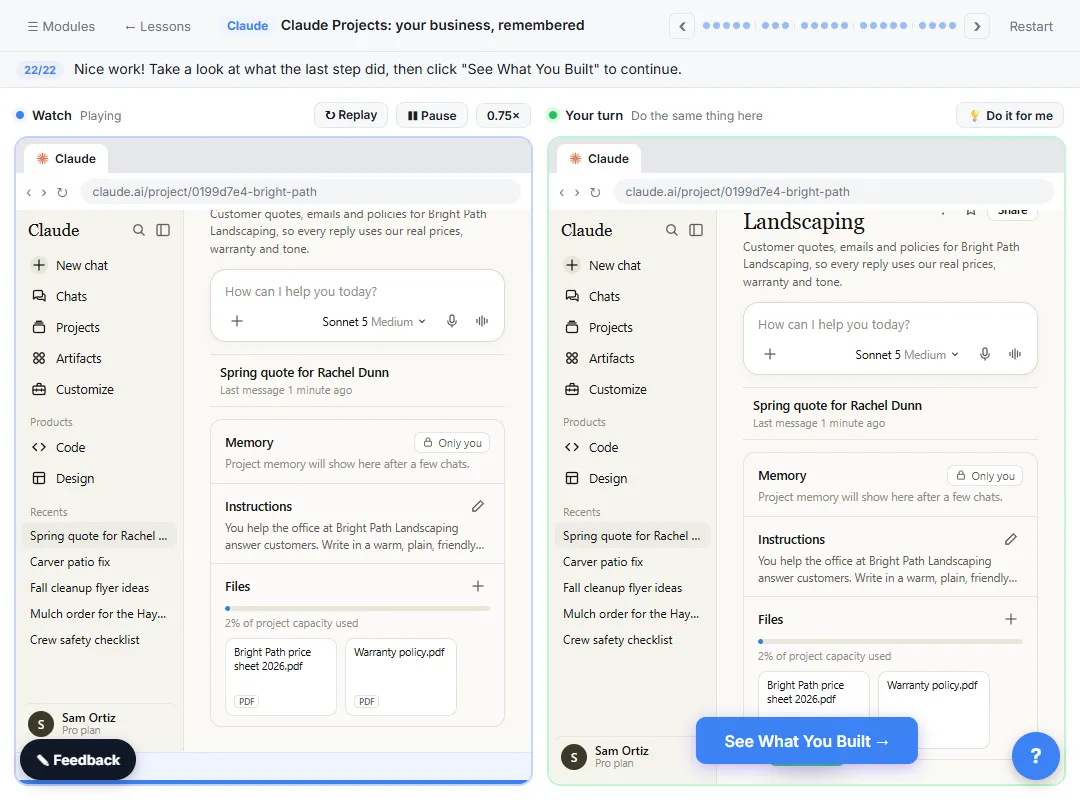
A Claude Project for Your Law Firm's Intake Desk: Fees, the Conflict Check and No Legal Advice by Email. Create a Claude project for a family-law firm, give it your tone and intake rules, add your fee schedule and engagement policy as project knowledge, and answer a prospective client’s cost question… You do every step yourself in a practice copy of Claude, it checks your work as you go, and “Do it for me” finishes any step you get stuck on. Free, and nothing touches your real accounts.
Start the free lessonWhy does setting it up once matter?
6. Explaining the rules in every chat. Without a project, every new chat starts from scratch, so you'd explain your fees and intake rules every time. In the lesson's chat, the request is just Tasha's email and "Write my reply." It doesn't mention fees, the conflict check or the tone. The project already knows. The project instructions hold the rules, and the two files under Context hold the facts, which is what a small knowledge base is for.
What goes wrong after the reply is written?
7. Sending without reading. Click the thinking line, Quoting the fee schedule and checking the intake policy, to see where each fee and rule came from. Then read the "worth checking" notes. In the lesson Claude flags that if Tasha later needs changes to the parenting plan after the hearing, you should check how your firm prices that. Only then click the copy button on the email box.
8. Fixing the chat instead of the instructions. When a reply keeps missing something, don't just fix that one chat. Click Harlow & Pierce Intake at the top, then Edit next to Instructions. The lesson adds a closing rule: please don't send documents or private details by email, and this email does not create an attorney-client relationship. Click Save instructions, and every new chat in the project follows it.
Key takeaways
- Write "no legal advice by email" as a rule, and offer a consultation instead.
- Upload firm documents, never client files.
- Quote fees only from the fee schedule, and say what each flat fee covers.
- Ask only for the names the conflict check needs.
- Fix the instructions, not the chat, and have a lawyer approve them.
The Claude project law firm intake FAQ answers the setup questions, and Claude Projects mistakes covers the same tool in other jobs. For another way to handle intake, try the law firm intake summary lesson.
Frequently asked questions
- Can the project answer the question about the house if I ask nicely?
It shouldn't. The instructions say never to give legal advice or predict an outcome by email. Keep that rule, and let the attorney answer in a consultation.
- What happens if the case becomes contested?
Per the made-up intake policy, it moves to the hourly rate with a new engagement agreement and a $7,500 retainer. The reply tells Tasha now, so it isn't a surprise later.
- How many projects can I have?
The lesson says projects are on every plan, and the Free plan allows up to five. Check Claude's pricing page for current limits.
- Can the whole intake team use one project?
On Team and Enterprise plans you can share a project with the rest of the office.