Operations managers can use AI to chase late purchase orders and to sort internal maintenance and IT requests. An n8n AI agent writes a polite, firm follow-up with a reply-by date for each open PO, and a request form's AI agent sets each problem's priority and team. This guide follows two free lessons built for Ridgeline Supply Co., a made-up warehouse business: the AI Vendor Follow-Up Agent and the AI Maintenance & IT Request Form.
A pallet order is five days late. A box supplier never gave a ship date. Dock door 3 won't open while two trucks wait. None of it is hard, but all of it lives in someone's head or text thread, and it slips on busy days.
How does an AI vendor follow-up agent work?
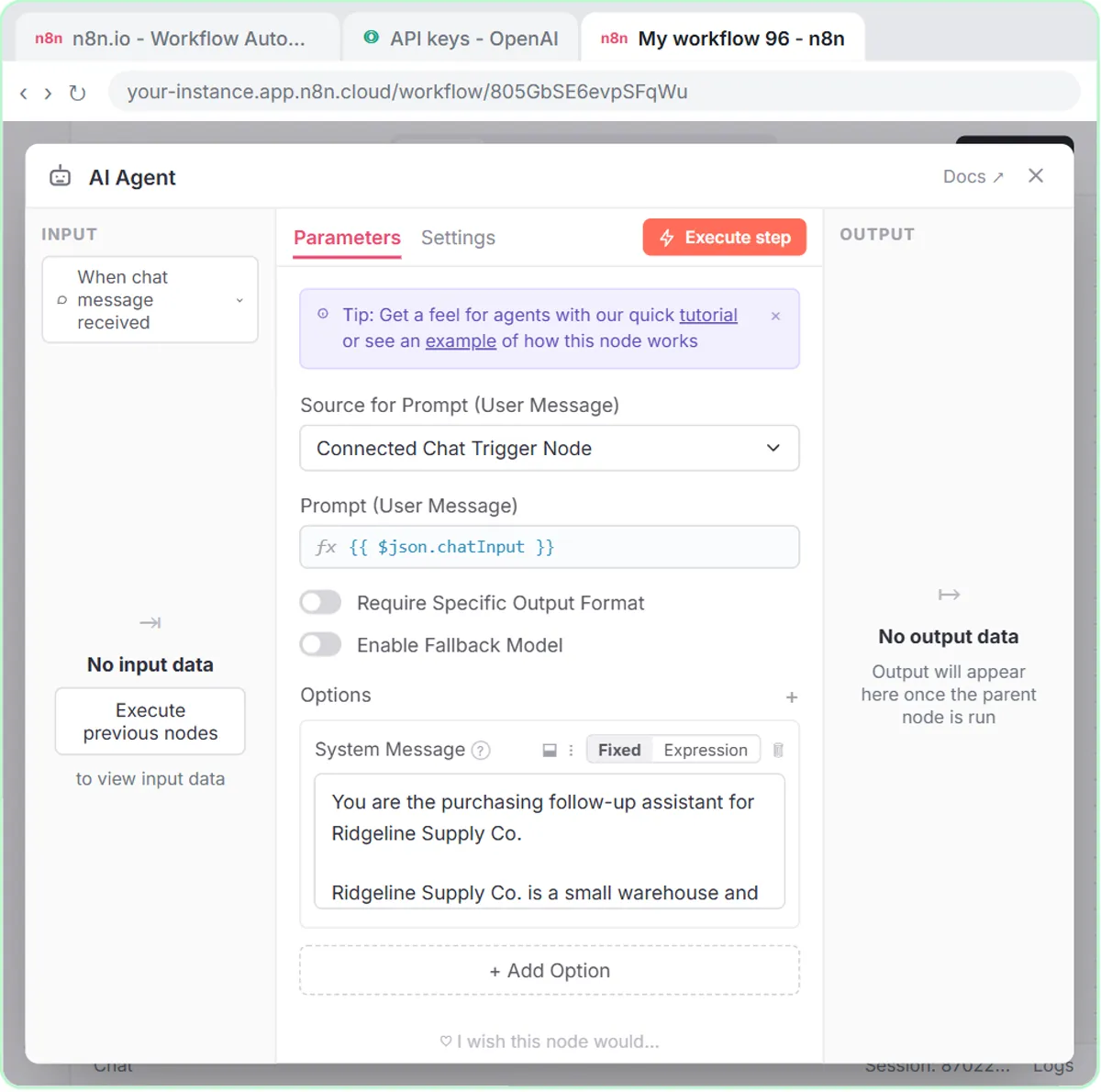
You paste your late or pending purchase orders into a chat, and an n8n AI agent writes one follow-up per order and logs each one with a due date in Google Sheets. The agent uses five n8n parts: an On chat message trigger, an AI Agent with a system prompt, the OpenAI Chat Model (gpt-5-mini), Simple Memory and a Google Sheets Tool set to Append Row. n8n AI Agent Tutorial: Build Your First Agent explains each part.
Ridgeline Supply Co. buys pallets, boxes, stretch wrap and janitorial supplies from vendors, and every week some of those orders are late, unscheduled or short.
What rules make a good vendor follow-up message?
The Ridgeline system prompt requires every vendor follow-up to name the PO and item, state the problem in one sentence, ask one clear question and give a reply-by date. The tone is polite, plain, firm and brief, like "an operations manager who values the relationship but needs an answer." Each message must:
- Name the PO number and what was ordered.
- State the problem in one sentence.
- Ask one clear question: a ship date, a tracking number, or a fix.
- Give a reply-by date: 1 business day if late, 2 if pending.
Two limits close the prompt: "Do not threaten to cancel orders or invent penalties. Keep each message under 80 words." One question is easy to answer, a reply-by date makes the deadline clear, and no empty threats protects a vendor relationship you'll need next month.
What does the vendor follow-up agent produce?
The vendor follow-up agent produces one message per order and, when asked, writes each to a Vendor Follow-Ups sheet with five columns: Vendor, Order, Issue, Follow-up Message and Due Date. In the lesson you paste three made-up orders:
Write follow-ups: Tallpine Pallet Co., PO 4471, 5 days late. Corrugo Box Supply, PO 4480, no ship date. Northwind Wrap, PO 4492, 12 rolls short.
The agent writes a message for the late order, the missing ship date and the short shipment, each with a single question and a reply-by date. Then "Yes, save those follow-ups to the sheet" writes three rows.
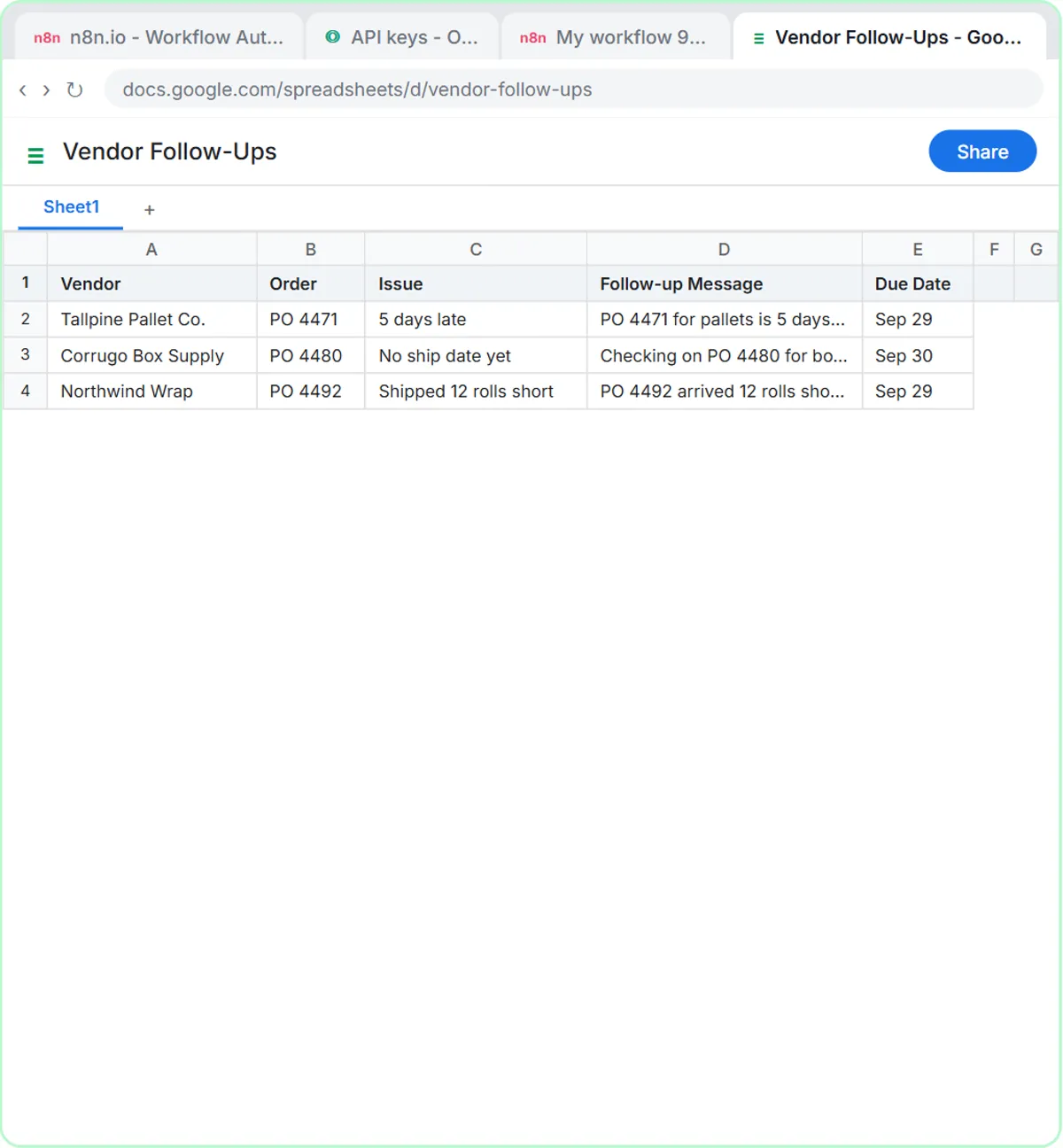
The vendor follow-up agent doesn't email vendors itself. You review the messages and send them from your normal email, and the Due Date column shows who owes you an answer today.
Try it free, step by step
Build an AI Vendor Follow-Up Agent in n8n. Build an AI agent for Ridgeline Supply Co. that writes follow-up messages for late or pending purchase orders and saves them to Google Sheets — chat trigger, AI Agent, system prompt, model, memory… You do every step yourself in a practice copy of n8n, it checks your work as you go, and “Do it for me” finishes any step you get stuck on. Free, and nothing touches your real accounts.
Start the free lessonHow does an AI maintenance and IT request form work?
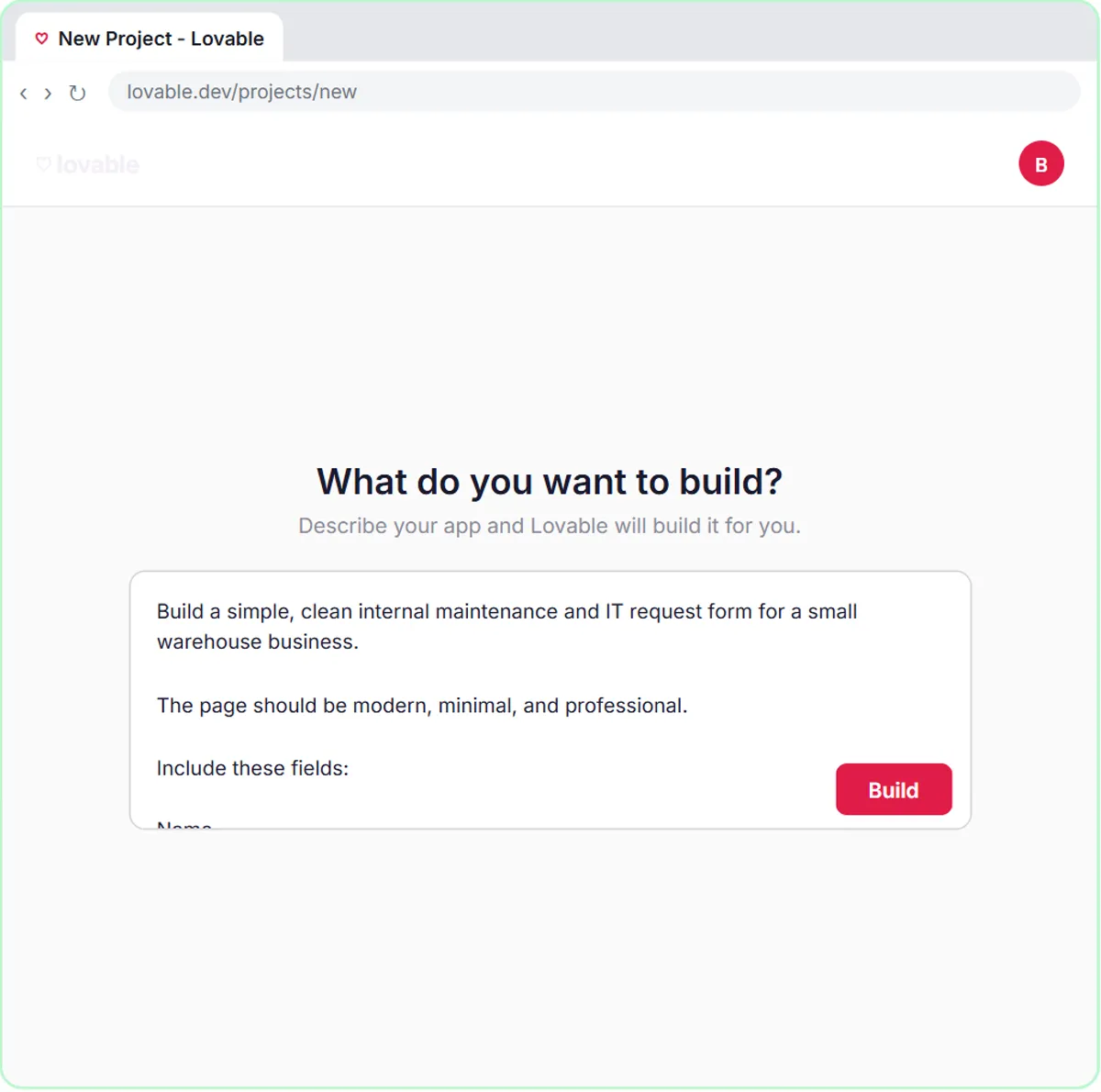
Staff report problems on a Lovable form, and an n8n AI agent sets the priority, assigns a team, logs the request in Google Sheets and emails the requester a confirmation. The two pieces:
- The form, in Lovable. A "Report a Problem" page with four required fields: Name, Email, What needs fixing? and Location.
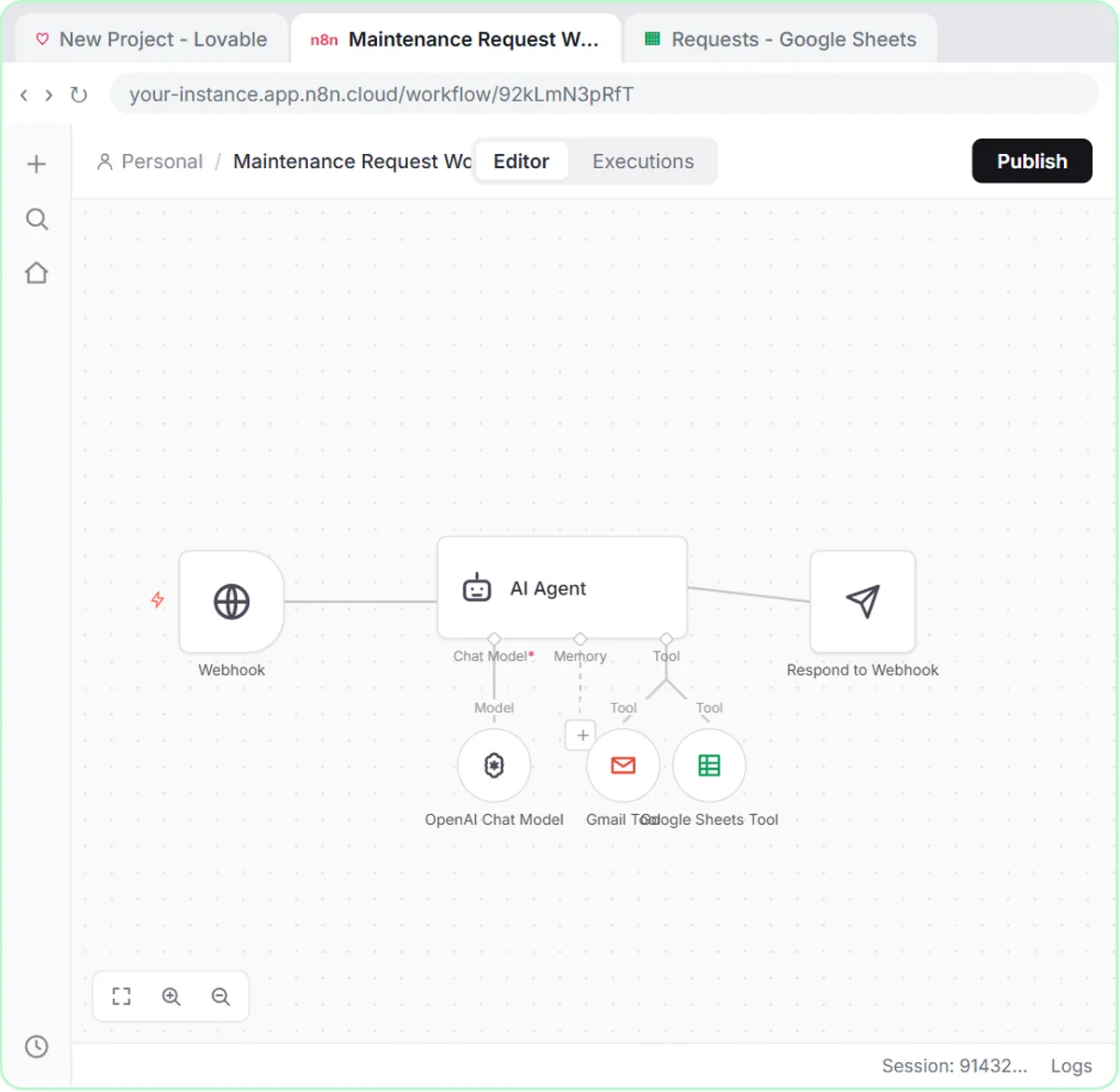
- The workflow, in n8n. An On webhook call trigger receives each request, an AI Agent reads it, a Google Sheets Tool adds it to a sheet called Requests, a Gmail Tool emails the requester, and a Respond to Webhook node confirms the submission.
How does the AI set priority and team for each request?
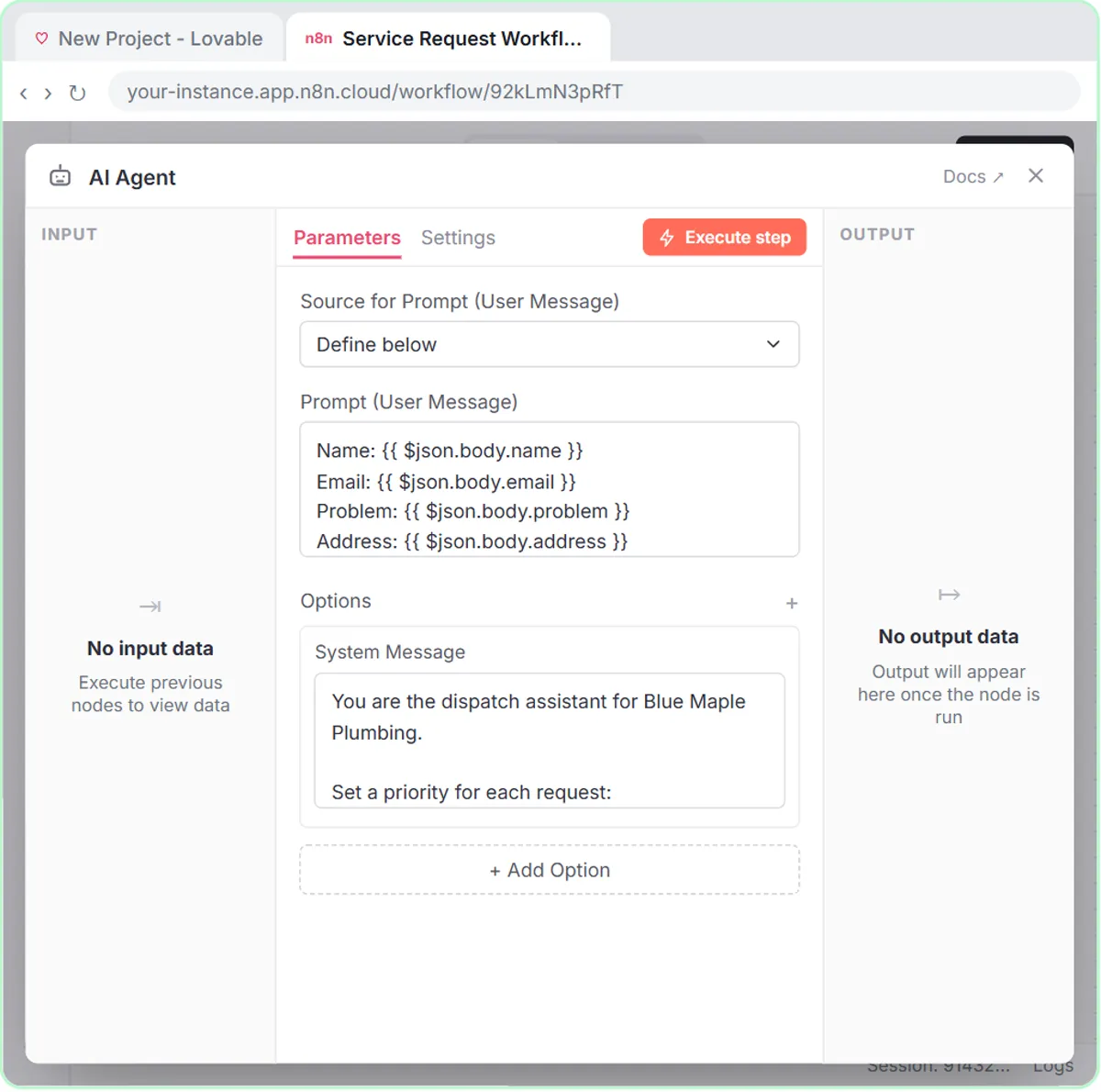
The Ridgeline system message gives the AI agent three priorities, three teams and one rule for what counts as Urgent:
Set a priority: Urgent (safety risk, or it stops shipping or receiving), This week, or Backlog. Assign one team: Facilities, IT, or Equipment.
The system message then tells the agent to add the request to the sheet and email the requester the priority and team. With one written rule for Urgent, the loudest request no longer goes first by default.
In the lesson's test, Jordan reports that dock door 3 won't open with two trucks waiting. You click Submit Request, the agent marks it Urgent for Facilities, saves the row and emails Jordan, and the form shows "Request received! Check your email for the priority."
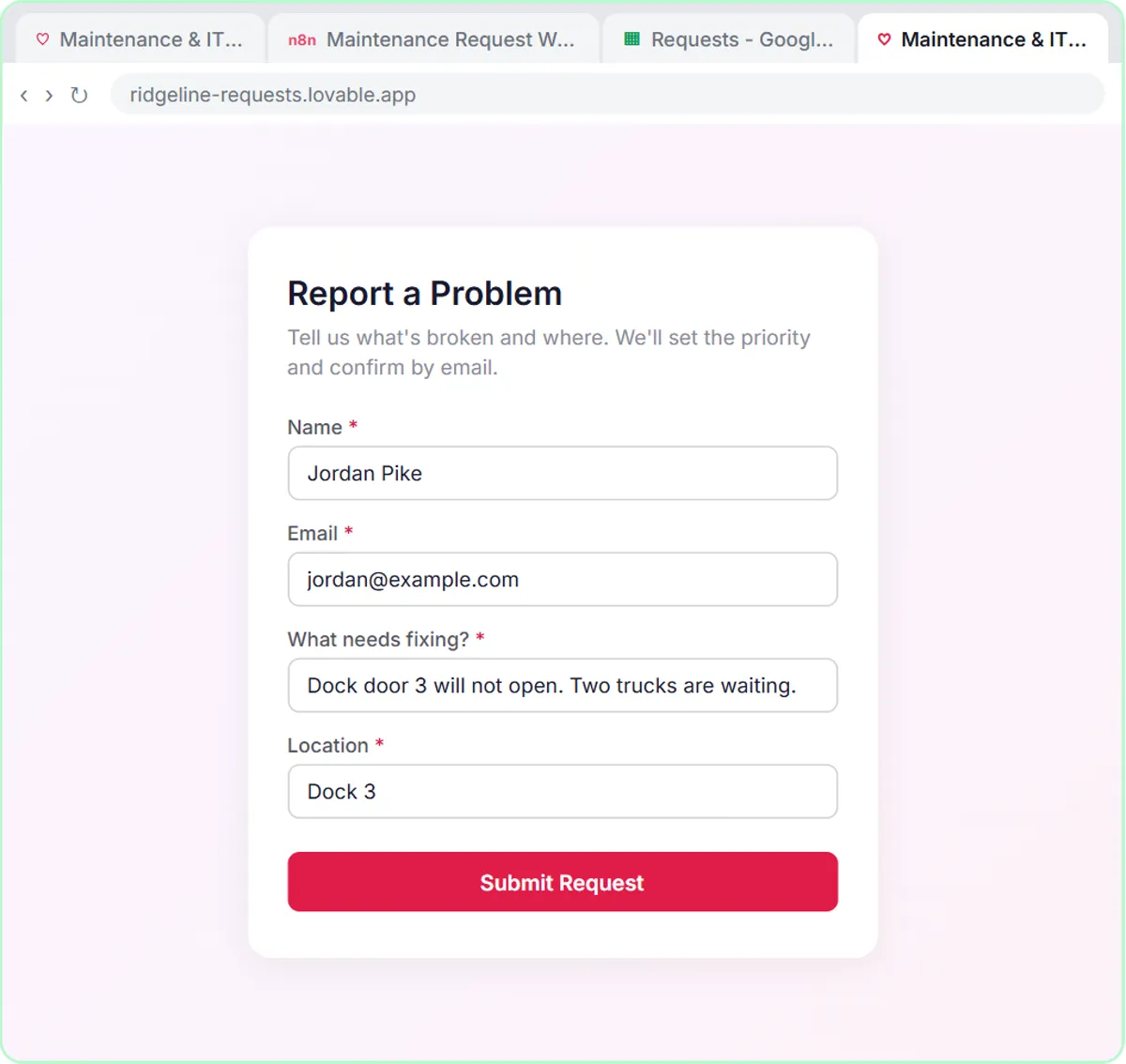
The priority and team go in the email; the Requests row keeps exactly what the person typed. Add columns if you want them in the sheet.
What should you check before rolling out the request form?
Publish the n8n workflow and the Lovable app, and point the form at the webhook's Production URL, not the test URL.
- Publish both. The n8n workflow only runs on its own after you click Publish, and a Lovable app is only a preview until you publish it.
- Use the Production URL. Lovable stores it as the
N8N_WEBHOOK_URLsecret. The n8n test URL only works while you're testing; n8n Webhook Test URL vs Production URL explains the difference. - Let the form wait. The webhook responds through the Respond to Webhook node, so people only see "Request received!" after the agent has finished.
Connect a Lovable Form to n8n with a Webhook covers the wiring step by step.
How should an operations team adapt these tools?
Rewrite both system prompts for your own vendors, rules, priorities and teams, and keep a person deciding what gets sent and fixed.
- Vendor follow-ups: paste the open POs from your purchasing report each morning, review the drafts, send them yourself, and sort the sheet by vendor before a quarterly review to see who ships late and how often.
- Request form: add a Safety team or a rule that anything touching a forklift is Urgent, post a QR code to the form at each dock and in the break room, and review the Requests sheet at the start of each shift to spot repeat problems.
The cost: both lessons are free and run in a practice copy. A real build needs n8n (n8n Cloud is paid after a free trial, or self-host it), Lovable (free and paid plans), a Google account, and an OpenAI API key, which is pay-as-you-go and billed separately from ChatGPT plans; the lesson adds $10 of credit. More lessons are on the operations hub.
Key takeaways
- An n8n AI vendor follow-up agent can write a follow-up for each late or pending purchase order and log it in Google Sheets with a due date.
- In the Ridgeline Supply Co. lesson, each vendor message names the PO, asks one question, sets a reply-by date of 1 business day if late or 2 if pending, and stays under 80 words.
- The vendor follow-up agent never sends email itself and is told not to threaten cancellations or invent penalties.
- An AI maintenance and IT request form can mark each request Urgent, This week or Backlog and assign Facilities, IT or Equipment.
- The request form only works for real once the n8n workflow is published and the Lovable form uses the webhook's Production URL.
Frequently asked questions
- Does the AI vendor follow-up agent email vendors by itself?
No. The vendor follow-up agent writes the messages and logs them in Google Sheets. You review them and send them yourself.
- Can AI prioritize maintenance requests?
AI can make a first pass. In the Ridgeline lesson, the agent follows one short rule to mark each request Urgent, This week or Backlog and assign Facilities, IT or Equipment, and a person should still check anything marked Urgent.
- Will the AI follow-ups threaten to cancel my orders?
No. The Ridgeline system prompt says not to threaten to cancel orders or invent penalties, and to keep each message under 80 words.
- Do I need to code to build these operations tools?
No. Lovable builds the form from a written prompt, and every n8n node is added by clicking. The agent lesson is 69 steps (about 12 minutes) and the form lesson is 87 steps (about 15 minutes).
- Is Ridgeline Supply Co. a real company?
No. Ridgeline Supply Co. and its vendors are made-up examples used in the lessons.