n8n If and Switch Nodes: Route Requests by Rules
A visual guide to n8n If and Switch nodes: split big jobs from small ones with one condition, then route by service with named outputs and a fallback.
Slide 1 of 7 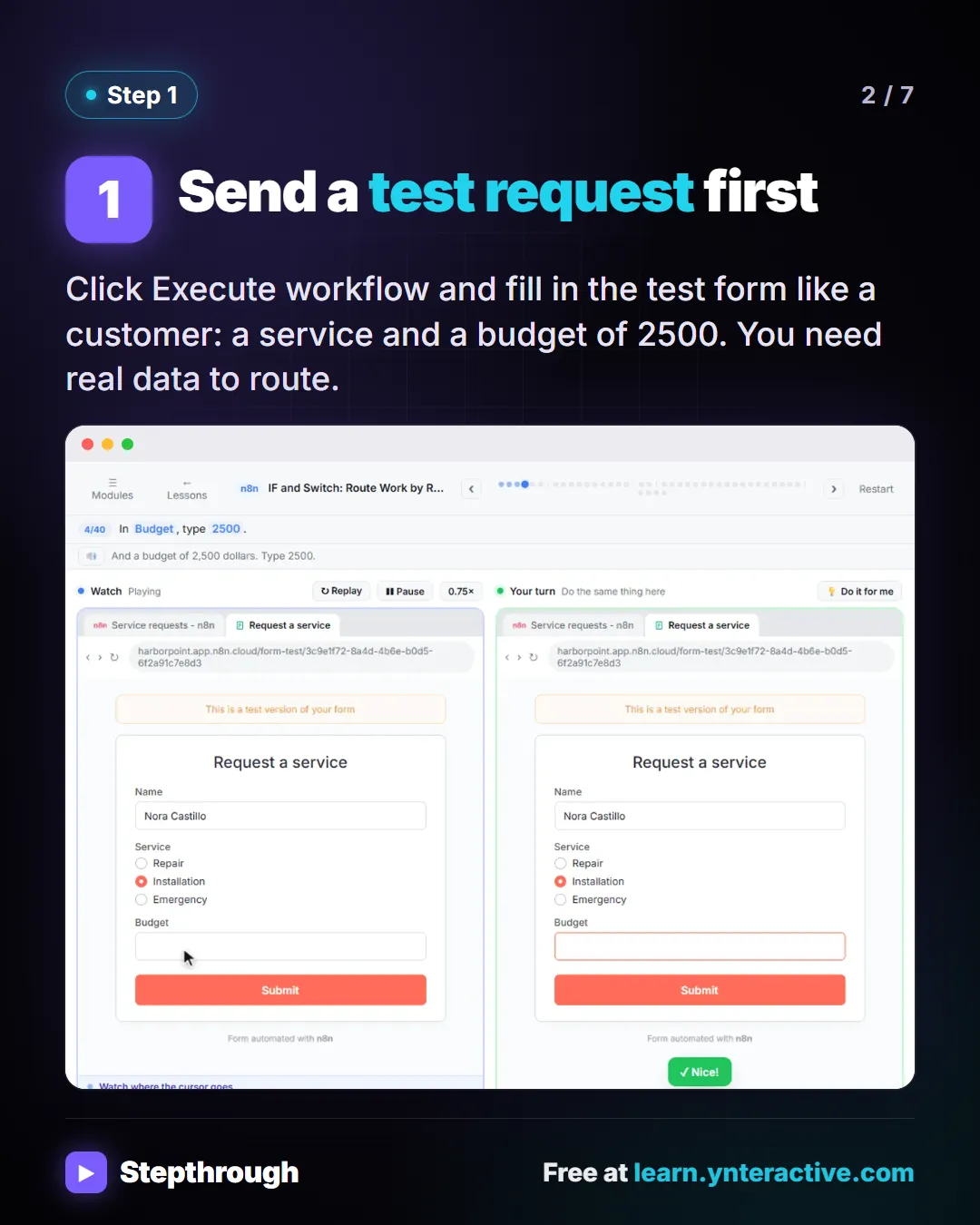
Slide 2 of 7 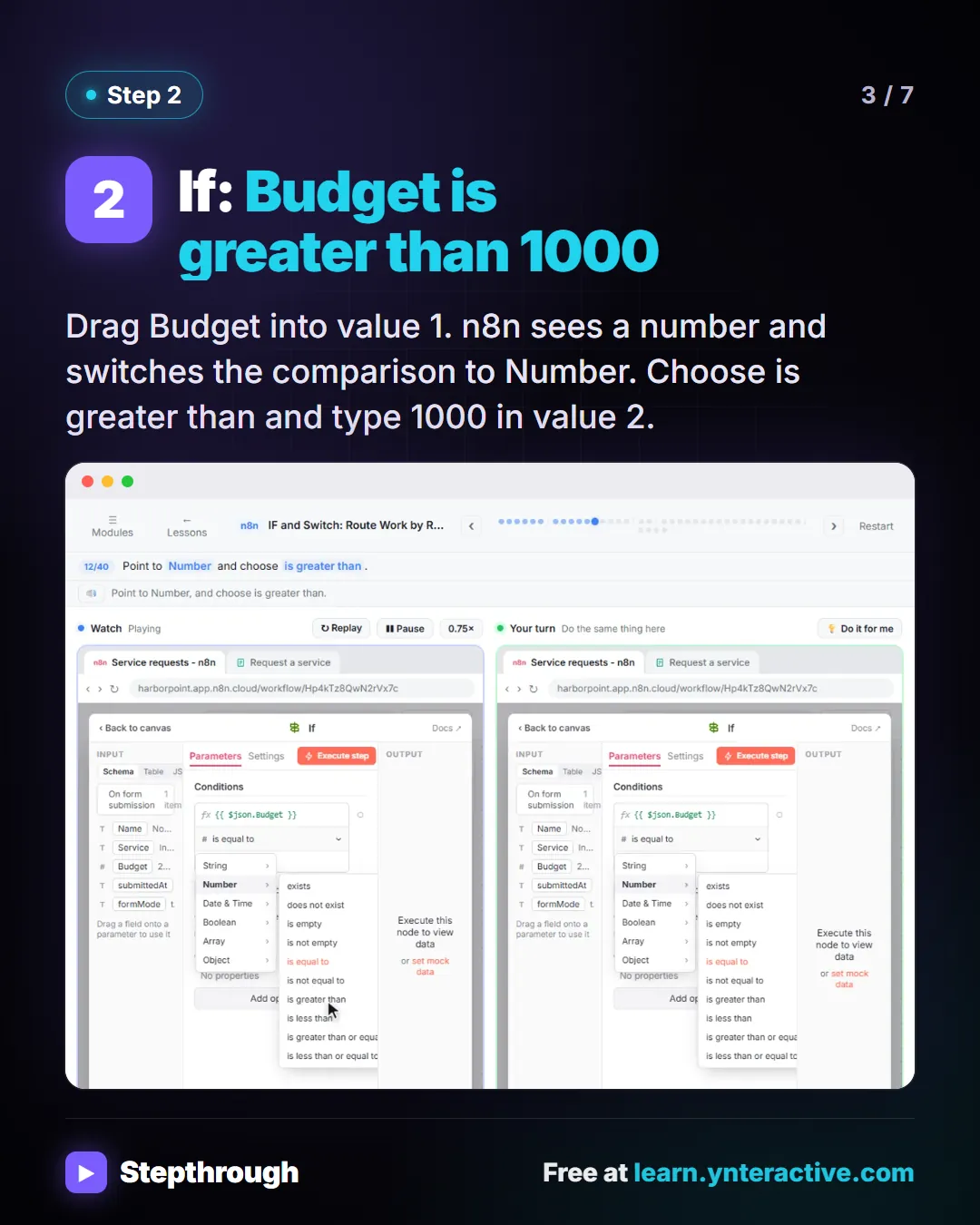
Slide 3 of 7 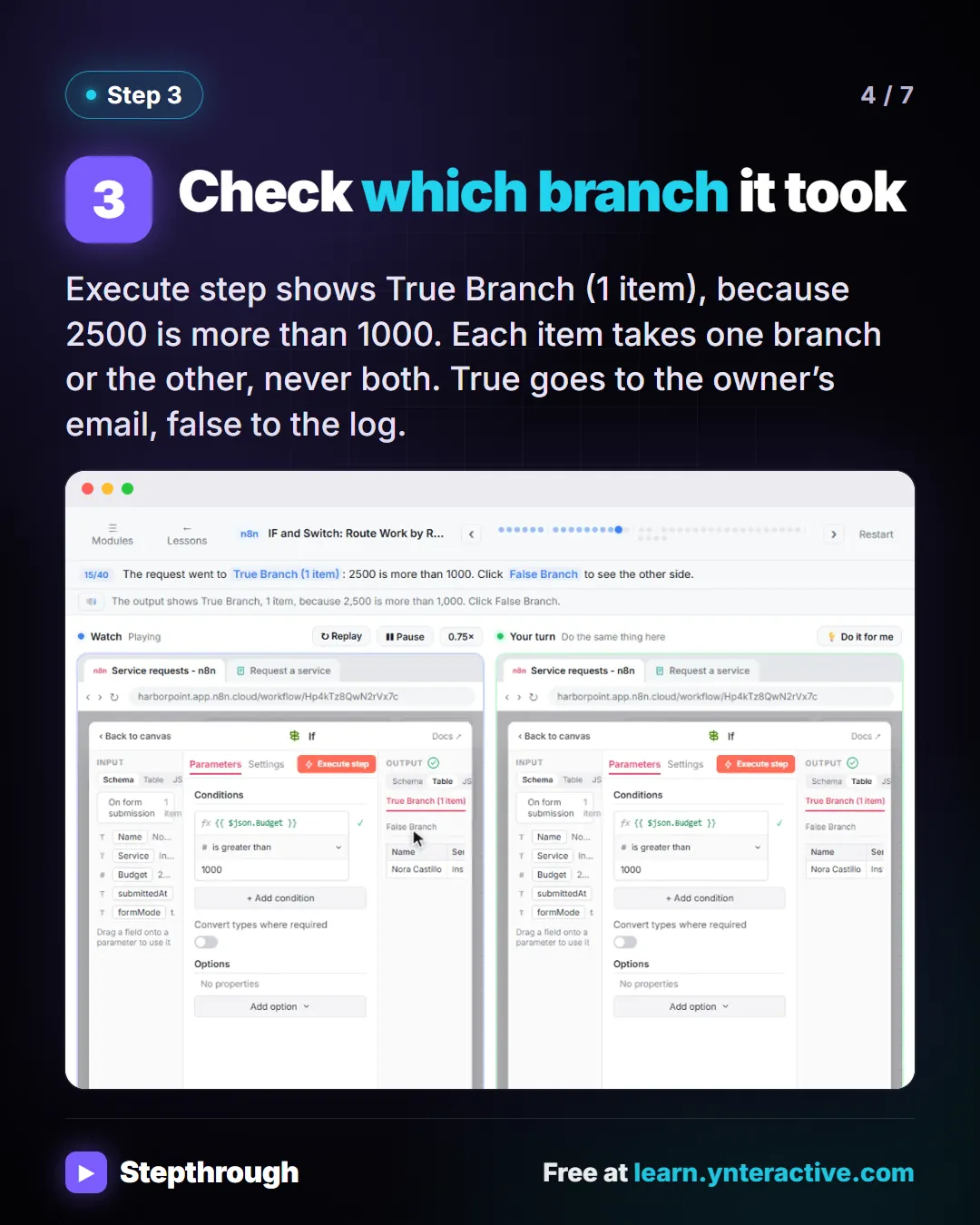
Slide 4 of 7 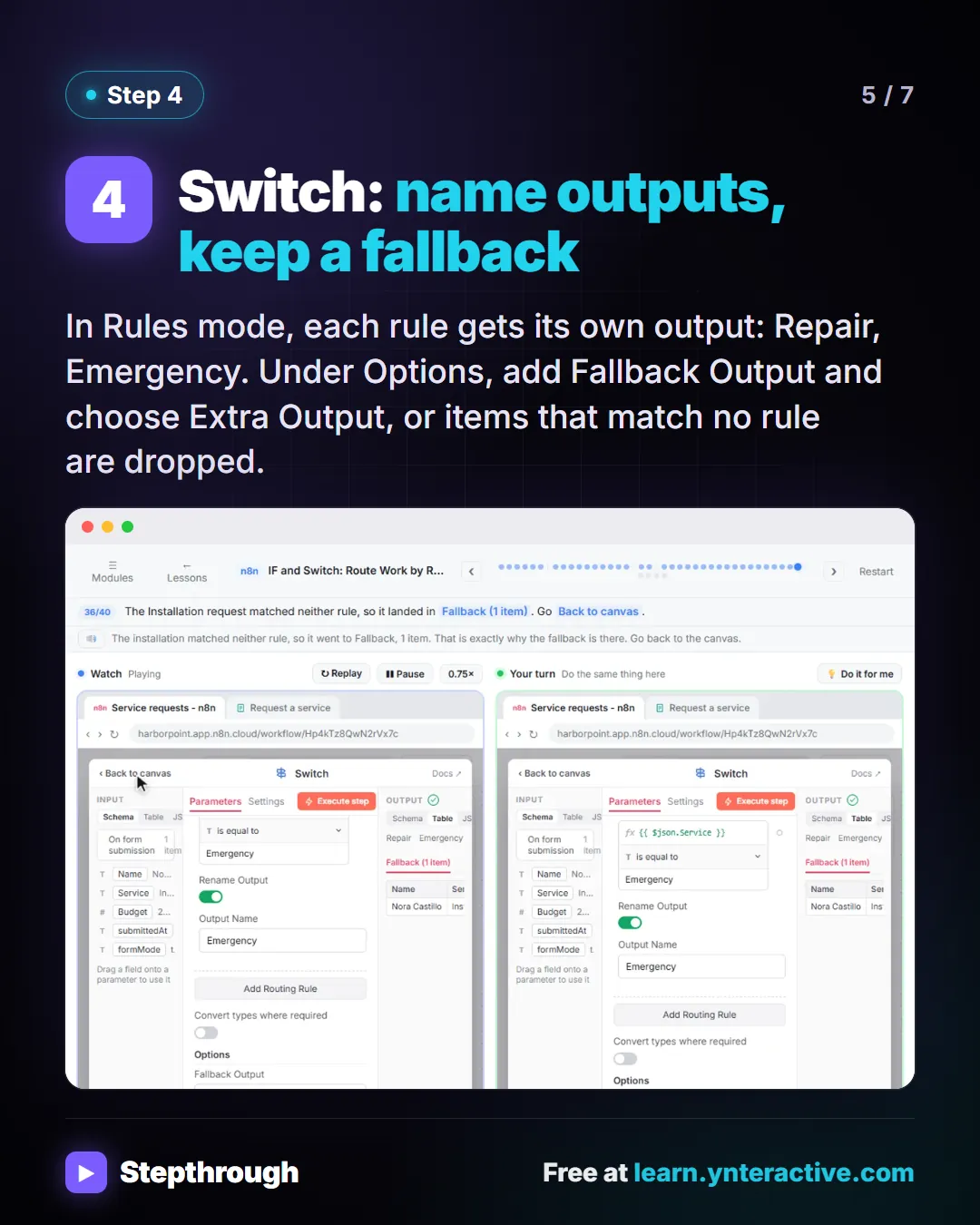
Slide 5 of 7 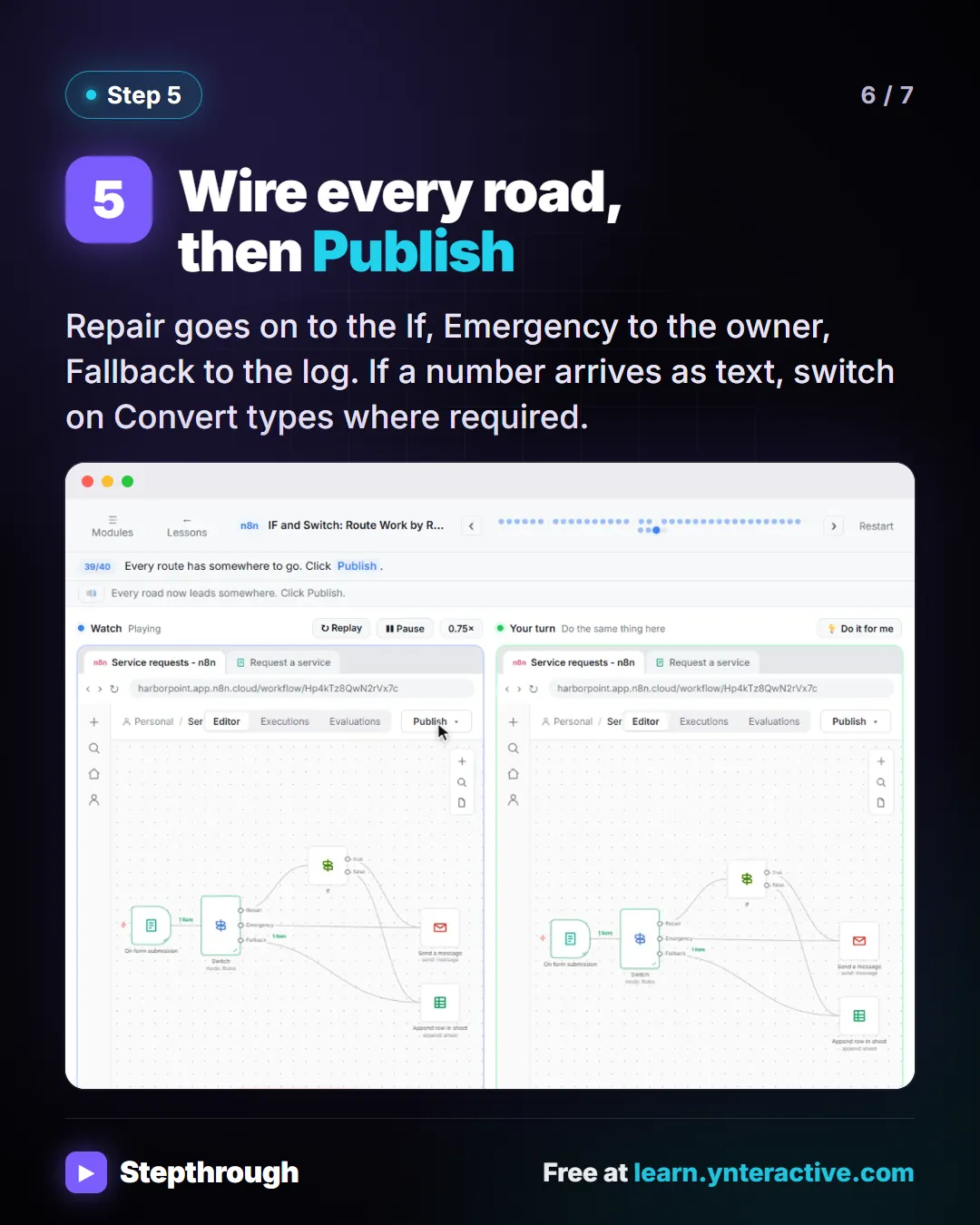
Slide 6 of 7 
Slide 7 of 7
The guide in text
A service-request form, an email to the owner and a request log. If for yes or no, Switch for more than two roads.
Step by step
Send a test request first
Click Execute workflow and fill in the test form like a customer: a service and a budget of 2500. You need real data to route.
If: Budget is greater than 1000
Drag Budget into value 1. n8n sees a number and switches the comparison to Number. Choose is greater than and type 1000 in value 2.
Check which branch it took
Execute step shows True Branch (1 item), because 2500 is more than 1000. Each item takes one branch or the other, never both. True goes to the owner’s email, false to the log.
Switch: name outputs, keep a fallback
In Rules mode, each rule gets its own output: Repair, Emergency. Under Options, add Fallback Output and choose Extra Output, or items that match no rule are dropped.
Wire every road, then Publish
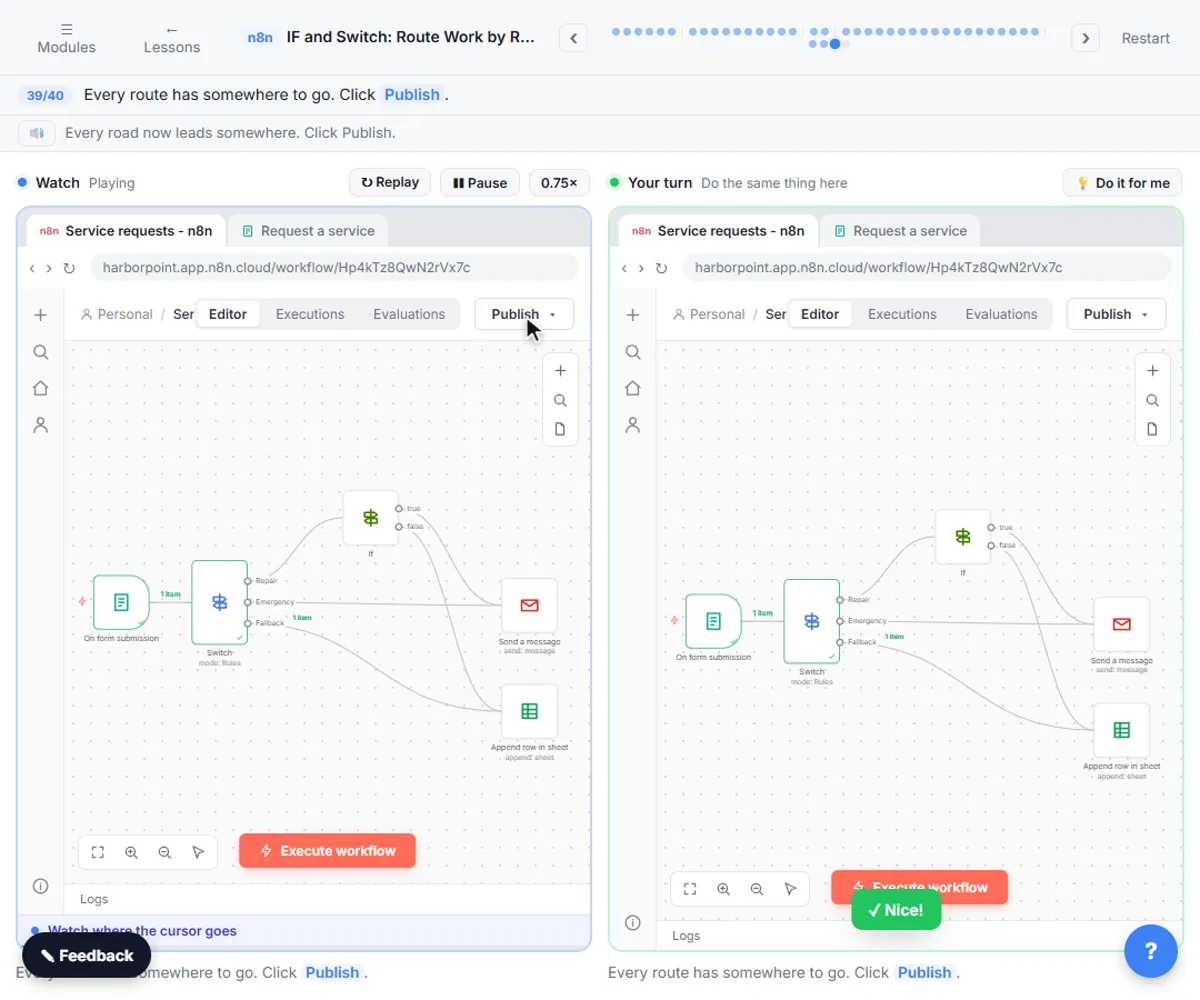
Repair goes on to the If, Emergency to the owner, Fallback to the log. If a number arrives as text, switch on Convert types where required.
Businesses and people in the examples are made up (Harbor Point is a made-up business). The steps, screens and wording come from the free lesson and the Stepthrough glossary and prompt library.
Do it yourself, free
IF and Switch in n8n: Route Work by Rules. Send each request where it belongs. Use an If node to split big jobs from small ones, then a Switch with named outputs and a fallback to route by service. You do every step yourself in a practice copy of n8n, it checks your work as you go, and “Do it for me” finishes any step you get stuck on. Free, and nothing touches your real accounts.
Start the free lessonRelated terms
Plain-English definitions, each with an example from a free lesson.
Related prompts
- Request routing rules prompt: Write down who should get which request before you build it in n8n: the condition for each route, the exit names and a fallback…
From the blog
More visual guides
 n8n Talk to Your Google Sheet: 4 Steps and One Check
A visual guide to n8n’s chat-with-your-sheet template: add your OpenAI credential, point it at your sheet, ask questions and check every total by hand.
Step-by-step guide 7 slides
 n8n Webhook: Test URL vs Production URL, Explained
A visual guide to the two n8n webhook addresses: the Test URL that listens only while you test, and the Production URL that works once you publish.
Step-by-step guide 6 slides
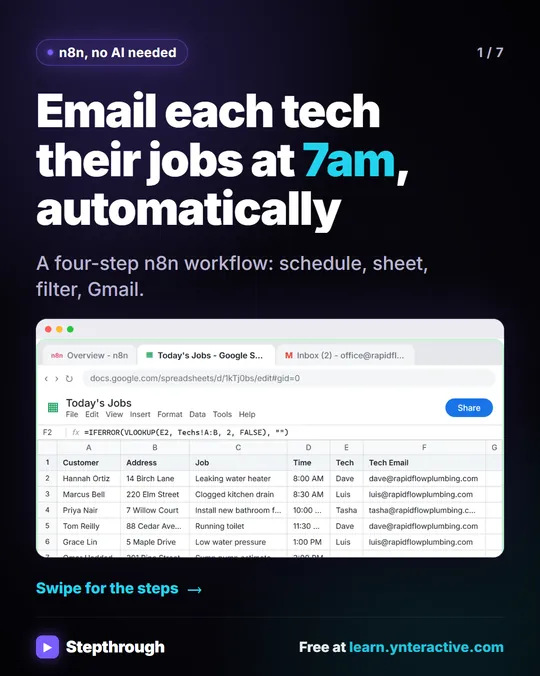 Email each tech their jobs at 7am with n8n
Every morning someone at Rapid Flow Plumbing copies the day's jobs into emails, one tech at a time. Hand it to n8n.
Step-by-step guide 7 slides