Free OLVA tutorials for small business
Updated
OLVA. These 3 free modules teach it by building real projects, not by reading about features: OLVA: Answer Every Question on a Sales Discovery Call, OLVA: Listen in Interviews and Debrief Against the Scorecard and OLVA: A Private AI Assistant on Your Client Calls.
The OLVA modules cover Sales, Recruiting & HR and Consulting & Agencies. Every module runs in a practice copy of OLVA, so you can learn it without an account, then set it up for real.
3 modules
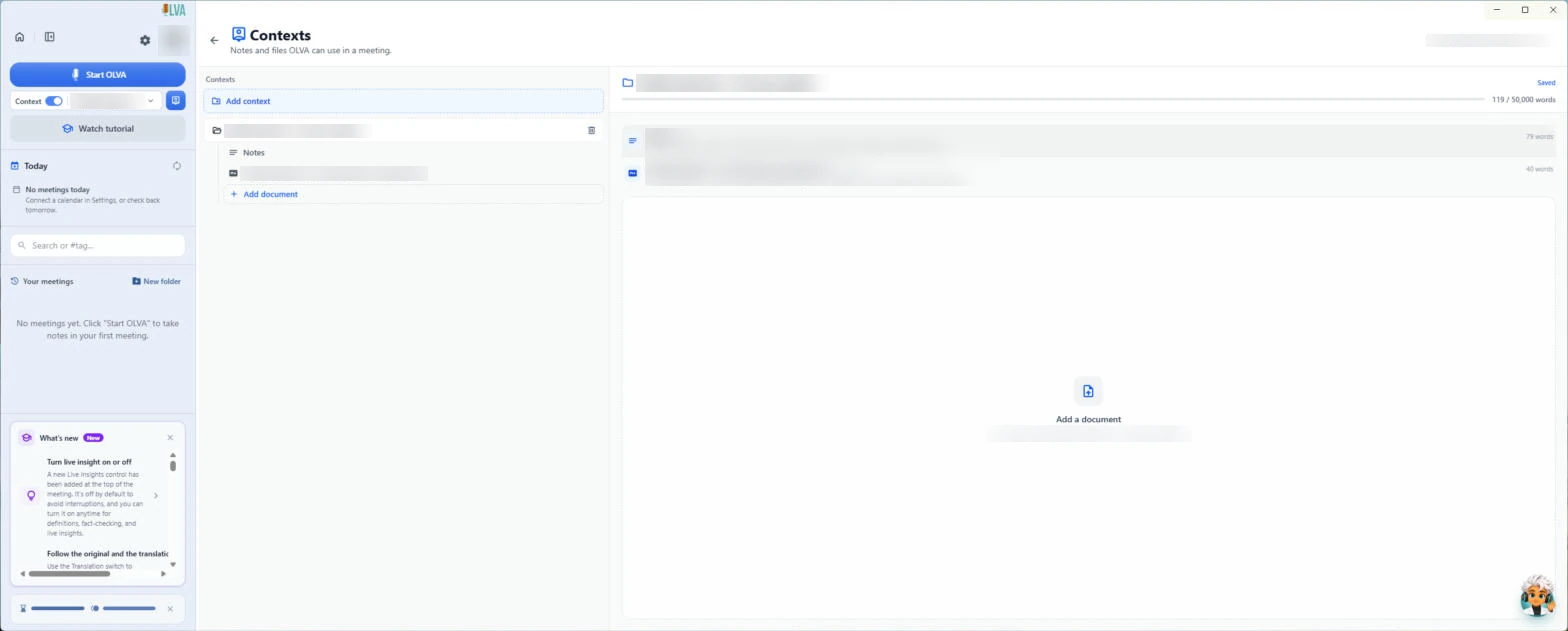 OLVA: Answer Every Question on a Sales Discovery Call
Give OLVA your product playbook once. On a discovery call it answers product questions privately and tells you what you still need to ask, then drafts the follow-up…
Free · Live ~8 min Intermediate
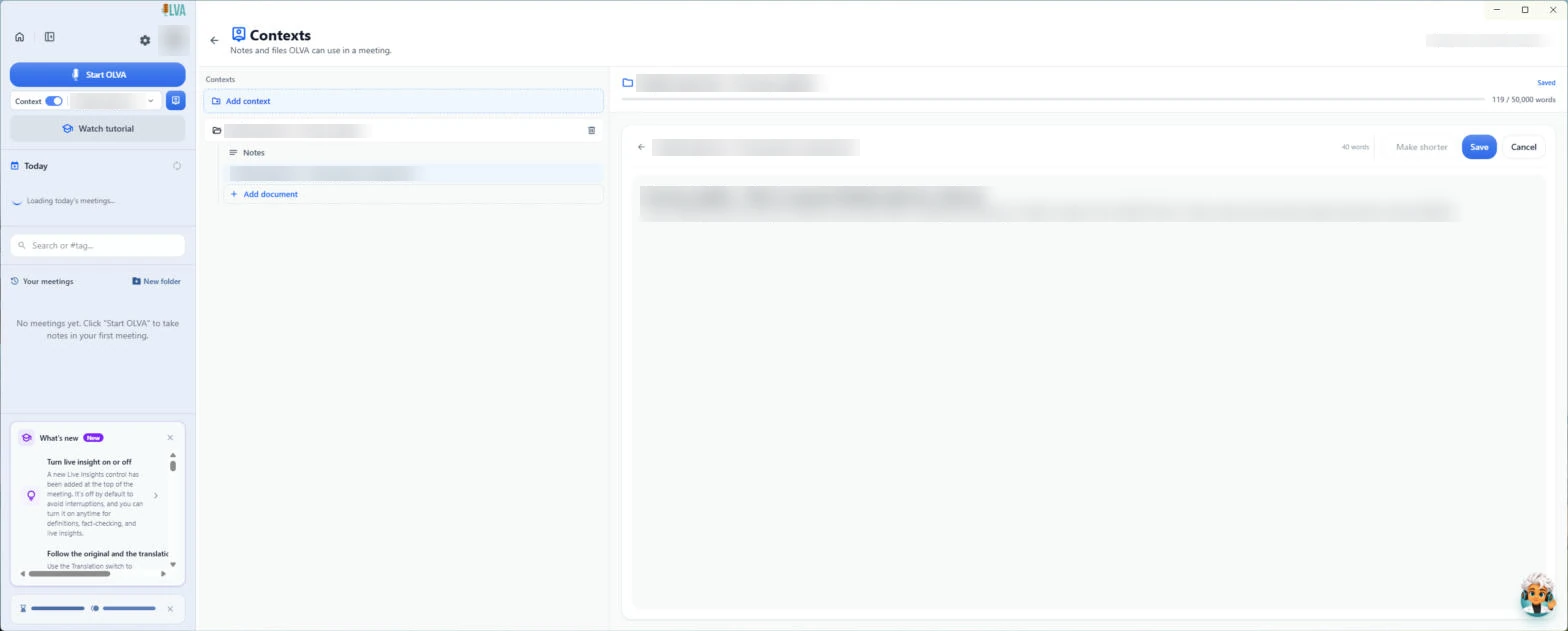 OLVA: Listen in Interviews and Debrief Against the Scorecard
Load the role's scorecard and the resume into OLVA. In the interview it suggests follow-up questions privately and tells you what you haven't covered, then helps you…
Free · Live ~8 min Intermediate
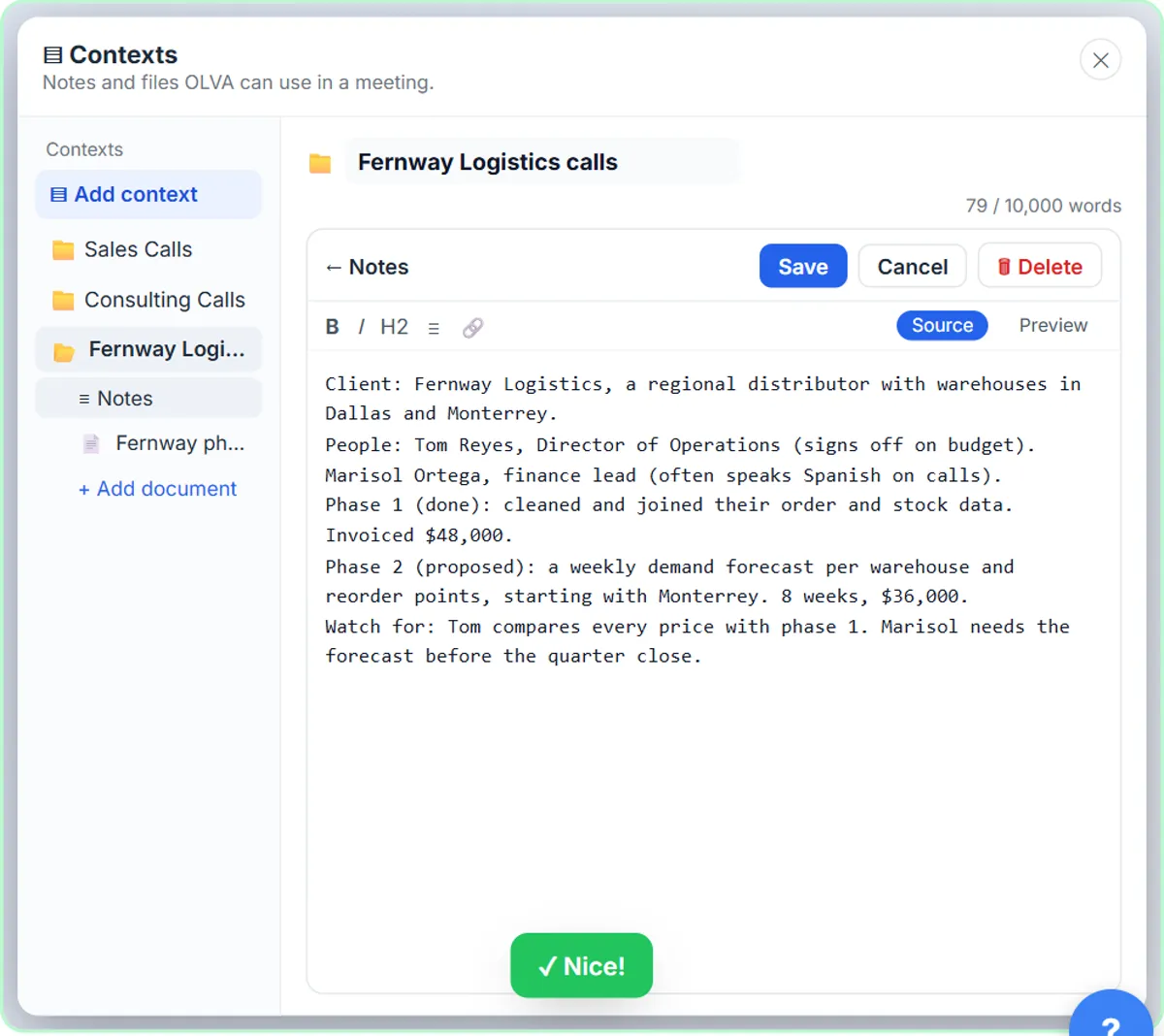 OLVA: A Private AI Assistant on Your Client Calls
Give OLVA your client notes, get private answers and fact checks during a Zoom call, then turn the meeting into minutes, a follow-up email and a PowerPoint deck.
Free · Live ~9 min Intermediate
Prefer to watch or read? 1 of these module has a video walkthrough or a screenshot guide
What you do in each module
- OLVA: Answer Every Question on a Sales Discovery Call (about 8 minutes, 26 steps, intermediate). You work through: One playbook for every discovery call, Start OLVA on the call, Answer product questions on the spot, Check facts and terms as you go and CRM notes and the follow-up.
- OLVA: Listen in Interviews and Debrief Against the Scorecard (about 8 minutes, 26 steps, intermediate). You work through: Load the scorecard and the resume, Start OLVA in the interview, Ask better follow-up questions, Check what you heard and A debrief the whole panel can use.
- OLVA: A Private AI Assistant on Your Client Calls (about 9 minutes, 29 steps, intermediate). You work through: Give OLVA your client notes, Start OLVA on the call, Get answers during the call, Definitions and fact checks and After the call.
Common questions
How long will this take?
The 3 modules take about 25 minutes in total, and you can do them in separate sittings.
Do I need experience first?
These modules are marked intermediate. Each step shows you exactly where to click.
Do I need an OLVA account to start?
No. The practice runs in a copy of OLVA inside your browser, and nothing touches your real accounts. When you are ready, you repeat the steps in your own account.
Is it free?
Yes. All 3 modules are free.
Where should I start?
Start with OLVA: Answer Every Question on a Sales Discovery Call, then continue with OLVA: Listen in Interviews and Debrief Against the Scorecard.
Compare tools
Side-by-side comparisons, with prices and features checked against the vendors’ own pages.
Frequently asked questions
- Are these OLVA tutorials free?
- Yes. All 3 live OLVA lessons here are free, and you can start without signing up. Each one is a real project you build step by step in a practice copy of OLVA that checks your work.
- Where should a beginner start with OLVA?
- Start with OLVA: Answer Every Question on a Sales Discovery Call, about 8 minutes. Every step shows you where to click, and "Do it for me" finishes any step you get stuck on.
- Do I need my own OLVA account to practice?
- No. The lessons run in a practice copy of OLVA in your browser, so nothing touches your real accounts. To build the same workflow for real afterwards you need your own OLVA account; check OLVA's current pricing first.
Related
How every module works
Each step is shown on the left, with a cursor pointing to exactly where to click. You do the same thing on the right, in a practice copy of the real tool. Get it right and it moves on. Nothing touches your real accounts until you're ready to build it for real.
Start learning free