Free Make tutorials for small business
Updated
Make is a visual automation builder (formerly Integromat) for multi-step scenarios between apps. These 5 free modules teach it by building real projects, not by reading about features: Your First Make.com Scenario: Google Forms to Google Sheets, Filters and Routers in Make.com: Send Urgent Requests One Way, Routine Ones Another, Add AI to Make.com: ChatGPT Writes a Personal Reply, Gmail Sends It and On a Schedule: A Daily Summary Email from a Google Sheet in Make.com, and more.
The Make modules cover Make.com Automation Basics. Every module runs in a practice copy of Make, so you can learn it without an account, then set it up for real.
5 modules
Build your first Make.com scenario: every new Google Forms response becomes a new row in Google Sheets. Trigger, connection, mapping, Run once and a schedule.
Free · Live ~12 min
◷Filters and Routers in Make.com: Send Urgent Requests One Way, Routine Ones AnotherAdd a router to your Make scenario, email the front desk about urgent requests with a filter, and send everything else to Google Sheets with a fallback route.
Free · Live ~12 min
◷Add AI to Make.com: ChatGPT Writes a Personal Reply, Gmail Sends ItConnect OpenAI to your Make scenario, have ChatGPT write a personal reply from each patient's form answers, and send it with Gmail.
Free · Live ~12 min
◷On a Schedule: A Daily Summary Email from a Google Sheet in Make.comBuild a Make scenario that runs every day at 5 PM, finds today's rows in Google Sheets, combines them with a Text aggregator and emails one summary with Gmail.
Free · Live ~12 min
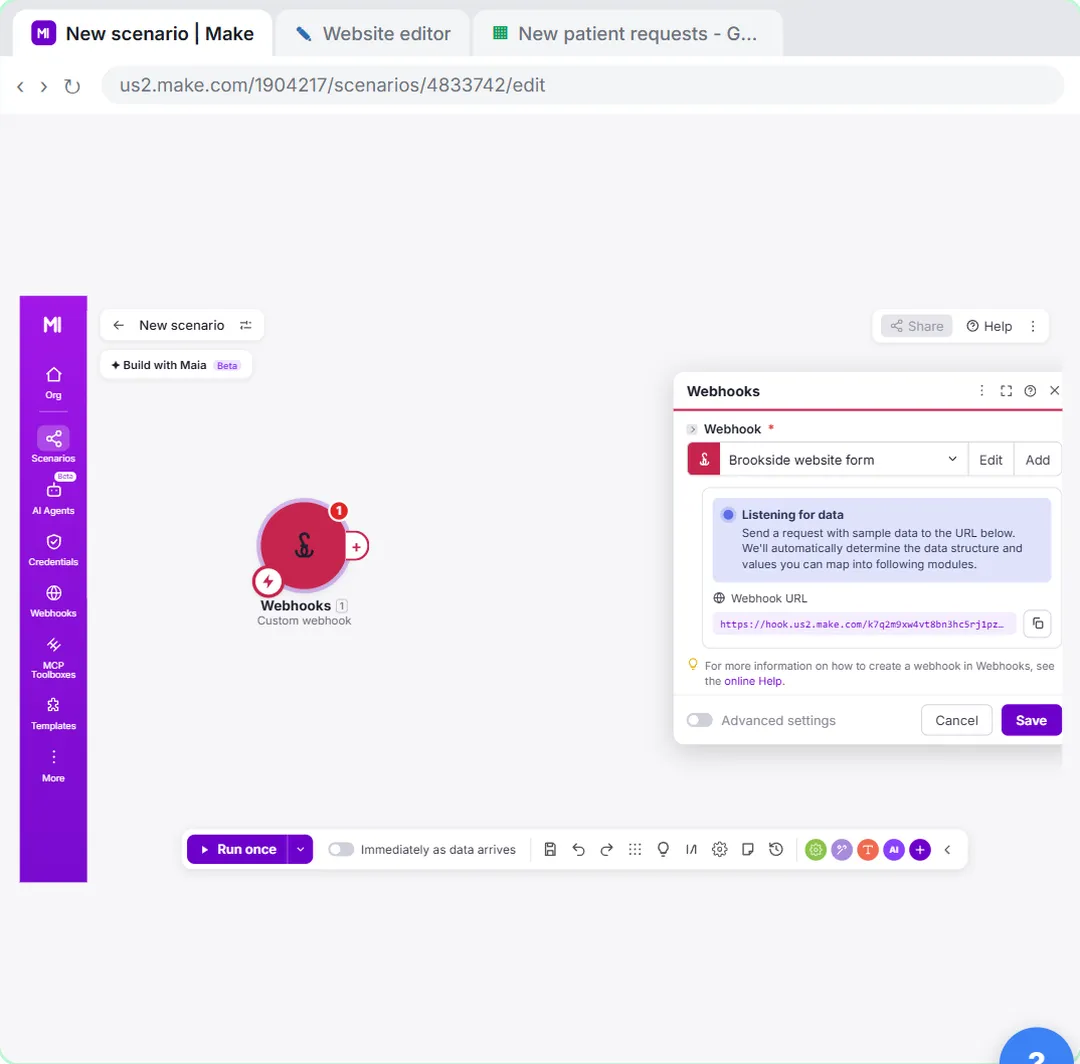 Webhooks: Connect a Website Form to Make.com
Start a Make scenario with a Custom webhook, paste its URL into your website form's webhook setting, send a test so Make learns the fields, and save every request to…
Free · Live ~12 min
Compare tools
Side-by-side comparisons, with prices and features checked against the vendors’ own pages.
Related
How every module works
Each step is shown on the left, with a cursor pointing to exactly where to click. You do the same thing on the right, in a practice copy of the real tool. Get it right and it moves on. Nothing touches your real accounts until you're ready to build it for real.
Start learning free