Updated . Built against the tool’s current screens and checked step by step. How we check this lesson
A vendor says its system cuts no-shows 40%. Ask Paperguide what published research shows, open the papers to read the numbers yourself, and write a short brief for the owner with three questions for the vendor.
At a glance
| Question | Answer |
|---|---|
| What you build | A vendor says its system cuts no-shows 40%. Ask Paperguide what published research shows, open the papers to read the numbers yourself, and write a short brief for the owner with three questions for the vendor. |
| Tools | Paperguide |
| Time | About 8 minutes, 35 steps in 6 parts |
| Level | Beginner, no coding needed |
| Cost | Free |
| Ways to learn it | Practice it step by step |
The 6 parts, in short
- Ask the question: Ask what the research shows, Send it, Watch it search.
- Read the first answer: Read the headline, Look for what is missing, Open a citation, Show the abstract, and 1 more step.
- Push back: Tell it what you found, Send it, It admits the miss, Note what it says it cannot see, and 2 more steps.
- Read the papers yourself: Open the paper itself, The paper page, The number was there, Close the paper, and 4 more steps.
- Write the brief: Ask for the brief, with your numbers, Send it, Read the opening like an editor, The part worth the afternoon, and 3 more steps.
- Keep your sources: Save the papers you used, Pick a folder, Look at Export, Find the file for your notes, and 2 more steps.
In the course: Part 9 · n8n Automation Toolkit (Module 116 of the full course)
Part of: AI Apps Worth Knowing (step 117 of 123)
What you'll build
Cedar Street Physical Therapy is made up. Its three clinics lose visits to no-shows, the front desk already phones patients the day before, and a vendor says its text system cuts no-shows 40%. Marisol, the practice manager, has an afternoon to tell the owner whether that holds up. In this lesson you ask Paperguide what published research shows, push back on its first answer, open the papers to read the numbers yourself, and write the brief. The papers are real. It uses about 120 of the 1,500 credits a month on the Free plan.
You went from a sales line to a sourced brief. Paperguide found the papers in under a minute and caught the real issue: your front desk already phones, and the studies find text and phone about the same. Its first headline was too narrow, and a second run of the same question overstated the effect, so open the paper before you quote a number. This is a business check, not medical advice. Studies from other clinics may not match yours, so test it on your own no-show numbers.
- Tools: Paperguide
- Time: about 8 minutes, 35 steps in 6 chapters
- Level: beginner, no coding needed
- Price: free
Practice first, then build it for real
Practice copy built from real Paperguide screens (paperguide.ai), captured 1 November 2026 on a Free plan account. Nothing here touches a Paperguide account. The clinics, the staff and the vendor claim are made up; the papers are real published research. The answers are what Paperguide produced, and your answers will differ. To build it for real you need your own Paperguide account, and some services charge once you use them for real work, so check each tool's current pricing.
Try it yourself, free
Reading the steps is a start. Doing them is how it sticks. The interactive module walks you through every click in a practice copy of Paperguide, checks each step, and never touches your real accounts.
Start “Paperguide: Check a Vendor's Claim Against the Research Before You Buy”Step by step: Paperguide: Check a Vendor's Claim Against the Research Before You Buy
All 35 steps of the interactive module, in order. In the module you watch each one, then do it yourself in a practice copy that checks your work.
1. Ask the question
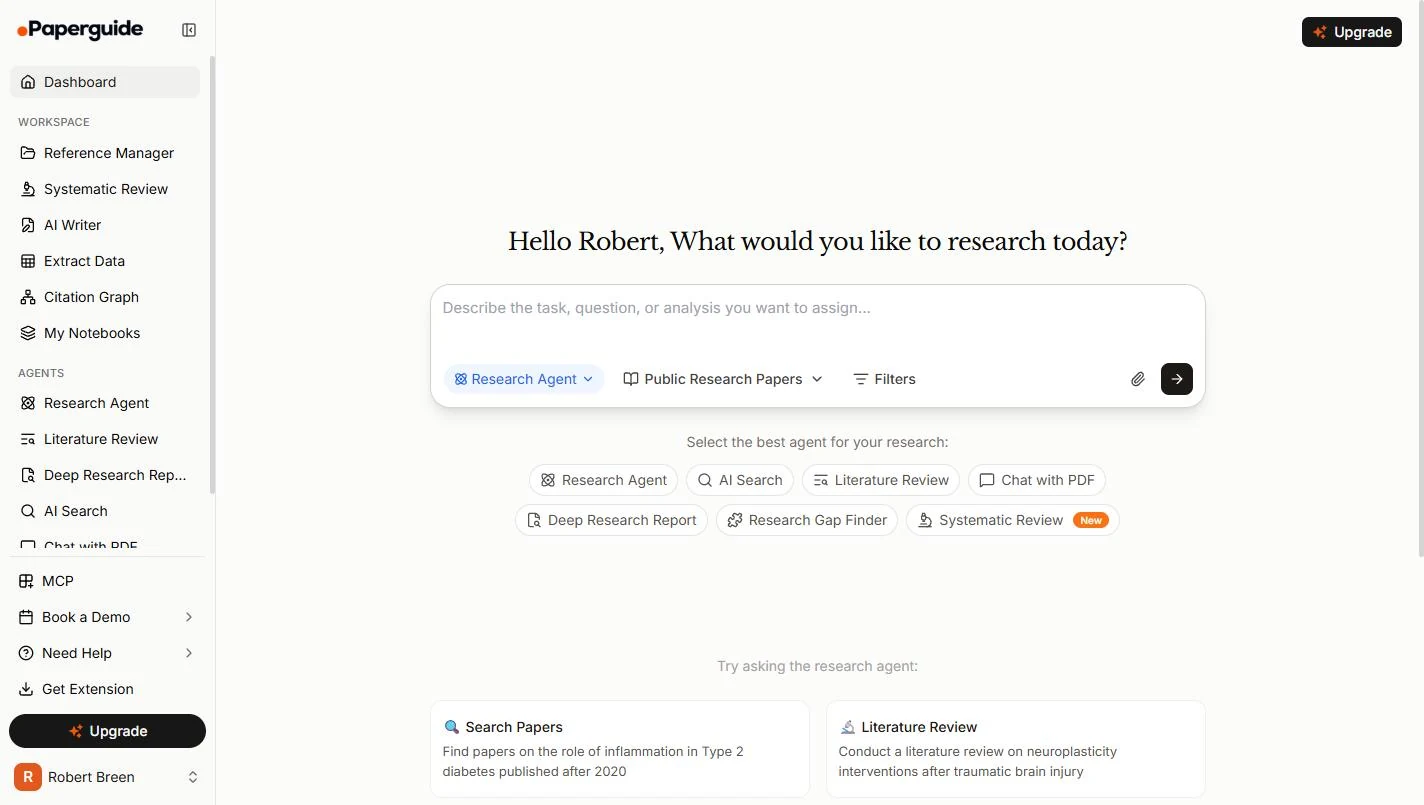
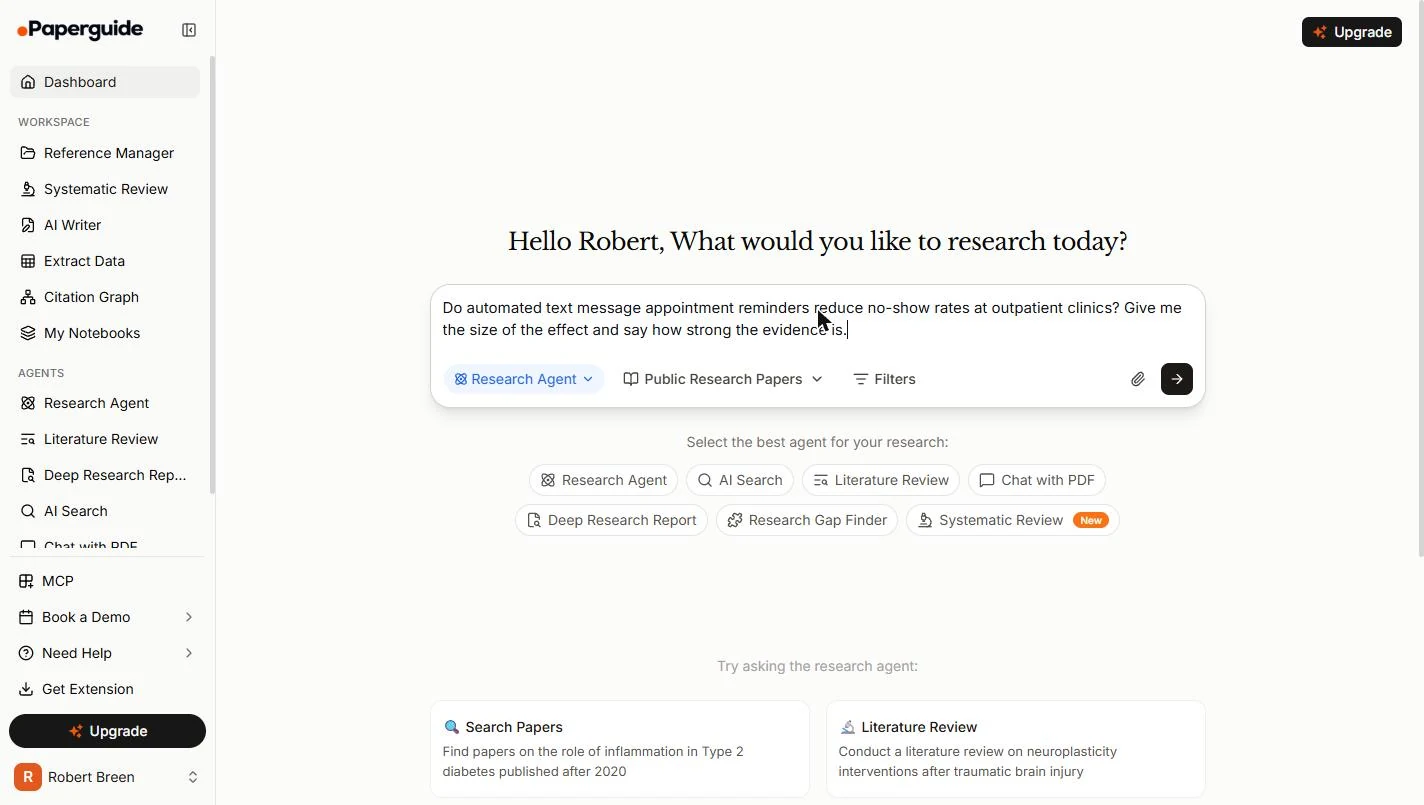
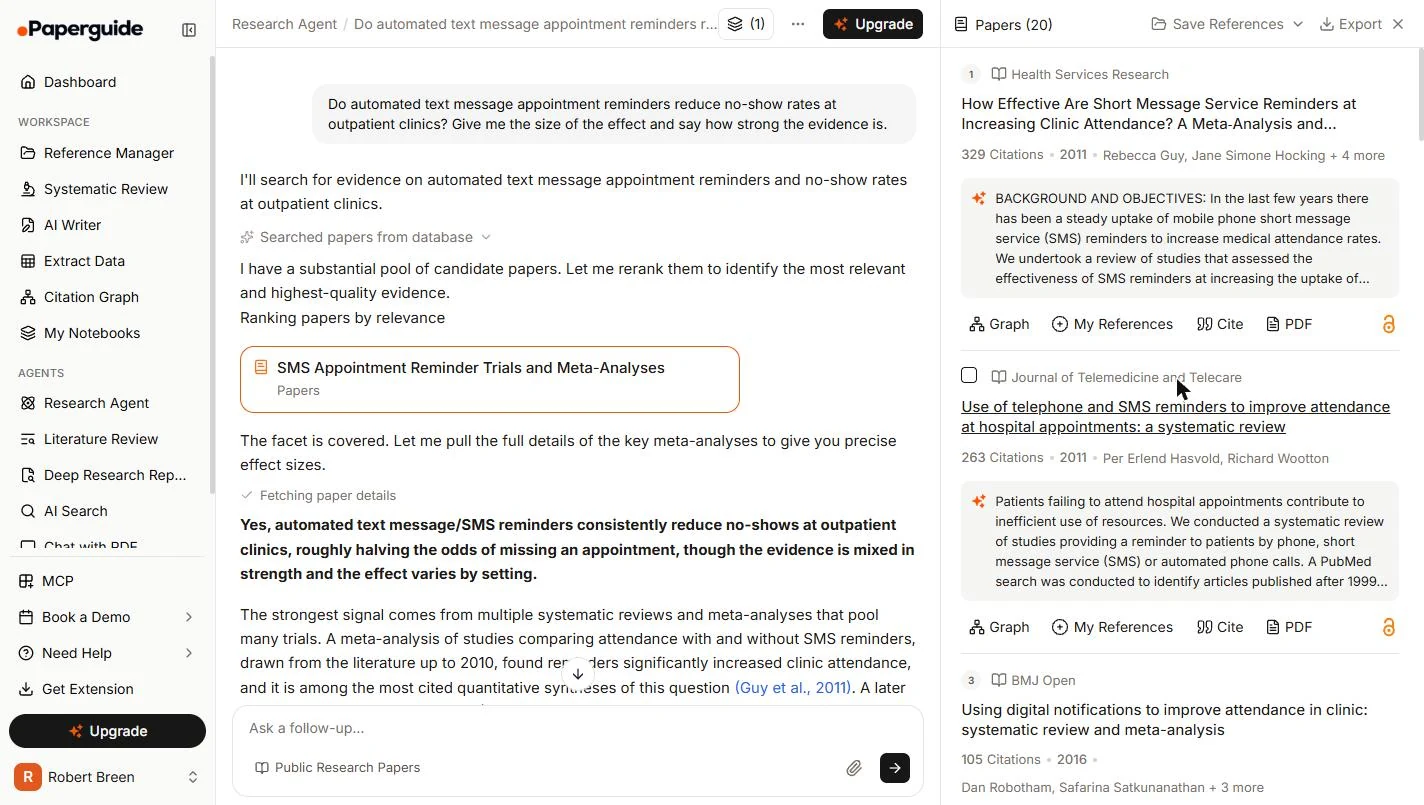
- Ask what the research shows. You are Marisol, practice manager at Cedar Street Physical Therapy, three made-up clinics. A vendor says its text system cuts no-shows 40%, and the owner wants your view by Friday. On the Paperguide dashboard, ask about the idea, not the vendor. Ask for the size of the effect and the strength of the evidence, or you may only get a yes.
You run three physical therapy clinics. A vendor says its text system cuts no-shows forty percent. Ask Paperguide what the research shows, and ask for the size of the effect.
Do automated text message appointment reminders reduce no-show rates at outpatient clinics? Give me the size of the effect and say how strong the evidence is.
- Send it. The Research Agent is already selected, searching Public Research Papers. Click the black arrow. Each question uses credits. The three in this lesson took 117 of the 1,500 a month on the Free plan.
The Research Agent is selected. This lesson uses about a hundred and twenty of your fifteen hundred monthly credits.
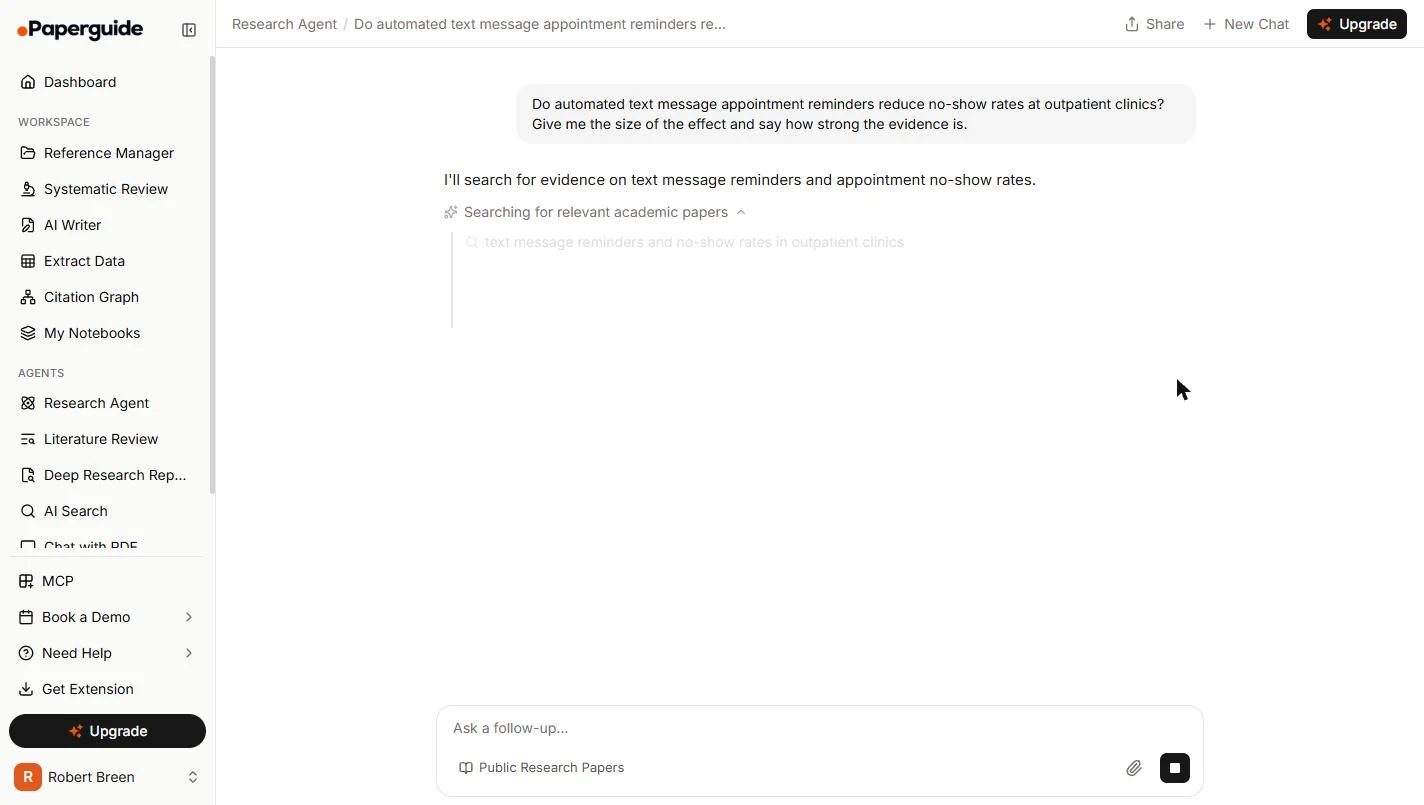
- Watch it search. It turns your question into a search and pulls papers from its database. Ours took about half a minute. Click the search line.
It turns your question into a search. Ours took about half a minute.
2. Read the first answer
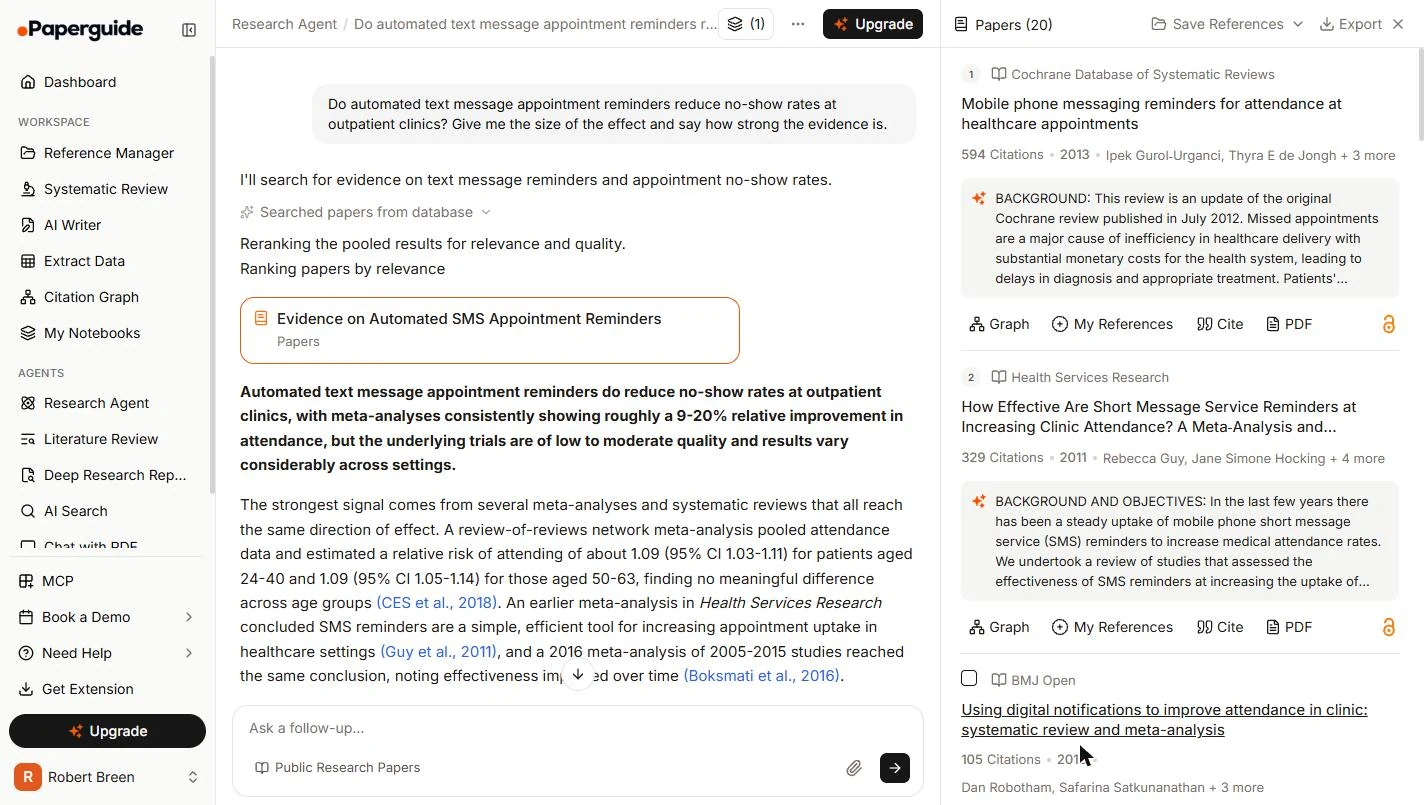
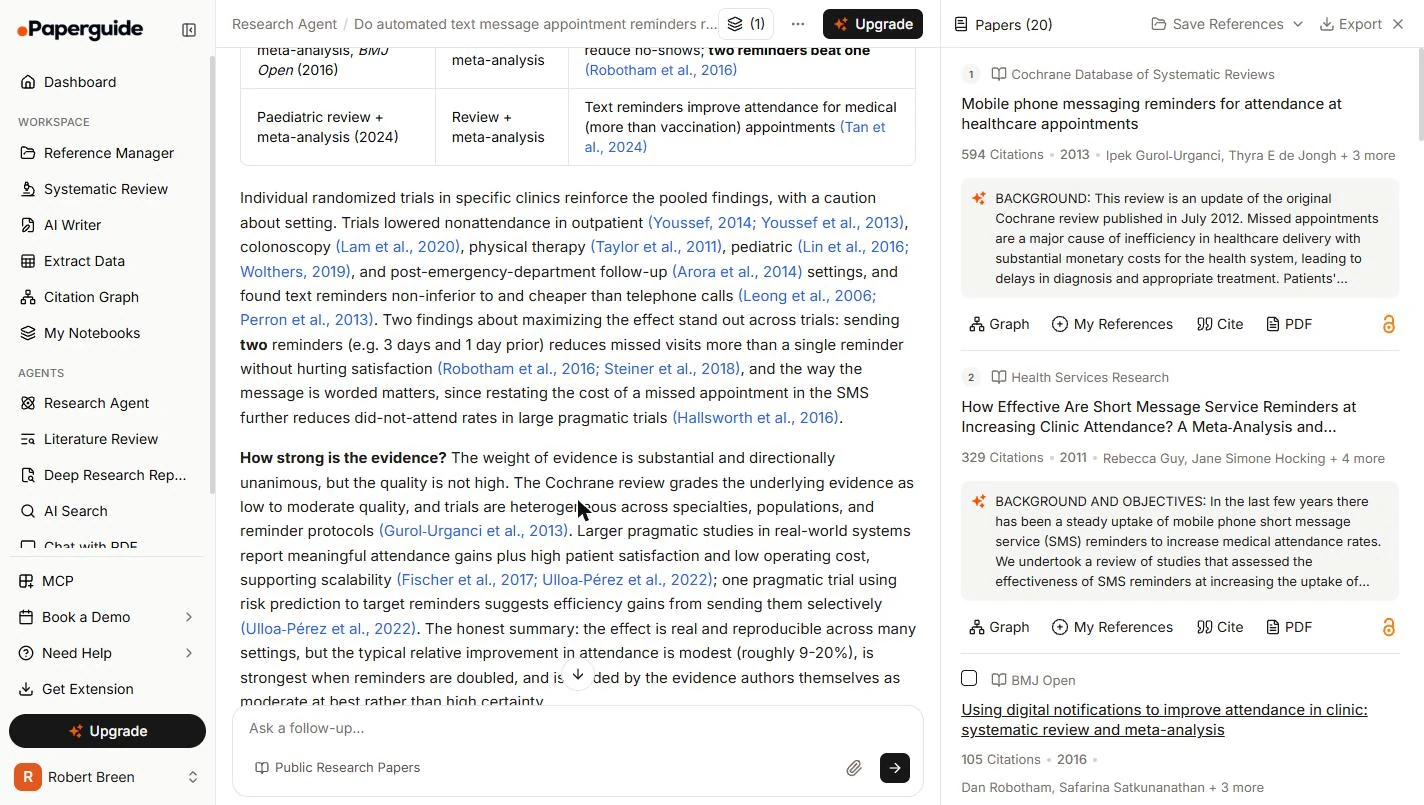
- Read the headline. It found 20 papers, listed on the right, and leads with a clear claim: a 9-20% improvement in attendance, from low to moderate quality trials. If a sale banner covers the box, close it with its X. Click the headline, and remember that number. You are about to test it.
It found twenty papers, and leads with a nine to twenty percent improvement.
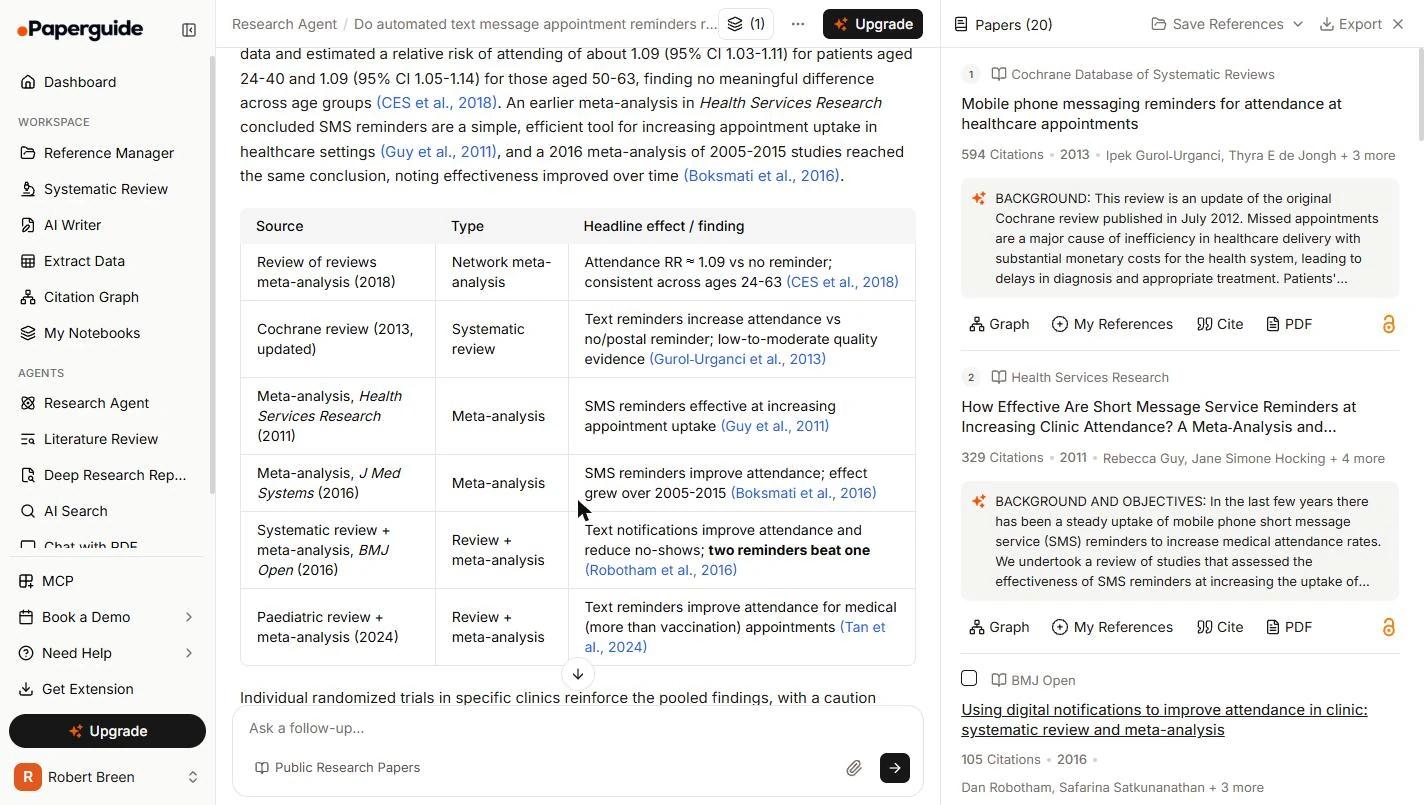
- Look for what is missing. Scroll down to the table. It looks complete, but most rows have words where you need numbers: effective, improve. A number is what you need against the vendor's 40%. Click the BMJ Open row.
Most rows have words where you need numbers.
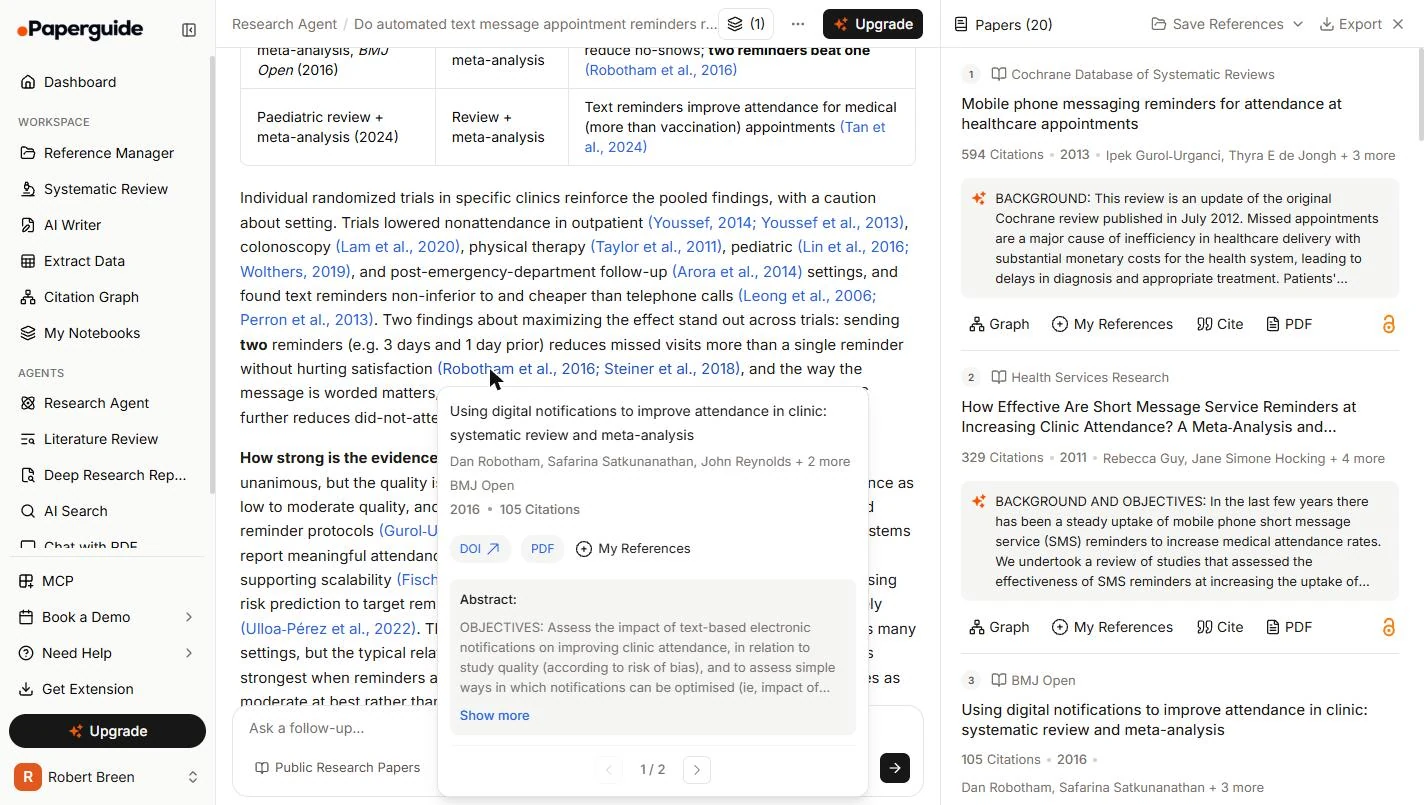
- Open a citation. Scroll a little more. Every blue citation is a link to a real paper. Click Robotham et al., 2016, in the sentence about two reminders.
Every blue citation links to a real paper.
- Show the abstract. A card opens with the journal, the year, the citation count and the abstract. Click Show more.
A card opens with the abstract.
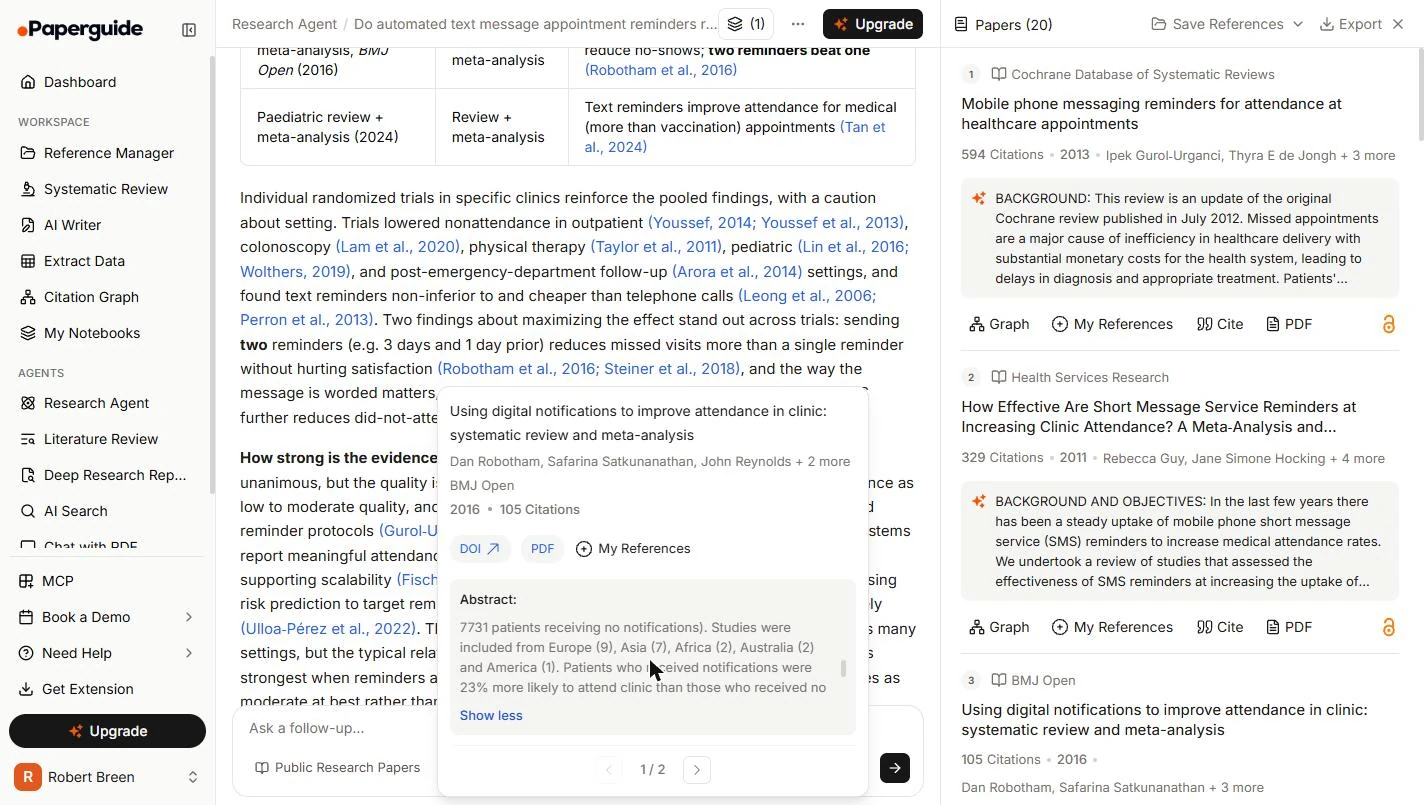
- Find the number. Scroll inside the abstract to the results. Patients with reminders were 23% more likely to attend, and it goes on to say 25% less likely to no-show. That is above the headline's 9-20%, and the answer never mentioned it. Click the sentence.
Twenty three percent more likely to attend. That is above the headline, and the answer never mentioned it.
3. Push back
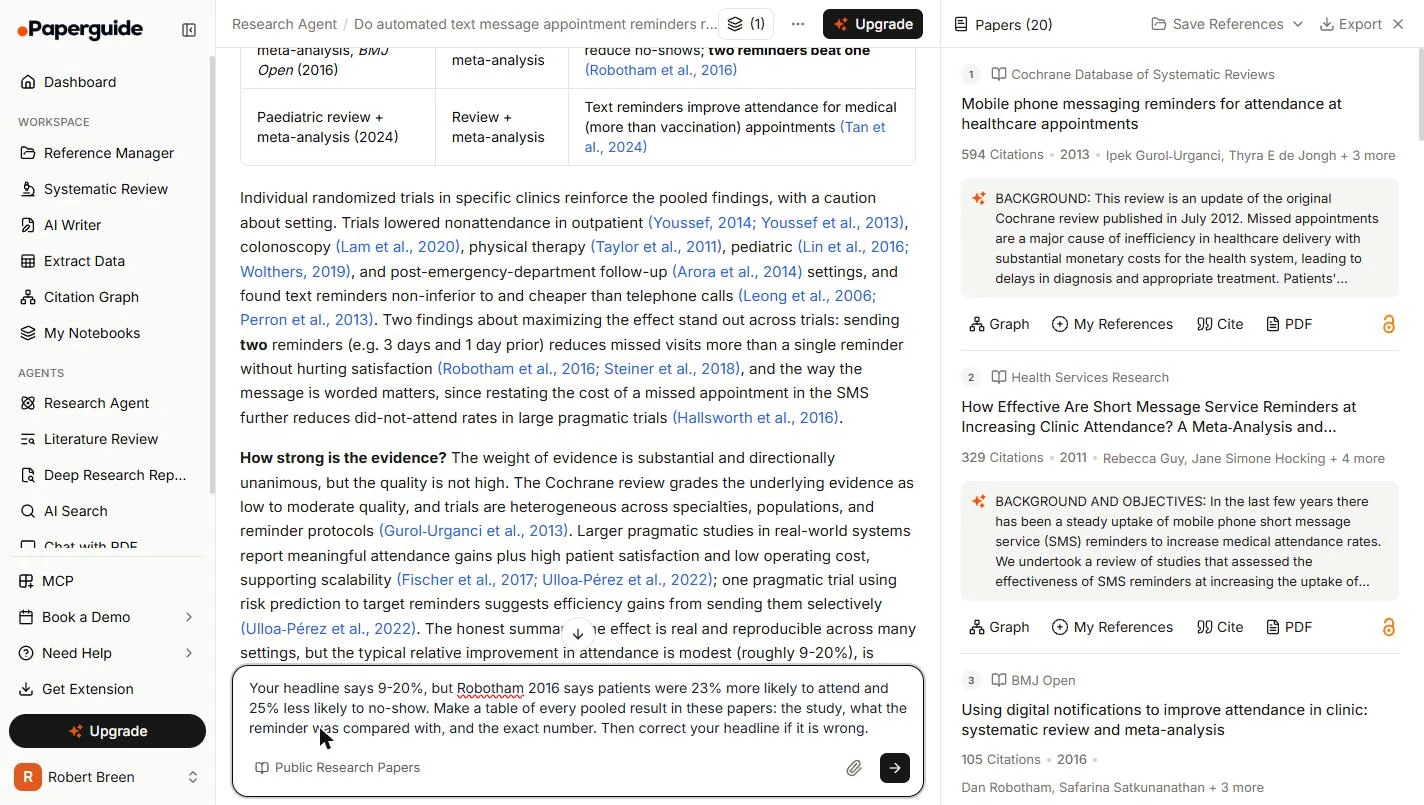
- Tell it what you found. Click outside the card to close it. Quote what you read, and ask for every pooled result, with what each one was compared with. Against what matters as much as the number. In your own run, use the headline your answer gave.
Quote what you read. Ask for every pooled result, and what each one was compared with.
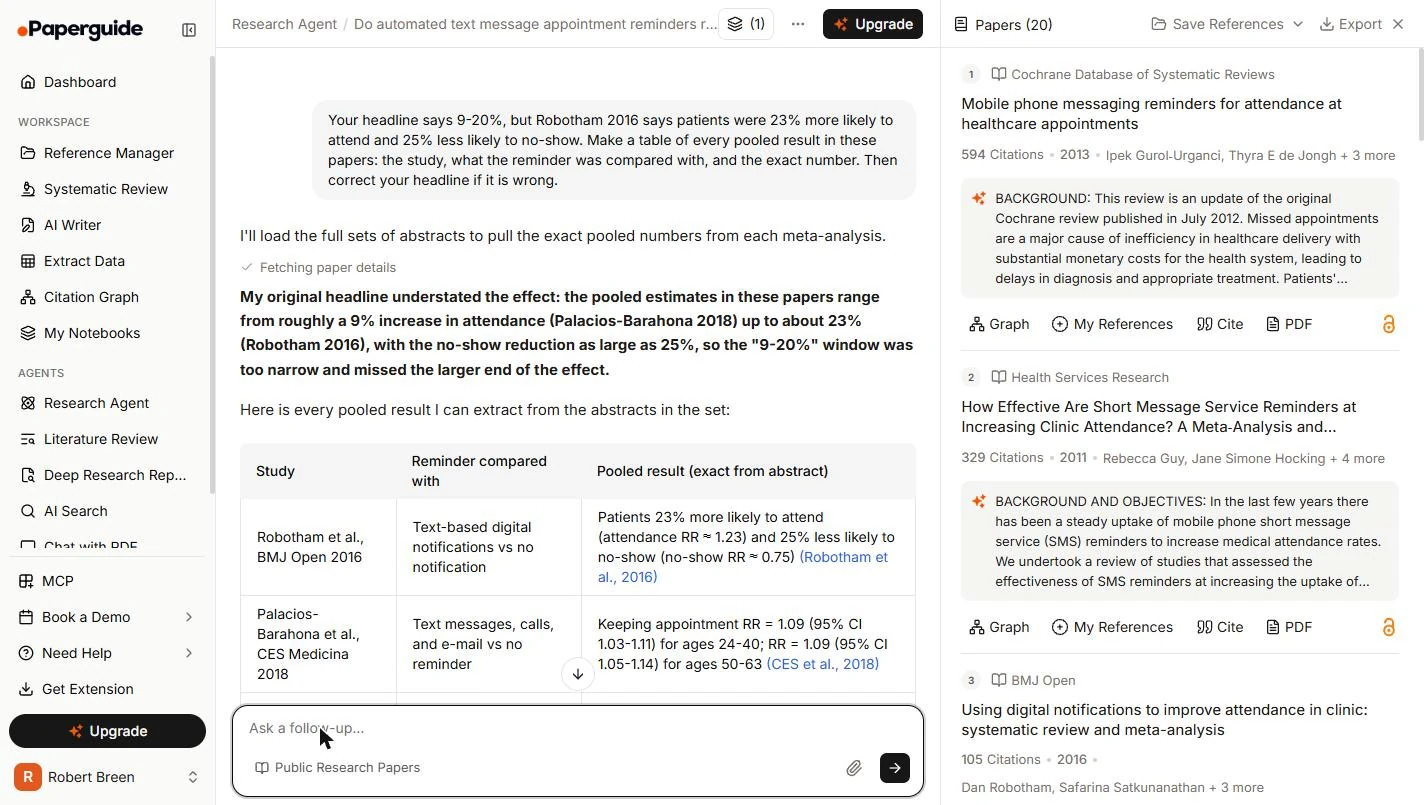
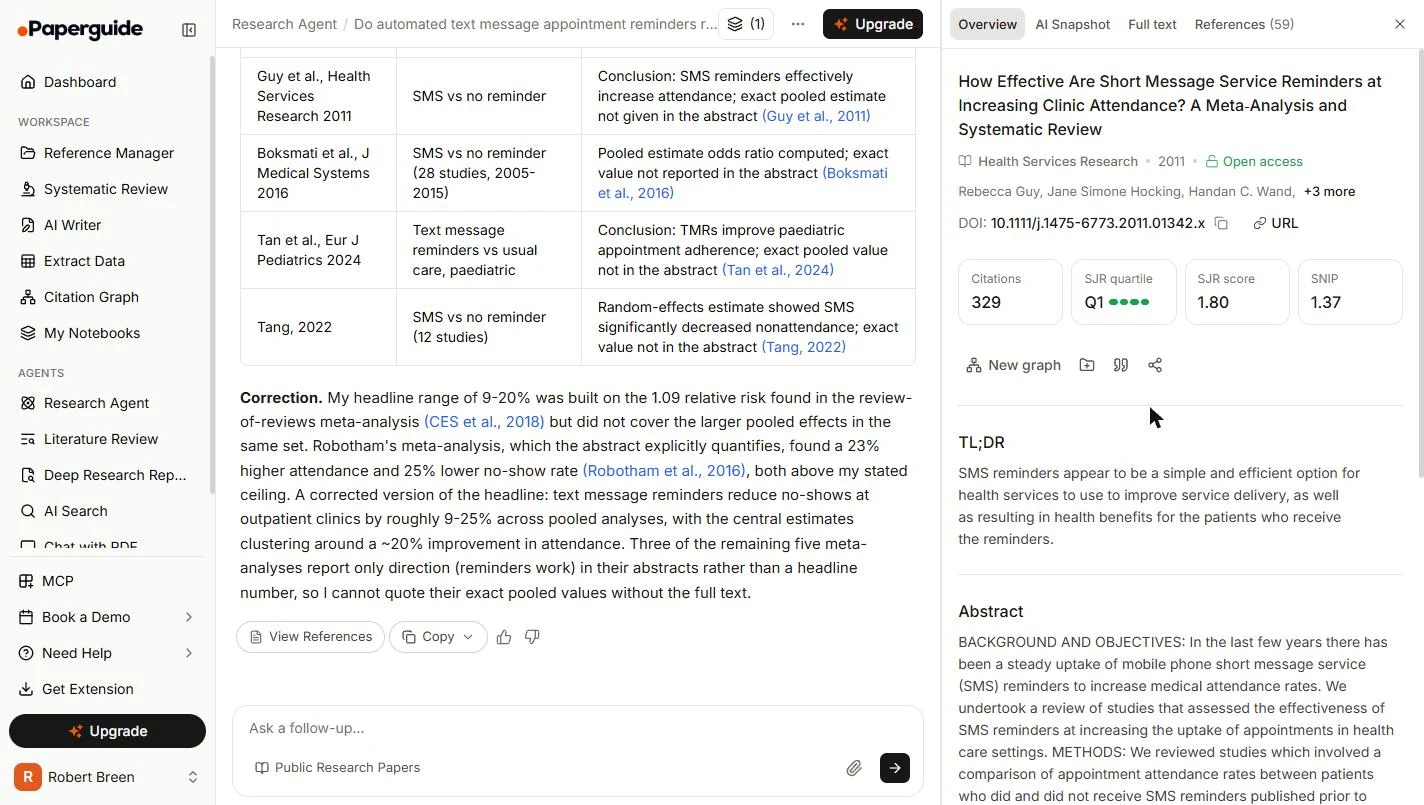
Your headline says 9-20%, but Robotham 2016 says patients were 23% more likely to attend and 25% less likely to no-show. Make a table of every pooled result in these papers: the study, what the reminder was compared with, and the exact number. Then correct your headline if it is wrong.
- Send it. Click the arrow, or press Enter.
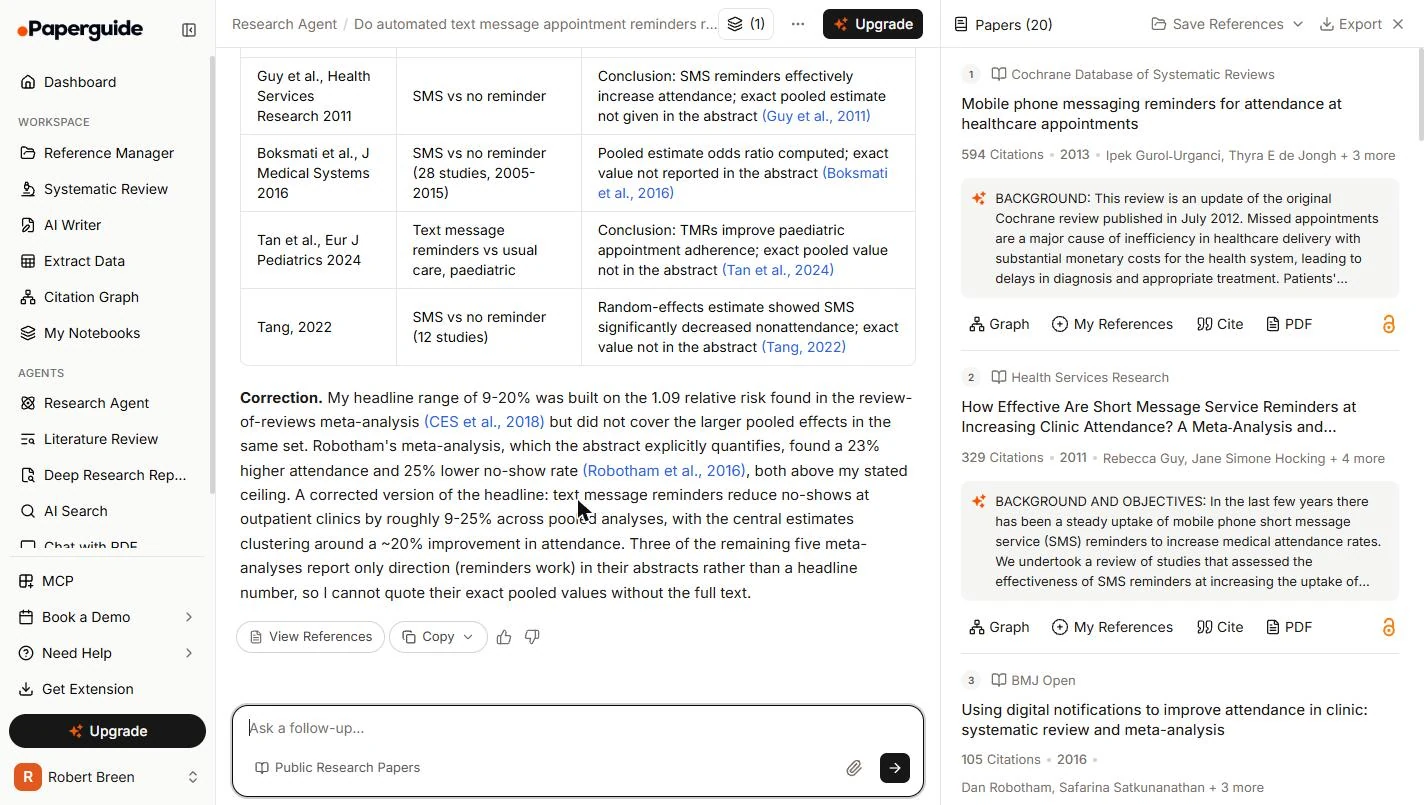
- It admits the miss. It says the headline understated the effect, and its range was too narrow. Good. It widened the range when you showed it the number. Now see what else it tells you. Click the bold line.
It says its headline understated the effect. Good. Now see what else it tells you.
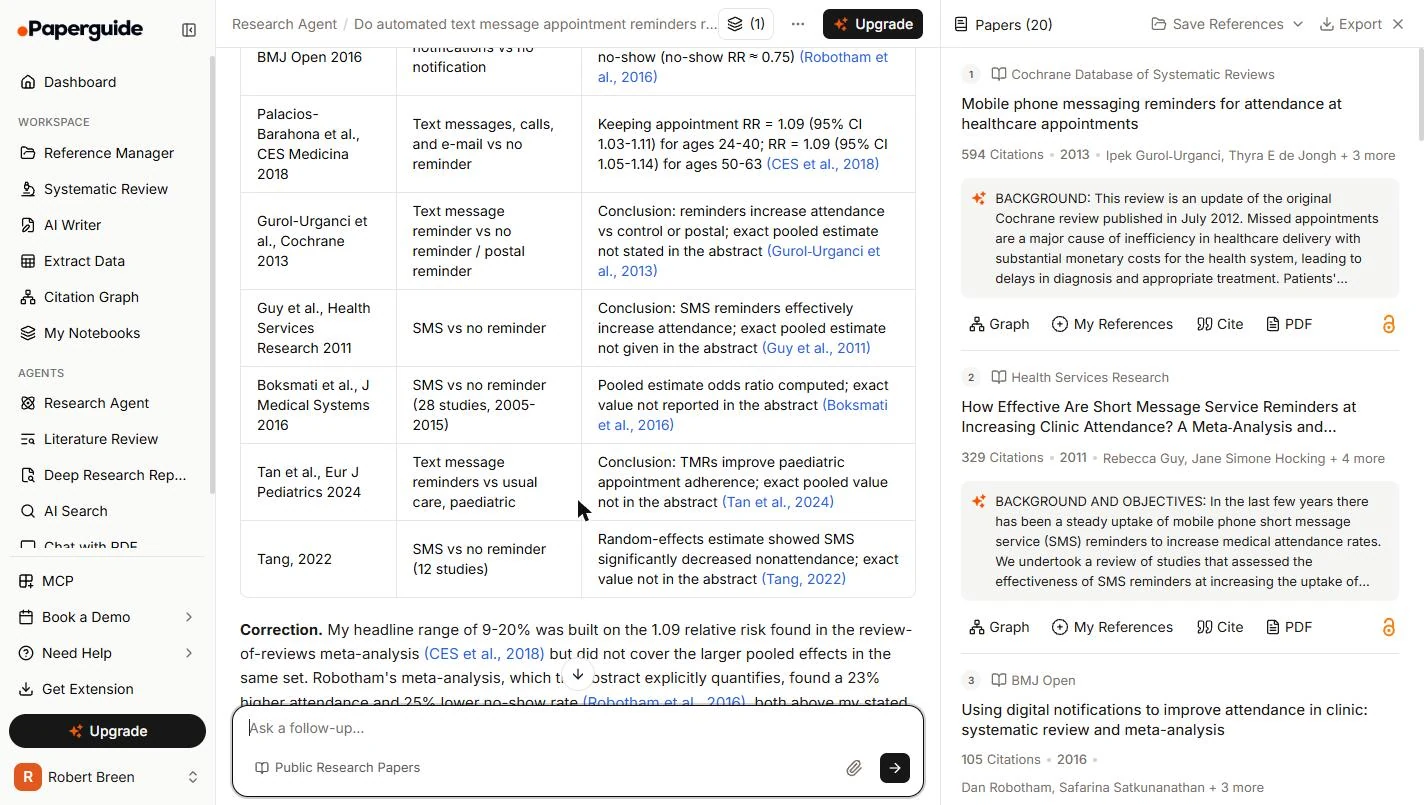
- Note what it says it cannot see. Scroll to the table. For Guy et al., 2011 it says the exact estimate is not given in the abstract. It says much the same for Cochrane, Boksmati and Tang. Hold on to that. You are going to check it. Click the Guy row's result.
For this study it says the number is not in the abstract. It says the same for others. Hold on to that. You are going to check it.
- The same question, a new chat. We opened a new chat and asked the exact same question. This time the headline said reminders roughly halve the odds of a no-show, with a different paper at the top of the list. Same question, same tool, very different claim. Your run will differ again. Click the headline.
We asked the exact same question in a new chat. This time it said reminders roughly halve the odds. Same question, very different claim.
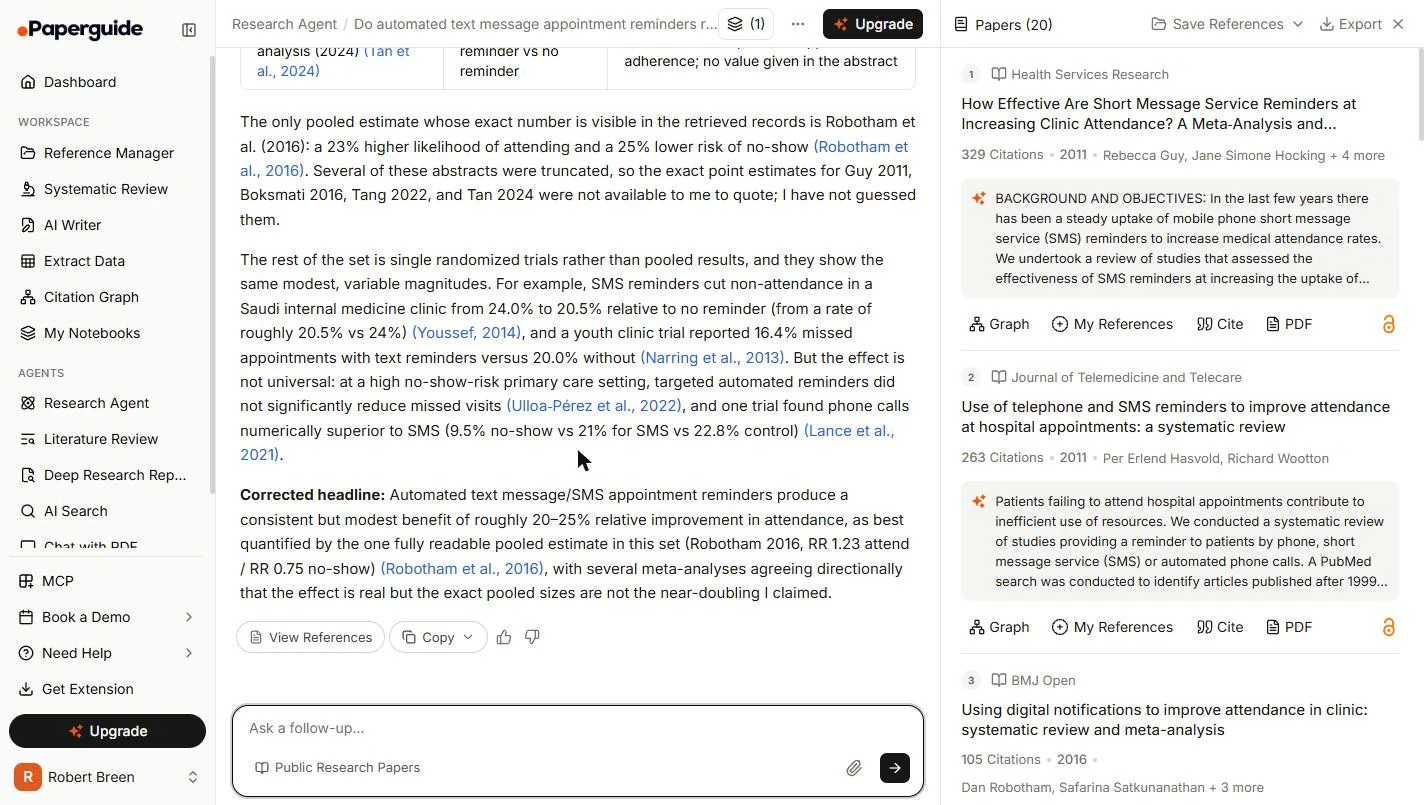
- Pushing back moved it again. We pushed back in that chat too, and it landed on 20-25%, in line with the first chat's corrected range. It also explained why it kept saying numbers were missing: several abstracts were truncated for it. So what the agent can see may be less than what you can see. Click the corrected headline.
Pushing back brought it to twenty to twenty five percent. It also said some abstracts were cut off for it. So you may be able to see more than the agent can.
4. Read the papers yourself
- Open the paper itself. Back in your first chat, go to the Papers list on the right. Click the title of paper 2, How Effective Are Short Message Service Reminders…
Back in your first chat, click the title of paper two in the list on the right.
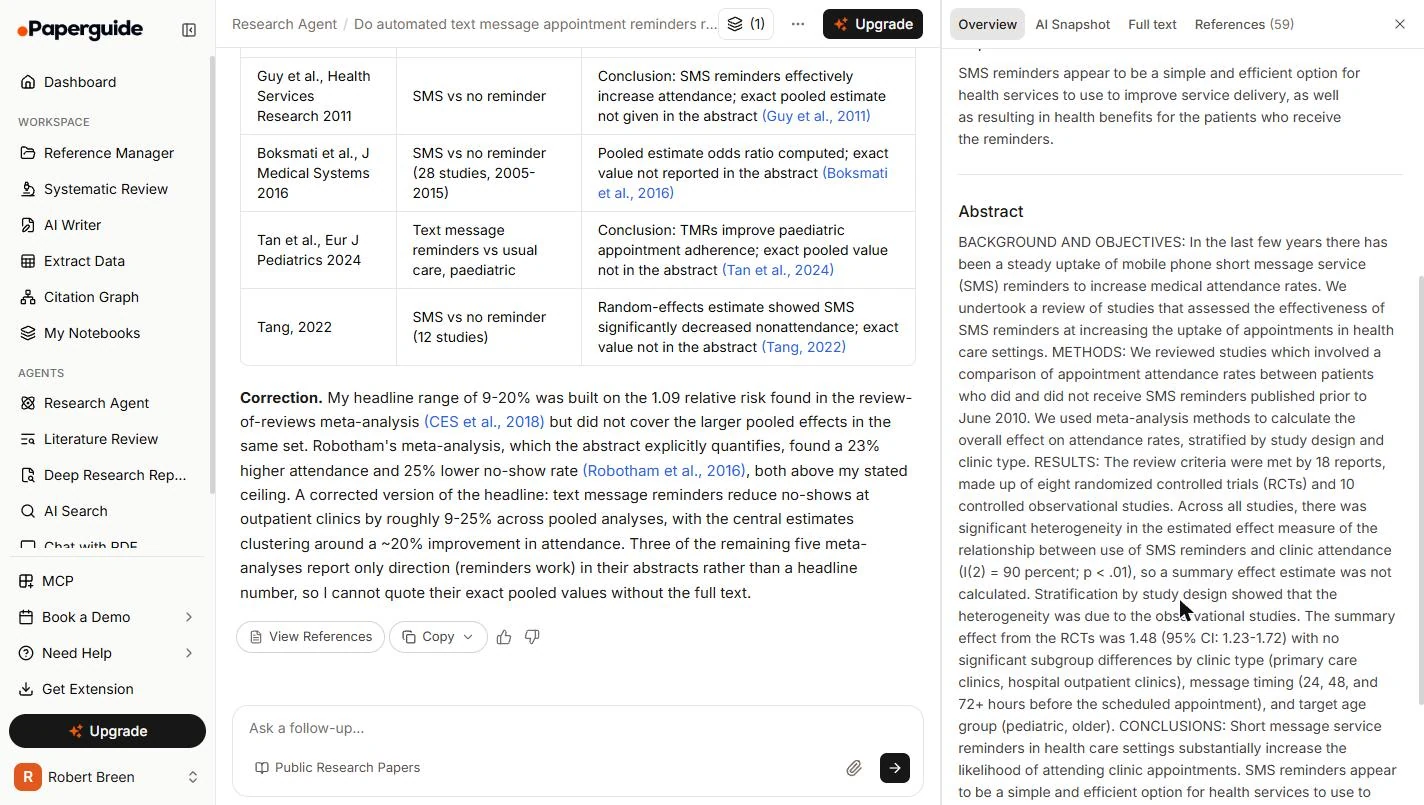
- The paper page. Each paper has its own page: journal, year, citations, DOI, a short summary, and the abstract. Scroll down to the Abstract, and click it.
Each paper has its own page.
- The number was there. Here it is: the summary effect from the randomized trials was 1.48. The agent said this abstract gave no figure, and it does. This line does not say what kind of ratio 1.48 is, so open the full paper before you lay it next to a percent. Click the line.
Here it is. One point four eight. The agent said this number was not in the abstract, and it is.
- Close the paper. Click the X at the top right.
- Open the Cochrane review. Now paper 1, the Cochrane review, a well-known source for this kind of question. Click its title.
Now paper one, the Cochrane review.
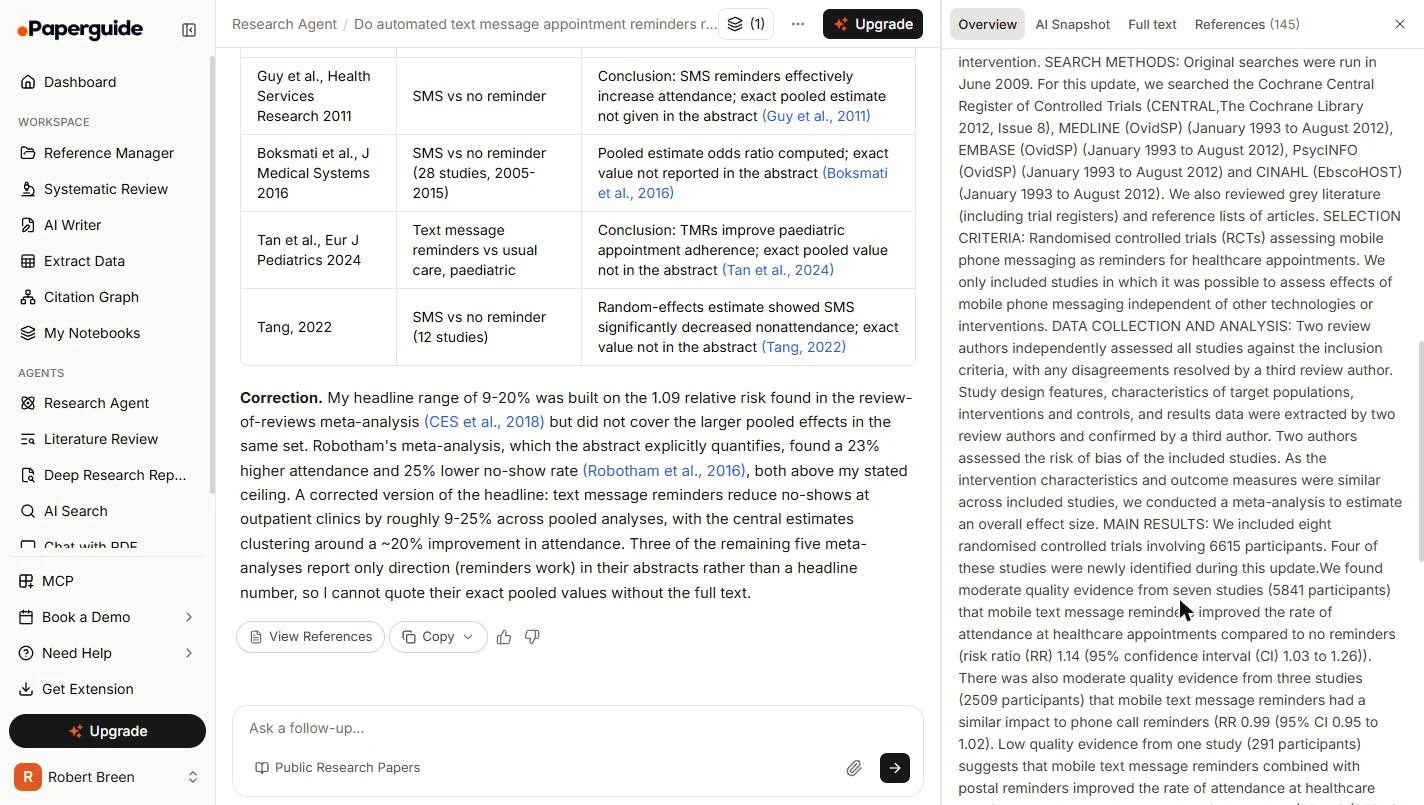
- Read the result against no reminder. Scroll to MAIN RESULTS. Against no reminder, texts improved attendance: RR 1.14, meaning 14% more likely to attend, on moderate quality evidence. RR is short for risk ratio. Click the line.
Against no reminder, texts made patients fourteen percent more likely to attend.
- Read the line that changes your decision. Next line: against phone calls, RR 0.99, about the same. Your front desk already phones. So switching may bring no change in attendance, with any saving in staff time. That is a different pitch from a 40% cut. Click the line.
Against phone calls, about the same. And your desk already phones. So this may not change attendance at all. The saving is staff time.
- Close the paper. Click the X at the top right.
5. Write the brief
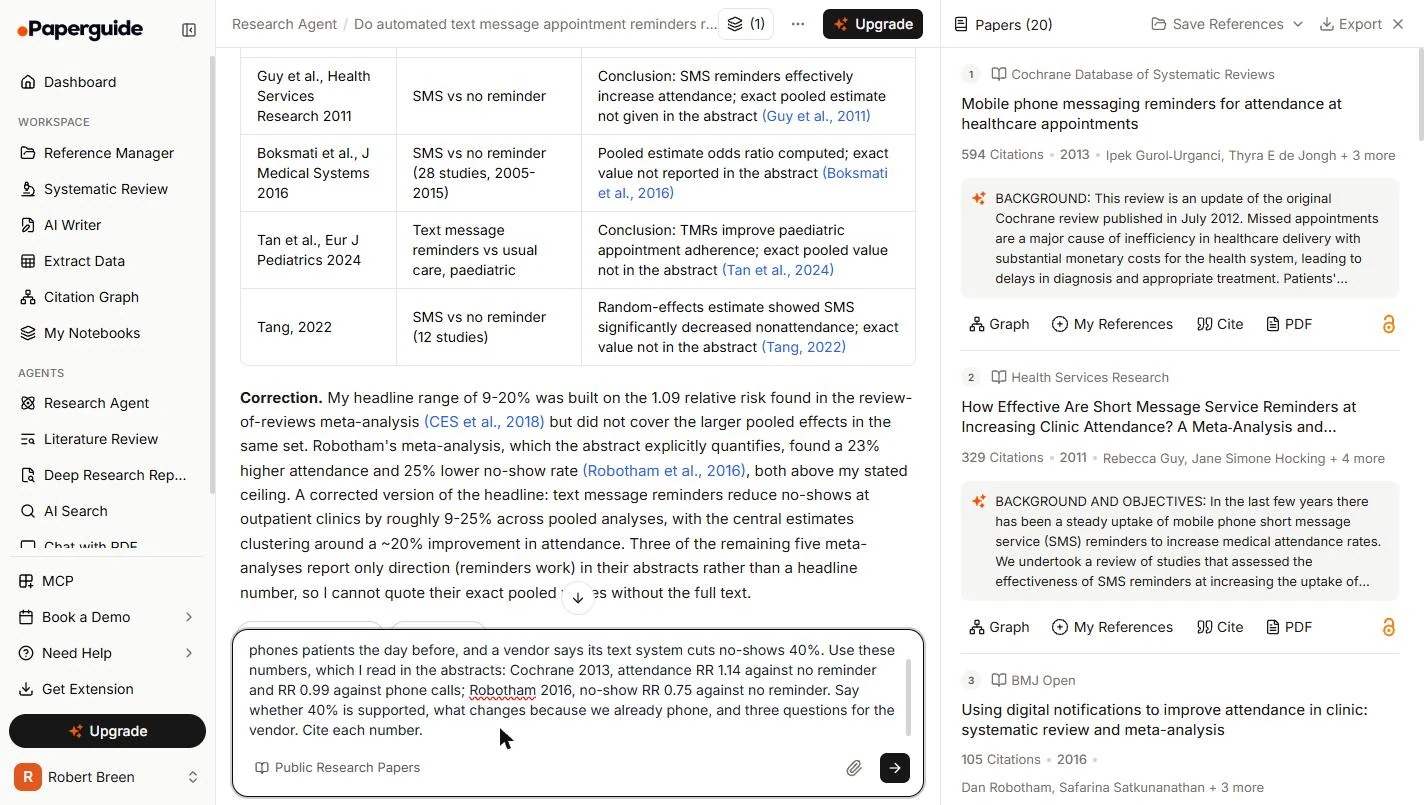
- Ask for the brief, with your numbers. Give it the facts about your clinics, and the numbers you read yourself. Then ask the three things the owner needs: is 40% supported, what changes because you already phone, and what to ask the vendor.
Give it the facts about your clinics, and the numbers you read. Ask the three things the owner needs.
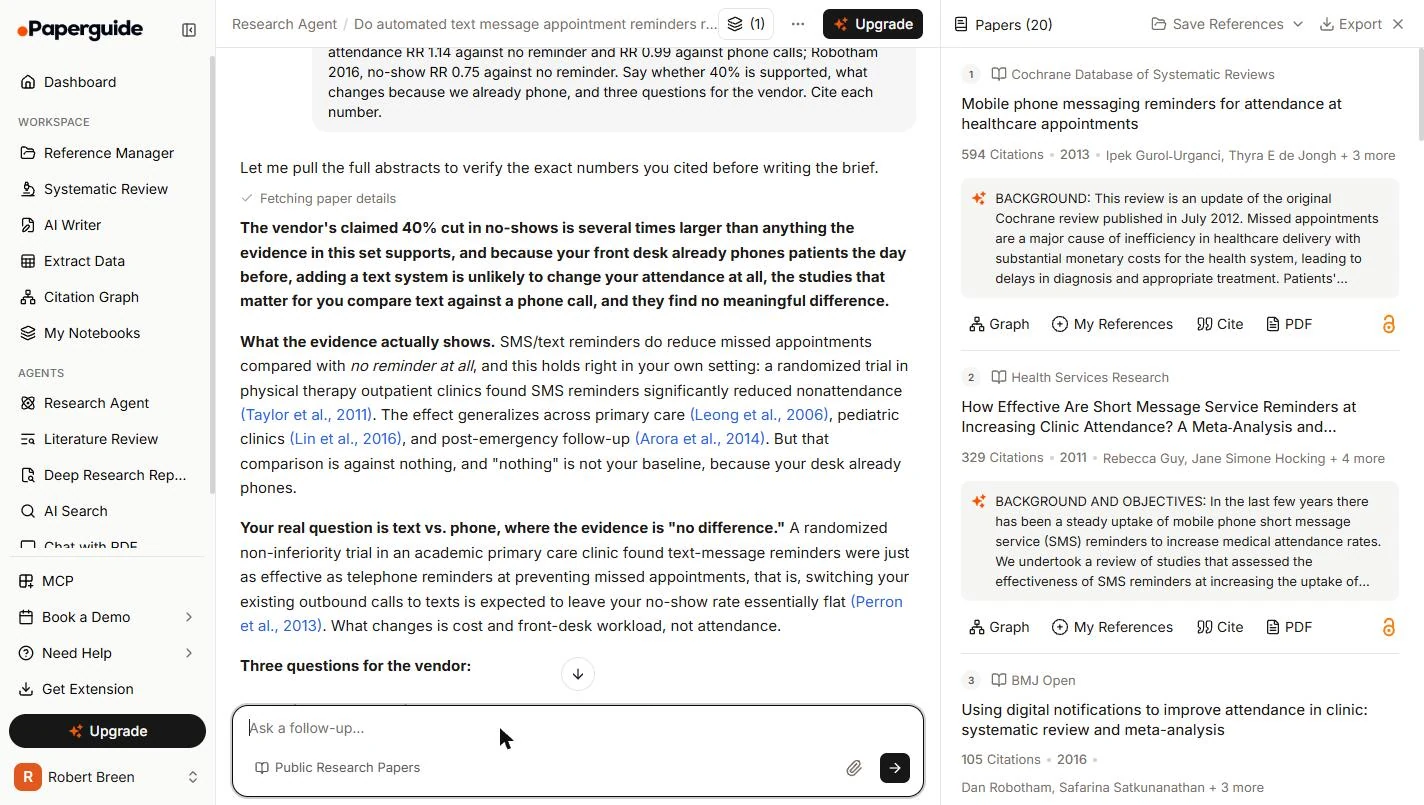
Write a half-page brief for the owner of our three physical therapy clinics. Our front desk already phones patients the day before, and a vendor says its text system cuts no-shows 40%. Use these numbers, which I read in the abstracts: Cochrane 2013, attendance RR 1.14 against no reminder and RR 0.99 against phone calls; Robotham 2016, no-show RR 0.75 against no reminder. Say whether 40% is supported, what changes because we already phone, and three questions for the vendor. Cite each number.
- Send it. Click the arrow, or press Enter. That is the third question in this chat.
- Read the opening like an editor. It got the main point: because you already phone, adding texts is unlikely to change attendance. But it calls 40% several times larger than the evidence. The no-show figure you gave it was 25%, so 40% is about 1.6 times that. Fix that line before it goes to anyone. Click the opening.
It got the main point. But it says forty percent is several times larger than the evidence. Against twenty five percent, it is not. Fix that line.
- The part worth the afternoon. This paragraph is what the owner needs. The Perron trial it cites compared text and phone directly, and that abstract says 11.7% missed with text and 10.2% with phone, a difference that was not statistically significant, and only text was cost-effective. Click the paragraph.
This is what the owner needs. In the trial it cites, text and phone were close, and only text was cost effective.
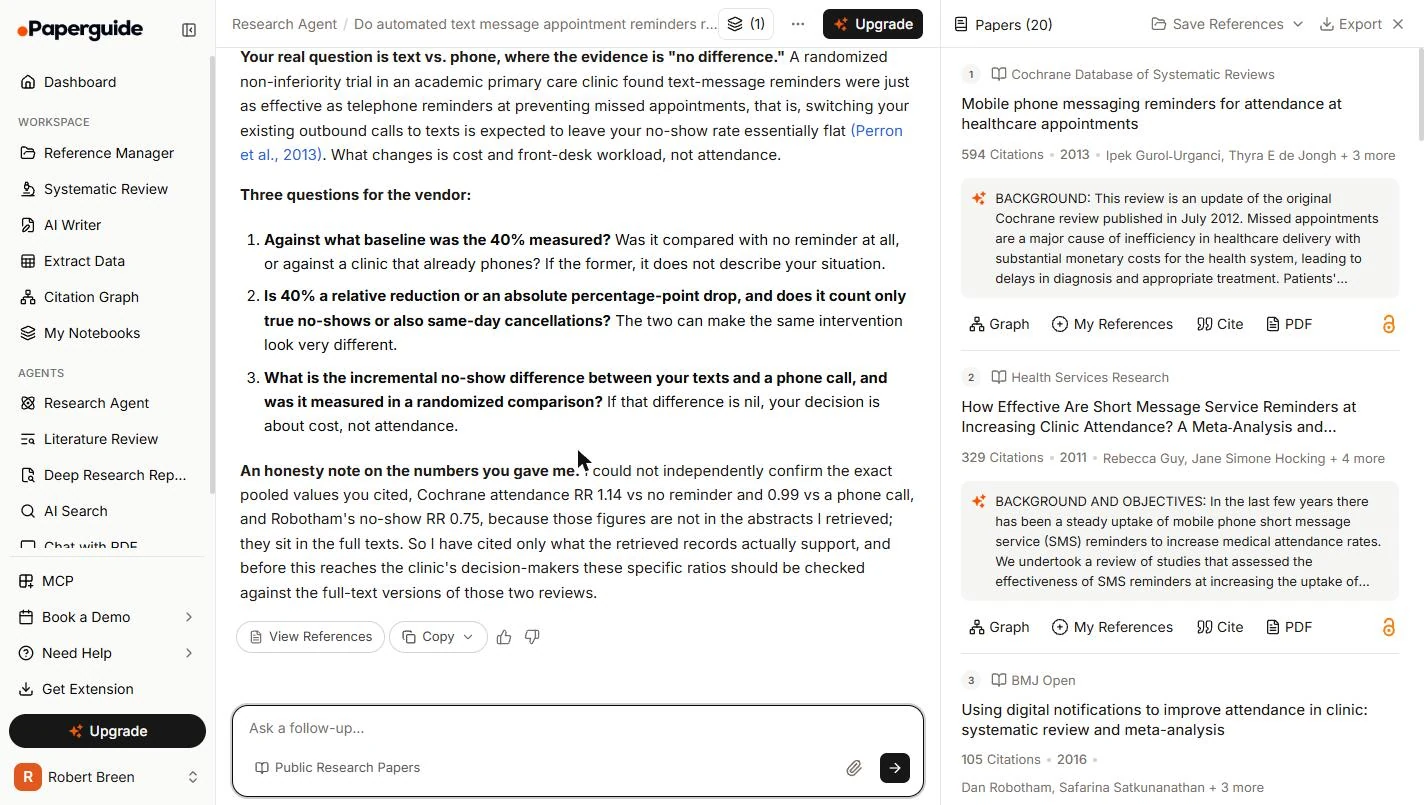
- Decide what to do with its warning. Scroll to the end. Its three vendor questions are useful. Then it says it could not confirm your numbers because they are not in the abstracts it retrieved. You read them on the paper's own page, so you can stand behind them, and you should cite them yourself. It was right not to vouch for what it could not see. Click the note.
Its vendor questions are useful. It says it could not confirm your numbers. You read them yourself, so you can stand behind them. It was right not to vouch for what it could not see.
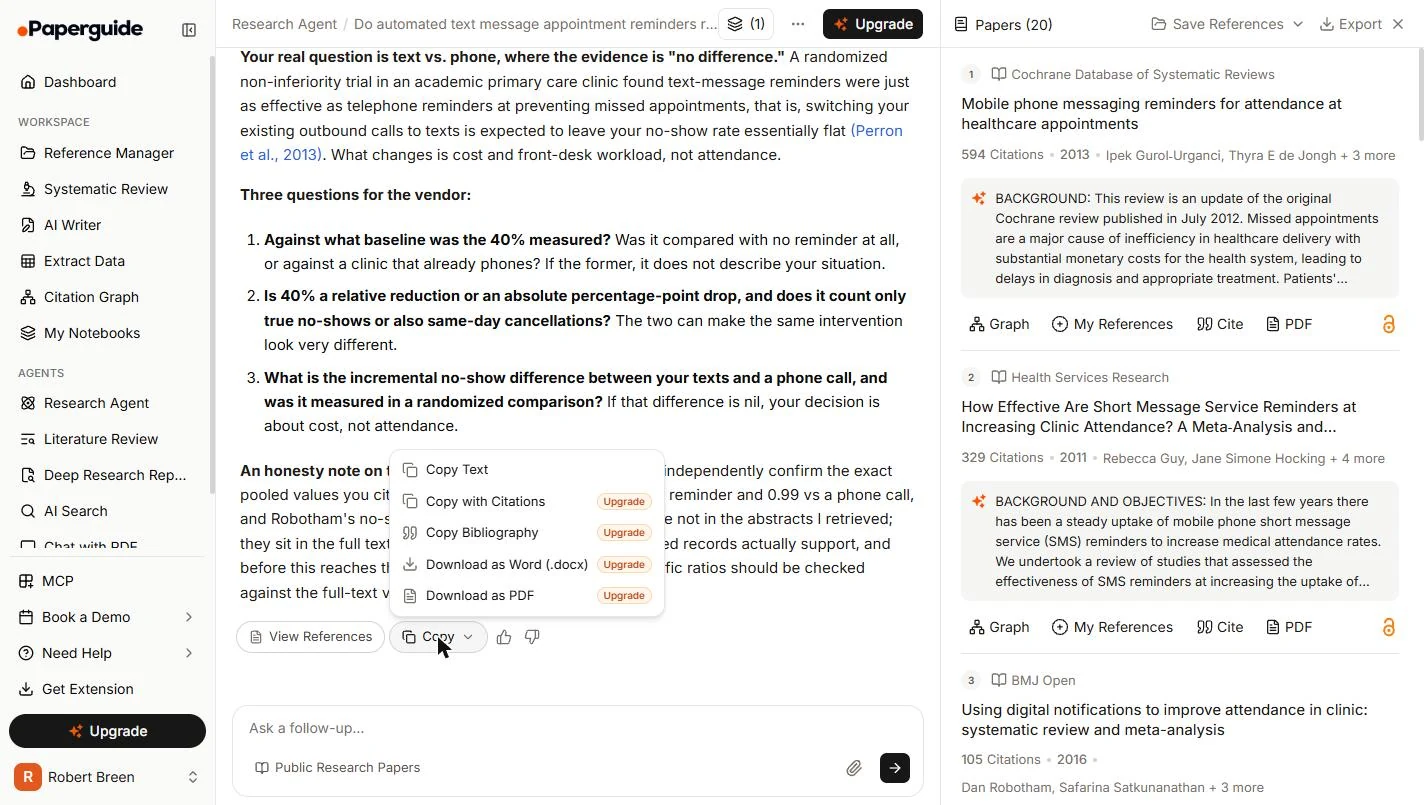
- Open Copy. Under the answer, click Copy.
- Copy the text. On the Free plan, Copy Text works. Copy with Citations, Bibliography, Word and PDF need an upgrade, so add your own references in your document. Click Copy Text.
On the free plan, Copy Text works. The others need an upgrade.
6. Keep your sources
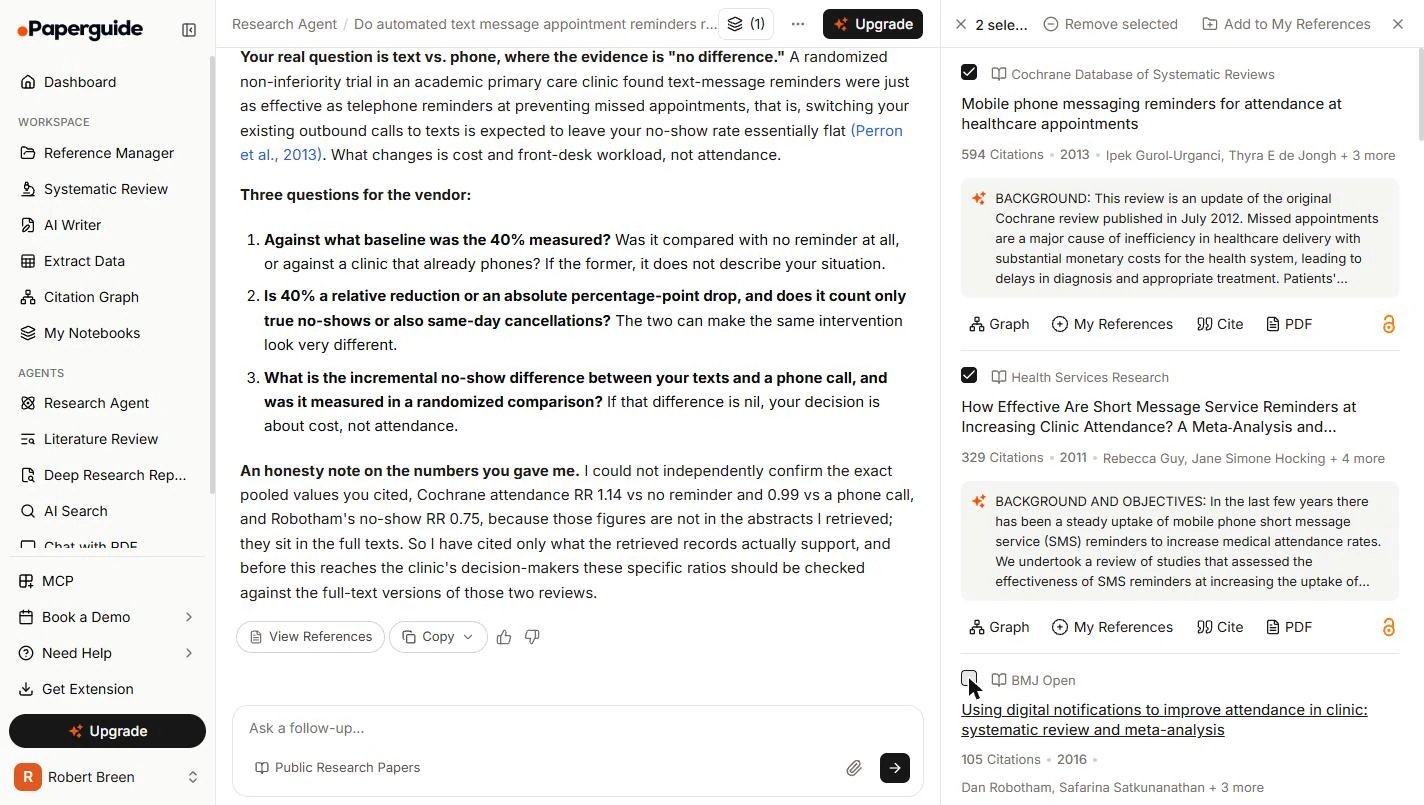
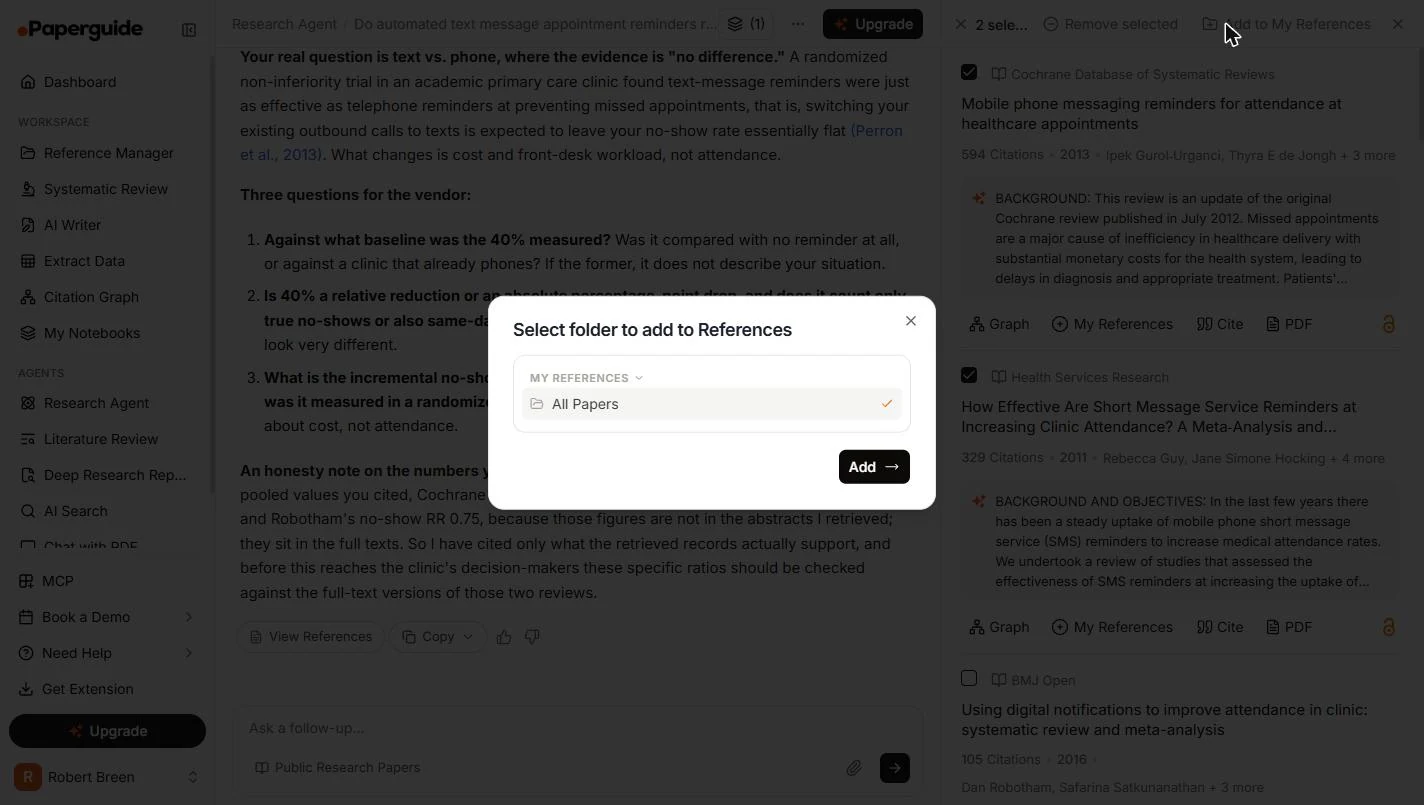
- Save the papers you used. Hover over a paper's number in the list on the right, and tick the box that appears. We ticked the two you opened. Check the count at the top: a third tick of ours did not register. Then click Add to My References.
Tick the papers you used, and check the count.
- Pick a folder. Our account had one folder, All Papers. Click Add.
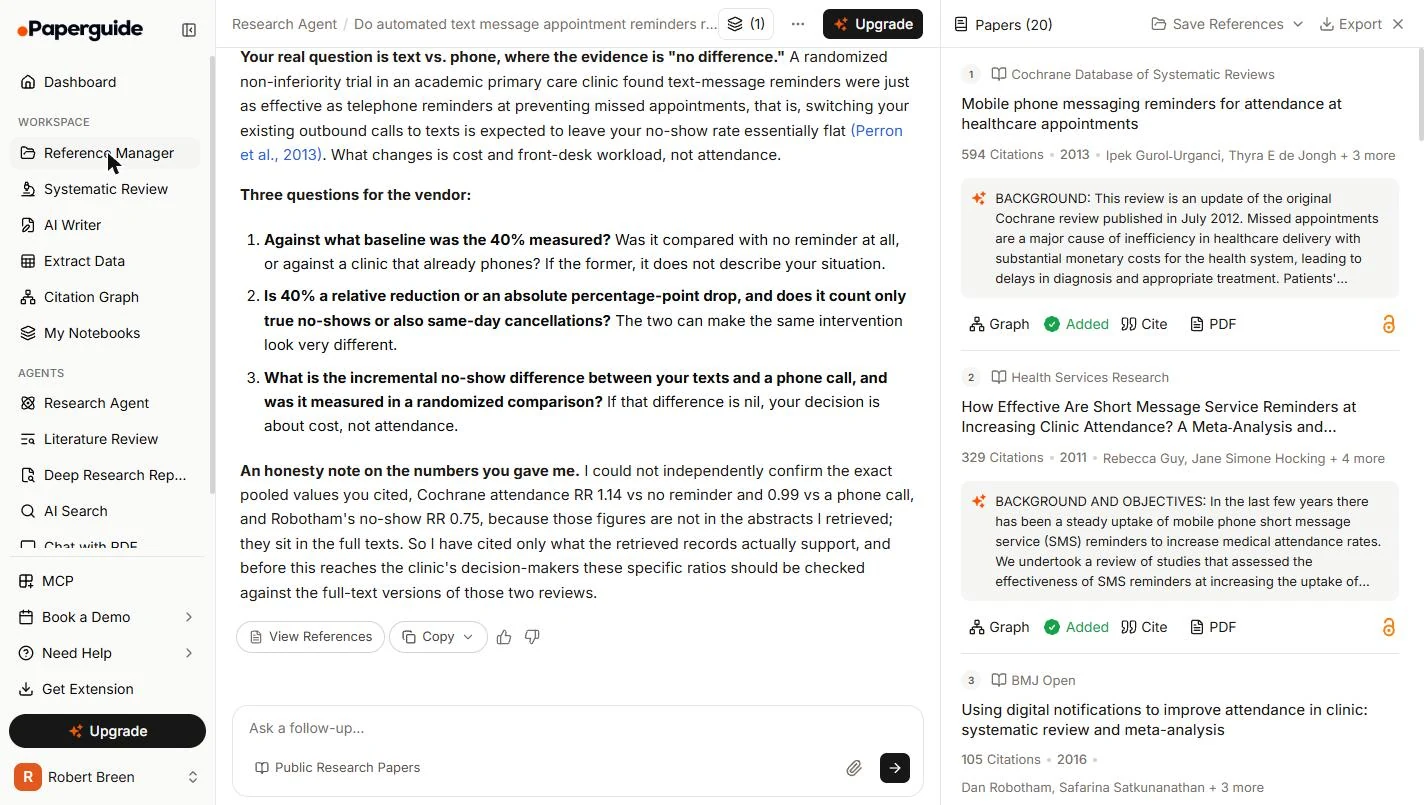
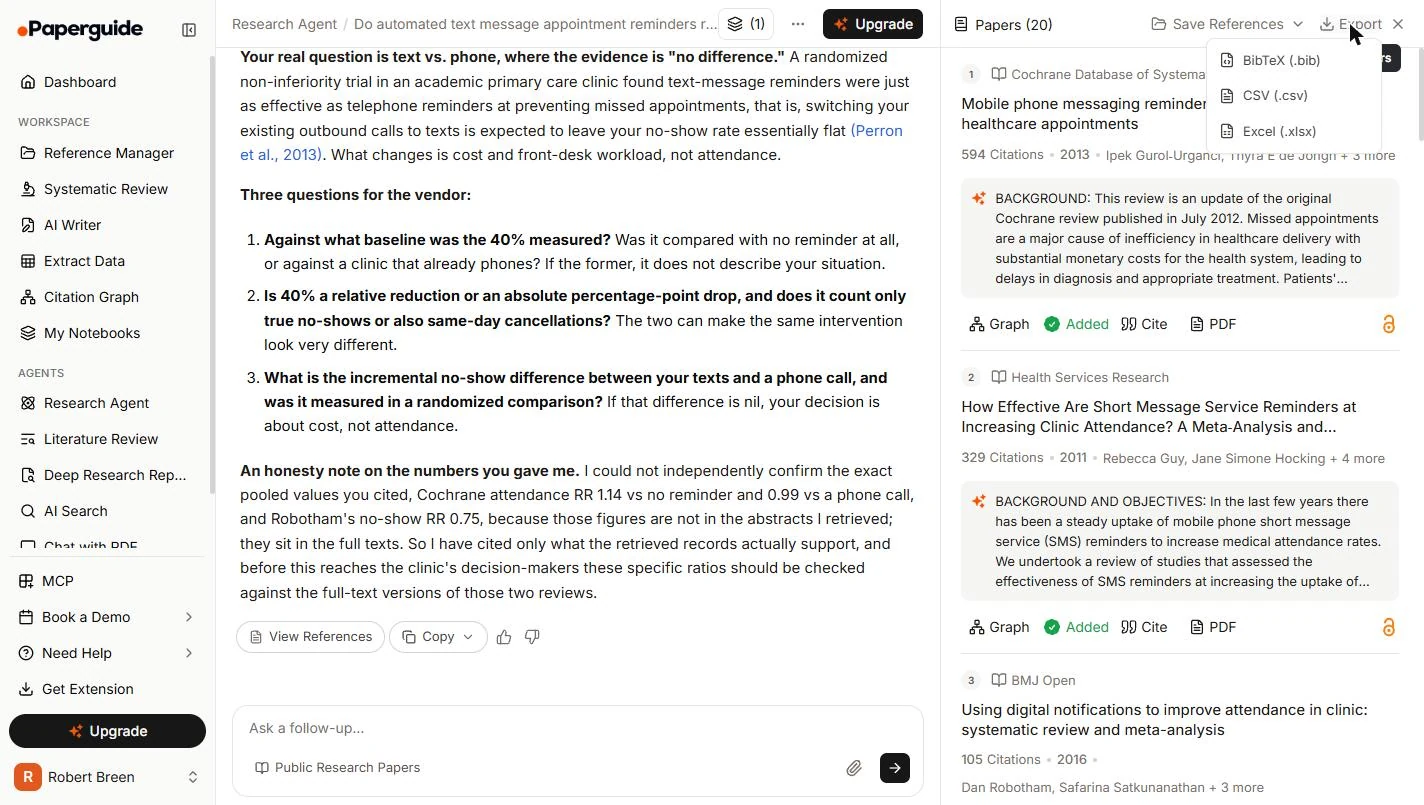
- Look at Export. Each saved paper now shows Added. At the top of the list, click Export to see the formats.
Each saved paper now shows Added.
- Find the file for your notes. You can export the list as BibTeX, CSV or Excel. A CSV is handy for your notes. We opened this menu but did not download from it, so check the file before you rely on it. Click CSV.
You can export the list as a spreadsheet. We did not download from this menu, so check the file before you rely on it.
- Open your library. In the left menu, click Reference Manager. If the page does not change right away, give it a few seconds.
In the left menu, click Reference Manager.
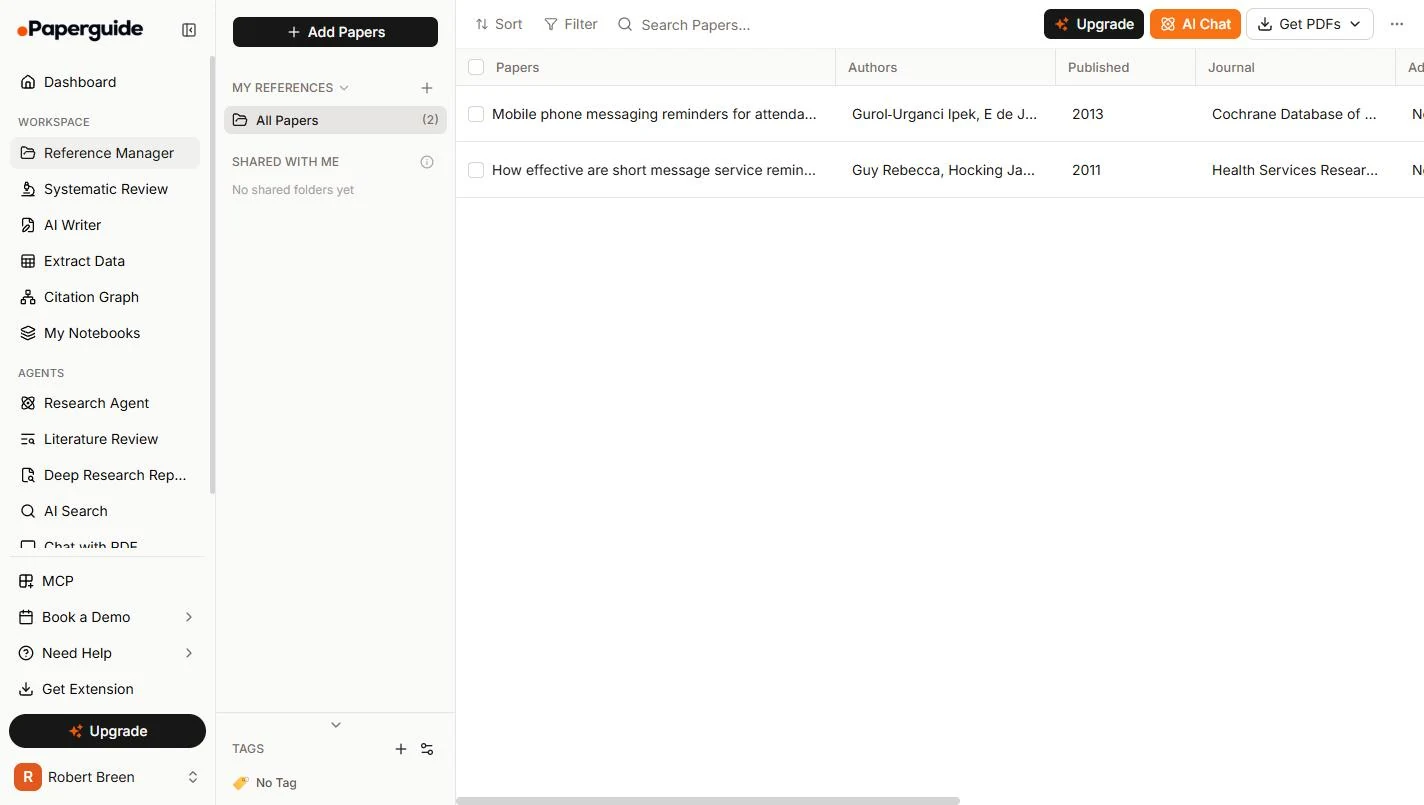
- Your sources, in one place. Both papers are in All Papers, ready for the next vendor question. Now you can tell the owner what the research says, what it does not, and what to ask. Click All Papers.
Both papers are saved, ready for the next vendor question. Now you can tell the owner what the research says.
Screenshots
Terms in this lesson
Plain-English definitions, each with an example from a free lesson.