What is Zoho CRM?
Quick answer
Zoho CRM is a cloud CRM from Zoho for tracking leads, contacts, accounts and deals through a sales pipeline. A new enquiry starts as a lead, and when it is worth pursuing you convert it into a contact, an account (the company) and, if you choose, a deal. It also has workflow automation and an AI assistant called Zia.
Last updated
Take the free module →Module 48 of the free AI Apps Worth Knowing course, about 12 minutes. No account needed.
Updated · By Robert Breen
Why it matters for a small business
A CRM only helps if it separates "people who might buy" from "people we are actively selling to". Zoho CRM does this with two stages. Leads are unqualified enquiries you can sort, call and mark with a Lead Status. Once a lead is real, the Convert button turns it into a contact and an account, and can open a deal in your pipeline in the same step, so the history moves with it.
Zoho's pricing page describes a free edition that is "forever free" for up to 3 users, with contact management, follow-up reminders, workflow automation, task, meeting and call tracking, standard reports and mobile apps. Zoho says no credit card is needed, and the paid editions have free trials. That makes it a realistic first CRM for a small team.
In a real lesson: Zoho CRM: Add a Lead, Qualify It and Convert It to a Deal
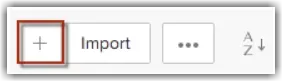
In the Zoho CRM lesson you take one enquiry from first contact to a deal. You open the Leads module, click +, fill in the Create Lead page and click Save. You are the lead owner by default.
After qualifying the lead, you open its details page and click Convert. On the Lead Conversion page you tick Create a new Deal for this Account/Contact, fill in the deal fields such as Deal Name, Closing Date and Deal Stage, and click Convert. Zoho creates the contact, creates the account from the company name, and puts the deal on your pipeline.
Try this lesson free or read the step-by-step guide.
Common confusions
Lead vs contact in Zoho CRM
A lead is an enquiry you have not qualified yet. A contact is a person you are doing business with, usually linked to an account. Converting moves a lead into contacts, and Zoho says a converted lead cannot be reverted.
Lead Status vs Deal Stage
Lead Status tracks a lead before conversion. It does not carry over: during conversion you pick a Deal Stage for the new deal instead.
Tips
- Fill in the company name on the lead. Zoho only creates an account on conversion if the lead has one.
- Agree as a team what "qualified" means before anyone clicks Convert.
- For leads that go nowhere, add a "Closed" value to Lead Status instead of converting them, as Zoho's help suggests.
- Set a realistic Closing Date on every deal so the pipeline view tells the truth.
Related terms
More Business terms
Where you use it: free lessons
- Zoho CRM: Add a Lead, Qualify It and Convert It to a Deal (Zoho CRM, 12 min)
- Never Lose a Client Follow-up using Capsule CRM (Capsule CRM, 18 min)
AI tools that use it
Frequently asked questions
- Is Zoho CRM free?
- Zoho CRM has a free edition that Zoho calls forever free for up to 3 users, with no credit card needed. Paid editions have free trials. See zoho.com/crm/zohocrm-pricing.html for details.
- What happens when you convert a lead in Zoho CRM?
- Zoho creates a contact from the lead, an account if the lead has a company name, and a deal if you tick the deal option. A converted lead cannot be turned back into a lead.
- Does Zoho CRM have AI?
- Yes. Zoho names Zia, its built-in AI assistant, plus AI agents from the Zia Agent Store and Zia Agent Studio.