What is the Text Classifier node in n8n?
Quick answer
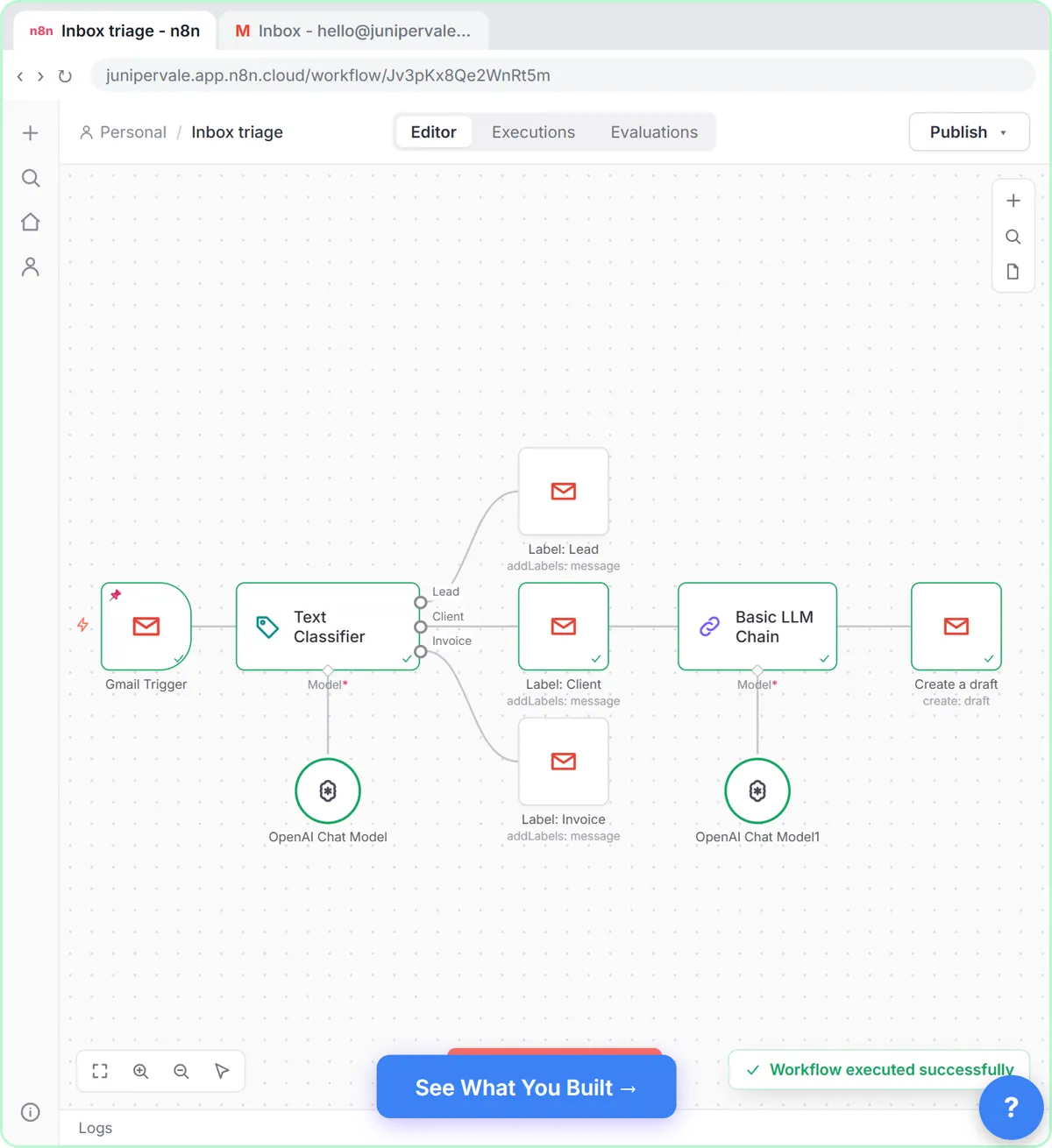
The Text Classifier is an n8n AI node that reads each item's text and puts it in one of the categories you define, such as Lead, Client or Invoice. Every category becomes its own output on the node, so each item goes straight down the right branch, with no extra If or Switch step needed.
Last updated
Take the free module →Module 10 of the free AI for Customer Support course, about 18 minutes. No account needed.
Updated · By Robert Breen
Why it matters for a small business
Sorting is one of the most useful AI jobs in an office: which emails are leads, which are complaints, which are bills. A keyword rule misses the many ways people phrase things. The Text Classifier applies text classification inside a workflow and routes the item at the same time.
Each category has a name and an optional description, and the description does most of the work when two categories are close. Options let an item belong to more than one category, and decide what happens when nothing fits: drop the item, or send it to an extra Other branch. Like other AI nodes, it needs a chat model attached.
In a real lesson: Gmail AI Triage: Auto-Label Every Email and Draft Replies
In Gmail AI Triage, Sam at Juniper & Vale Marketing gets a lead, a client question, a hosting bill and a newsletter. After the Gmail Trigger you add Text Classifier and set Text to Classify, as an expression, to the sender, subject and snippet. You add three categories: Lead, described as someone new asking about services, prices or availability; Client, an existing client writing about their own project; and Invoice.
You attach an OpenAI Chat Model, then drag the Lead, Client and Invoice outputs to three Gmail Add label steps. The test run labels Priya Nair's email Client, and in the lesson the newsletter, which fits no category, is left unlabeled.
Try this lesson free or read the step-by-step guide.
Common confusions
Text Classifier vs Switch node
A Switch node routes on exact rules you write, like "subject contains invoice". The Text Classifier routes on meaning, judged by an AI model.
Text Classifier vs Information Extractor
The classifier picks a category and routes. The Information Extractor returns fields, like a score, that a later If node can act on, as in the speed-to-lead lesson.
Tips
- Write a one-line description for any two categories that could be confused.
- Decide what should happen to items that fit nothing before you go live.
- Feed it only the text it needs, like sender, subject and snippet, not the whole email.
Related terms
More n8n and automation terms
Where you use it: free lessons
- Gmail AI Triage: Auto-Label Every Email and Draft Replies (n8n, 18 min)
- Speed-to-Lead Agent: Answer Every Web Lead in 60 Seconds (n8n, 15 min)
- AI Workflow Automation for Beginners: Sort Every Client Inquiry and Draft the Reply using n8n (n8n, 12 min)
Watch it in a free lesson: Gmail AI Triage: Auto-Label Every Email and Draft Replies
 2:31
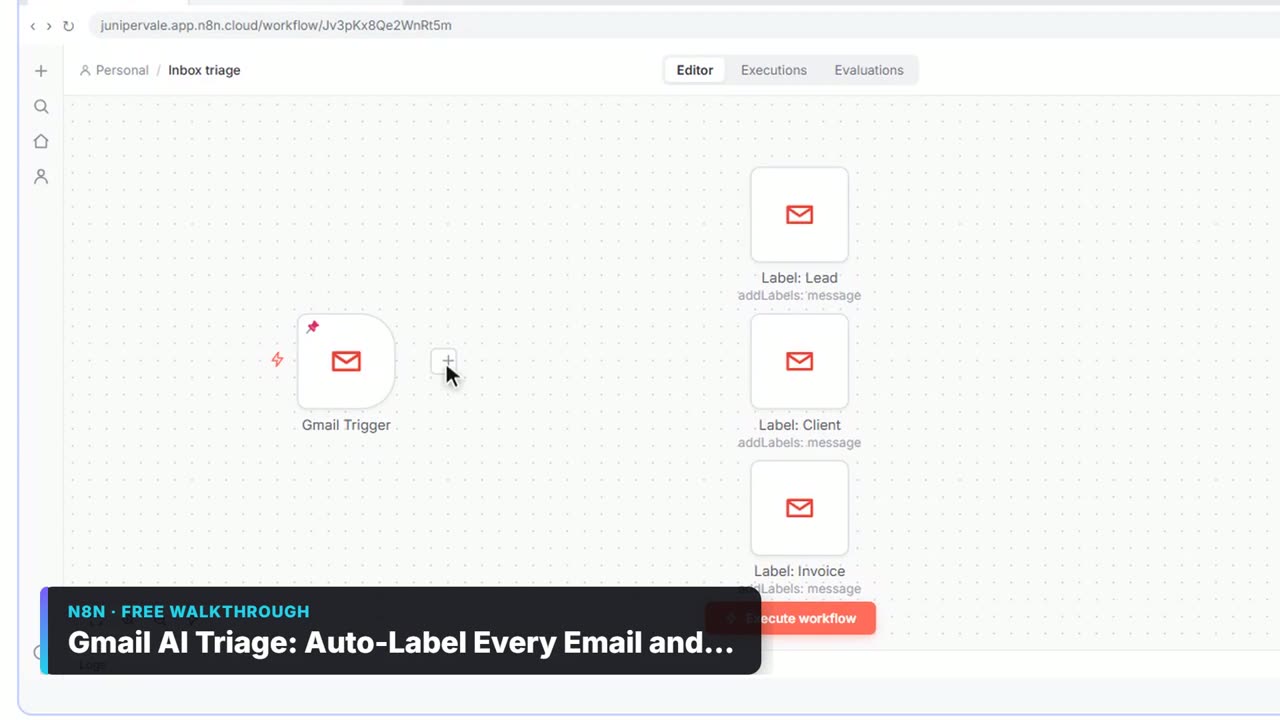
2:31Gmail AI Triage: Auto-Label Every Email and Draft Replies: video walkthrough
Build an n8n workflow that reads each new email, sorts it as a lead, a client or an invoice with a Text Classifier, adds the matching Gmail label, and drafts a reply to clients for you to check. The whole lesson narrated step by step, recorded in Stepthrough’s simulated practice environment.
Frequently asked questions
- Can one email get two categories?
- Yes, if you turn on the option that allows multiple classes to be true. It is off by default, so each item gets one category.
- What happens to items that fit no category?
- It depends on the When No Clear Match option: the item is either dropped or sent to an extra Other branch you can handle.
- How many categories should I use?
- As few as your workflow needs. Three or four clear ones with good descriptions sort more reliably than ten overlapping ones.