The best AI tools to extract data from invoices and PDFs in 2026
Quick answer
For a small office, the best AI document extraction tool is one a non-developer can set up and that sends clean rows where you need them. As of October 2026, Docparser reads invoices, purchase orders and statements with zonal OCR and exports to Excel, CSV or JSON; Parseur pulls fields from emails and attachments without templates and sends them to Google Sheets or a webhook; Nanonets adds agents with human approval steps for accounts payable; n8n lets you build your own extractor with an AI step and a person approving; and Google Cloud Document AI and Azure AI Document Intelligence are developer services with prebuilt models for larger volumes.
Last updated
Take the free module →Module 35 of the free AI Apps Worth Knowing course, about 10 minutes. No account needed.
This list is for AP clerks, bookkeepers, operations and admin teams who still type numbers out of PDFs. Features come from each vendor's own pages as of October 2026, with no prices or accuracy figures, because both change and depend on your documents. Tools with a free Stepthrough lesson come first; that is not a ranking. Disclosure: Stepthrough has an affiliate relationship with n8n. There are no affiliate links on this page. Practise for free in Docparser: Pull Invoice Data from PDFs into a Spreadsheet.
How do they compare at a glance?
| Tool | Best for | What the vendor says it does | Practice it free |
|---|---|---|---|
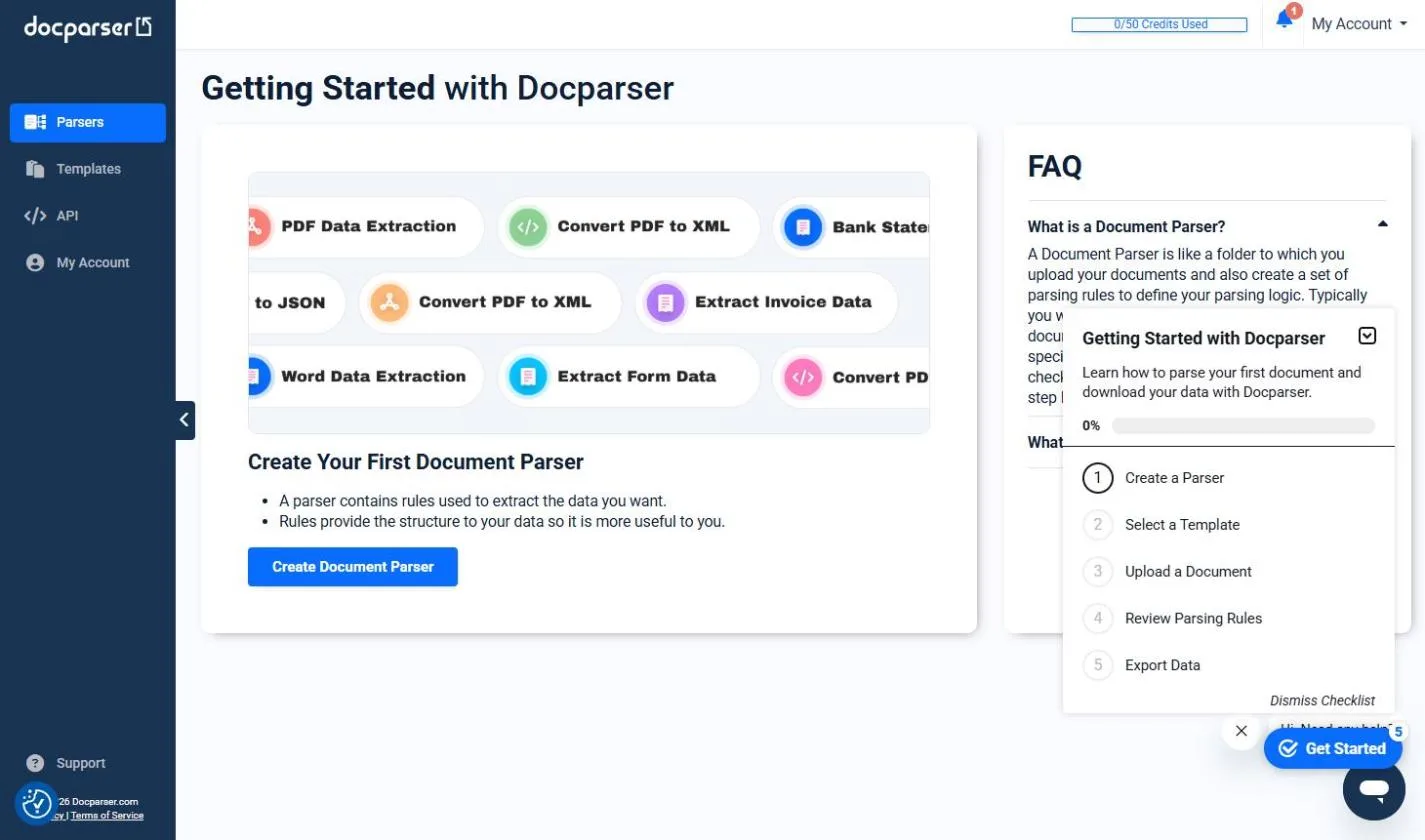
| Docparser | Repeat layouts such as invoices and POs | PDF, Word, images, CSV and XML; zonal OCR; tables, checkboxes, barcodes; DocparserAI; imports from email and cloud storage; exports Excel, CSV, JSON, XML | Invoice data from PDFs |
| n8n | A custom extractor inside a bigger workflow | Information Extractor node pulls structured data from text, invoices named as an example; community invoice templates | AI Receipt Extractor, Invoices from your inbox |
| Parseur | Data that arrives by email | Reads emails, attachments, PDFs and images; AI fields without templates; OCR including handwriting; Google Sheets, webhooks, Zapier, Make, n8n | Not yet |
| Nanonets | Accounts payable with approvals | Agentic data extraction, multi-step agents for AP and orders, human approval in Slack, Teams or email, ERP and accounting connections | Not yet |
| Google Cloud Document AI | Developers on Google Cloud | Document OCR, Form Parser for tables and key-value pairs, Layout Parser, Custom Extractor | Not yet |
| Azure AI Document Intelligence | Developers on Microsoft Azure | Prebuilt invoice, receipt, ID, check, pay stub and bank statement models; custom models; Studio for testing | Not yet |
What is AI document data extraction?
It is software that reads a document, such as an invoice, receipt or purchase order, and pulls out the fields you care about: vendor, invoice number, date, line items and total. Older tools needed a template for every layout. Newer ones use AI to find the fields by name, so a new vendor's invoice does not break the setup. Parseur says its AI pulls out the fields you name without templates, and Docparser offers both zonal OCR, where you draw a box around the area to read, and DocparserAI, as of October 2026.
The data extraction and OCR entries explain the two pieces: OCR turns a scan into text, and extraction turns text into fields.
Which tool is easiest for a small office?
Docparser and Parseur are built for non-developers. Both take documents by upload or email and send results to a spreadsheet or another app. Pick Docparser when the same layouts repeat and you want tight control over each field; it also reads tables, checkboxes and barcodes. Pick Parseur when the data arrives in the body of emails as well as attachments. The free Docparser lesson shows the whole routine on a batch of invoices.
Google Cloud Document AI and Azure AI Document Intelligence are powerful, but they are developer services: you call them from code or an automation. They make sense when an IT team already works in that cloud.
Should a person still check extracted invoice data?
Yes, at least for anything that pays money. AI extraction removes the typing, not the checking. Nanonets lists human approval steps that send edge cases to Slack, Teams or email, as of October 2026. In the free Invoices from Your Inbox to Google Sheets, with Approval lesson, an n8n workflow logs each invoice and emails the owner an Approve button for anything over a set amount. The invoice approval and duplicate invoice entries cover the checks that catch costly mistakes.
When does building your own extractor make sense?
When extraction is one step in a longer job. n8n's Information Extractor node pulls structured data from text, and n8n hosts community templates that read invoice PDFs from email and write them to Google Sheets. Building it yourself lets you add the next steps, such as approval, a Slack message or an accounting entry, in one workflow. The free AI Receipt Extractor lesson builds one: drop in a receipt photo and an AI agent adds the date, vendor, amount and category to a sheet.
Who is each one for?
Docparser
For AP and admin teams with repeat layouts who want field-level control and exports to Excel, CSV, JSON or XML, or through Zapier, Workato and Power Automate. Practise free in Docparser: Pull Invoice Data from PDFs into a Spreadsheet. Official site: docparser.com. Directory card: Docparser.
n8n with an AI step
For teams that want extraction, approval and follow-up in one workflow they control, self-hosted if needed. Practise free in AI Receipt Extractor and Invoices from Your Inbox to Google Sheets, with Approval. Official page: n8n Information Extractor. Directory card: n8n.
Parseur
For offices where orders, leads or invoices arrive by email, with AI fields, OCR including handwriting, and output to Google Sheets or a webhook. Official site: parseur.com. Directory card: Parseur.
Nanonets
For finance teams that want extraction plus multi-step AP workflows with human approval and connections to SAP, NetSuite, QuickBooks and Dynamics 365. Official site: nanonets.com. Directory card: Nanonets.
Google Cloud Document AI
For developers on Google Cloud who need OCR, form parsing and custom extractors at scale. Official site: Document AI.
Azure AI Document Intelligence
For developers on Microsoft Azure who want prebuilt invoice, receipt and bank statement models and a Studio to test them. Official docs: Document Intelligence overview.
Which of these tools have a free Stepthrough lesson?
- Docparser: free lesson: Docparser: Pull Invoice Data from PDFs into a Spreadsheet
- n8n with an AI step: free lesson: AI Receipt Extractor: Receipts to Google Sheets with n8n
- Parseur: a free Stepthrough lesson is coming.
- Nanonets: a free Stepthrough lesson is coming.
- Google Cloud Document AI: a free Stepthrough lesson is coming.
- Azure AI Document Intelligence: a free Stepthrough lesson is coming.
Practice it free, step by step
Docparser: Pull Invoice Data from PDFs into a Spreadsheet. A business case for bookkeepers and office managers who retype vendor invoices every week: have Docparser pull the vendor, invoice number, date and total out of each PDF, then download them all as… You do every step yourself in a practice copy of Docparser, it checks your work as you go, and “Do it for me” finishes any step you get stuck on. Free, and nothing touches your real accounts.
Start the free lessonKey takeaways
- Docparser and Parseur suit non-developers; Google Document AI and Azure Document Intelligence suit IT teams.
- As of October 2026, Parseur and Docparser both offer AI field extraction alongside rule- or zone-based setups.
- Keep a person approving anything that pays money; Nanonets and n8n both support approval steps.
- Build your own with n8n when extraction is one step in a longer workflow.
Frequently asked questions
What is the best software to extract data from invoices?
For a small office, Docparser or Parseur, because neither needs code. Finance teams that want approvals and ERP connections can look at Nanonets. Try the routine in the free Docparser lesson.
Can AI read handwritten documents?
Some tools say so. Parseur lists OCR including handwriting as of October 2026. Test it on your own samples before you rely on it.
Can ChatGPT extract data from a PDF?
For one file, yes: upload it and ask for the fields in a table. For a steady flow of invoices, a dedicated extractor or an automation saves the copy and paste and keeps a record.
How do I get extracted data into Google Sheets?
Parseur sends to Google Sheets directly, Docparser exports through integrations, and n8n writes rows itself, as in the free AI Receipt Extractor lesson.
Where do these prices and features come from?
Every price and feature on this page was checked against the vendor's own page, as of October 2026. No numbers here are estimates or third-party figures. The example businesses in the Stepthrough lessons are made up.