The example is Brookside Dental, a made-up practice, and Dana Whitfield, its made-up patient coordinator. A parent writes that their 6-year-old needs a first checkup and is nervous. The Zap leaves a warm, signed draft in that thread for Dana to check.
What are the most common mistakes?
| # | Mistake | Fix |
|---|---|---|
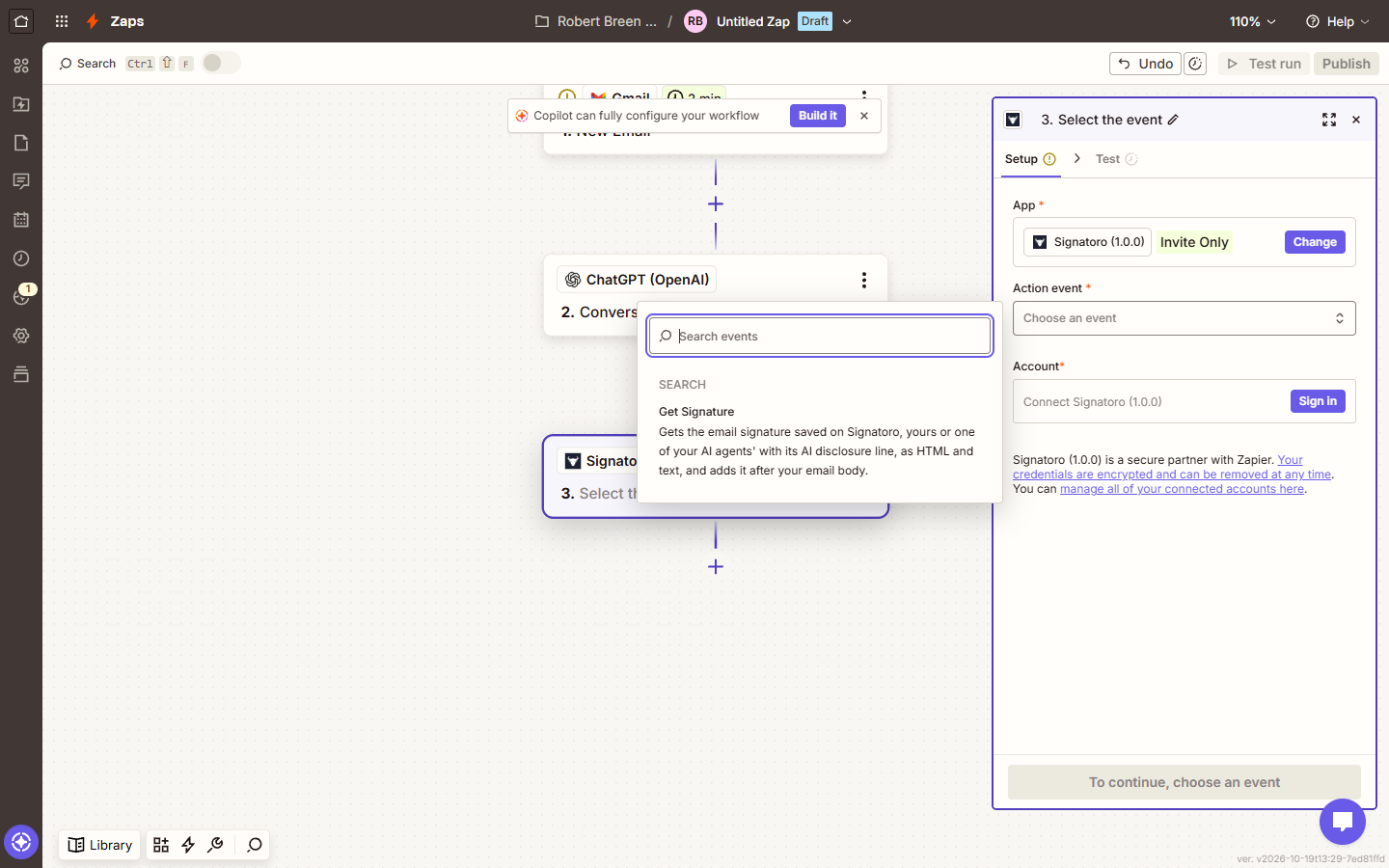
| 1 | Signatoro doesn't show in the app search | Accept Signatoro's invite; it shows as Signatoro (1.0.0), Invite Only |
| 2 | Building on the free plan | The free plan runs two-step Zaps; use the trial or a paid plan |
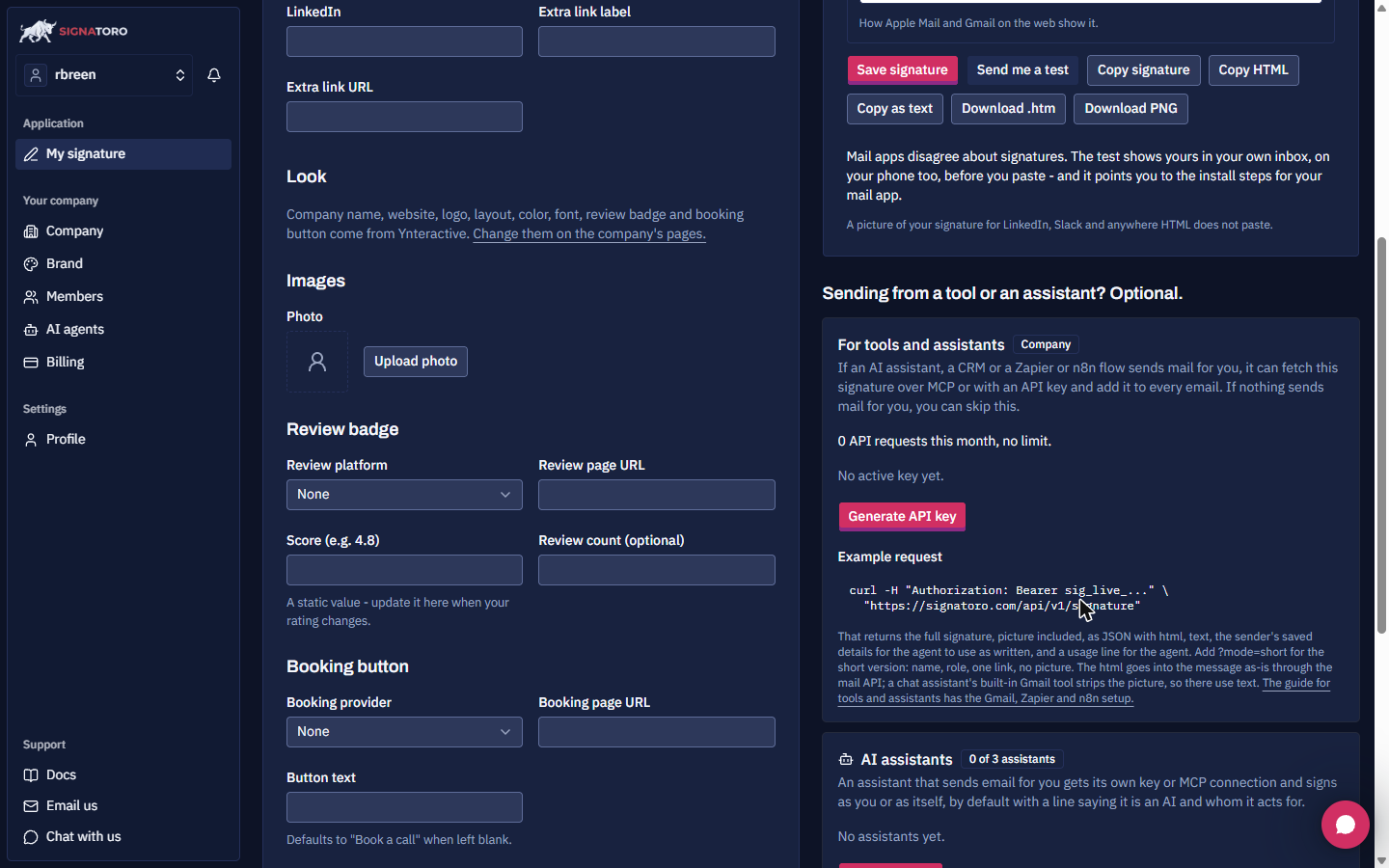
| 3 | Losing the Signatoro key | It's shown once; copy it when you click Generate API key |
| 4 | Draft lands as a new email | Set Thread to the email's Thread Id |
| 5 | Reply shows raw tags or one block | Set Body type to HTML |
| 6 | Signature appears twice | Leave Add signature default in Create Draft Reply empty |
| 7 | ChatGPT signs with a name | End the prompt with "Kind regards," and no name |
| 8 | Publishing before testing | Test each step with a practice email first |
Why can't I find Signatoro in Zapier?
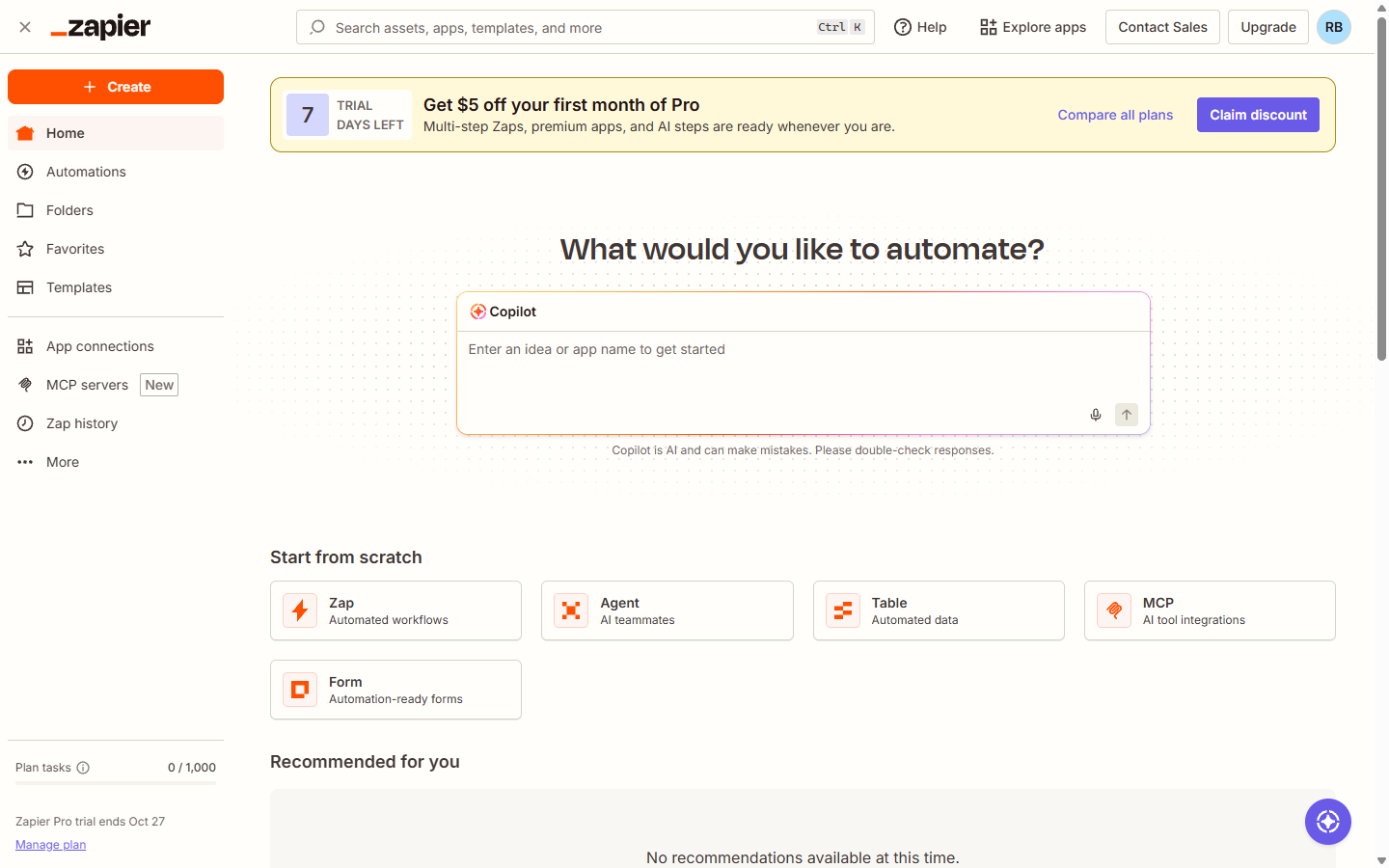
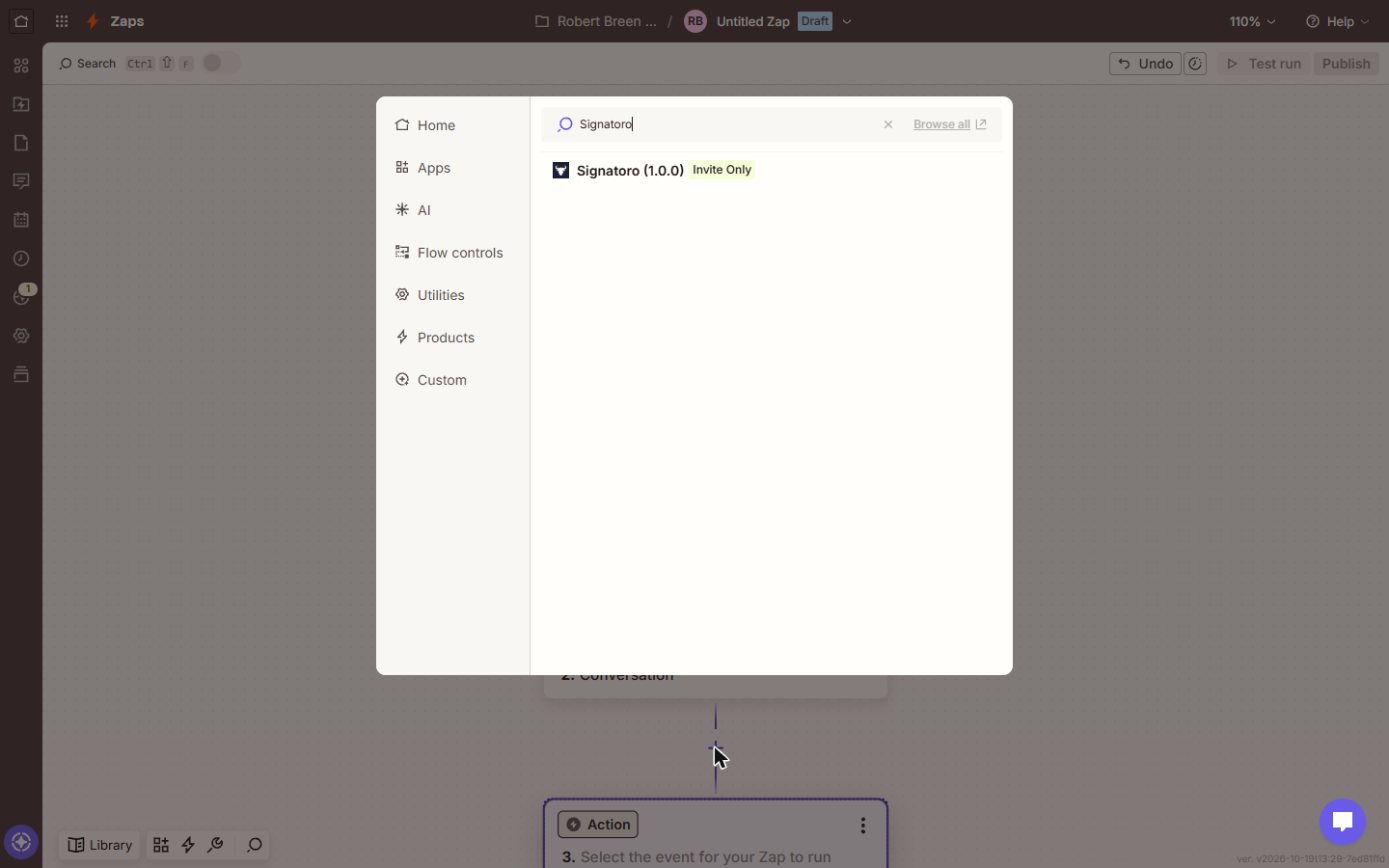
1. Signatoro's Zapier app is invite-only while it's in beta. Until you accept the invite, the app picker won't show it. After that, search for Signatoro and it appears as Signatoro (1.0.0) marked Invite Only.
Why won't my Zap run on Zapier's free plan?
2. Zapier's free plan runs two-step Zaps, and this Zap has four. Build and test it on the free trial, or use a paid plan. The lesson's screens were captured on a Zapier Pro trial.
Where do the keys go?
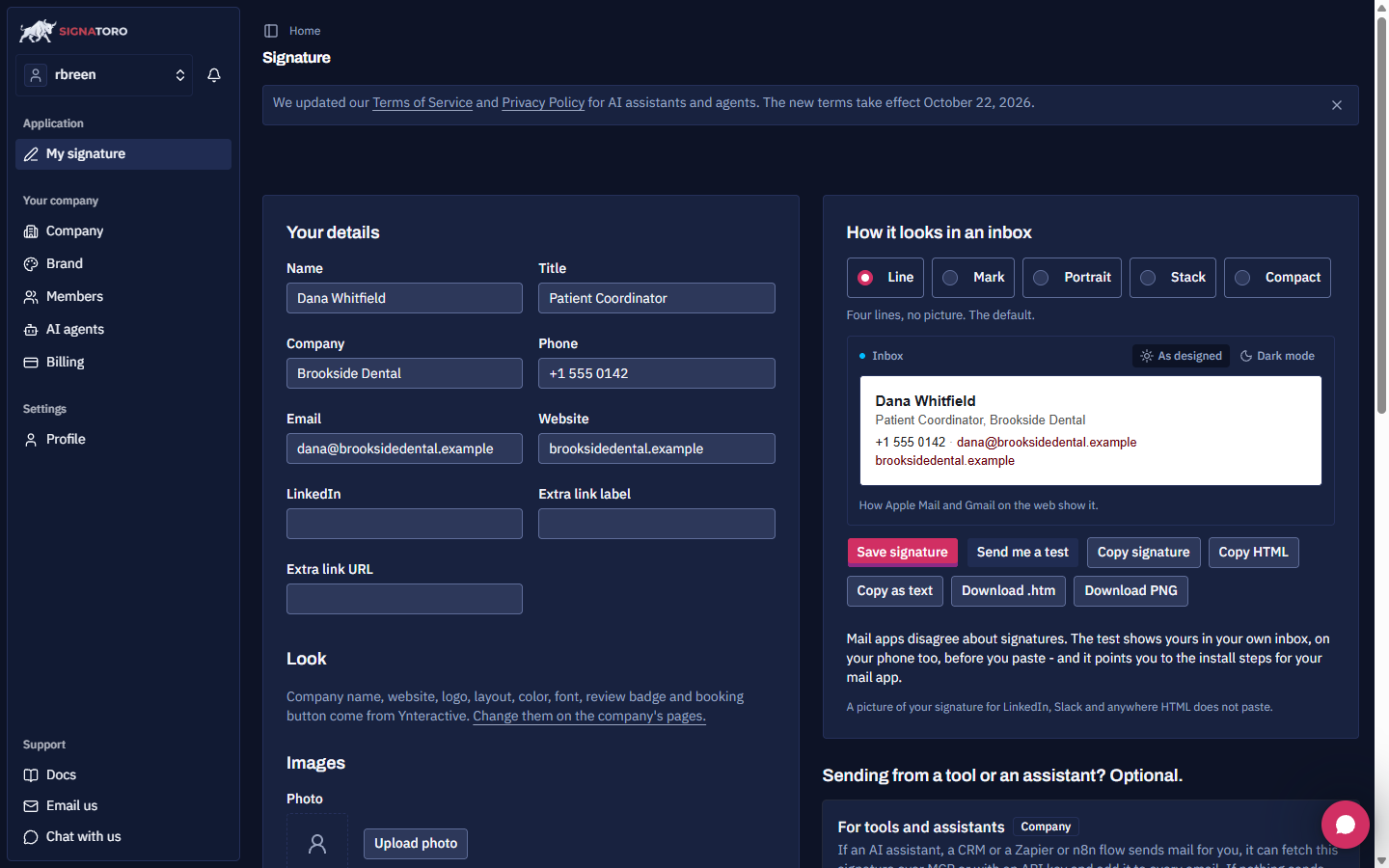
3. On Signatoro, fill in Your details and click Save signature, then under For tools and assistants click Generate API key. The key is shown once, so copy it then. You paste it when you sign in to Signatoro inside Zapier, and you paste your OpenAI API key when you sign in to ChatGPT (OpenAI). Keep both in Zapier's connections, never in the prompt or a note.
Try it free, step by step
Zapier: ChatGPT Drafts Every Reply, Signatoro Signs It. Stop leaving patient emails waiting. Build a Zap where Gmail starts it, ChatGPT writes a personal reply, Signatoro's Get Signature step adds the sender's real signature, and Gmail saves a draft… You do every step yourself in a practice copy of Zapier, it checks your work as you go, and “Do it for me” finishes any step you get stuck on. Free, and nothing touches your real accounts.
Start the free lessonWhy does the draft show up as a new email?
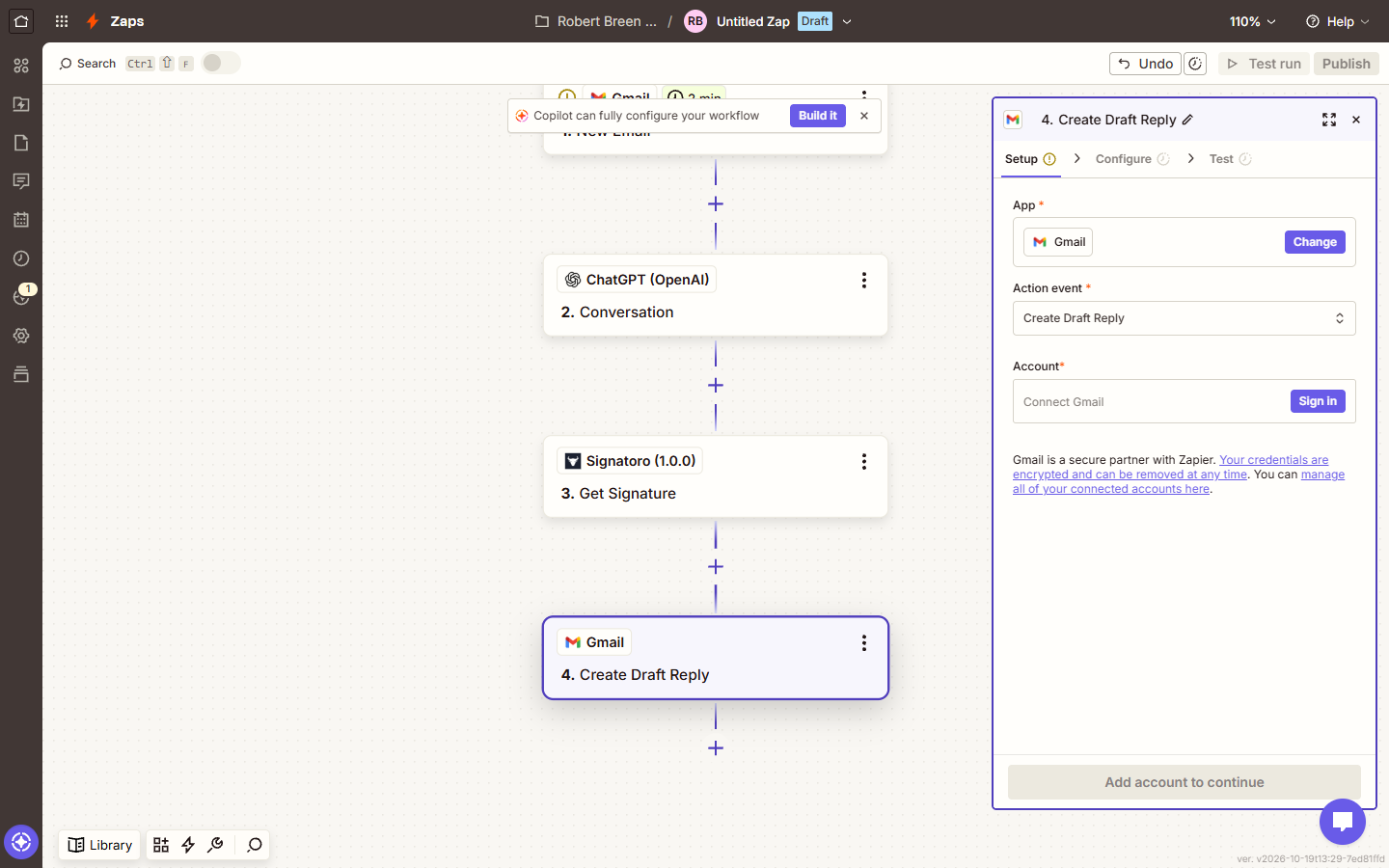
4. Create Draft Reply needs to know which conversation it answers. Set Thread to the email's Thread Id from step 1. Without it, the draft isn't in the patient's thread, and the person checking drafts has to hunt for it. A Gmail draft in the right thread is one click from sent.
Why does the reply look wrong in Gmail?
5. Body type. The prompt asks for simple HTML with each paragraph in p tags, and Get Signature adds the signature as HTML. Set Body type to HTML and Body to Get Signature's Body HTML output. Otherwise you get tags on screen or one long block.
6. Two signatures. If you also fill in Add signature default in Create Draft Reply, Gmail adds a second signature. Leave that field empty; Get Signature already added the current signature after the body.
Why does ChatGPT write the wrong thing?
7. In the ChatGPT step's Configure tab, the prompt puts the rules first and inserts the email's Body Plain from step 1 at the end, so every run gets the same rules with a different patient. The rules: greet by first name and thank them, respond to what they asked in one or two warm sentences, say you'll call within one business day, no medical advice, no prices, no promises about treatment, and end with "Kind regards," and no name. That last rule is what lets Signatoro do the signing.
Zapier suggests AI by Zapier when you pick ChatGPT. Either works: ChatGPT (OpenAI) uses your own OpenAI key, AI by Zapier needs no OpenAI account. The prompt is the same.
Why does the Zap take a few minutes to react?
Gmail New Email is a polling trigger: Zapier checks the inbox every few minutes rather than instantly. That is normal.
How should I test before publishing?
8. Send yourself a practice email, test each step, and read the draft in that Gmail thread. Publish only when every test reply looks right. Once the drafts have been right for a few weeks, you can switch step 4 to Reply to Email. Prefer Make? The Make.com lesson builds the same reply with an HTTP step, and its errors are covered in Signatoro Make.com fixes.
Key takeaways
- Accept the Signatoro beta invite first, and build on a Zapier trial or paid plan.
- Copy the Signatoro key when it's shown; it's shown once.
- Thread set to Thread Id, Body type HTML, Add signature default left empty.
- The AI ends with a closing line and no name; Get Signature adds the signature.
- The Zapier cheat sheet has the whole setup, and Signatoro is listed in the AI tools directory.
Frequently asked questions
- Does Zapier add my Gmail signature automatically?
No, not unless you pick it in the step. This lesson uses Signatoro's Get Signature instead, so the signature is the same in every tool.
- Why a draft reply instead of sending?
So a person reads every reply before it goes. That keeps you in control while the drafts prove themselves.
- Is Signatoro free?
The free plan includes the API, capped at 50 requests a month on 20 October 2026.
- Do I need an HTTP step in Zapier?
No. Get Signature does the work an HTTP step does in Make.
- Where are more answers?
In the Signatoro email signature FAQ.