1. Application form to a ranked sheet
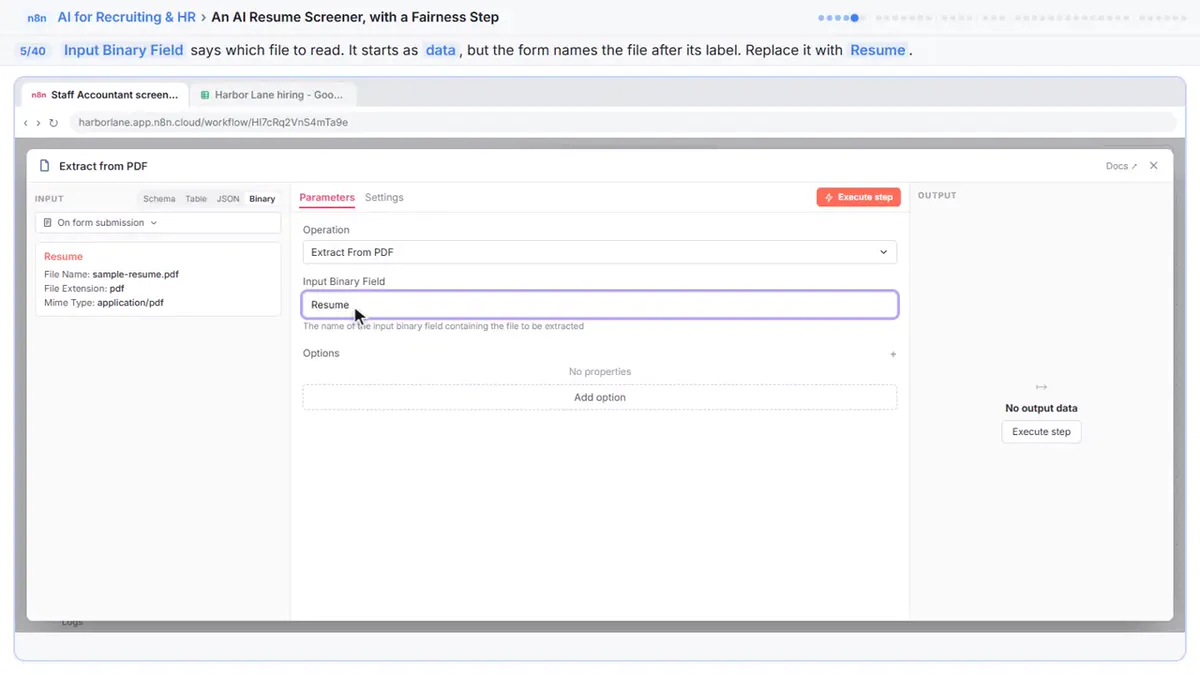
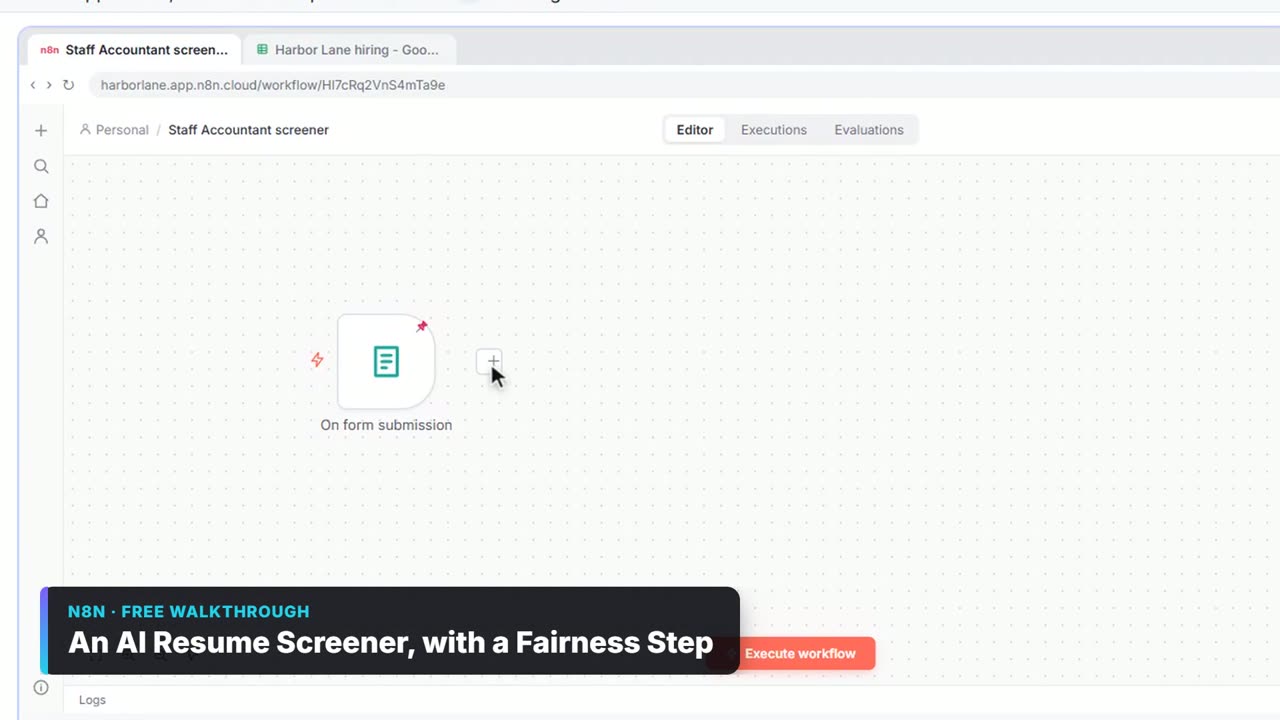
An n8n On form submission asks for name, email and a resume PDF. Extract from PDF reads it (Input Binary Field: Resume), an Information Extractor scores it against four must-haves, and Append row in sheet logs Name, Score, Evidence and Recommendation. Sort by Score, highest first. See n8n Extract from File.
2. Fairness rules in the system prompt
The screener's System Prompt Template says: score only the must-haves; ignore name, age, gender, race, address, graduation years and family details; a gap between jobs is not a reason to score lower; quote evidence or write "Not shown"; never reject anyone. In the lesson, a resume that mentions a 1989 graduation and a grandson gets scored on work only. Screen Resumes with AI Fairly and the resume screening entry.
3. A person decides, in the sheet
The Decision column stays empty for a person. The lesson's low scorer gets a phone screen anyway, because the reviewer knows something the resume doesn't show. That's human-in-the-loop.
4. Interview debrief to scorecard
Interview notes go in; a structured scorecard comes out, saved for the hiring manager. Interview Debrief Template and How to Score Interview Candidates.
5. Answer policy questions from the handbook
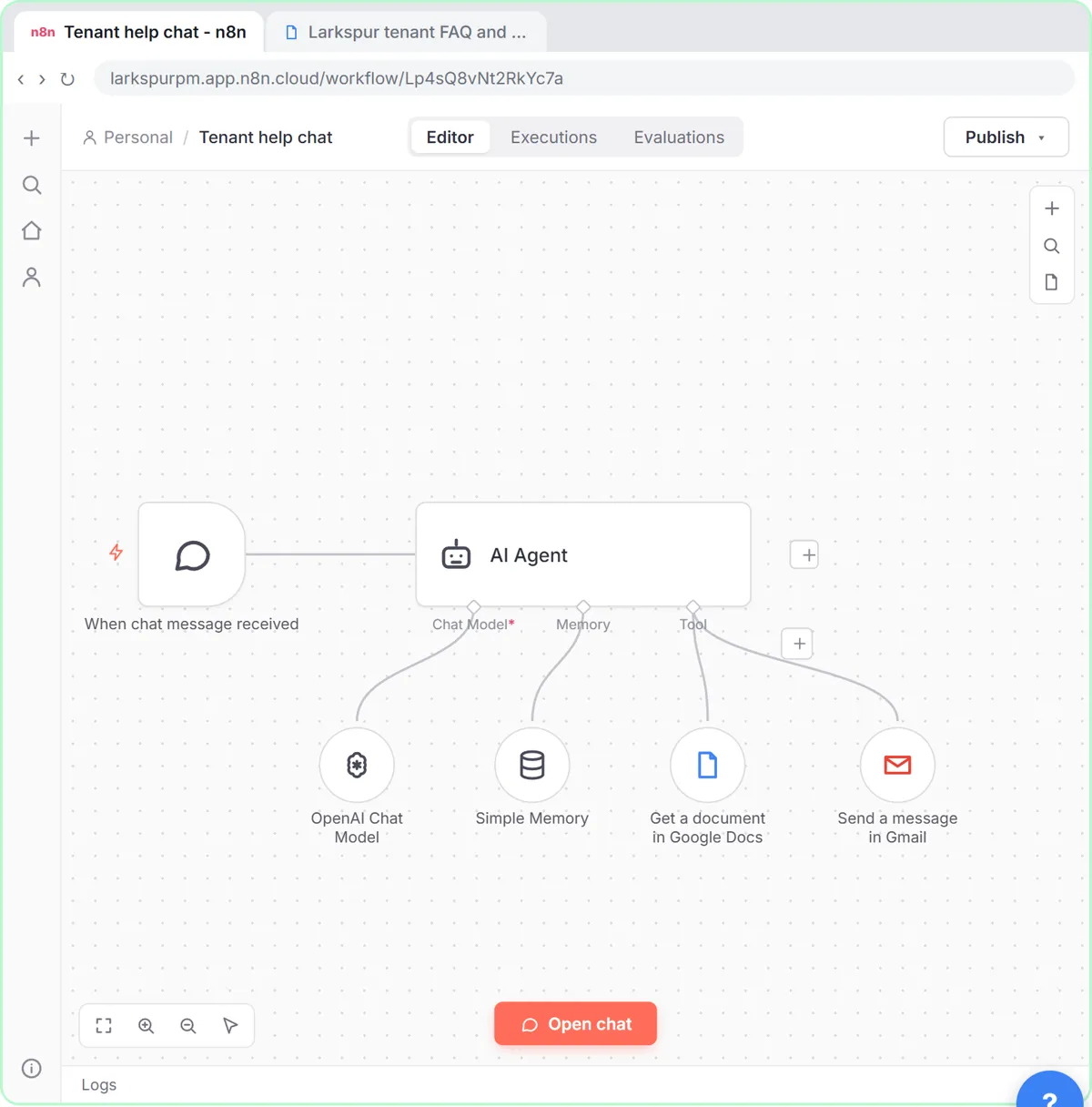
A chat agent reads the employee handbook with a Google Docs Tool and hands off to HR by email when the handbook doesn't cover it. The support agent lesson builds the pattern for tenants; swap in your handbook. Stop Answering the Same HR Questions.
6. Onboarding tasks from the kickoff meeting
Turn a new hire's onboarding meeting notes into tasks with owners and due days. The meeting notes lesson uses OpenAI JSON output and Split Out.
7. Weekly hiring digest
Monday 8am: read the applicants sheet, filter to new ones, and email the hiring manager a summary. n8n Weekly Schedule.
8. Candidate replies as drafts
For every new applicant, draft a "we received your application" email; for interviews, a scheduling email. Save as Gmail drafts first. n8n Gmail Node Examples.
9. Applications from two sources into one sheet
A form and a careers-page webhook both feed one sheet with the same columns. n8n Append or Update Row keeps someone who applies twice to one row (match on Email).
Try it free, step by step
An AI Resume Screener, with a Fairness Step (Recruiting & HR). Have n8n read each applicant’s PDF resume, score it against the job’s must-haves with the evidence quoted, and rank it in Google Sheets, while a person makes every hiring call. You do every step yourself in a practice copy of n8n, it checks your work as you go, and “Do it for me” finishes any step you get stuck on. Free, and nothing touches your real accounts.
Start the free lessonWhat should HR be careful about?
- AI ranks, people decide. Never auto-reject.
- Only job-related evidence. Strip or ignore personal details in the prompt.
- Privacy. Resumes are personal data; keep the sheet's sharing tight.
- Local rules. Some places regulate automated hiring tools; check before you rely on scores.
Key takeaways
- Start with application intake that scores resumes against written must-haves.
- Put fairness rules in the system prompt and require quoted evidence.
- Leave every decision, including rejections, to a person.
- Reuse the support agent pattern for handbook questions.
Frequently asked questions
- Can n8n screen resumes?
It can read resumes and rank them against your must-haves with quoted evidence. A person should review every ranking and make the decision.
- How do I make AI resume screening fairer?
Score only job-related must-haves, tell the model to ignore personal traits and proxies like graduation years, require evidence quotes and never let it reject.
- Can n8n answer employee questions?
Yes, with an AI Agent that reads your handbook through a Google Docs Tool and hands off to HR when the answer isn't there.
- Is there a free course?
Yes: AI for Recruiting & HR.