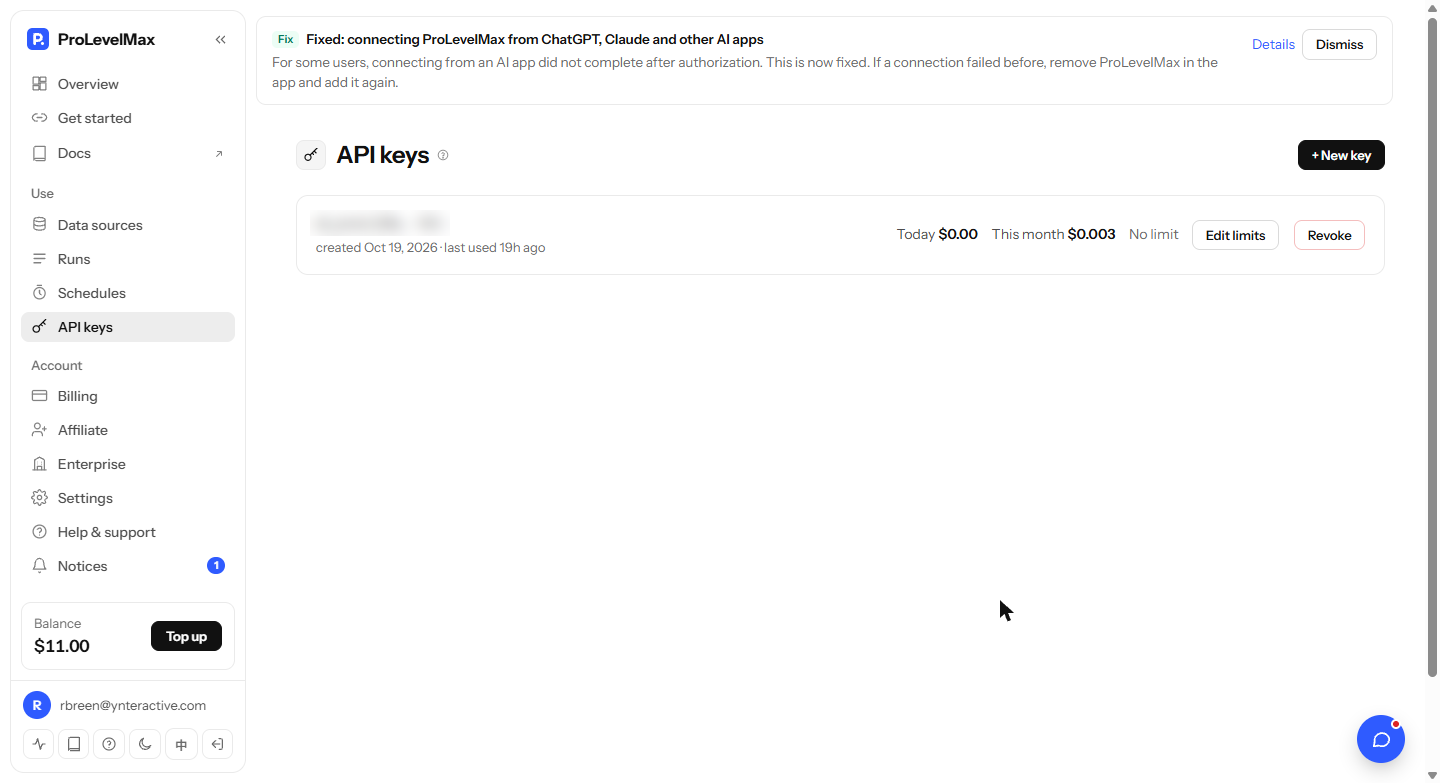
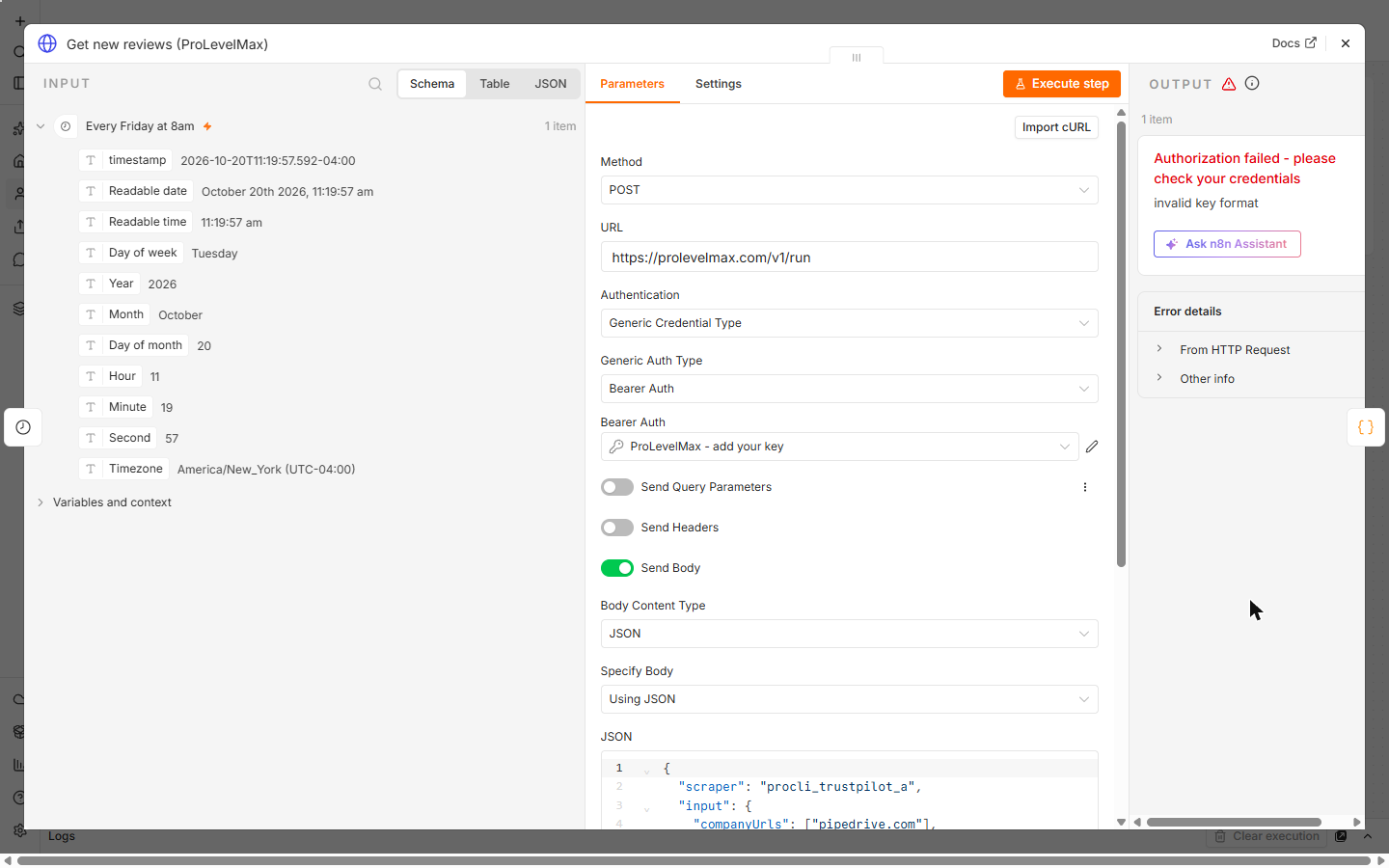
What the lesson actually ran: the ProLevelMax call used a placeholder key, so it shows ProLevelMax's own invalid key format answer. The steps after it ran on pinned SAMPLE reviews (made up), and the OpenAI step ran for real on those samples. No key was created, Collect was never run and no row was written to a real sheet. The example, Marcus Reed of Fieldstone CRM Consulting, is made up.
What does each node do?
| Node | Name on the canvas | What it does |
|---|---|---|
| Schedule Trigger | Every Friday at 8am | Runs it every Friday at 8:00 |
| HTTP Request | Get new reviews (ProLevelMax) | Asks for the newest 30 Trustpilot reviews of pipedrive.com |
| Code | Keep rating and text | Trims each review and works out the average |
| OpenAI | Find the themes | Top complaints, top praise, one talking point |
| Code | Make the sheet row | Names each field like a sheet column |
| Google Sheets | Add this week's row | Append Row, Map Automatically |
How is the ProLevelMax request set up?
In Get new reviews (ProLevelMax), Method is POST and URL is https://prolevelmax.com/v1/run, the same address for every source. Authentication is Generic Credential Type with Generic Auth Type Bearer Auth, and the lesson's credential is named ProLevelMax - add your key. Send Body is on, as JSON:
{"scraper": "procli_trustpilot_a", "input": {"companyUrls": ["pipedrive.com"], "maxReviewsPerCompany": 30, "sort": "recency", "languages": ["en"]}, "maxItems": 30}scraper is the source id. input holds the same field names you see in the console's Collect form. The node's Timeout option is 2 minutes, because collecting reviews takes a little while (see workflow timeout).
Where do the field names come from?
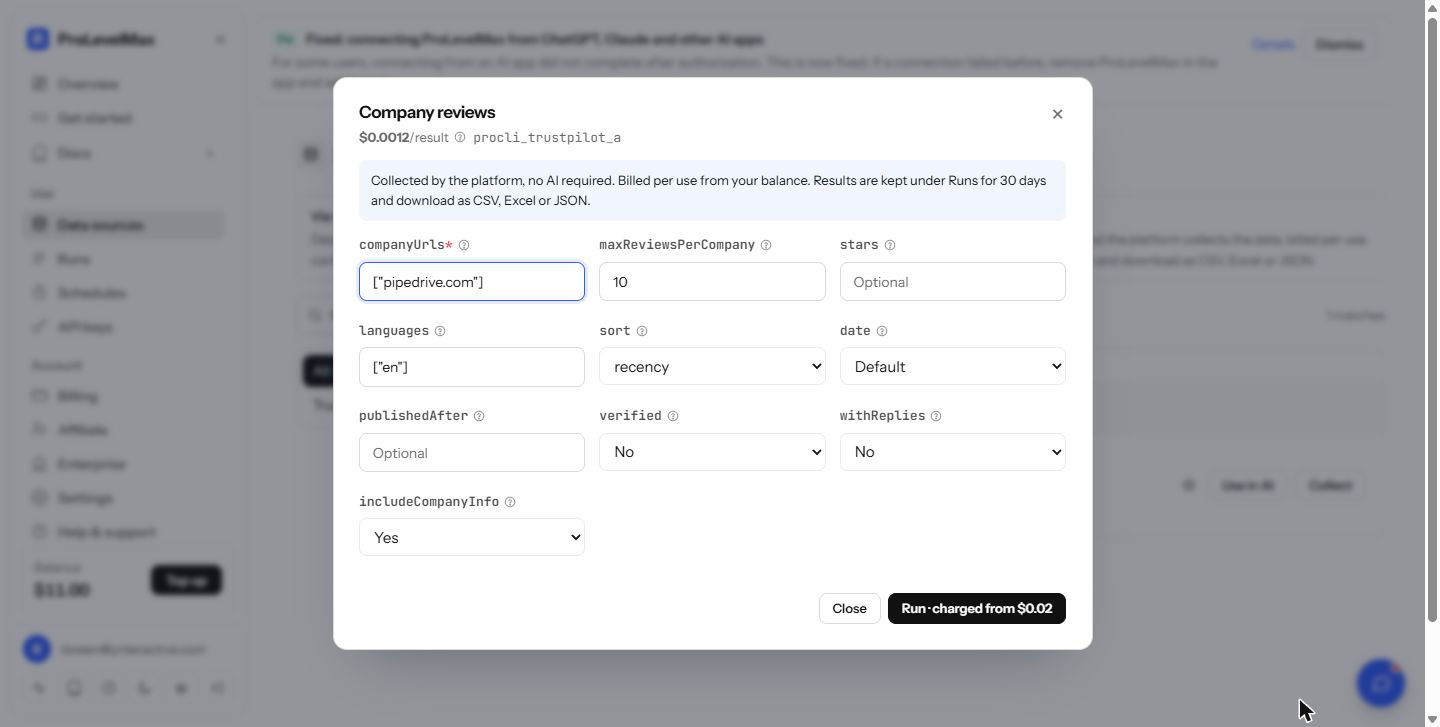
From the ProLevelMax console. Open Data sources, type trustpilot in Search sources, and find Company reviews with the id procli_trustpilot_a. Click Collect to see its fields: companyUrls, maxReviewsPerCompany, stars, languages, sort, date and others. Then click Close, not Run.
What did the AI step write?
On 8 sample reviews, the real OpenAI run returned price increases and features gated behind higher plans or add-ons, limited reporting and clunky exports, and slow customer support as the complaints. The praise was an easy, clean setup, the drag-and-drop pipeline and a strong mobile app. The sample row showed an average rating of 3.3. These came from made-up reviews, so they say nothing about the real product.
Try it free, step by step
n8n + ProLevelMax: Weekly Review Themes From Trustpilot to Google Sheets. Stop reading reviews one by one. Every Friday n8n asks ProLevelMax for a company's newest Trustpilot reviews, AI sums up the top complaints and praise, and one row lands in Google Sheets, for about… You do every step yourself in a practice copy of n8n, it checks your work as you go, and “Do it for me” finishes any step you get stuck on. Free, and nothing touches your real accounts.
Start the free lessonFrequently asked questions
- Where do I get a ProLevelMax key?
Sign up at prolevelmax.com, open API keys in the console and click + New key. Copy it into an n8n Bearer Auth credential, in Bearer Token. The API key entry covers why it stays out of the workflow itself.
- Why does the test run say invalid key format?
The lesson used a placeholder in the credential, so ProLevelMax answered Authorization failed: invalid key format. It shows n8n reached ProLevelMax with the right URL and header. With your key, the reviews come back in items.
- Does clicking Run in the Collect form cost anything?
Yes. Run charges your balance. You don't need it, because n8n makes the call. Open Collect only to read the field names.
- Why trim the reviews before the AI step?
Keep rating and text keeps each review's rating, title, text (cut to 700 characters) and date for up to 30 reviews, plus the count and average. The AI gets only what it needs. The code checks a few common field names, so look at one real run's output and adjust the names if ProLevelMax's differ.
- Why does the prompt ask for JSON?
The prompt says to use only what the reviews say, invent no numbers and reply with JSON only: top_complaints, top_praise and talking_point. A fixed shape means Make the sheet row can put each answer in its own column every week. This is a simple form of structured output.
- What if the AI adds a code fence or extra text?
Make the sheet row strips a code fence before reading the JSON. If it still can't read it, the raw answer lands in Top complaints, so nothing is lost.
- How should the sheet be set up?
Row 1 needs Week, Company, Reviews read, Average rating, Top complaints, Top praise and Talking point. The lesson's guide page has a CSV with those headers. In Add this week's row, paste your sheet's URL in Document and set Mapping Column Mode to Map Automatically, so each field lands in the column with the same name.
- Which OpenAI credential does it use?
The lesson's OpenAI node used the OpenAI credential that came with the n8n Cloud account. You can also connect your own OpenAI key.
- Can I read G2, Capterra or Google Maps reviews instead?
Yes. The Data sources list includes review sites such as G2, Capterra, Google Maps and Yelp, each with its own id and fields. Swap the scraper id and use that source's field names from its Collect form.
- Can it watch more than one company?
companyUrls is a list, so you can add companies. Then change the Code node to group reviews by company before the AI step, or run one workflow per company.
- Is this an official ProLevelMax course?
No. It is Stepthrough's own lesson. For the Reddit version of ProLevelMax in n8n, see the ProLevelMax Reddit API FAQ.
Key takeaways
- One address,
https://prolevelmax.com/v1/run, takes a source id and its input. - Read field names in Collect, then close it. Run charges your balance.
- invalid key format in a test means only the key is missing.
- Ask the AI for JSON with fixed names so each answer has its own column.
- The lesson's themes came from made-up sample reviews.
For setup errors, read the n8n ProLevelMax review digest mistakes, browse the cheat sheets, or start the lesson.