Updated . Built step by step in a real Runable account on 17 November 2026. Every screen in the practice is a real Runable screen, and every output is what Runable produced in that run. We saved the task as a one-time test run and did not leave a weekly job running. How we check this lesson
Most small brands hear about a competitor's sale from a customer. In this free lesson Maya Chen (made up) replaces her forgotten Monday check with a Runable Scheduled task: instructions it can follow from scratch, tested once before it repeats. The first run checked five brands on their own sites and returned a table with links. Then you catch the problem with any first run, nothing to compare against, and make it save a baseline so every next run reports only what changed.
At a glance
| Question | Answer |
|---|---|
| What you build | A business case for small brands: set up a Runable Scheduled task that checks five competitors' prices, new products and sales on their own sites, test it once, and make it save a baseline so every next run reports only what changed. Real Runable screens, 17 November 2026. |
| Tools | Runable |
| Time | About 10 minutes, 21 steps in 5 parts |
| Level | Beginner, no coding needed |
| Cost | Free |
| Ways to learn it | Practice it step by step |
The 5 parts, in short
- Checking competitors by hand: Count what the Monday check costs, Schedule it instead.
- Set up the scheduled task: Open Scheduled, Open the Create menu, Set it up manually, Write the instructions, and 3 more steps.
- Read the first run: Wait for the run, Open the finished task, Open the run, Scroll to the answer, and 1 more step.
- Make it compare, not repeat: Check the table, Make this run the baseline, Send it, Check the saved files.
- What it saved, and what is next: Read what is in the chat now, See what you have now, Switch it to Weekly.
Start here first: Know How Many Sales Pay the Bills Before You Order Stock using Runable (module 1 of Runable for Startups)
The business case: a competitor check nobody forgets
Checking five competitor sites takes about 45 minutes a week, and it is the first thing a busy founder skips. A price-monitoring service costs a monthly fee. A scheduled agent can do the reading and send you only what changed. These are example numbers; use your own.
What you do in the lesson
You open Scheduled, choose Set up manually, and write instructions: your business and price, which brands to find, what to check on their own websites, one table with links, three lines on what it means, and what it could not confirm. You set it to Once for a test run and save it with email notification on.
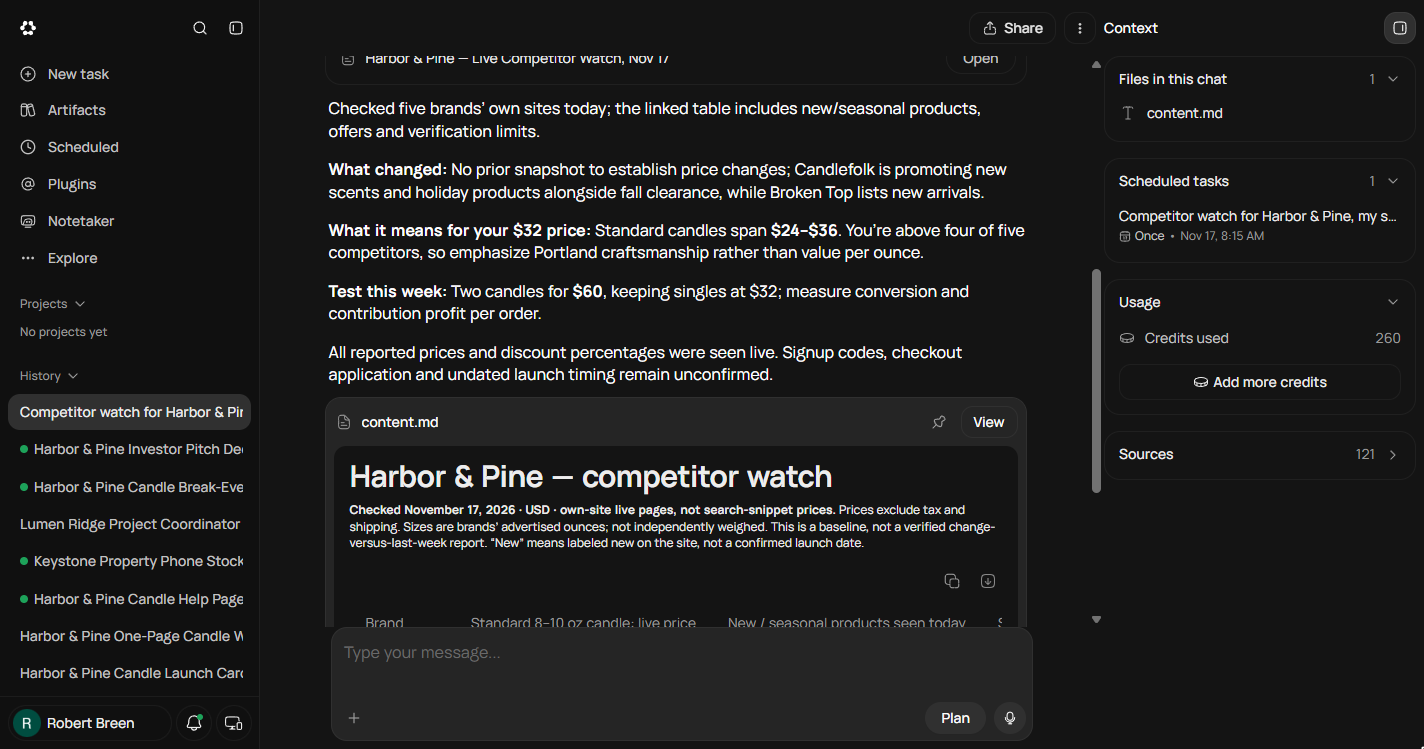
The run used 121 sources and 260 credits. Its table listed each brand's standard candle price, new products and offers, and its summary said prices ran from $24 to $36. But under What changed it said there was no prior snapshot. You ask it to save this table as the baseline in the same chat and, on every next run, list only old-to-new changes. It saved a baseline and a latest table. Then you switch the schedule to Weekly.
What it does not do
It does not decide your price, and it can miss offers behind sign-ups or at checkout; it says so. Credits are the cost to watch: the first research run is the expensive one.
Links
- Runable: the AI agent this course teaches. Its Free plan showed 1,500 credits a day when we tested it in October 2026.
- Runable pricing: current plans, credits and limits. Check them before you rely on the Free plan.
Try it yourself, free
Reading the steps is a start. Doing them is how it sticks. The interactive module walks you through every click in a practice copy of Runable, checks each step, and never touches your real accounts.
Start “Watch Competitors' Prices Every Week Without Opening Their Sites using Runable”Step by step: Watch Competitors' Prices Every Week Without Opening Their Sites using Runable
All 21 steps of the interactive module, in order. In the module you watch each one, then do it yourself in a practice copy that checks your work.
1. Checking competitors by hand
- Count what the Monday check costs. Every Monday Maya (made up) opens five competitor sites to check prices, new scents and sales. About 45 minutes, and most weeks she forgets. Then a competitor runs a 30% sale and she finds out from a customer. Click the Monday check row.
Forty-five minutes every Monday, when she remembers.
- Schedule it instead. Runable's Scheduled tasks run a brief on a timer and notify you when it is done. Click the Runable card.
Runable can run the check on a timer.
2. Set up the scheduled task
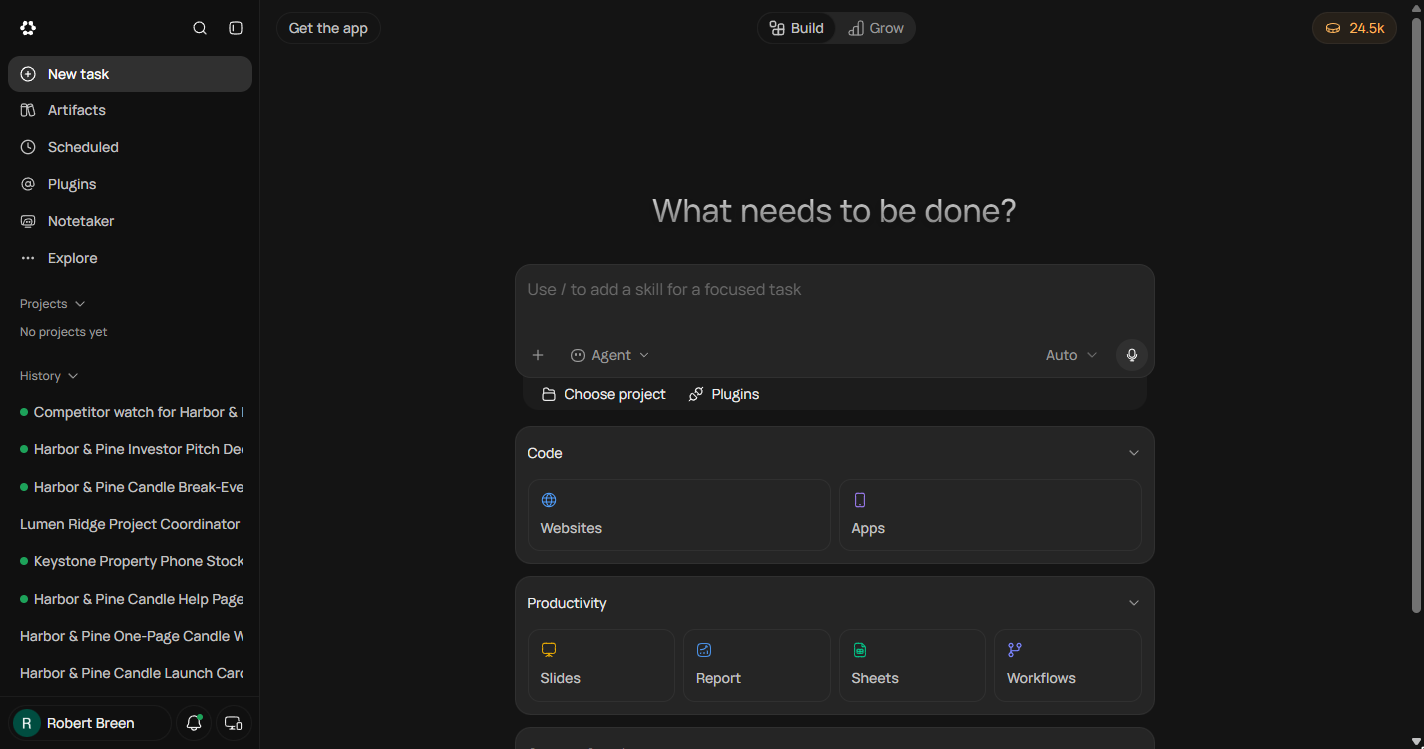
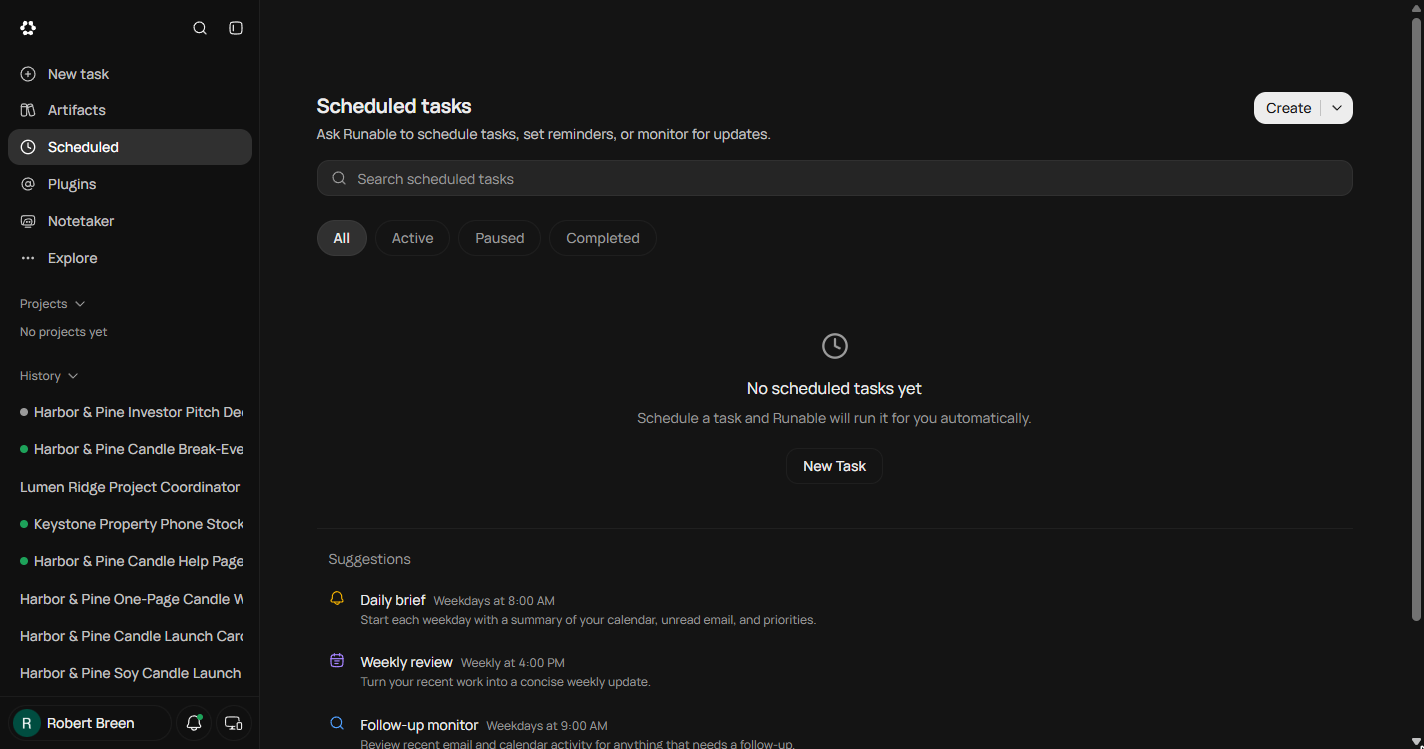
- Open Scheduled. In the left sidebar, click Scheduled.
In the sidebar, click Scheduled.
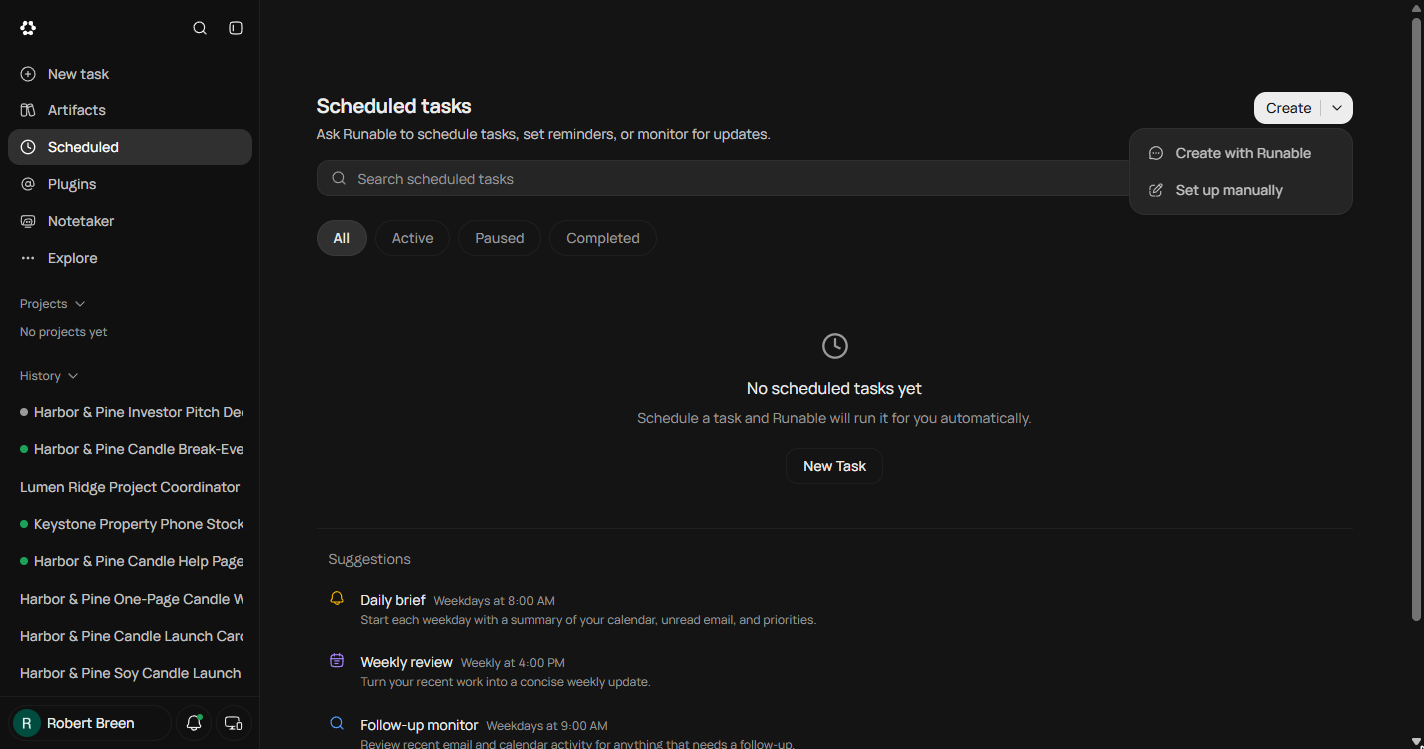
- Open the Create menu. The list is empty, with suggestions below such as a daily brief. Click the arrow beside Create.
- Set it up manually. Create with Runable writes the task from a chat. Set up manually shows you every setting. Click Set up manually.
Set it up manually, so you see every setting.
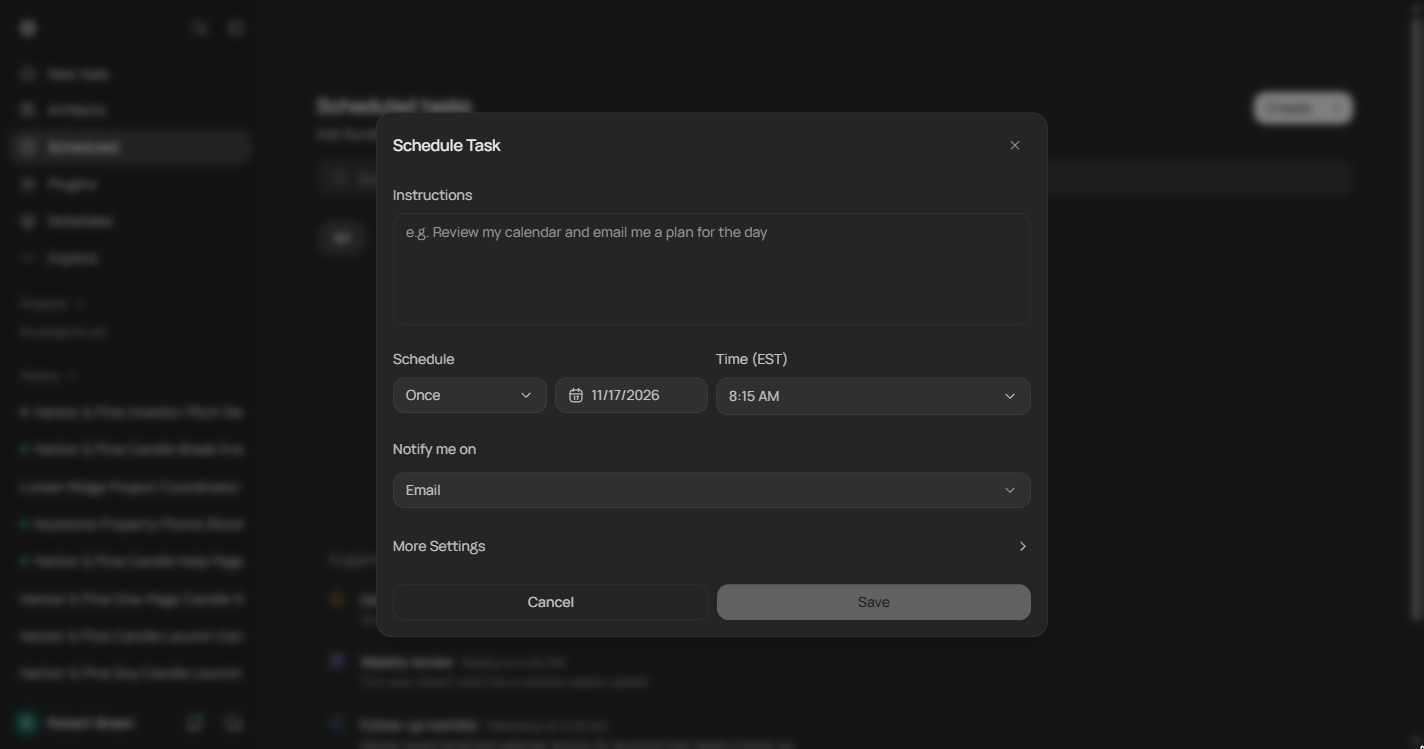
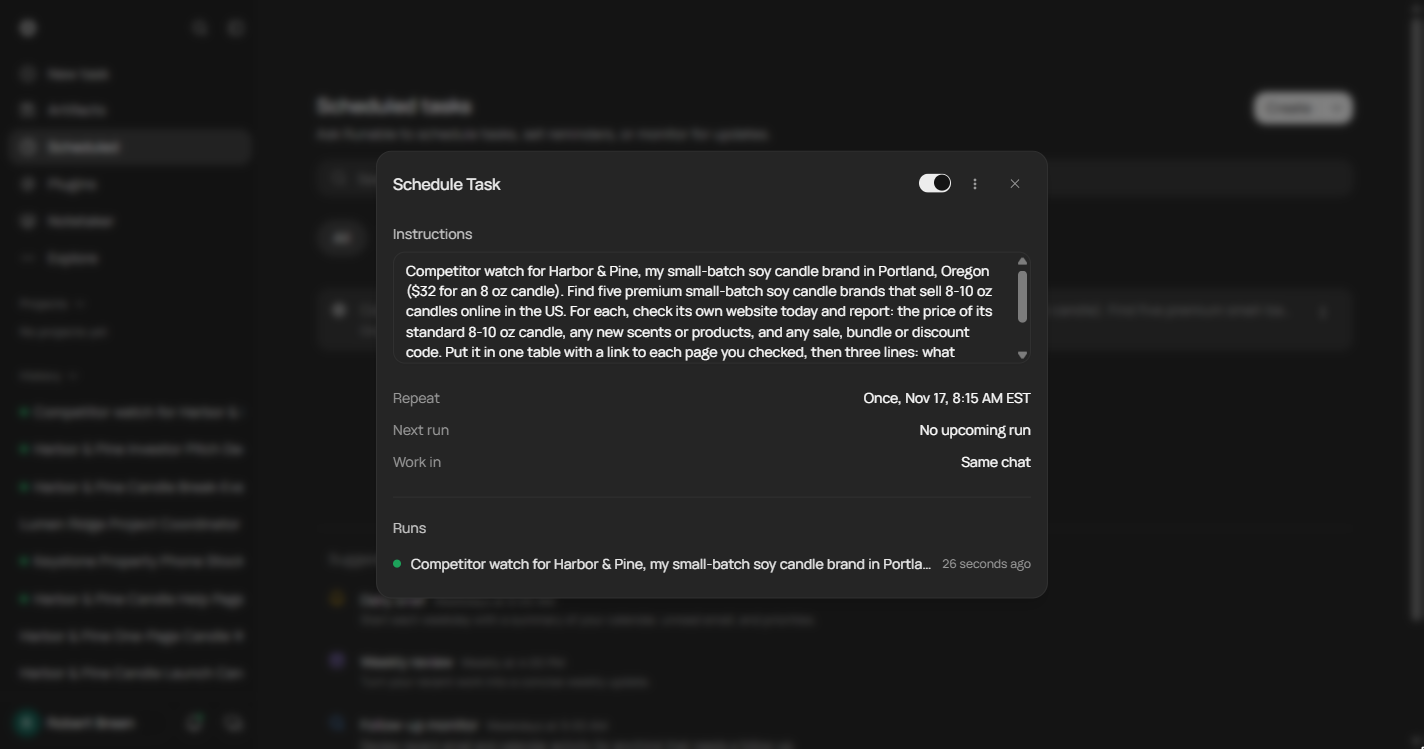
- Write the instructions. Write the brief as if Runable starts from nothing each time: your business and price, which brands to find, what to check on their own websites, one table with links, three lines of meaning, and what it could not confirm.
Write it as if it starts from nothing each time. What to check, on their own sites, with links. And what it couldn't confirm.
Competitor watch for Harbor & Pine, my small-batch soy candle brand in Portland, Oregon ($32 for an 8 oz candle). Find five premium small-batch soy candle brands that sell 8-10 oz candles online in the US. For each, check its own website today and report: the price of its standard 8-10 oz candle, any new scents or products, and any sale, bundle or discount code. Put it in one table with a link to each page you checked, then three lines: what changed, what it means for my $32 price, and one thing to test this week. Say which numbers you saw on a live page and which you could not confirm.
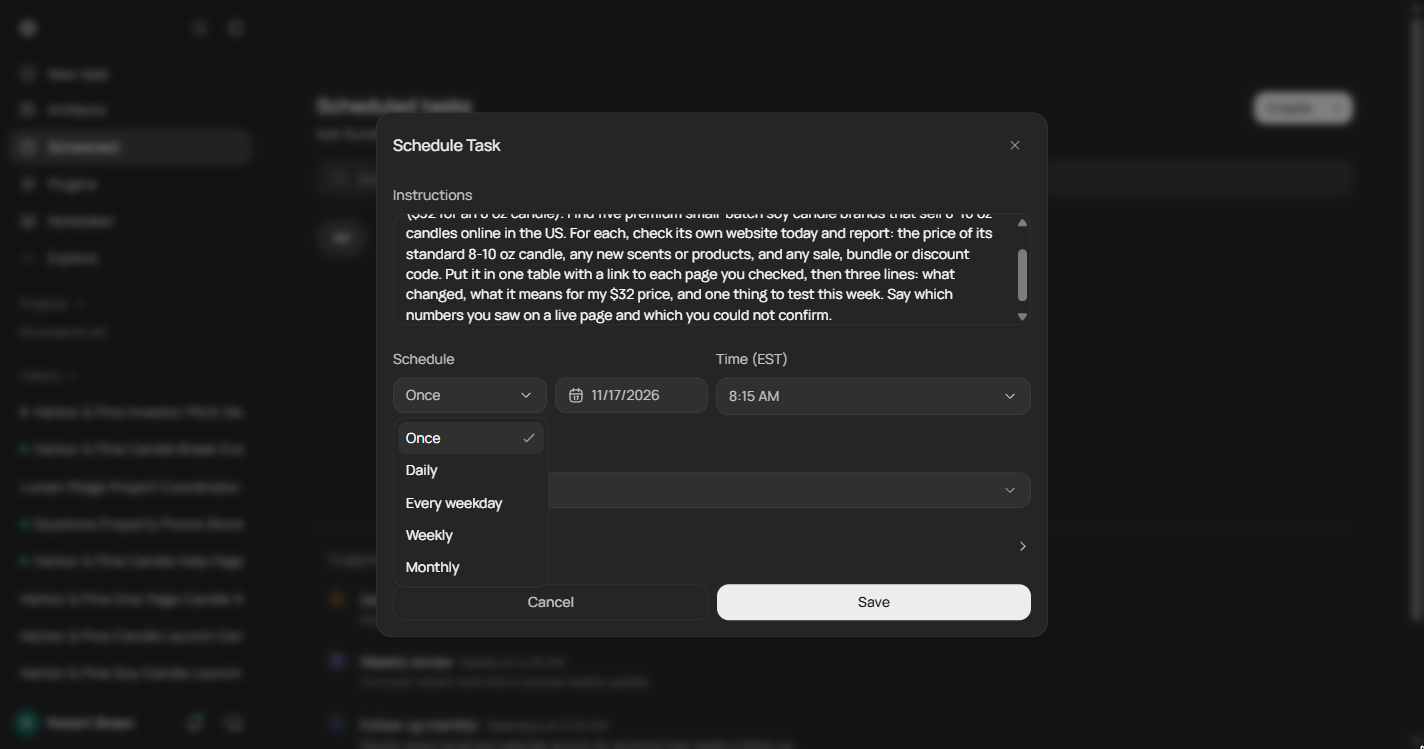
- Open the schedule. Under Schedule, click the Once menu.
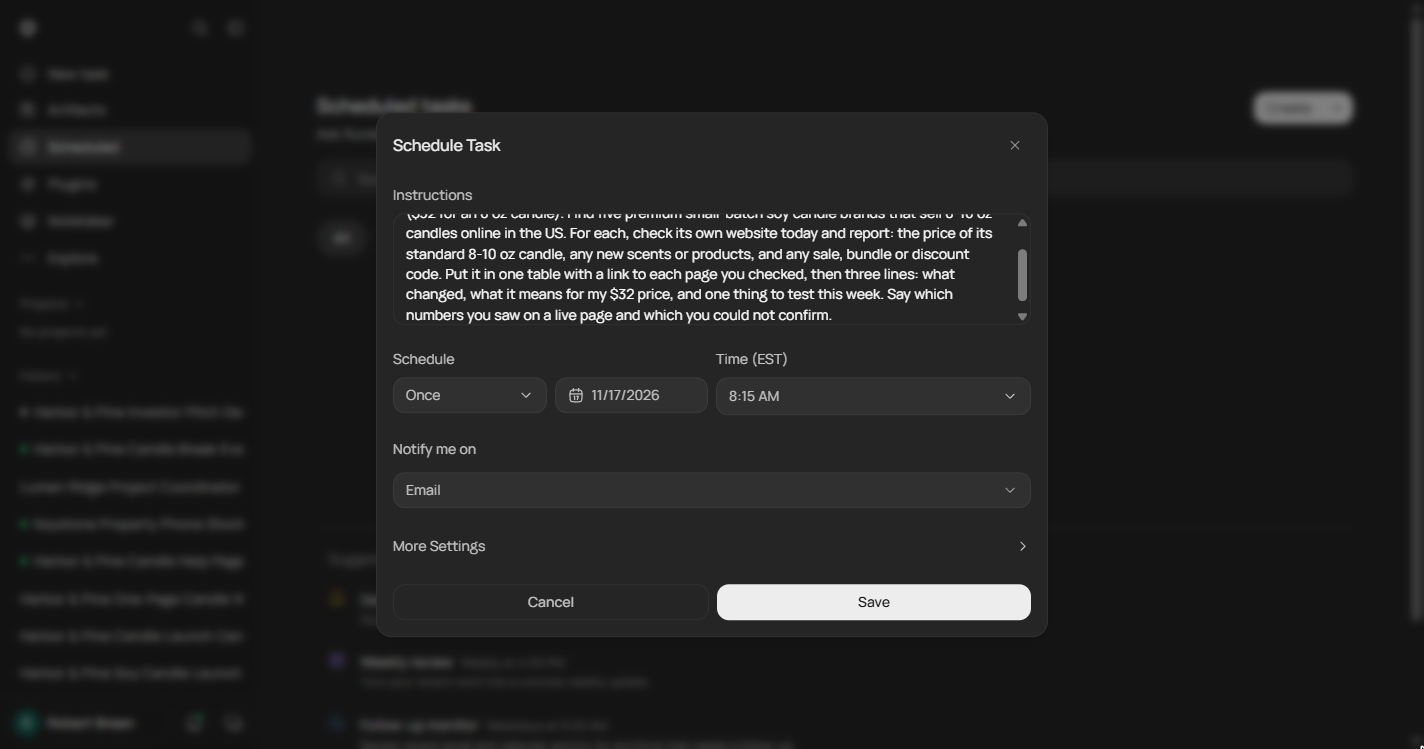
- Test it once first. Your goal is Weekly. But test the brief once before it runs every week: click Once and leave today at 8:15 AM. You will switch it to Weekly after you have checked a run.
The goal is weekly. But test it once first.
- Save it. Notify me on Email is on, so you hear when it is done. Click Save.
3. Read the first run
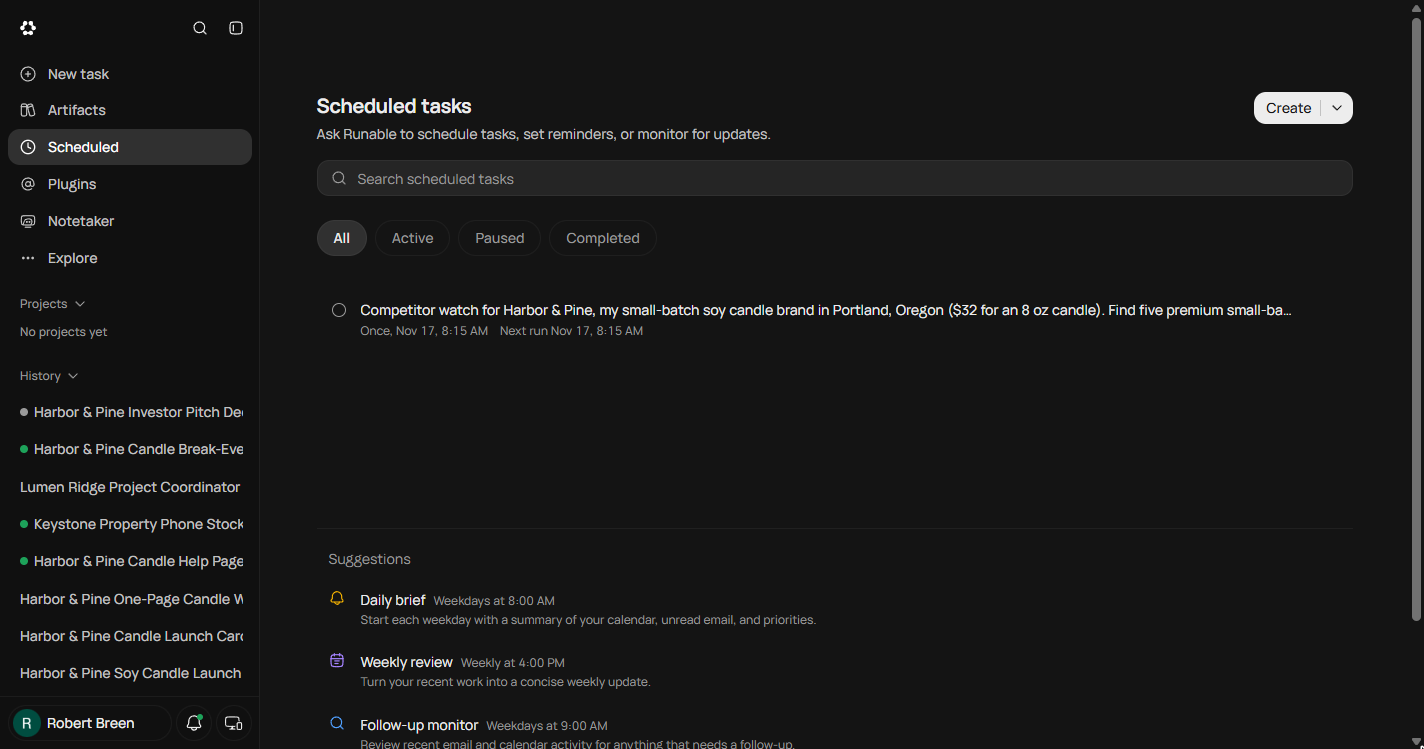
- Wait for the run. Task scheduled. The row says Once, Nov 17, 8:15 AM. At 8:15 it runs on its own. Click the row.
It runs on its own at eight fifteen.
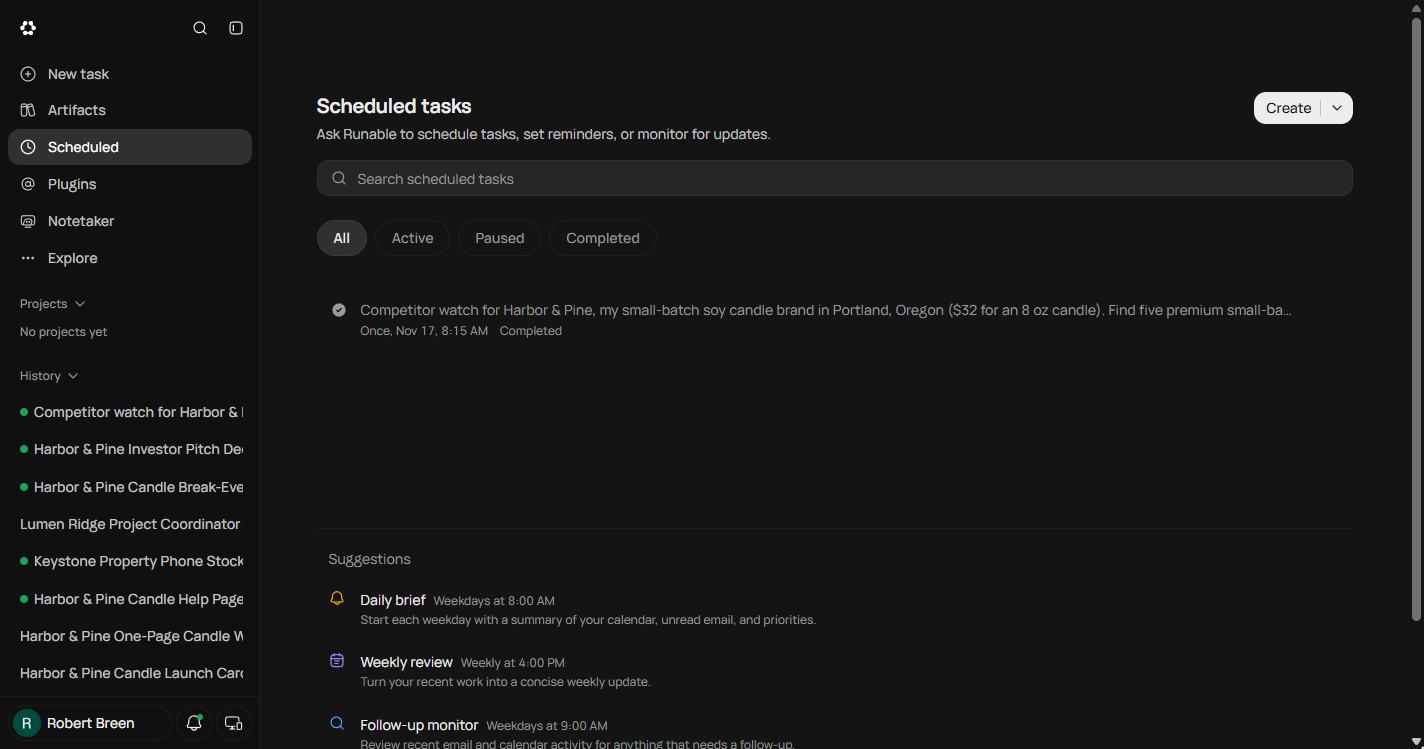
- Open the finished task. After 8:15 the row says Completed. Click it.
It says Completed.
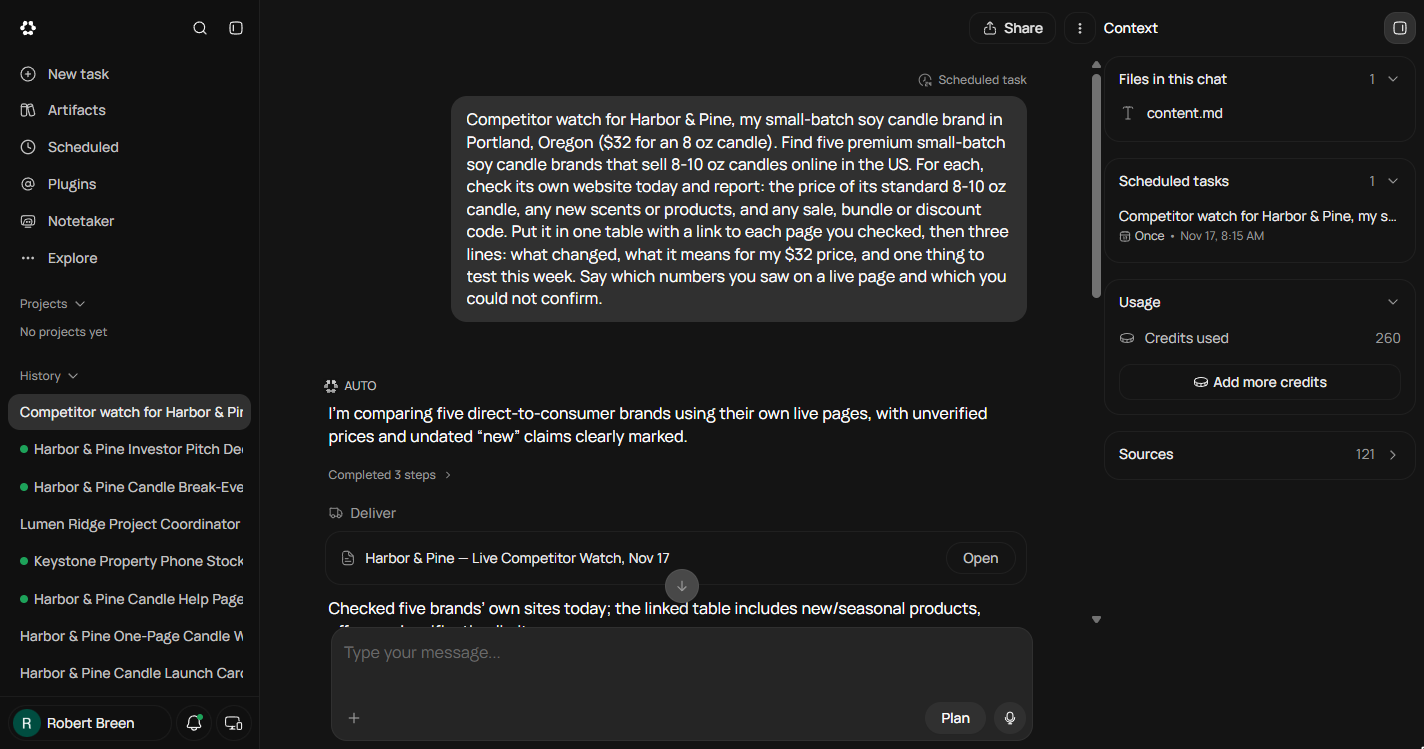
- Open the run. Work in: Same chat: every run of this task continues one chat, so it can see the last run. Under Runs, click the run.
Every run continues the same chat, so it can see the last one.
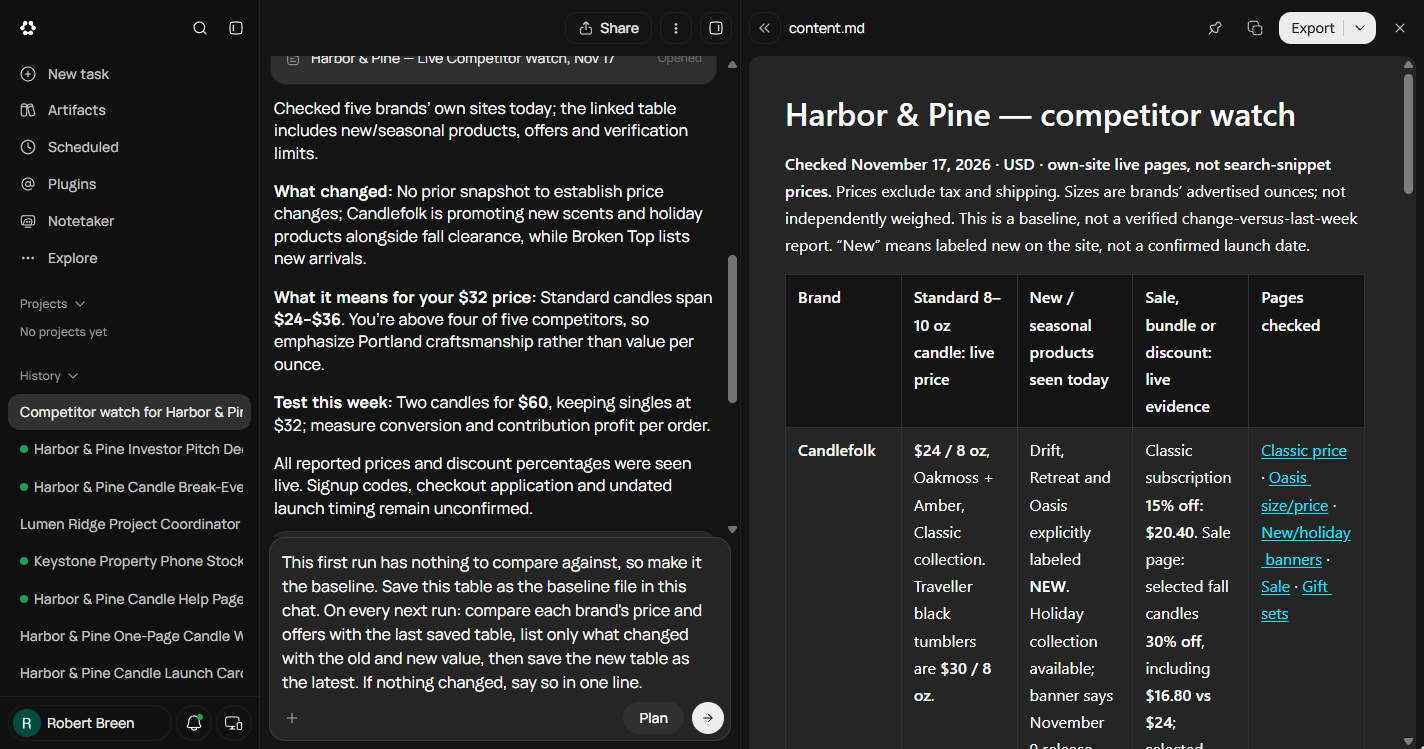
- Scroll to the answer. It checked the five brands' own pages using 121 sources and 260 credits. Click the down arrow to read its summary.
A hundred and twenty-one sources.
- Read "What changed". "What changed: No prior snapshot to establish price changes." A first run has nothing to compare against, so next Monday it would repeat the whole table again. It also says prices span $24 to $36, so $32 is above four of five. Click What changed.
What changed? Nothing to compare against. Next week it would repeat the whole table.
4. Make it compare, not repeat
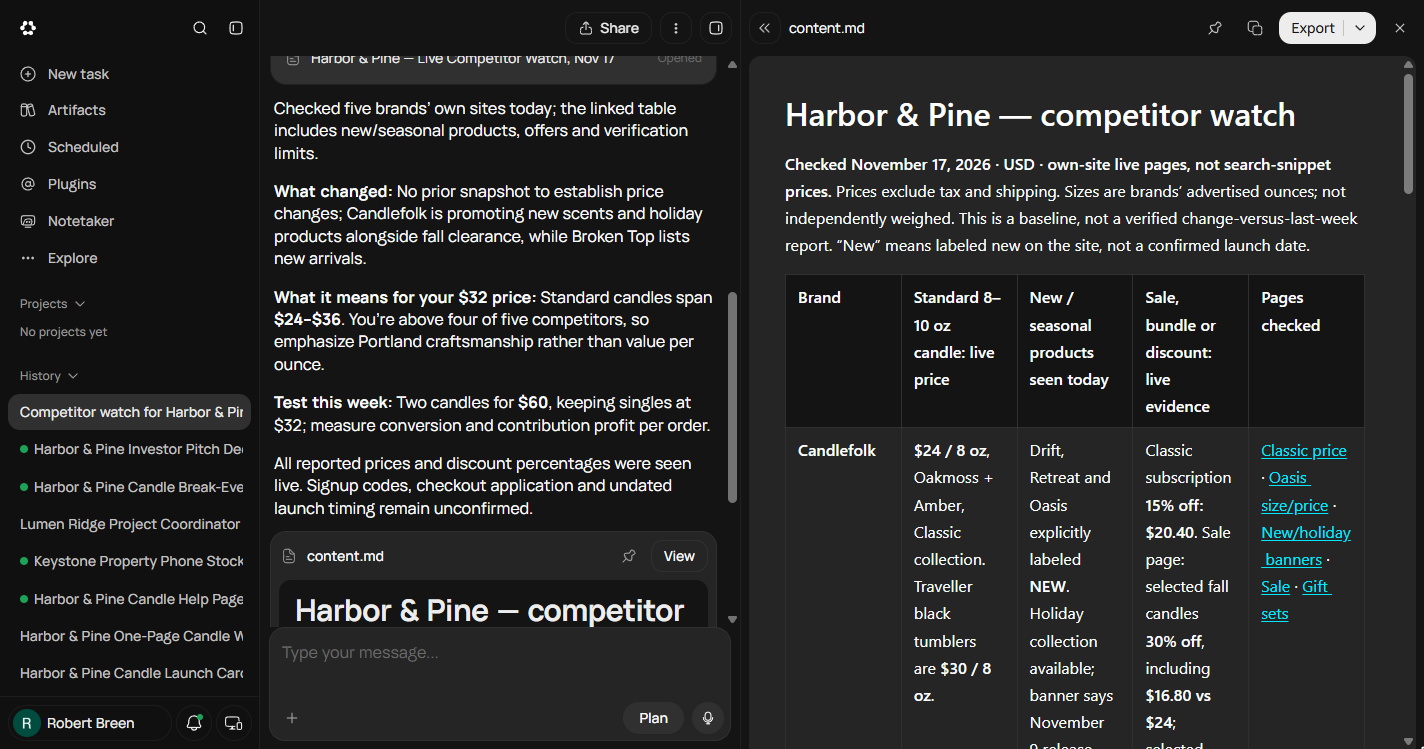
- Check the table. Before you trust the summary, open the table. Click View.
- Make this run the baseline. The table has a price, new products, offers and a link for each brand, and it marks this as a baseline. Ask it to save this table, compare every next run with the last saved table, list only what changed with old and new values, and say so in one line when nothing changed.
Make this run the baseline. Next time, list only what changed, with the old and new value.
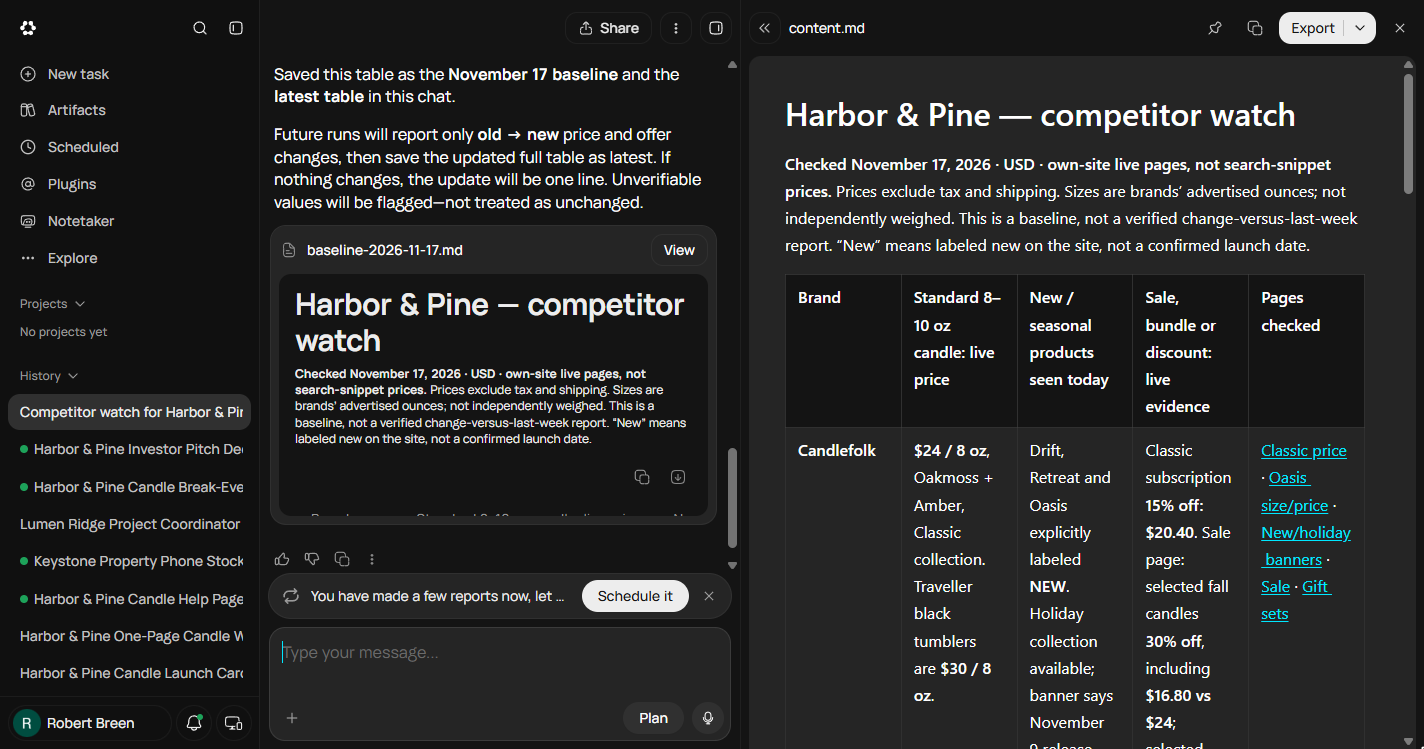
This first run has nothing to compare against, so make it the baseline. Save this table as the baseline file in this chat. On every next run: compare each brand's price and offers with the last saved table, list only what changed with the old and new value, then save the new table as the latest. If nothing changed, say so in one line.
- Send it. Click the arrow to send.
- Check the saved files. It saved baseline-2026-11-17.md and a latest table, and says future runs will report only old-to-new changes. Click the X to close the table.
It saved a baseline and a latest table.
5. What it saved, and what is next
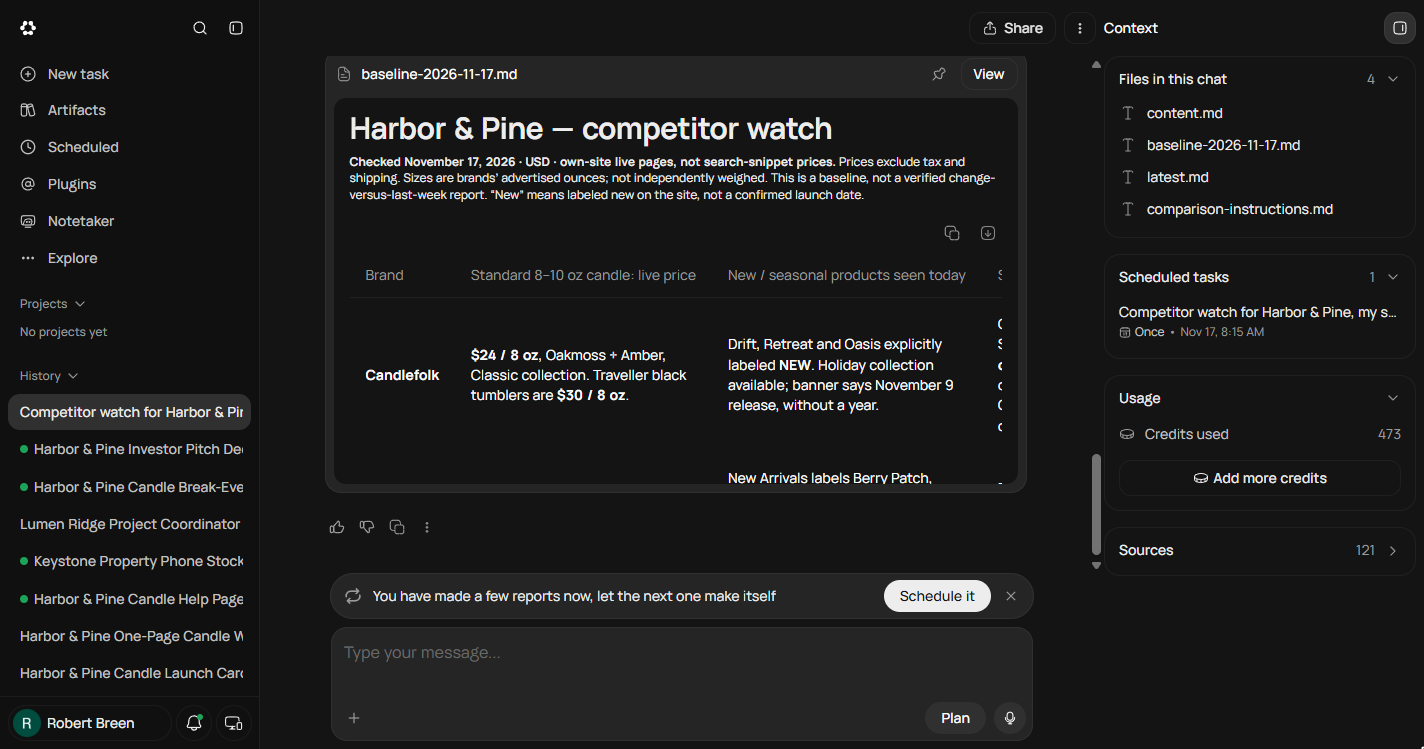
- Read what is in the chat now. Files in this chat: content, baseline, latest and comparison instructions. Credits used: 473 for the first run and the baseline. Click Files in this chat.
Four files, and four hundred and seventy-three credits.
- See what you have now. A competitor check that runs itself, sourced from each brand's own site, that will tell you only what changed. Click What you have now.
A check that runs itself, and tells you only what changed.
- Switch it to Weekly. Open the task from Scheduled, change Once to Weekly, Monday 8:00 AM. Credits are the cost to watch: a first run with research is the expensive one. Click the card.
Now switch it to weekly.
Screenshots
Frequently asked questions
- Can Runable run tasks on a schedule?
- Yes. Runable's Scheduled tasks run your instructions once, daily, every weekday, weekly or monthly, notify you by email, and can work in the same chat each time so later runs see earlier ones.
- How do I make a weekly AI report show only changes?
- After the first run, ask the agent to save the result as a baseline in the same chat and to compare every next run with the last saved table, listing only what changed with old and new values.
- How many credits does a competitor watch use?
- Our first run with research used 260 credits and saving the baseline brought the chat to 473. Change-only runs should cost less; check yours in the Usage panel.
More in Runable for Startups
All 3 modules in Runable for Startups
More Runable tutorials
A business case for a small agency: price what a slow proposal costs, then use Runable, an AI agent, to turn a messy client email into a finished six-slide proposal…
Free · Live ~16 min Beginner
 Size Up Your Market and 5 Competitors Before You Spend a Dollar using Runable
A business case for new founders: before you buy stock, have Runable, an AI agent, research the market size, five competitors and their prices, and two gaps, with a…
Free · Live ~12 min Beginner
 Turn Your Research into a One-Page Business Plan using Runable
A business case for new founders: turn your research into a one-page launch plan with Runable's Report tool and Business Plan template, read the fact and assumption…
Free · Live ~10 min Beginner
 Make an Instagram Launch Carousel for Your Products using Runable
A business case for new founders: make a 5-slide Instagram launch carousel with Runable's Carousels tool, approve the cover before it renders the rest, check every…
Free · Live ~10 min Beginner
 Brief a One-Page Website and Approve the Plan using Runable (and Budget Your Credits)
A business case for new founders: brief Runable's Websites tool for a one-page site, answer its two clarifying questions, approve the plan, run out of free credits…
Free · Live ~16 min Beginner
 Turn Customer Questions into a Help Page and DM Replies using Runable (and Check What It Changed)
A business case for small shops: turn the questions customers keep asking into a help page and paste-ready DM replies with Runable, make it list what your facts don't…
Free · Live ~10 min Beginner
Terms in this lesson
Plain-English definitions, each with an example from a free lesson.