What is voice dictation, and how is it different from speech-to-text?
Quick answer
Voice dictation is talking instead of typing: you speak, and your words appear as text where your cursor is, in an email, a chat box or a document. AI dictation tools also clean up the result, removing "um"s and adding punctuation, so it reads like something you typed.
Last updated
Take the free module →Module 10 of the free AI at Work: Start Here course, about 10 minutes. No account needed.
Updated · By Robert Breen
Why it matters for a small business
Office work is mostly writing things you already know: replies, updates, prompts. Typing is the slow part. In the example below, an office manager spends about 90 minutes a day typing, and saying the same words takes about 30 minutes plus 10 to read them over. At an example rate of $40 an hour, that is about 4 hours and $160 a week.
Speed is only half of it. Because talking costs less effort, people give more detail, which makes prompts to AI tools better and replies clearer. The trade-off is that dictation writes what it heard, not what is true. You still read every name, date and number before you send, and that review time belongs in the budget.
In a real lesson: Wispr Flow: Answer Emails and Write AI Prompts by Voice
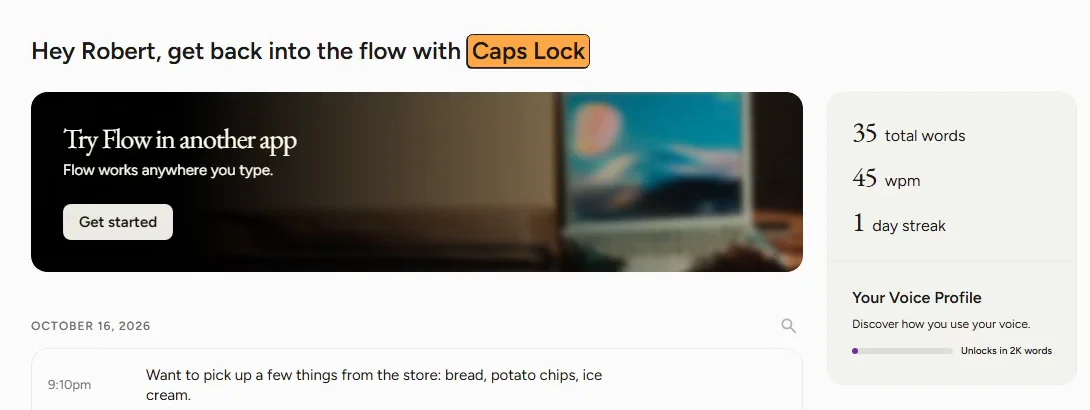
In the free Wispr Flow lesson, Maya Chen runs the office at Northgate Accounting, a made-up firm. On her Windows PC, the Flow home page says to dictate with Caps Lock. She clicks Reply on an email from Dan Morales at Harborview Dental, holds Caps Lock, and says "Tuesday at 2, no wait, Wednesday at 2". Only Wednesday makes it into the reply.
Next she clicks into a practice copy of ChatGPT and speaks a long prompt for a new-client checklist. When she talks with no text box selected, Flow shows Select a textbox first, then dictate and offers Copy. Her stats box showed 120 wpm, against the 45 words a minute wisprflow.ai gives for a keyboard. She adds client names in the Dictionary.
Try this lesson free or read the step-by-step guide.
Common confusions
Voice dictation vs speech-to-text
Speech-to-text is the underlying technology. Dictation is one use of it: you talking to write, live, into the app you are in.
Voice dictation vs transcription
Transcription turns a recording of other people into a transcript. Dictation is you composing text on purpose.
Voice typing vs AI dictation
Basic voice typing writes your words as spoken, filler and all. AI dictation tools also format the text and handle self-corrections.
Tips
- Click into the box first; the text goes wherever your cursor is.
- Say the whole thought, then let go, rather than stopping every few words.
- Read names, days and amounts before you press Send.
Related terms
More AI assistants terms
Where you use it: free lessons
- Wispr Flow: Answer Emails and Write AI Prompts by Voice (Wispr Flow, 10 min)
AI tools that use it
Frequently asked questions
- Is voice dictation faster than typing?
- Usually. In the Wispr Flow lesson the app showed 120 words a minute, and wisprflow.ai compares 45 words a minute on a keyboard. Leave time to read it over.
- Does voice dictation work in Gmail and ChatGPT?
- Tools like Wispr Flow type wherever your cursor is, so the lesson uses it in a Gmail reply and a ChatGPT prompt box.
- Is there free dictation software?
- Many devices include basic voice typing. Wispr Flow's free plan gave 2,000 words a week on desktop when the lesson was written.