Why this matters
Nonprofits, clinics and small businesses collect sign-ups on paper, web forms and email, then paste them into one list. The result has stray spaces, random capitals and the same person two or three times, so some people get two welcome emails, others none, and the import tool rejects a few addresses outright.
Three free browser tools clean a list in about two minutes before it goes into your email tool, and a fourth checks the text-message reminder fits in one message. In our test 13 messy lines became 7 clean addresses.
Practice
Do every step yourself in a practice copy of the real tool. It checks your work, and “Do it for me” finishes any step you get stuck on.
What you’ll build
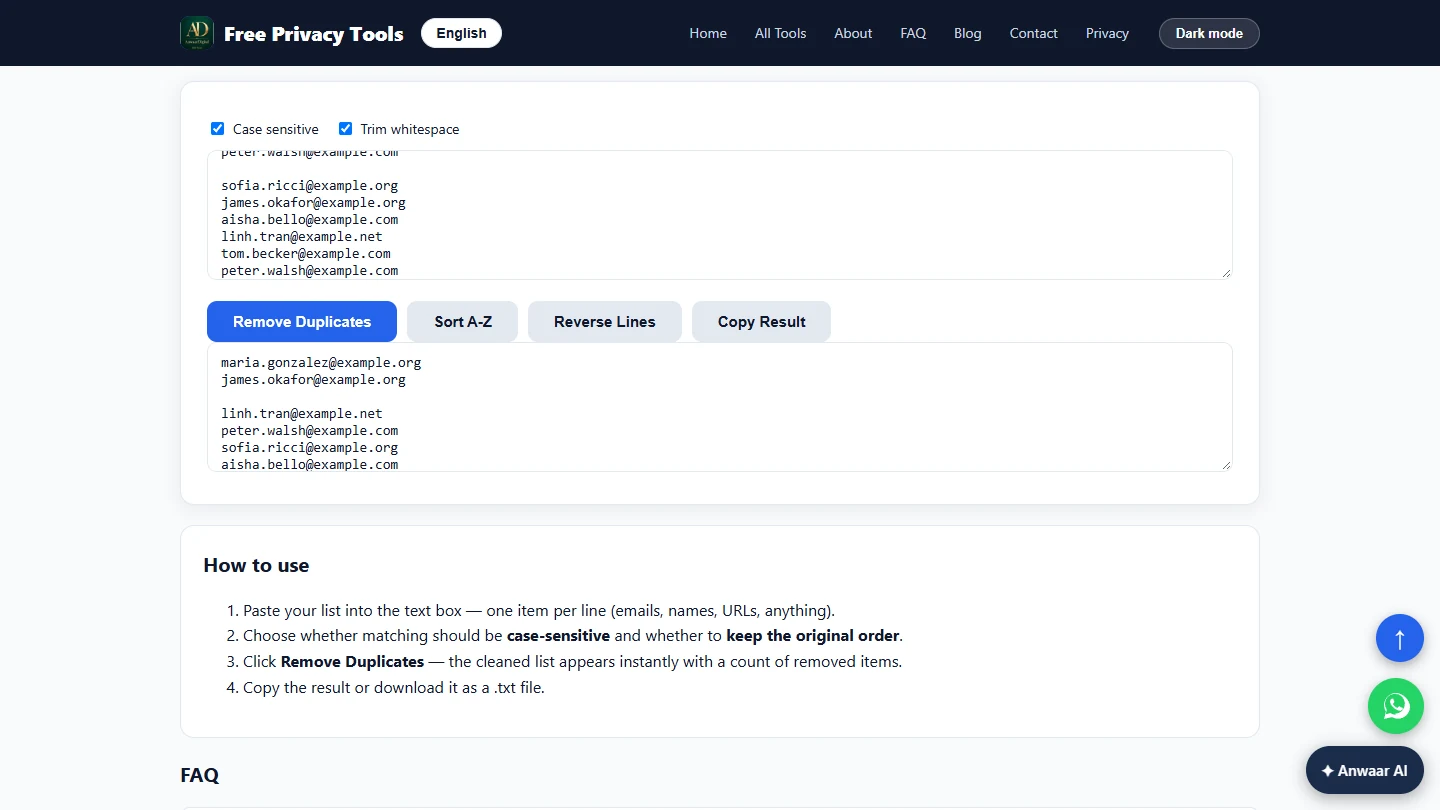
You coordinate volunteers at a made-up food bank. You trim the pasted list with Whitespace Remover, lowercase it with Text Case Converter and remove duplicates with Remove Duplicate Lines, then check a 143-character shift reminder with Character Counter.
The screens are real screenshots of Free Privacy Tools by Anwaar Digital, captured November 2026 while doing the task with a made-up list.
What you need
- Nothing to start the practiceThe lesson is a practice copy of real screens. The food bank and the volunteers are made up.
- The real tools, freeWhitespace Remover, Text Case Converter, Remove Duplicate Lines and Character Counter on Free Privacy Tools by Anwaar Digital. No account.
- One column of email addressesCopy just the email column from your sheet. Keep names in their own column, so the lowercase step never touches them.
Concepts
Clean in the right order
Remove Duplicate Lines only removes lines that match exactly. "James.Okafor@Example.org " and "james.okafor@example.org" look like two people until the space is trimmed and the capitals are gone.
So trim first (Whitespace Remover, Clean Up), lowercase second, and remove duplicates last.
What each button really does
Clean Up trims each line and cuts runs of blank lines to one. Remove ALL Spaces and Single Line would glue the list together, so skip them for lists.
In Remove Duplicate Lines, Sort A-Z sorted the original list again in our test, duplicates included. Remove the duplicates and copy the result instead.
One text message is 160 characters
Character Counter counts as you type. Keep a text reminder under 160 characters (our reminder was 143) so it arrives as one message, not two parts out of order.
Do it for real
Now repeat it in your own account. Tick each step as you go.
Quick check
3 questions to check you’ve got it.
1. Why lowercase the list before removing duplicates?
- So the same address in different capitals counts as a duplicate
- Because email tools reject capitals
- To make the list shorter to read
Show the answer
So the same address in different capitals counts as a duplicate. Duplicates are matched exactly, so MARIA@... and maria@... only match once both are lowercase.
2. Your list has names and emails on each line. Should you run lowercase on it?
- No, split out the email column first
- Yes, names do not matter
- Yes, but only once
Show the answer
No, split out the email column first. Lowercase would turn "Aisha Bello" into "aisha bello". Clean the email column on its own.
3. Your text reminder is 171 characters. What happens if you send it as is?
- It is split into two messages that can arrive out of order
- It is cut off at 160
- Nothing, phones show it as one
Show the answer
It is split into two messages that can arrive out of order. One text holds 160 characters. Trim it in Character Counter until it fits.