What is phishing?
Quick answer
Phishing is a message that pretends to come from someone you trust, such as a vendor, client, bank or your own boss, to trick you into clicking a link, sharing a password or sending money. AI tools now let scammers write polished, personalized phishing emails in any tone, with no spelling mistakes to give them away.
Last updated
Updated · By Robert Breen
Why it matters for a small business
The classic warning signs, bad grammar and a generic "Dear customer," are fading. An AI-written email can copy a vendor's style, mention a real invoice number taken from a hacked mailbox, and sound exactly as rushed as your boss does on a Friday. Some attacks add a cloned voice on a phone call. Looking for typos is no longer enough.
For office teams the most expensive version is usually the fake vendor or client email: "We changed banks, please send this month's payment to the new account." The fix is a process, not a sharper eye. Confirm any change of payment details by calling a phone number you already have on file, never one from the email, and require a second person to approve it.
In a real lesson: Reply Faster to Clients Chasing Their Refund: ChatGPT for Tax and Bookkeeping Firms
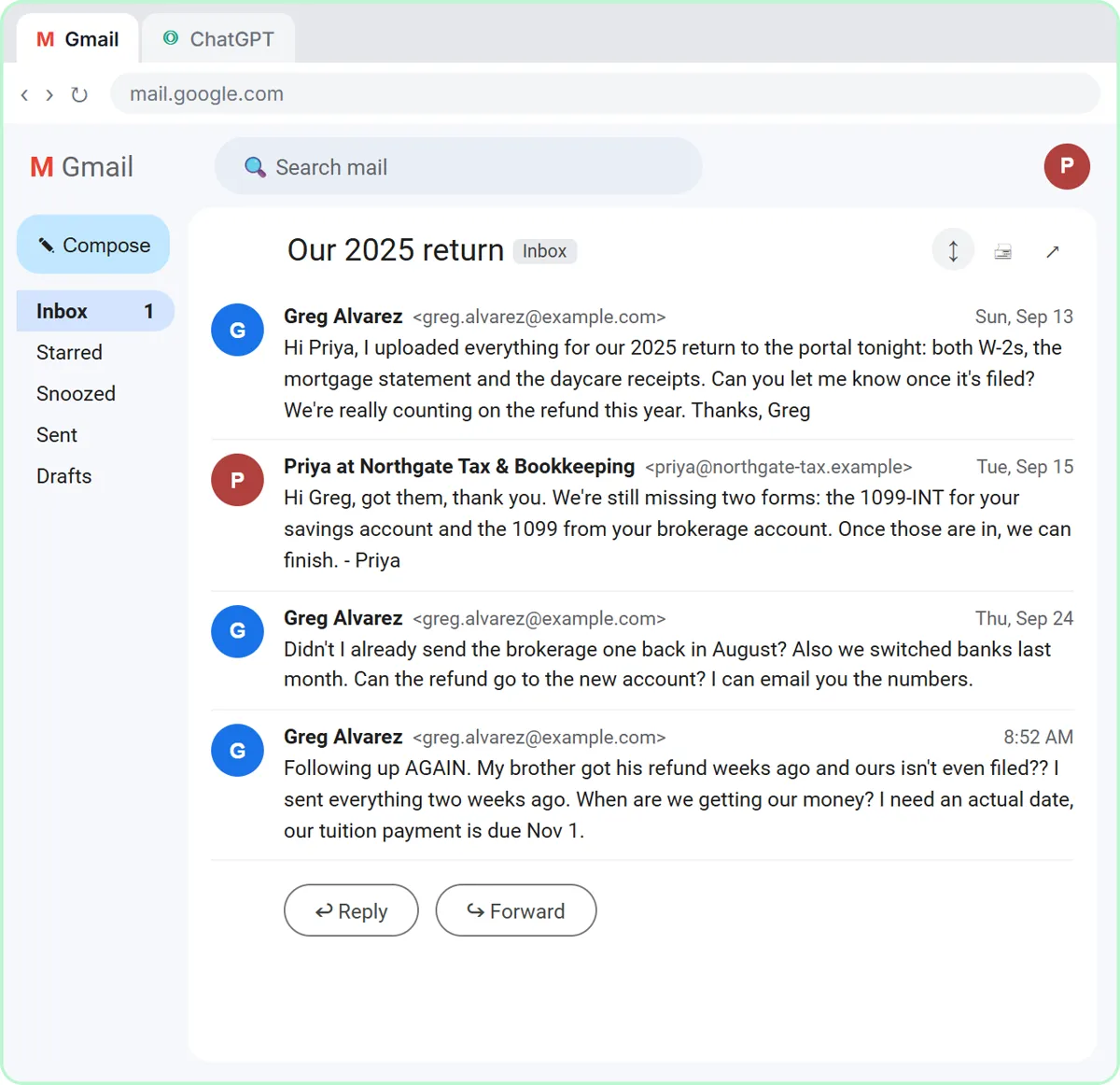
The Reply Faster: Client Refund Emails lesson is not about scams, but it shows the habit that stops them. Northgate Tax & Bookkeeping, a made-up firm, gets an email from its client Greg Alvarez: "we switched banks last month. Can the refund go to the new account? I can email you the numbers."
Greg is real within the story, but the firm's facts treat bank details the way every office should: "never send account numbers by email." Instead, the client adds the routing and account numbers in the secure portal under Refund details. A bank change request in an email, even a friendly one, never changes where money goes.
The email responder lesson adds a second layer. Its agent for Greenline Pest Control, also made up, can only create drafts and never sends, so a person reads every reply. That pause is where someone notices that the "customer" is really a phishing attempt.
Try this lesson free or read the step-by-step guide.
Common confusions
Phishing vs spam
Spam is unwanted bulk mail, mostly advertising. Phishing is deliberate deception aimed at your money, passwords or data, and it may be sent to just one person.
Phishing vs business email compromise
Business email compromise is a phishing scheme where the attacker poses as, or takes over, a real executive or vendor account to redirect payments. It often has no link or attachment at all, just a believable request.
Tips
- Verify every bank change or urgent payment request by phone, using a number from your own records.
- Slow down when a message pushes urgency or secrecy. That is the scammer's main tool.
- Report suspected phishing to whoever handles IT instead of just deleting it, so others get warned.
- Turn on multi-factor authentication so a stolen password alone is not enough.
Related terms
More Business terms
Where you use it: free lessons
- Reply Faster to Clients Chasing Their Refund: ChatGPT for Tax and Bookkeeping Firms (ChatGPT, 10 min)
- AI Email Responder: Draft Gmail Replies Automatically with n8n (n8n, 12 min)
- Reply Faster to a Client Asking for a Case Update: ChatGPT for Small Law Firms (ChatGPT, 10 min)
Prompt templates that use it
Frequently asked questions
- How can I tell if a vendor email is phishing?
- You often cannot tell from the email alone. Check the sender's full address, hover over links before clicking, and confirm any request involving money or passwords through a separate channel you already trust.
- Can AI help me spot phishing emails?
- It can point out warning signs if you paste in a suspicious message, but do not rely on it. Many email systems already filter phishing. Your verification process is the real protection.