What is intelligent document processing (IDP)?
Quick answer
Intelligent document processing, or IDP, is software that reads business documents such as invoices, receipts, forms and contracts, works out what each one is, pulls out the fields you need and passes them to another system. It combines OCR, which reads the text, with AI that understands what the text means.
Last updated
Updated · By Robert Breen
Why it matters for a small business
Plain OCR turns a scanned invoice into a block of text. You still have to find the vendor, the date and the total, and every vendor lays their invoice out differently. IDP adds the understanding step: it knows the big number next to TOTAL is the amount owed, not the subtotal, and it can label a document as an invoice, a receipt or a W-9 before routing it.
For accounts payable, bookkeeping, insurance claims and HR paperwork, that removes a lot of retyping. It does not remove checking. Blurry photos, handwritten notes and unusual layouts still trip it up, so good setups flag low-confidence fields for a person instead of filing them silently.
In a real lesson: AI Receipt Extractor: Receipts to Google Sheets with n8n
The AI Receipt Extractor lesson builds a small version of IDP in n8n. You create an Invoices sheet in a Bookkeeping folder with four columns: Date, Category, Vendor and Amount. Then you give an AI agent a three-line system message: "Extract the date, vendor, and amount. Come up with a category."
You attach receipt.png, a photo of a receipt from Corner Mart, a made-up store, and send it in the chat. The model reads the image, finds the total of $31.57 and the date 04/24/2024, files it as Groceries and appends one row through the Google Sheets tool.
A full IDP product would add steps the lesson leaves out, such as checking the total against the line items, routing each document by type and holding anything uncertain for review. The core move is the same: picture in, labeled fields out. Open the sheet and compare it with the receipt before trusting it.
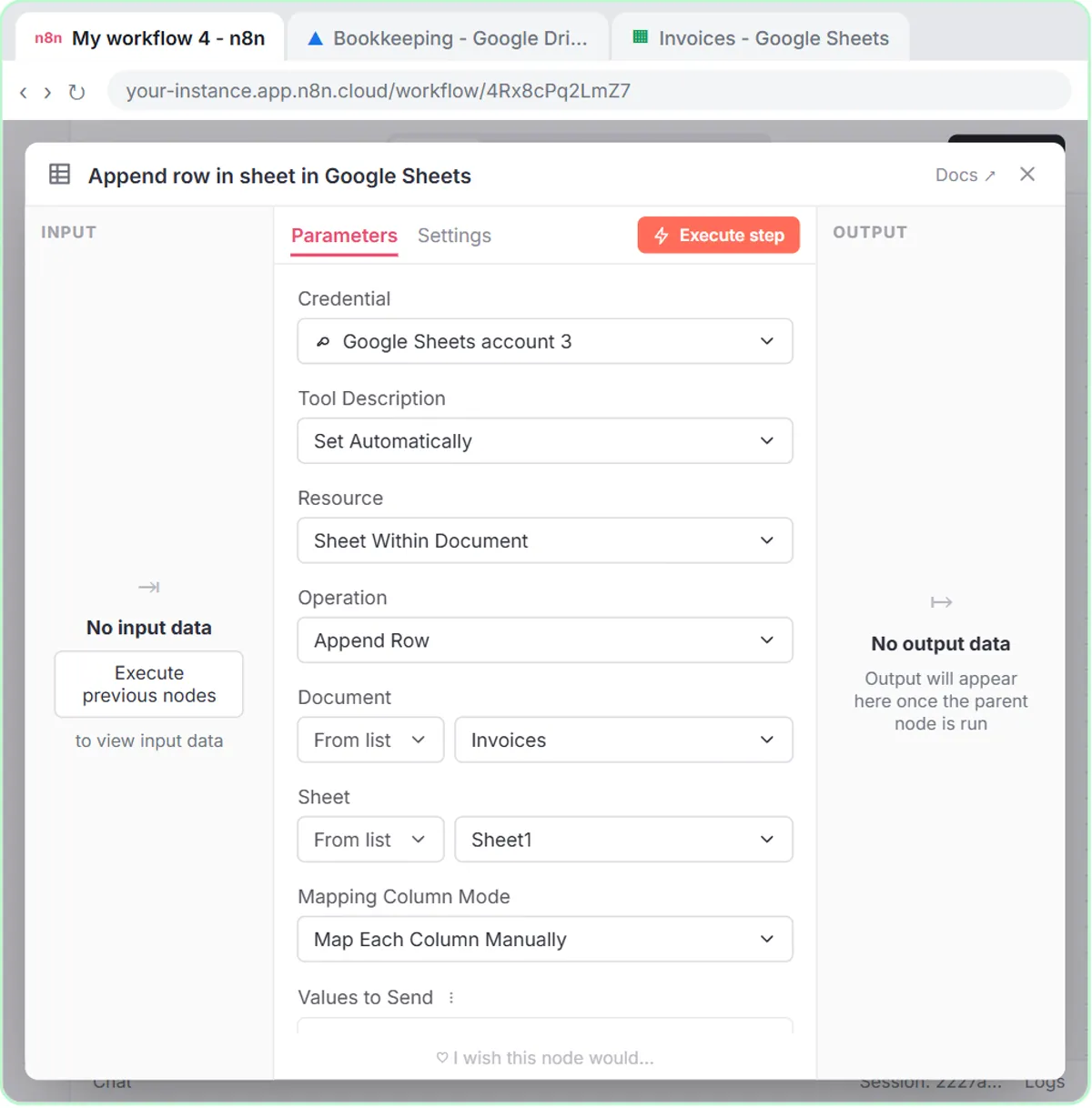
Try this lesson free or read the step-by-step guide.
Common confusions
IDP vs OCR
OCR reads characters. IDP uses OCR, or a model that reads images directly, and then decides which characters are the vendor, the total and the due date.
IDP vs data extraction
Data extraction is the general skill of pulling fields out of text. IDP is the end-to-end process for documents: capture, classify, extract, check and send on.
Tips
- Start with one document type, such as receipts, and fixed columns before handling everything.
- Keep the original image linked to each row so a reviewer can check it in one click.
- Add a rule for unclear documents, like the finance agent's Needs Review category, instead of letting the model guess.
Related terms
More AI basics terms
Where you use it: free lessons
- AI Receipt Extractor: Receipts to Google Sheets with n8n (n8n, 12 min)
- Build an AI Agent That Categorizes Business Expenses (n8n, 12 min)
Prompt templates that use it
Frequently asked questions
- Can ChatGPT do intelligent document processing?
- For a handful of documents, yes: upload a receipt or invoice and ask for the fields as a table. For steady volume you want an automation, like the n8n agent in the lesson, or a dedicated IDP product.
- How accurate is IDP?
- It depends heavily on image quality, layout and handwriting, so there is no single number to trust. Test it on a batch of your own documents and have a person check every field until you know where it slips.