Jotform AI Agent vs n8n AI Agent: which should an office start with?
Quick answer
Start with a Jotform AI Agent when you want a chat assistant that answers routine client questions from answers you teach it, and you want to put it on a website quickly. Start with an n8n AI Agent when the agent must do something in your other tools, such as read a Google Sheet or save a Gmail draft, because n8n is a workflow builder. Both are separate products with their own plans, as of October 2026.
Last updated
This page is for office managers and small-firm staff. The Jotform AI Agents lesson builds a front-desk agent for a made-up law office, and the AI Social Media Idea Agent lesson is where the n8n AI Agent starts.
How do they compare at a glance?
| Jotform AI Agents | n8n AI Agent | |
|---|---|---|
| What it is | A chat assistant you describe in one sentence and teach with a knowledge base | An AI Agent node inside an n8n workflow, connected to a chat model and at least one tool, with optional memory |
| How you teach it | TRAIN tab: add text, a file, a link or a question and answer | A system message and the tools you connect, such as Gmail or Google Sheets |
| How you test it | Test Mode in the preview chat | Execute step and the chat panel in the editor |
| How you share it | PUBLISH: CHATBOT embed code to paste into a website, or STANDALONE for a direct link | Publish the workflow; what it does depends on the trigger you use |
| What it can do for you | Answer questions from what you taught it | Answer, and also act through nodes, such as reading a sheet or drafting an email |
| AI model costs | Part of Jotform's own plans; check Jotform for details | Separate: the lessons use an OpenAI API key and credit added under Billing |
| Plans | Jotform has its own free and paid plans | n8n Cloud has paid plans with a free trial and n8n can also be self-hosted; the OpenAI API is billed separately |
What is the difference between a Jotform AI Agent and an n8n AI Agent?
A Jotform AI Agent is a finished chat assistant that you shape by describing it and teaching it answers. An n8n AI Agent is a building block: it sits in a workflow, and you decide the trigger, the model, the tools and, if you want, the memory around it.
The first is quicker to put in front of people. The second can do more because it is connected to the rest of your tools.
Which one is easier for a first agent?
The Jotform AI Agent. In the lesson you click CREATE AGENT, describe who the agent is for, click Create, name it, teach it one question and answer under TRAIN and test it in Test Mode. The agent builder opens ready to use.
An n8n AI Agent asks you to connect a chat model with a credential and at least one tool (n8n's docs say the agent needs one), and you can add memory, which is more setup but more control.
Which one can do things in my other apps?
The n8n AI Agent. n8n is built to connect services, so an agent there can use tools such as Gmail and Google Sheets. In the Talk to Your Google Sheets lesson, an agent reads a client roster, and in the AI Email Responder lesson an agent saves replies as Gmail drafts.
The Jotform lesson shows an agent that answers from its knowledge base. It says an agent can also use files, links and more actions than the lesson shows.
How do I keep either agent from guessing?
Test with questions you did not teach it. In Jotform, ask in your own words in Test Mode and check nothing was added to the answer. In n8n, check the output of each step and verify any total the agent gives, since models can add numbers wrongly.
For a law office, keep legal advice out of it: let the agent answer logistics and send anything else to a person.
How do I put the agent in front of clients?
In Jotform, click PUBLISH, then CHATBOT, and under Embed Code click Copy Code and send it to whoever manages your website. In n8n, the workflow runs when published and its trigger fires, so how clients reach it depends on what you build around it.
Who is each one for?
Jotform AI Agents
For a front desk or small office that wants a chat assistant answering routine questions on its website with little setup. Start with the Jotform AI Agents lesson.
n8n AI Agent
For people who want an agent connected to Gmail, Sheets and other tools, and are happy to build it in a workflow. Start with the n8n AI Agent lesson.
Which of these tools have a free Stepthrough lesson?
- Jotform AI Agents: free lesson: Jotform AI Agents: An Agent That Answers Client Questions
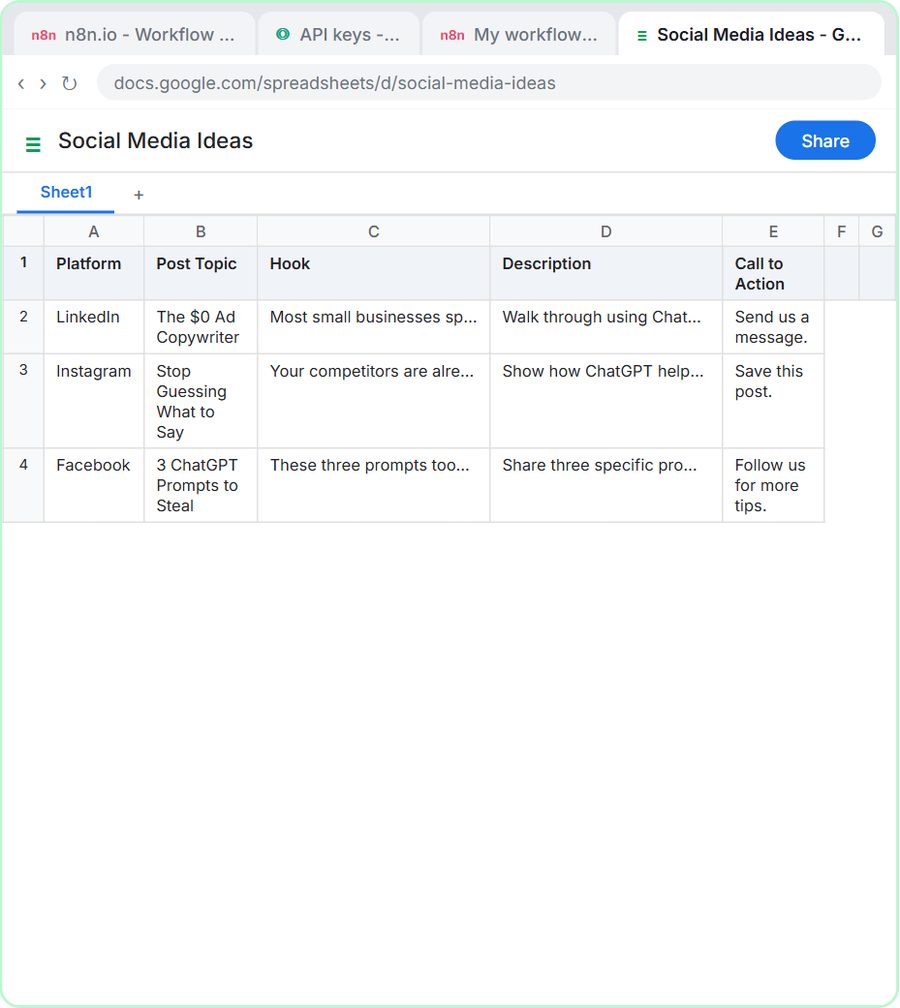
- n8n AI Agent: free lesson: n8n AI Agent Tutorial: Save Social Media Ideas to Google Sheets
Practice it free, step by step
Jotform AI Agents: An Agent That Answers Client Questions. Create a Jotform AI Agent for a small law office, teach it an answer, test it in the preview chat and find the code that puts it on your website. You do every step yourself in a practice copy of Jotform, it checks your work as you go, and “Do it for me” finishes any step you get stuck on. Free, and nothing touches your real accounts.
Start the free lessonWatch it in a free lesson: n8n AI Agent Tutorial: Save Social Media Ideas to Google Sheets
 8:07
8:07AI Social Media Idea Agent: video walkthrough
Build an AI agent for BrightPath Marketing that generates social media post ideas and saves them to Google Sheets — chat trigger, AI Agent, system prompt, model, memory, and the Sheets tool. The whole lesson narrated step by step, recorded in Stepthrough’s simulated practice environment.
Key takeaways
- A Jotform AI Agent is quick to create and answers from the knowledge base you teach it.
- An n8n AI Agent is part of a workflow, so it can also use tools such as Gmail and Google Sheets.
- Test either agent with questions it was never taught before clients see it.
- Both are separate products with their own plans; the OpenAI API used in the n8n lessons is billed separately from ChatGPT.
Frequently asked questions
Can a Jotform AI Agent go on my website?
Yes. In PUBLISH, the CHATBOT option gives you an Embed Code to copy and send to whoever manages the site.
Do I need an OpenAI key for a Jotform AI Agent?
The Jotform lesson does not use one. The n8n lessons use an OpenAI credential, with funds added under Billing.
Should an agent give legal advice?
The Jotform lesson says no. Keep it to logistics and send anything else to a person.
Where do these prices and features come from?
Every price and feature on this page was checked against the vendor's own page, as of October 2026. No numbers here are estimates or third-party figures. The example businesses in the Stepthrough lessons are made up.