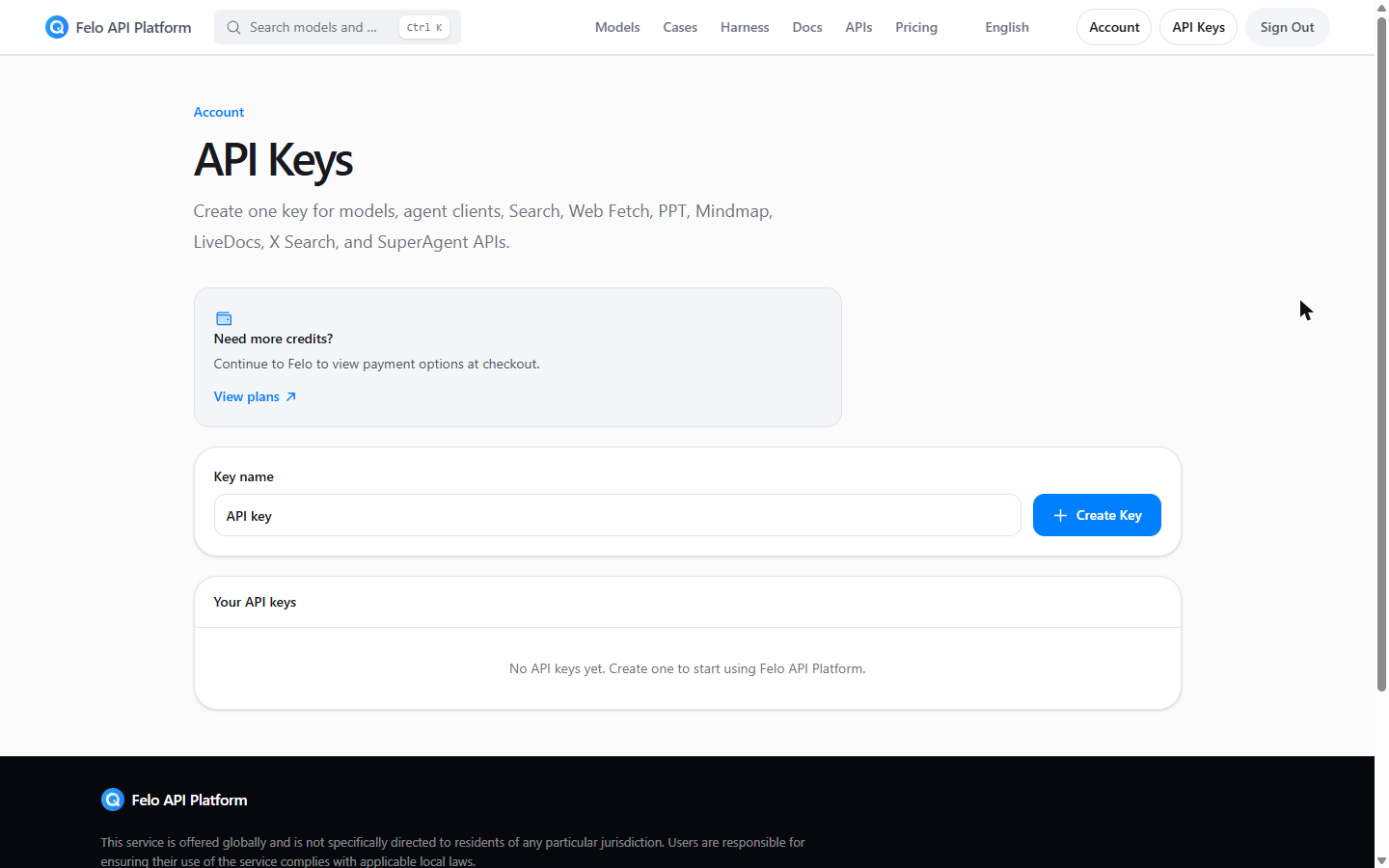
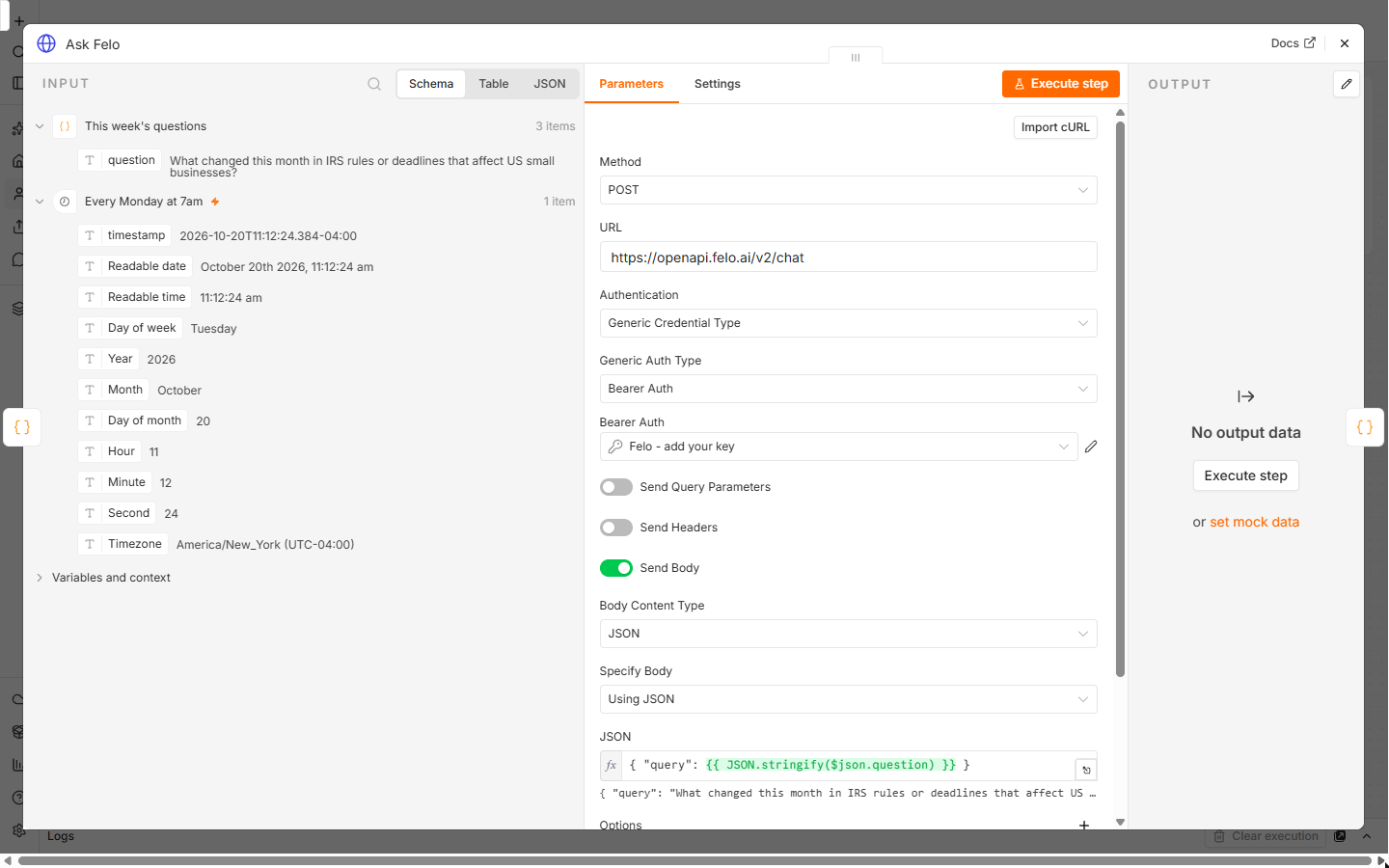
The lesson's example is Priya Nair, who owns Lakeshore Bookkeeping (both made up). Her workflow asks Felo three questions every Monday and emails her one brief. In the lesson, the Felo call ran with a placeholder key, and the email step ran on pinned sample answers marked SAMPLE. That is why some of these fixes are about test data.
What are the most common mistakes?
| # | Mistake | Fix |
|---|---|---|
| 1 | Key pasted into the URL, body or code | Keep it in a Bearer Auth credential, in Bearer Token |
| 2 | Reading Invalid API Key as a broken setup | It means n8n reached Felo; add the real key |
| 3 | Typing the question into the body in quotes | Use JSON.stringify($json.question) |
| 4 | Wrong method or URL | POST to https://openapi.felo.ai/v2/chat |
| 5 | All questions in one item | One item per question, as This week's questions returns |
| 6 | Sample answers still pinned | Unpin Ask Felo once your key is in |
| 7 | Leaving To as the template address | Put your own address in Email the brief |
| 8 | Publishing before a test email | Execute, read the email, then Publish |
Where should the Felo key go?
1. Key pasted into the URL, body or code. Anyone who sees the workflow, an export or a screenshot then has your key. In Ask Felo, set Authentication to Generic Credential Type and Generic Auth Type to Bearer Auth. Create a credential, paste the key into Bearer Token and save. The lesson's credential is named Felo - add your key, which makes it obvious when it is still empty. The bearer token entry explains how the header works.
Why does the HTTP Request node say Authorization failed?
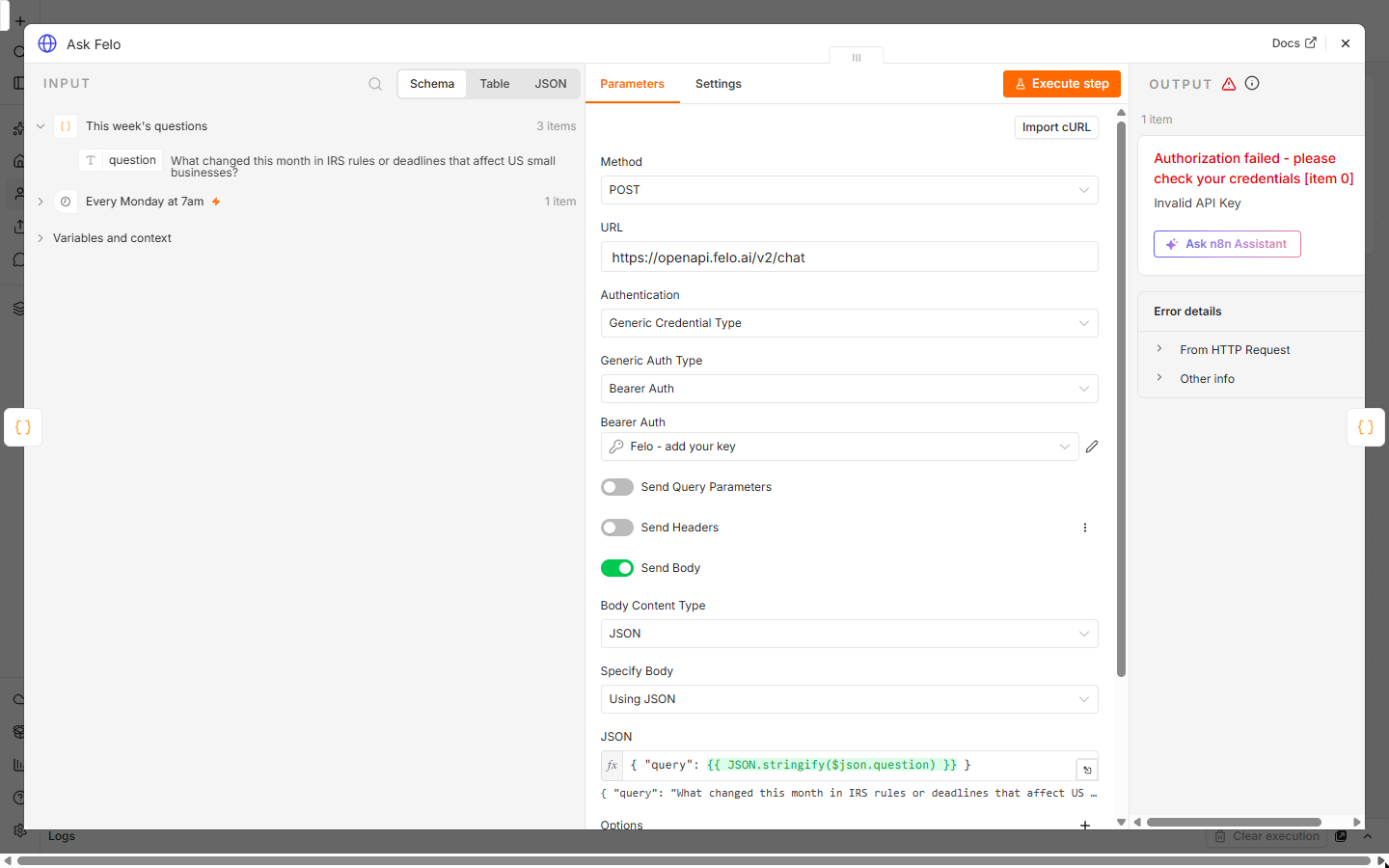
2. Reading Invalid API Key as a broken setup. With a placeholder in the credential, Felo answered Authorization failed and Invalid API Key. The lesson's learning card puts it simply: n8n reached Felo and Felo read the header, so the URL, the method and the Bearer Auth setup are right. Only the key is missing. Paste your key into the credential and run the node again. Don't rebuild the node.
Why does the JSON body break?
3. Typing the question in quotes. A body like { "query": "{{ $json.question }}" } works until a question contains a quote mark, and then the JSON is invalid. The lesson's body is { "query": {{ JSON.stringify($json.question) }} }. JSON.stringify adds the quotes for you and escapes any inside the question.
4. Wrong method or URL. Method is POST and URL is https://openapi.felo.ai/v2/chat. Send Body must be on, as JSON. Check these three before anything else when a call fails with something other than the key error. The HTTP method entry covers GET versus POST.
Why does Felo only answer one question?
5. All questions in one item. This week's questions is a small Code node that returns one item per question. n8n runs Ask Felo once per item, so each question gets its own answer and sources. If you edit the code into one long string, you get one call and one blended answer. Keep one line per question in the list.
Why does the email show the same answers every week?
6. Sample answers still pinned. In the lesson, the canvas after the test run shows sample answers pinned on Ask Felo, so Build the brief could be tested without a real key. While that pinned data is there, a test run uses the made-up SAMPLE answers instead of calling Felo. Once your key is in the credential, unpin the node and execute again.
What goes wrong with the email?
7. Leaving To as the template address. The downloaded workflow sends to a placeholder address. Open Email the brief, put your own address in To and connect your Google account. Check Email Type is HTML, with Subject {{ $json.subject }} and Message {{ $json.html }}, because Build the brief writes the email as HTML.
8. Publishing before a test email. Click Execute once with your key in place and read the brief. Keep the workflow off until a test email looks right, then click Publish so it runs every Monday at 7:00. The publish workflow entry explains what changes when a workflow is live.
One more habit, not a setup mistake: open the source links before you act on an answer. AI search can be wrong or out of date, which is why the brief keeps the first 3 sources for each question. And because each question is a separate Felo API call, check Felo's own API docs for usage terms before you add many questions or run it daily.
Try it free, step by step
n8n + Felo: A Monday Research Brief With a Source for Every Answer. Stop spending Monday morning searching. Every week n8n sends your questions to Felo's AI search API, gets back answers with their sources, and emails you one brief before work starts. Felo's free… You do every step yourself in a practice copy of n8n, it checks your work as you go, and “Do it for me” finishes any step you get stuck on. Free, and nothing touches your real accounts.
Start the free lessonKey takeaways
- The Felo key lives only in a Bearer Auth credential.
- Invalid API Key means the request reached Felo. Fix the key, not the node.
- Build the body with
JSON.stringifyso quote marks can't break it. - Unpin the SAMPLE answers once your real key is in.
- Change To, run Execute, read the email, then Publish.
Frequently asked questions
- Is Authorization failed the same as a wrong URL?
No. The lesson's learning card says Authorization failed means n8n reached Felo and Felo read the header, so the URL, the method and the Bearer Auth setup are right. Only the key is wrong or missing.
- Do I need to rebuild the workflow after adding my key?
No. Paste the key into the existing credential, save it and execute the workflow again.
- Why is the brief showing "No answer this week."?
Build the brief writes that line when an item has no data.answer, and No sources returned when there are no data.resources. Check the Ask Felo output for that question first.
- Where are the other Felo answers?
The n8n Felo research brief FAQ covers the node settings and the response, and the Felo AI search FAQ covers the Felo app. The cheat sheets page has a one-page version of this workflow.