Updated . Built against the tool’s current screens and checked step by step. How we check this lesson
Home-service companies get estimate requests with little more than an address, and someone looks each property up by hand before booking an inspection. BatchData sells U.S. property and owner data through APIs and an MCP server, and its Property Lookup endpoint returns details for a known address. In this free lesson on real BatchData screens, the office coordinator at a made-up roofer creates a free sandbox token, proves it with one real Property Lookup call, reads the record, and runs the same call from a real n8n HTTP Request node with the key stored as a credential. 19 steps, about seven minutes, no account needed to practice.
At a glance
| Question | Answer |
|---|---|
| What you build | Estimate requests arrive with only an address, and someone looks each house up by hand. In the real BatchData app, create a free sandbox token, make one real Property Lookup call, read the record, then run the same call from a real n8n HTTP Request node with the key in a credential. |
| Tools | BatchData |
| Time | About 8 minutes, 19 steps in 3 parts |
| Level | Beginner, no coding needed |
| Cost | Free |
| Ways to learn it | Practice it step by step |
The 3 parts, in short
- Get a sandbox token: Open the sandbox tokens, Add a sandbox token, Name the token, Create it, and 1 more step.
- Make one real lookup: Open the Property Lookup console, Send the request, Check the status, Read the counts, and 1 more step.
- Put it in n8n: Confirm the call, Open the HTTP Request node, Choose Bearer Auth, Create a new credential, and 5 more steps.
Start here first: How to Do OCR in n8n: Read Receipt Photos into Google Sheets with AI (module 1 of Business Automations)
In the course: Part 9 · n8n Automation Toolkit (Module 167 of the full course)
The business case: every estimate request starts with a look-up
Picture Gina, office coordinator at Ridgeline Roofing, a made-up residential roofer. Requests come in from the website form with a name and an address, and before booking an inspector she looks the property up by hand. On busy days it gets skipped.
BatchData's Property Lookup endpoint takes an address and returns the property record: building, lot, owner, sale, valuation and more. Test it free with a sandbox token, then one n8n HTTP Request node can make the same call for every new request.
Who this is for, and what you need
Office and operations staff at roofers, solar installers, insurers and other property-based businesses who already use n8n or are learning it. The practice runs in your browser with no account. To do it for real you need a BatchData account (sandbox tokens are free and return mock data) and n8n. Real property data needs a server-side token on a paid plan; BatchData's listed property data plans start at $1,000 a month.
What the pages say about cost and limits
Each property record returned counts as a billable request, and contact enrichment (skipTrace) costs extra. A request holds 1 to 500 properties; use the async endpoint for large lists to avoid timeouts. The options.datasets setting limits which sections come back, and only datasets your token allows are returned. Only use owner and contact data for purposes the law and your own policies allow.
What we found in the sandbox
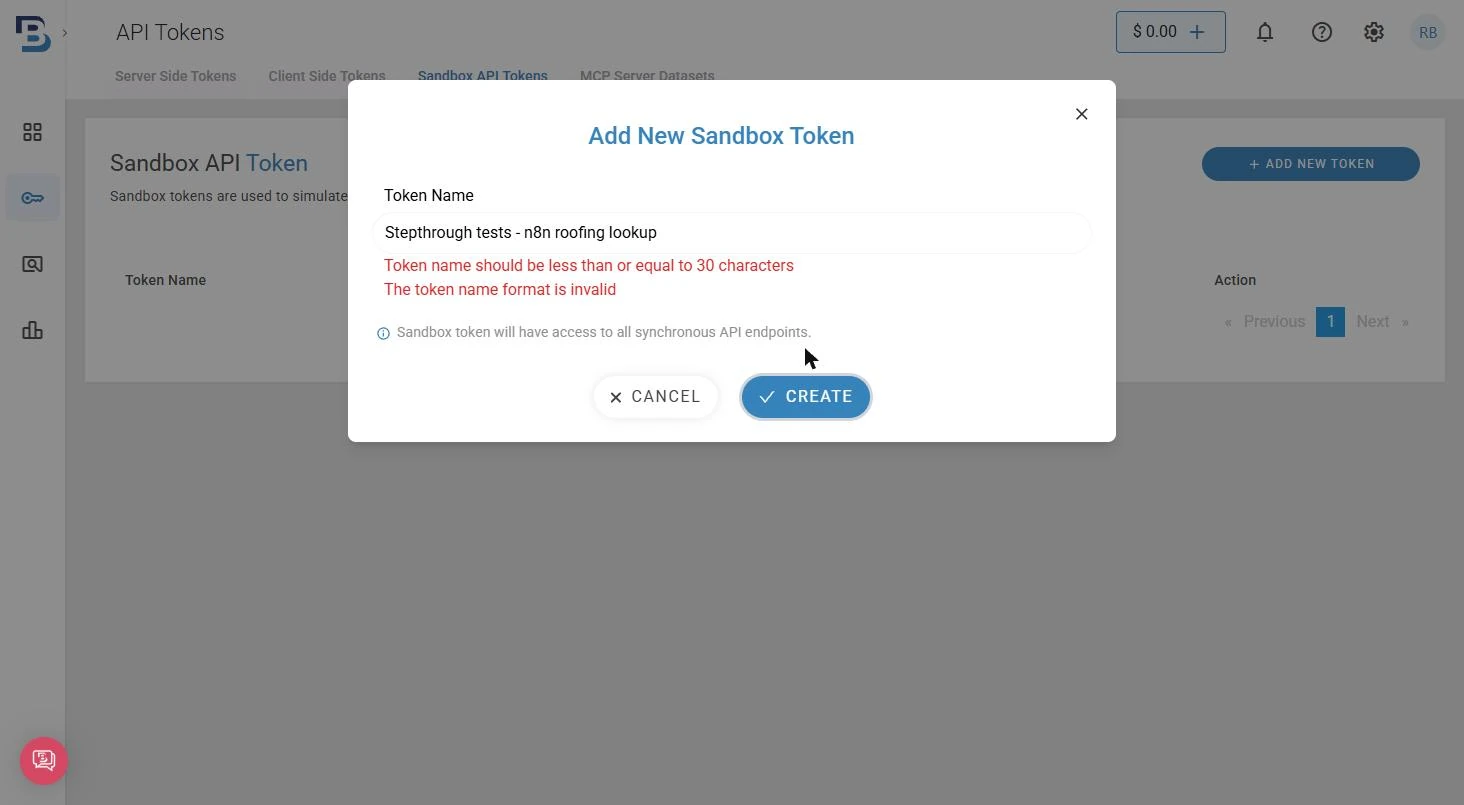
Creating the token took under a minute. A 38-character name was rejected ("Token name should be less than or equal to 30 characters" and "The token name format is invalid"); "n8n roofing lookup" worked. The token is shown once, already copied to the clipboard. Our Property Lookup call returned 200 OK in about a second with a full record, but sandbox values are random: the address that came back was not the one we sent, and the counts in results.meta were mock numbers. BatchData's token list then showed the call under Last Used. In n8n, the HTTP Request node with a Bearer Auth credential returned the same mock record (1 item); n8n masks the token and sends it in the Authorization header, so it never sits in the workflow itself.
What this saves you
- Looking up each new address by hand before booking.
- Copying property details into the booking sheet.
- What it does not do: it does not decide who gets an inspection first. Your team still sets the rules.
How this lesson was built
Every practice screen is a capture of the real BatchData app and BatchData's API docs console, taken on 24 November 2026 while creating a sandbox token and making one real Property Lookup call with it. The token is blurred. Sandbox responses are mock data, so the property values on screen are random. The n8n chapter is real n8n screens from the same day, with a second sandbox token stored as a Bearer Auth credential; the test workflow was archived afterwards and other credential names are blurred. Pricing comes from BatchData's pricing page. The roofer is made up.
Links
- BatchData: Property Lookup API: the POST endpoint, the Bearer token header, the requests array with street, city, state and zip, options such as datasets and skipTrace, and billing per returned record.
- BatchData: Developer site: property data, skip tracing, phone verification and address services, plus the MCP server guide.
- BatchData: MCP server: connecting property data to Claude, ChatGPT, Cursor and Claude Code.
- BatchData: Integrating BatchData API with n8n: BatchData's own article on n8n workflows for lead qualification and market monitoring.
- n8n: Call any API with the HTTP Request node: our free lesson on GET and POST requests in n8n.
Try it yourself, free
Reading the steps is a start. Doing them is how it sticks. The interactive module walks you through every click in a practice copy of BatchData, checks each step, and never touches your real accounts.
Start “BatchData + n8n: Look Up the Property Behind Each Roofing Estimate Request”Step by step: BatchData + n8n: Look Up the Property Behind Each Roofing Estimate Request
All 19 steps of the interactive module, in order. In the module you watch each one, then do it yourself in a practice copy that checks your work.
1. Get a sandbox token
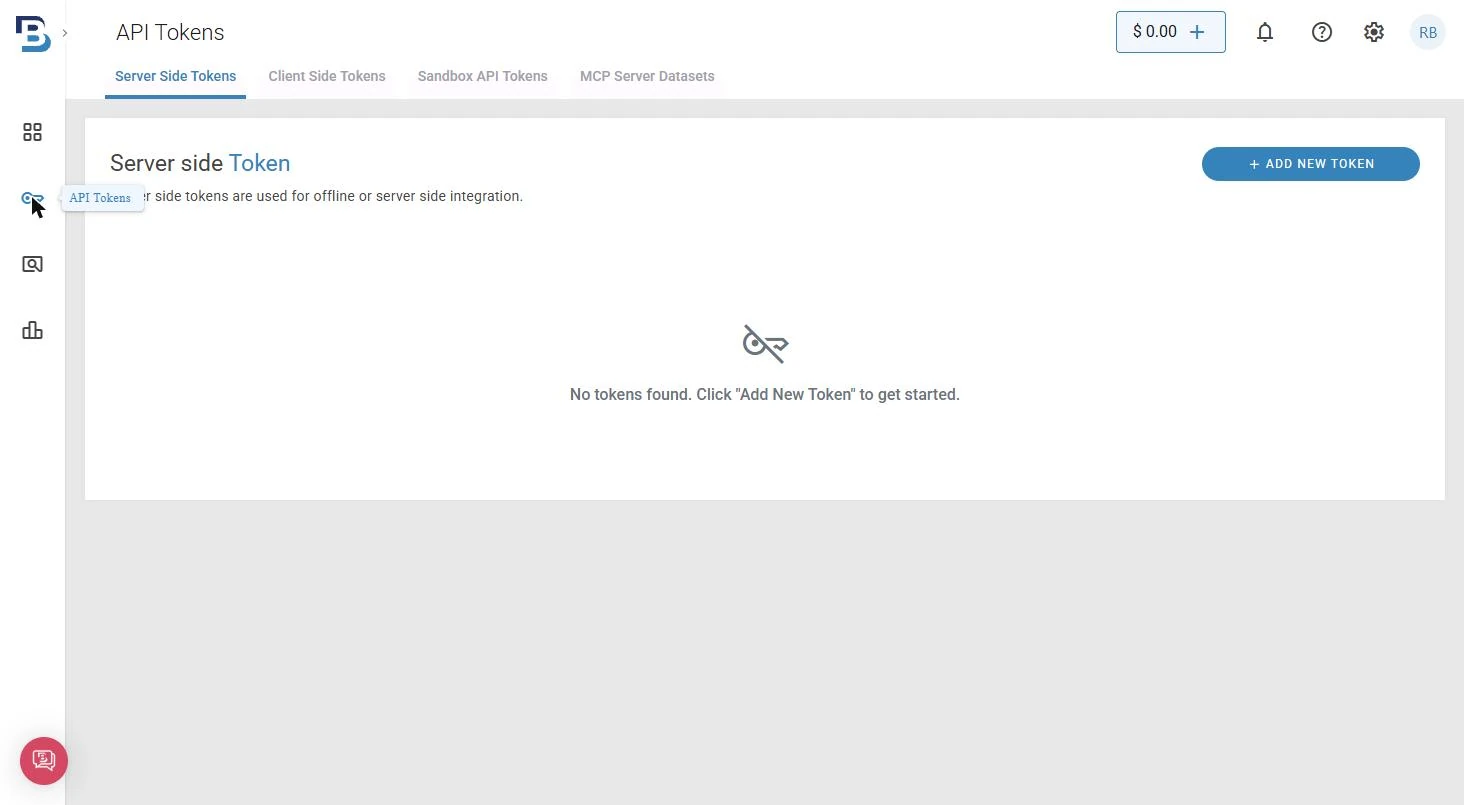
- Open the sandbox tokens. You are Gina, office coordinator at Ridgeline Roofing, a made-up residential roofer. Estimate requests arrive with a name and an address, and you look each house up by hand before booking an inspector. BatchData sells U.S. property data through an API. In the BatchData app, the key icon opens API Tokens: Server Side Tokens (for server integrations like n8n), Client Side Tokens, Sandbox API Tokens and MCP Server Datasets. Test first, for free: click Sandbox API Tokens.
Estimate requests arrive with just an address. BatchData can look the property up for you. Start in API Tokens, and open the sandbox tokens tab.
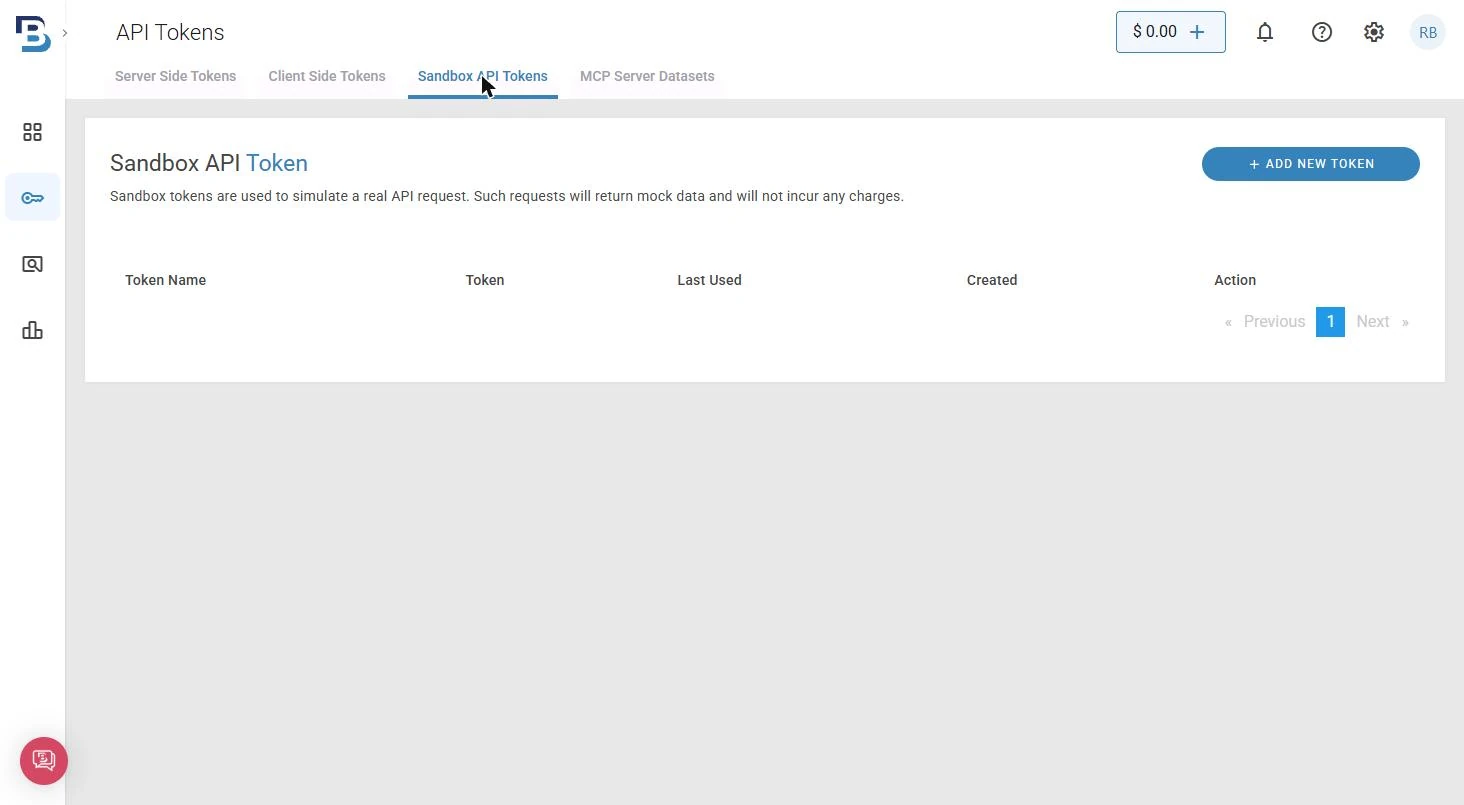
- Add a sandbox token. BatchData says it plainly: sandbox tokens are used to simulate a real API request. Such requests will return mock data and will not incur any charges. That is exactly what you want while you build the workflow. Click + Add New Token.
Sandbox requests return mock data and cost nothing. Perfect for building.
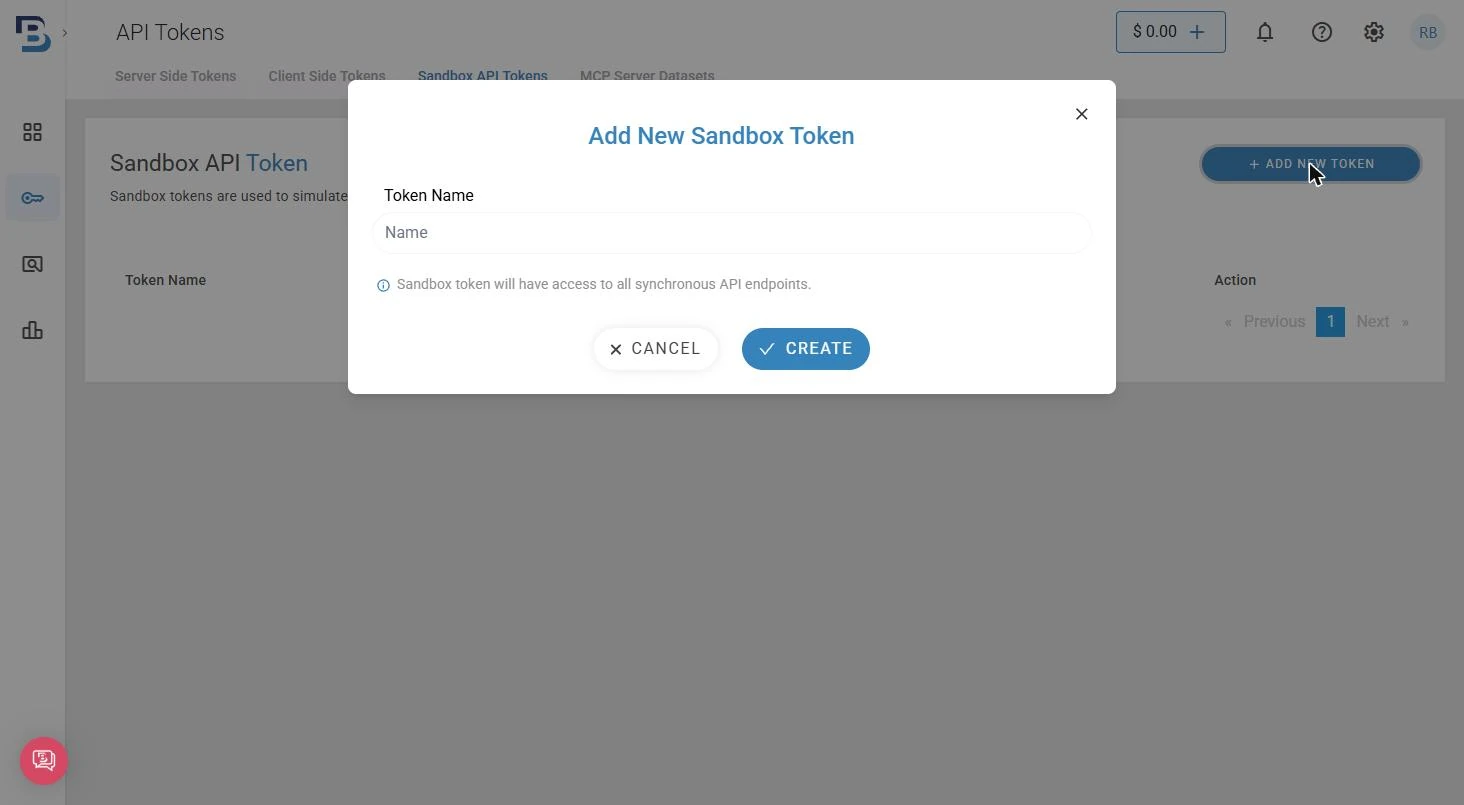
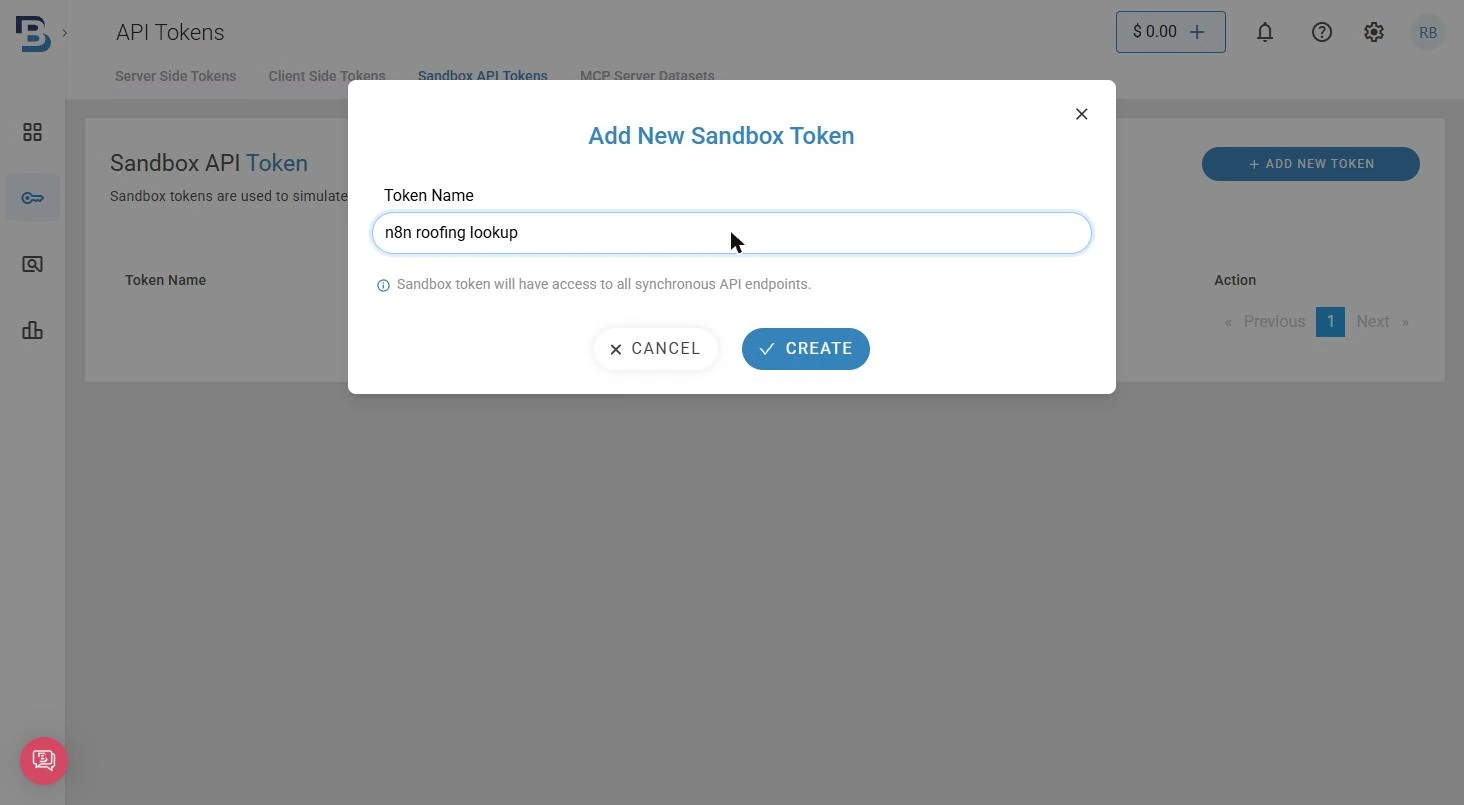
- Name the token. Give the token a name you will recognize later, such as n8n roofing lookup. Keep it short: our first try, "Stepthrough tests - n8n roofing lookup", was rejected with Token name should be less than or equal to 30 characters and The token name format is invalid. The note below says a sandbox token will have access to all synchronous API endpoints. Click the box and type the name.
Name it something you will recognize. Keep it under thirty characters, or BatchData rejects it.
- Create it. The name n8n roofing lookup fits. Click Create.
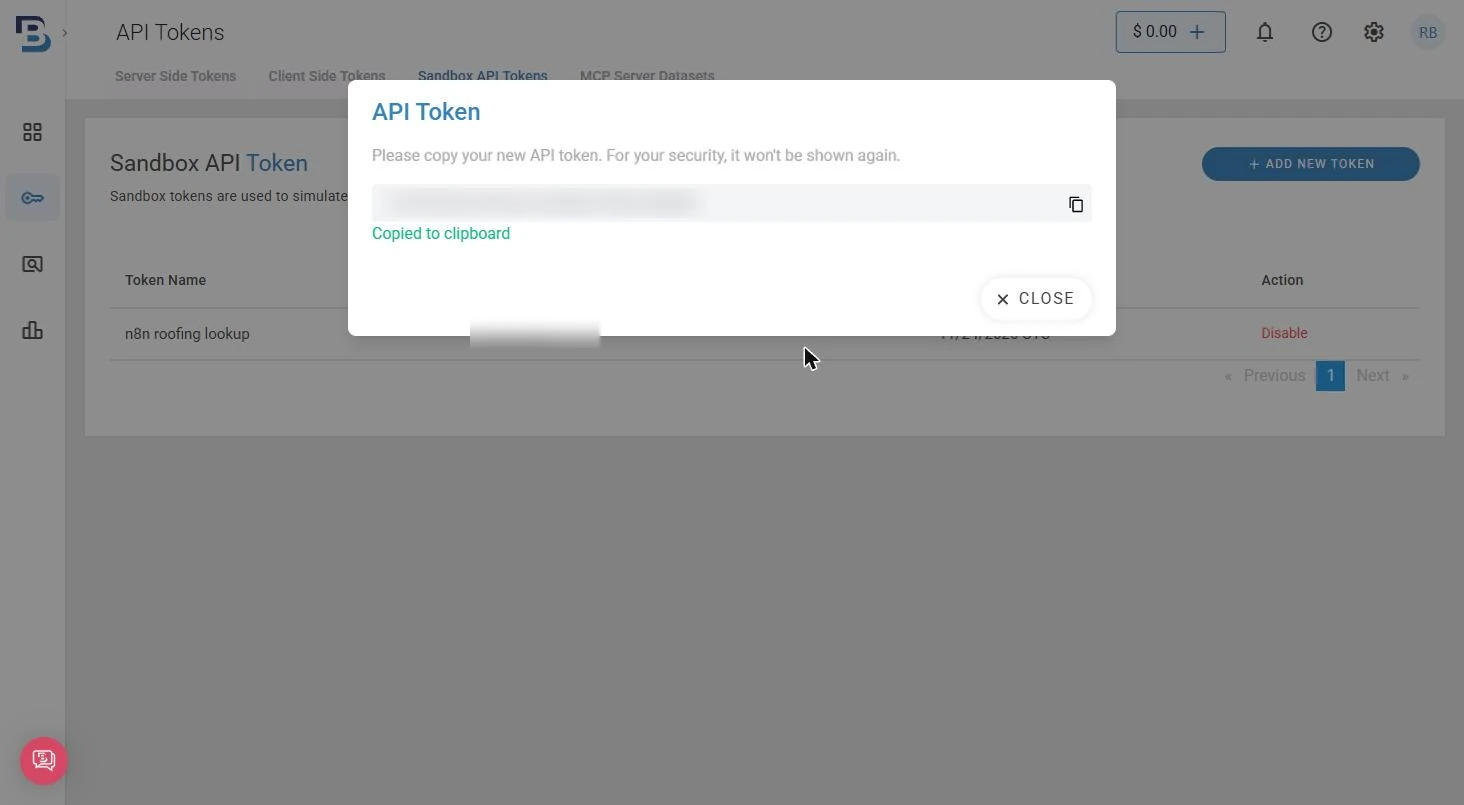
- Copy the token now. Please copy your new API token. For your security, it won't be shown again. The token (40 characters, blurred here) is already Copied to clipboard; the copy icon copies it again. Paste it straight into a password manager or an n8n credential, never into a shared doc or an email. Afterwards the list shows only the first and last four characters. Click the copy icon, then Close.
Copy the token now. BatchData will not show it again. Keep it in a password manager or an n8n credential, never in an email.
2. Make one real lookup
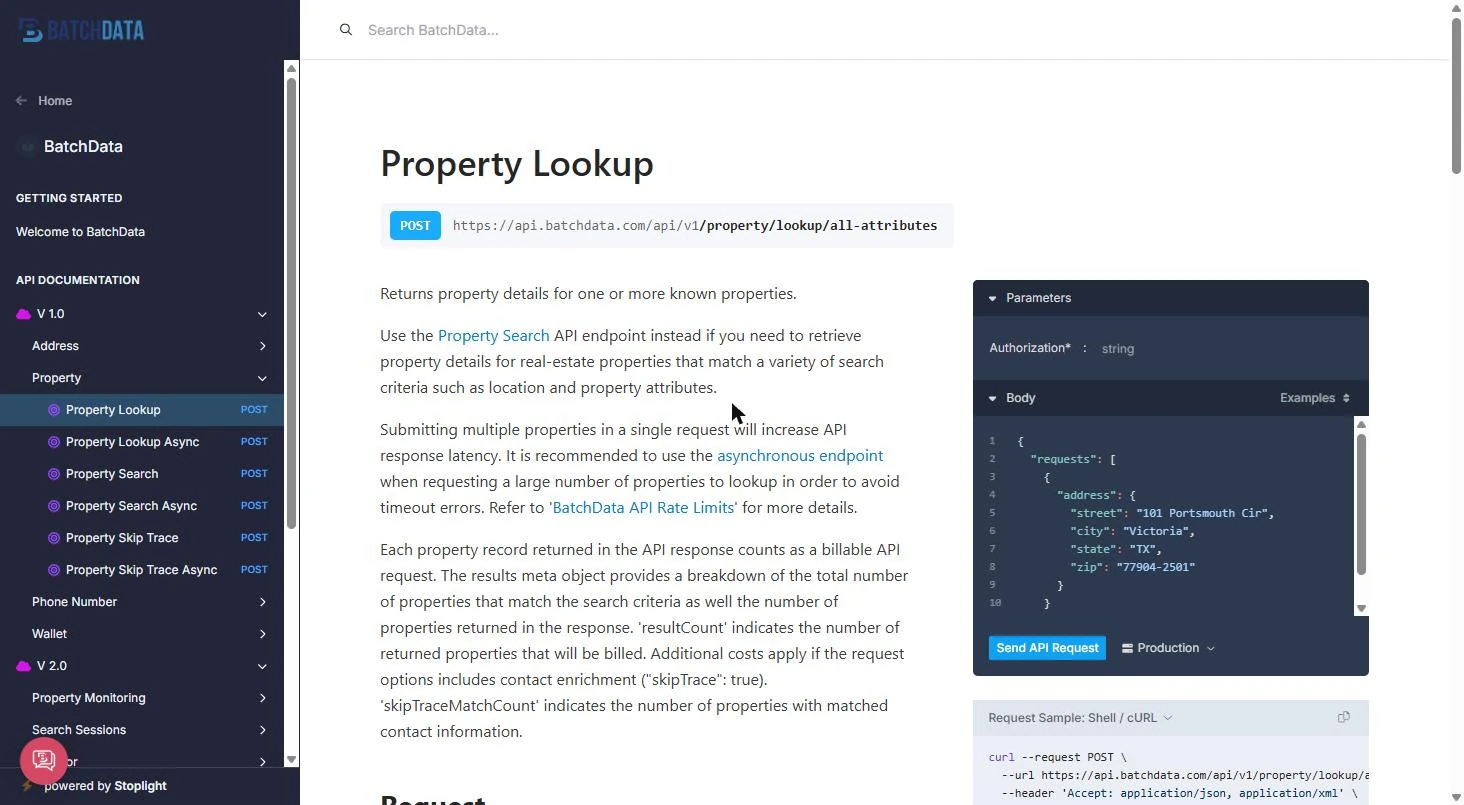
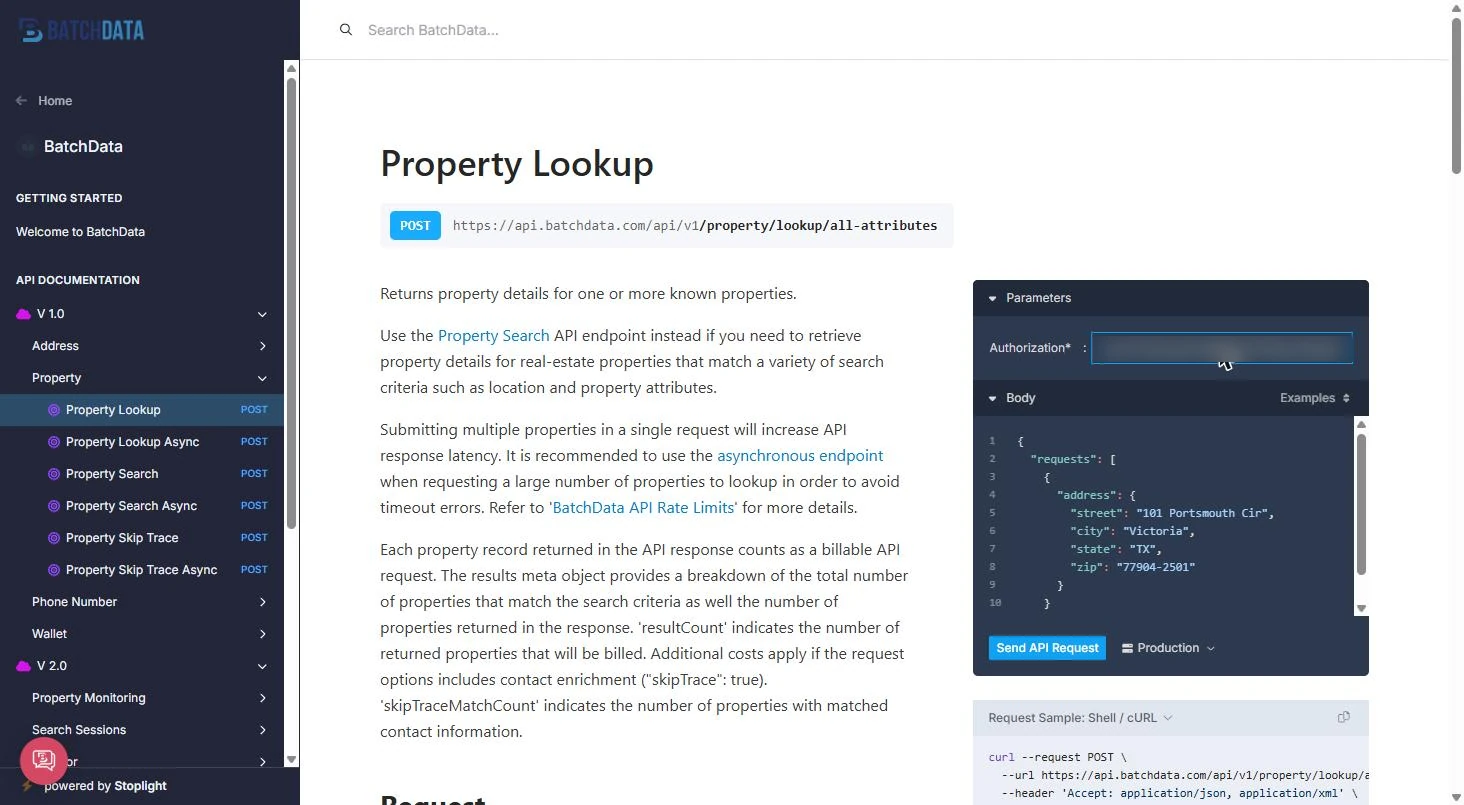
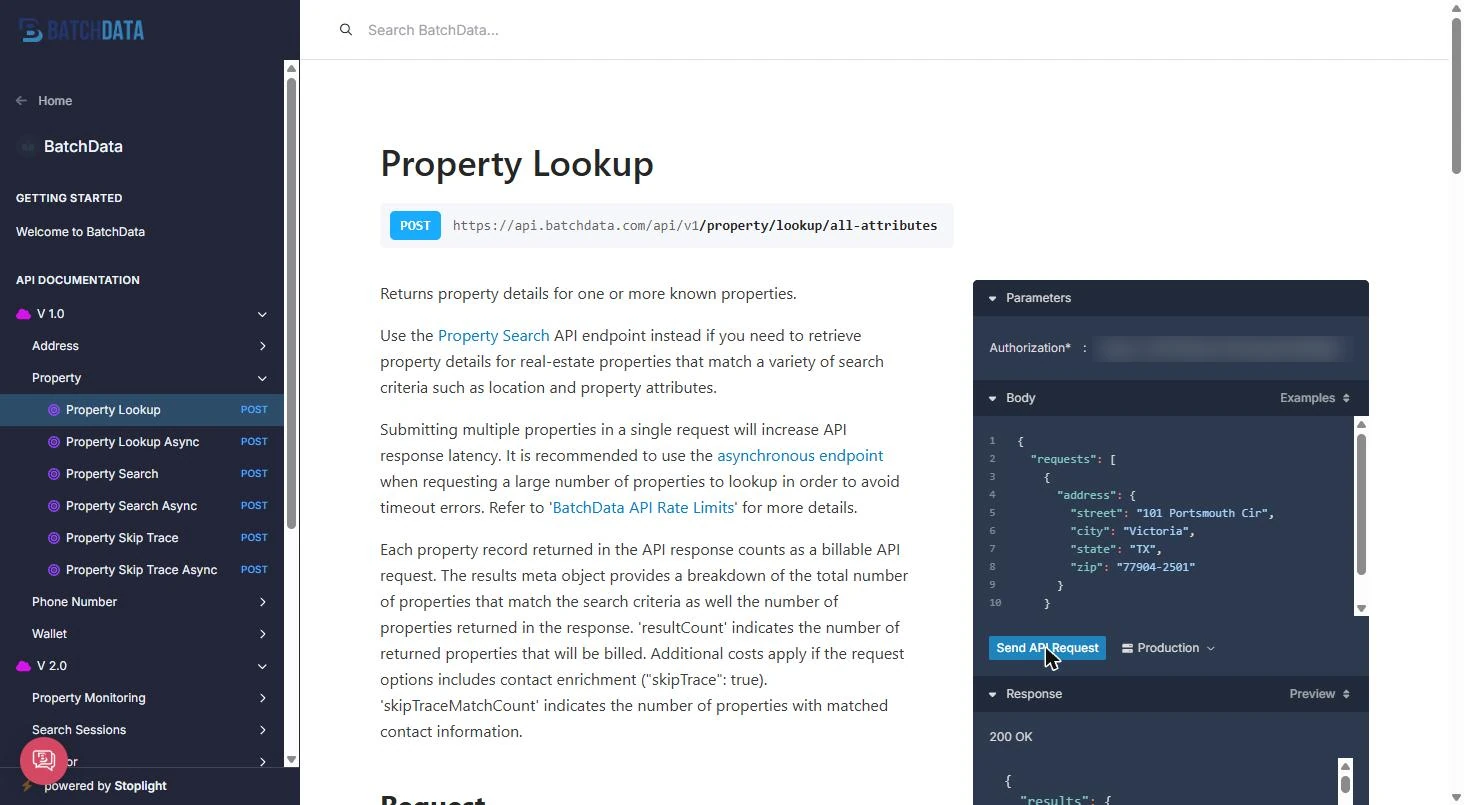
- Open the Property Lookup console. Before you build anything, prove the token works. BatchData's API docs page Property Lookup (POST https://api.batchdata.com/api/v1/property/lookup/all-attributes) has a live console on the right. Its notes matter for cost: each property record returned counts as a billable API request, and skipTrace: true (owner contact details) costs extra. Click the Authorization box and type Bearer, a space, then paste your token.
The docs page has a live console. Note that each property returned is billable, on a real token. Put Bearer, a space, and your token in Authorization.
- Send the request. The token is in (blurred). The Body holds a requests array with one address: street, city, state and zip (the console's example, 101 Portsmouth Cir, Victoria, TX). Leave the server on Production: the sandbox token goes to the same address and BatchData answers with mock data. Click Send API Request.
The body is a list of addresses: street, city, state and zip.
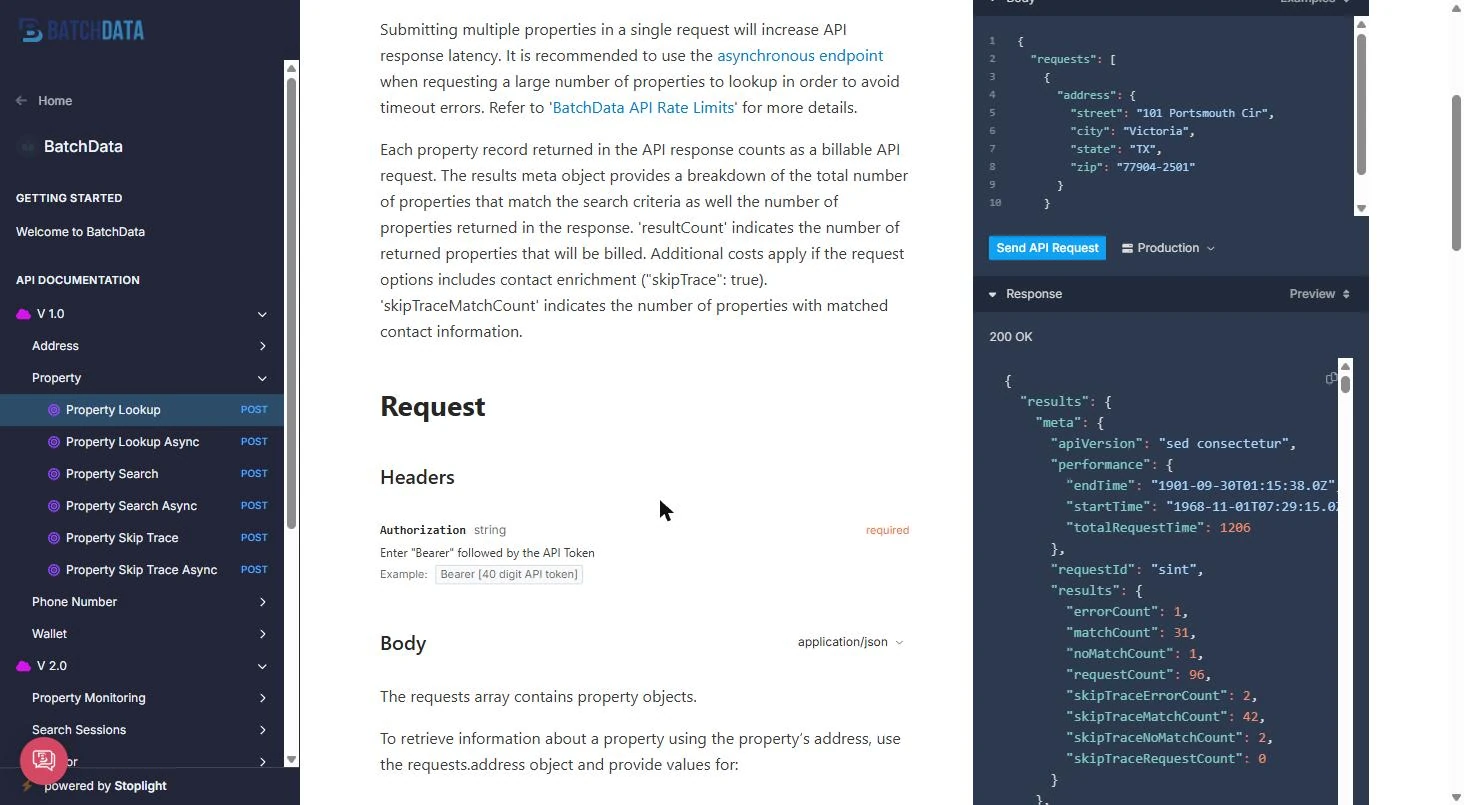
- Check the status. 200 OK: the token works and the request was accepted. Click the Response, then scroll down to read it.
Two hundred, OK. The token works.
- Read the counts. The response starts with results.meta. Under results: matchCount, noMatchCount, errorCount and the skipTrace counts. On a real token these tell you what you were billed for. Ours are mock numbers (31 matches for one address, an API version of "sed consectetur"), which is how you can tell you are in the sandbox. Click the counts, then scroll down to the property.
The meta section counts matches and errors. On a real token, that is what you pay for. Ours are mock numbers, which is how you know it is the sandbox.
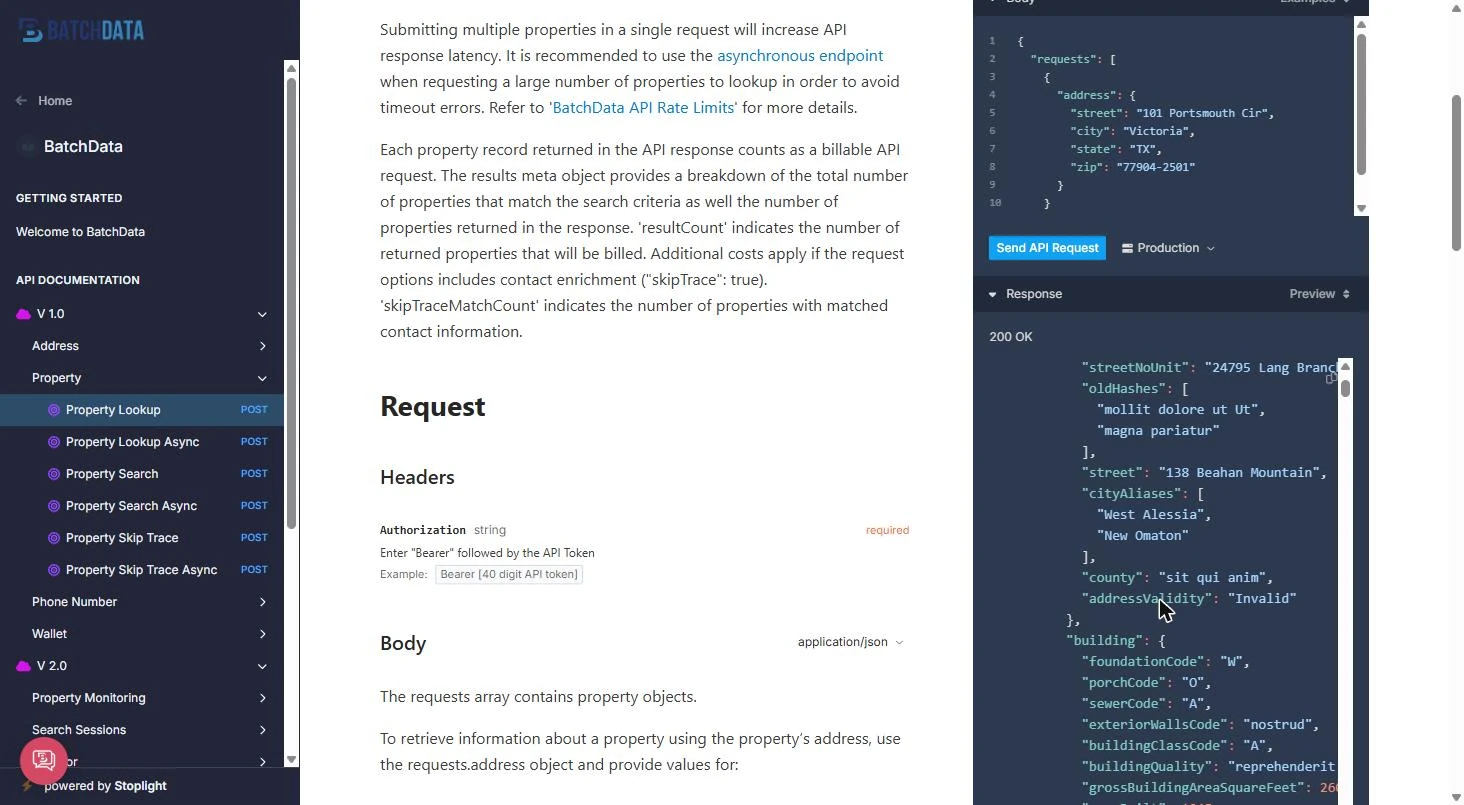
- Read the property record. Under properties, each record has sections: address (with addressValidity), building (foundation, porch, sewer, exterior walls, building quality, gross square feet, year built), plus owner, sale, valuation, lot, tax and more. For a roofer, building and lot are the useful ones. In the sandbox, every value is random: the address that came back is not the one we sent. With a server-side token the same call returns the real record. Click building.
Each property comes back in sections, like address, building, owner and valuation. Sandbox values are random. A real token returns the real house.
3. Put it in n8n
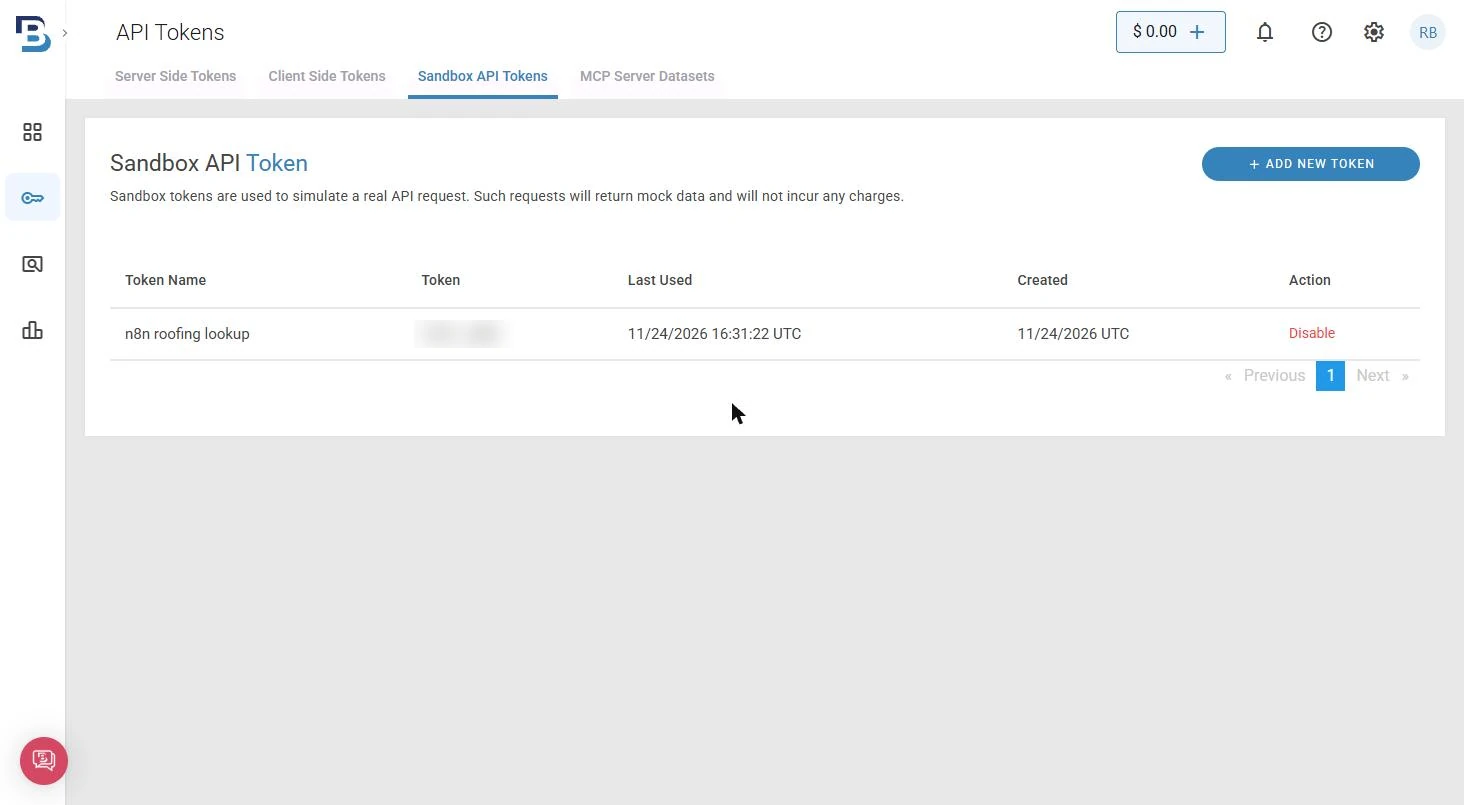
- Confirm the call. Back in Sandbox API Tokens, Last Used now shows 11/24/2026 16:31:22 UTC: BatchData logged the call. Disable turns a token off when you are done. Now put the same call in n8n: open your workflow, where a Manual Trigger (New estimate request) feeds an Edit Fields node (Estimate address: street, city, state and zip). Click Last Used to continue.
Last used shows the call. Disable turns a token off when you finish. Now put the same call in n8n.
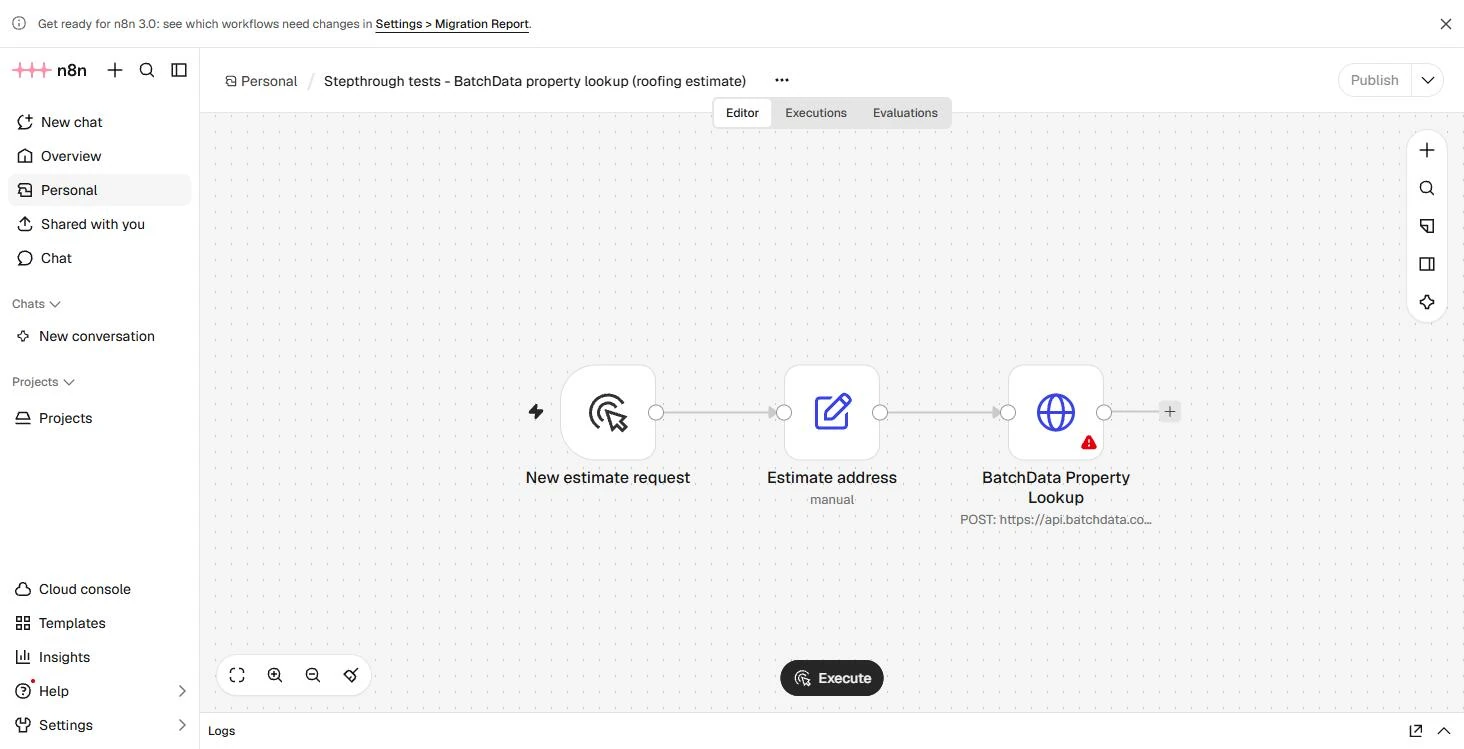
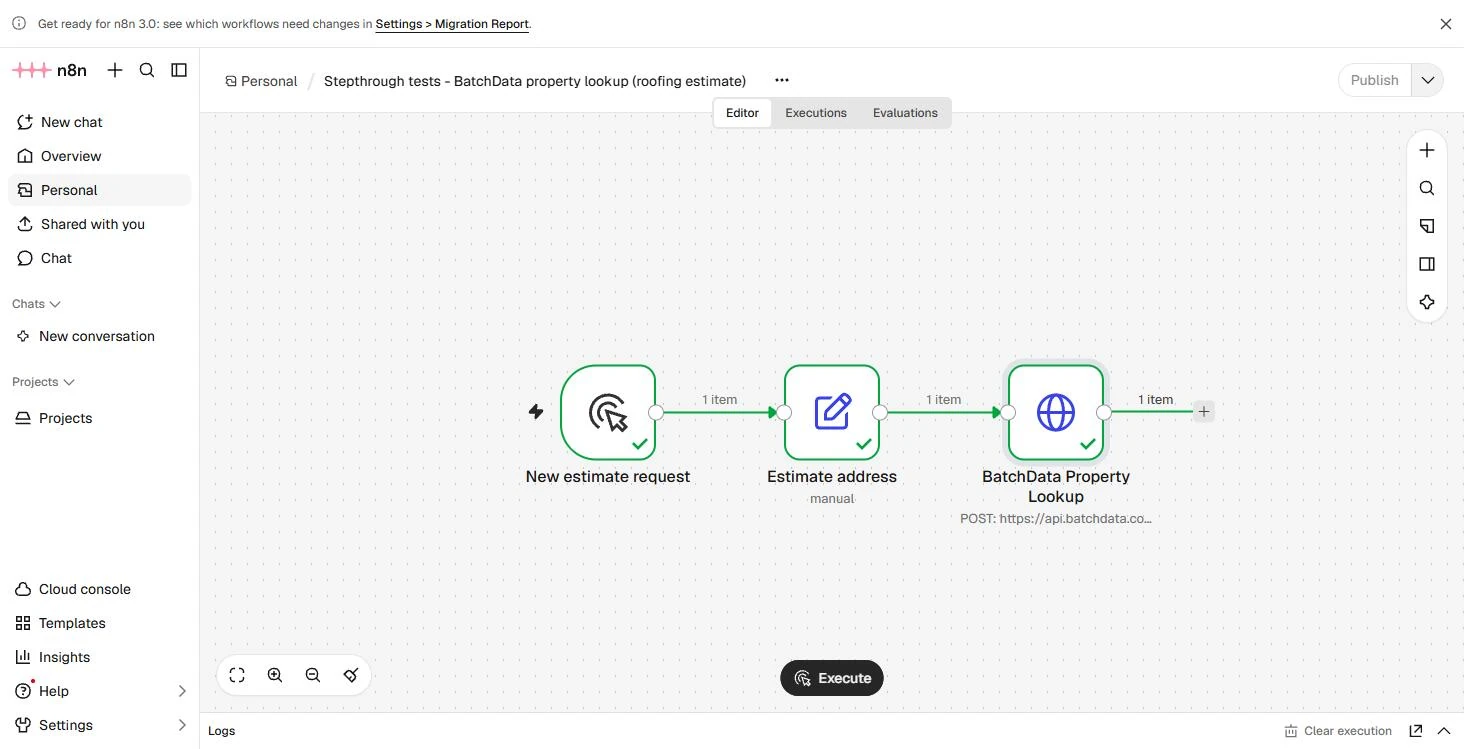
- Open the HTTP Request node. The workflow has three nodes: New estimate request, Estimate address and an HTTP Request node named BatchData Property Lookup (in a live workflow the trigger is your website form). The red warning means the node has no credential yet. Double-click BatchData Property Lookup.
Three nodes: the trigger, the address, and an HTTP Request node. The warning means it has no credential yet.
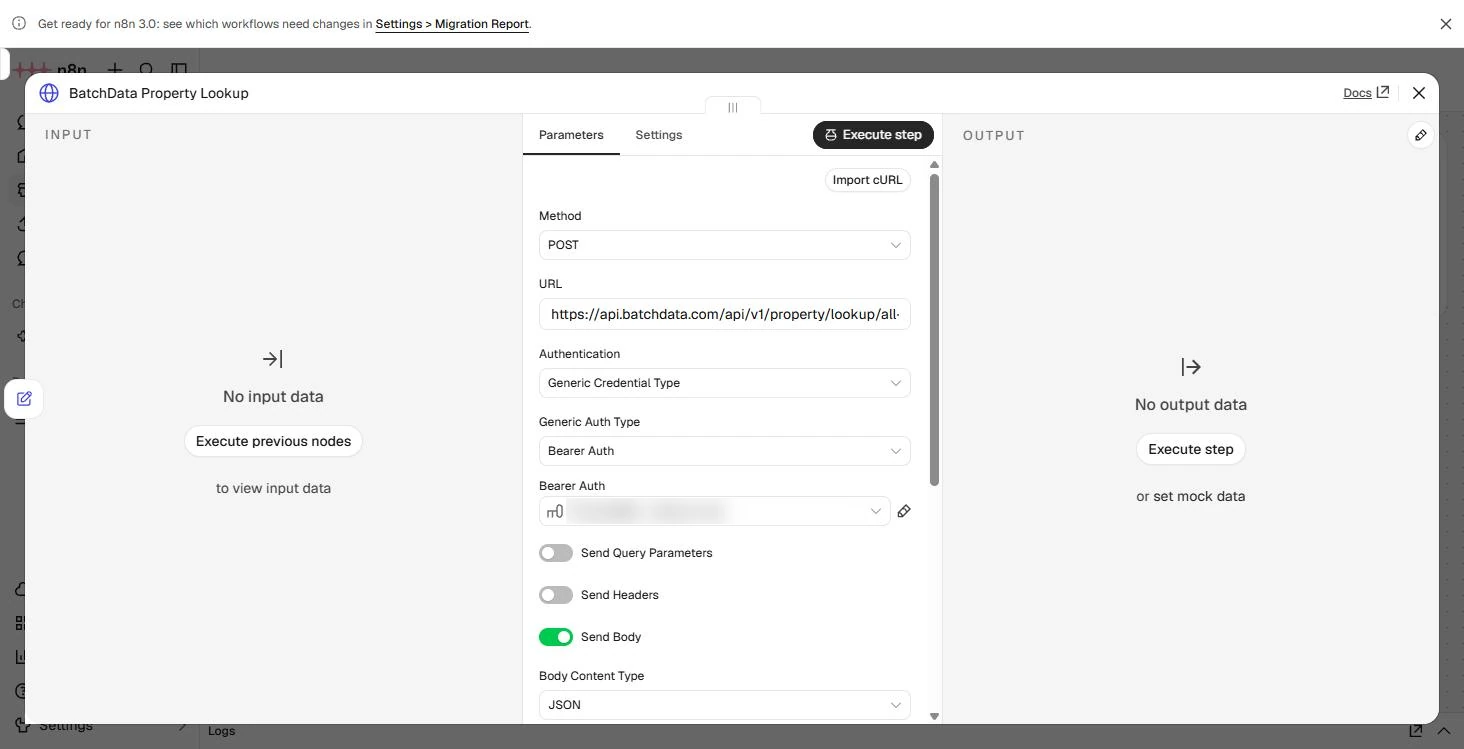
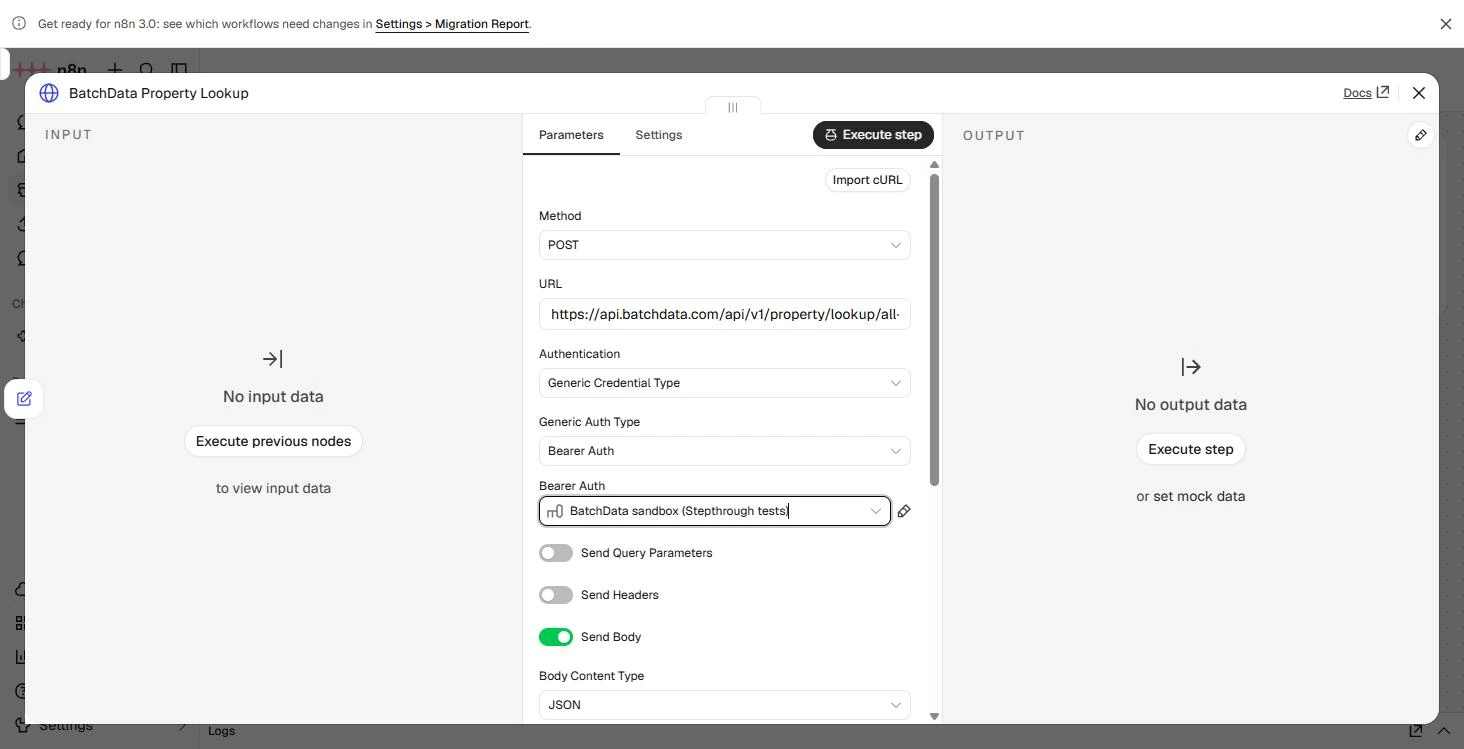
- Choose Bearer Auth. Method: POST, URL: the Property Lookup address, Authentication: Generic Credential Type, Generic Auth Type: Bearer Auth. n8n picked one of your existing Bearer credentials (blurred); never reuse another tool's key. Click the Bearer Auth box.
POST to the property lookup address, with a generic Bearer Auth credential. n8n picked an existing one.
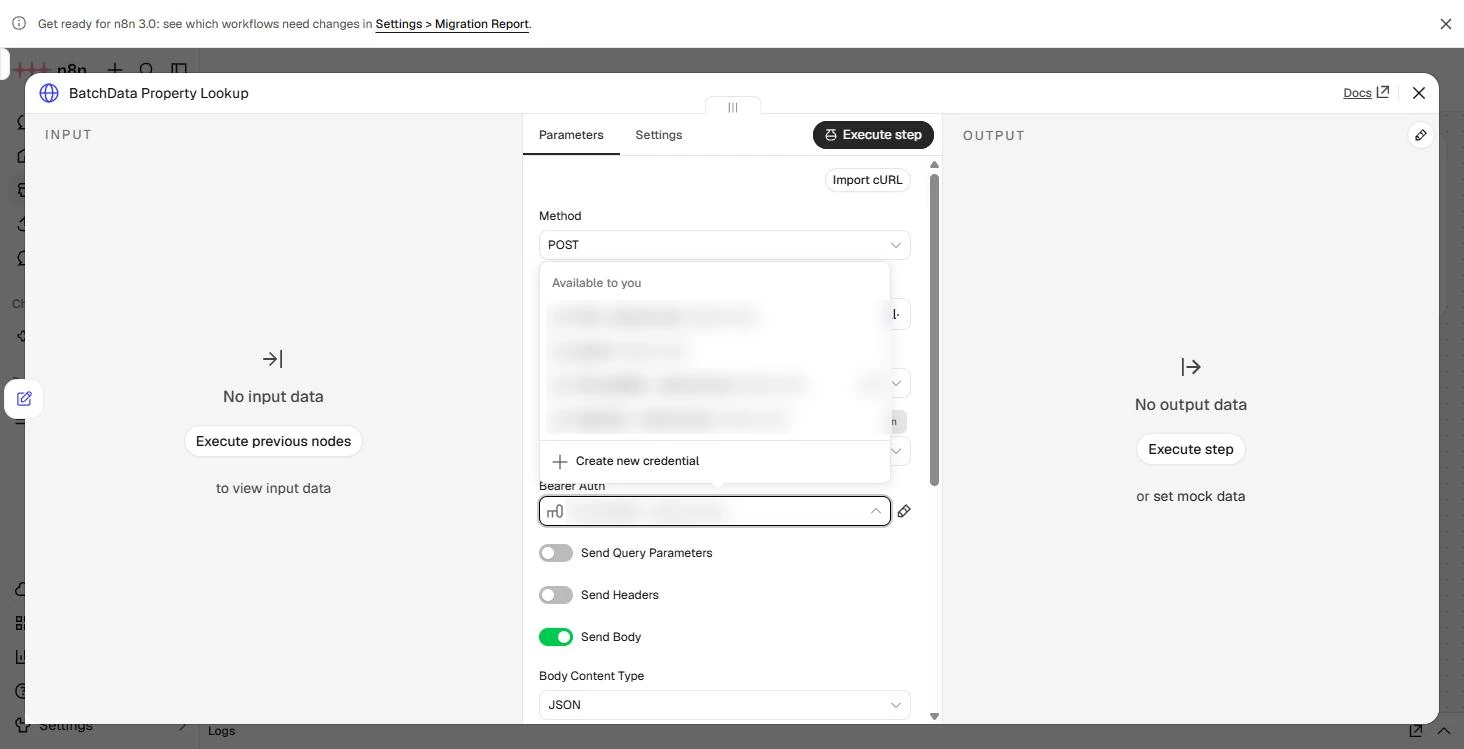
- Create a new credential. Your other credentials are listed (blurred here). Click + Create new credential.
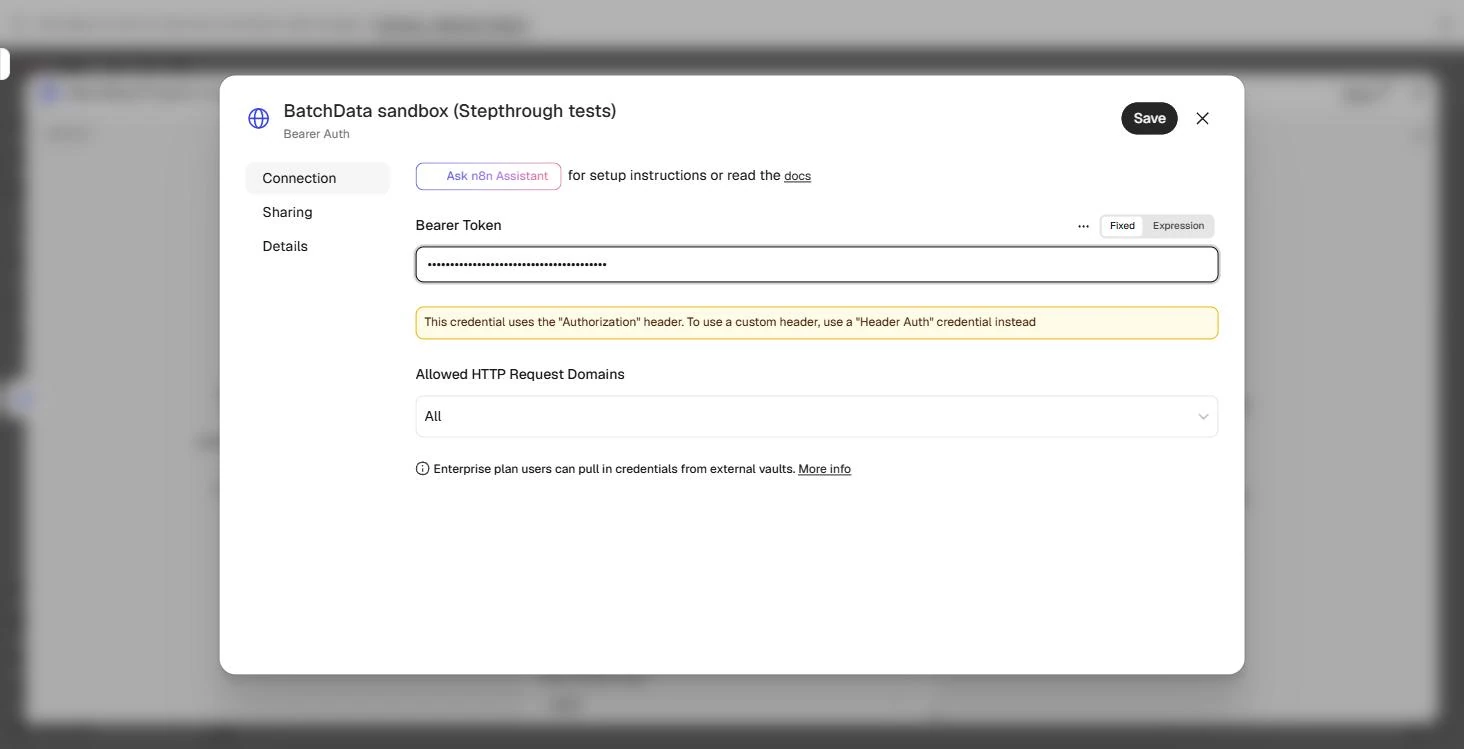
- Paste the token and save. Rename it BatchData sandbox (Stepthrough tests) by clicking the title, then paste your sandbox token into Bearer Token. n8n shows it only as dots, and the yellow note confirms it is sent in the Authorization header, which is what BatchData expects. The key now lives in n8n's credential store, not in the workflow. Click Save.
Name the credential, paste the token, and save. n8n hides it, and sends it in the Authorization header. The key stays out of the workflow.
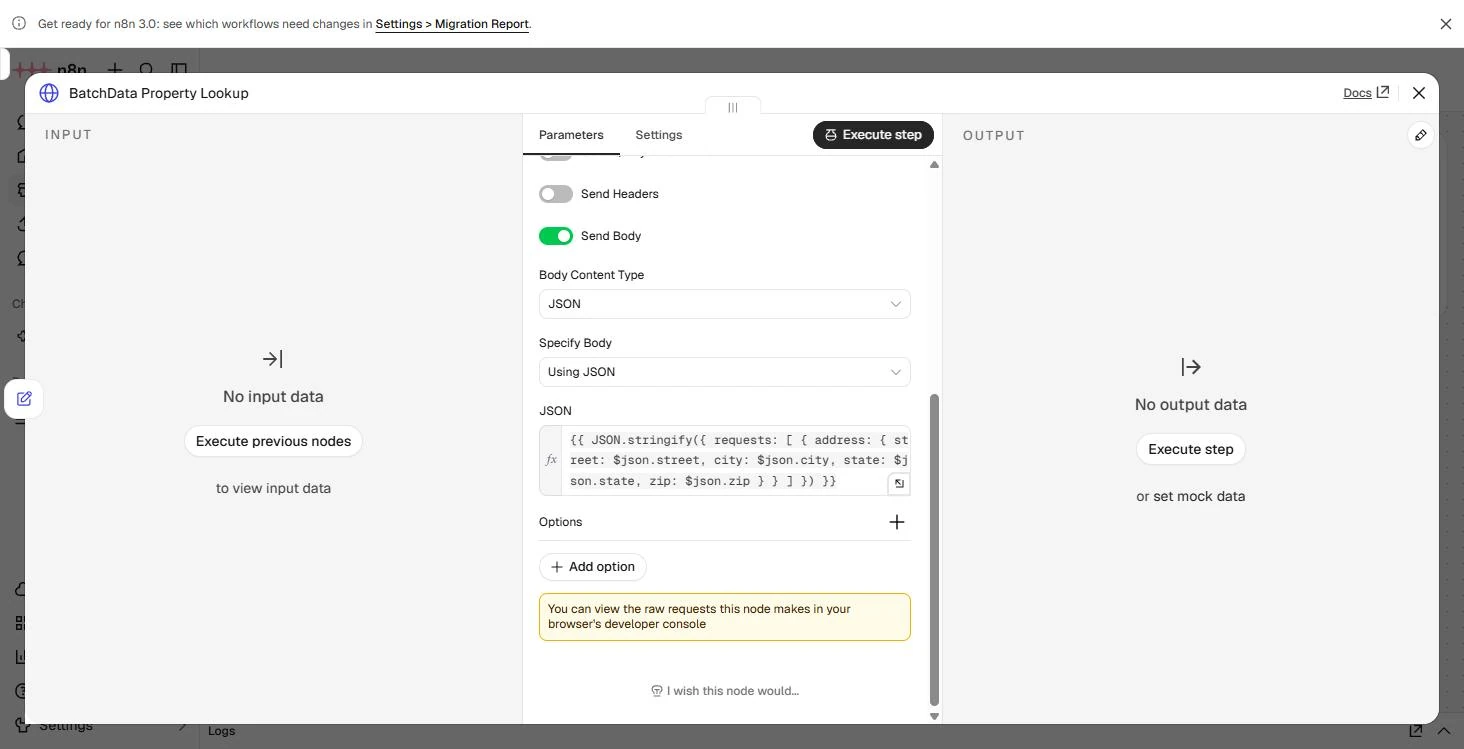
- Check the body. Bearer Auth now shows BatchData sandbox (Stepthrough tests). Send Headers stays off: the credential adds the header for you. Send Body is on with JSON. Click Body Content Type, then scroll down to the body.
The credential is set, so no extra headers are needed.
- Run the step. Specify Body: Using JSON, with an expression that builds the same requests array from the address fields:
{{ JSON.stringify({ requests: [ { address: { street: $json.street, city: $json.city, state: $json.state, zip: $json.zip } } ] }) }}. Click Execute step.The body builds the requests array from the address fields.
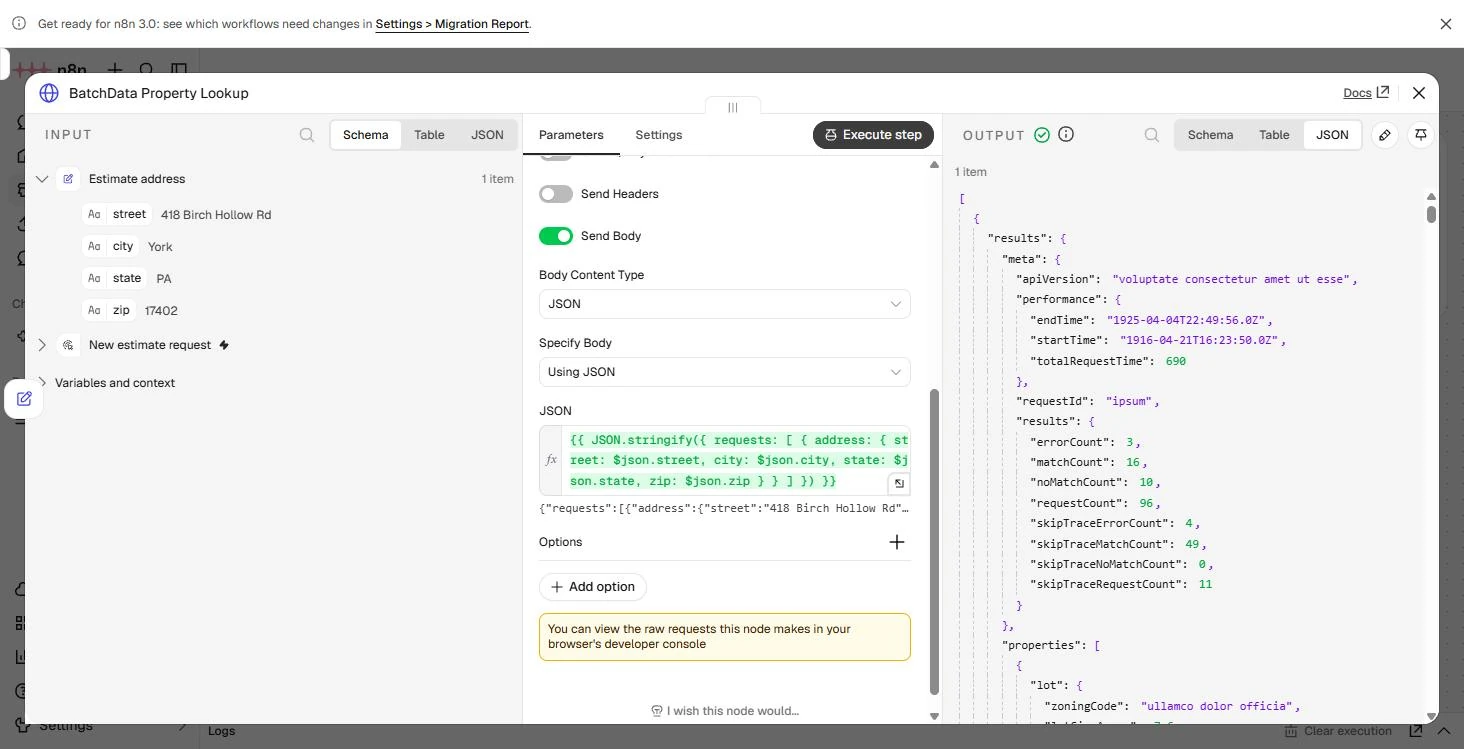
- Read the output. The INPUT shows the address n8n sent (418 Birch Hollow Rd, York, PA 17402). The OUTPUT has a green check and 1 item: the same results.meta counts and properties list you saw in the docs console. They are mock numbers again because this is a sandbox token. Click the counts, then close the node.
The input shows the address. The output has one item, with the same meta counts and property list. Still mock data, because it is a sandbox token.
- Switch to a real token when ready. All three nodes are green with 1 item each. Next, replace the Manual Trigger with your website form trigger, map the fields your inspectors need into the booking sheet, and only then swap the credential to a Server Side Token: each property returned on a real token is billed. We archived this test workflow afterwards.
All three nodes ran. Swap in your form trigger, map the fields you need, and only then switch the credential to a real server side token.
Screenshots
Frequently asked questions
- What is BatchData?
- A U.S. property and owner data provider with APIs for property lookup and search, skip tracing, phone verification and address services, plus an MCP server for AI assistants.
- How do I call BatchData from n8n?
- Add an HTTP Request node, set Method to POST and the URL to https://api.batchdata.com/api/v1/property/lookup/all-attributes, set Authentication to Generic Credential Type > Bearer Auth with a credential holding your API token, and send a JSON body with a requests array holding the address.
- Is BatchData free?
- Sandbox tokens are free and return mock data, so you can build and test at no cost. Real data needs a paid plan; property data plans start at $1,000 a month and each returned property record is billed.
- How do I get a BatchData sandbox API token?
- In the BatchData app open API Tokens (the key icon) > Sandbox API Tokens > + Add New Token, give it a name of 30 characters or fewer, click Create and copy the token right away. It is not shown again.
- Can I use BatchData in Claude or ChatGPT?
- Yes. BatchData's MCP server connects its data to Claude, ChatGPT, Cursor and Claude Code with an OAuth sign-in.
- Was this lesson tested against the live API?
- Yes, with a sandbox token: one real Property Lookup call returned 200 OK on 24 November 2026. Sandbox data is mock data. The n8n HTTP Request node was run on real screens the same day.
More in Business Automations
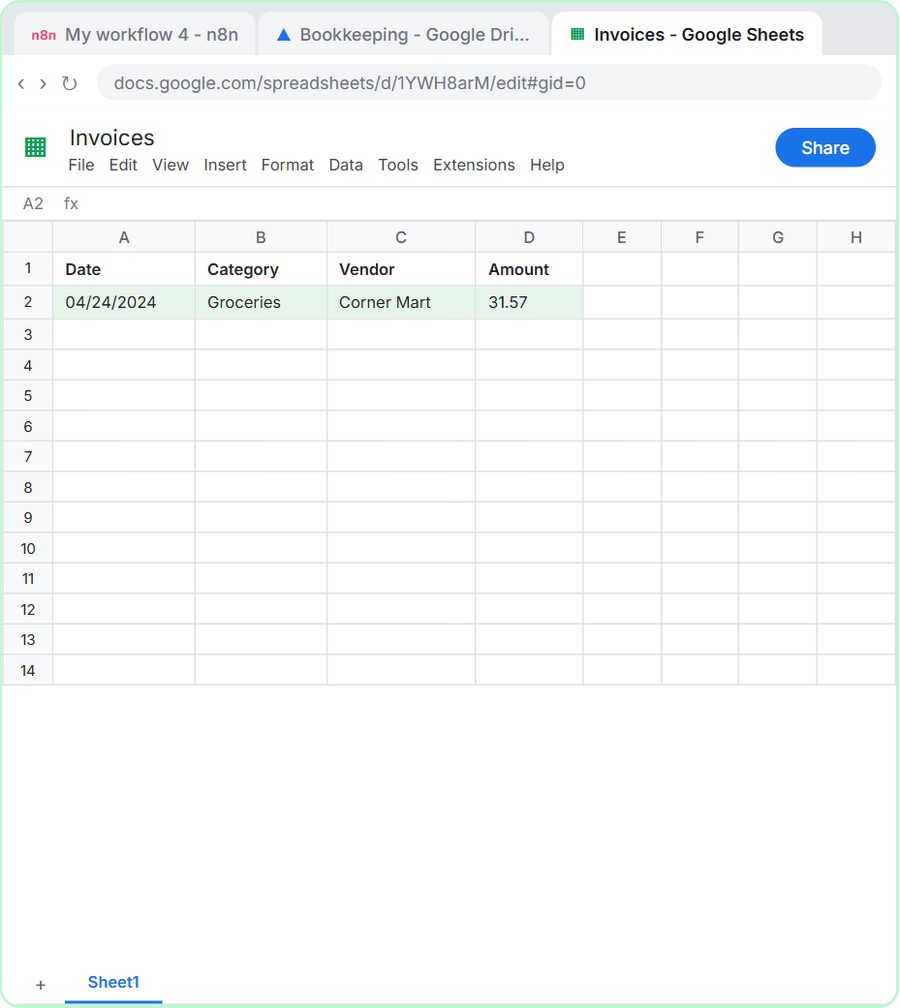 How to Do OCR in n8n: Read Receipt Photos into Google Sheets with AI
Drop a photo of a receipt into an n8n chat. An AI agent reads it, pulls out the date, vendor and amount, picks a category, and adds a row to Google Sheets.
Free · Live ~12 min Intermediate
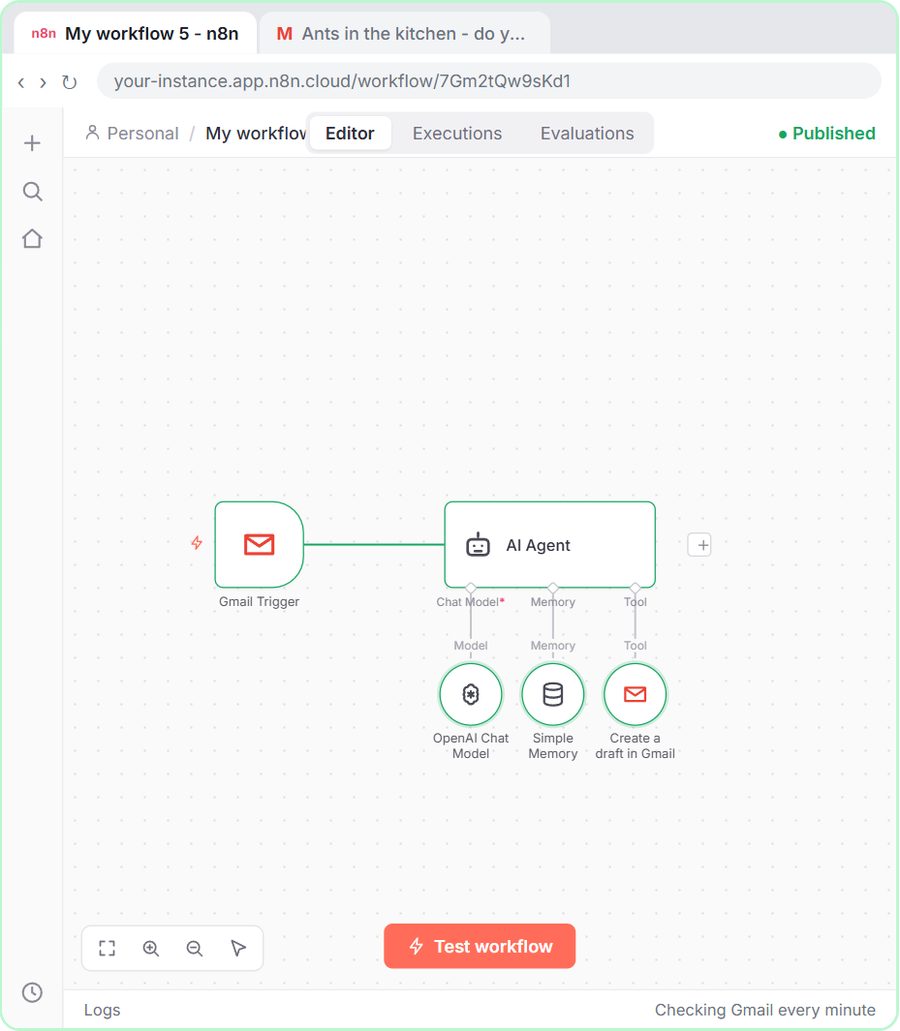 n8n AI Email Responder: Draft Gmail Replies Automatically
Build an n8n agent that watches your Gmail, reads each new customer email, and writes a reply as a draft in the same thread, ready for you to check and send.
Free · Live ~12 min Intermediate
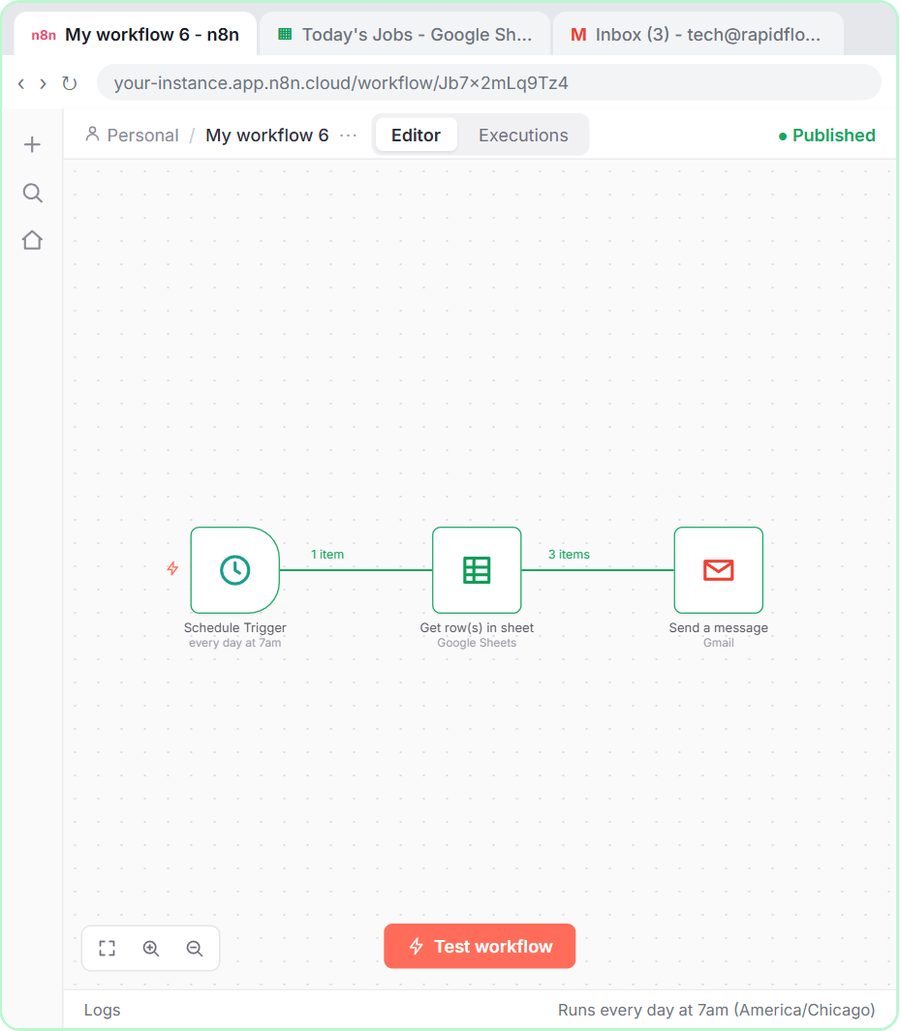 How to Make an n8n Workflow That Emails Each Tech Their Jobs from Sheets
Every morning at 7, n8n reads a plumbing company's jobs sheet, skips anything not assigned yet, and emails each job to the tech it's assigned to — customer, address…
Free · Live ~10 min Intermediate
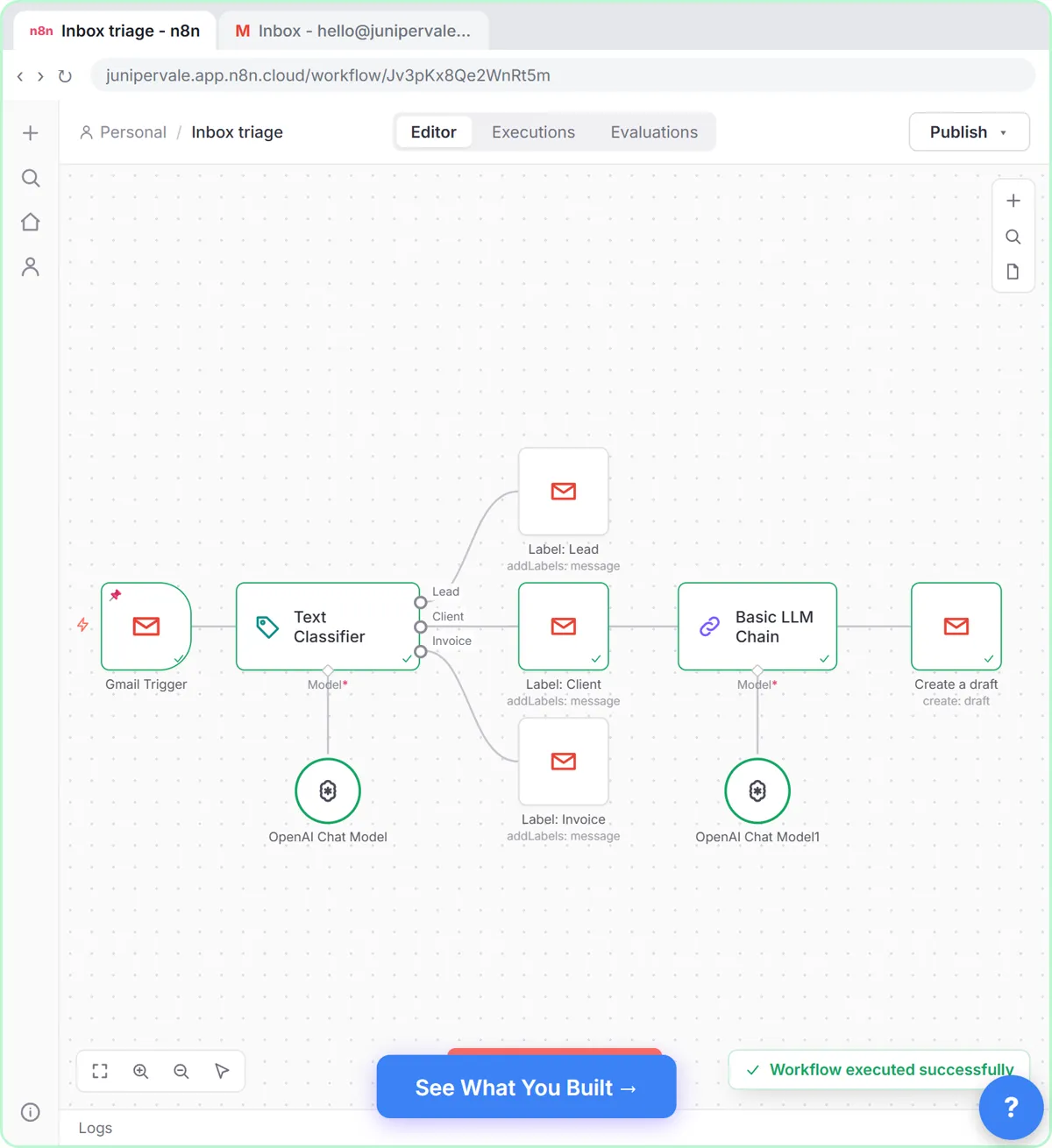 Gmail AI Triage: Auto-Label Every Email and Draft Replies
Build an n8n workflow that reads each new email, sorts it as a lead, a client or an invoice with a Text Classifier, adds the matching Gmail label, and drafts a reply to…
Free · Live ~18 min Advanced
All 61 modules in Business Automations
Terms in this lesson
Plain-English definitions, each with an example from a free lesson.