Why this matters
Property managers email long leases for signature every week, and the signature is near the back. Tenants sign the wrong page, miss the move-in checklist, or reply asking what the deposit was, and each round trip pushes the move-in back a day.
Two free browser tools fix it in about three minutes: PDF Splitter pulls the cover and signature pages into a short "sign here" file, and PDF to Text copies the rent, deposit and notice terms so they sit in the email body where nobody has to dig for them.
Practice
Do every step yourself in a practice copy of the real tool. It checks your work, and “Do it for me” finishes any step you get stuck on.
What you’ll build
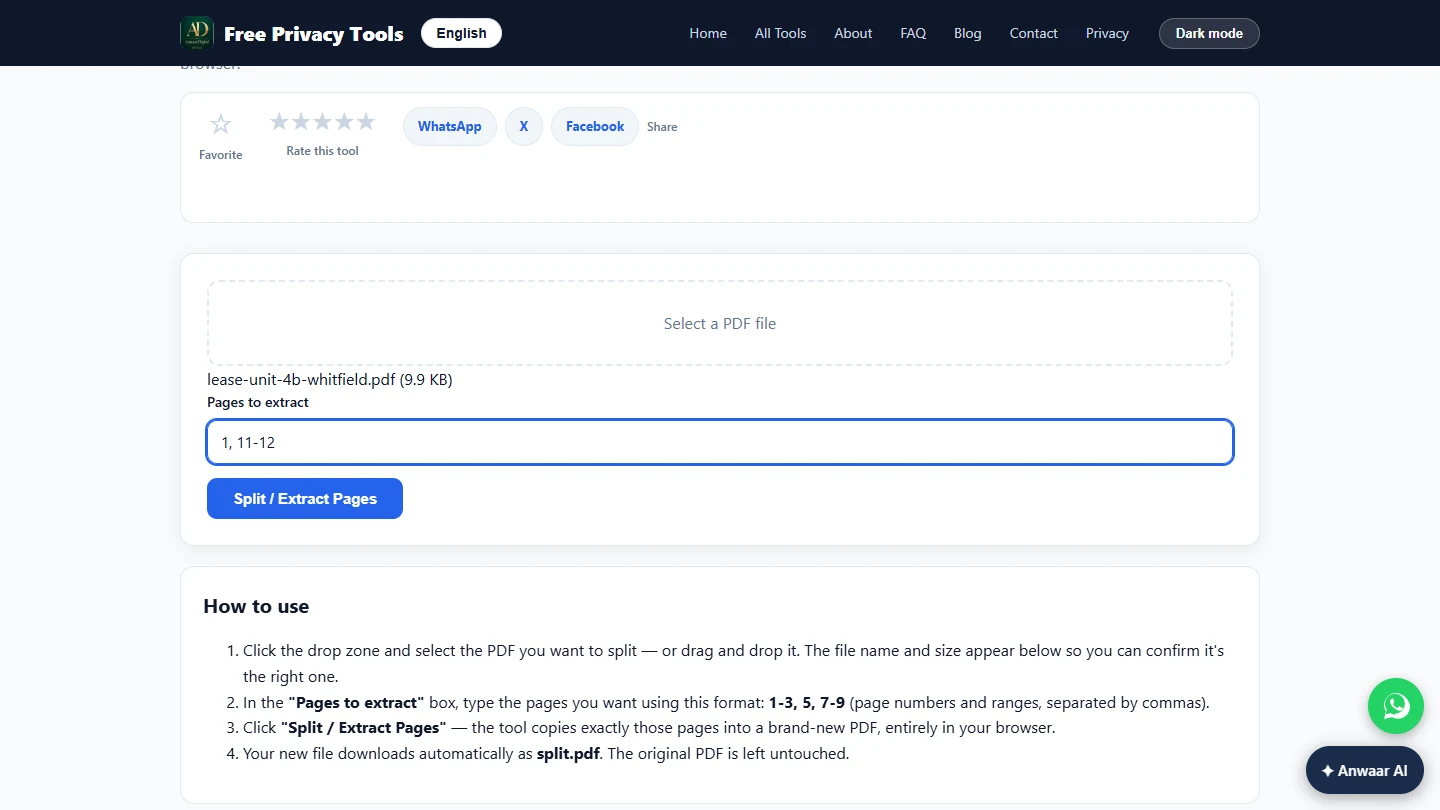
You are the leasing coordinator at a made-up property management company. You keep pages 1 and 11-12 of a 12-page lease in a new three-page file with PDF Splitter, then use PDF to Text to copy the rent, late fee, deposit and notice terms for the email.
The screens are real screenshots of Free Privacy Tools by Anwaar Digital, captured November 2026 while doing the task with a made-up sample lease.
What you need
- Nothing to start the practiceThe lesson is a practice copy of real screens. The company, tenant and lease are made up.
- The real tools, freePDF Splitter and PDF to Text on Free Privacy Tools by Anwaar Digital. No account; the pages say files are processed in your browser.
- A lease or contract PDFMade from Word or your lease system. A scanned PDF has no text for PDF to Text to copy.
Concepts
Page ranges, the way the splitter reads them
Type page numbers separated by commas and ranges with a dash, such as 1, 11-12. The tool copies exactly those pages into a new file called split.pdf and leaves the original lease untouched.
Rename split.pdf before you send it, for example Unit-4B-sign-here.pdf, so the tenant knows what it is and your folder stays tidy.
PDF to Text keeps page markers
The extracted text is marked --- Page 1 ---, --- Page 2 --- and so on, so you can tell the tenant which page a term is on and check it against the PDF.
It reads the text stored in the PDF. A scanned paper lease is a picture, so the box stays empty; use Image to Text (OCR) on the site, or ask for the original file.
Do it for real
Now repeat it in your own account. Tick each step as you go.
Quick check
3 questions to check you’ve got it.
1. The tenant must sign page 11 and initial page 12. What do you type in Pages to extract to send the cover page too?
- 1, 11-12
- 1-12
- 11 to 12
Show the answer
1, 11-12. Commas separate pages and a dash makes a range, so 1, 11-12 keeps exactly three pages.
2. PDF to Text shows an empty box for a lease. What is the likely reason?
- The lease is a scan, so it has no text layer
- The lease is too long
- You need an account
Show the answer
The lease is a scan, so it has no text layer. A scanned page is a picture. Use Image to Text (OCR) or ask for the original file.
3. Where does PDF Splitter put the pages you extract?
- In a new file, split.pdf, with the original untouched
- It deletes them from the original lease
- It emails them to the tenant
Show the answer
In a new file, split.pdf, with the original untouched. The tool copies the pages into a new PDF in your browser. Rename it before you send it.