What is metadata filtering in a vector database?
Quick answer
Metadata filtering means narrowing a vector search to stored chunks whose labels match a rule, such as department is HR or year is 2026. Each chunk is saved with metadata, small facts like the source file or page. The filter decides which chunks are allowed, and similarity then ranks the ones that are left.
Last updated
Take the free module →Module 15 of the free AI for Customer Support course, about 14 minutes. No account needed.
Updated · By Robert Breen
Why it matters for a small business
A vector database stores more than numbers. Next to each chunk's embedding it keeps metadata: which file it came from, which page, and any labels you add. Search by meaning alone can pull a matching chunk from the wrong place, such as last year's expense policy or the UK handbook when the person is in the US. A metadata filter stops that by limiting the search to chunks with the right labels.
Pinecone supports filters on metadata fields, using simple rules like equals or is one of. The catch is that you can only filter on labels you saved when you loaded the documents. So the moment to think about metadata is at loading time: if staff in two offices need different answers, store the office with every chunk.
In a real lesson: Make Your Handbook Searchable for an AI Helpdesk using Pinecone + n8n
In Make Your Handbook Searchable, the 38 handbook chunks land in Pinecone with metadata attached automatically. When you switch to the Pinecone tab, each record shows its text and its metadata, including loc.pageNumber. The lesson doesn't add any labels of its own and doesn't filter, because there is only one handbook.
In Answer Staff Questions from Your Own Docs, Include Metadata is switched on in the Pinecone Vector Store tool, which carries the page number the citation needs. That is metadata being returned, not used as a filter. If Cedar Ridge later loaded separate handbooks for two offices, a metadata filter on an office label would be the way to keep each answer to the right handbook.
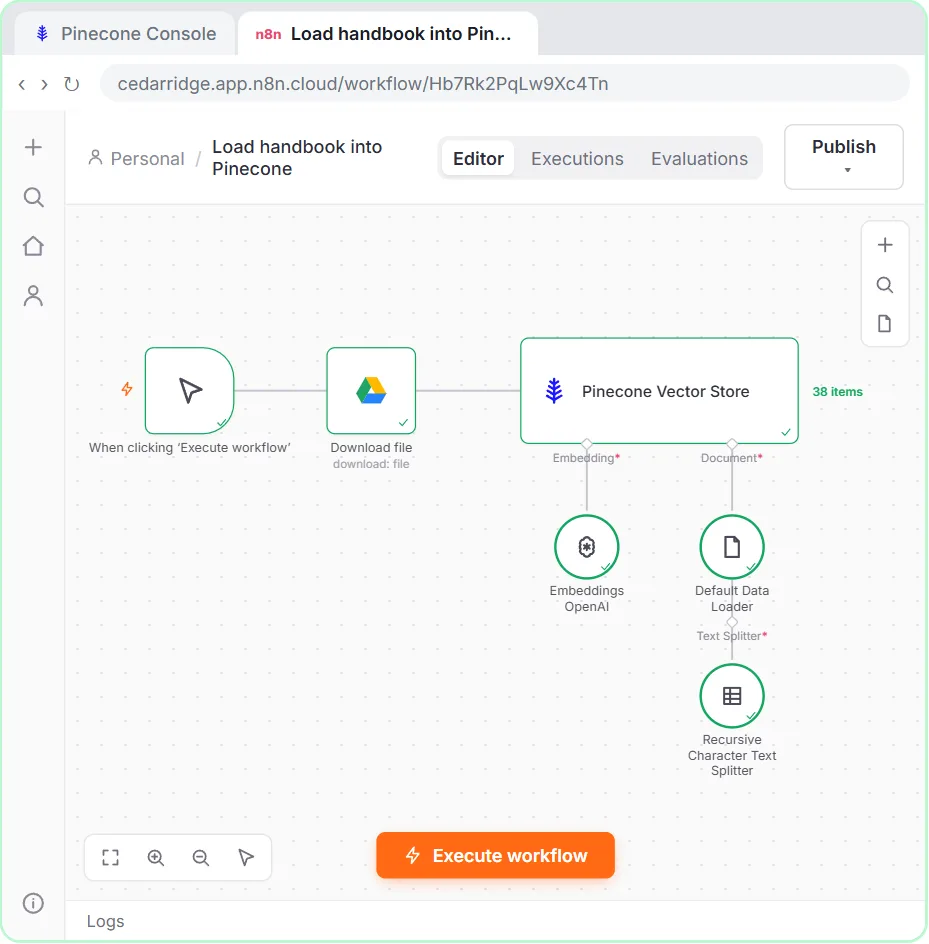
Try this lesson free or read the step-by-step guide.
Common confusions
Metadata filtering vs top-k
A filter decides which chunks are eligible. Top-k decides how many of the closest eligible chunks come back.
Metadata filtering vs a Filter node
n8n's Filter node drops items flowing through a workflow. A metadata filter works inside the vector database search.
Tips
- Decide your labels before you load documents, because you can only filter on metadata you stored.
- Keep label values consistent: "HR" and "Human Resources" will not match each other.
- Turn on Include Metadata when the bot needs to cite a page or a file name.
Related terms
More AI basics terms
Where you use it: free lessons
- Make Your Handbook Searchable for an AI Helpdesk using Pinecone + n8n (n8n, 14 min)
- Answer Staff Questions from Your Own Docs using n8n + Pinecone (n8n, 13 min)
Frequently asked questions
- What counts as metadata?
- Any small fact stored with a chunk: the file name, page number, department, date, language or document version.
- Do I need metadata filtering for one handbook?
- Usually not. It earns its place when one index holds documents for different teams, regions or years.
- Can I use namespaces instead?
- Pinecone namespaces split an index into separate sections, which works for big, fixed groups. Metadata filters are more flexible for labels that mix and overlap.