The best AI form builders for client intake and surveys in 2026
Quick answer
Most AI form builders can now draft a whole form from one sentence, so pick on what happens after someone hits Submit. As of October 2026, Jotform pairs an AI Form Generator with conditional logic, e-signatures, HIPAA-enabled accounts and AI Agents that guide people through forms, n8n's Form Trigger is a simple hosted form that starts an automation, Typeform adds AI follow-up questions and plain-language analysis of answers, Google Forms and Microsoft Forms build forms with Gemini or Copilot inside the suite you already use, and Tally builds forms in a document-style editor with Tally AI.
Last updated
Take the free module →Module 16 of the free AI Apps Worth Knowing course, about 6 minutes. No account needed.
This list is for office managers, intake coordinators, HR and marketing teams who collect client details, requests or feedback. Features come from each vendor's own pages as of October 2026, with no prices, because plans change often. Tools with a free Stepthrough lesson come first; that is not a ranking. Disclosure: Stepthrough has an affiliate relationship with n8n. There are no affiliate links on this page. Practise for free in the Jotform AI client intake form lesson.
How do they compare at a glance?
| Tool | Best for | AI and logic features the vendor lists | Practice it free |
|---|---|---|---|
| Jotform | Client intake with follow-up built in | AI Form Generator, conditional logic, AI Agents on chat, phone and messaging, HIPAA-enabled accounts with a BAA | AI intake form, AI agent for client questions |
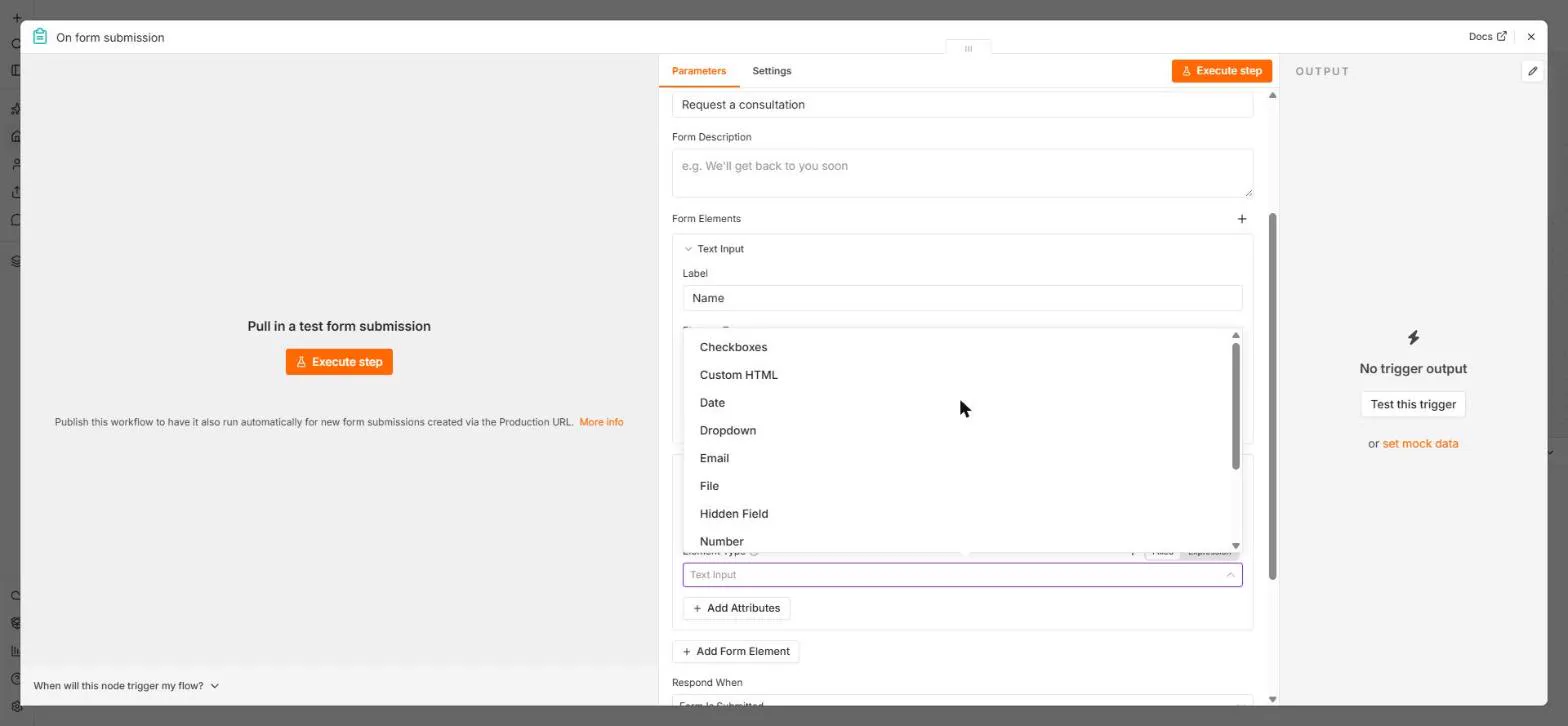
| n8n Form Trigger | A form that starts an automation | Hosted form that passes answers to a workflow, many field types, multi-page with the Form node, optional login | Form answers to Google Sheets |
| Typeform | Polished surveys and lead forms | AI form builder, brand kit from your website, translation, Ask AI on responses, Clarify with AI follow-ups | Not yet |
| Google Forms | Google Workspace offices | Gemini "Help me create a form", AI quizzes, logic based on answers, export to Sheets | Not yet |
| Microsoft Forms | Microsoft 365 offices | Copilot drafts a survey, suggests improvements and summarizes results | Not yet |
| Tally | Fast forms in a document-style editor | Tally AI builds a form from a prompt, Ask AI edits, rebuild a form from a screenshot or PDF, conditional logic | Not yet |
What should an AI form builder do beyond writing the questions?
Drafting is the easy part now. As of October 2026, Jotform, Typeform, Google Forms, Microsoft Forms and Tally all list building a form from a prompt. The differences show up later: logic that only asks relevant questions, follow-up when an answer is vague, analysis of the responses, and what happens next with the data.
For logic, Jotform, Google Forms and Tally all list conditional logic. For follow-up, Typeform's Clarify with AI asks another question when an open answer is vague. For analysis, Typeform's Ask AI and Copilot in Microsoft Forms both summarize responses. The conditional logic and AI form builder entries explain the terms.
Which form builder is best for client intake?
Jotform, for most offices, because intake rarely ends at the form. It lists conditional logic, e-signatures, payment integrations and HIPAA-enabled accounts with a signed BAA for health information, as of October 2026. Its AI Agents can answer questions on your website chat, phone or messaging apps and guide people through a form. The free AI intake form lesson builds a client intake form, and Jotform AI Agents: an agent that answers client questions adds the agent.
If your intake form needs to create a folder, notify a team and add a row to a sheet automatically, a form that starts an automation, such as n8n's Form Trigger, does that in one place. The Jotform AI Agent vs n8n AI Agent comparison covers that choice.
Should I just use Google Forms or Microsoft Forms?
For internal surveys and simple requests, often yes: nothing new to buy or learn. Google's help center says Gemini can draft a whole form from a prompt and create quizzes, though it cannot create multi-section forms or edit an existing one as of October 2026. Microsoft says Copilot in Forms drafts surveys, suggests improvements and summarizes results, with a Microsoft 365 account and Copilot license. A dedicated builder is worth it for client-facing forms that need branding, payments, signatures or automations.
How do I connect a form to the rest of my work?
Most builders send answers to Google Sheets, and many connect to email, CRMs and automation tools. Jotform lists Google Sheets, Google Drive and payment processors, Tally lists Notion, Google Sheets, Airtable, Slack and webhooks, and Google Forms exports to Sheets. For more than a sheet row, add an automation: the free n8n: Send Form Answers Straight to Google Sheets lesson is the simplest start, and the best workflow automation tools list covers the options.
Who is each one for?
Jotform
For client intake, applications and requests that need logic, signatures, payments or health-information safeguards, plus AI Agents that answer questions. Practise free in the Jotform AI intake form lesson. Official site: jotform.com/ai. Directory card: Jotform.
n8n Form Trigger
For teams that want a form whose answers start a workflow right away, such as a sheet row, an email and a task. Practise free in n8n: Send Form Answers Straight to Google Sheets. Official docs: n8n Form Trigger. Directory card: n8n.
Typeform
For polished, on-brand surveys and lead forms, with AI follow-up questions and plain-language analysis of answers. Official site: typeform.com/ai. Directory card: Typeform.
Google Forms
For Google Workspace offices running internal surveys, quizzes and simple requests, with Gemini drafting the form. Official help: Create a form with Gemini.
Microsoft Forms
For Microsoft 365 offices with Copilot licenses that want surveys drafted, improved and summarized inside Forms. Official help: Copilot in Forms.
Tally
For people who like writing a form like a document, with Tally AI to draft or rebuild a form and integrations with Notion, Airtable and Slack. Official site: tally.so. Directory card: Tally.
Which of these tools have a free Stepthrough lesson?
- Jotform: free lesson: Get Every New Client's Details in One Place using Jotform AI
- n8n Form Trigger: free lesson: n8n: Send Form Answers Straight to Google Sheets
- Typeform: a free Stepthrough lesson is coming.
- Google Forms: a free Stepthrough lesson is coming.
- Microsoft Forms: a free Stepthrough lesson is coming.
- Tally: a free Stepthrough lesson is coming.
Practice it free, step by step
Get Every New Client's Details in One Place using Jotform AI. Describe a client intake form to Jotform AI, fix it with Form Copilot, add a show/hide rule in plain words, and copy the link to send to new clients. You do every step yourself in a practice copy of Jotform, it checks your work as you go, and “Do it for me” finishes any step you get stuck on. Free, and nothing touches your real accounts.
Start the free lessonKey takeaways
- As of October 2026 most form builders draft a form from a prompt; choose on logic, follow-up, analysis and what happens after Submit.
- Jotform fits client intake with signatures, payments, HIPAA-enabled accounts and AI Agents.
- Google Forms and Microsoft Forms are enough for internal surveys in the suite you already use.
- Connect the form to an automation, such as n8n, when one answer should start several tasks.
Frequently asked questions
What is the best free AI form builder?
Free options change often, so check each vendor's page. To learn the routine for free, practise in the Jotform AI intake form lesson or the n8n form lesson.
Can AI create a form from a PDF?
Tally says it can rebuild an existing form from an uploaded screenshot or PDF, and Google says some users can build a form from Docs, Sheets, Slides or PDFs, as of October 2026.
Which form builder is HIPAA compliant?
Jotform lists HIPAA-enabled accounts with a signed Business Associate Agreement as of October 2026. Check any vendor's current terms with your compliance lead before you collect health information.
Can a form answer people's questions?
Jotform AI Agents can answer questions and guide people through a form on chat, phone and messaging apps. Try it in the free Jotform AI Agents lesson.
Where do these prices and features come from?
Every price and feature on this page was checked against the vendor's own page, as of October 2026. No numbers here are estimates or third-party figures. The example businesses in the Stepthrough lessons are made up.