This checklist is for office managers and owners at firms, agencies and clinics who miss calls after hours. An AI receptionist answers calls like a front desk: it greets the caller, collects details, answers routine questions and hands the rest to a person. The checklist follows the order the lesson uses.
What should you write down before you build?
Write down three lists: what callers ask, what you need from them, and what you can say about your business. Keep each list short.
- What callers ask. The three to five most common reasons for calling.
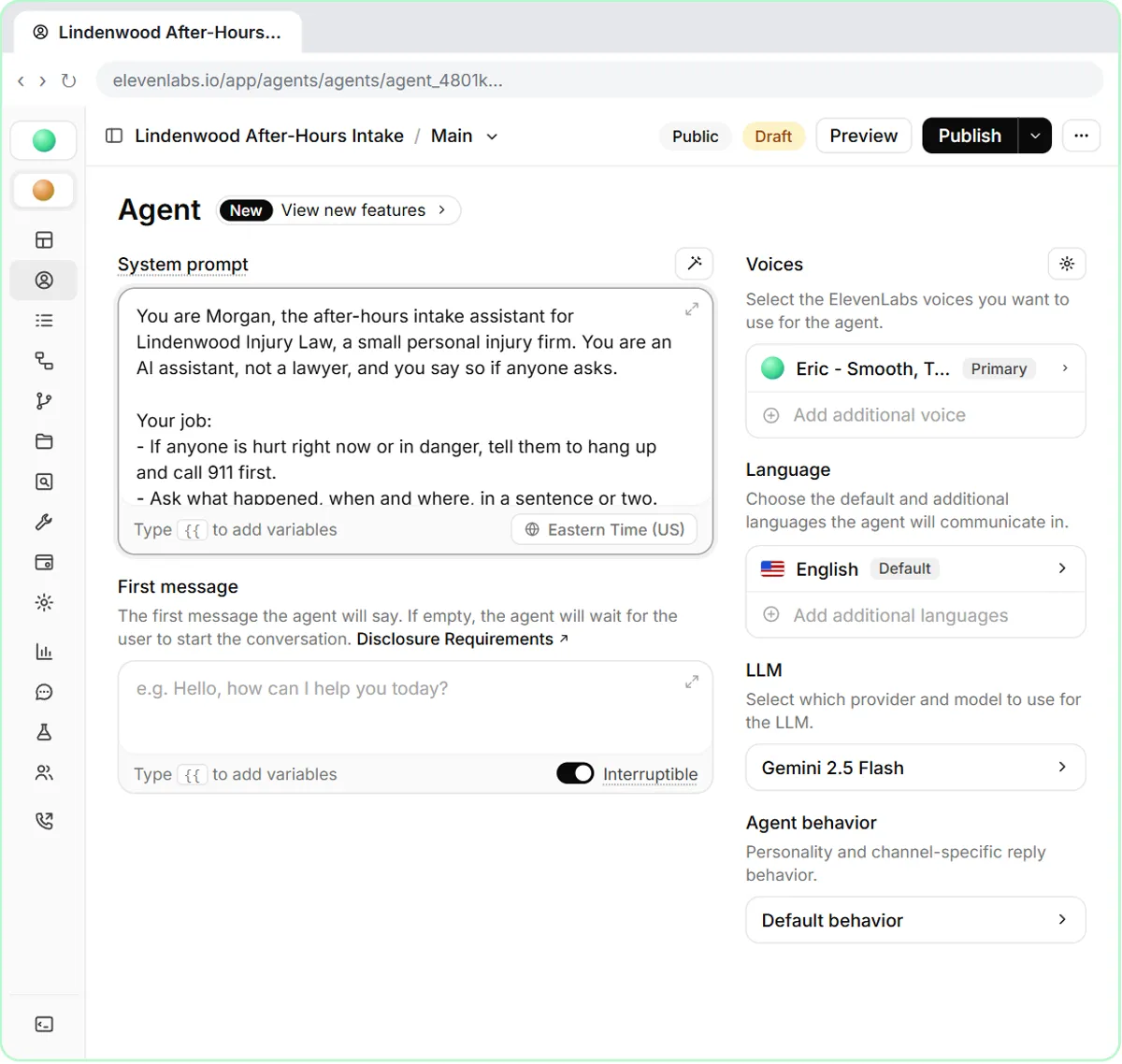
- What you need. Name, phone number and reason for the call. The law-firm lesson adds the other party's name, for the firm's conflict check.
- What the agent may say. Hours, services and the next step. Nothing it has to guess.
Anything outside those lists should go to a person. The AI receptionist script prompt turns the lists into a first draft of the agent's instructions.
What should the greeting say?
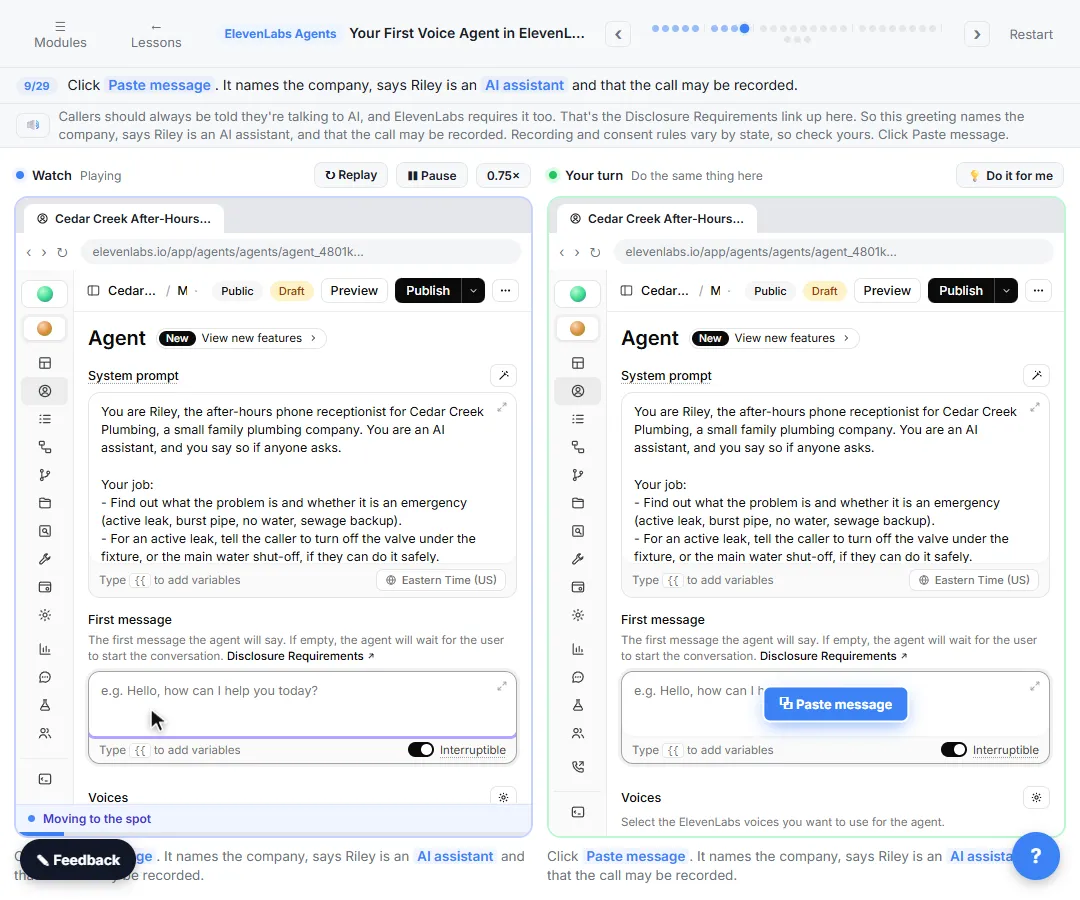
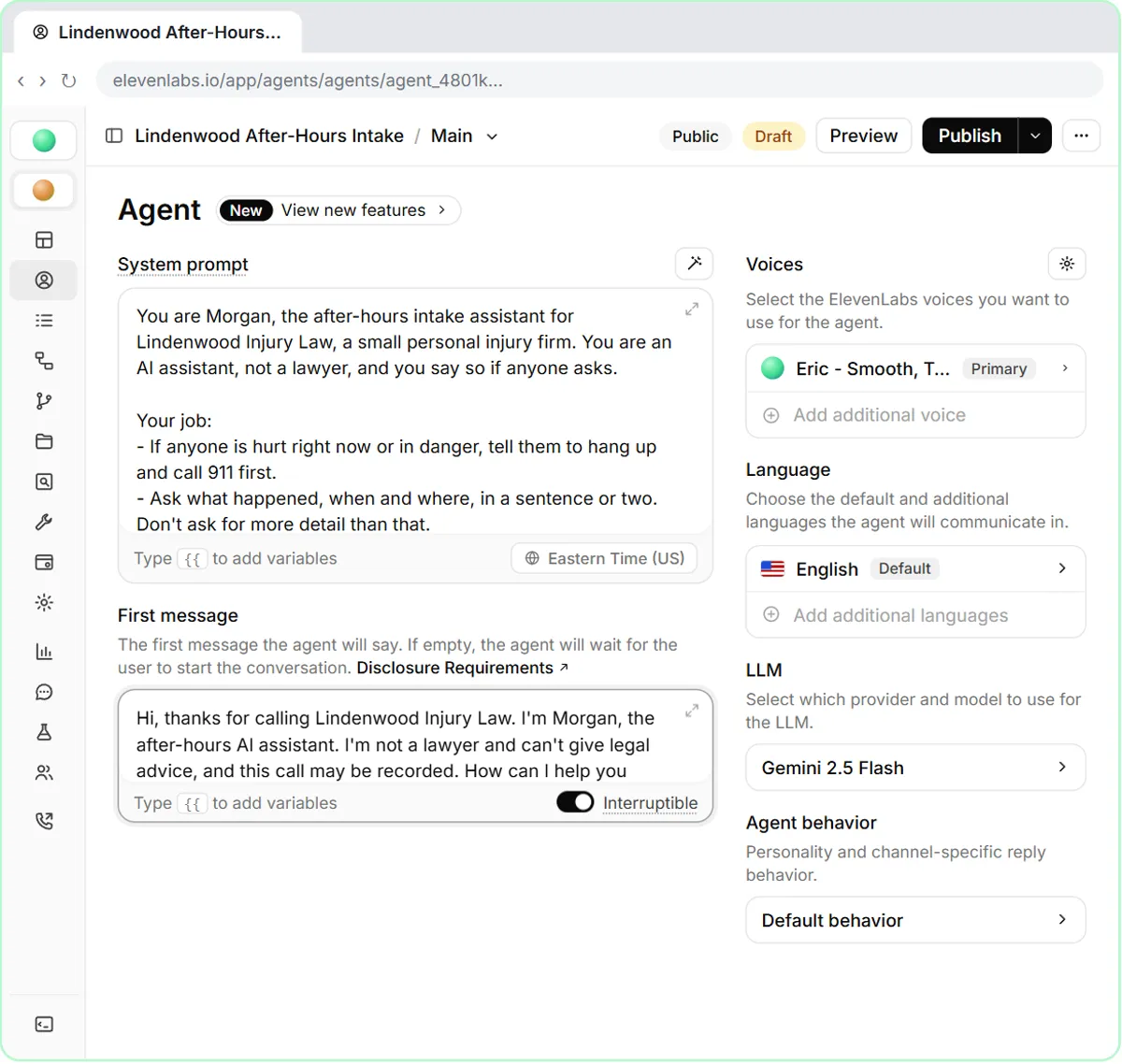
The greeting should name the business and say it is an AI assistant. In the lesson, the first message names the firm, says the agent, Morgan, is an AI assistant and not a lawyer, and says the call may be recorded.
Saying it is an AI up front sets expectations and avoids a caller feeling tricked. Whether and how you must disclose recording depends on where you operate, so ask your attorney.
What must an AI receptionist never say?
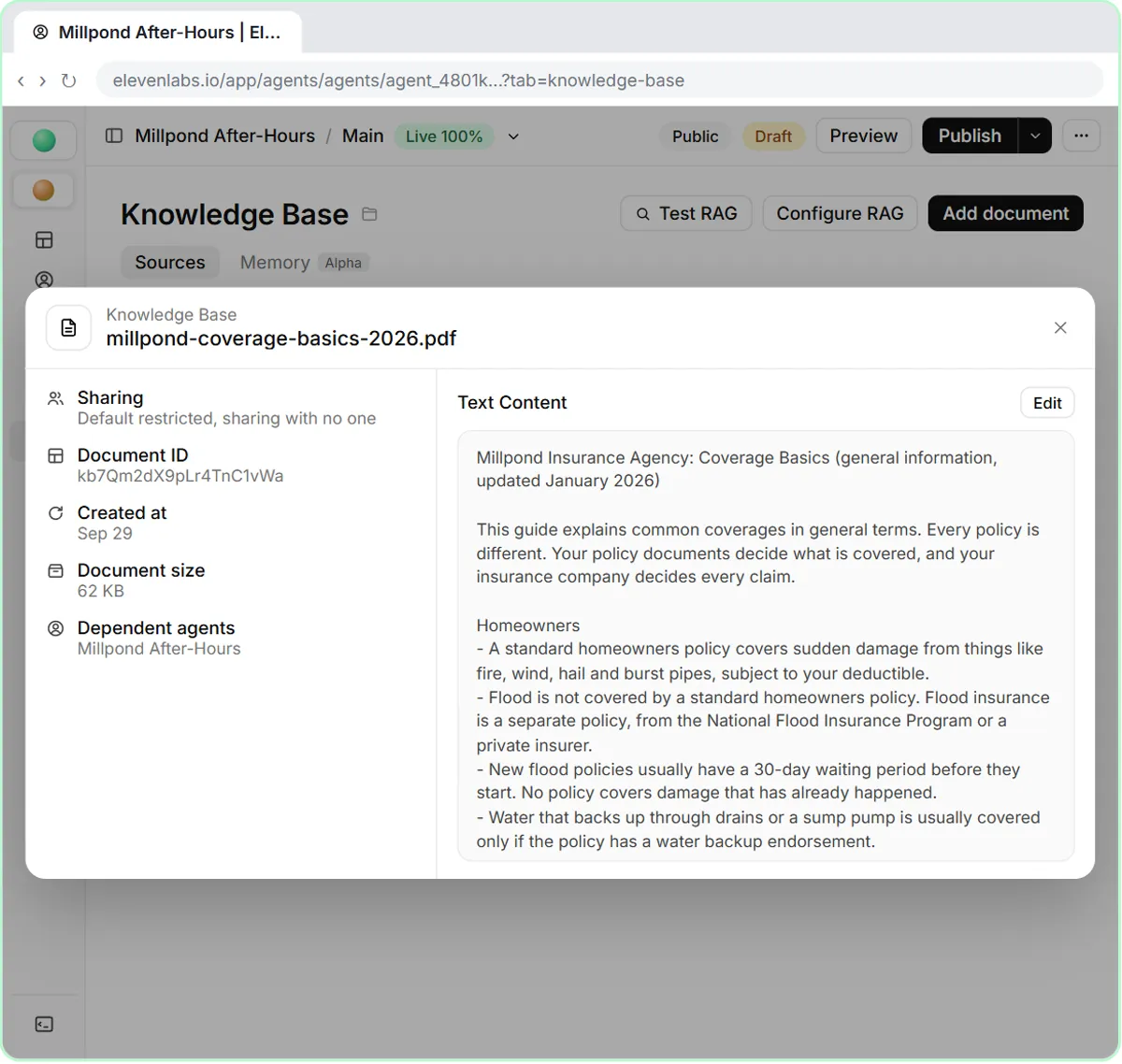
It must never give advice or promises beyond a script you wrote and checked. For a law firm that means no legal advice and no opinion on whether someone has a case. For an insurance agency, the Coverage FAQ Voice Agent lesson has the agent explain coverage only in general terms, read claims numbers exactly as written, never say a caller's loss is covered, and never change a policy.
Put the rules in the system prompt as plain sentences. Have the right professional read them: an attorney for legal matters, a licensed agent for coverage.
How do you handle urgent calls?
Define "urgent" with examples, and decide exactly who is told and how. In the lesson, anyone in danger is sent to 911 first, and a call where an insurer is already involved is flagged urgent. Vague words like "serious" are what fail on a real call.
This is escalation: the rule that sends a request beyond the AI. If an urgent flag lands only on a dashboard nobody checks, it isn't an escalation, so connect it to a text or an alert a person will see.
How do you test an AI receptionist?
Call it yourself with made-up scenarios, including awkward ones. In the lesson, you click Preview, start the call from your browser, and play a caller who was rear-ended on the way home. The agent asks for your details, marks the call urgent, and declines to say whether you have a case.
Test at least these calls:
- A routine question it can answer.
- A question it must refuse, such as "Do I have a case?"
- An urgent call.
- A caller who won't give their number.
- A caller who asks for something the agent can't do.
What should you check after each call?
Read the call summary and the transcript. In the lesson, Conversations under Monitor lists each call; the Overview shows a summary and the Transcription tab shows the whole call. Check every answer against your rules, and tighten the prompt wherever it drifted.
Do this daily at first, then weekly. Don't put the agent on a real phone line until a number is connected and an alert actually reaches a person.
Key takeaways
- Write down questions, needed details and allowed answers first.
- The greeting says it is an AI.
- Put "never say" rules in plain sentences, and have a professional review them.
- Define urgent with examples and connect a real alert.
- Test with made-up calls and read the transcripts.
Frequently asked questions
- How do I set up an AI receptionist?
Write down the callers' questions, the details you need and the rules. Build the agent with a system prompt and greeting, test it with made-up calls, and connect an alert for urgent calls. The First Voice Agent lesson shows a basic build.
- Can an AI receptionist replace my front desk?
It can cover calls you'd otherwise miss, such as after hours. It shouldn't replace people for judgment calls, upset callers or anything with legal or safety consequences.
- Is it legal to use an AI receptionist?
Rules on disclosure and recording calls vary by place and industry. Ask your attorney before you go live.
- How much does an AI receptionist cost?
It varies by provider, call volume and features, so check current pricing. ElevenLabs vs Vapi compares cost per call and has a launch checklist.