Why this matters
Small agencies get research questions from clients all the time: which tool, which platform, which approach. The answer usually takes ten browser tabs, a notes app and a document, and next month nobody can find it.
Independent lesson. Stepthrough is not affiliated with Metis. Metis AI is an open-source, self-hosted workspace where an AI agent works next to a browser, terminals, files, notes and projects. One project per client keeps the research, the brief and the follow-up together.
Practice
Do every step yourself in a practice copy of the real tool. It checks your work, and “Do it for me” finishes any step you get stuck on.
What you’ll build
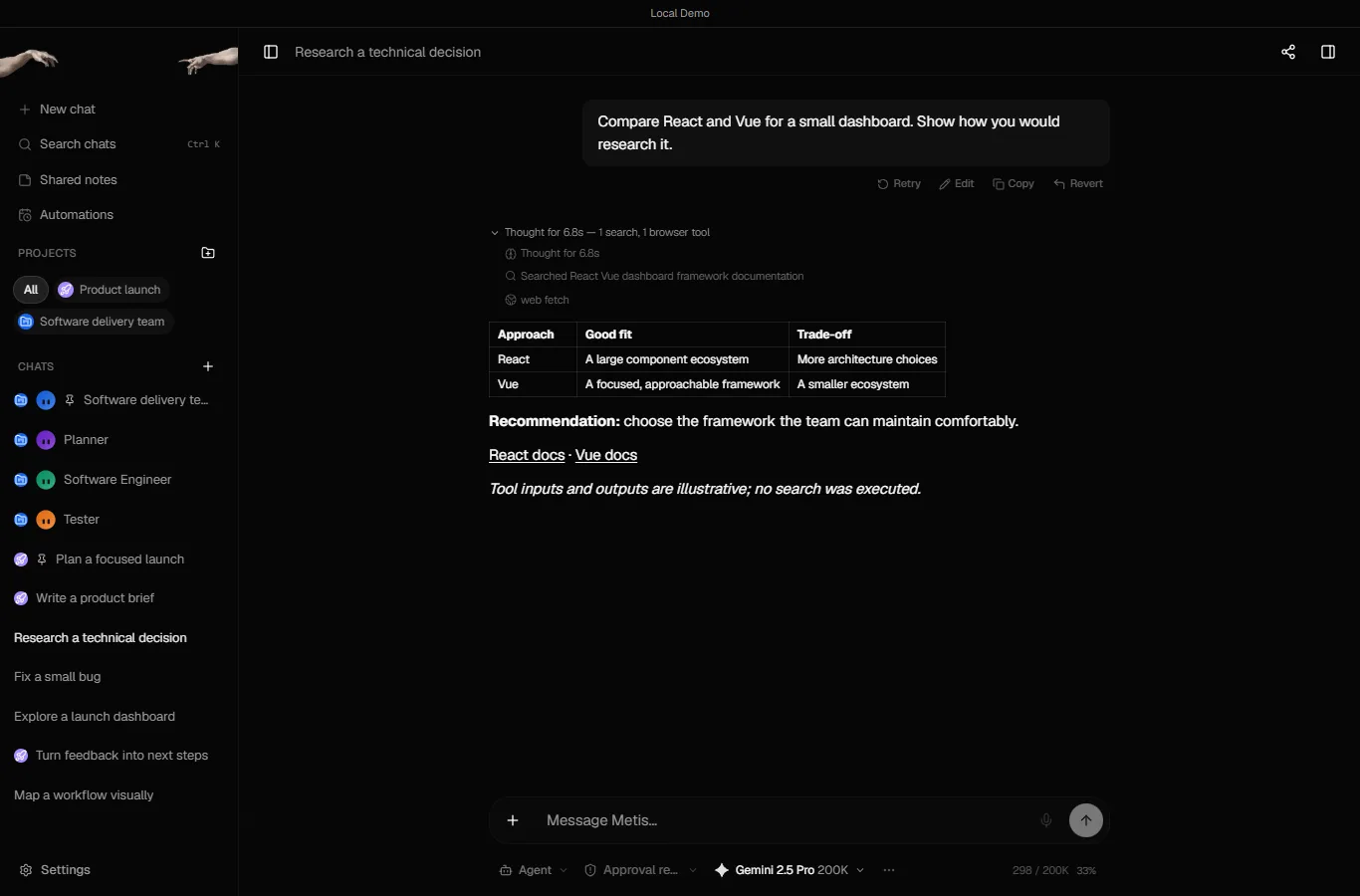
You help Maya Torres, who runs Lantern & Pine Creative, a made-up three-person web agency. Her client, Harlow Fitness, asks whether to build a member dashboard in React or Vue and wants a one-page brief.
You open a client project, set Runtime permissions to Approval required, send the research question, check the agent's steps and sources, open the brief canvas, save a shared note and set up a weekly automation. The screens are from the Metis demo, October 2026.
What you need
- Nothing to start the practiceThe lesson is a practice copy built from real screens of the Metis demo. Lantern & Pine Creative, Harlow Fitness and every number are made up.
- Your own Metis AI install, to do it for realMetis AI is open source (MIT license) and self-hosted. Install it yourself by following the README on GitHub. It lists Node.js 22+ and pnpm 9+, or Docker.
- A model providerConnect one under Settings, Providers, such as OpenAI, Anthropic, Gemini or a local Ollama model. The provider bills you separately.
- A safe place to run itThe README says not to expose a default install to the public internet, and to treat shell, file and service tools as privileged.
Concepts
One project per client
A Metis project holds Instructions, Memories, Skills, Files and Notes, plus its chats. Put the client's rules in Instructions so every chat in the project follows them.
Let the agent ask before it acts
Under the message box, Runtime permissions offers Approval required, Auto-accept edits, Auto and Full access. An agent that can use a browser and a terminal should start on Approval required.
Check the steps and the sources
Each answer shows what the agent did, such as a search and a web fetch, and lists its sources. Open them before a client sees the brief. The agent does not check facts for you.
Do it for real
Now repeat it in your own account. Tick each step as you go.
Quick check
3 questions to check you’ve got it.
1. The agent can use a browser and a terminal. Which runtime permission do you start with?
- Full access
- Approval required
- Auto
Show the answer
Approval required. Approval required makes the agent ask before it acts, which is the safest place to start.
2. Where do you put rules every chat for one client should follow?
- In the project's Instructions
- In a shared note with no project
- In every message
Show the answer
In the project's Instructions. Chats in a project see its Instructions, so you write the rules once.
3. How do you get Metis AI?
- Sign up for a hosted account
- Install it yourself from the GitHub README
- Add it as a browser extension
Show the answer
Install it yourself from the GitHub README. Metis AI is open source and self-hosted. You install it yourself by following the README on GitHub.