Why this matters
Small firms take on new clients by email, phone and referral. Someone retypes each one into a spreadsheet, details like the entity type go missing, and nobody can see who is following up with whom.
MonstarX is an AI app builder: describe an app and it builds the pages, the database and the sign-in. With Plan first on, it asks the business questions first (who signs in, who can edit, which emails go out), so the first build fits.
Practice
Do every step yourself in a practice copy of the real tool. It checks your work, and “Do it for me” finishes any step you get stuck on.
What you’ll build
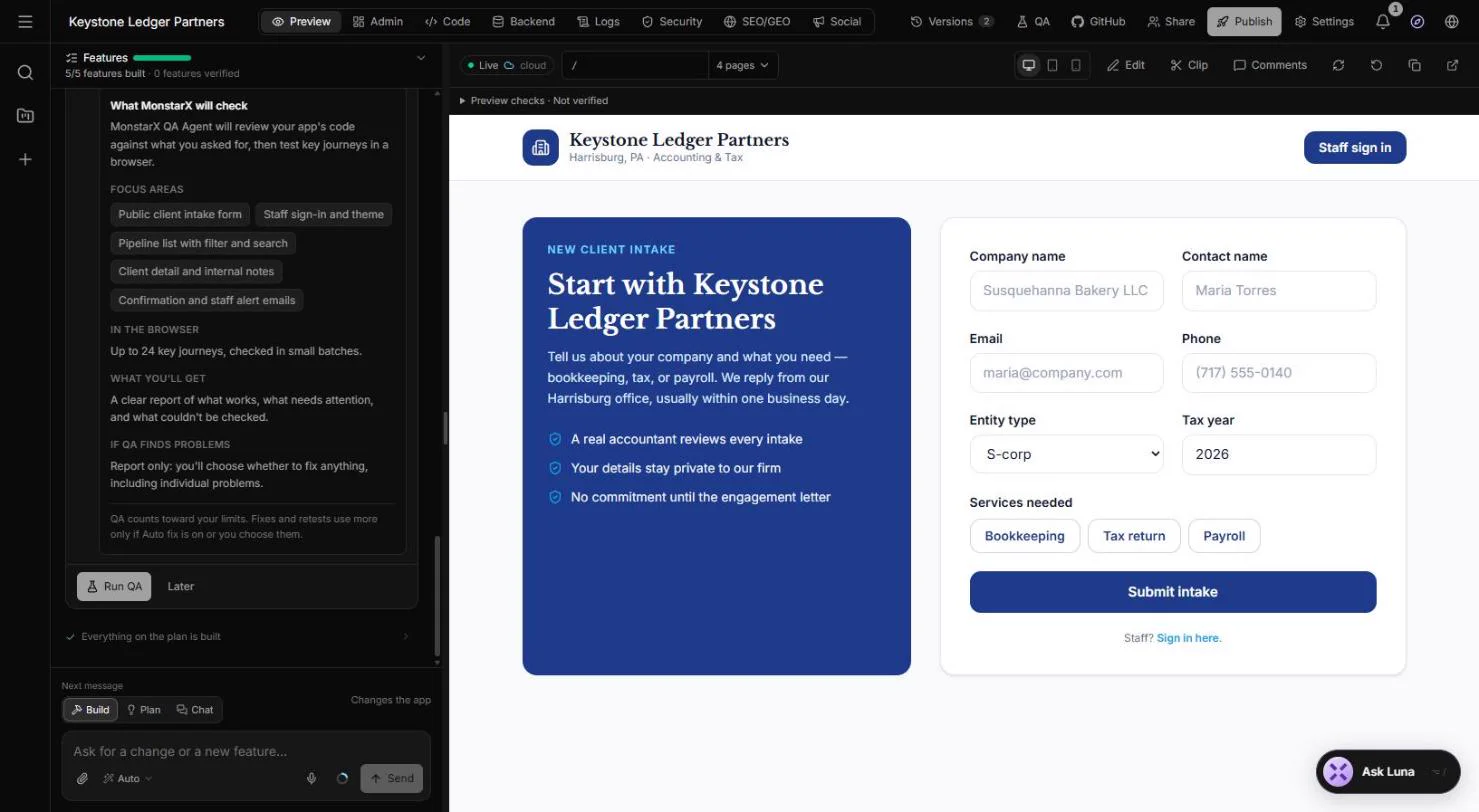
You describe a client intake tracker for a made-up 12-person accounting firm, Keystone Ledger Partners: a form for new clients, and a staff list with a status and an assigned accountant for each one.
MonstarX asks seven planning questions, builds all 5 features, and you try the form as a made-up client. The new record lands in Admin with status New. The screens are real screenshots from my own MonstarX account, captured October 2026.
What you need
- Nothing to start the practiceThe lesson is a practice copy. The firm and the client are made up.
- A MonstarX account, to do it for realMonstarX has a free plan. Plans change; check the site for what yours includes.
- One paragraph about your intakeWhat new clients tell you, and what your staff need to see.
Concepts
Plan first: answer the business questions
With Plan first on, MonstarX asks before it builds: the firm name, how staff sign in, who can edit, who can be assigned, which emails go out, what else staff need and which look fits.
Each question has a Recommended answer. For a small firm the recommended ones are usually right; change the ones that are about how your office really works.
Try it as a client, check it as staff
The preview is a working app. Submit the form with made-up details (use an example.com email) to see what a new client sees.
Then open Admin: every submission is a record you can search, filter and export, without asking the AI.
Do it for real
Now repeat it in your own account. Tick each step as you go.
Quick check
3 questions to check you’ve got it.
1. What does Plan first do?
- MonstarX asks a few questions before it builds
- It publishes the app straight away
- It picks a pricing plan
Show the answer
MonstarX asks a few questions before it builds. It settles sign-in, permissions, emails and the look before any code is written.
2. Which two emails stop new intakes from getting lost?
- A confirmation to the client and an alert to staff
- A newsletter and a survey
- None, staff check the list daily
Show the answer
A confirmation to the client and an alert to staff. The client knows you have it, and nobody has to watch an inbox.
3. Where do you see every submitted intake without asking the AI?
- Admin > Clients
- The Code tab
- Versions
Show the answer
Admin > Clients. Admin shows the records the app holds, with search, filters and export.