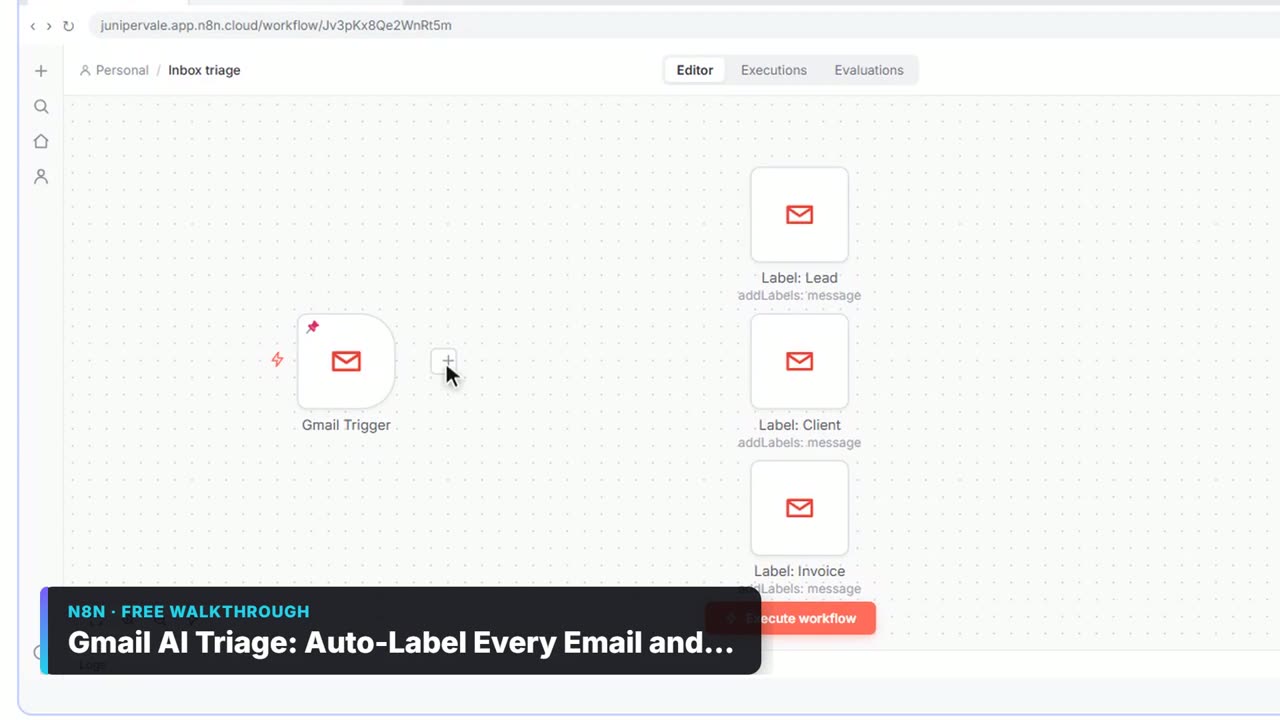
The example business is made up. Nora Okafor runs Lakeshore Ledger, a small bookkeeping firm, and wants to test a monthly Cash-Flow Check-in service: a 13-week cash forecast and a 30-minute call. The Mixo screens in the lesson are screenshots from Mixo's own help center, so they show Mixo's demo sites.
What are the most common Mixo sign-up test mistakes?
Eight mistakes cover almost everything that can spoil the test:
| # | Mistake | Fix |
|---|---|---|
| 1 | A vague idea sentence | Name the service, the customer and who runs it |
| 2 | Keeping the AI's headline | Rewrite Title to say what the customer gets |
| 3 | Leaving the Primary Button on | Tick Show Signup Form instead |
| 4 | A button label that says nothing | Change Button Label to Join the early list |
| 5 | Skipping the logo and colors | Set them in Settings, then Site |
| 6 | Clicking Save and thinking it is live | Click Publish, and publish again after edits |
| 7 | No goal or deadline | Decide one before you share, like 20 sign-ups in 3 weeks |
| 8 | Letting sign-ups sit | Use Download CSV and reply within a day |
Which mistakes happen before the page is even built?
1. A vague idea sentence. Mixo builds the whole first draft from the sentence you type: the headline, the text and the sections. A vague idea gets a vague page. "Bookkeeping" could be anything. Mixo's tutorial says to word it as a business idea and be specific: "an online hairdressing service" works better than "haircare". The lesson's sentence names the service, the customer and the firm: A monthly cash-flow check-in service for small business owners, run by Lakeshore Ledger, a bookkeeping firm, with a 13-week cash forecast and a 30-minute call each month.
2. Keeping the AI's headline. Read every line Mixo wrote before you do anything else. Is this the service you meant? Then open Hero and rewrite the Title so it says what the customer gets. The lesson uses Know your cash for the next 13 weeks. The Subtitle says who it is for and how it works. The preview updates as you type.
If you only dislike the look, you do not need a new sentence. Regenerate Style changes the design and keeps the words.
Why is the sign-up form the mistake that matters most?
3. Leaving the Primary Button on. Scroll down the Hero section to Primary Button and Signup Form. Mixo's docs say only one of the two can be on at a time. The whole test is the count of emails, so open Signup Form and tick Show Signup Form. The button in the preview becomes an email box with a button. Without this, people can like the page and leave, and you never know they were there.
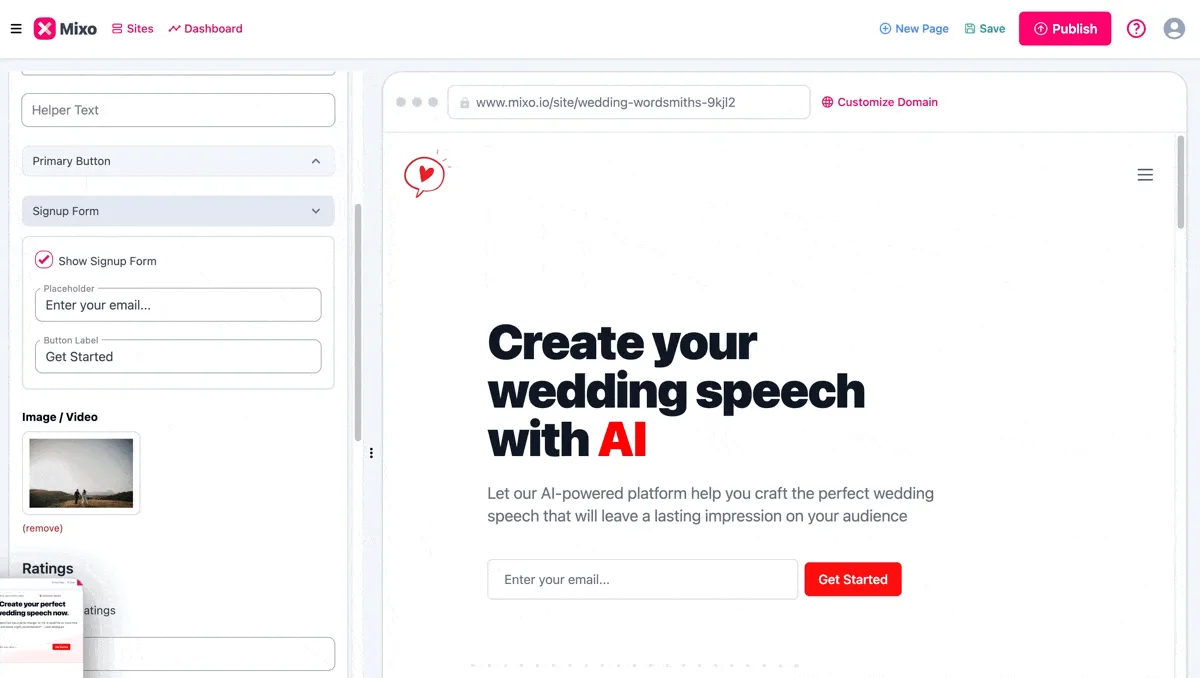
4. A button label that says nothing. The form has a Placeholder (the grey text in the email box) and a Button Label. Mixo's demo shows Get Started. Change it to Join the early list, so people know what they are signing up for and are not surprised when you email them.
5. Skipping the logo and colors. At the top of the editor, open Settings, then Site, to upload a Site Logo, set the Logo Size and pick a Primary Color and Secondary Color. Clients who know your firm should recognize the page as yours.
What goes wrong at publish time?
6. Clicking Save and thinking it is live. Save keeps your changes private, so you can come back later. Nothing is public yet. Publish makes the site live on a Mixo address, such as yoursite.mixo.io. Mixo's docs add the part people miss: changes you make later only go live when you publish again. If you fix a typo and only save, visitors still see the old page. Before your first publish, ask a colleague to read the page once.
Which mistakes spoil the result after you share the link?
7. No goal or deadline. Decide what counts as a yes before anyone sees the link. The lesson sets 20 early sign-ups in 3 weeks. Then the number decides: 20 means build the service and email the list first, three means you saved about 30 hours and can test a different offer with a new headline. Without a goal set in advance, any number can be talked into a yes.
8. Letting sign-ups sit. Each sign-up lands in Recent Subscribers on your Dashboard, with the count, the date of the last sign-up, and each email with its date, and Mixo's docs say you get an email notification too. Once you have at least one, Download CSV exports the list for Excel or Google Sheets. Email each person within a day to book their first check-in. Mixo's help center says a quick, personal reply is how you keep sign-ups interested. The speed to lead entry explains why the first reply matters so much.
Try it free, step by step
Mixo: Launch a Landing Page and Collect Early Sign-ups. A business case for a firm testing a new service before building it: describe the idea in one sentence, let Mixo build the page, turn on a sign-up form, publish it free and download the list of… You do every step yourself in a practice copy of Mixo, it checks your work as you go, and “Do it for me” finishes any step you get stuck on. Free, and nothing touches your real accounts.
Start the free lessonKey takeaways
- A specific sentence gets a specific page. A vague one gets a vague page.
- Rewrite the headline so it says what the customer gets.
- Tick Show Signup Form: the emails are the test.
- Save is private and Publish is public. Publish again after every edit.
- Set a goal and a deadline first, then reply to every sign-up within a day.
The Mixo landing page FAQ answers the how-to questions, and the landing page glossary entry covers the idea behind a one-action page. The steps are on one printable page in the cheat sheets library.
Frequently asked questions
- Can I fix a typo after I publish?
Yes. Open Edit Site, make the change, click Save, then click Publish again. Saving alone does not update the live page.
- Should I generate a new site if I do not like the design?
Not if the words are right. Click Regenerate Style and pick another style. The words stay and only the design changes.
- Do I need a new idea sentence if the headline is wrong?
Usually not. Rewrite the Title and Subtitle in the Hero section. Start over with a new sentence only if the whole page describes the wrong service.
- What if almost nobody signs up?
That is a result, not a failure. You found out before spending about 30 hours building the service. Test a different offer with a new headline.