Why this matters
Teams that share an AI plan run out of credits early when everyone tests on the most expensive model at the highest setting. Then client work waits for the reset.
Higgsfield shows the price on the Generate button before you click. In our runs the same prompt cost 0.15 credits on one image model and 2 on another, and a 5-second video cost 7.5 or 35. Picking by the job, not by habit, makes the month last.
Practice
Do every step yourself in a practice copy of the real tool. It checks your work, and “Do it for me” finishes any step you get stuck on.
What you’ll build
You help Sam Ortiz find the balance and reset date, read the price before generating, compare one prompt on four image models (0.12 to 2 credits), see what sound costs on video, and set team rules: draft cheap, finish once, check usage weekly.
What you need
- Nothing to start the practiceA practice copy with our real outputs and costs.
- The credit cheat sheetReal costs and team rules on one page.
- A Higgsfield account with credits, to do it for realHiggsfield sells monthly plans with credits; check current plans and what the free tier includes before you rely on it. Every cost in this lesson is what our run cost on 29 October 2026. (Affiliate link: I may earn a commission, at no cost to you.)
Concepts
Price is per click
Every generation spends credits, and the price depends on the model, length, resolution and sound. Kling 3.0 for 5 seconds cost 7.5 with sound off and 10 with sound on; Seedance 2.5 cost 35; a Marketing Studio video was quoted at 60 for its 12-second minimum.
Match the model to the job
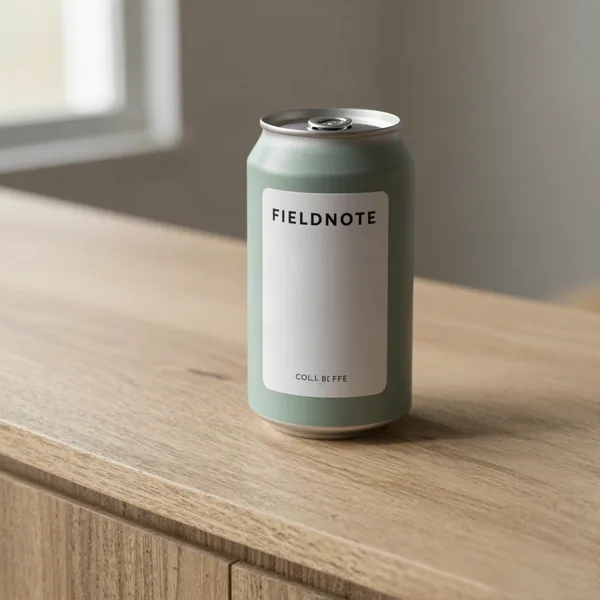
Same prompt, four models: Z Image (0.15) garbled the small label, Soul 2 (0.12, made for people) wrote gibberish, GPT Image 2.5 (0.25) added "Small batch" and a logo, Nano Banana Pro (2) spelled FIELDNOTE right but added "Origin: Ethiopia". Cheap is fine for layout ideas; exact text and faces need the 2-credit model.
Every model adds something
None of the four did only what we asked. Whatever you pick, read every word and check every detail before it reaches a client.
Do it for real
Now repeat it in your own account. Tick each step as you go.
Downloads
- Credit cheat sheet (.txt)Real costs from 29 October 2026 and six team rules.
- Every prompt in this course (.txt)The exact prompts, settings, credits and what went wrong in each of our runs.
Quick check
3 questions to check you’ve got it.
1. Where do you find what a generation will cost?
- Only on the invoice
- On the Generate button, before you click
- Nowhere
Show the answer
On the Generate button, before you click. Higgsfield shows the price before you generate.
2. You need a product image with an exact label. Which model did best in our test?
- Z Image (0.15)
- Soul 2 (0.12)
- Nano Banana Pro (2)
Show the answer
Nano Banana Pro (2). It was the only one of four that spelled the label right.
3. What is the best team rule for video?
- Always use the best model
- Draft silent on the cheaper model, run the final once
- Never make video
Show the answer
Draft silent on the cheaper model, run the final once. Draft cheap, finish once.
Higgsfield: Use AI Images and Video Responsibly (Labels, Consent and Likeness)
Last, label AI content and respect people's likeness.
Start module 9 →