Why this matters
A webinar takes a week to prepare, gets watched once and then sits in a folder. Cutting clips by hand takes hours, so most teams never do it, and the best ten minutes of the talk go unseen.
Klap finds the strongest moments in a long video, reframes them to vertical and adds captions. Your job shrinks from editing to reviewing: pick the clips worth posting, fix what the AI got wrong, and plan the week.
Practice
Do every step yourself in a practice copy of the real tool. It checks your work, and “Do it for me” finishes any step you get stuck on.
What you’ll build
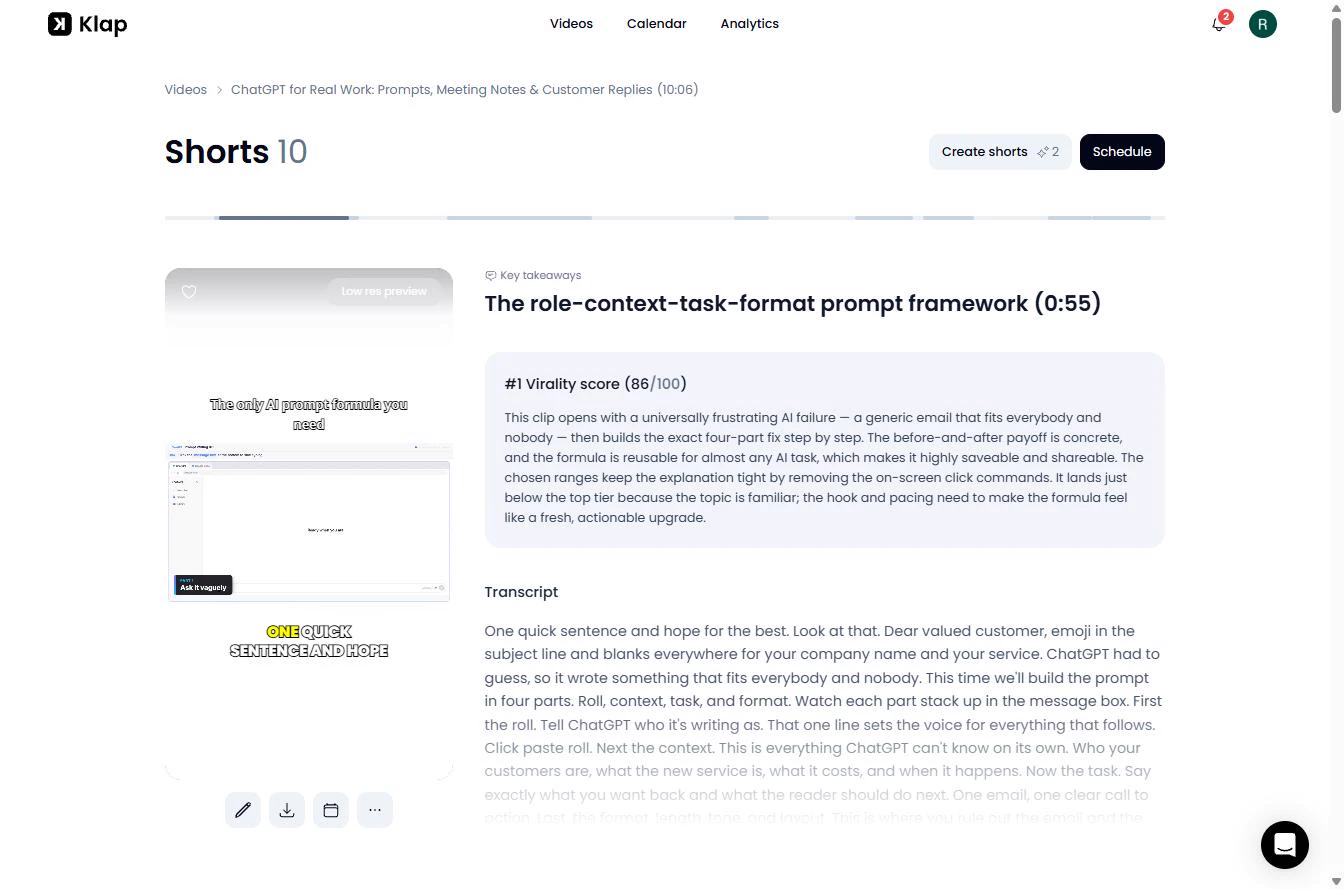
You are Dana, a made-up marketing manager at a benefits brokerage. You clip a recording in Klap, read the virality scores, fix a caption it misheard, export the clip, and plan five posts for Monday to Friday.
Then you see how n8n can run the handoff: the workflow, what the API costs and where to get it. The Klap screens are real screenshots from my own account, captured October 2026, using a training video from my own channel. Our test made 10 clips from a 10-minute video in under 7 minutes. The n8n workflow is built from Klap's API docs and has not been run against the live API yet, so test it on one short video first.
What you need
- Nothing to start the practiceThe lesson is a practice copy. It uses none of your clips.
- A Klap account, to do it for realKlap lets you try one video free with no card. On 30 October 2026 the plans were Basic at 100 clips a month and Pro at 300. Plans change; check the site.
- A recording you ownA webinar, workshop or talk with a YouTube link or a video file. Only clip video you have the rights to.
- For the n8n part: Klap API credit and n8nThe API is billed separately from your plan: about $4.44 for one recording to 5 exported clips, by the price list on 30 October 2026. $5 in free credits needs a card.
Concepts
A virality score is a prediction
Klap scores each clip out of 100 and explains why. Use it to decide what to read first, not what to post. It does not know your audience, and the list is not in strict score order: our clip #5 scored 82, above #4 at 78.
Three of our ten clips also covered the same idea. Taking the top five without reading them would have meant repeating yourself.
Captions are guesses, so read them
In our run Klap heard "role" as "roll", and it appeared in big letters on screen. On a Short the caption is the most visible thing there is. Check names, numbers and anything about prices or legal terms before a clip goes out.
Two ways to connect n8n
Klap has its own community node, n8n-nodes-klap, with a Sign in with Klap credential. Klap's page says it works on self-hosted n8n 2.12 or later and that verification for n8n Cloud is in review. It uses your plan's allowances.
On n8n Cloud today, use HTTP Request nodes with an API key, which is what our workflow does. That route uses pay-per-use API credit. We have not run either route end to end.
Do it for real
Now repeat it in your own account. Tick each step as you go.
Quick check
3 questions to check you’ve got it.
1. What does the virality score tell you?
- Klap's prediction of how a clip might do
- How many views the clip got
- Which clips are safe to post without reading
Show the answer
Klap's prediction of how a clip might do. It is a prediction with a reason attached. It helps you decide what to read first.
2. Is the Klap API included in your Klap plan?
- No, it is pay-per-use credit, billed separately
- Yes, on every plan
- Yes, on Pro only
Show the answer
No, it is pay-per-use credit, billed separately. The API page has its own balance. Each input, short and export has a price.
3. Klap wrote "roll" where you said "role". Where do you fix it?
- In the Captions panel of the editor
- In the source video
- You cannot change captions
Show the answer
In the Captions panel of the editor. Open the clip, click CC, double-click the word and type the right one. The preview updates as you type.