Why this matters
Before the first market, a new brand needs somewhere to send people: one page with the products, the price, who makes them, a way to join the waitlist and the three questions every buyer asks. A freelancer charges $500 to $2,000 and takes about two weeks. Doing it yourself in a site builder takes a weekend.
Runable's Websites tool writes and runs the code for a real page from a plain brief. It asks about the gaps first, shows a plan, then builds. It is also the most expensive job on the Free plan: our build used all 490 credits we had left that day and stopped. On a fresh day, one word in the same chat finished it in two minutes for 236 more, and one sentence fixed the only problem we found. 841 credits over two days, no freelancer, no Pro plan.
Practice
Do every step yourself in a practice copy of the real tool. It checks your work, and “Do it for me” finishes any step you get stuck on.
What you’ll build
You help Maya Chen take a one-page website for Harbor & Pine from a brief to a finished page, ready to publish.
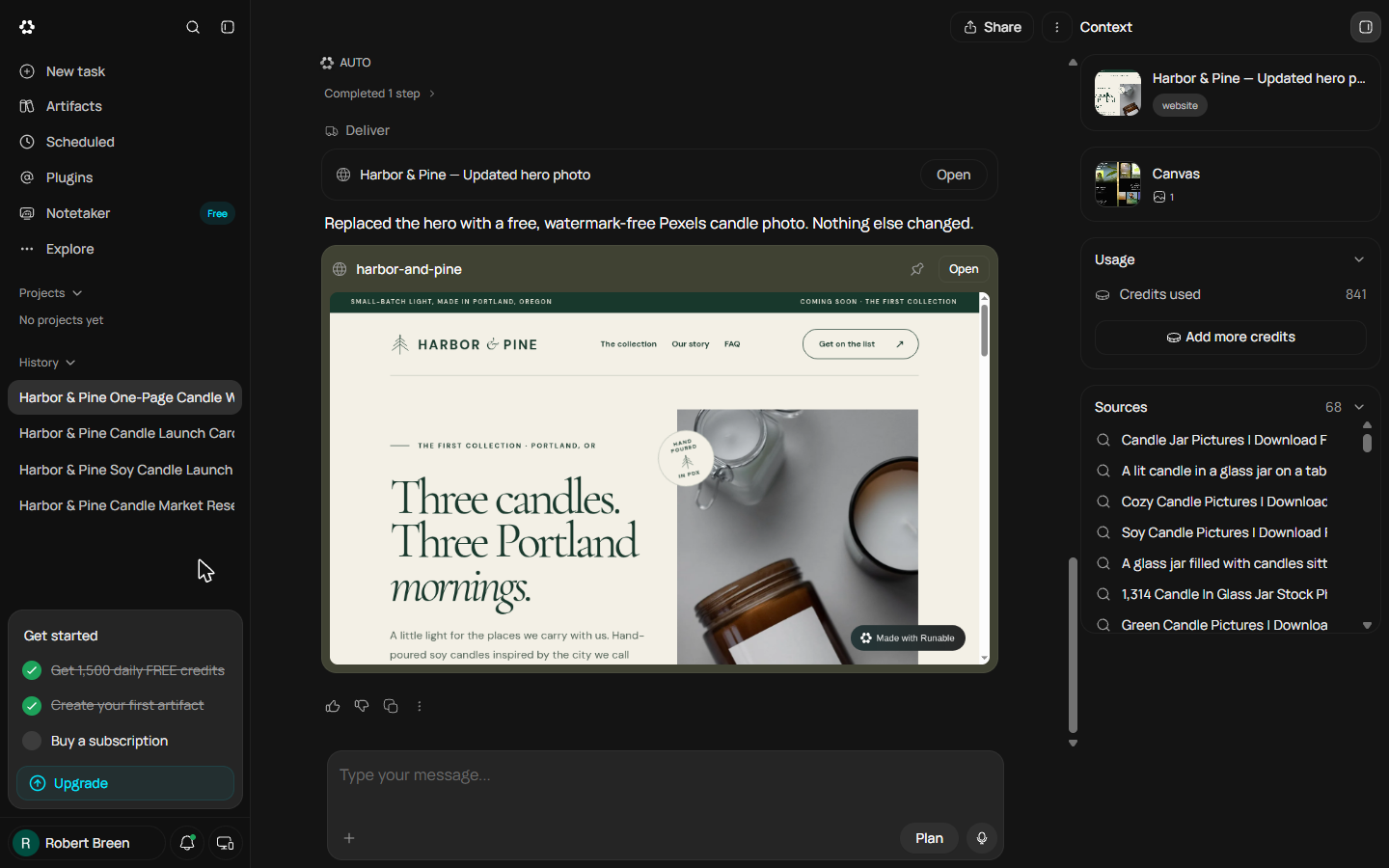
You pick Websites, then Landing Page and a template, paste a four-part brief over the sample prompt, answer two clarifying questions (follow the brand colours, not the template; the waitlist form opens an email draft, so no database), read the plan against the brief and approve it. The build runs out of the day's credits and stops. On a fresh day you say "continue" in the same chat, get the finished page, catch a stock-photo watermark on the hero, fix it with one message, and stop before Publish to swap in a real email. The screens are real Runable screens from the Free plan, captured October 2026.
What you need
- Nothing to start the practiceThe lesson is a practice copy built from real Runable screens. Harbor & Pine is made up.
- The website briefThe exact brief we pasted, the two questions with our answers, and the plan Runable wrote back.
- A Runable account with a full day of credits, to do it for realThe Free plan showed 1,500 credits a day in October 2026. Our website took 726 to build and 115 for one fix, so start with all 1,500.
Concepts
Clarifying questions
Runable did not start building. It spotted that the template was a dark finance site while the brief asked for cream and forest green, and asked which should win. Then it asked what a waitlist form should do without a database. Answer the questions about money, promises and your brand yourself; skip only the ones that do not matter.
The plan is your checkpoint
Before building, the agent says back in one paragraph what it is about to make: one responsive page, the sections in your order, the form opens an email draft, no API routes and no database tables. Read it against your brief. Fixing a plan takes a sentence; fixing a finished site takes another build.
Credits are your budget
Every step costs credits: reading the brief and asking cost 78, the plan brought it to 102, and the build kept going until the day's allowance ran out at 490. The notice said daily credits reset tomorrow. Nothing was lost: on a fresh day, "continue" in the same chat finished the page for 236 more, and a one-sentence fix cost 115. Start website builds with a full 1,500, and keep research and documents for other days.
Check it like a customer
Runable said the page was built and tested on desktop and mobile, and it was: the form worked, nothing was invented. It still shipped a paid stock photo with Unsplash+ watermarks across the hero. Scroll the whole preview before you publish, then fix problems with one message: what is wrong, what you want instead, and what to leave alone. And replace any placeholder email before you click Publish.
Do it for real
Now repeat it in your own account. Tick each step as you go.
Downloads
- Website brief, questions and plan (.txt)The exact brief we pasted on 20 October 2026, Runable's two questions with our answers, the plan it wrote back, and the continue and fix messages we sent on 23 October.
Quick check
4 questions to check you’ve got it.
1. The template is a dark finance site and your brief asks for cream and forest green. What do you tell Runable?
- Keep the template colours
- Follow the brand colours from the brief
- Skip the question
Show the answer
Follow the brand colours from the brief. Your brief is the source of truth. The template is only a layout and a sample prompt.
2. Your brief says no database. What should the waitlist form do?
- Save emails to a table
- Open an email draft to your address
- Nothing
Show the answer
Open an email draft to your address. An email draft needs no backend, so the site stays on the Free plan. A database needs the Pro plan.
3. The credits pill says 479 and you want a website. What is the best move?
- Start now
- Wait for the daily reset and start with 1,500
- Click Upgrade
Show the answer
Wait for the daily reset and start with 1,500. Our build used 490 credits and stopped unfinished. A website needs a full day of free credits.
4. Runable says the site is "built and tested". What do you still do before Publish?
- Nothing, it was tested
- Scroll the whole page, fix what is wrong, swap in your real email
- Start a new task
Show the answer
Scroll the whole page, fix what is wrong, swap in your real email. Ours worked, but the hero photo had stock-photo watermarks and the footer still had the made-up .example email.
A contact form that saves to a database
Next: from a page people read to a form that saves what they send, so no request gets lost in an inbox.
Start module 3 →