Why this matters
On a construction job the project manager walks the site every morning, often on a call with the superintendent and the owner’s rep. Then comes the office work: typing the daily log, building the punch list and chasing who said they would do what. That is 30 minutes a day, and the item that only lived in a notebook is the one that gets missed.
Hardline is an AI note taker built for construction. You talk or paste what happened, and it writes the daily log, pulls out tasks with owners and dates, files everything to the right project and drafts a punch list you can review before anyone else sees it.
Practice
Do every step yourself in a practice copy of the real tool. It checks your work, and “Do it for me” finishes any step you get stuck on.
What you’ll build
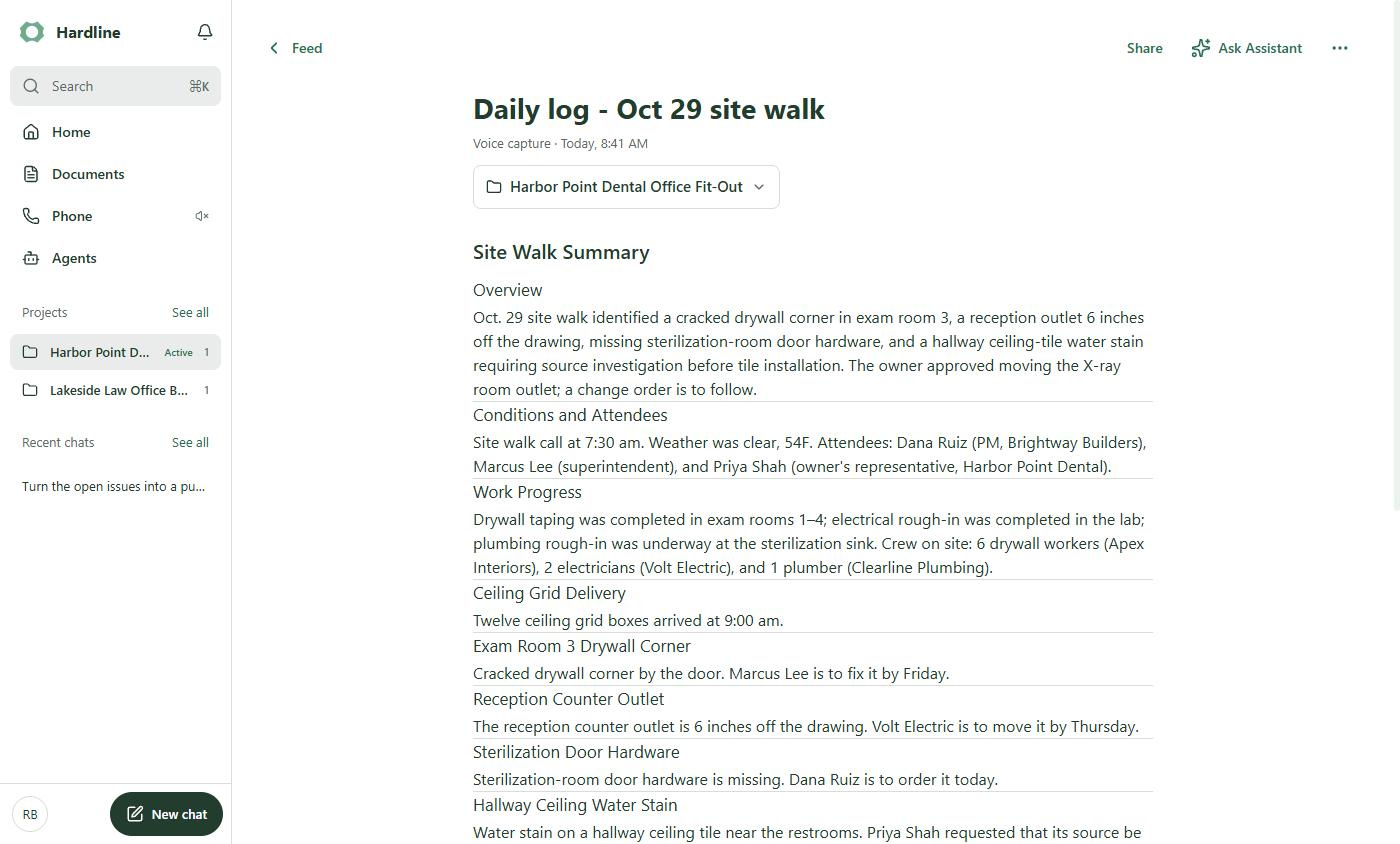
You set up a made-up job, Harbor Point Dental Office Fit-Out, and capture the 7:30 site-walk call: attendees, weather, crews, work done, a delivery, four issues, an inspection and an owner decision.
Hardline writes the daily log and four tasks with due dates, then Assistant turns the open issues into a punch list with location, owner, due date and status. The screens are real screenshots from my own Hardline account, captured October 2026.
What you need
- Nothing to start the practiceThe lesson is a practice copy. The job, the builder and the people are made up.
- A Hardline account, to do it for realHardline offers a free start and a trial. Plans change; check the site for what yours includes.
- Your notes from the walkTyped or spoken. On the phone app you can just talk through the walk.
Concepts
One project per job, set as active
Make a project for each job and mark it active. Every capture, call and task then lands in that job without you filing anything.
The project page shows the linked notes and the open tasks side by side, shared with the people on the job.
Hardline drafts, you approve
Tasks only appear when someone owned the work on the call. An issue with no owner, like the hallway water stain in this lesson, has no task, so look for those before the owner meeting.
Read the log and the punch list once before you share them, and fix any owner or date that is wrong.
Do it for real
Now repeat it in your own account. Tick each step as you go.
Quick check
3 questions to check you’ve got it.
1. Why turn on Make active project?
- So everything you capture next is filed to that job
- So the project is shared publicly
- So Hardline joins your calls
Show the answer
So everything you capture next is filed to that job. The active project is where new captures, calls and tasks go until you switch.
2. The hallway water stain is in the log but has no task. Why?
- Nobody owned it on the call
- Hardline ignores ceiling issues
- The note was too long
Show the answer
Nobody owned it on the call. Tasks come from who said they would do what. Assign an owner yourself.
3. What should you do before the punch list goes to the owner?
- Check owners and dates, and assign anything unowned
- Send it as it is
- Delete the daily log
Show the answer
Check owners and dates, and assign anything unowned. Hardline drafts; you approve.