Why this matters
Small firms run on client calls: a monthly check-in, a quick follow-up, a question about a late invoice. Taking notes while you talk means half-listening, and writing the recap afterwards takes 15 to 20 minutes per call.
Voicenotes records the meeting and turns it into a transcript, a summary, a dated to-do list and a follow-up email. Ask AI then answers questions across every past meeting, so "what did we agree last time?" takes seconds.
Practice
Do every step yourself in a practice copy of the real tool. It checks your work, and “Do it for me” finishes any step you get stuck on.
What you’ll build
You record a made-up monthly check-in between a bookkeeper, Jordan, and a client, Sam from Northgate Design Studio: the October close, three late invoices and a new hire.
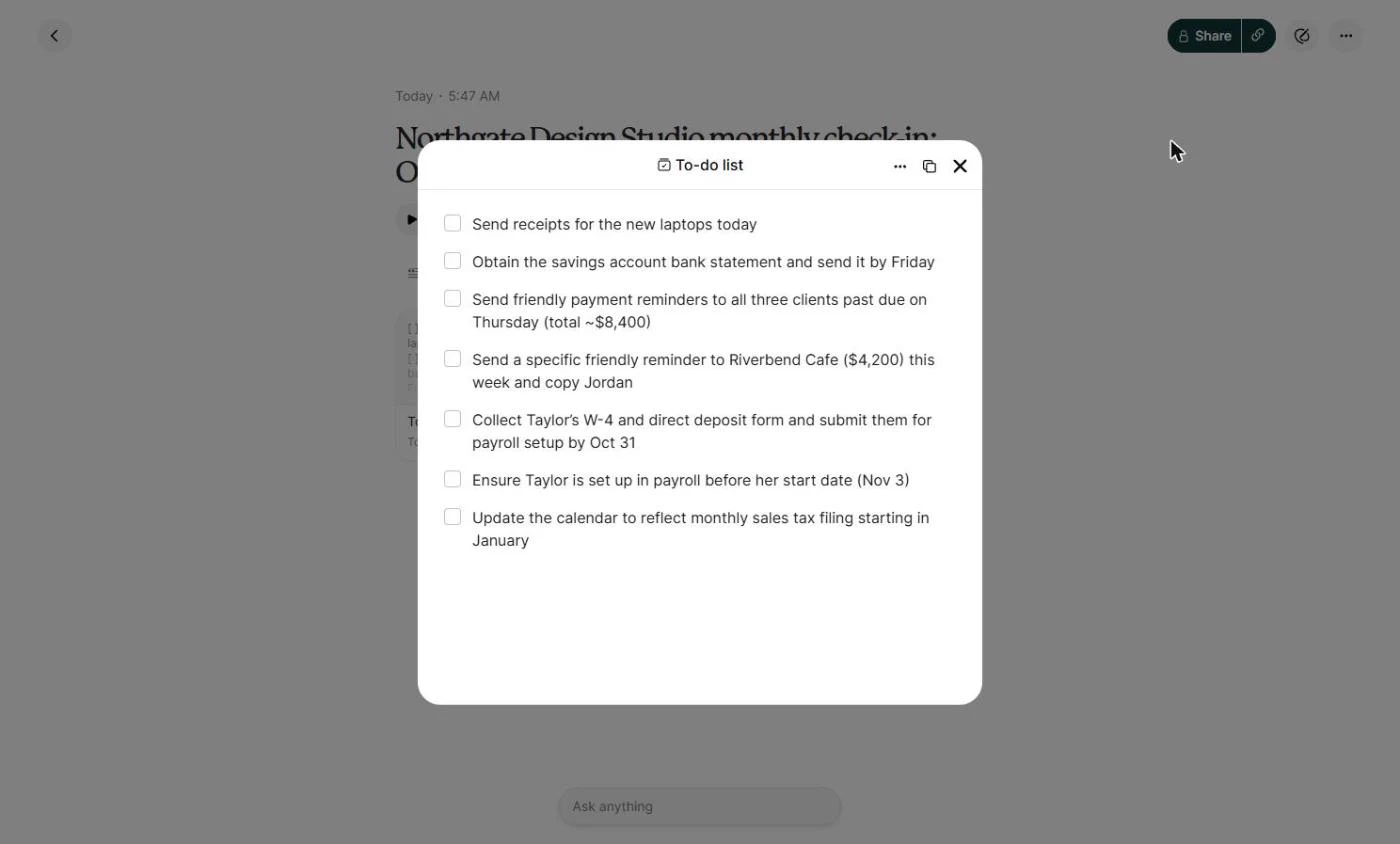
Voicenotes writes the transcript and a title, then a Summary, a To-do list with dates and a follow-up Email. After a second call, Ask AI lists what is still open across both meetings, with the sources. The screens are real screenshots from my own Voicenotes account, captured October 2026.
What you need
- Nothing to start the practiceThe lesson is a practice copy. The firm, the people and the meetings are made up.
- A Voicenotes account, to do it for realVoicenotes has a free plan with 100 transcription minutes a week. Plans change; check the site for what yours includes.
- The client’s OK to recordSay you are taking notes before you start.
Concepts
One recording, many outputs
The Create menu turns one meeting into a Summary, Main points, a To-do list, an Email, a blog post, a mind map and more. Each one is saved under Creations, next to the transcript.
For client work, the To-do list and the Email do most of the work: the to-dos keep you on track, and the email is the recap the client gets.
Ask across every meeting, then check the source
Ask AI searches all your notes, so you can ask "what is still open for this client?" before the next call instead of re-reading every transcript.
AI notes are a first draft. Check who owns each to-do and open a source before you act on an answer.
Do it for real
Now repeat it in your own account. Tick each step as you go.
Quick check
3 questions to check you’ve got it.
1. Where do the Summary, To-do list and Email you create end up?
- Under Creations, next to the transcript
- In your email outbox
- Nowhere, they disappear when you close them
Show the answer
Under Creations, next to the transcript. Every creation is saved with the meeting under Creations.
2. The summary says the client will send the reminders, but you said you would. What do you do?
- Fix the owner before you share it
- Share it as it is
- Delete the recording
Show the answer
Fix the owner before you share it. AI notes are a first draft; a wrong owner is how follow-ups get missed.
3. How do you find what is still open across several meetings?
- Ask AI across All notes, then check the sources
- Re-read every transcript
- Record the next meeting twice
Show the answer
Ask AI across All notes, then check the sources. Ask AI searches every note and lists the sources it used.