Why this matters
Small agencies run client work over email. Clients ask where their draft is, approvals get buried in long threads, and someone spends Friday chasing replies.
A client portal gives each client one place for status, due dates, drafts and approvals. Softr's AI can build a first draft in minutes. The part that needs you is proving that one client can't see another's work.
Practice
Do every step yourself in a practice copy of the real tool. It checks your work, and “Do it for me” finishes any step you get stuck on.
What you’ll build
You run client services at a made-up marketing agency. You describe a client portal to Softr's AI, then preview it as a client, fix what you find, and test again.
The screens are real screenshots from a Softr Free plan account, captured October 2026. AI builds differ from run to run, so yours may need different fixes.
What you need
- Nothing to start the practiceThe lesson is a practice copy. The agency is made up, and the people are sample records.
- A Softr account, to do it for realWe used the Free plan. Softr's docs list it as free forever with 5 app users and no custom domain. New accounts start with a trial. Check the current plans.
Concepts
An AI build is a first draft, even for permissions
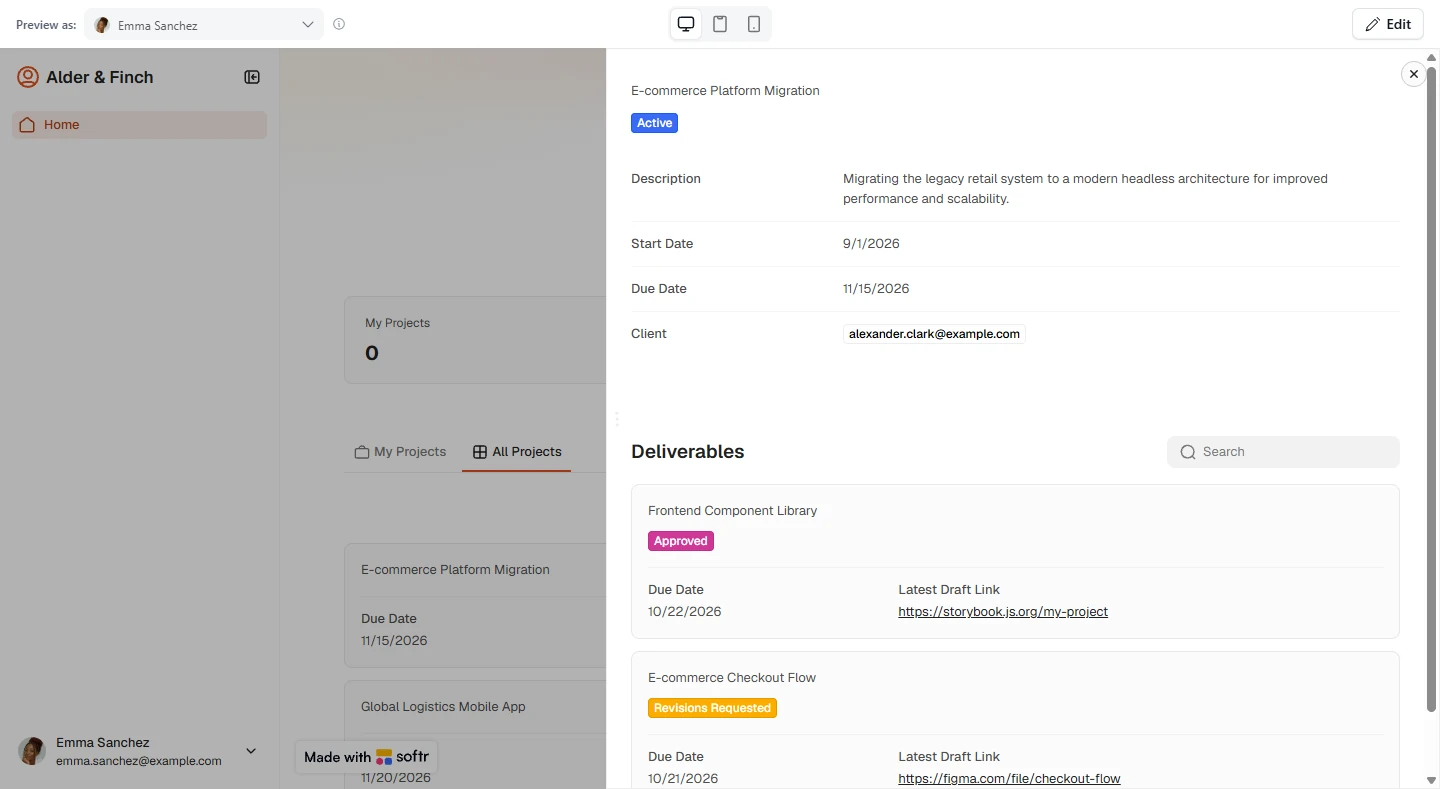
Softr's AI said clients would see only their own work. On the Free plan, previewing as a client showed 0 of her own projects, and every other client's projects under another tab.
Permissions fail silently: the app looks fine to you as the builder. Softr even notes that user filters do not run in the editor. So test as a client, every time.
What the Free plan changes
The AI set up Client and Agency Staff groups, and the Free plan switched them off. Softr's docs list custom user groups from the Pro plan up. We did not test a paid plan.
With the groups off, a tab meant for staff showed to everyone, and buttons meant for clients showed to no one. Each one has a Free plan fix, which this lesson walks through.
Filter on the field the table actually holds
The AI's filter compared the Client column to the user's Name, but that column holds emails, so nothing matched. Changing the value to Email fixed it.
When a filter returns nothing, open the data table and compare what is really stored.
Hiding a tab is not the same as protecting the data
Project pages find their record from the link. Previewing as one client, we opened another client's project just by using its link.
Adding a filter on that page closed it: the project no longer showed. Softr's docs say record filters are applied on the server side. Run this check on each page that opens a record.
Do it for real
Now repeat it in your own account. Tick each step as you go.
Quick check
3 questions to check you’ve got it.
1. Softr's AI says clients see only their own work. What do you do next?
- Preview as a client and compare with the data table
- Invite your clients
- Upgrade your plan
Show the answer
Preview as a client and compare with the data table. Our first build showed a client other clients' projects on the Free plan. Only Preview as showed it.
2. My Projects shows 0, but the table says this client owns 2. What is the likely cause?
- The filter compares a column to the wrong user field
- The client has no access to the app
- The sample data was deleted
Show the answer
The filter compares a column to the wrong user field. Our filter compared emails to names, which never match. Changing the value to Email fixed it.
3. You removed the All Projects tab. Is a client now unable to open other clients' projects?
- Not yet: test their links and add a filter on the page that opens the record
- Yes, hiding the tab protects the data
- Yes, once the app is published
Show the answer
Not yet: test their links and add a filter on the page that opens the record. Project pages find records from the link. We could open another client's project until we added a filter to that page.