Why this matters
Most office work is writing things you already know: replies to clients, quick updates, prompts for ChatGPT. Typing them out, fixing typos and adding punctuation eats a big part of the day.
Wispr Flow lets you hold one key, talk, and get clean text wherever your cursor is. Its site says it is 4x faster than your keyboard, and my own Flow showed 120 words a minute. You still read what it wrote before you send.
Practice
Do every step yourself in a practice copy of the real tool. It checks your work, and “Do it for me” finishes any step you get stuck on.
What you’ll build
You help Maya Chen, who runs the office at Northgate Accounting, a made-up firm, answer a client email and write a ChatGPT prompt by voice.
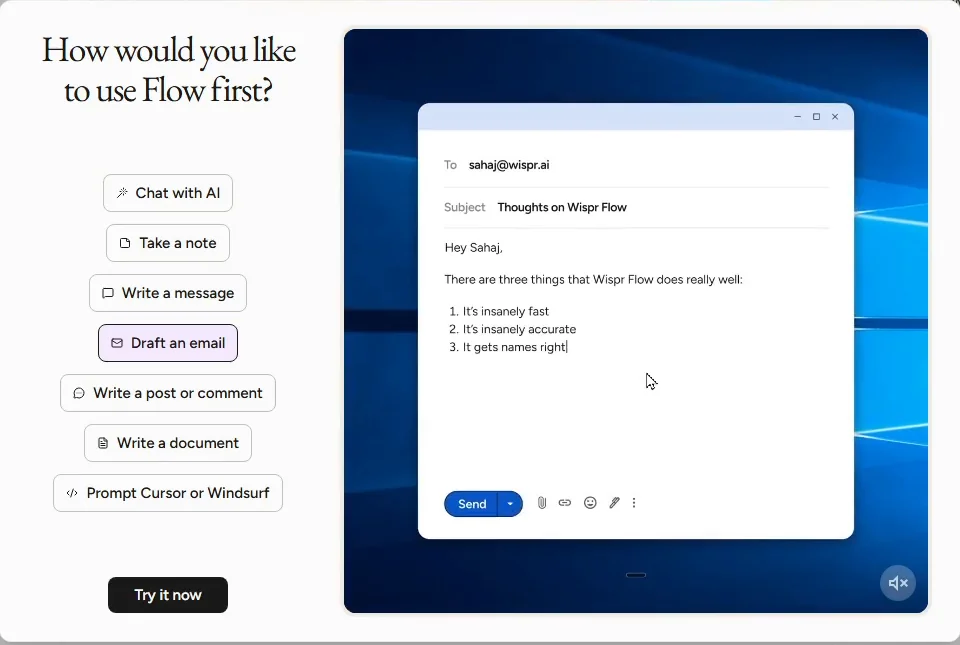
You find the Flow key, pick Draft an email, speak a messy reply into Gmail and a long prompt into ChatGPT, copy a dictation made with no text box, and find the Dictionary and your word count. The Flow screens are real screenshots from my own Flow on Windows, captured October 2026. Gmail and ChatGPT are practice copies.
What you need
- Nothing to start the practiceThe lesson is a practice copy. Northgate Accounting and its clients are made up.
- Wispr Flow, to do it for realInstall it from wisprflow.ai on Mac, Windows, iPhone or Android. The free plan gives 2,000 words a week on desktop and 1,000 on mobile, with no credit card.
- A microphoneYour laptop microphone is enough to start. A headset helps in a noisy office.
Concepts
Click, hold, talk, let go
Flow types wherever your cursor is, so click into the box first. Hold the key (Caps Lock on my Windows PC), say what you mean, and let go. If no box is selected, Flow shows "Select a textbox first, then dictate" with a Copy button, so your words are not lost.
It cleans how you speak
wisprflow.ai says Flow removes filler words, adds punctuation, formats your writing and catches self-corrections. So "Tuesday, no wait, Wednesday" should come out as Wednesday. It does not know your facts, so read names, dates and numbers before you send.
Teach it your words
Client names and firm terms trip up any voice tool. Flow learns your words as you use it, and you can add them yourself in the Dictionary. The home page counts your total words, words per minute and streak.
Do it for real
Now repeat it in your own account. Tick each step as you go.
Quick check
3 questions to check you’ve got it.
1. You held the key and talked, but nothing appeared in your email. What happened?
- Flow is broken
- No text box was selected, so Flow showed your words with a Copy button
- Flow only works in its own window
Show the answer
No text box was selected, so Flow showed your words with a Copy button. Flow types where your cursor is. Click into the box first; if you forget, copy the words from the popup.
2. You said "Tuesday at 2, no wait, Wednesday at 2". What should you do before sending?
- Nothing, Flow fixes everything
- Read the reply and check the day, names and numbers
- Retype it by hand
Show the answer
Read the reply and check the day, names and numbers. Flow is built to catch self-corrections, but you own the facts. A quick read takes seconds.
3. Flow keeps misspelling a client's name. What helps most?
- Speak louder
- Add the name to the Dictionary
- Stop using names
Show the answer
Add the name to the Dictionary. wisprflow.ai says Flow learns your words and lets you add them yourself.
Smallpdf: Get the Key Points of a 25-Page PDF in 5 Minutes
You answered a client email and wrote a ChatGPT prompt by voice with Wispr Flow. Review the apps you have met in this course and pick one to try on your own work.
Start module 30 →