Updated . Built against the tool’s current screens and checked step by step. How we check this lesson
A beginner Wave accounting walkthrough on real screens: enter a supplier bill, record the payment so it no longer shows as owed, and open bank reconciliation for month end. Free Starter plan.
At a glance
| Question | Answer |
|---|---|
| What you build | A beginner Wave accounting walkthrough on real screens: enter a supplier bill, record the payment so it no longer shows as owed, and open bank reconciliation for month end. Free Starter plan. |
| Tools | Wave |
| Time | About 8 minutes, 10 steps in 3 parts |
| Level | Beginner, no coding needed |
| Cost | Free |
| Ways to learn it | Practice it step by step |
The 3 parts, in short
- Enter the bill: Bills, Create a bill, Choose the vendor, Add the vendor, and 1 more step.
- Pay it: Record a payment, Payment details.
- Reconcile at month end: Paid, Start a reconciliation, Pick the account.
Start here first: Wave: Chart of Accounts, Transactions and Reports (module 1 of Accounting)
What you'll build
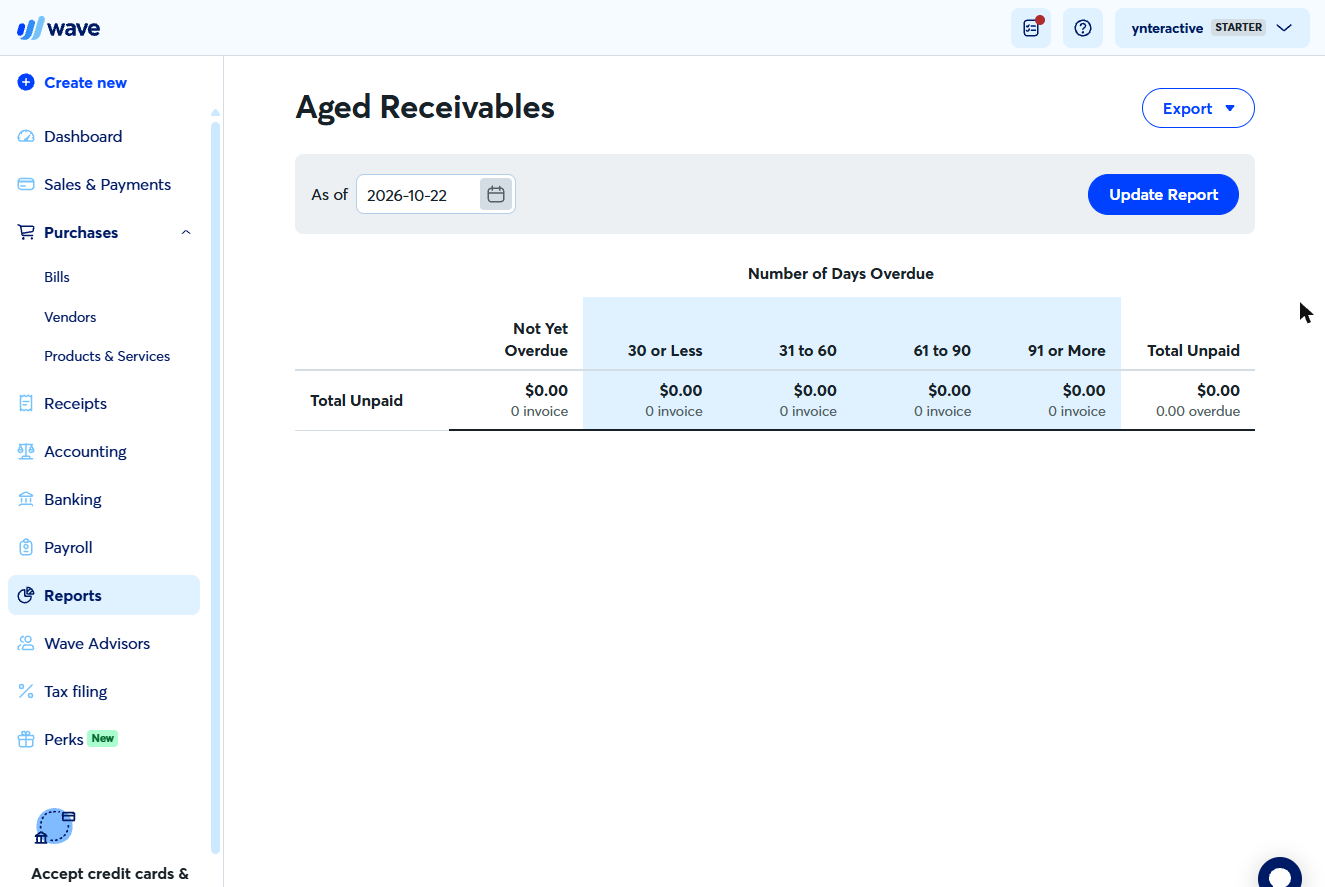
Maya (made up) almost paid the same $250 bill twice because it lived in her email. In this lesson you enter a supplier bill in Wave, pay it so it shows as Paid, and open Wave’s reconciliation for month end. Every screen is a real Wave screen.
You created a $250 bill with a new vendor and a 30-day due date, recorded the payment so it shows as Paid with $0.00 due, and switched on Reconciliation to see which accounts need reconciling. Now try it in your own Wave account: the lesson page has the checklist.
- Tools: Wave
- Time: about 8 minutes, 10 steps in 3 chapters
- Level: beginner, no coding needed
- Price: free
Practice first, then build it for real
Practice copy built from real Wave screens (free Starter plan, captured 22 October 2026). Nothing here touches your Wave account. The customer, vendor and amounts are practice data. To build it for real you need your own Wave account, and some services charge once you use them for real work, so check each tool's current pricing.
Try it yourself, free
Reading the steps is a start. Doing them is how it sticks. The interactive module walks you through every click in a practice copy of Wave, checks each step, and never touches your real accounts.
Start “Wave: Enter a Bill, Pay It and Reconcile”Step by step: Wave: Enter a Bill, Pay It and Reconcile
All 10 steps of the interactive module, in order. In the module you watch each one, then do it yourself in a practice copy that checks your work.
1. Enter the bill
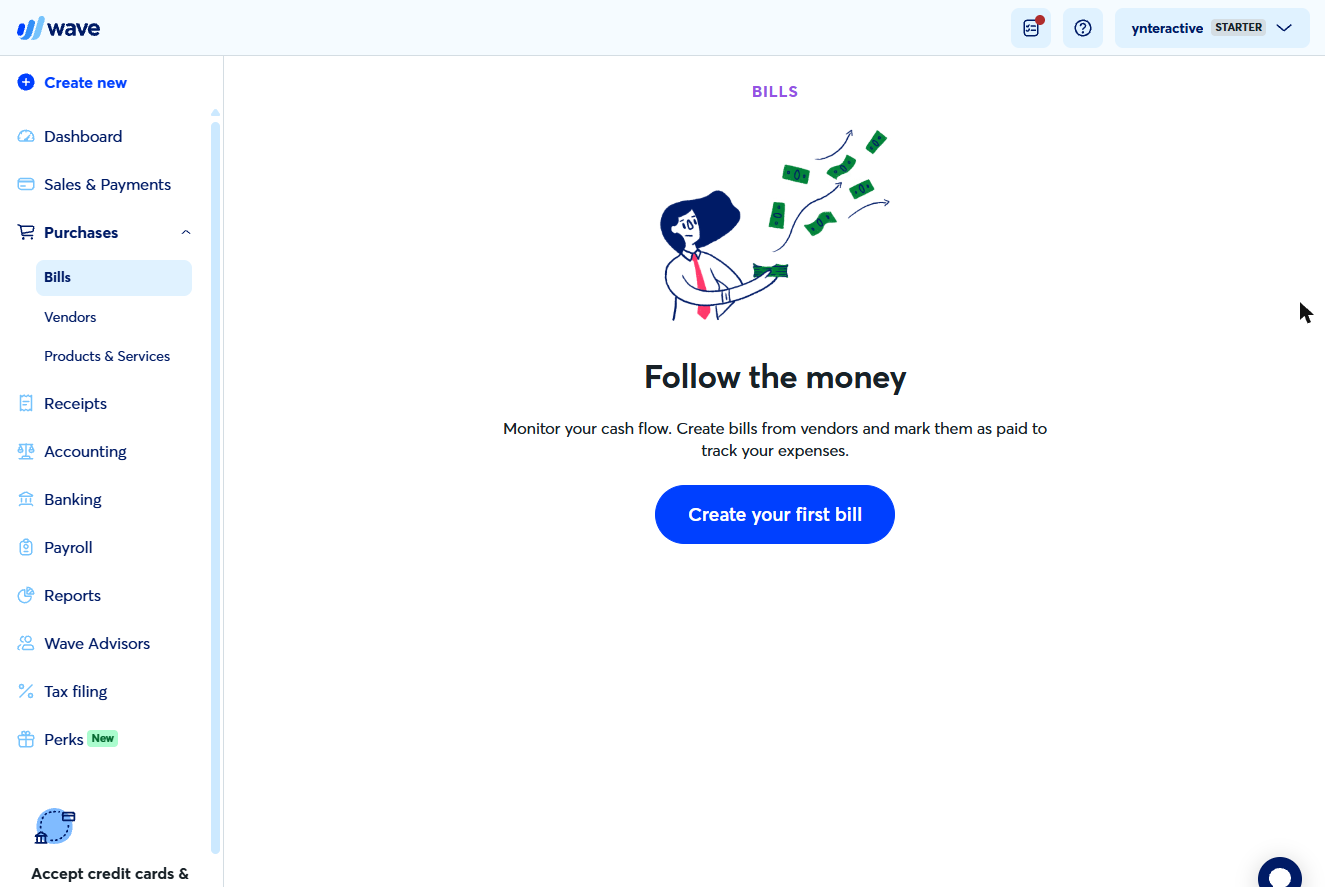
- Bills. Under Purchases, click Bills.
- Create a bill. Click Create your first bill (later it is Create a bill).
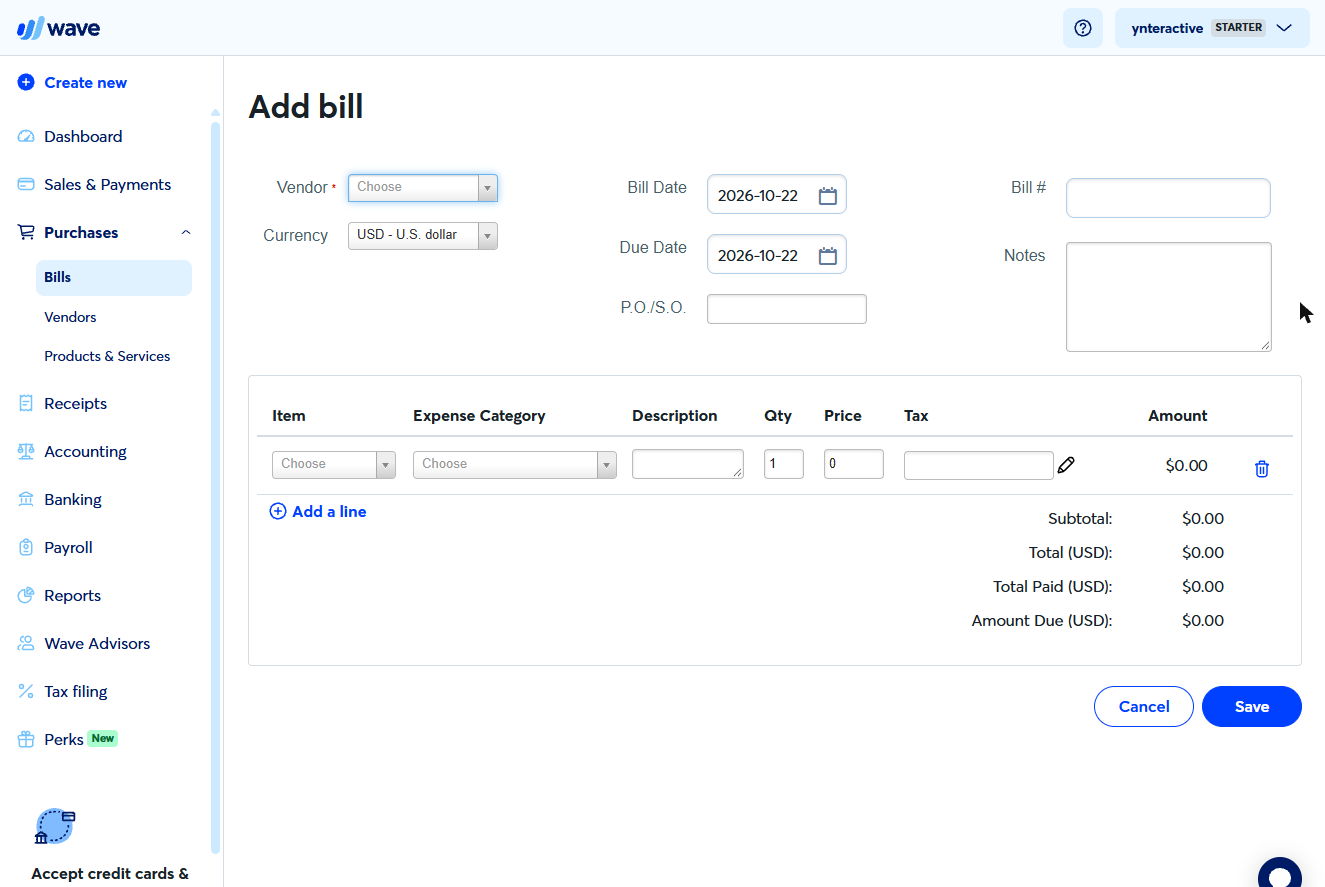
- Choose the vendor. Open Vendor. For a new supplier, choose Add new vendor.
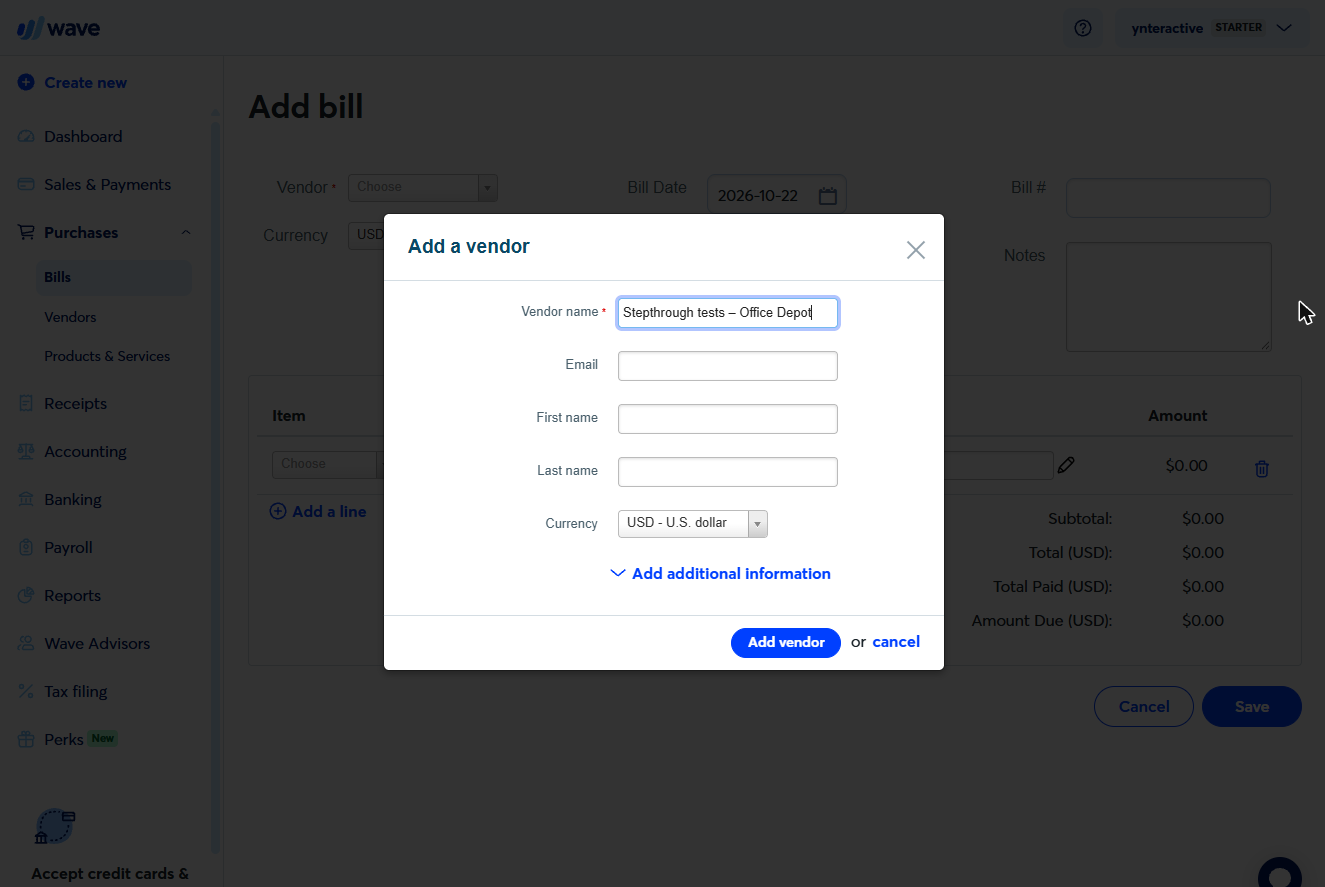
- Add the vendor. Only the Vendor name is required. Click Add vendor.
Only the name is required.
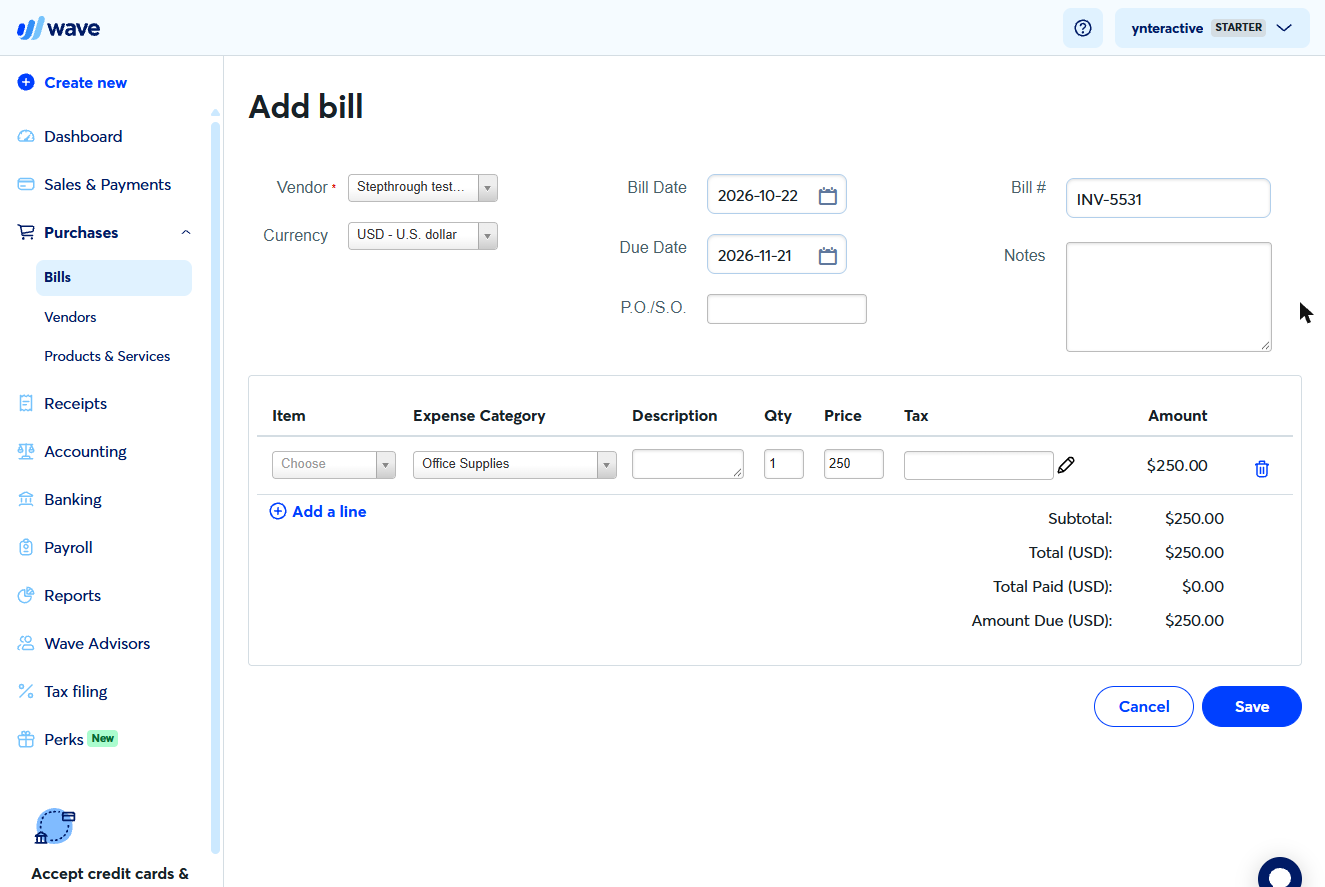
- Fill in the bill. Enter the supplier’s Bill #, a Due Date 30 days out, Expense Category Office Supplies and price 250. Click Save.
Bill number, due date, Office Supplies, two fifty. Save.
2. Pay it
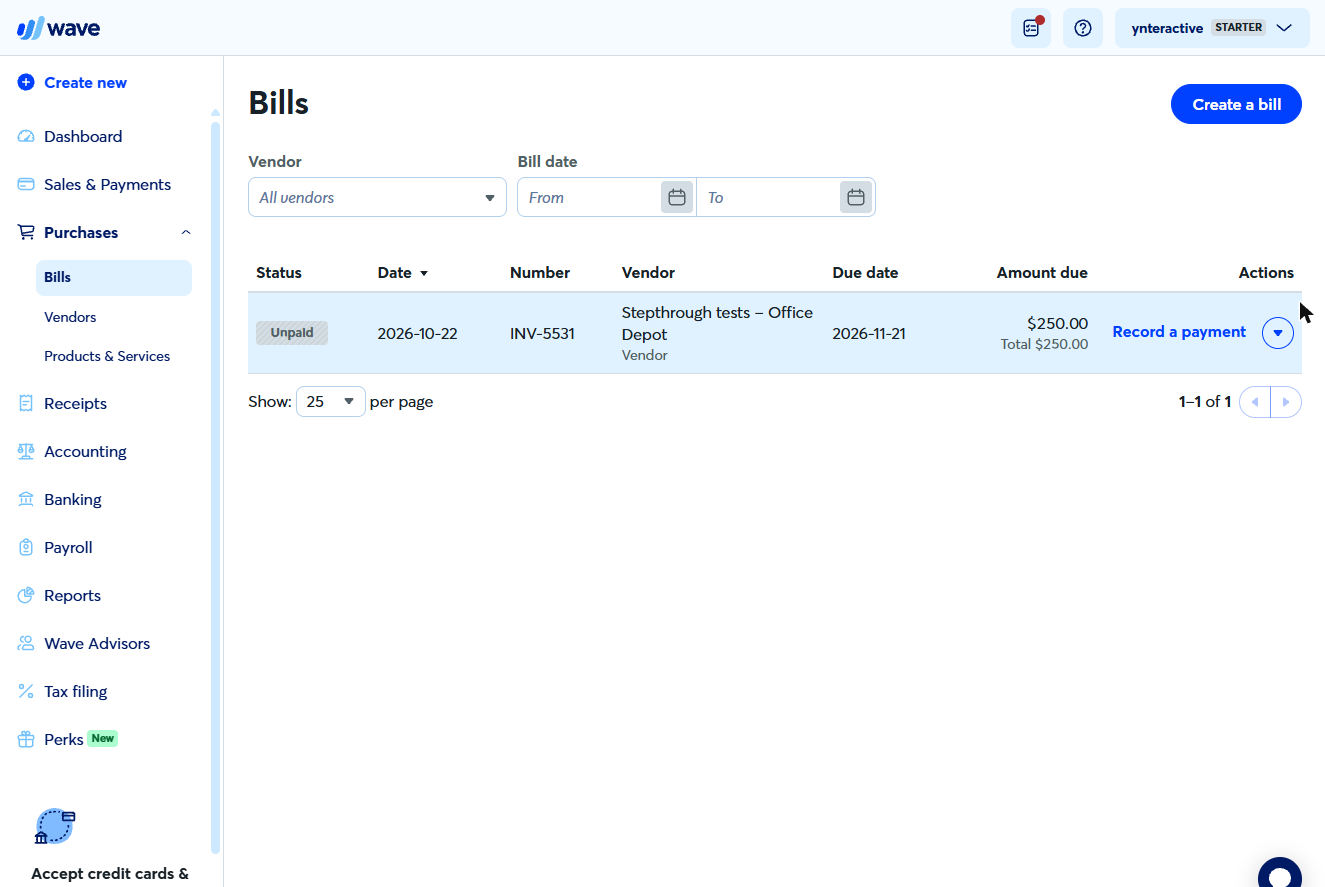
- Record a payment. The bill shows Unpaid, $250.00 due. When you pay it, click Record a payment.
It shows Unpaid. When you pay it, click Record a payment.
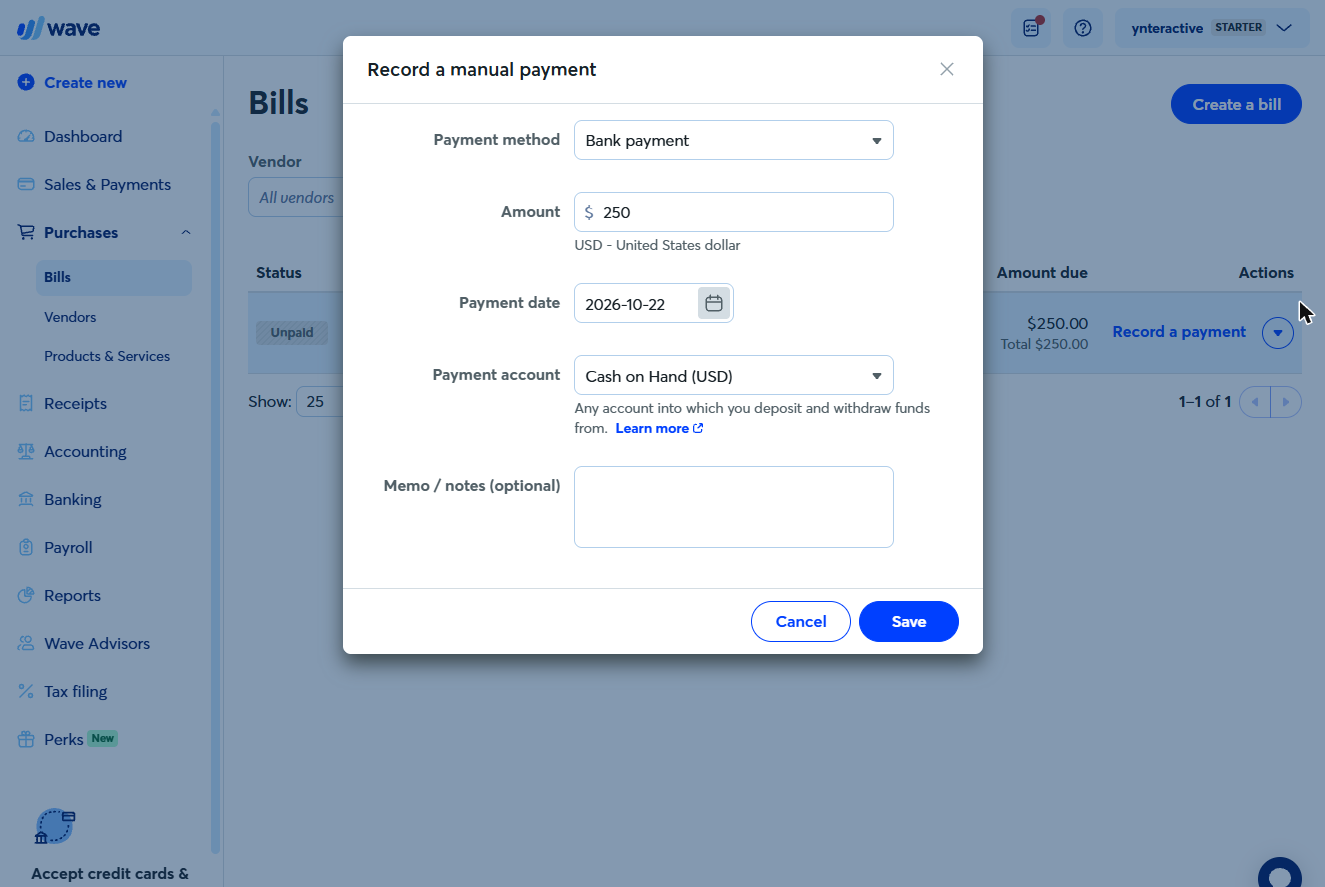
- Payment details. Payment method Bank payment, amount $250, Payment account Cash on Hand. Click Save.
Save.
3. Reconcile at month end
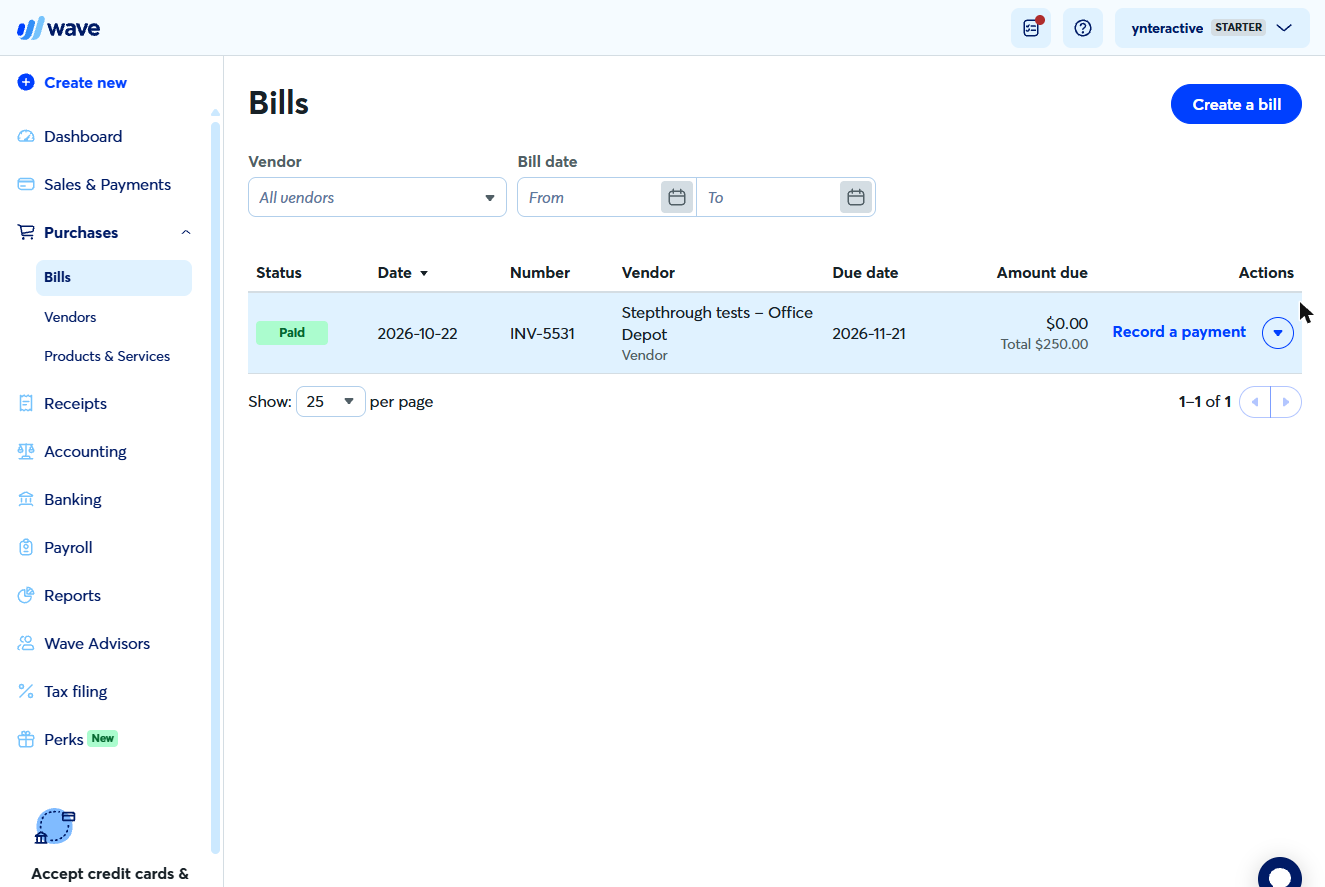
- Paid. Status Paid, $0.00 due, and no second expense. At month end, go to Accounting > Transactions and switch on Reconciliation.
Paid. No second expense. At month end, switch on Reconciliation.
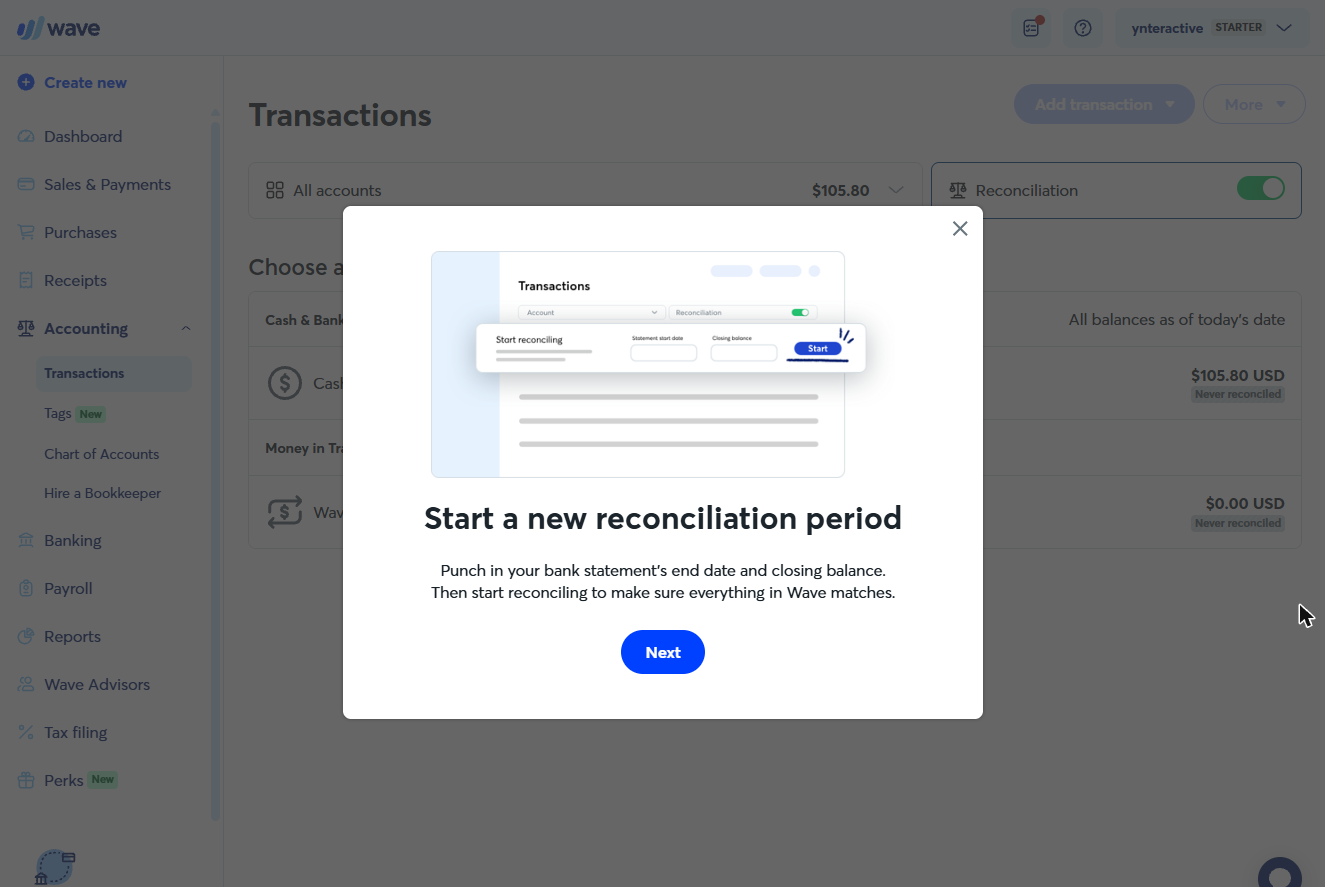
- Start a reconciliation. Wave asks for your bank statement’s end date and closing balance. Click Next.
Enter the statement’s end date and closing balance.
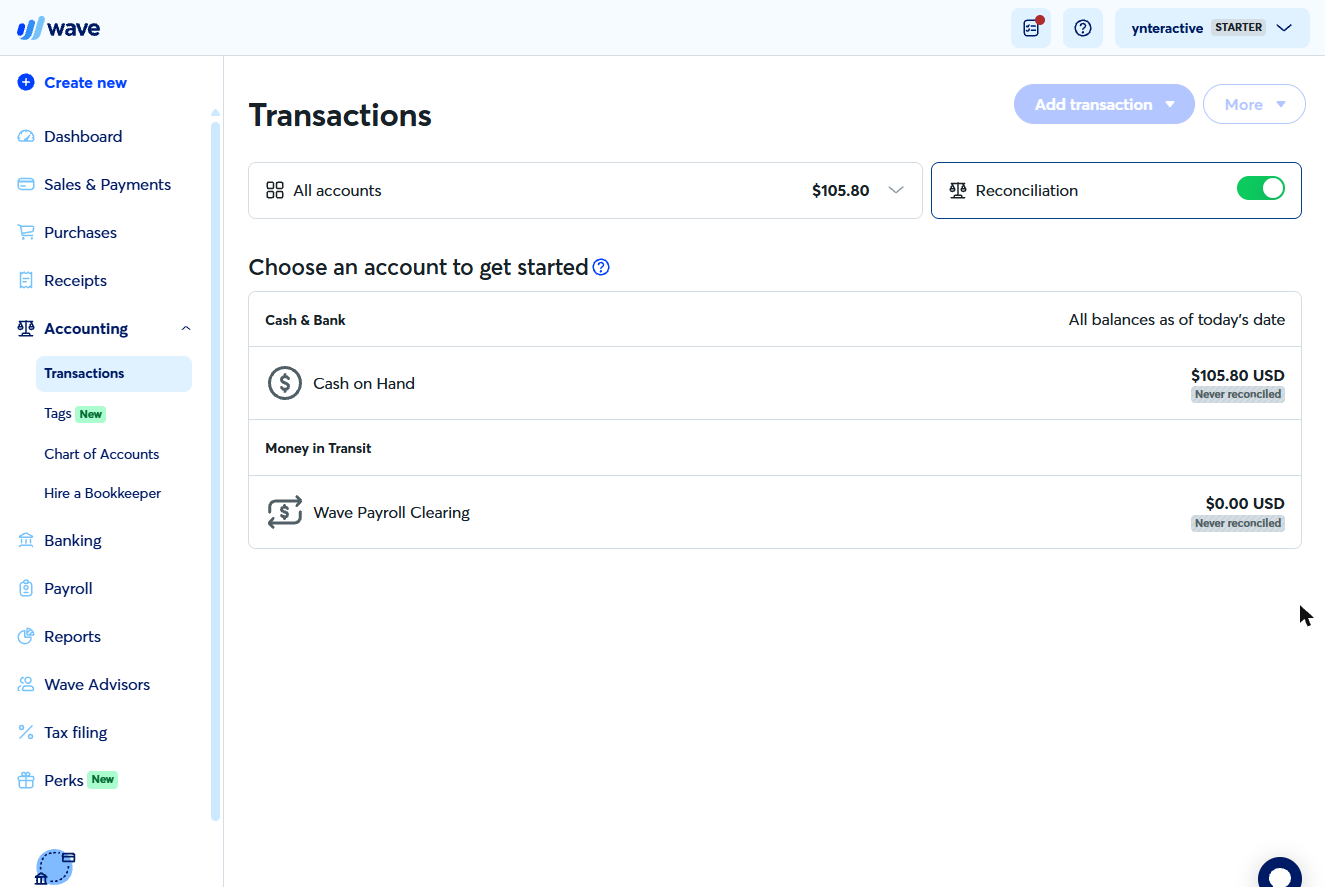
- Pick the account. Each account shows Never reconciled until you finish one. Pick Cash on Hand (or your bank account) and tick off the statement lines until the difference is zero.
Pick the account, and tick off the statement until the difference is zero.
Screenshots
More in Accounting
Free cheat sheet
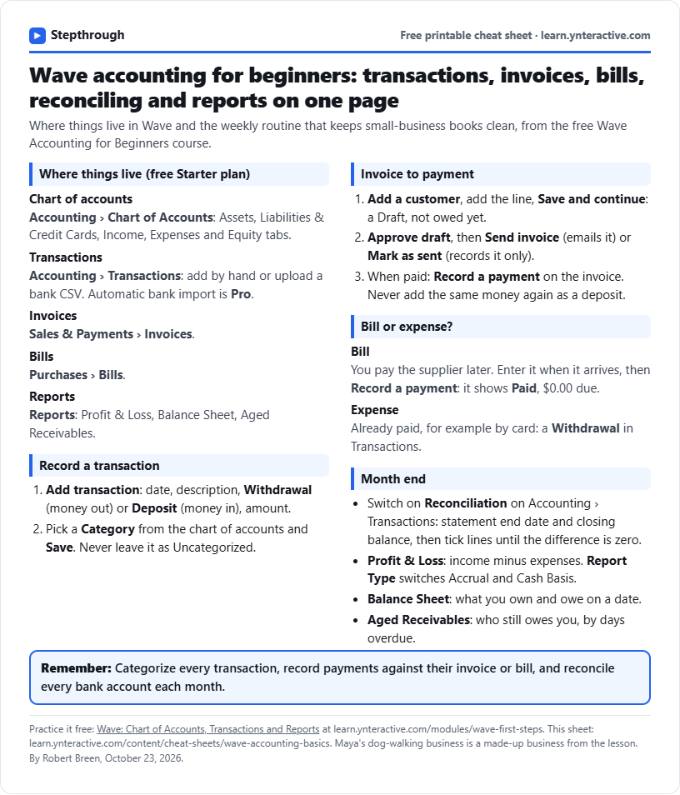
Print it or save the PDF: the key steps and checks from this lesson on one page, free.
All free printable cheat sheets
Terms in this lesson
Plain-English definitions, each with an example from a free lesson.