Why this matters
A client saying it in their own words is some of the best marketing a small business has. Most testimonials stay in a folder because nobody has an hour to cut them.
PopNow's Video Editor is free to use on 0 credits. You trim to the one good take, type the captions and export a clip, and you learn which buttons in the same app are charged.
Practice
Do every step yourself in a practice copy of the real tool. It checks your work, and “Do it for me” finishes any step you get stuck on.
What you’ll build
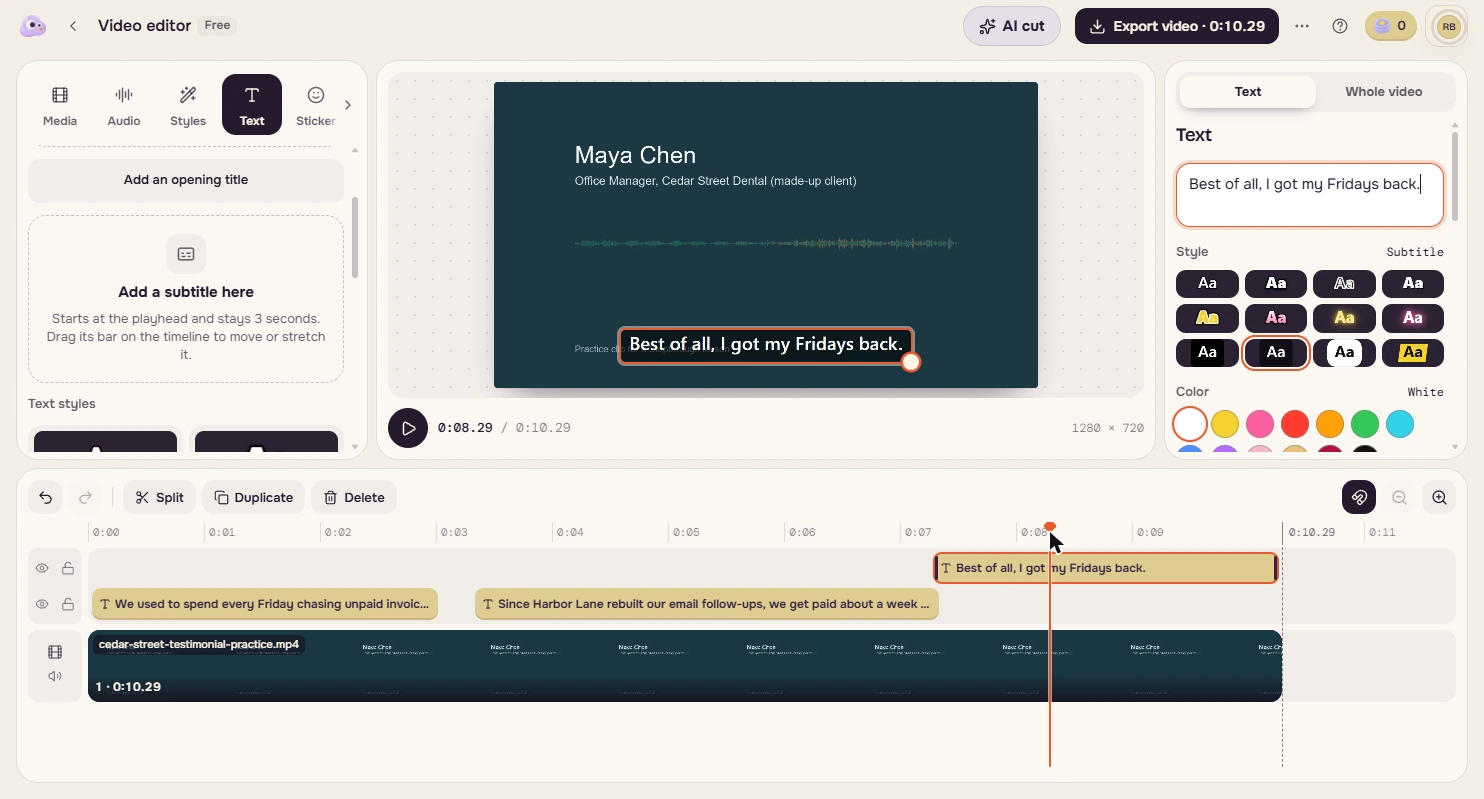
You do marketing at a made-up small agency. A client recorded a 19-second testimonial with a false start and a chat at the end. You cut it to 10 seconds, add three captions and export it.
The screens are real screenshots of PopNow from my own account with 0 credits, captured October 2026. Our export really ran on that balance.
What you need
- Nothing to start the practiceThe lesson is a practice copy. The agency and the client are made up.
- PopNow's free editor, to do it for realIt opens at popnow.ai/editor. Ours was signed in with 0 credits. Check the current terms.
- The made-up practice clipThe download link is in the steps for doing it for real.
Concepts
Set the end first
The timeline redraws after every trim, so the numbers on the ruler move. Move the playhead to where the good take ends and click End here, then do the start.
The time under the picture tells you exactly where you are. Listen to the cut before you add anything to it.
Know which part is free
Trimming, typed subtitles and export ran on 0 credits. Auto captions costs credits by the second: 1 credit, about $0.001, for our clip. With 0 credits, its button opened Buy credits, where the smallest pack is $9.
For a 10-second clip, typing three lines is quick. For a long recording, a pack may be worth it, so look for the price on a button before you click it.
Check it before it represents you
A real testimonial is a client's name and words in public. Get their OK, check every name and number against the recording, and watch the export all the way through.
Our 1080p export had captions in the picture, and we saw no PopNow badge. The account settings mention a small badge on downloads, so check yours.
Do it for real
Now repeat it in your own account. Tick each step as you go.
Downloads
- Practice testimonial clip (MP4)A made-up 19-second testimonial with a false start and a chat at the end. The voice is AI generated.
Quick check
3 questions to check you’ve got it.
1. Why trim the end of the clip before the start?
- The timeline redraws after each trim, so the ruler numbers move
- The editor only allows one end at a time
- It uses fewer credits
Show the answer
The timeline redraws after each trim, so the ruler numbers move. Setting the end first means your later point is still where you expect on the original clip.
2. You have 0 credits. Which of these worked in our test?
- Trim, typed subtitles and export
- Auto captions
- Nothing until you buy a pack
Show the answer
Trim, typed subtitles and export. The editor ran free. Auto captions costs a credit, and with none its button opens Buy credits.
3. What should you do before posting a real client testimonial?
- Get their OK and check names and numbers against the recording
- Only check the captions spelling
- Nothing, since they recorded it
Show the answer
Get their OK and check names and numbers against the recording. It is their name and words in public, so ask first and check every fact.