What is FigJam?
Quick answer
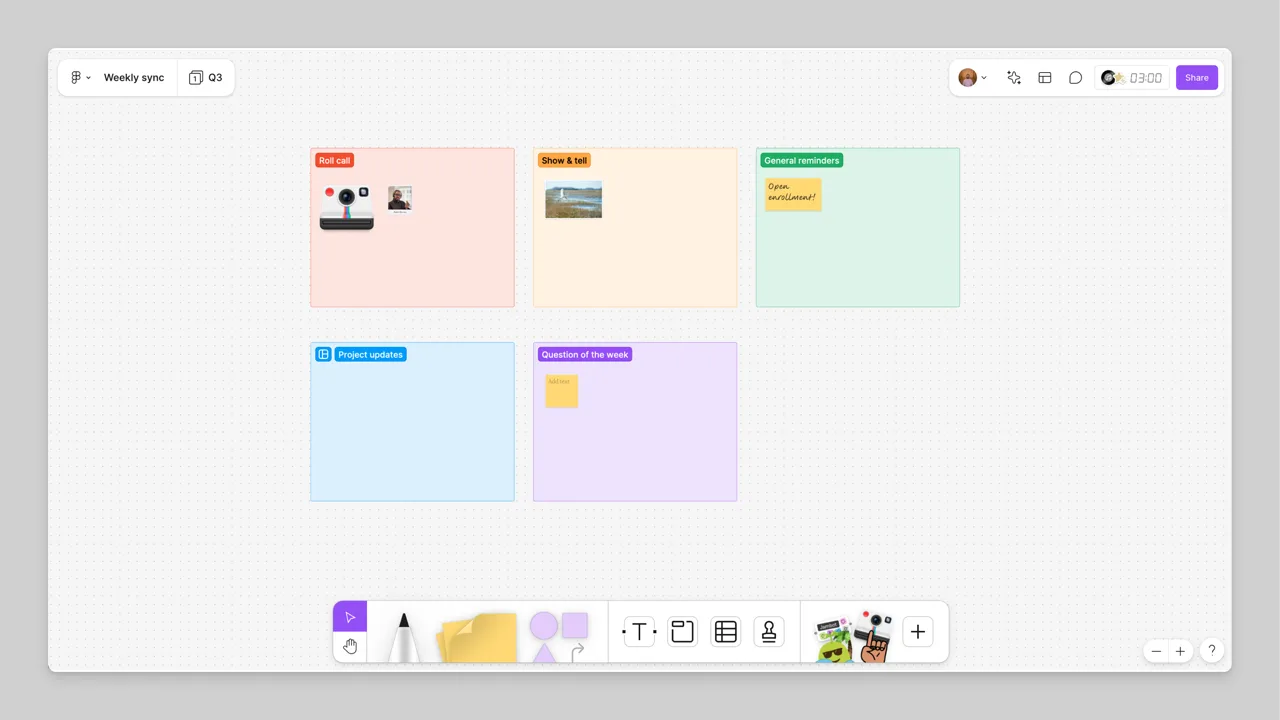
FigJam is the online whiteboard from Figma. Figma's help center calls it a collaboration tool your team can use "to brainstorm, develop, and organize ideas". You put sticky notes, shapes, connectors and sections on a shared board, everyone works on it at once, and on paid plans you can run voting sessions on the best ideas.
Last updated
Take the free module →Module 46 of the free AI Apps Worth Knowing course, about 12 minutes. No account needed.
Updated · By Robert Breen
Why it matters for a small business
A brainstorm in a meeting room leaves a wall of paper that nobody types up. A brainstorm on a FigJam board is already written down, grouped and shareable when the meeting ends. Sections keep each question in its own area, sticky notes capture every idea, and a voting session shows which ideas the team actually backs.
FigJam does not need design skills. Figma's FigJam page offers "Try FigJam for free", cites over 300 ready-made templates, and says FigJam is included with all seats on every plan. The pricing page names the free plan Starter. Some meeting features, such as voting sessions and open sessions for visitors without accounts, are on paid plans, according to Figma's help center.
In a real lesson: FigJam: Run a Team Brainstorm on One Board and Share It
In the FigJam lesson you run a team brainstorm on one board. You create a board from the New FigJam file tile (or figjam.new), add sections with the section tool or Shift+S, and name each one by double-clicking its title. Locking a section's background keeps it from being dragged around during the meeting.
Then the team adds color-coded sticky notes with the sticky tool or S, puts the question in a shape and connects problems to fixes. You run a 10-minute silent round with the Timer, and mark favorites with stamps (voting sessions are on paid plans). Finally you move the board out of Drafts, invite the team with edit access and copy the Share link.
Try this lesson free or read the step-by-step guide.
Common confusions
FigJam vs Figma Design
Both come from Figma. Figma Design is for designing screens and interfaces. FigJam is the whiteboard for brainstorming, diagrams and meetings, and anyone on the team can use it.
Sharing a board vs an open session
Sharing invites people to the file. An open session, on paid plans, lets anyone with the link edit the board for 24 hours, even without a Figma account.
Tips
- Set up the sections before the meeting so people know where each idea goes.
- Give each person a small number of votes, so the vote shows real priorities.
- Lock section backgrounds so nobody moves the layout by accident.
- Copy the top-voted ideas into your meeting agenda for the next step.
Related terms
More Web apps terms
Where you use it: free lessons
- FigJam: Run a Team Brainstorm on One Board and Share It (FigJam, 12 min)
AI tools that use it
Frequently asked questions
- Is FigJam free?
- Figma offers FigJam for free on its Starter plan, and says FigJam is included with all seats on every plan. Voting sessions and open sessions need a paid plan. See figma.com/pricing.
- Do I need to be a designer to use FigJam?
- No. FigJam is a whiteboard: sticky notes, shapes, sections and connectors, plus templates for meetings and brainstorms.
- What can people vote on in FigJam?
- Figma's help center lists stickies, shapes, text, images, code blocks and components from a Figma Design file.