How to turn a Client Meeting into Action Items and a Follow-Up Email (Accounting Firms): step-by-step guide with screenshots
Updated
Turn the transcript of a client's quarterly review into the decisions, an action items table with owners and due dates, and a follow-up email to the client.
About the screenshots. They come from Stepthrough’s simulated practice environment (a practice copy of ChatGPT), not the live tool, so no real account appears. The buttons and labels match the real screens the lesson was built against. Practice it yourself free at learn.ynteractive.com.
- Tools: ChatGPT
- Time: about 9 minutes, 24 steps in 5 parts
- Level: beginner, no coding needed
Part 1: Copy the transcript
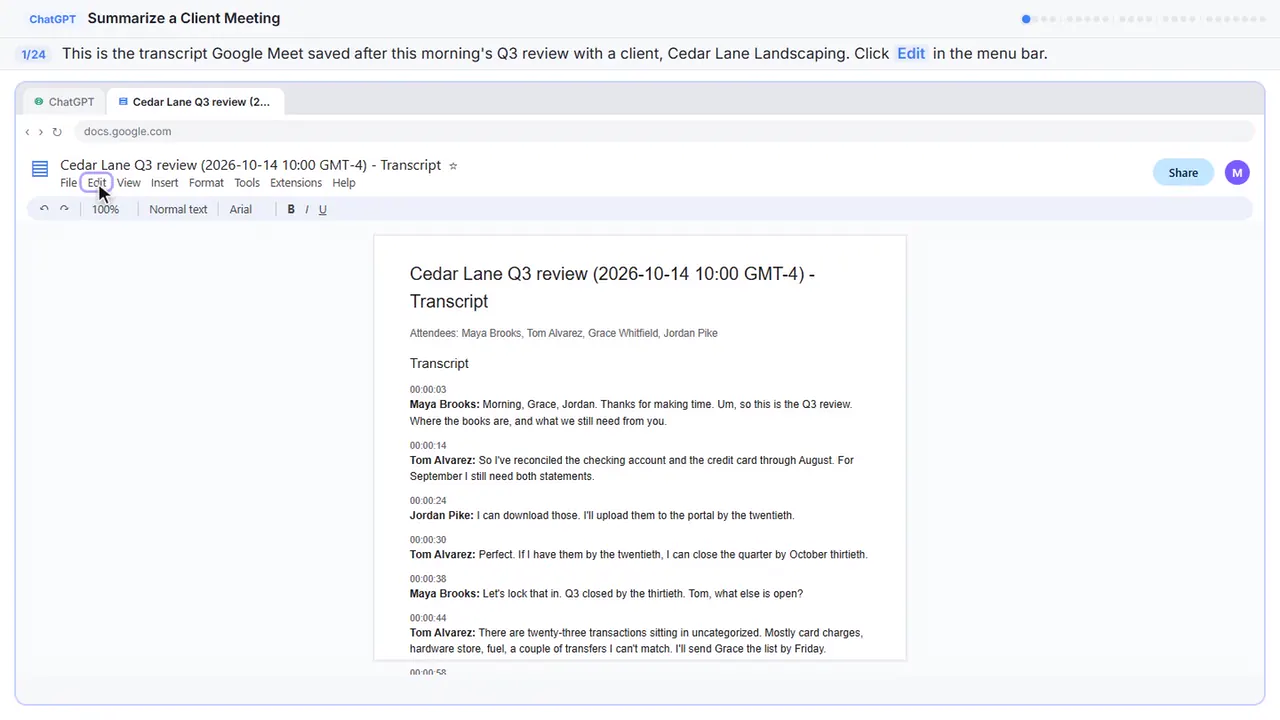
Step 1: Open the Edit menu
Here's the transcript from this morning's quarterly review with Cedar Lane Landscaping, a client of Millbrook Accounting. Google Meet saved it as a Google Doc: two people from the firm, two from the client, a lot of dates and a few ums. Let's copy the whole thing.
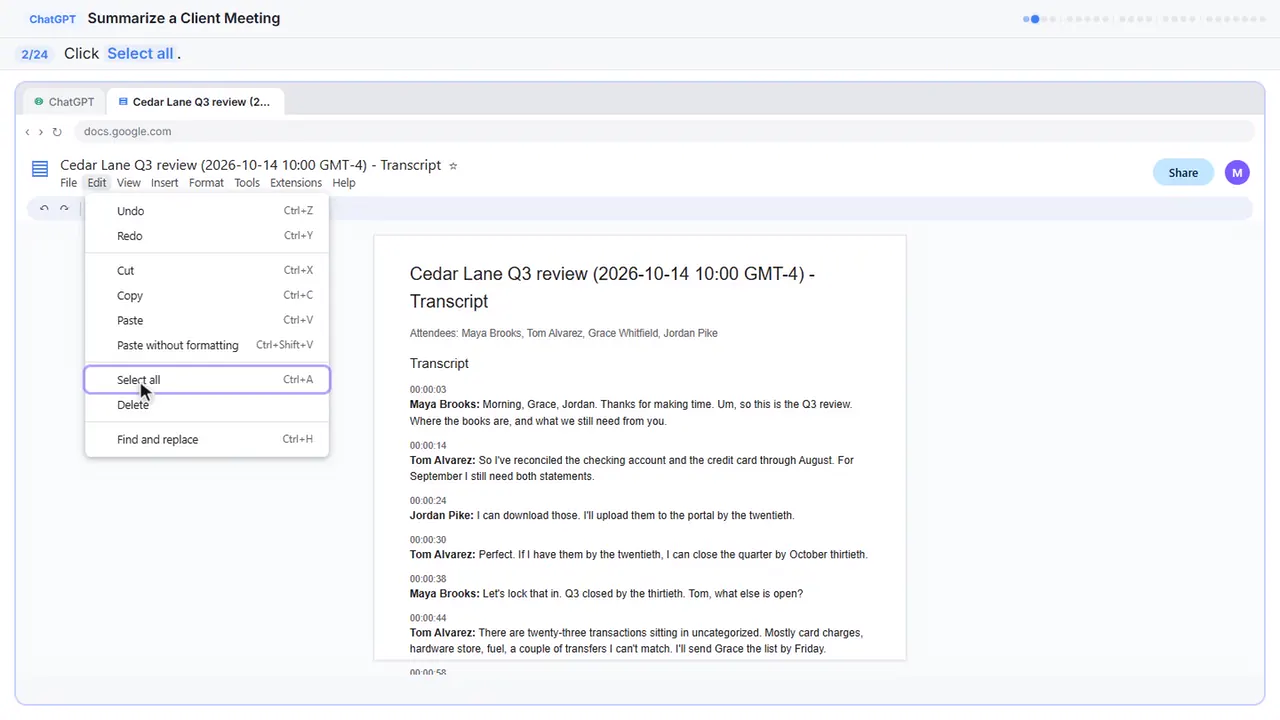
Step 2: Select all
On a keyboard, that's Control A.
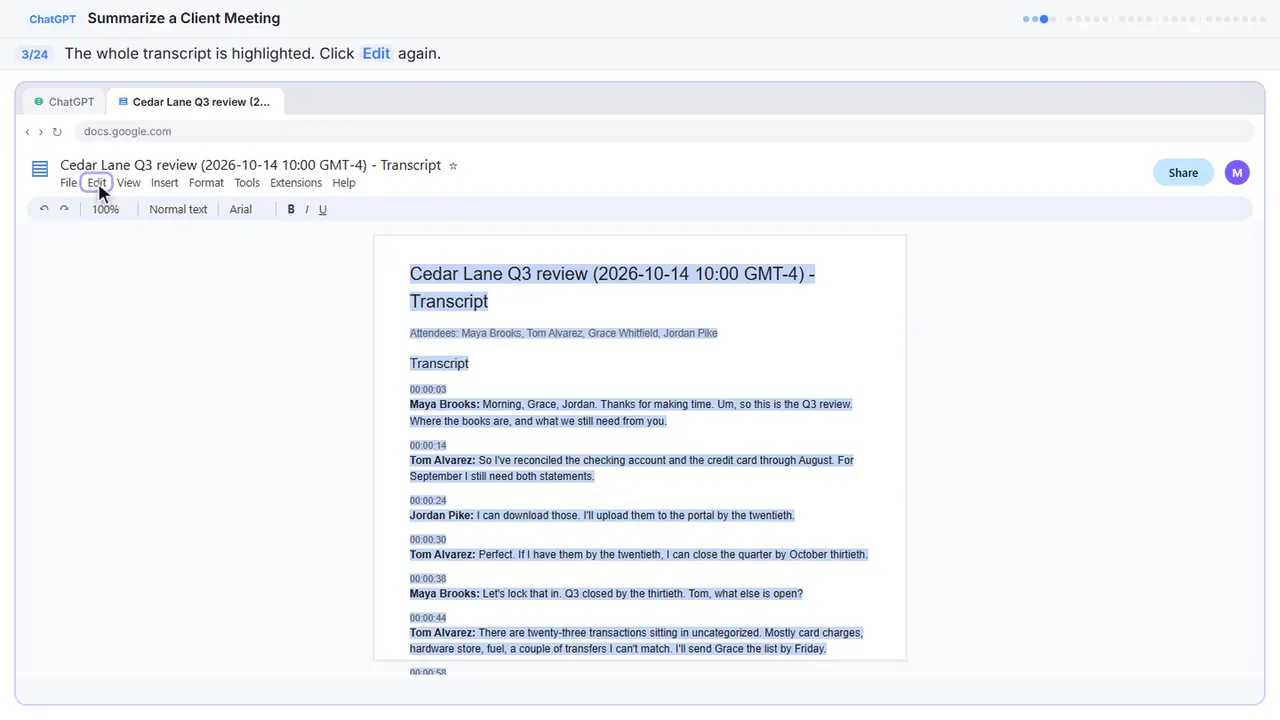
Step 3: Open the Edit menu again
The whole transcript is highlighted.
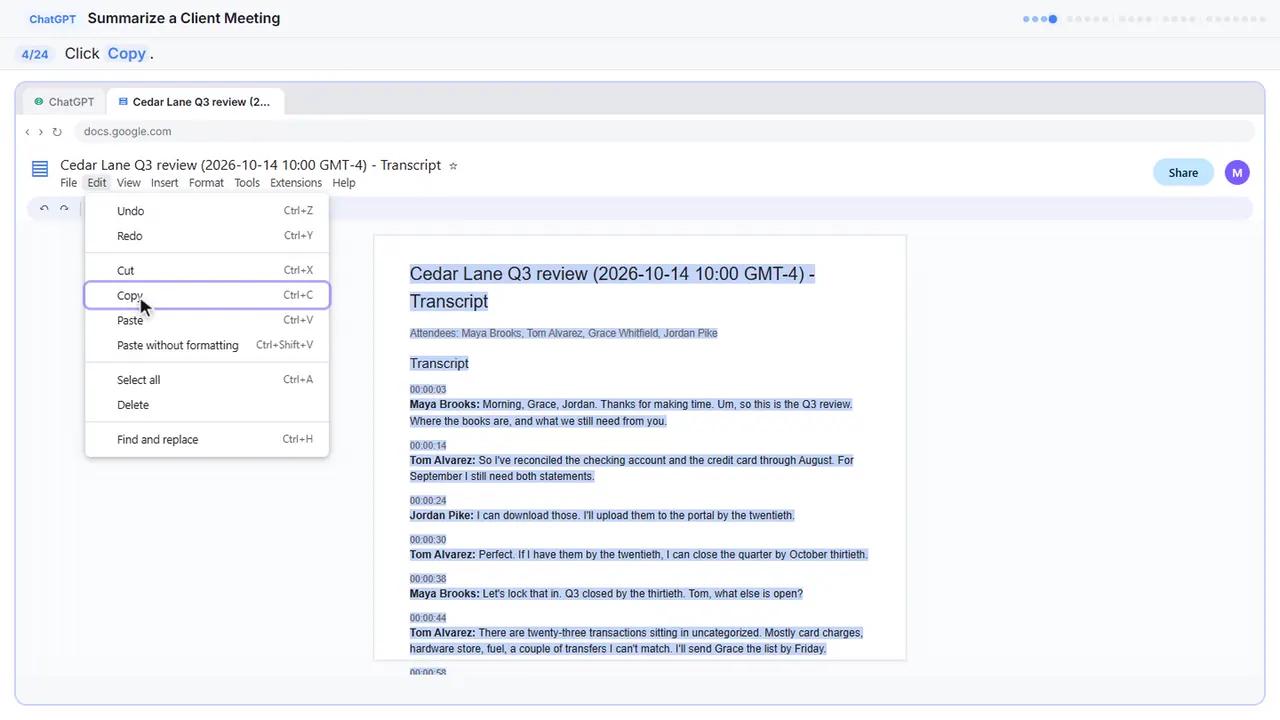
Step 4: Copy it
That's Control C. The transcript is now on your clipboard.
Part 2: Ask for a summary
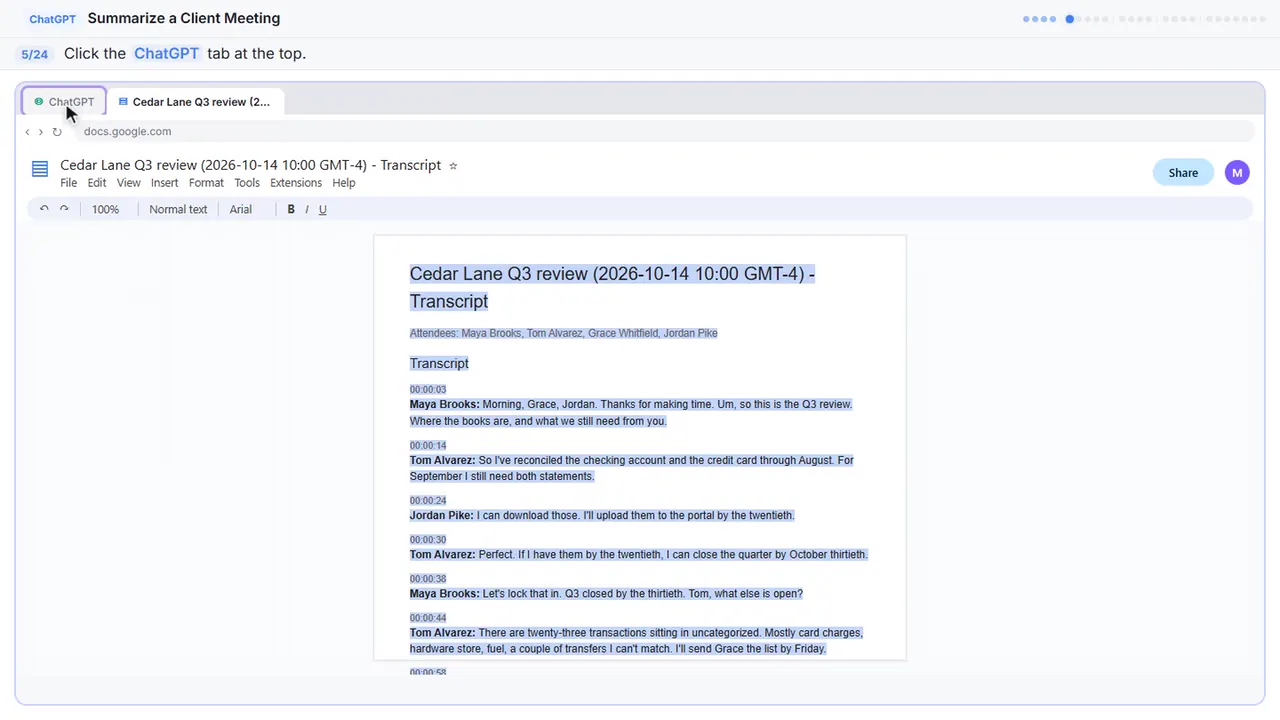
Step 5: Switch to ChatGPT
Now switch over to ChatGPT.
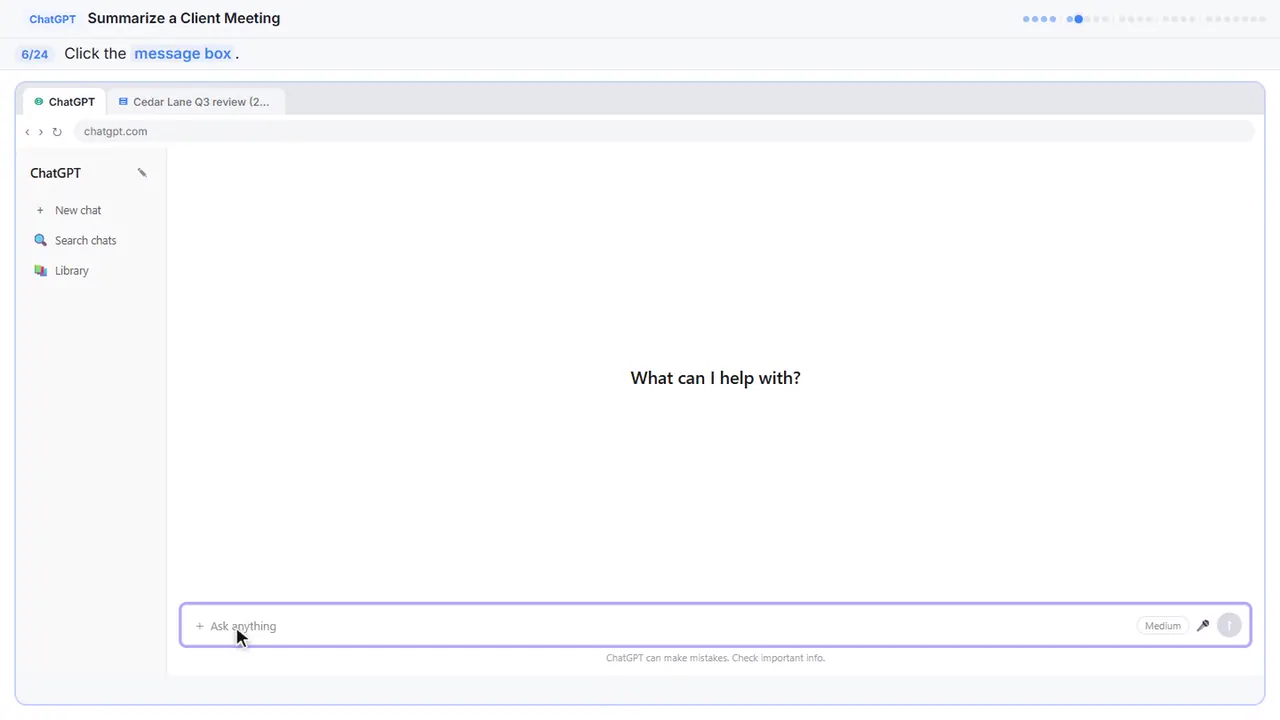
Step 6: Click the message box
Before you paste the transcript, tell ChatGPT what you want out of it. Otherwise you'll just get a vague recap.
Step 7: Paste your request
Here's the request. It asks for four things: a three sentence summary, the decisions, a table of action items with an owner and a due date, and any open questions. The last line matters most: only use what's in the transcript, and write not stated when something is missing. That stops ChatGPT from guessing.
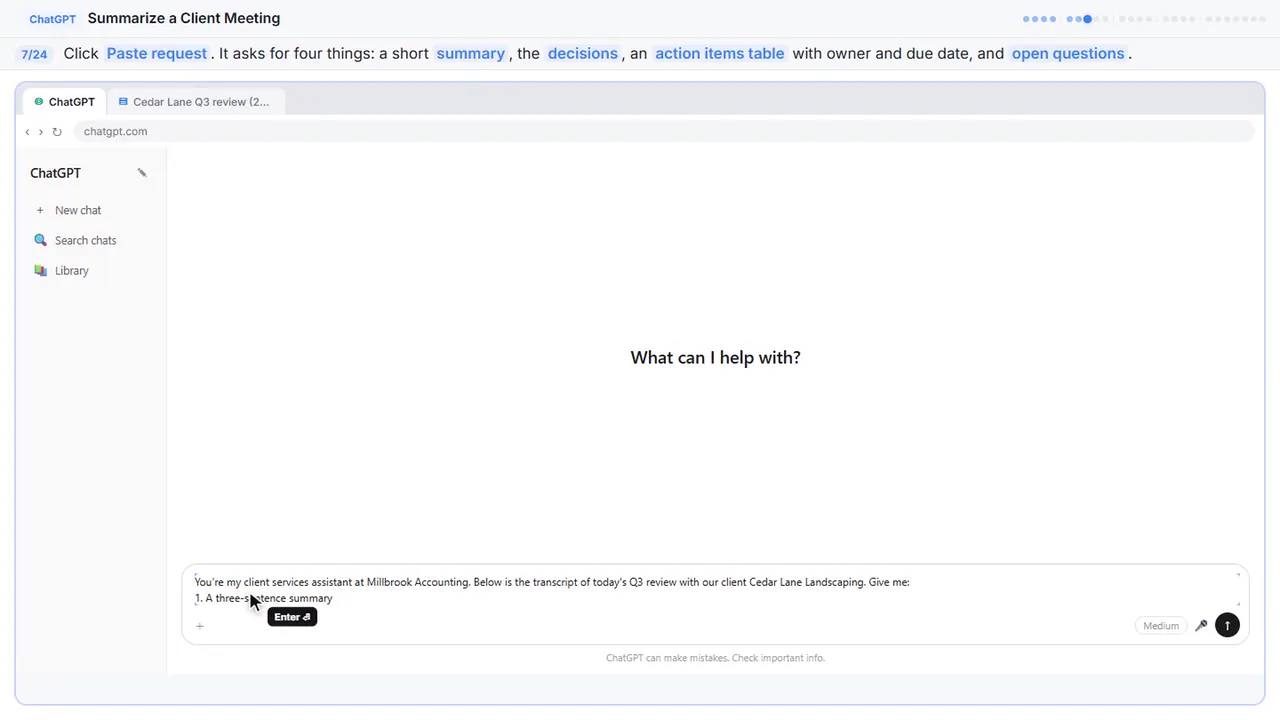
You're my client services assistant at Millbrook Accounting. Below is the transcript of today's Q3 review with our client Cedar Lane Landscaping. Give me:
1. A three-sentence summary
2. The decisions we made
3. The action items as a table: task, owner, due date
4. Open questions
Only use what's in the transcript. If an owner or date isn't said, write "Not stated".
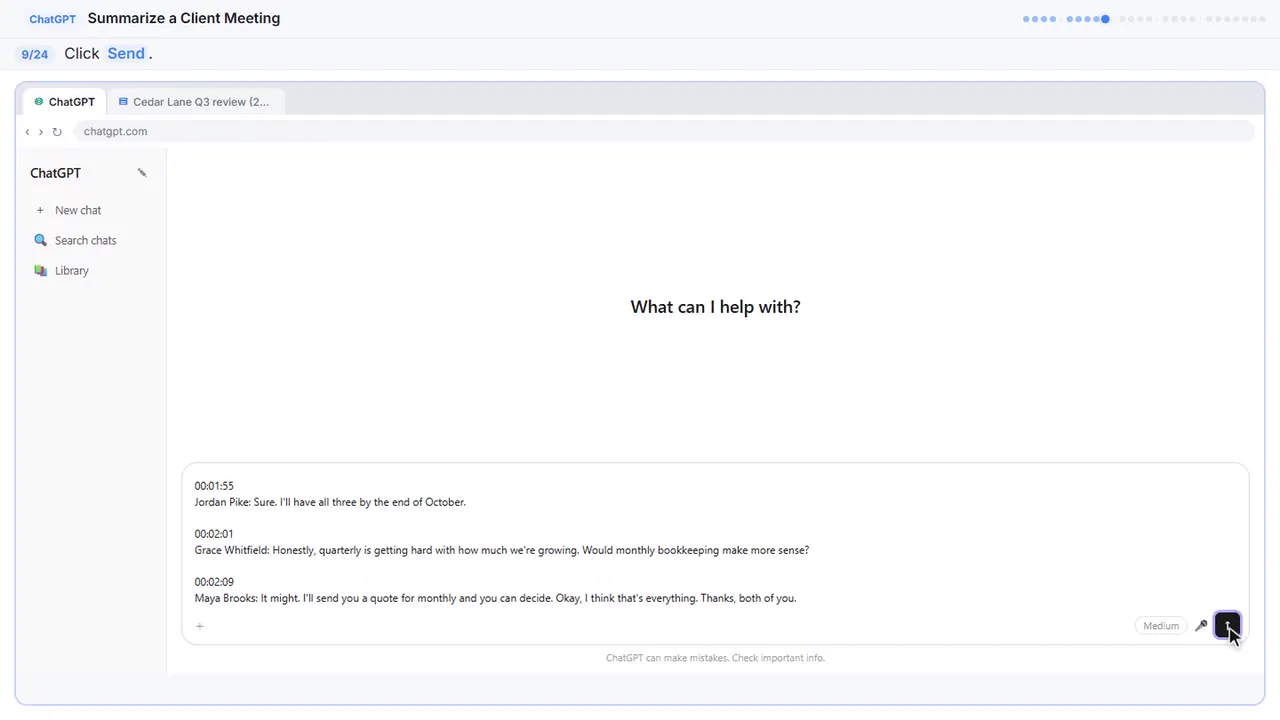
Step 8: Paste the transcript
In real ChatGPT, press Shift and Enter to start a new line first, because Enter on its own sends the message. Then Control V to paste.
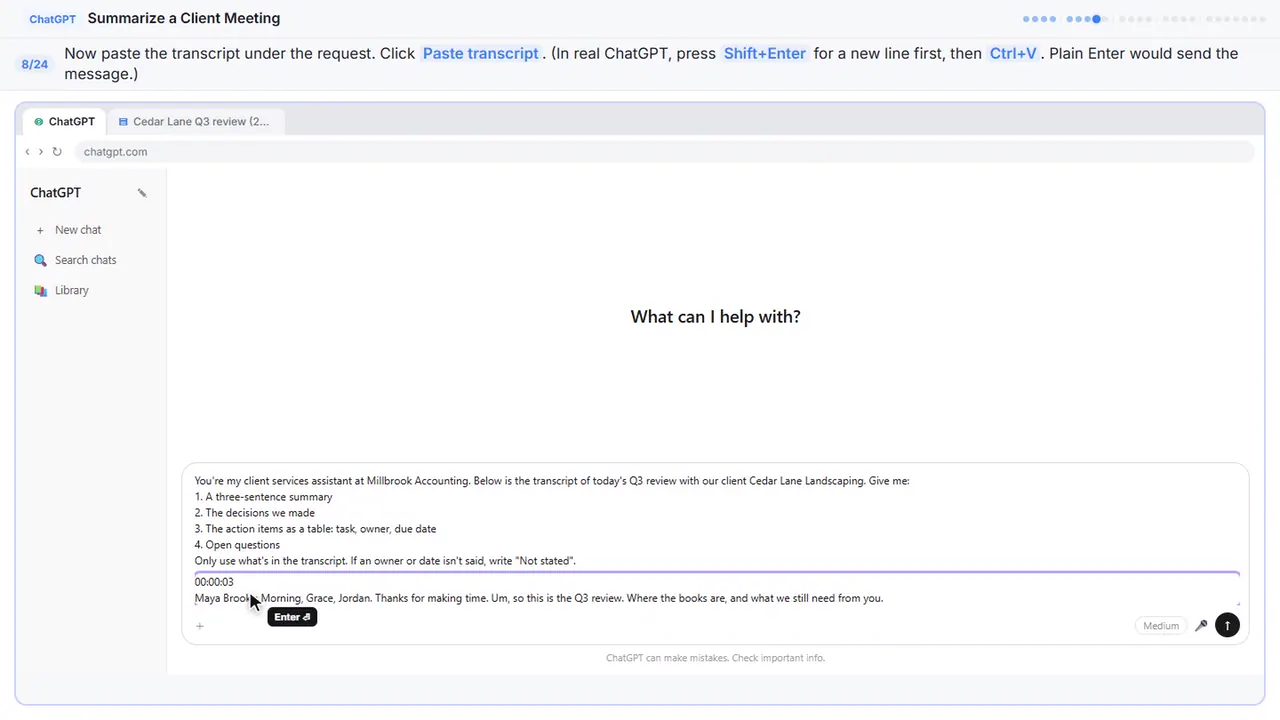
00:00:03
Maya Brooks: Morning, Grace, Jordan. Thanks for making time. Um, so this is the Q3 review. Where the books are, and what we still need from you.

00:00:14
Tom Alvarez: So I've reconciled the checking account and the credit card through August. For September I still need both statements.

00:00:24
Jordan Pike: I can download those. I'll upload them to the portal by the twentieth.

00:00:30
Tom Alvarez: Perfect. If I have them by the twentieth, I can close the quarter by October thirtieth.

00:00:38
Maya Brooks: Let's lock that in. Q3 closed by the thirtieth. Tom, what else is open?

00:00:44
Tom Alvarez: There are twenty-three transactions sitting in uncategorized. Mostly card charges, hardware store, fuel, a couple of transfers I can't match. I'll send Grace the list by Friday.

00:00:58
Grace Whitfield: Send it over. Some of those are probably for the new truck.

00:01:03
Maya Brooks: Right, the truck. You bought it in August?

00:01:07
Grace Whitfield: August twelfth. Thirty-eight thousand, and we financed most of it through the bank.

00:01:15
Maya Brooks: Okay. Then we'll set it up as equipment with a loan against it, not as an expense. Jordan, can you send us the purchase agreement and the loan paperwork?

00:01:27
Jordan Pike: Yeah, I'll dig those out.

00:01:30
Maya Brooks: And how we depreciate it, let's leave that for the year-end planning meeting. That's a bigger conversation.

00:01:39
Tom Alvarez: One more. Three of the subcontractors still have no W-9 on file. Last January we were chasing them for weeks.

00:01:48
Maya Brooks: Let's not do that again. Jordan, can you get those W-9s now instead of in January?

00:01:55
Jordan Pike: Sure. I'll have all three by the end of October.

00:02:01
Grace Whitfield: Honestly, quarterly is getting hard with how much we're growing. Would monthly bookkeeping make more sense?

00:02:09
Maya Brooks: It might. I'll send you a quote for monthly and you can decide. Okay, I think that's everything. Thanks, both of you.
Step 9: Send it
Request on top, transcript below.
Part 3: Check the details
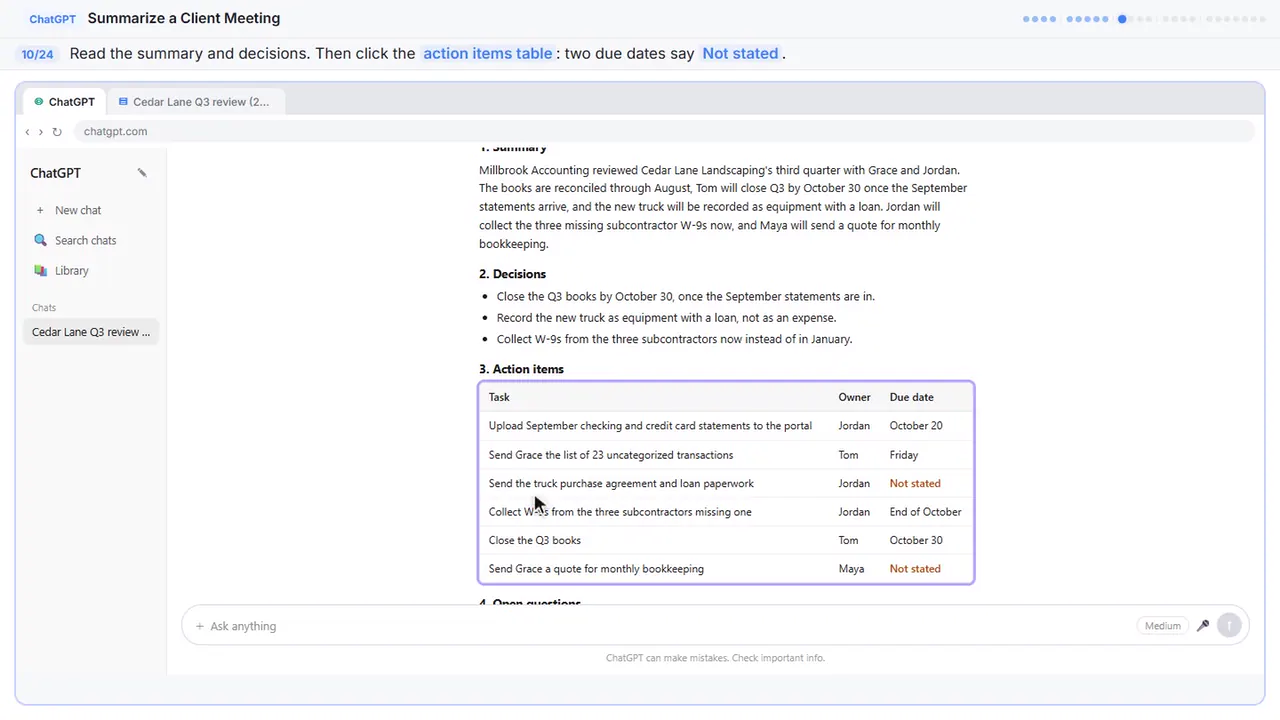
Step 10: Check the action items
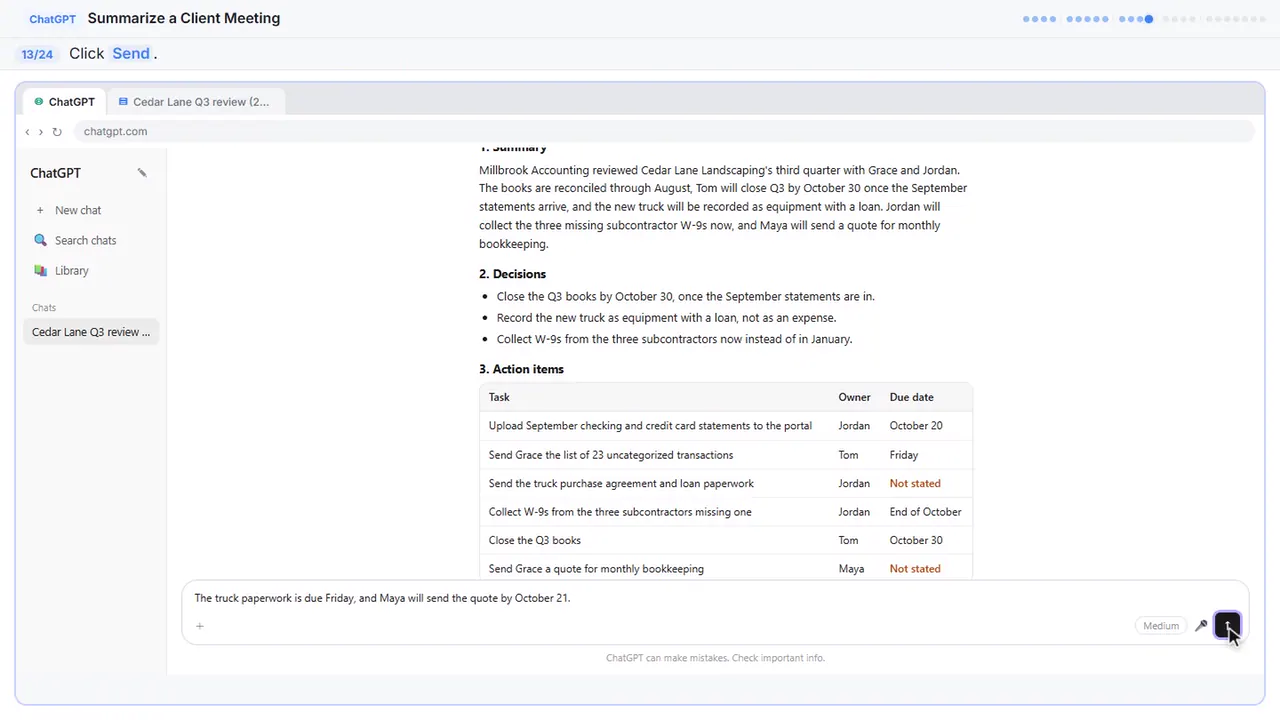
A long client meeting, boiled down to a summary, three decisions, six action items and two open questions. Now check it before anything goes to the client. Look at the action items table. Two due dates say not stated. That's right: nobody said when the truck paperwork or the bookkeeping quote was due.
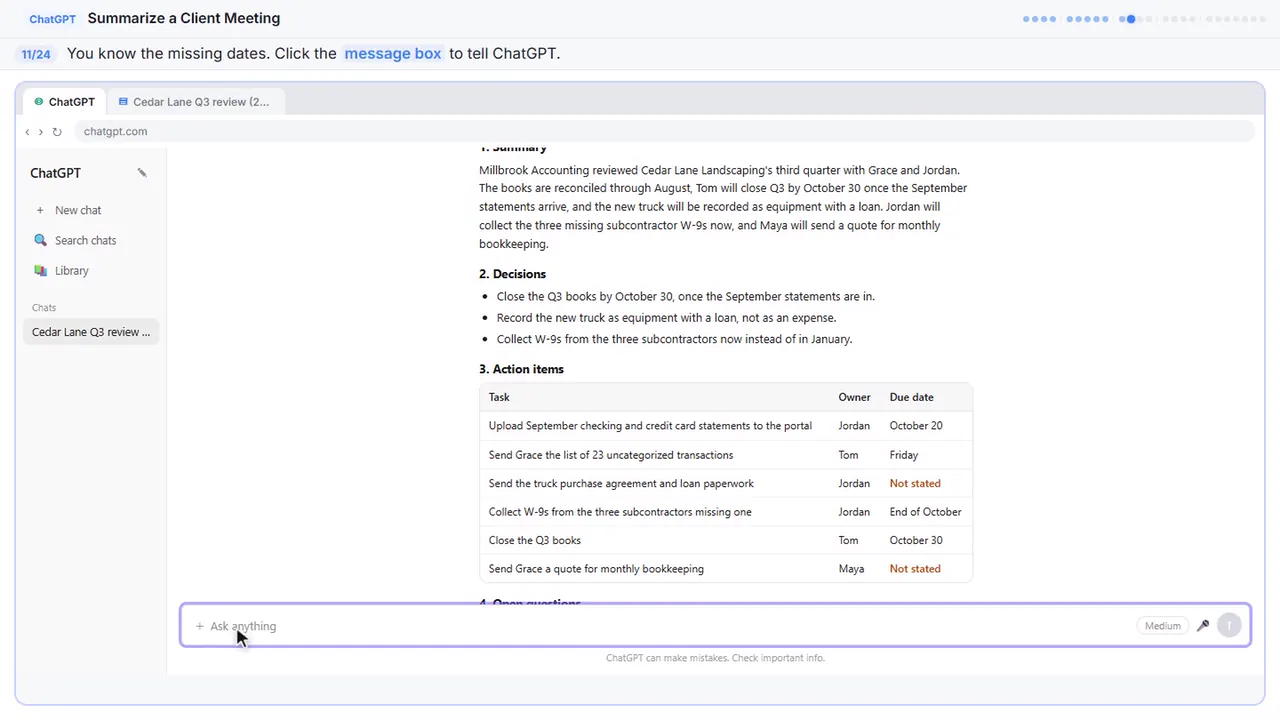
Step 11: Click the message box
You were in the meeting, so you can fill in the gaps.
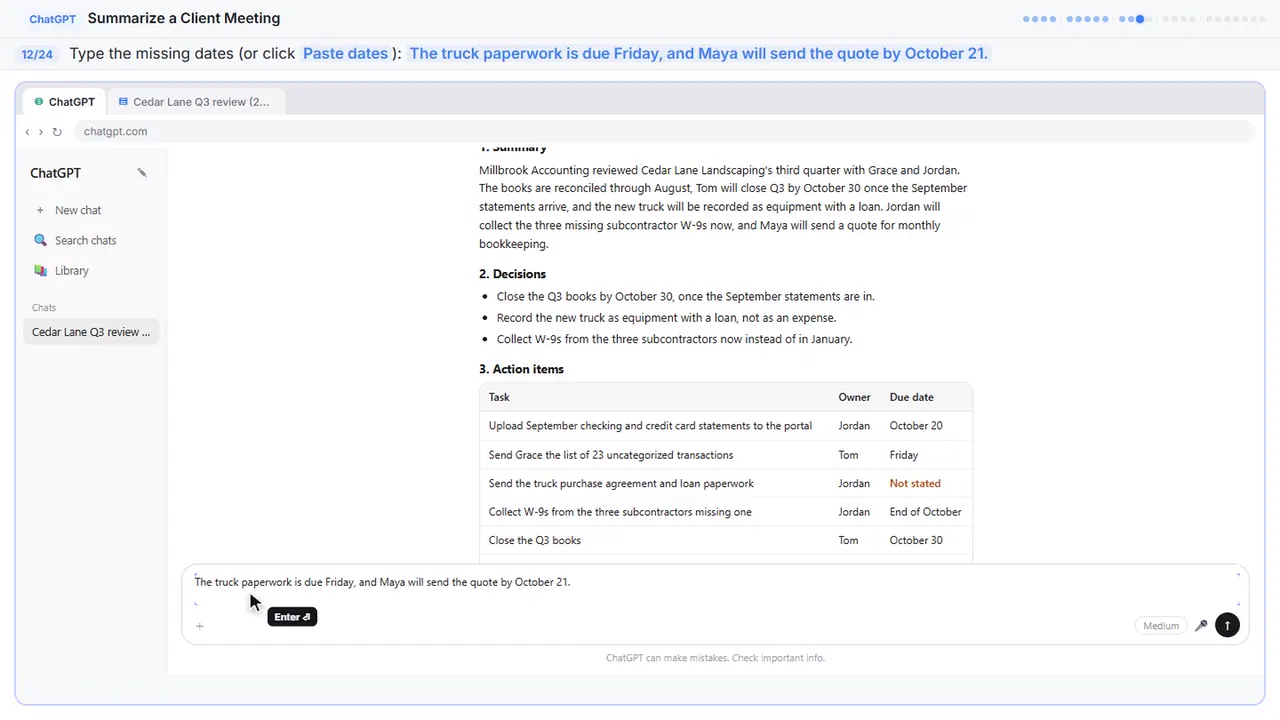
Step 12: Fill in the gaps
Tell it the missing dates: the truck paperwork is due Friday, and Maya will send the quote by October twenty-first.
Step 13: Send it
Part 4: Write the follow-up
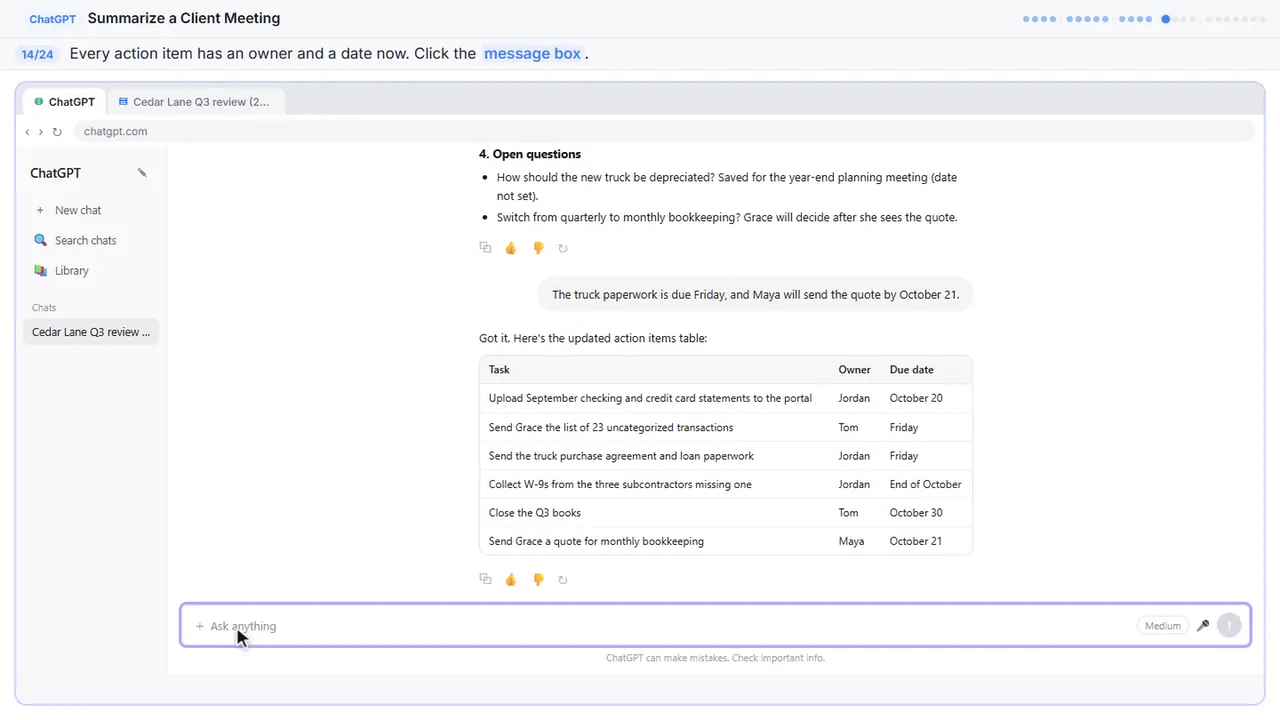
Step 14: Click the message box
Now every task has an owner and a date. Because ChatGPT still has the whole meeting in this chat, you don't need to paste anything again. Just ask for the next thing.
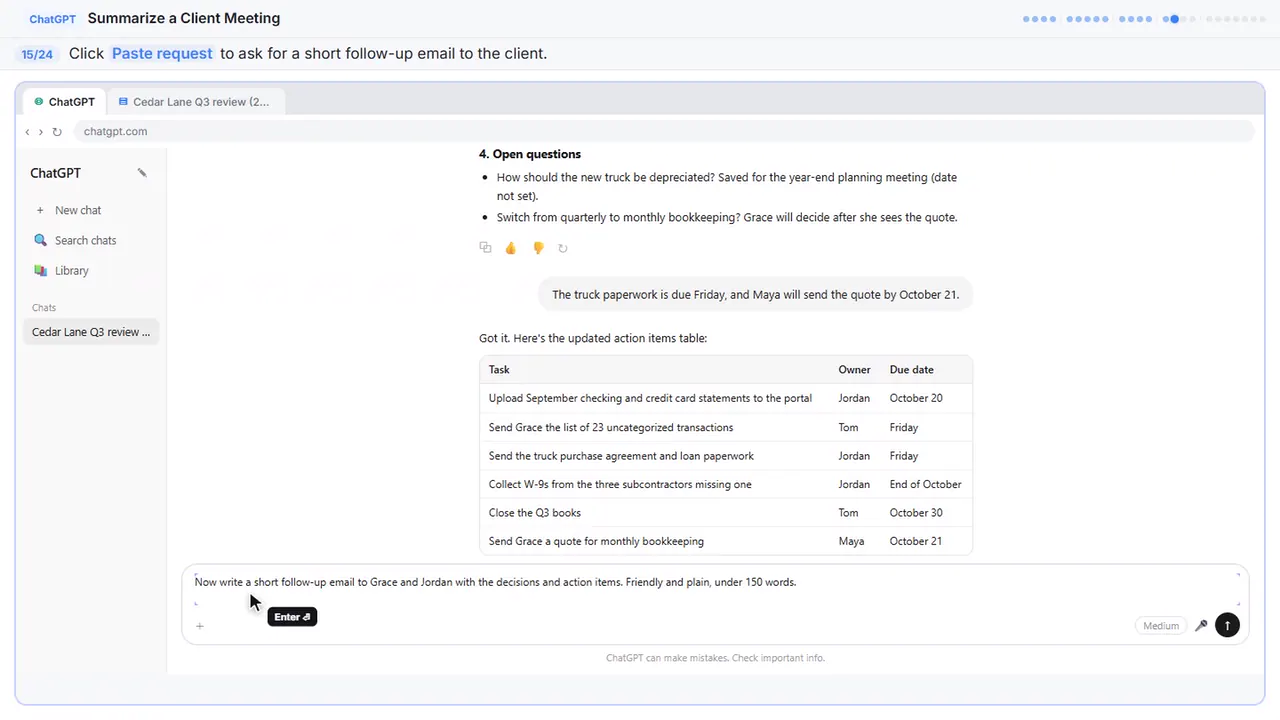
Step 15: Ask for the follow-up email
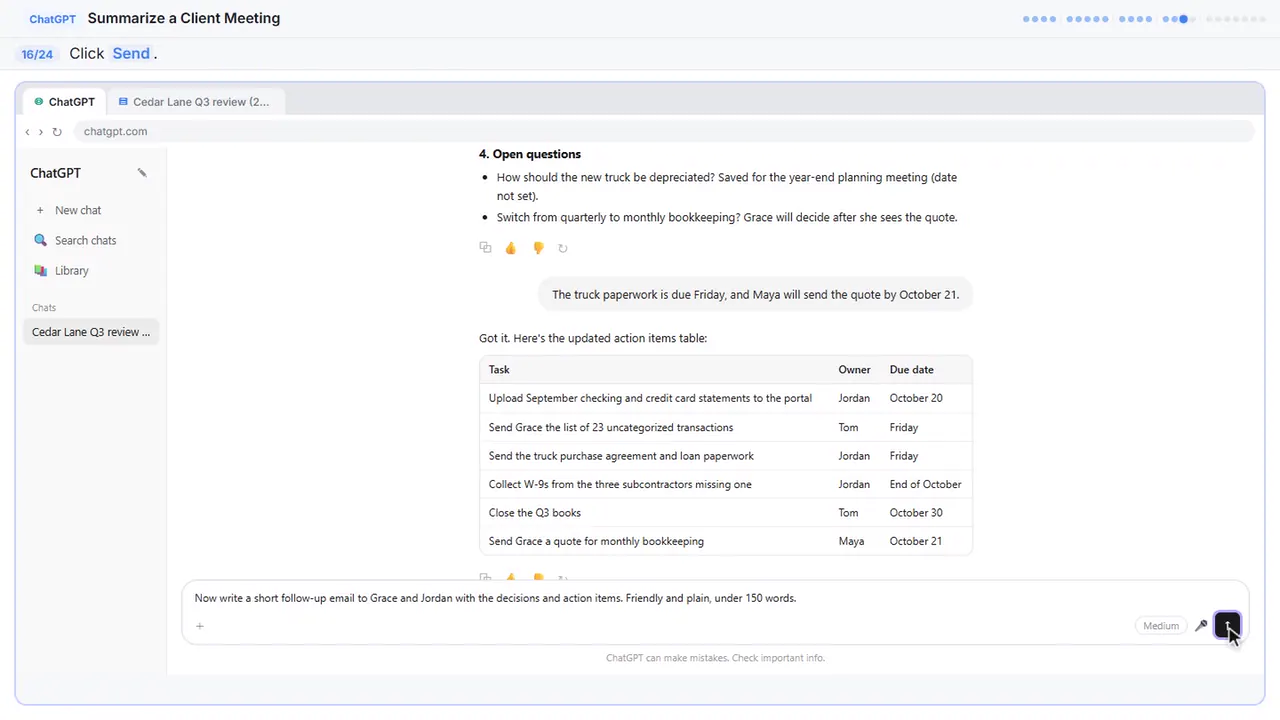
Ask for a short, friendly follow-up email to Grace and Jordan, with the decisions and the action items.
Step 16: Send it
Step 17: Copy the email
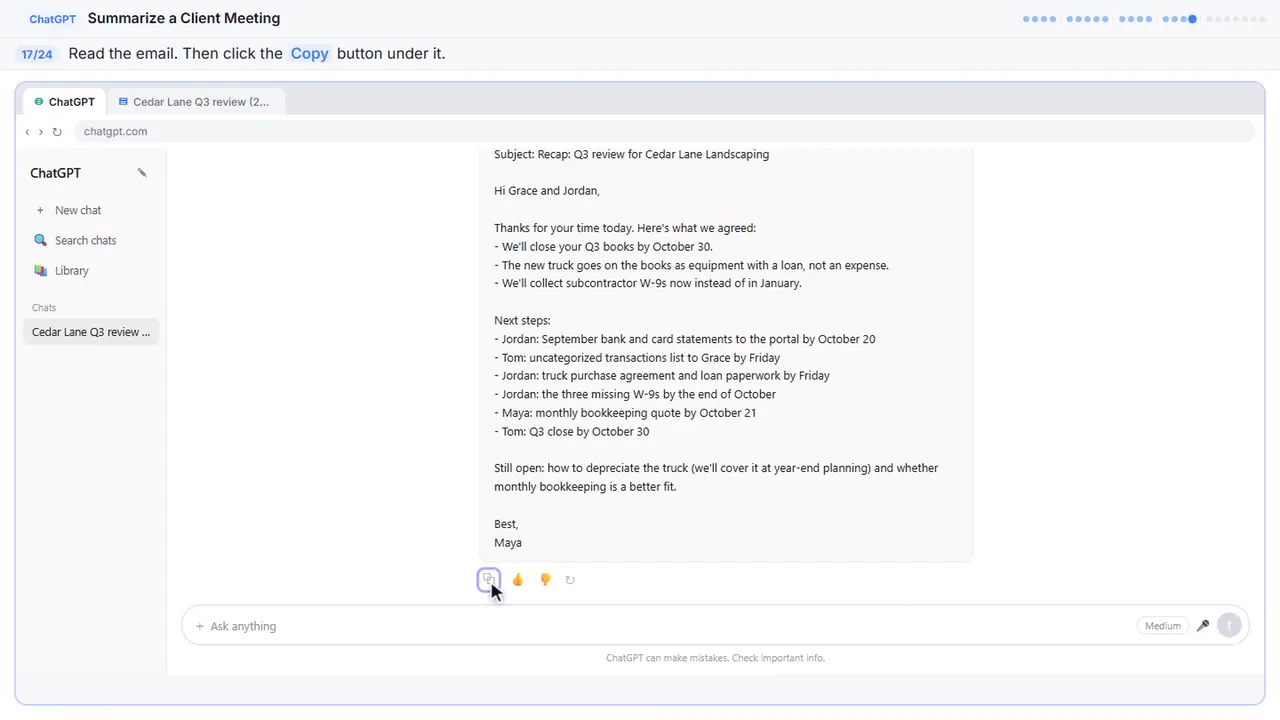
There's your recap email: the decisions, who's doing what and by when, and what's still open. Read it once, change anything that doesn't sound like you, then click the copy button under it and paste it into your email.
Part 5: Or upload the file
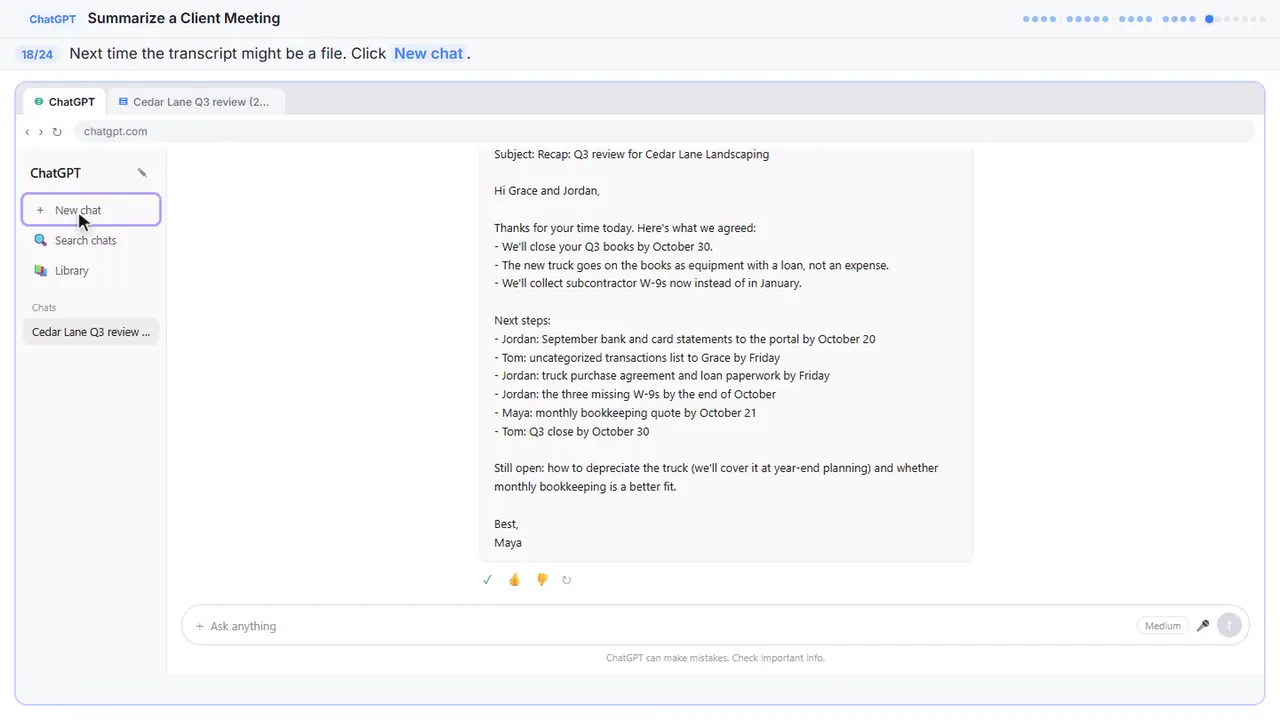
Step 18: Start a new chat
Sometimes the transcript comes as a file instead, like a Word document someone emailed you. You don't have to open it and copy it. Start a new chat.
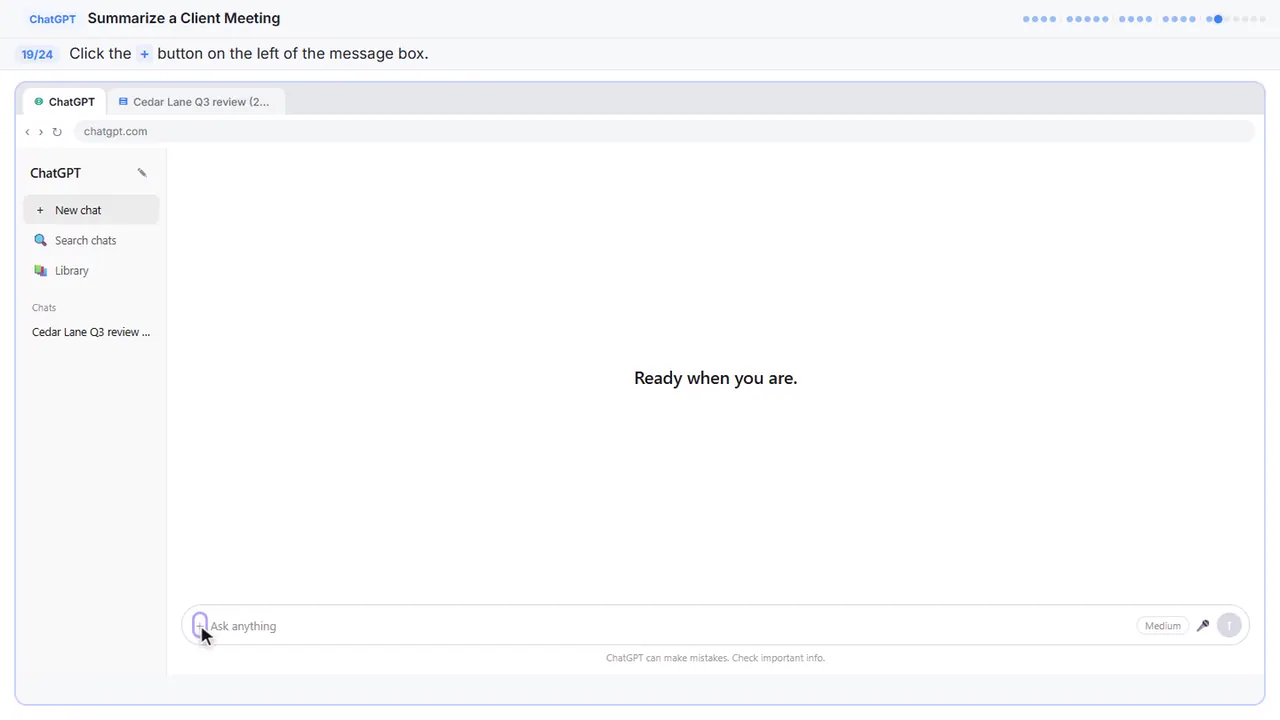
Step 19: Open the plus menu
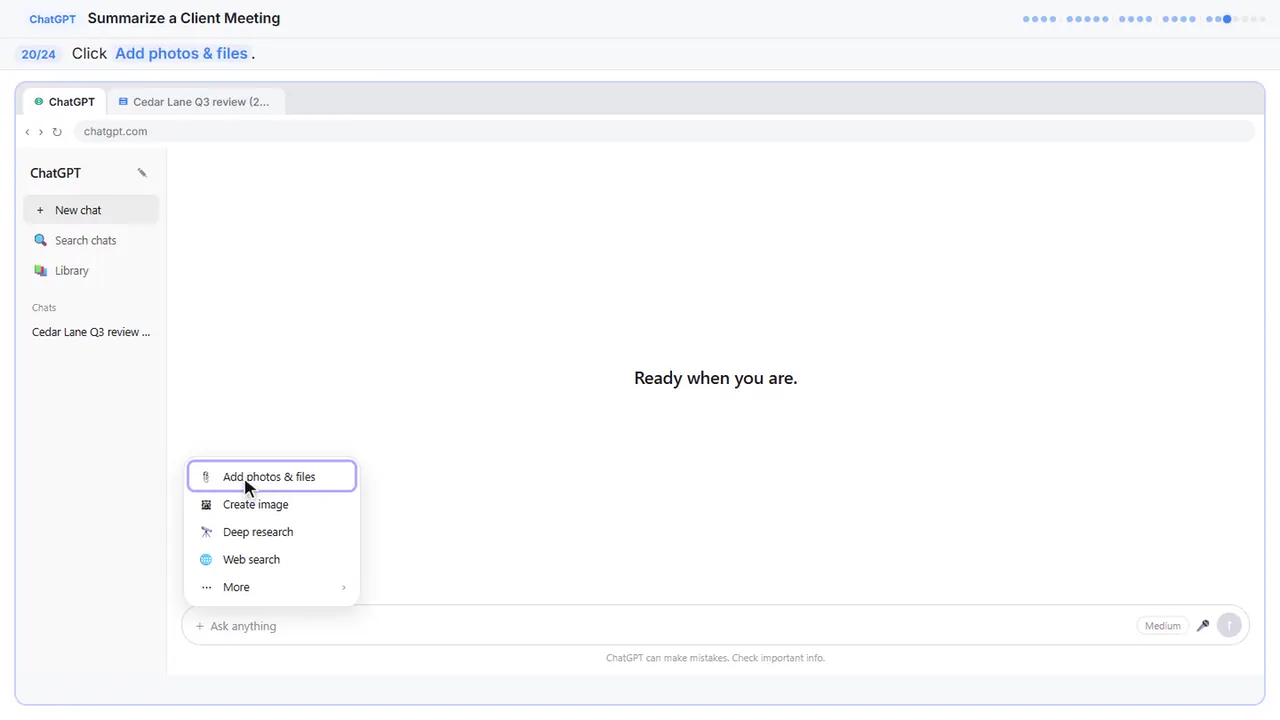
Step 20: Add photos & files
Step 21: Pick the transcript
Your file browser opens.
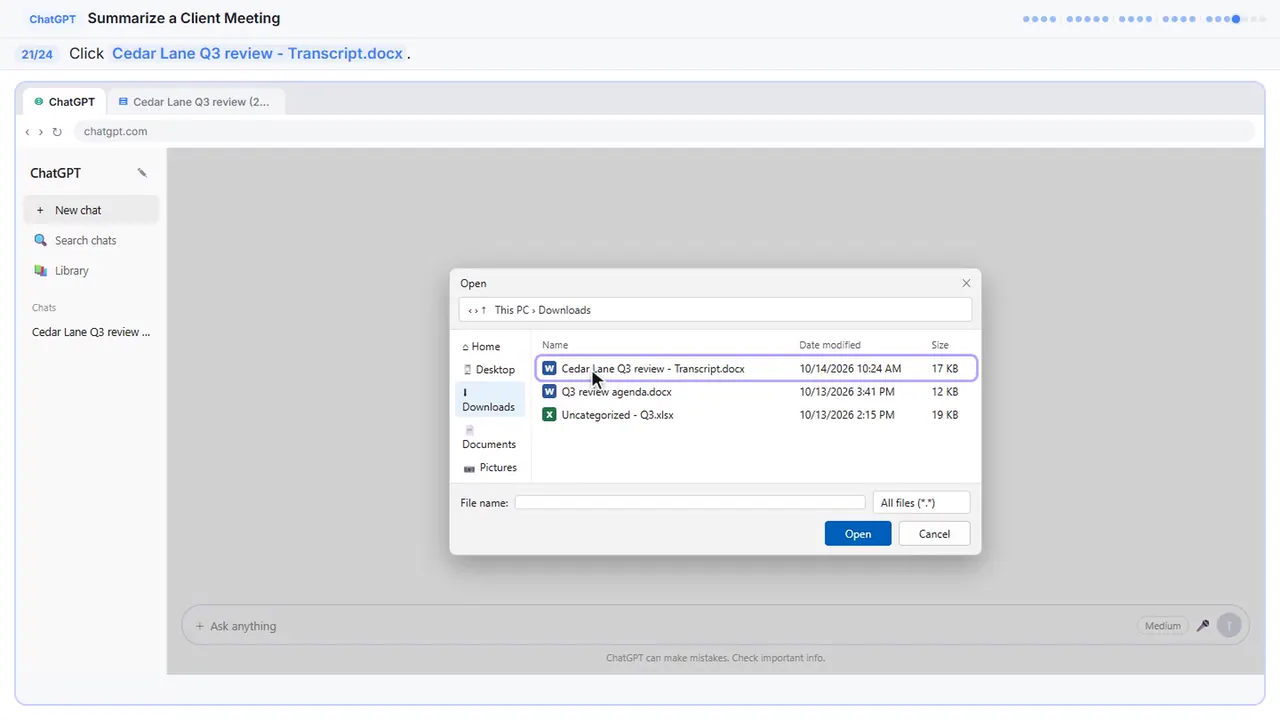
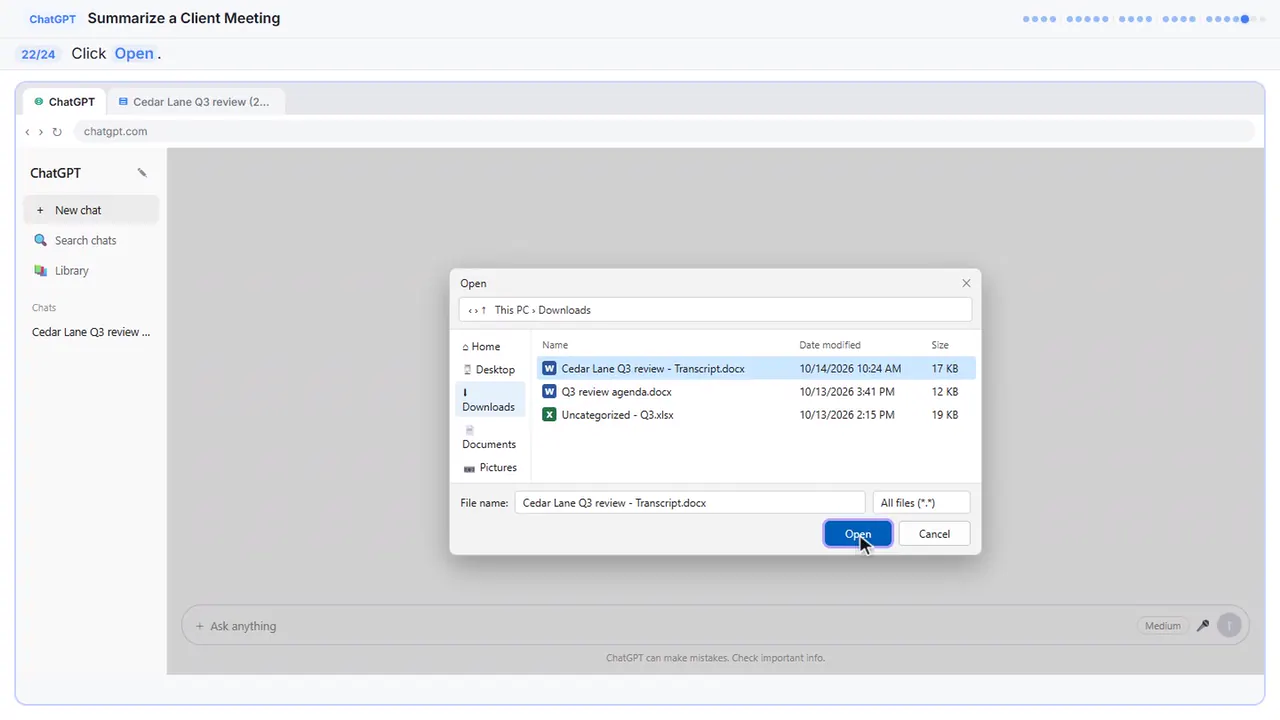
Step 22: Open it
The file attaches to the message box. You can also just drag a file onto the chat.
Step 23: Ask for the summary
Now the same request as before, in one line.
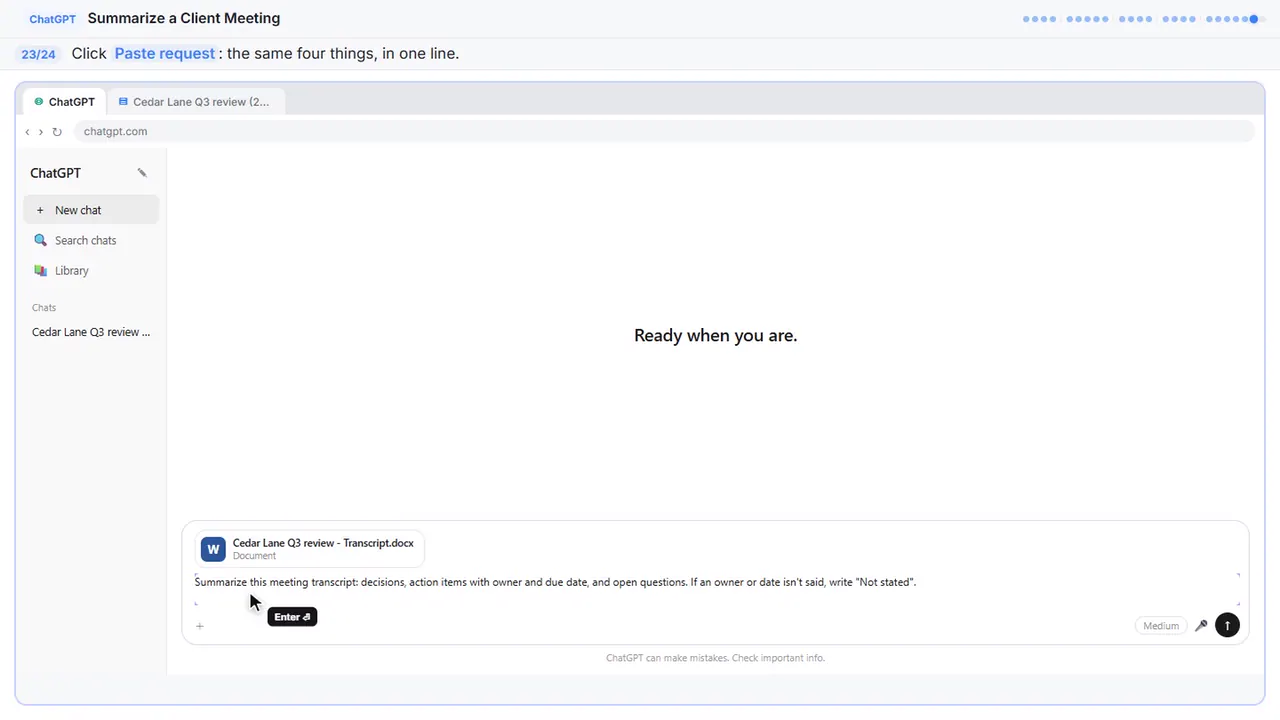
Summarize this meeting transcript: decisions, action items with owner and due date, and open questions. If an owner or date isn't said, write "Not stated".
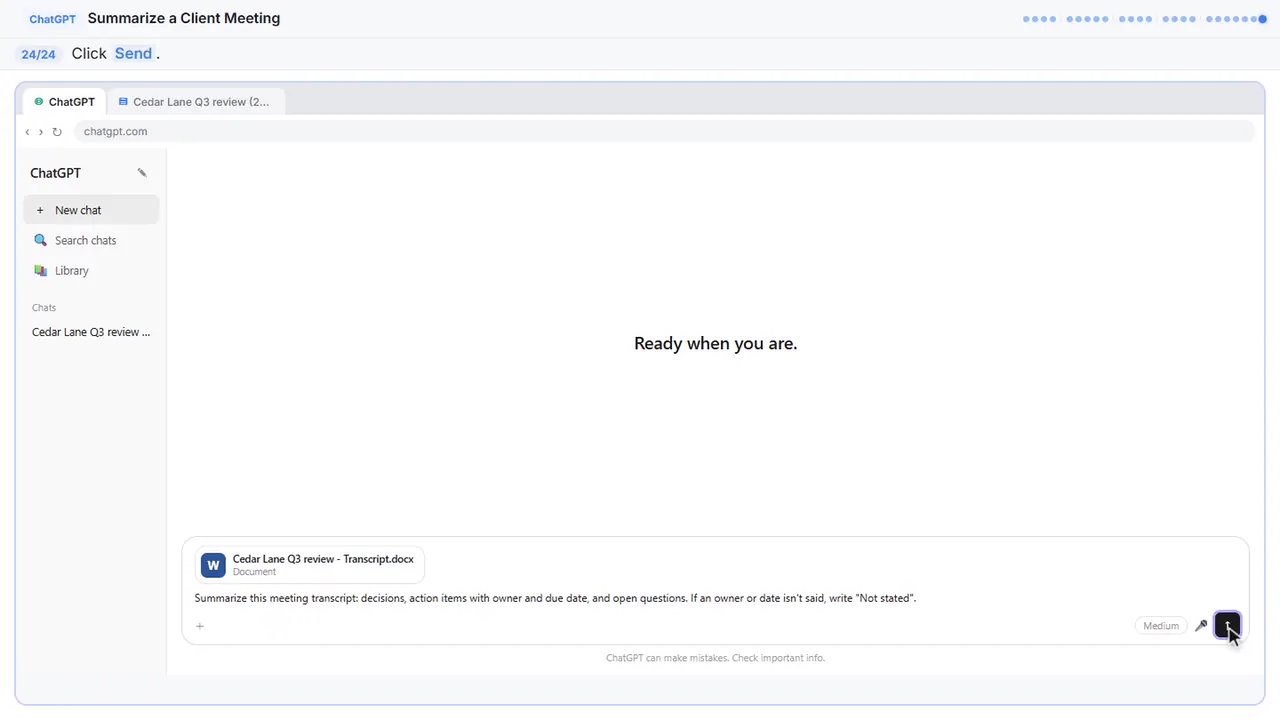
Step 24: Send it
Either way, always check the owners and dates before you send the recap.
Now do it yourself, free
Reading the steps is a start. Doing them is how it sticks. The interactive lesson puts you in a practice copy of ChatGPT: you do every step yourself, it checks your work, and “Do it for me” finishes any step you get stuck on. Nothing touches your real accounts.
Practice “Turn a Client Meeting into Action Items and a Follow-Up Email (Accounting Firms)” step by stepWatch the 3:04 video walkthrough · Turn a Client Meeting into Action Items and a Follow-Up Email (Accounting Firms): lesson overview · All free tutorials