Why this matters
Vendor agreements get skimmed, and the clauses that cost money are the quiet ones: an automatic renewal with a 90-day notice window, a yearly price increase, a large early exit fee.
KDAN PDF has an AI Chatbot that reads the open PDF and answers questions about it. Ask for the fees and deadlines with section numbers, check the clauses that matter, and you go into the call knowing what to negotiate.
Practice
Do every step yourself in a practice copy of the real tool. It checks your work, and “Do it for me” finishes any step you get stuck on.
What you’ll build
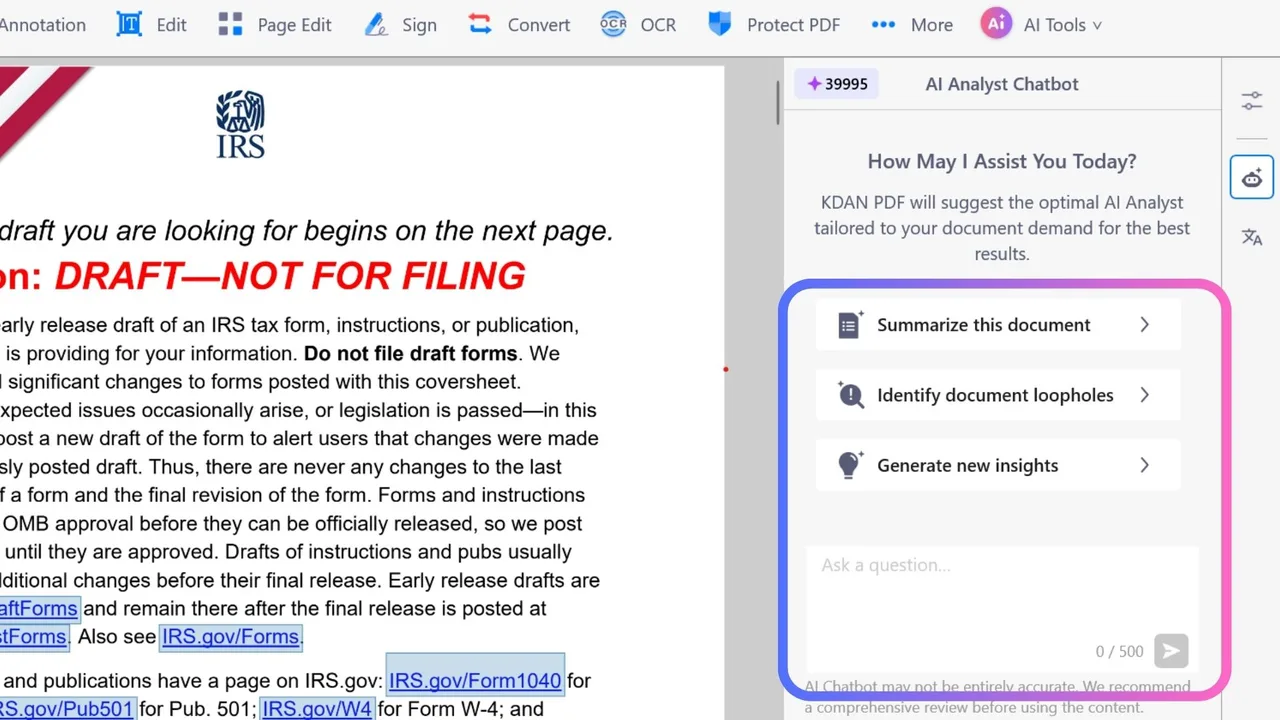
Screenshot: KDAN, from its help article How to start a conversation with AI Chatbot (Windows). Every app screen in this lesson comes from KDAN's published docs, so it shows KDAN's example file.
You help Dana Whitfield, office manager at Linden Row Accounting, a made-up firm. A 4-page managed IT agreement at $2,640 a month arrives with a call booked at 2:00 PM, and section 3.2 renews it for another year unless someone gives notice 90 days before the term ends.
You open AI Chatbot from AI Tools, start with Summarize this document, ask for the money terms and deadlines with section numbers, check the renewal clause with Explain This (Beta), and save the answer as a Note on page 1 of the PDF.
What you need
- Nothing to start the practiceThe lesson is a practice copy built from KDAN's help-center screenshots. Linden Row Accounting, the vendor and every number are made up.
- The sample agreementA fictional 4-page managed IT services agreement to open in KDAN PDF.
- KDAN PDF and a KDAN ID, to do it for realAI Chatbot needs KDAN PDF for Windows v2.3.0 or later, or Mac v3.24.1 or later. KDAN's help article says Free and Document 365 users get a limited allowance (30 conversations a month, files up to 20 pages). The full AI features are in Document 365 AI+, USD 99.99 a year on 18 October 2026.
Concepts
Summary first, then one specific question
The suggested prompt Summarize this document gives you the shape of the contract. Then ask one specific question, the way KDAN recommends: the term, the fee, price increases, the renewal and cancellation deadlines and the exit fee, each with its section number.
Section numbers matter because they turn an AI answer into something you can check in seconds. Each message can be up to 500 characters.
The AI points, you verify
KDAN's own panel says AI Chatbot may not be entirely accurate and recommends a comprehensive review. Select the clauses that cost money in the PDF, use Explain This (Beta), and read the words on the page yourself.
Keep the answer on the contract
Copy the response, switch to Annotation, add a Note on page 1 and save the PDF. The next person who opens the file sees the deadlines without asking you.
Do it for real
Now repeat it in your own account. Tick each step as you go.
Downloads
- Sample managed IT services agreement (.pdf)Fictional 4-page agreement with a 90-day renewal notice, a 7% increase cap and a 75% early exit fee planted to check.
Quick check
3 questions to check you’ve got it.
1. Where do you open the AI Chatbot in KDAN PDF?
- AI Tools, then AI Chatbot
- File, then Export
- Protect PDF, then AI
Show the answer
AI Tools, then AI Chatbot. AI Chatbot sits under AI Tools. The robot icon in the right toolbar opens the same chat box.
2. Why ask for section numbers with each term?
- It makes the answer shorter
- So you can check each answer against the contract in seconds
- KDAN needs them to answer
Show the answer
So you can check each answer against the contract in seconds. KDAN says the chatbot may not be entirely accurate, so you check the clauses that cost money against the page.
3. The agreement renews unless you give notice 90 days before it ends. What do you do after the review?
- Trust the summary and sign
- Save the answer as a note on the PDF and put the notice date in your calendar
- Delete the chat
Show the answer
Save the answer as a note on the PDF and put the notice date in your calendar. The note keeps the deadlines with the contract, and the calendar date makes sure someone acts on them.
Guardian: Make Your n8n AI Agent Ask Before It Emails a Customer
You pulled the key terms out of a contract and left them on the PDF. Next in this course: Guardian: Make Your n8n AI Agent Ask Before It Emails a Customer.
Start module 35 →